Tag: VPN services

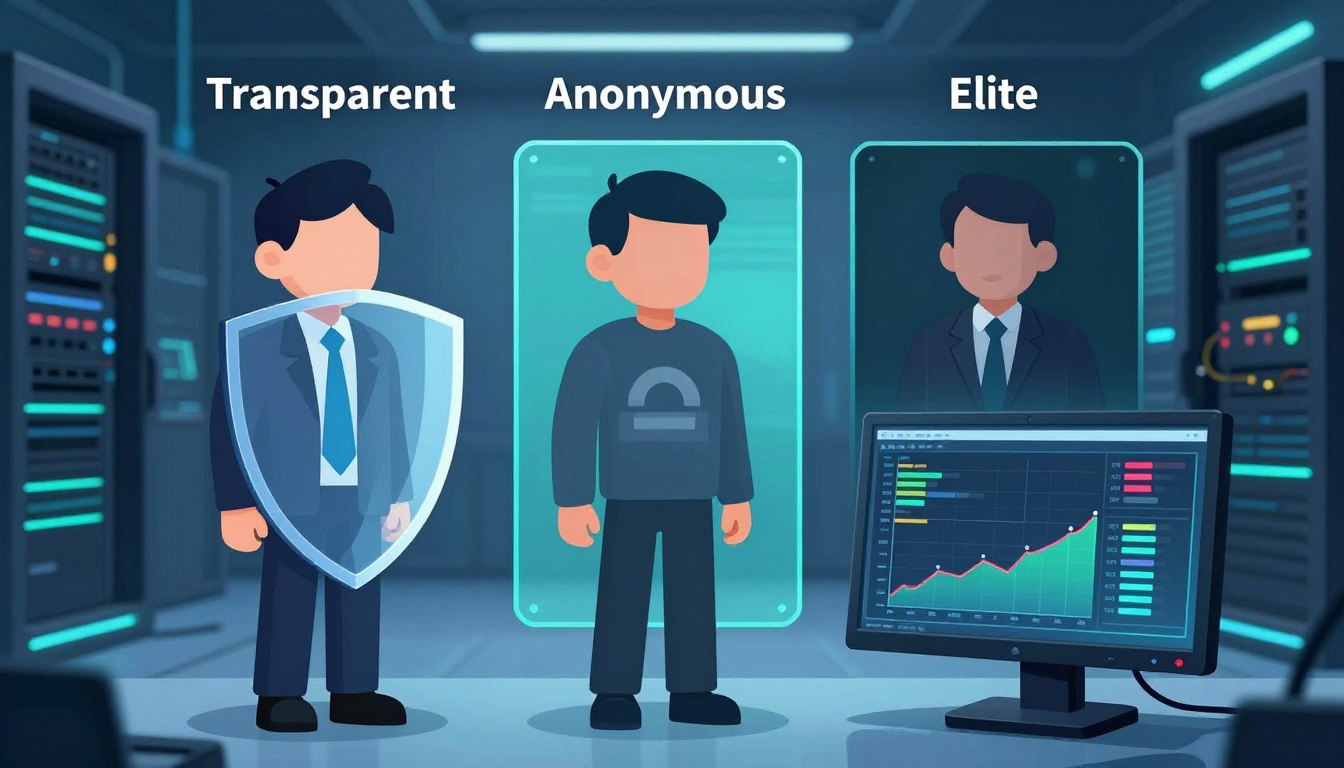
  • Transparent vs. Anonymous vs. Elite Proxies Explained

    Transparent vs. Anonymous vs. Elite Proxies Explained

    We’re here to help U.S. IT teams, marketers, and privacy lovers pick the best proxy. We’ll show you the key differences between transparent, anonymous, and elite proxies. These differences are crucial for your security, how fast things work, and if you follow the rules.

    A transparent proxy shows client headers, which can reveal your original IP or HTTP_X_FORWARDED_FOR. An anonymous proxy hides your IP but might still show it’s a proxy. An elite proxy, or high anonymity, hides your IP and removes all proxy headers.

    We’ll talk about how they work, their speed, security, and real-life uses. This includes business access, education, streaming, marketing, and web scraping. We’ll also give tips on how to choose a provider and test proxies in your own setup.

    This article is a detailed guide to help you decide. We’ll give you steps to check proxy performance, cost, and reliability. We write in the first person plural to offer you direct advice. This will help you choose between transparent and anonymous proxies or go for an elite proxy if you need top-level anonymity.

    Key Takeaways

    • Transparent proxies reveal client headers and are simple to deploy.
    • Anonymous proxies hide IPs but may disclose proxy use.
    • Elite proxy (high anonymity) provides the strongest concealment.
    • Choose based on use case: performance needs, compliance, and scraping scale.
    • Test providers and measure latency, header behavior, and reliability.

    Understanding Proxies: An Overview

    We start with a quick guide on proxy technology. Proxies act as middlemen between clients and servers. They manage traffic, follow rules, and sometimes speed up content delivery. Squid is great for caching, while NGINX and HAProxy are top picks for reverse proxying.

    What is a Proxy?

    A proxy server is like a messenger. It sends requests from a client to a server and brings back the answers. Proxies can be set up on the client side or server side for different tasks.

    They can change traffic, add headers, check who’s accessing, and store pages to save time. Squid, NGINX, and HAProxy are favorites for many users.

    How Proxies Work

    The process is straightforward: client sends a request → proxy → server → proxy → client. Proxies can change or hide the client’s IP by adding or altering headers.

    They support various ways to check who’s accessing, like Basic, Digest, and NTLM. SOCKS proxies handle TCP streams, while HTTP and HTTPS proxies work with HTTP headers. For HTTPS, they might use the CONNECT method or inspect content.

    Types of Proxies in Use

    Proxies are categorized by their function and where they come from. Transparent proxies show the client’s IP and add headers. Anonymous proxies hide the user’s IP but might still show proxy use. Elite proxies hide both the client’s IP and the fact that a proxy is being used.

    Residential proxies use real consumer IPs and are less likely to be blocked but cost more. Datacenter proxies are cheaper and faster but might get blocked more often.

    Proxy Type Typical Use IP Origin Anonymity
    Transparent Content caching, internal filtering Datacenter or corporate network Low — reveals client and headers like X-Forwarded-For
    Anonymous Privacy for casual browsing, basic masking Residential or datacenter Moderate — hides client IP but may show proxy usage
    Elite proxy High-stakes scraping, secure market targeting Residential or datacenter High — strips identifying headers and hides proxy presence
    SOCKS Protocol-agnostic tunneling, apps and games Varies Varies by implementation
    Reverse / Caching Load balancing, TLS offload, faster delivery Server-side infrastructure (NGINX, HAProxy) Not applicable — serves backend

    The Concept of Transparency in Proxies

    Transparent proxies forward client requests without hiding the original IP. They add proxy headers like HTTP_X_FORWARDED_FOR and Via. This helps networks keep a clear audit trail and makes policy enforcement easier.

    When choosing between transparent and anonymous proxies, we consider how traffic is routed. Transparent proxies are simpler to set up and cost less to run. They also offer reliable caching. This model is best for organizations that need to know the client’s true identity.

    We list ideal use cases where keeping client identity matters.

    • Enterprise caching to reduce bandwidth and speed updates.
    • Schools and universities enforcing content filters and SafeSearch.
    • ISPs and parents implementing parental controls.
    • Corporate monitoring, auditing, and internal load balancing.

    However, transparent proxies have some drawbacks. They don’t offer privacy or geo-masking. This makes them unsuitable for users who need anonymity. Sites that check proxy headers may block or flag traffic, limiting their use for scraping or bypassing location restrictions.

    Feature Transparent Proxy Anonymous Proxy
    Client IP Exposure Preserved via HTTP_X_FORWARDED_FOR and similar proxy headers Hidden from target servers
    Setup Complexity Low; easy to configure for networks Higher; requires anonymization tools
    Primary Uses Caching, filtering, monitoring Privacy, geo-masking, secure browsing
    Cost Lower due to minimal processing Higher because of added services
    Blocking Risk Higher when proxy headers are detected Lower if well-configured

    A Deep Dive into Anonymous Proxies

    We look into how anonymous proxies work and what they offer. They hide your IP from servers but might still show their presence with proxy headers. This balance offers privacy but not complete secrecy, showing the trade-offs for different needs.

    Benefits of Using Anonymous Proxies

    Anonymous proxies are great for simple privacy needs at a low cost. They hide your IP and reduce basic tracking. They’re a cost-effective choice compared to more advanced proxies, available in datacenter and residential types.

    Scenarios Where Anonymity Matters

    On public Wi-Fi, anonymous proxies keep your browsing private. They’re also good for small web scraping tasks to avoid rate limits. For market research, they help quickly switch between addresses. They’re useful for light geo-block bypasses for basic content access.

    Drawbacks and Considerations

    However, there are limits. Sites can spot proxy use by checking headers, which weakens anonymity. Datacenter IPs are easier to block. Advanced methods can still uncover your identity. Always choose HTTPS to protect against malicious proxies.

    • Masked IP reduces simple tracking and IP bans.
    • Proxy headers may reveal proxy usage to destination servers.
    • Cheaper than elite proxies but less effective against advanced detection.
    • Useful for basic bypasses when we need to bypass geo-restrictions quickly.

    Elite Proxies: The Best of the Best

    Elite proxy options are top-notch for those who need top secrecy and reliability. They are at the highest level of proxy services. This means they keep your IP hidden and don’t show signs of using a proxy.

    elite proxy

    What Sets Elite Proxies Apart?

    Elite proxies hide your identity by not sending out certain headers. They make it seem like you’re directly connected to the server. This is why residential elite proxies are less likely to get blocked, as they look like real user connections.

    When to Choose Elite Proxies

    Elite proxies are best for critical tasks that need to be very private. This includes big web scraping projects and checking ads. They’re also great for managing many accounts and getting past tough geo-blocks. They help avoid being detected, which is very important.

    Cost Implications of Elite Proxies

    Elite proxies are more expensive than other types. Residential elite addresses are pricier because they offer more variety and are less likely to get blocked. Datacenter elite proxies are also more expensive, especially if you’re using a dedicated server.

    Prices vary based on how you’re billed. You might pay per IP, by bandwidth, or for how many connections you make at once. There might be extra costs for features like rotation and API management, which make managing many proxies easier.

    Comparing Transparent and Anonymous Proxies

    We look at how transparent and anonymous proxies work differently. This helps teams choose the best tool for their needs. We’ll talk about what they do, how well they perform, and their security features.

    Key Differences in Functionality

    Transparent proxies show the client’s original IP and add headers like HTTP_X_FORWARDED_FOR. They’re good for caching, content filtering, and following company rules.

    Anonymous proxies hide the user’s IP but might show that a proxy is being used. Elite proxies hide both the original IP and any signs of a proxy for ultimate secrecy.

    Performance and Speed Comparisons

    Choosing between transparent and anonymous proxies affects speed. Transparent proxies are often faster because they work at the edge of networks and use caching. This makes repeat requests quicker.

    Anonymous proxies, especially datacenter ones, can also be fast for single requests. But elite residential proxies, which use consumer ISPs, might be slower. Still, they can be better for big tasks like scraping or automation, even if they’re slower.

    Security Features

    Transparent proxies are good for logging and preventing data loss. But they don’t keep your IP private, so they’re not great for privacy.

    Anonymous proxies hide your IP but don’t encrypt your data. Elite proxies add more secrecy but you have to trust the provider. Always use HTTPS/TLS and certificate pinning for sensitive data.

    Aspect Transparent Anonymous Elite
    IP exposure Original IP forwarded; headers like HTTP_X_FORWARDED_FOR show source Client IP hidden; proxy presence may be visible Client IP hidden; proxy use concealed
    Typical use Policy, caching, filtering Privacy, simple concealment Stealth, bypassing strict blocks
    Performance High due to caching and local placement Variable; datacenter can be fast Lower latency sometimes, but higher success rates for blocked targets
    Security Strong for logging and DLP; poor for anonymity Basic privacy; depends on TLS Best stealth; depends on provider trust

    We warn against using untrusted free proxies. They can steal or change your data, even if they seem to work. Choosing between transparent and anonymous proxies depends on what you need. It’s about finding the right balance between speed, headers, and trust in providers.

    Use Cases for Transparent Proxies

    We explore how transparent proxies help in real-world scenarios. They offer control, visibility, and efficiency. This is why many organizations prefer them for their balance of privacy and compliance.

    Businesses and Organizations

    Transparent proxies help us cache software updates, saving on bandwidth costs. They work with firewalls from Fortinet and Palo Alto. This centralizes proxy headers for logging and policy enforcement.

    They also help meet compliance audits by logging client IPs. The HTTP_X_FORWARDED_FOR header keeps client IPs in logs. This makes client configuration easy.

    Network teams use them to enforce policies, filter content, and optimize WAN traffic. These setups make managing large fleets of endpoints easier.

    Educational Institutions

    In schools and universities, we use transparent proxies to block content without installing software. This is easy for IT managers to set up, especially with different devices.

    They enforce SafeSearch, block malicious sites, and manage bandwidth during busy times. Proxy headers like HTTP_X_FORWARDED_FOR help administrators track user requests for safety reviews.

    Integrating transparent proxies with learning management systems improves access control. It keeps the student experience simple.

    Streaming Services and Content Diversion

    We set up transparent proxies at ISP and campus edges to cache streaming content. This reduces CDN costs and speeds up delivery for popular content.

    Transparent proxies can improve throughput but can’t fake the origin location. For geo-restricted content, the choice between transparent and anonymous proxies is key. Transparent proxies reveal the client IP via HTTP_X_FORWARDED_FOR and other headers.

    For optimizing delivery rather than location masking, transparent proxies are a good choice. They are practical and easy to use for networks with predictable streaming needs.

    Use Cases for Anonymous Proxies

    Anonymous proxy tools help keep our online activities private. They hide our IP addresses and block ads. The type of proxy we choose affects how fast and reliable it is.

    We’ll look at some common uses for these tools. We’ll also compare Transparent vs anonymous proxies. This way, teams can choose the best option for their needs.

    Personal Privacy and Security

    Using public Wi-Fi? An anonymous proxy keeps your device’s IP hidden. This stops simple tracking. Using HTTPS and privacy-focused browsers like Firefox or Brave adds extra protection.

    For even more privacy, Tor is a good choice. It sends your traffic through many nodes. But, it might be slower and not work with all sites. Anonymous proxies usually work better for everyday browsing.

    Bypassing Geo-Restrictions

    Anonymous proxy services help us access content blocked by region. How well it works depends on the site’s checks. Some sites look at proxy headers or IP ranges.

    Residential proxies are better for streaming and local services. But, results can vary. Testing different proxy levels helps find the best one for each platform.

    E-commerce and Market Research

    For comparing prices and monitoring competitors, we use anonymous proxies. They help us run queries without showing our company’s IP. This lowers the risk of being blocked right away.

    For big data collection projects, elite or rotating residential proxies are better. They help avoid rate limits and IP bans. Using both anonymous and rotating proxies balances cost and reliability in market research.

    The Role of Elite Proxies in Digital Marketing

    We use elite proxy solutions for big campaigns that need precision and reliability. In digital marketing, an elite proxy offers high anonymity. This reduces the risk of being blocked or getting fake responses during tests.

    This setup lets us mimic real user behavior in different markets without showing our true location.

    elite proxy

    Enhancing Web Scraping Efficiency

    Elite proxy networks help us get more successful requests for big crawls. Residential IPs are great because they avoid many proxy-detection tricks. This means fewer captchas and less chance of being banned.

    For tasks like price checking, lead gathering, and keeping an eye on competitors, we use rotating IPs from Bright Data, Oxylabs, or Smartproxy. This keeps our scraping smooth.

    We suggest matching our rotation policies to how the target site behaves. Short sessions are good for wide crawls. Sticky sessions are better for sites that need consistent client state.

    Overcoming Ad Verification Issues

    Elite proxy access is key for ad verification. It lets us see ads just like real users do. High anonymity stops ad networks from spotting our testing nodes and changing the ads.

    Residential elite proxies help avoid false negatives in ad fraud detection. They make sure our teams see the real ad experience in the target locations.

    We test ads from different IP origins to ensure they’re delivered the same way. This lowers the chance of misreporting due to proxy flags or data center IPs.

    Targeting Specific Markets

    We use localized elite proxy IPs for market-specific checks. This includes checking SEO positions, content localization, and ad targeting. City- and ISP-level residential addresses give us the real deal, unlike datacenter IPs.

    This accuracy is crucial for verifying local search engine results or checking creatives for regional differences.

    We see IP origin authenticity as very important. For campaigns that need detailed testing, the right mix of high anonymity residential endpoints is essential for reliable insights.

    Security Considerations for All Proxy Types

    We look at the security trade-offs for proxy types. A small mistake can turn a useful tool into a risk. We share practical risks and ways to protect systems without slowing them down.

    Transparent proxies pass client addresses in headers like HTTP_X_FORWARDED_FOR. This makes them easy to check but loses privacy.

    Risks with transparent proxies include IP exposure and leaks. They also pose a single point of failure. We suggest strict access controls and logging to lower risks.

    Now, let’s talk about anonymous proxy threats. Even with hidden IP, other signs can reveal identity.

    Threats to anonymous proxies include IP blocking and header leakage. Fingerprinting and man-in-the-middle attacks are also risks. Free or unknown proxies might log traffic or steal credentials if not using TLS.

    To fight these threats, we check providers and use HTTPS/TLS. We also test for header artifacts and ensure client data isn’t leaked.

    Elite proxy options offer better privacy but aren’t perfect.

    Elite proxies need encryption to protect data. They hide origins better than others, but we must still use TLS and validate certificates. For extra security, use VPNs or SSH tunnels.

    Choosing an elite proxy provider means checking their logging and data retention policies. For sensitive tasks, look for dedicated IPs and vendors with SOC 2 or ISO certifications.

    We end with controls for all proxy types. Use minimal headers, strip or rewrite HTTP_X_FORWARDED_FOR, and rotate credentials. Always monitor for unusual activity.

    Regular audits, incident plans, and checking vendors are key to a solid proxy security plan. This approach balances performance, privacy, and compliance.

    Choosing the Right Proxy for Your Needs

    We help teams pick the right proxy solutions. This depends on their technical and business goals. The choice between Transparent vs anonymous or elite proxy varies by use case, budget, and needed proxy levels.

    Factors to Consider

    First, we identify the main goals. These can be privacy, caching, web scraping, ad verification, or CDN offload. We match these goals with the right anonymity level.

    Next, we look at IP origin. Residential IPs are good for scraping and have low block rates. Datacenter IPs offer high throughput and are cheaper. We also consider latency, bandwidth, rotation, and concurrency needs.

    We check if headers are verified and if the provider is transparent about HTTP_X_FORWARDED_FOR and similar fields. It’s important to ensure compliance with privacy laws and regional data rules.

    We also evaluate technical support, API features, and SLA terms. Budget plays a big role in choosing between basic proxy levels and an elite proxy for critical tasks.

    Trusted Providers in the Market

    We look at top vendors in different categories. Bright Data and Oxylabs offer residential and datacenter routing. Smartproxy focuses on residential pools with simpler plans.

    Cloudflare and Akamai are great for reverse proxy or CDN needs. For datacenter IPs, cloud providers like AWS, Google Cloud, and Microsoft Azure offer scalable options.

    For enterprise needs, we look for vendors with compliance certifications and clear policies. It’s important to review provider documentation and third-party audits before making a decision.

    Trial Periods and Guarantees

    We suggest testing with trial accounts or small pilot projects. This helps validate performance, block rates, and geographic coverage. Real-world tests show how headers behave, rotation fidelity, and response times.

    We look for money-back guarantees, refundable trials, or pay-as-you-go plans. Pilot runs should include target sites, request rates, and concurrency patterns. This confirms if the provider meets our expectations.

    We recommend documenting results and comparing providers on the same workload. This helps us choose proxy providers that meet our technical and budgetary needs while showing value.

    Future Trends in Proxy Technology

    We’re looking at big changes in how companies use proxies. The future will bring clearer proxy sources, smarter routing, and better compliance. These updates will impact everything from basic proxy levels to large-scale deployments that need reliability and auditability.

    Innovations to Watch

    The residential proxy market will grow with a focus on ethical IP sourcing and consent. Better rotation APIs will help avoid request collisions and make large-scale scraping more reliable.

    Proxies and CDNs will work together to reduce global latency. Tools for managing fingerprints and automating browsers with Puppeteer and Playwright will become common for teams needing consistent sessions.

    The Impact of AI on Proxy Services

    AI and proxies will work together closely. Machine learning will improve rotation strategies and spot blocking patterns in real time.

    Adaptive request pacing, anomaly detection, and smarter routing will lower bans and latency. Providers will use AI to identify malicious IPs and improve geo-targeting.

    AI-driven techniques to evade detection may lead to a battle with anti-bot systems. This will shape how proxy levels and features are presented.

    Evolving User Needs and Proxy Adaptation

    Privacy and fraud prevention will require proxies that prove legal sourcing and offer detailed access controls. Companies will seek integration with SIEM tools and compliance attestations.

    There will be more demand for managed services that combine elite proxy experiences with browser isolation and identity-safe automation. Clearer guidance on Transparent vs anonymous options will be needed based on use case and risk.

    The industry must balance innovation with ethics. It’s important to ensure proxy levels match their purpose and that the future of proxies supports both scale and legitimacy.

    Conclusion: Making the Best Choice

    We’ll wrap up by highlighting key differences in proxy choices. Deciding between transparent and anonymous proxies depends on our needs. Do we want to keep client IP and headers for caching or compliance?

    Transparent proxies keep these details, while anonymous ones hide the client IP but might show proxy use. Elite proxies, the most private, hide both IP and proxy signs. When choosing, consider cost, speed, and how easy they are to detect.

    For picking a proxy, start with a checklist. First, figure out what you need and how much traffic you’ll handle. Then, pick your IP type and anonymity level. Look at providers like Bright Data, Oxylabs, or Smartproxy.

    Test them by checking headers, seeing how often they get blocked, and making sure they use TLS. Make sure the terms and compliance are right before you use them a lot.

    To get better at this, learn about standards and tools that show how proxies work in real life. Look at RFC 7239 on Forwarded headers and OWASP’s proxy security tips. Use cURL, Wireshark, and browser tools to see if headers are there.

    Keep checking how your proxies work as things change. This will help them stay strong against new traffic and detection methods.

    FAQ

    What is the difference between transparent, anonymous, and elite (high-anonymity) proxies?

    Transparent proxies keep the client IP and add headers like HTTP_X_FORWARDED_FOR. Anonymous proxies hide the client IP but might show proxy use. Elite proxies hide the client IP and don’t show proxy headers, making it seem like a direct connection.

    When should we use a transparent proxy?

    Use transparent proxies when you need to keep the client’s identity. They’re good for auditing, caching, and content filtering. They’re also used in schools, ISPs, and for internal load-balancing to help with troubleshooting.

    What are the main benefits of anonymous proxies?

    Anonymous proxies hide the IP to protect privacy and avoid tracking. They’re cheap for web scraping and market research. They come in datacenter and residential types, fitting different needs.

    Why choose elite (high-anonymity) proxies over anonymous ones?

    Elite proxies remove headers and act like native connections. They’re better for scraping, ad verification, and multi-account use. They’re stealthy and hard to detect.

    How do headers like X-Forwarded-For and HTTP_X_FORWARDED_FOR affect proxy anonymity?

    Headers like X-Forwarded-For show the client IP or proxy chain. Transparent proxies keep these headers. Elite proxies remove them to hide the client IP and proxy.

    What trade-offs exist between datacenter and residential proxies?

    Datacenter proxies are fast but easy to block. Residential proxies are harder to detect and better for geo-sensitive tasks. They’re more expensive and slower.

    How does proxy choice affect performance and blocking rates?

    Transparent proxies are fast but may block more. Datacenter proxies are quick but riskier. Residential proxies are slower but more successful. We choose based on speed and success rate.

    Are free proxies safe to use for sensitive data?

    Free proxies are risky. They can log or modify content. For sensitive data, use paid providers with HTTPS and clear logging policies.

    Which authentication and protocols should we expect from proxy providers?

    Providers often support HTTP(S) and SOCKS5 proxies. They use username/password, IP allowlisting, or APIs for authentication. For HTTPS, they use CONNECT tunneling or TLS termination.

    How do we test whether a proxy is truly elite (high-anonymity)?

    Check for missing headers with cURL or browser tools. Run real tests to see if it’s blocked or detected.

    What cost models should we anticipate for elite proxies?

    Elite proxies are pricey. They’re billed per-IP, by bandwidth, or by connections. Residential elite IPs are more expensive for their lower block rates.

    Which providers are recognized in the proxy market for residential and elite services?

    Bright Data, Oxylabs, and Smartproxy are top for residential and enterprise proxies. Cloud providers and CDNs offer datacenter solutions for various needs.

    What security practices should we follow regardless of proxy type?

    Always use HTTPS/TLS and check certificates. Choose providers with clear logging policies. For high-risk tasks, use VPNs or SSH tunnels.

    How do proxies interact with modern anti-bot and fingerprinting techniques?

    Anti-bot systems check IP, headers, and browser signals. Elite proxies reduce detection but can’t fool all systems. Use rotation and browser automation to evade detection.

    Can transparent proxies help with CDN or streaming performance?

    Yes, they cache content and reduce bandwidth. They’re good for controlled networks but can’t bypass geo-restrictions.

    What legal or compliance issues should we consider when buying proxies?

    Make sure IP sourcing is legal and compliant. Check provider terms for logging and data transfer policies. For enterprises, ask for compliance guarantees and addendums.

    How will AI and automation affect proxy selection and use?

    AI will improve rotation and detect blocks. It will also make detection and evasion more complex. Providers will need to adapt with smarter tools.


  • Proxies Demystified: Learn What They Are and How to Use Them

    Proxies Demystified: Learn What They Are and How to Use Them

    We all navigate a vast digital world every day. Understanding the tools we have is key to controlling our journey.

    A proxy server is like a middleman. It sits between your device and the internet, handling your requests.

    This simple tool offers big benefits. It can hide your real IP address for privacy. It can also let you access content blocked in your area. Plus, it adds security by filtering your web traffic.

    In this guide, I’ll explain this important technology simply. You’ll learn how a proxy works and its types. I’ll also show you how to set one up yourself.

    Key Takeaways

    • A proxy server acts as a gateway between your device and the internet.
    • It hides your real IP address, enhancing your online privacy.
    • Proxies can help you access geo-restricted websites and content.
    • They provide a basic security layer by filtering incoming web traffic.
    • Different proxy types (like residential or datacenter) serve different purposes.
    • Using a proxy often involves a simple change in your device or browser settings.
    • Understanding this tool is a major step toward managing your digital footprint.

    What is a Proxy? Defining the Digital Middleman

    A proxy acts as a digital go-between, protecting your identity online. When you browse, your computer usually talks directly to a website. But with a proxy, it acts as an intermediary for all your internet traffic.

    This change is powerful. It adds a layer of protection between your device and the internet. The core proxy meaning is about representation and facilitation.

    The Textbook Proxy Definition

    A proxy server is a system that sits between your device and a website. It receives your requests, forwards them, gets the response, and sends it back. This process masks your IP address and filters data.

    This process does several important things. It hides your IP, filters data, and caches content for faster requests. The proxy definition shows it as a shield and facilitator.

    The Restaurant Waiter Analogy

    Think of a proxy like a restaurant waiter. You are the customer, and the kitchen is the internet. The waiter acts as a middleman, getting your food for you.

    Without a proxy, you’d have to go to the kitchen yourself. Everyone would see you. But with a proxy, you stay hidden, and the waiter checks your order first.

    This analogy shows how a proxy works. It’s a trusted middleman that handles the details for you.

    Direct Connection vs. Proxy Connection: A Quick Comparison
    Feature Direct Connection Proxy Connection
    IP Address Exposure Your real IP is visible to the destination server. The proxy’s IP is shown, hiding your real address.
    Request Path Your device → Target Server Your device → Proxy Server → Target Server
    Content Filtering Limited to your device’s firewall or software. The proxy can filter traffic for all connected devices.
    Typical Use Case General, unrestricted home browsing. Enhanced privacy, bypassing blocks, web scraping.

    Understanding the proxy meaning—a digital middleman—is key. It opens the door to learning how it works and its many uses.

    How a Proxy Server Works: A Step-by-Step Breakdown

    A proxy server acts like a personal courier for your online needs. It handles everything from sending to receiving your requests. Let’s explore how a single web request goes through a four-stage process. This process is key for keeping your online activities private and accessible.

    Every time you visit a website, your device follows a specific path. This process happens quickly, but understanding each step can make the technology clearer.

    Step 1: Your Request Goes to the Proxy

    First, you need to set up your device to use a proxy server. You enter the proxy’s IP address and port number into your network settings. This is how you start using a proxy.

    Instead of going straight to the website, your request goes to the proxy server first. Your device tells the proxy, “Please get this webpage for me.” The proxy becomes the first stop for all your online activities.

    Step 2: The Proxy Evaluates and Masks Your Info

    The proxy server gets your request. It can do several things, like log your request details. But the most important thing it does is IP address masking.

    The proxy hides your computer’s IP address and uses its own instead. This makes it look like the request is coming from the proxy, not you. This is how you stay anonymous online.

    Step 3: The Proxy Fetches the Data For You

    With its own identity, the proxy server sends your request to the website. It connects directly to “website.com” and asks for what you want.

    The website thinks the request is coming from the proxy. It doesn’t know your real IP address. This lets the proxy access websites you might not be able to reach directly.

    Step 4: The Proxy Sends the Data Back

    The website sends the data back to the proxy server. Before sending it to you, the proxy can cache the data. This means it stores a copy of the website’s response.

    If you or someone else requests the same page again, the proxy can send the cached version. This makes websites load faster and uses less bandwidth.

    Finally, the proxy sends the data to your browser. Your device shows the content without any issues. The whole process is complete, and your online activity is protected by the proxy.

    The 3 Core Components of Any Proxy Connection

    Setting up a proxy isn’t rocket science. It’s about knowing three key parts. It’s like setting up a new phone. You need a phone number, a network, and to speak the right language. A proxy connection needs an IP address, a port number, and a protocol. Knowing these is the first step to using any proxy network.

    When you enter these settings, you complete the setup. Your traffic then goes through a middleman server. Let’s look at each part so you know what you’re doing.

    IP Address: Your Proxy’s Digital Identity

    This is the most important part. When you use a proxy, the proxy ip address hides your real one. Websites see this address instead of yours.

    Not all proxy IPs are the same. Datacenter IPs come from server farms. They’re fast but some sites can block them.

    Residential IPs, from real ISPs, are harder to spot. They offer better access for sensitive tasks. Picking the right proxy ip is crucial.

    Port: The Designated Gateway

    The IP address is like the building’s address. The port is like the apartment number. It tells your traffic which “door” to use on the proxy server. Each service uses specific ports.

    For example, web traffic often uses port 80 for HTTP and 443 for HTTPS. Many proxies use ports like 8080 or 3128. Make sure to use the right port number from your proxy service. The wrong port is like sending a letter to the wrong zip code—it won’t arrive.

    Protocol: The Set of Communication Rules

    The protocol is the language your computer and the proxy server use. It defines how data is formatted and secured. You’ll mostly see HTTP, HTTPS, and SOCKS.

    HTTP/HTTPS proxies are for web browsing. HTTP is basic, while HTTPS encrypts your data. HTTPS is good for security.

    SOCKS proxies, especially SOCKS5, are versatile. They handle web browsing, file transfers, and more. They’re like a universal translator for your internet. SOCKS5 is great for a flexible proxy network setup.

    Knowing IP, Port, and Protocol makes you a better configurator. You’ll understand what to enter and why it’s important for your online goals.

    7 Major Types of Proxies and What They Do

    The world of proxies is diverse, with different types for various needs. Knowing about these types of proxies helps you pick the right one. Whether you need privacy, access, security, or data collection, there’s a proxy for you.

    Understanding proxy types is more than just tech talk. It’s about finding the right tool for your goals, whether it’s speed, anonymity, or access.

    1. Forward Proxies (The Standard Client Shield)

    Forward proxies are what most people think of when they hear “proxy.” They sit between your device and the internet. All your web requests go through them first.

    These proxies act as shields. They fetch data for you and send it back, hiding your IP address. Businesses and schools use them to control and filter traffic.

    2. Reverse Proxies (The Server Protector)

    Reverse proxies protect servers, not clients. They act as a single point for incoming traffic, hiding the real servers.

    When you visit a big website, you’re likely talking to a reverse proxy first. They distribute requests to balance server loads and filter out bad traffic.

    3. HTTP/HTTPS Proxies (For Web Traffic)

    HTTP/HTTPS proxies are made for web browsers. They handle HTTP and HTTPS protocols. They’re great for managing web page access.

    They’re good for content filtering and speeding up web pages. But they can’t handle other protocols like email or file transfers.

    4. SOCKS Proxies (For All Traffic Types)

    SOCKS proxies are versatile. They don’t care about the data type. They simply route packets, making them a general-purpose solution.

    SOCKS5 is ideal for tasks like streaming and gaming. It’s also great for routing all traffic from an app through a proxy tunnel.

    5. Transparent Proxies (The Unhidden Filter)

    Transparent proxies don’t hide your IP address. They identify themselves as proxies and pass your original IP. Why use them?

    They’re good for enforcing policies and caching data. Companies use them to filter content and save bandwidth. You might not even know you’re using one.

    6. Anonymous Proxies (The Identity Hider)

    Anonymous proxies hide your digital identity. They identify themselves as proxies but don’t forward your original IP. They offer privacy without being too complex.

    They’re useful for bypassing simple geo-blocks. They provide a good level of privacy for general browsing.

    7. Residential vs. Datacenter Proxies (Origin Matters)

    The main difference today is between residential and datacenter proxies. It’s not about how they work, but where their IP addresses come from. This affects their success in tasks like web scraping.

    Residential Proxies use real ISP-issued IP addresses. They make traffic look like it’s coming from a real user. They’re hard to detect and block.

    Datacenter Proxies use cloud server IP addresses. They’re faster and cheaper but easier to block. Their IP ranges are publicly known.

    Feature Residential Proxy Datacenter Proxy
    IP Origin Real ISP, assigned to a physical location Cloud server provider data center
    Success Rate Very High (Appears as a real user) Lower (Easier to detect and block)
    Speed Generally Slower (Depends on user’s connection) Very Fast (Dedicated server bandwidth)
    Cost More Expensive Less Expensive
    Best For Ad verification, sneaker bots, avoiding bans High-speed data scraping, bulk tasks

    Choosing among these seven types is the first step in creating an effective proxy strategy. Each type has its own purpose in the world of internet tools.

    5 Common Use Cases for Proxy Servers

    Let’s dive into five real-world scenarios where proxy servers make a big difference. They are crucial for both personal use and for big companies.

    1. Enhancing Online Privacy and Security

    For everyday users, a proxy is a first defense. When using public Wi-Fi, a proxy hides your IP address. This keeps your device safe from others on the network.

    It doesn’t offer full encryption like a VPN but adds a layer of privacy. This is especially useful for casual browsing.

    2. Bypassing Geo-Restrictions and Censorship

    This use is very popular. Streaming services and news sites often block content based on your location. By using a proxy server in another country, you can access more content.

    This helps streaming fans and journalists get around government blocks. As one advocate said,

    “In many regions, a reliable proxy is a key to the global internet.”

    3. Web Scraping and Market Research

    Businesses need data to stay competitive. They use bots to scan websites for market trends. But, using the same IP address too much can get blocked.

    Professional proxy services offer many IPs. This lets bots act like they’re coming from different places. This way, businesses can collect data without getting blocked.

    4. Load Balancing for Websites

    Here, the proxy helps the server, not the user. High-traffic sites use reverse proxies. Your request goes to the proxy first.

    The proxy then spreads the traffic across several servers. This keeps the site fast and running smoothly, even when it’s busy.

    5. Content Filtering in Schools/Workplaces

    Organizations use proxies to control what users can see online. Schools block social media and workplaces block streaming. This keeps the network safe and productive.

    The user might not even know they’re using a proxy. It filters content automatically, following the rules set by the network admin.

    The 4 Key Benefits of Using a Proxy

    Proxies are more than just tools; they are strategic assets for your online life. They do more than hide your IP address. They improve your privacy, access, speed, and control.

    These benefits solve real problems for both individuals and companies. Let’s explore the four main advantages of using a proxy.

    proxy usage benefits

    Benefit 1: Increased Anonymity

    Proxies offer a layer of anonymity. When you use a proxy, your real IP address is hidden. Websites see the proxy’s IP, not yours.

    This makes it hard for others to track you online. It’s not about being invisible. It’s about making it harder for unwanted tracking.

    For everyday browsing, it stops advertisers and data brokers from building a profile on you. In sensitive situations, it protects your personal network from the public web.

    Benefit 2: Access to Global Content

    Proxies unlock the global internet. Many services block content based on your location. This is called geo-blocking.

    By using a proxy in another country, you can access content blocked in your area. You can watch shows, access markets, or read news from other countries.

    This turns the internet into a borderless resource. It expands your world with just a few clicks.

    Benefit 3: Improved Performance via Caching

    Proxies also improve performance. Many proxies cache web data for faster access.

    Caching saves a copy of web pages and files. When you request them again, the proxy delivers them quickly. This makes websites load faster and saves bandwidth.

    This is especially useful in offices or schools where many people visit the same sites. It improves your experience and reduces network load.

    Benefit 4: Network Security and Control

    For network admins, proxies are key for security and management. A proxy acts as a gateway for all web traffic. This allows for strong oversight.

    Admins can block malicious sites and filter out inappropriate content. This keeps users safe and productive.

    Proxies also help monitor traffic for security threats. This is crucial for any secure network, big or small.

    These four benefits show why proxies are more than just IP hiding tools. They make the internet safer, faster, and more open.

    Understanding the Risks and Limitations of Proxies

    Knowing the downsides and limits of proxy technology is key. A proxy’s strength depends on the service it uses. Always look at the big picture before you start.

    Choosing the wrong proxy services can mess up your plans. There are four main things to watch out for.

    Risk 1: Security Threats from Unverified Proxies

    Free, public proxies are the biggest risk. They often lack security and care. People might put malware or ads in your data stream.

    They’re a big risk. Your private info, like passwords, can get stolen. Always check the proxy’s source and reputation before using it.

    Risk 2: Data Logging and Privacy Invasion

    This creates a privacy problem. You think you’re staying hidden, but the proxy can see everything. Many free proxies log your IP, when you connected, and where you went.

    This info is valuable. It can be sold or leaked. Your privacy is only as strong as the proxy provider’s privacy policy. Trust is key here.

    Risk 3: Speed Reduction and Unreliability

    Using a proxy makes things slower. It’s a basic problem. The distance to the proxy and how busy it is affect your speed.

    Free proxies are slow and often go down. They’re bad for streaming or gaming. You have to weigh anonymity against speed.

    Risk 4: Legal and Ethical Grey Areas

    Proxies are legal, but using them wrong can be a problem. Breaking geo-restrictions on streaming sites is against the rules.

    Worse, proxies for fraud or hacking can get you in big trouble. It’s important to follow the rules of websites and your country’s laws.

    Risk Category Primary Impact Common In Key Mitigation Strategy
    Security Threats Malware infection, data theft Free, public proxy services Use only reputable, paid providers with SSL encryption
    Data Logging Loss of privacy, targeted ads Services with unclear/no-logs policies Choose providers with a verified, audited no-logs policy
    Speed Reduction High latency, connection drops Overloaded datacenter proxies Select high-speed residential proxies or premium datacenter nodes close to you
    Legal Grey Areas Account bans, legal liability Any proxy used for ToS violation Understand and comply with the terms of service for your target websites

    The table above shows these risks and how to deal with them. It’s not about avoiding proxy services. It’s about picking them wisely. A good provider can turn a risk into a useful tool.

    How to Choose the Right Proxy Service: A Checklist

    Choosing a proxy isn’t just about finding the cheapest option. It’s about finding the right tool for your job. The market is full of providers, each making bold claims. Without a clear plan, you risk wasting money or compromising your security.

    I use a simple, four-step checklist to cut through the noise. It ensures I match a service’s capabilities to my specific needs every time.

    This methodical approach saves you from future headaches. Follow these steps in order, and you’ll confidently identify a reliable proxy website that delivers on its promises.

    checklist for choosing a proxy website

    Step 1: Define Your Primary Objective

    Your first question should be: “What do I need this proxy for?” The answer dictates everything that follows. A service perfect for streaming Netflix abroad will fail at large-scale data collection.

    I break down common objectives into three categories. For accessing geo-blocked streaming or shopping sites, you need high-speed connections and residential IPs. For web scraping or market research, a large, rotating pool of IPs is non-negotiable. If your goal is general privacy on public Wi-Fi, strong anonymity and a strict no-log policy are your top priorities.

    Write down your primary use case. This single decision will guide your next three choices.

    Step 2: Decide Between Residential and Datacenter

    With your objective clear, you can now choose the right IP origin. This choice balances legitimacy against speed and cost.

    Residential proxies use IP addresses assigned by real Internet Service Providers to real homes. They appear very legitimate to websites, making them ideal for bypassing tough geo-blocks or accessing social media platforms. However, they are often more expensive and can have slower speeds.

    Datacenter proxies are created in bulk from cloud servers. They are much faster and more affordable. Their downside is that websites can easily detect and block them because they don’t come from consumer ISPs. I recommend them for speed-intensive tasks like ad verification or bulk data scraping where getting blocked is a manageable risk.

    Step 3: Evaluate Free vs. Paid Options

    This is a critical juncture. The allure of a free service is strong, but the hidden costs are higher. I strongly advise against using free public proxies for any serious or sensitive task.

    Free proxies are often overloaded, painfully slow, and disconnect frequently. Worse, they can be honeypots set up to harvest your data. The operators have no incentive to provide security or support. A paid service from a reputable provider invests in infrastructure, security, and customer service. You are not just buying an IP address; you are buying reliability and peace of mind.

    The table below highlights the stark differences:

    Feature Free Proxies Paid Proxy Services
    Security Level Very high risk. Often lack encryption and may inject malware. High. Use secure protocols (HTTPS, SOCKS5) and maintain server integrity.
    Speed & Bandwidth Severely limited, with throttling and crowded servers. Guaranteed high speeds with scalable bandwidth options.
    Reliability & Uptime Extremely unreliable. Servers vanish without notice. High uptime (99%+) with consistent, stable connections.
    Customer Support Nonexistent. Dedicated support via chat, email, or ticket systems.
    Data Logging Policy Almost always log your activity; privacy is a myth. Reputable providers offer transparent, audited no-logging policies.

    Investing in a paid service is investing in your own project’s success and security.

    Step 4: Check for Essential Features

    Finally, drill into the specifics of the paid services on your shortlist. Not all paid providers are equal. Here are the essential features I vet before making a final decision:

    • Size and Rotation of IP Pool: A larger, global pool offers more flexibility and reduces the chance of IP bans.
    • Geographic Coverage: Ensure they have proxies in the specific countries or cities you need.
    • Connection Speed and Latency: Look for performance benchmarks or trial periods to test speed yourself.
    • Uptime Reliability: Seek providers that publish uptime statistics or offer service level agreements (SLAs).
    • Quality of Customer Support: Responsive support is crucial for troubleshooting setup or connection issues.
    • Transparent Privacy Policy: The best proxy website will have a clear, easy-to-find policy stating they do not log your browsing data.

    By working through this checklist, you move from guesswork to a confident, informed choice. You’ll select a proxy service that is a powerful asset, not a liability.

    A Beginner’s Guide to Setting Up a Proxy

    Ready to control your online traffic? Setting up a proxy is a great first step. This guide will walk you through it. We’ll cover browser setups for Chrome and Firefox, and system-wide proxy on Windows.

    Before starting, gather your proxy server details. You’ll need the IP address, port number, and any login info. Make sure you have this from your proxy provider.

    Setup Method Scope of Effect Key Input Fields Required
    Browser Proxy (Chrome/Firefox) Only web traffic from that specific browser Proxy IP, Port, Authentication credentials
    System-Wide Proxy (Windows) All internet traffic from your computer Proxy IP, Port, Script address (optional)
    Testing Your Setup Verification step for any method Access to an IP checking website

    How to Configure a Proxy in Google Chrome

    Chrome uses your system’s proxy settings by default. To set a proxy for Chrome, use its settings.

    1. Click the three-dot menu in the top-right corner and select Settings.
    2. In the left sidebar, click System, then select Open your computer’s proxy settings. This redirects you to Windows settings.
    3. Alternatively, you can install a Chrome extension like “Proxy SwitchyOmega” for more granular control within the browser.
    4. When in Windows settings (see below), under “Manual proxy setup”, toggle Use a proxy server to On.
    5. Enter your proxy server’s IP address and port in the provided fields.
    6. If your proxy requires a login, Chrome will prompt you for a username and password when you first try to browse.

    How to Configure a Proxy in Mozilla Firefox

    Firefox has its own proxy configuration menu, separate from your system settings. This gives you more flexibility.

    1. Click the three-line menu in the top-right and select Settings.
    2. In the left panel, scroll down and click Network Settings.
    3. In the “Connection Settings” window, select Manual proxy configuration.
    4. In the “HTTP Proxy” field, enter your proxy server’s IP address.
    5. In the adjacent “Port” field, enter the correct port number (like 8080 or 3128).
    6. Check the box that says Use this proxy server for all protocols to simplify setup.
    7. If authentication is needed, click OK and Firefox will prompt you for credentials on your first connection attempt.

    How to Set a System-Wide Proxy on Windows 10/11

    Setting a proxy at the system level routes all applications’ internet traffic through it, not just your browser.

    1. Open the Start Menu and click the gear icon to open Settings.
    2. Go to Network & Internet and select Proxy from the left-hand menu.
    3. Under the “Manual proxy setup” section, toggle the Use a proxy server switch to On.
    4. Enter the proxy IP address and Port in the fields provided.
    5. You can optionally add specific addresses to the “Use the proxy server except for” list for bypassing the proxy.
    6. Click Save. Windows may ask for administrator permission.
    7. For advanced setups using a configuration script (PAC file), use the “Automatic proxy setup” section instead.

    How to Test if Your Proxy is Working

    After configuration, you must verify the connection is active and working correctly.

    The simplest test is to visit an IP address checking website. I recommend whatismyipaddress.com or ipleak.net.

    1. With your proxy configured, open your browser and go to one of these sites.
    2. The website will display the IP address it detects. This should be your proxy server’s IP, not your personal home IP.
    3. If the displayed IP matches the one provided by your proxy service, your setup is successful.
    4. For a more thorough test, check for DNS leaks on ipleak.net. This ensures all your data is routed through the proxy.
    5. Finally, try accessing a website that was previously geo-blocked for you. If you can now access it, your proxy is functioning as intended.

    If the IP check still shows your real address, double-check your proxy settings for typos. Also, ensure any VPN software is turned off, as it can override proxy settings.

    Proxy vs. VPN: Understanding the Key Differences

    Many people think proxies and VPNs are the same, but they’re not. They serve different purposes and have unique features. Both can hide your IP address, but they handle privacy and security differently.

    Level of Encryption and Security

    A Virtual Private Network (VPN) creates an encrypted tunnel for all data. This means your data is scrambled, keeping you safe from public Wi-Fi snoops and your internet provider.

    A standard proxy server acts as a gateway, not a shield. Most proxies don’t offer strong encryption. Your data might be visible between your device and the proxy. For real security, a VPN is better.

    Scope of Traffic Coverage

    VPNs cover your entire system. Once connected, the VPN software reroutes all traffic from every app on your device. This is a big plus for privacy.

    A proxy server is more specific. You can set your web browser to use a proxy, but other apps use your direct connection. This makes proxies great for specific tasks, like accessing region-locked websites.

    Typical Use Cases for Each

    I suggest using a proxy server for web tasks where encryption isn’t crucial. This includes web scraping, bypassing geo-blocks, and managing social media accounts.

    VPNs are best for full privacy and security. They’re perfect for public Wi-Fi, remote work, or areas with heavy surveillance.

    Feature Proxy Server VPN
    Primary Encryption Minimal or none (varies by type) Strong, end-to-end encryption
    Traffic Coverage Usually application-specific (e.g., browser) Entire device system-wide
    Ideal For Web scraping, geo-unblocking, content filtering Public Wi-Fi security, full anonymity, remote work
    Impact on Speed Often faster for simple tasks Can be slower due to encryption overhead

    Choosing between a proxy and a VPN depends on your needs. For web-based anonymity, a proxy server is good. For full privacy, a VPN is the best choice.

    Conclusion

    I’ve looked into how a proxy server works as a key online helper. It changes how we connect to the internet.

    A proxy helps keep your online identity hidden and can get past blocked websites. It also helps with tasks like web scraping or managing networks.

    Choosing between a residential proxy and a datacenter proxy is important. The right choice depends on what you need, like privacy or speed.

    Finding a trustworthy provider is key for safety. Free proxies might seem good but can be risky.

    While a VPN gives more security, a proxy is better for specific tasks. Knowing the difference helps me make better choices.

    This guide is just the beginning. Now, I can start using a proxy for my own needs.

    Learning about proxy servers makes my online life better. It gives me more privacy, access, and control over my digital world.

    FAQ

    What is a proxy server in simple terms?

    A proxy server acts like a digital middleman. It sits between your device and the internet. When you browse, your requests first go to the proxy. It then sends them to the website, hiding your IP and location.

    How does a proxy actually work step-by-step?

    Here’s how it works: First, your web traffic goes to the proxy’s IP address. The proxy then gets your request, hides your IP, and sends it to the website. The website sends data back to the proxy, which then sends it to you. This is the core of proxy usage.

    What are the main types of proxies?

    Proxies are categorized by function and origin. There are forward and reverse proxies, HTTP/HTTPS and SOCKS5 proxies, and transparent or anonymous proxies. Residential proxies come from real ISP connections, while datacenter proxies come from cloud servers. Each type has its own use in the proxy network.

    What is a common, practical use for a proxy?

    One common use is bypassing geo-restrictions. For example, you can use a proxy to access streaming content or news websites blocked in your area. This is useful for both individuals and businesses doing market research.

    What’s the difference between a proxy and a VPN?

    While both route your traffic, a VPN offers more encryption and security. A proxy, especially a standard HTTP one, doesn’t encrypt traffic and only handles web browser requests. I use a VPN for privacy, but a specialized proxy for tasks like web scraping.

    How do I set up a proxy on my computer?

    To set up a proxy, start by configuring it in a browser. For example, in Google Chrome or Mozilla Firefox, enter the proxy details in network settings. For all PC traffic, set a system-wide proxy in Windows or macOS network settings.

    How can I test if my proxy is working correctly?

    To test, visit “whatismyipaddress.com” before and after connecting to the proxy. If it’s working, the IP address and location shown will be the proxy’s, not yours. This confirms your traffic is routed through the proxy.

    Are free proxy services safe to use?

    Free proxy services are risky. They can inject malware or ads and log your data. I always recommend a reputable paid provider with a no-logging policy for safe proxy usage.

    What is a reverse proxy?

    A reverse proxy sits in front of web servers. It protects the server, distributes traffic, and handles SSL encryption. It’s key for website performance and security, not for end-users.

    Why is the IP address type (residential vs. datacenter) so important?

    The IP origin is crucial for web scraping and ad verification. Residential proxies mimic regular user traffic, making them less likely to be blocked. Datacenter proxies are faster but easier to detect and ban. Choosing the right type is essential for proxy service selection.