In today’s world, our digital lives are more open than ever. Keeping your online activity safe is crucial for protecting your personal info. This guide will help you use free, public V2Ray servers to boost your internet privacy.
Many people look for free ways to secure their internet. V2Ray is a strong, flexible protocol for this. But, using public servers can be tricky. Without the right info, you might risk your data. This guide will show you how to use these tools safely and well.
We aim to give you the tools to safely explore this world. We’ll share clear, easy steps to use these tools without risking your digital safety. Let’s make sure your quest for better internet privacy protection is both safe and successful.
Key Takeaways
- Free public V2Ray servers can be powerful tools for internet privacy protection when used correctly.
- Always verify the source and reputation of a public server before connecting.
- Use additional security layers, like a firewall and updated antivirus software.
- Regularly update your V2Ray client and configuration for the latest security.
- Be cautious of servers that require sensitive personal information.
- Monitor your connection speed and stability as a basic health check.
- This guide provides the foundational steps for a safer, more private online experience.
What Is V2Ray and Why It Matters for Online Freedom
Looking for true internet freedom? Tech-savvy users often turn to V2Ray, a sophisticated proxy system. It’s more than software; it’s a gateway to the open web.
V2Ray stands out because it’s a versatile platform. Unlike single-protocol solutions, it gives users control over their connection’s behavior and appearance.
Understanding V2Ray’s Advanced Proxy Technology
V2Ray is a multi-protocol proxy that disguises your traffic. It doesn’t just create a tunnel like traditional tools. Instead, it can make your data look like normal HTTPS traffic or even random noise.
This obfuscation is crucial in regions with deep packet inspection. The system uses the “VMess” protocol at its core. This protocol supports dynamic port switching and multiple encryption methods.
V2Ray’s strength lies in its modular design. You can configure transport layers independently from proxy settings. This flexibility allows for creative solutions to specific blocking techniques.
Understanding these technical foundations is key to proper online security measures. V2Ray’s architecture provides the building blocks for robust privacy. However, its power requires careful configuration to be effective.
How V2Ray Outperforms Traditional VPN Solutions
Many users assume all privacy tools offer similar protection. V2Ray challenges this assumption with several distinct advantages. Its approach to traffic handling represents a significant evolution.
Standard VPNs typically use one protocol like OpenVPN or WireGuard. They create a recognizable pattern that sophisticated filters can detect. V2Ray’s multi-protocol support helps avoid these detection patterns.
The platform’s customization options far exceed most commercial VPN services. You can fine-tune encryption levels, transmission methods, and routing rules. This granular control is particularly valuable for advanced online security measures.
Let’s examine the key differences through a practical comparison:
| Feature | V2Ray | Traditional VPN | Advantage |
|---|---|---|---|
| Protocol Flexibility | Supports multiple simultaneous protocols (VMess, Socks, HTTP) | Typically uses single protocol (OpenVPN, WireGuard) | Harder to detect and block |
| Traffic Obfuscation | Can disguise as HTTPS/WebSocket/TLS traffic | Minimal obfuscation in standard configurations | Bypasses deep packet inspection |
| Configuration Control | Highly granular user-controlled settings | Limited to provider’s app settings | Adaptable to specific threats |
| Routing Intelligence | Advanced routing rules based on domain, IP, or protocol | Basic split tunneling in premium versions | Optimized performance and security |
| Censorship Resistance | Specifically designed for restrictive environments | Primarily designed for privacy in open networks | More effective behind firewalls |
This comparison reveals why V2Ray has become the choice for challenging environments. Its technical superiority doesn’t make traditional VPNs obsolete. Rather, it provides a specialized tool for specific situations.
The Growing Popularity of V2Ray for Circumventing Censorship
V2Ray’s adoption has surged in regions with aggressive internet controls. Countries employing sophisticated filtering systems have inadvertently promoted its use. When mainstream tools fail, users seek more advanced solutions.
The platform’s community-driven development responds quickly to new blocking methods. As governments update their censorship technology, V2Ray developers release countermeasures. This creates an ongoing technical dialogue between blockers and bypass tools.
We’re seeing increased usage among journalists, researchers, and activists worldwide. These users require reliable access to information without surveillance. V2Ray’s evolving capabilities meet this critical need.
Educational institutions in restricted regions also utilize these systems. Students and academics need global research materials for their work. The platform helps maintain academic freedom where internet access is limited.
This growing popularity underscores the universal desire for digital liberty. As more people recognize the importance of comprehensive online security measures, tools like V2Ray will continue evolving. They represent not just technical solutions, but embodiments of the open internet ideal.
The Real Cost of “Free” Public V2Ray Servers
Let’s uncover the truth about free public V2Ray servers. That zero-dollar price is tempting, but it’s not the whole story. Knowing this helps you make safer choices online.
Why Operators Offer Free V2Ray Servers
People don’t run servers for free out of kindness. There’s always a reason. Sometimes, it’s to help people in censored areas. They want everyone to have access to information.

Other times, it’s not so noble. Some use your connection for their gain. They might analyze your traffic or sell your data. In the worst cases, a free server is just a trap for ads, malware, or stealing your login info.
Hidden Risks Behind the No-Cost Facade
Connecting to an unknown server is risky. Data logging is a big concern. Even if they say “no logs,” you can’t trust them. They might record your browsing history and more.
Performance and reliability are often poor. Free servers are crowded. This means slow speeds and frequent disconnections. They’re not built for stability.
Worst of all, the server could be compromised. You might go through a malicious node. This turns a privacy tool into a threat.
When Free Public Servers Make Sense (and When They Don’t)
Free servers have their uses. They’re good for certain tasks where you don’t need full anonymity. Use them for simple tasks like watching videos or general browsing.
They’re also great for testing V2Ray before you pay for it. But, they’re not for sensitive activities. Never use them for banking, shopping, or work emails.
For those tasks, you need a reliable cybersecurity solution. The table below shows the difference.
| Activity Type | Appropriate for Free Public Server? | Why or Why Not? | Recommended Alternative |
|---|---|---|---|
| Streaming geo-restricted content | Yes, with caution | Low privacy risk, but expect buffering. | Free server is acceptable. |
| General news browsing | Yes | Minimal personal data exposure. | Free server is acceptable. |
| Testing V2Ray client setup | Yes | Purpose is technical learning, not privacy. | Free server is ideal. |
| Online banking & finance | Never | Extreme risk of credential theft and fraud. | Paid VPN or private V2Ray. |
| Sensitive communications (email, messaging) | Never | High risk of data interception and leaks. | End-to-end encrypted apps + private proxy. |
Viewing free servers as a “sometimes tool” is key. This approach keeps you safe. It’s essential for real online safety.
Public V2Ray Safety: Your First Line of Defense
The most powerful security tool isn’t a piece of software, but your cautious mindset. Before we dive into configurations and technical checks, we need to establish the mental framework that will keep you safe. This foundation turns you from a passive user into an active defender of your own privacy.

Think of this section as building your psychological armor. The technical steps that follow will only be effective if they’re guided by the right principles. We’re shifting from a “connect and hope” approach to a “verify and protect” methodology.
Adopting a Security-First Mindset
A security-first mindset means assuming every public server carries potential risks until proven otherwise. This isn’t about paranoia—it’s about practical caution. When you connect to an unknown server, you’re essentially inviting a stranger into your digital home.
We recommend embracing two core philosophies:
- Never Trust, Always Verify: Don’t take any server’s claims at face value. Assume configuration files might be altered, speeds might be exaggerated, and privacy promises might be empty. Your job is to verify everything through testing and research.
- Apply the Principle of Least Privilege: Only grant the server access to what it absolutely needs. If you’re just browsing news sites, don’t log into sensitive accounts. If you’re checking social media, don’t access financial information during the same session.
This mindset shift transforms how you interact with technology. Instead of asking “Can I connect?” you start asking “Should I connect, and what precautions do I need?” That simple question change represents your first major victory in personal cybersecurity.
Essential Privacy Principles for Public Server Users
With the right mindset established, we can define concrete principles that should guide every public server session. These aren’t just suggestions—they’re the non-negotiable rules that separate safe usage from reckless behavior.
First, understand that encryption during transport doesn’t equal anonymity at the destination. Your V2Ray connection encrypts data between your device and the server, but what happens after that depends entirely on the server operator.
Second, practice activity segregation. We divide our online lives into different risk categories:
- Low-risk activities: Reading news, watching videos, general browsing
- Medium-risk activities: Social media, email checking, forum participation
- High-risk activities: Banking, shopping, confidential work, sensitive communications
Public V2Ray servers should generally be reserved for low and occasionally medium-risk activities. This principle alone eliminates most potential damage from a compromised connection.
Third, always have layered protection. Never rely solely on the V2Ray connection. Use additional data encryption tools for sensitive files, enable two-factor authentication on important accounts, and maintain updated security software on your device.
The most dangerous assumption in cybersecurity is “It probably won’t happen to me.” With public servers, you must operate on the opposite principle: “If it can be exploited, someone will try.”
Setting Realistic Expectations for Protection Levels
Now let’s address what public V2Ray servers can and cannot do for you. This clarity prevents disappointment and, more importantly, prevents dangerous overconfidence.
What V2Ray Does Protect:
- Encrypts data between your device and the server
- Helps bypass basic network censorship and geo-restrictions
- Obscures your traffic from your local internet provider
- Provides protocol flexibility that’s harder to detect than standard VPNs
What V2Ray Does NOT Protect:
- Your data from the server operator themselves
- You from malware if the server is compromised
- Your identity if you log into personal accounts
- You from legal consequences of illegal activities
The critical truth many users miss: A malicious server operator can see everything once your data is decrypted on their end. This is why we emphasize mindset and principles first. No technical solution can fix poor judgment.
Your V2Ray connection is like a secure tunnel—but you have no control over what’s at the other end. If that endpoint is malicious, your encrypted journey simply delivers your data directly to someone who shouldn’t have it.
This doesn’t mean public servers are useless. It means we must use them with clear understanding of their limitations. For casual browsing and basic privacy needs, they can be excellent tools. For sensitive activities, they’re inadequate without additional data encryption tools and precautions.
With this philosophical foundation in place, we’re ready to move from theory to practice. The next sections will show you exactly how to implement these principles through concrete, actionable steps.
Step 1: Researching and Vetting Public V2Ray Servers
Your journey to secure browsing techniques starts with researching and vetting public V2Ray servers. This step is crucial. Skipping it risks your privacy and security from the start.
Think of yourself as a digital detective. Your mission is to find trustworthy servers. This requires patience and a skeptical eye. The reward is a safer online experience.

Finding Reliable Public Server Lists
Not all server lists are the same. Your first task is to find credible sources. Start with well-known technology forums and developer communities.
GitHub repositories by active developers are often more reliable than unknown websites. Look for recent updates, many stars, and active discussions. These signs show the server is well-maintained.
Privacy subreddits and Telegram channels can also help. But be cautious. Make sure the community is well-moderated and has clear rules.
Avoid lists promoted by pop-up ads or spammy comments. These are usually traps to steal your data or spread malware.
Investigating Server Operator Backgrounds
After finding a server, check who runs it. Anonymity is okay, but transparency is key.
Look for operators who communicate openly. A Telegram group, GitHub issues page, or blog is a good sign. Check their activity history. Longer activity often means they’re reliable.
Search for the operator’s name or server alias online. Do they contribute to open-source projects? Positive presence in different forums is a good sign.
Be cautious of operators making unrealistic promises. Anyone claiming “100% anonymity forever” is likely exaggerating. Responsible operators state limitations clearly.
Analyzing User Reviews and Community Feedback
Community feedback is crucial. Look beyond simple ratings. Read between the lines for patterns.
Search for discussions about specific servers. Look for complaints about downtime, speed changes, or suspicious connections. One complaint might be an outlier. Five complaints indicate a real issue.
Notice how operators respond to complaints. Do they address issues professionally? Or do they become defensive? Their response style shows their commitment.
Join discussions and ask questions. Ask about stability and any odd experiences. The collective experience of users reveals truths no single review can show.
Identifying Immediate Red Flags to Avoid
Some warning signs should make you avoid a server immediately. We’ve listed the most critical red flags below. If a server has any of these, stop investigating and move on.
| Red Flag | What It Looks Like | Why It’s Dangerous |
|---|---|---|
| Requests for Personal Information | Asks for email, phone number, or social media accounts to access the server. | Directly compromises your anonymity. Often leads to spam, phishing, or credential theft. |
| No Privacy Policy or Terms | Server provides no information about data handling, logging policies, or usage rules. | You have zero clarity on what happens to your data. Operator may log everything. |
| Spammy Promotion Channels | Advertised via comment spam, pop-up ads, or unsolicited messages. | Indicates malicious intent. These servers often exist to infect devices or steal data. |
| Unrealistic Performance Claims | Promises “unlimited bandwidth,” “zero downtime,” or “military-grade encryption.” | Shows operator either doesn’t understand technology or intentionally deceives users. |
| Pressure to Donate Immediately | Demands payment or donation before allowing any testing or providing config details. | Classic scam tactic. Legitimate operators usually let you test first. |
Remember, thorough vetting is your first practical application of secure browsing techniques. This time investment greatly reduces your risk before connecting. Next, we’ll show you how to test servers safely.
Step 2: Testing Public Servers Safely Before Regular Use
You’ve found a promising public V2Ray server. The next step is to test it safely before using it with real data. This step checks if the server acts as expected in a safe setting. It’s your first line of defense against hidden risks.
Creating Isolated Testing Environments
Don’t test a new server on your main computer. Use a virtual machine (VM) instead. Tools like VirtualBox or VMware let you run a separate OS. This keeps any malware or tracking scripts away from your main system.
If a VM isn’t possible, at least use a dedicated, clean user profile in your browser. Also, create a temporary, clean user account on your OS. This creates a “sandbox” that isolates the server’s access to your main system and real data.
Using Dummy Accounts and Test Data
Your real identity and data should never be used in testing. Never use your primary email or personal credentials. For digital privacy best practices, create and use disposable, anonymous email accounts from services like ProtonMail or Temp-Mail for any logins during testing.
Use entirely fictional personal details if a sign-up is required. This way, you can simulate real use without exposing any real data. It lets you see how the server handles dummy information, giving you a clear view of its behavior without risk.
Monitoring Server Behavior During Initial Connection
Once connected to the public server in your isolated environment, observe everything. Use a network monitoring tool (like Wireshark in a sandbox) or a browser’s developer console to watch for unexpected network requests. Are there attempts to connect to unknown domains? Are you being redirected to suspicious sites?
Also, monitor your system’s resource usage for any unusual spikes in CPU or network activity. This could indicate hidden mining scripts or data exfiltration attempts. Pay close attention to browser certificate warnings or unexpected certificate authorities, as these can be signs of a man-in-the-middle attack.
This testing phase is not just about speed; it’s a security audit. By methodically testing in a safe, isolated way, you turn an unknown public server into a trusted tool. Remember, digital privacy best practices are built on the principle of verified trust, not blind faith.
Step 3: Configuring Your V2Ray Client for Maximum Protection
You’ve found a public server and tested it safely. Now, it’s time to lock down your V2Ray client. Proper configuration turns a basic connection into a secure, private tunnel. This step makes you an informed operator, taking control of your digital security.
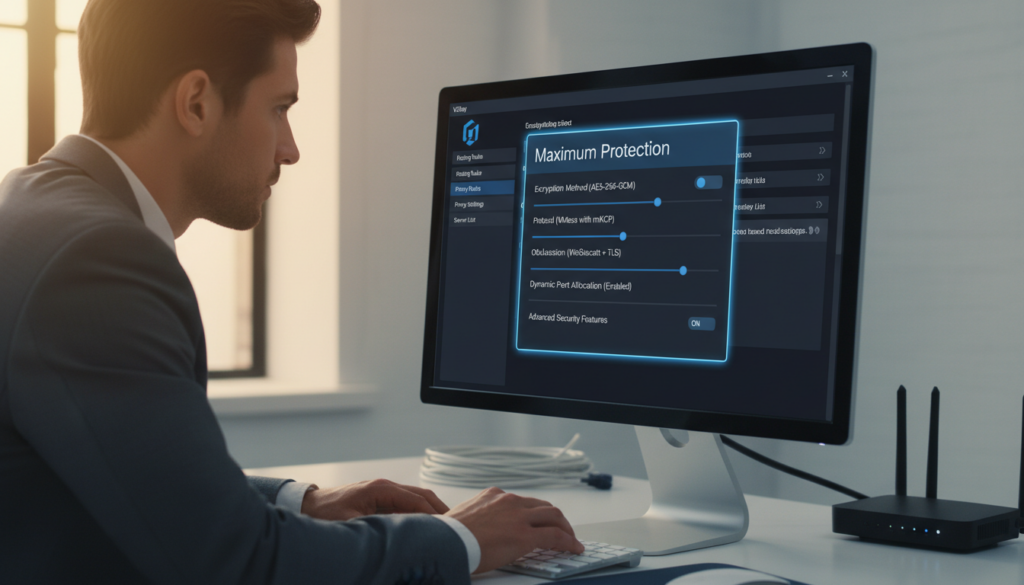
Optimal Security Settings for Public Server Connections
Your first defense is the client configuration. For clients like V2RayN or Qv2ray, start with the latest version. Outdated software has vulnerabilities that can be exploited. Choose the most secure transport protocol available on the server.
WebSocket (WS) over TLS is the best for public servers. It makes your traffic look like normal HTTPS, helping you stay hidden.
Enabling Additional Encryption Layers
V2Ray’s VMess protocol has its own encryption. But adding a transport layer of encryption is key. Transport Layer Security (TLS) adds an extra layer of encryption, like your browser does when you visit a bank’s website.
Always connect to a server with a valid TLS certificate. For VMess, use VMessAEAD and the latest protocol versions. This creates a strong, multi-layered security envelope for your data.
Configuring DNS Settings to Prevent Leaks
A major risk with proxies is a DNS leak. If your DNS queries go outside the V2Ray tunnel, your ISP can see your browsing. This defeats the purpose of a proxy. Your V2Ray client should handle all DNS requests through the secure tunnel.
Use a secure, trusted DNS resolver like Cloudflare (1.1.1.1) or Quad9 (9.9.9.9) within the V2Ray client settings. This ensures your DNS requests are encrypted and routed through the V2Ray tunnel, preventing your ISP from logging your browsing habits.
Most clients have a “DNS” or “System Proxy” section. Avoid using your system’s default DNS. By forcing all DNS queries through the V2Ray tunnel to a secure provider, you close a critical privacy leak and ensure your domain lookups are also protected from snooping.
Disabling Unnecessary Features That Increase Risk
Security isn’t just about what you enable, but also what you disable. Many V2Ray clients and configurations come with features that, while useful in some contexts, are liabilities on public servers.
- Local Network Access: Ensure the client is configured to not allow access to your local network (LAN). This prevents the server from accessing other devices on your home network, a major security risk.
- Mux and Other Multiplexing: For high-latency connections, features like “mux” can improve performance. However, on an untrusted public server, it can complicate traffic patterns and introduce instability. For maximum security on a public server, it’s often safer to disable advanced features you don’t absolutely need.
- Logging: In your client settings, disable verbose logging. While logs are useful for debugging, they can contain sensitive metadata about your connection patterns. Configure your client to log errors only.
Configuring these settings is not just about ticking boxes. It’s about building a security posture that assumes the public server you’re using cannot be fully trusted. You are the architect of your own privacy. By meticulously configuring your client, you build a secure, private, and resilient connection that puts you in control.
Step 4: Implementing Traffic Encryption Best Practices
Many people think a secure proxy means all their web activity is safe. But, it’s important to protect the data itself. Using layered encryption keeps your activities private, even from the public server you’re using.
Think of your V2Ray connection as a private courier. These practices ensure your letters are sealed shut before you hand them over. This is a cornerstone of robust network security software strategy.
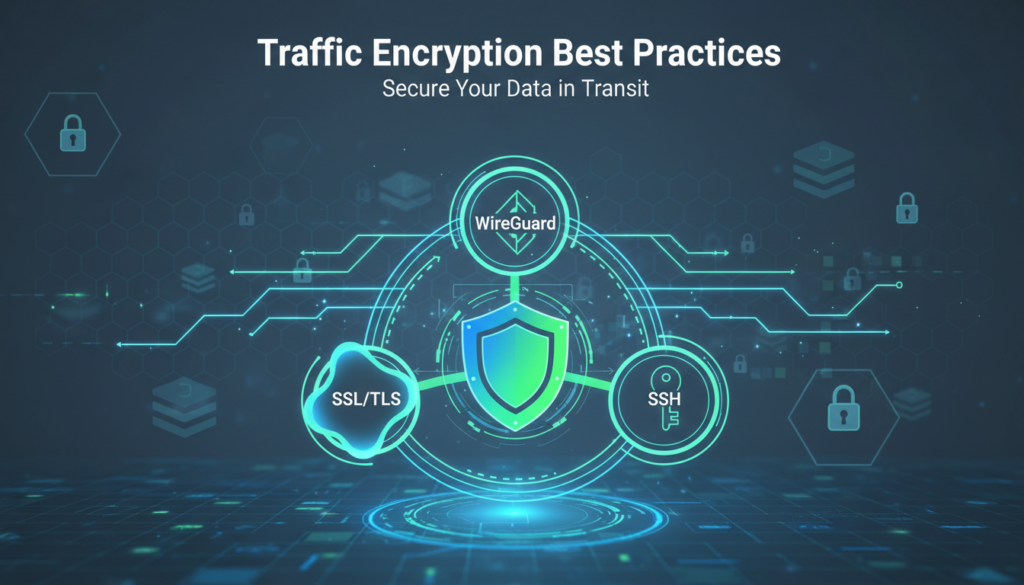
Using HTTPS Everywhere for Web Traffic
Your browser is your main way to access the internet. Many websites offer both insecure HTTP and encrypted HTTPS connections. Without action, you might use the weaker option.
Browser extensions like HTTPS Everywhere (from the Electronic Frontier Foundation) help. They force your browser to use the HTTPS version of a site whenever possible. This adds a vital layer of encryption between your device and the website’s server.
This means your login details, search queries, and browsing data on that specific site are scrambled. It prevents “man-in-the-middle” snooping on your web traffic, even within the V2Ray tunnel. Always enable this extension when using a public server.
Applying End-to-End Encryption for Sensitive Data
For truly sensitive communications, HTTPS isn’t enough. You need end-to-end encryption (E2EE). With E2EE, your data is encrypted on your device and only decrypted on the recipient’s device.
The server in the middle—including the V2Ray server operator—only sees unreadable gibberish. They cannot access your messages, files, or call content.
Rely on established E2EE applications for critical tasks:
- Messaging: Use Signal or WhatsApp for private conversations.
- Email: Switch to ProtonMail or Tutanota for confidential emails.
- File Sharing: Use encrypted cloud services like Tresorit or send files via Signal.
This practice ensures your most private data remains yours alone, regardless of the network path it takes.
Choosing Secure Protocols Within V2Ray
V2Ray itself offers different transport protocols. Your choice here adds another critical encryption and obfuscation layer. For public servers, we strongly recommend protocols that use TLS (Transport Layer Security).
TLS is the same technology that secures HTTPS websites. Using a TLS-based transport like WebSocket with TLS or gRPC with TLS wraps your entire V2Ray connection in a layer of standard web encryption.
This makes your proxy traffic look remarkably similar to regular HTTPS traffic. It’s much harder for network filters to identify and block. It also adds an extra encryption step beyond V2Ray’s core protocols.
| Protocol Type | Examples in V2Ray | Security & Obfuscation Level | Best Use Case for Public Servers |
|---|---|---|---|
| TLS-Based | WebSocket + TLS, gRPC + TLS | Very High. Adds standard web encryption, excellent obfuscation. | Recommended. Ideal for bypassing censorship and maximizing privacy. |
| Plain TCP/UDP | TCP, mKCP | Medium. Relies solely on V2Ray’s internal encryption. Easier to detect. | Only if TLS options are unavailable. Higher risk on restrictive networks. |
| Disguised | HTTP/2, QUIC (configured) | High. Mimics common web protocols specifically to avoid detection. | Excellent in heavily censored regions where deep packet inspection is used. |
Configuring these protocols is done in your V2Ray client settings, often by selecting a specific “transport” or “stream setting.” Pairing this internal protocol choice with the external practices above creates a formidable, multi-layered defense for your data.
Step 5: Managing Your Online Activities on Public Servers
Having the right tech setup is just the start. It’s how you use it every day that matters. Logging into your bank account on a public server is a big no-no. This step is about the behavioral discipline that keeps you safe online.
Think of your online activities like choosing clothes for the weather. You wouldn’t wear a swimsuit in the snow. Similarly, match your online actions to the server’s risk level. This is key to managing your digital exposure.

Creating Clear Boundaries for Different Activity Types
Not all online actions are the same. Start by categorizing your activities into risk tiers. This helps you decide what to do and what not to do on a public V2Ray server.
We can break activities into three tiers:
- Low-Risk Activities: General web browsing, reading news sites, watching non-logged-in videos, or accessing public information. These are low-stakes activities where a privacy breach would be an annoyance, not a catastrophe.
- Medium-Risk Activities: Logging into social media accounts (that aren’t your primary), reading forums, or watching streaming content that requires a login. The risk increases as you tie activity to an account.
- High-Risk Activities: Any action involving sensitive, personal, or financial data. This is the danger zone on a public server.
The golden rule: Your public V2Ray server is for low and, with caution, medium-risk activities only. It is a tool for privacy and access, not a cloak of invisibility for high-stakes actions.
What You Should Never Do on Public V2Ray Servers
This is the non-negotiable list. Treat these as absolute prohibitions when connected to any public server, no matter how trustworthy it seems.
- Never log into primary accounts. This is the cardinal rule. Do not access your primary email, main social media profiles, or any account where a breach would be catastrophic.
- Never conduct financial transactions. This includes logging into your bank, investment, or cryptocurrency accounts. A public server operator could, in theory, intercept your credentials.
- Never download and execute files. A compromised or malicious server could serve you a trojan horse instead of the file you expected.
- Never use the same credentials you use elsewhere. If you must log into a service, use a unique username and password combination you have never used before and will never use again.
- Never assume your traffic is invisible. While the traffic is encrypted from you to the server, the server operator can see the destination of your traffic (though not the content if you use HTTPS).
The most secure connection in the world is useless if you type your password into a fake login page. Technology can’t fix bad user behavior.
Safe Browsing Practices for Reduced Risk
With the “nevers” established, let’s focus on the “do’s”—the practices that let you leverage a public server’s benefits while capping your risk.
Embrace Privacy-Focused Tools: Use privacy-centric search engines like DuckDuckGo or Startpage by default. These don’t track your searches or build a profile on you, which is crucial when your traffic is exiting a random public IP address.
Segregate Your Browsing: Use your browser’s container or profile feature to create a separate, disposable profile just for public server use. This keeps your cookies, history, and cache isolated from your main browsing data.
- Clear Everything After Each Session: Make it a ritual. When you’re done with your session, clear all browser data: cookies, cache, history, and local storage. Do this before you disconnect from the public server.
- Use HTTPS Everywhere: This browser extension forces websites to use an encrypted HTTPS connection when available, preventing “man-in-the-middle” attacks on the connection between you and the public server.
- Avoid Logins When Possible: If you don’t need to log in, don’t. Browse in “read-only” mode. If you must log in, consider it a high-risk action and follow the strict rules above.
Remember, a public V2Ray server is a tool for privacy and access, not anonymity. It changes your IP address and encrypts traffic to the server, but it does not make you a ghost. The most effective security layer is you. By categorizing your activities, respecting the absolute “nevers,” and adopting these safe browsing habits, you transform a public server from a liability into a powerful tool for your digital toolkit.
Step 6: Monitoring Your Connection for Suspicious Activity
Think of your public V2Ray connection like a rented car. You wouldn’t drive it without checking the gauges. Similarly, you need to keep an eye on your connection to stay safe.
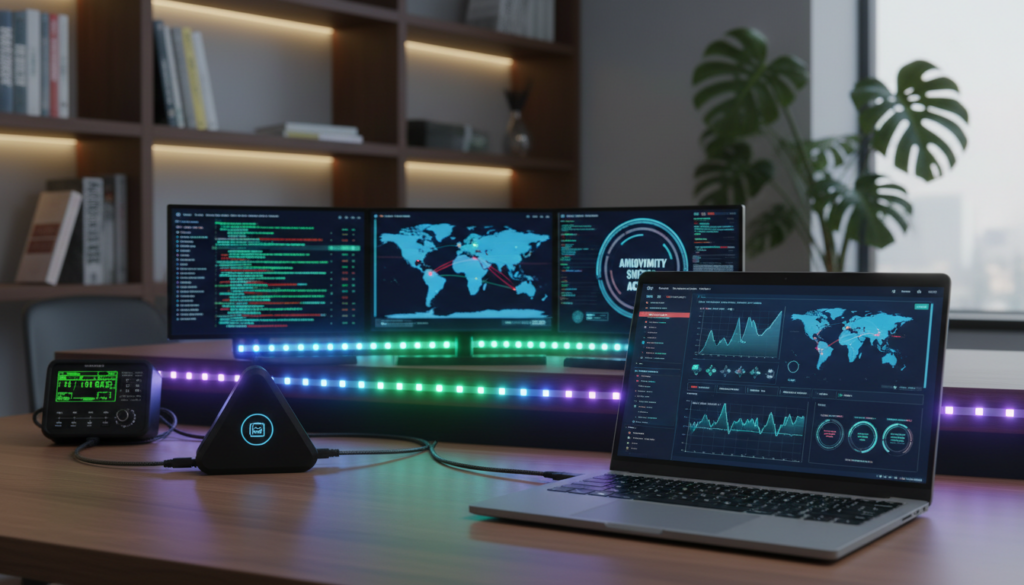
Being proactive is key. Just trusting a server isn’t enough. You need to check if it’s working right. This keeps your online anonymity tools effective.
Security is not just a product, but a process. It’s more than installing software; it’s about making verification a habit.
Tools to Detect Data Leaks and Unauthorized Access
First, get the right tools for checking your connection. These tools are simple and often free. They help you see if your connection is healthy.
Always check your connection with a DNS leak test website first. This makes sure your DNS requests go through the V2Ray server, not your ISP. Then, use an IP address checker to see if it shows the V2Ray server’s IP, not yours.
For those who want more detail, tools like Wireshark are great. They let you see all the traffic on your network. You can spot any unexpected connections or data sent to unknown places.
The table below helps you pick the right tool for your level:
| Tool Category | Primary Purpose | Skill Level | Key Action |
|---|---|---|---|
| DNS Leak Test Websites | Verify DNS queries are private | Beginner | Run immediately after connecting |
| IP Address & WebRTC Checkers | Confirm your visible IP is masked | Beginner | Use alongside DNS test |
| Network Speed Test Tools | Establish a performance baseline | Beginner | Run when the connection is fresh |
| Network Analyzers (e.g., Wireshark) | Inspect raw traffic for anomalies | Advanced | Use periodically for deep audits |
Recognizing Signs of Compromised Connections
Tools give you data, but you also need to watch for signs of trouble. A bad server or connection often shows small clues.
Sudden, unexplained drops in speed can be a warning sign. It might mean the server is overloaded or logging your data. Look for unfamiliar processes or high network activity when your V2Ray client is idle.
The most serious sign is when you can’t log in to trusted websites. If your password doesn’t work on a site you know, stop immediately. You might be on a phishing page. Never enter your login details if something seems off.
Regular Security Check Protocols
Being vigilant must be a regular habit. We suggest two simple checks to keep you safe.
First, do a basic audit every month. This includes a DNS leak test, an IP check, and a speed test. Compare the results to your baseline. This monthly check ensures your privacy stays strong.
Second, run a full check after any changes. Whenever you update your V2Ray client settings or switch servers, test right away. This makes sure your new setup is secure from the start.
By setting up these regular checks, you make security a part of your digital routine. You go from hoping your online anonymity tools work to knowing they do. This ongoing proof is your greatest power.
Step 7: Maintaining Operational Security During Use
Securing your connection is just the start. True security is an ongoing effort. This step is about daily habits to keep you safe from public V2Ray servers. It’s about being proactive and disciplined.
Imagine a secure place. You wouldn’t use the same entrance every day if followed. You’d change your path and erase your tracks. It’s the same with your online activities.

Regularly Rotate Between Different Public Servers
Being a regular on one server is risky. It lets the server operator know your habits over time.
Use 3-5 trusted servers and rotate them. For example, use Server A for browsing on Monday and Server B for research on Tuesday.
“In the world of operational security, predictability is vulnerability. A moving target is a hard target.”
Rotating servers keeps your habits secret. It also lowers the risk if a server is compromised or goes down.
Setting and Adhering to Session Time Limits
Long sessions on one server are risky. The more time you spend connected, the more data you share.
Set strict time limits for each session. For sensitive tasks, use the least time needed. This limits damage if a connection is compromised.
Executing a Rigorous Post-Session Cleanup
Your session isn’t over when you disconnect. Your browser and system cache still show your activity.
After every single session, do a digital cleanup. It’s essential for your security.
Here’s a simple checklist for each session:
| Step | Action | Why It’s Important |
|---|---|---|
| 1. Disconnect & Close | Disconnect from the V2Ray server and close your browser completely. | Ends the active session and stops all data flow. |
| 2. Clear Browser Data | Clear all browsing data: Cache, Cookies, History, and Site Data. Use the “All Time” or “Everything” time range. | Removes local evidence of sites visited and login sessions. |
| 3. Restart Your V2Ray Client | Fully quit and restart your V2Ray client application. | Clears any session data or temporary configurations stored in memory. |
| 4. System Reboot (Optional but advised) | For high-sensitivity users, a full system reboot is the gold standard. | Clears system cache and ensures no session data is kept in volatile memory. |
This routine might seem tedious, but it’s crucial. It resets your digital environment, keeping your activities isolated to that session.
Operational security is not a one-time task. It’s a daily practice. By rotating servers, limiting sessions, and cleaning up, you reduce your digital footprint. This disciplined approach is key to your personal security.
Advanced Protection: Virtual Environments and Isolation
Imagine having a separate computer inside your computer for risky online activities. Virtual environments offer this power. They create digital fortresses around your data when using public V2Ray servers. We’re moving to hardware-level containment strategies for top security.
Think of it as building walls around your information. Each wall adds a barrier for attackers. For sensitive tasks, your public server connection is just one part of a multi-layered defense.

Using Virtual Machines for High-Risk Connections
Virtual machines (VMs) create sandboxes that isolate your activities. You can run a separate operating system within your computer. This makes a “containment chamber” for risky browsing.
Here’s why this approach is powerful for public server users:
- Complete isolation: Any malware or breach stays trapped in the virtual environment
- Easy reset capability: You can revert to a clean snapshot after each session
- No trace left behind: When you shut down the VM, everything inside disappears
- Testing safety: Perfect for trying new public servers without risking your main system
We recommend a dedicated VM for public V2Ray connections. Keep it lean with only essential software. After each session, revert to a clean snapshot. This keeps damage contained within the digital space.
Browser Isolation Techniques for Public Server Browsing
If virtual machines seem too technical, browser isolation is a simpler option. It involves using dedicated browsers for public server sessions. Think of it as having different “work uniforms” for different privacy needs.
Consider these practical browser isolation strategies:
- Dedicated browser installations: Install a separate browser (like Firefox or Chrome) used exclusively for public server connections
- Live OS USBs: Boot from a USB drive with a portable operating system for maximum isolation
- Containerized browsing: Use tools that run browsers in isolated containers separate from your system
- Privacy-focused browsers: Utilize browsers like Tor Browser that automatically implement strong isolation
Each browsing session through a public server should start fresh. Disable cookies, don’t save passwords, and use private browsing modes. Your goal is to leave no persistent data that could be tracked or compromised. Remember: the browser is your primary interface with the internet—keeping it isolated keeps you protected.
Creating Separate User Profiles for Different Privacy Needs
Your operating system’s built-in user account system provides another layer of isolation. By creating separate profiles for different activities, you establish clear boundaries within your own computer. This is like having different “identities” for different privacy requirements.
Here’s how to implement effective user profile separation:
Standard User: Your everyday account for regular activities like email and social media. Never use this profile for public server connections.
Public Server User: A dedicated account specifically for browsing through public V2Ray servers. This profile has limited permissions and no access to your sensitive files.
Administrator Account: Used only for system maintenance and software installation. Keep this completely separate from your browsing activities.
Windows, macOS, and Linux all support multiple user accounts. Set up each with appropriate permissions—your public server profile should have the most restrictions. When you need to browse through a public server, log into that specific profile. When finished, log out completely. This simple practice creates meaningful separation between your different online personas and activities.
These advanced isolation techniques transform your security approach from reactive to proactive. Instead of just hoping a public server is safe, you’re assuming it might be compromised and building walls accordingly. That mindset shift—from trust to verified containment—represents the highest level of personal digital security available today.
Virtual environments, browser isolation, and separate user profiles work together to create what security professionals call “defense in depth.” Each layer provides backup protection if another fails. When you combine these techniques with the previous steps we’ve discussed, you’re not just using a public server—you’re controlling exactly how much access it has to your digital life.
When to Upgrade from Public to Private V2Ray Solutions
Public servers are great for casual use, but they’re not enough for serious online activities. Free services can’t keep up with our growing security needs. Moving to private solutions means you’re choosing stronger digital protection.
Recognizing the Limits of Public Server Protection
Free public V2Ray servers are okay for simple browsing and basic privacy. But, they have their limits. You might see slow speeds during busy times.
Connection drops can mess up your work. Server overload makes things worse. And, you can’t trust who’s running these servers or how they handle your data.
Think about upgrading if you do important online stuff. Activities like online banking or business talks need top security. Public servers just can’t offer that.
Your online safety is worth more than a gamble. The risks of using public servers are too high. It’s time to invest in better options.
Evaluating Paid V2Ray Service Providers
Paid V2Ray services are a big step up from free ones. They offer reliable speeds and better performance. You get consistent service, not just when it’s easy.
These services are run professionally with clear rules. Look for ones that don’t log your activities. The best ones promise no logging at all.
Where the service is located is also important. Choose places with strong privacy laws. These places protect your data better.
Good support is another big plus. Paid services help with setup problems. They fix issues fast, saving you time and stress.
When picking a provider, consider these key points:
| Evaluation Criteria | What to Look For | Why It Matters |
|---|---|---|
| Logging Policy | Explicit no-logging guarantee | Ensures your activities remain private |
| Server Locations | Multiple geographic options | Provides flexibility and better speeds |
| Connection Protocols | Support for latest V2Ray protocols | Enhances security and obfuscation |
| Customer Support | 24/7 availability with technical expertise | Resolves issues quickly when they occur |
| Transparency Reports | Regular publication of service status | Builds trust through openness |
Costs vary, but quality service is worth it. Think of it as investing in your digital safety. The peace of mind is worth the monthly cost for serious users.
Considering Self-Hosted V2Ray Server Options
Self-hosting is the ultimate in V2Ray privacy. You control everything, eliminating trust issues with third parties.
You rent a VPS and set up V2Ray yourself. It requires tech skills but offers unmatched security.
Total control is the main benefit. You set all security settings and protocols. No one else can access your server.
Custom configuration lets you tailor the service to your needs. You can optimize for speed, security, or specific uses. It’s more flexible than any pre-set service.
However, it comes with technical challenges and ongoing upkeep. You need to handle updates and security patches. Regular checks ensure it runs smoothly.
Costs include VPS rental and your time. Prices range from $5 to $20 a month for quality servers. The investment pays off in better privacy and skills.
This path demands commitment but delivers the highest security level possible. You manage your own secure network. It’s rewarding and teaches valuable tech skills.
We suggest this for those with tech confidence. Managing your own secure connection is empowering. Your privacy reaches its peak with self-hosting.
Legal and Ethical Considerations for U.S. Users
Using public V2Ray servers in the U.S. is more than just tech skills. You need to know the laws and ethics too. In the U.S., there are special privacy laws, platform rules, and a duty to use these tools right. Ignoring these can get you in trouble and hurt your freedom. Here’s what U.S. users should know before they start.
Understanding U.S. Digital Privacy Laws and Regulations
In the U.S., laws at the federal and state levels apply to V2Ray users. The Computer Fraud and Abuse Act (CFAA) and the Electronic Communications Privacy Act (ECPA) are key. The CFAA can make unauthorized computer access a crime, including using V2Ray to bypass controls.
The ECPA and state laws protect your online communications. But, using a V2Ray server doesn’t make you completely anonymous. Your internet provider or the server operator might still collect your data. So, while U.S. laws help, they don’t give you total freedom when using these tools.
Complying with Platform Terms of Service
Using a public V2Ray server also means following platform rules. This is a big legal point many miss.
- Streaming Services: Netflix, Hulu, and Disney+ ban proxies and VPNs to watch geo-restricted content. Using a V2Ray server to bypass these rules breaks their terms and can get your account shut down.
- Corporate & Educational Networks: Using V2Ray to get around school or work firewalls is against the rules. This can lead to serious consequences, like being kicked out or fired.
- Gaming & Social Platforms: Steam, Xbox Live, and social media sites don’t allow third-party software to hide your location. Breaking these rules can get you banned forever.
Ignoring a platform’s rules can mean losing your account and all your data. Always check the terms before using a service.
Ethical Use of Public V2Ray Servers
Using public V2Ray servers ethically is important. These servers are often a gift from the community or a free service. Being ethical means respecting the server and the community.
First, think about how you use the server’s resources. Don’t use it for heavy activities like streaming 4K videos or sharing big files. This can slow down the service for others. Second, never use it for illegal stuff like piracy or harassment. This is not only risky for you but also hurts the server for everyone.
Lastly, follow the server’s rules. If it says no commercial use or P2P file-sharing, stick to it. Using these servers responsibly keeps them open for everyone. It’s about protecting your privacy without breaking the law or the server’s trust.
Emergency Response Plan for Security Incidents
If you think a security breach has happened while using a public V2Ray server, stay calm and follow a plan. A good emergency plan can stop a small problem from getting bigger. It’s about being ready, not scared.
By taking the right steps, you can stop the threat and keep your digital life safe. You also help others by telling authorities about the bad guys.
Immediate Actions When You Suspect a Security Breach
When you think something’s wrong, act fast. Quick action can stop a small issue from becoming a big problem.
Your first step is always to disconnect. Get off the public V2Ray server right away. Then, disable any auto-reconnect features. Your goal is to stop any data leaks.
If you think your device is at risk, run a full system scan. Use a good anti-malware or antivirus program. A full scan is key to finding and removing malware or spyware.
Also, check your recent account activity. Log into important accounts, like your main email. Look for any logins from places or devices you don’t know. This is important, not just being paranoid.
Securing Your Accounts and Changing Credentials
After stopping the immediate threat, focus on fixing the damage. Your login details might be at risk.
Here’s a checklist to make your accounts safe, in order:
- Primary Email: Change the password right away and turn on 2FA if you can. This account is key for resetting others.
- Financial Accounts: Update passwords for banks, credit cards, and PayPal. Check recent transactions for anything odd.
- Password Manager: Secure it fast. This is where all your digital life is kept.
- Social Media & Other Critical Services: Change passwords for social media, cloud storage, and any service with personal or financial data.
Don’t use old passwords. Make strong, new ones for each account. Where you can, always enable two-factor authentication (2FA). This is especially important for sensitive accounts.
Reporting Malicious Servers to the Authorities
Your experience can help others. Reporting a bad V2Ray server keeps everyone safe and holds the bad guys accountable. Here’s how to do it right:
- Gather Evidence: Take screenshots of the server setup, connection logs (with personal info removed), and any odd messages or activity.
- Report to the Hosting Provider: Find the server’s host using WHOIS or IP info. Most hosts have an abuse contact. Tell them the server’s IP and your evidence.
- Report to the Community: If you found the server on a public list or forum, tell the moderator or admin. This helps others avoid the risk.
- Report to Authorities (for serious threats): For clear crimes, report to the FBI’s Internet Crime Complaint Center (IC3). For U.S. citizens, IC3 is the FBI’s main place for cyber crime reports.
Use this guide to decide where to report:
| Reporting Channel | Best For | Response / Outcome |
|---|---|---|
| Server Hosting Provider | Servers used for malware, phishing, or spam. | Server may be suspended or terminated. |
| Public V2Ray Lists & Forums | Warning the public about a known malicious server. | Server gets blacklisted from public lists. |
| FBI IC3 (U.S. only) | Significant fraud, data theft, or criminal activity. | Investigation by law enforcement. |
Having a plan is not a sign of failure—it’s a key to digital safety. Knowing how to disconnect, secure your accounts, and report threats turns panic into a controlled response. The goal is not just to survive but to recover with your data and privacy safe.
Conclusion
Free public V2Ray servers can boost your online privacy and help you get past censorship. But, they come with risks you need to handle carefully. It’s not about avoiding them, but using them smartly.
Keeping your online safety with a public V2Ray server means being cautious. It’s not just one setting; it’s a whole process. We’ve shown you seven steps to protect yourself, from checking servers to setting up your V2Ray client.
Your digital privacy is something you work on every day. Begin by finding a reliable public V2Ray server. Test it in a safe space and follow our tips for secure connections. Always watch your connection and be ready to switch servers. This is your best defense.
As you need more speed, stability, and privacy, think about a private solution. You might choose a paid V2Ray service or host your own server. Either way, you’ll build on the security habits you’ve learned. Your digital privacy is up to you. Start taking care of it today.
FAQ
Is it safe to use free public V2Ray servers for my online banking?
No, it’s not safe. V2Ray encrypts your data, but a bad server can still see it. For banking, use a trusted VPN or your own V2Ray server. Public servers are okay for casual browsing.
How does V2Ray’s security compare to a standard VPN for public internet privacy protection?
V2Ray is flexible and good against censorship. But, server security matters a lot. Paid VPNs offer better protection than free public servers.
What are the biggest hidden risks of using a free public server?
Risks include data logging, malware, and bandwidth throttling. These servers might be set up by bad actors. Always use end-to-end encrypted apps.
How can I properly vet a public V2Ray server before connecting?
Check server lists on trusted sites like GitHub or tech forums. Look for a server with a good reputation and no privacy issues. Be wary of servers asking for personal info.
What are the essential configuration settings in my V2Ray client for maximum protection?
Use the most secure transport protocol, like WebSocket with TLS. Set your DNS to a trusted resolver like Cloudflare’s 1.1.1.1. Disable LAN access to keep your connection private.
Why is using HTTPS and end-to-end encryption still important if I’m using V2Ray?
V2Ray encrypts your connection, but the server can still see your data. HTTPS and end-to-end encryption add extra security. They ensure your data is safe even if the server is malicious.
When should I consider upgrading from a free public server to a paid or private solution?
Upgrade if you need better security. This includes fast connections, sensitive communications, or if you value your privacy. Consider paid V2Ray providers or self-hosting.
What is my emergency plan if I suspect a public V2Ray server has compromised my security?
Disconnect from the server and scan for malware. Check your accounts for unauthorized access. Change passwords and report the server to the forum and authorities if needed.