When we talk about online security, many wonder about proxy servers. They play a big role in keeping our data safe. Knowing how proxy server privacy works is key to protecting our online selves.
Proxy servers are getting more popular for keeping our internet privacy safe. They hide our IP addresses, helping us stay anonymous online.
But, using proxy servers also raises some big questions. How safe is our data when it goes through a proxy server? Let’s dive deeper into this to understand the good and the bad sides.
Key Takeaways
- Proxy servers can enhance online anonymity by masking IP addresses.
- Data security is a critical concern when using proxy servers.
- Understanding proxy server data flow is essential for informed online privacy strategies.
- Users must weigh the benefits and risks of using proxy servers.
- Proxy server privacy is a crucial aspect of overall online security.
Understanding Proxy Servers
Proxy servers act as middlemen between users and the internet. They help keep your online activities private and secure. It’s important to know what proxy servers are, how they work, and their uses.
What Is a Proxy Server?
A proxy server is a system or software that sits between your device and the internet. It takes your requests, sends them to the target servers, and then brings back the answers. This way, your IP address is hidden, making it seem like the request came from the proxy server.
How Proxy Servers Function as Intermediaries
Proxy servers work by changing HTTP requests and responses. They can store often-used resources, block certain content, and check for malware. This helps keep your online activities private and secure, while also letting companies manage internet access.
Common Use Cases for Proxy Servers
Proxy servers are used in many ways, including:
- Enhancing privacy by hiding IP addresses
- Accessing content blocked in certain areas
- Boosting security in work settings
- Reducing bandwidth use by caching
- Filtering and controlling web content
Proxy servers offer many benefits for both individuals and companies. But, it’s key to know their limits and downsides to use them effectively.
| Use Case | Description | Benefit |
|---|---|---|
| Privacy Enhancement | Masks IP addresses | Increased anonymity |
| Geo-restricted Content | Accesses blocked content | Freedom to browse |
| Corporate Security | Monitors and controls internet access | Improved security |

The Journey of Your Data Through a Proxy Server
When you use a proxy server, your data starts a complex journey. It goes through many changes and redirects. This journey can greatly affect your online security and privacy.

Initial Request: From Your Device to the Proxy
Your journey begins when you ask for a website or service. Instead of going straight to the server, your request goes to the proxy server. This request includes details like the URL, your browser type, and more. It uses HTTP or HTTPS, depending on the proxy type.
Key information in the initial request includes:
- URL of the requested resource
- HTTP method (GET, POST, etc.)
- Browser and device information
- Cookies and other identifying data
Data Transformation and Header Modification
The proxy server changes your request before sending it to the target server. It often changes HTTP headers to hide your identity. For example, it might alter the X-Forwarded-For header to hide your IP address. It also removes or changes cookies and user-agent strings.
Examples of header modifications include:
- Replacing your IP address in the X-Forwarded-For header
- Changing the User-Agent string to a generic value
- Removing or modifying cookies that could be used for tracking
Final Destination: From Proxy to Target Server
After changing, the proxy sends your request to the target server. From the server’s view, the request seems to come from the proxy’s IP, not yours. This is how proxy servers help keep your online identity private.
The server then processes the request and prepares a response. At this point, it doesn’t know your real IP address or other identifying details that the proxy might have removed or changed.
The Return Trip: Response Data Flow
After the server processes your request, it sends a response to the proxy. The proxy then sends this response to your device. On the way back, the proxy might do more changes or caching to speed up the data transfer.
Key aspects of the return trip include:
- The response data flowing back through the proxy server
- Potential caching of frequently accessed resources by the proxy
- Any additional encryption or decryption processes, depending on the proxy configuration
Knowing this journey shows why picking a good proxy server is key. It’s all about keeping your online security and privacy safe.
Types of Proxy Servers and Their Privacy Implications
The type of proxy server used can greatly affect privacy. It’s key to know the different types and how they impact privacy.
HTTP Proxies
HTTP proxies are for web browsing and handle only HTTP traffic. They don’t support encrypted traffic, which means they’re not good for keeping things private. Using an HTTP proxy can let the proxy server see what you’re looking at, which can be a privacy risk.
HTTPS Proxies
HTTPS proxies handle encrypted connections, offering better privacy than HTTP proxies. Even though the proxy server can’t read the content, it can still see the domain names. To keep things really private, using HTTPS proxies with other tools is a good idea.
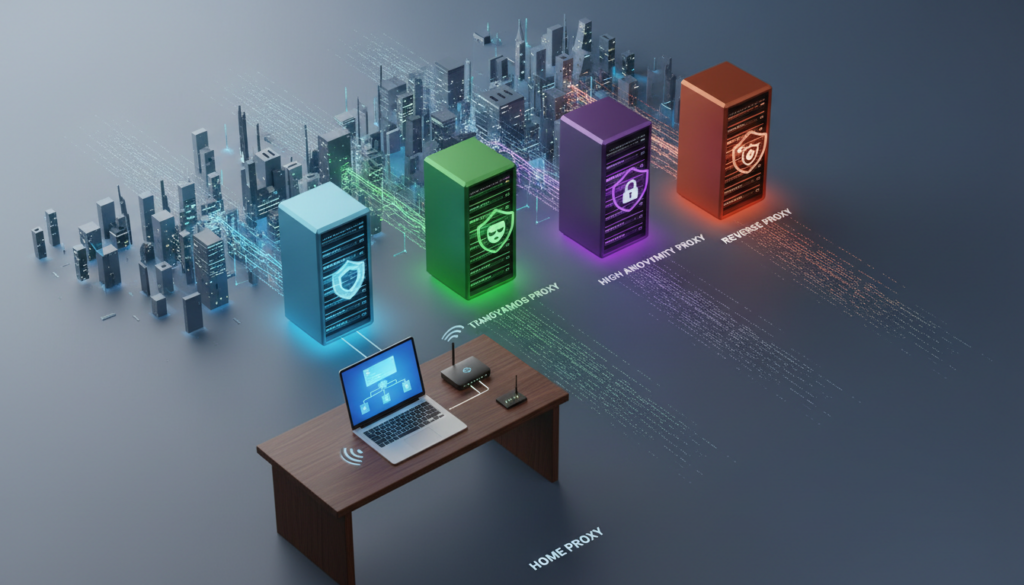
SOCKS Proxies
SOCKS proxies work with any protocol, making them versatile. They’re more flexible and can be more private because they don’t read the traffic they handle.
Residential vs. Datacenter Proxies
Residential proxies look like they come from home users, making them harder to detect. Datacenter proxies are easier to spot, which can risk your privacy. If you need top privacy, residential proxies might be the better choice.
In summary, different proxy servers offer different levels of privacy. Knowing these differences is important for picking the right proxy for your privacy needs. When picking a proxy, think about the traffic it handles, encryption, and detection risk for the best privacy.
Proxy Server Privacy: What Information Is Protected
Proxy servers protect your online activities by hiding certain information. When you use a proxy, your personal data stays hidden from others. This makes your online privacy better.
IP Address Masking
A proxy server hides your IP address. It changes your IP to its own, making it hard for sites to find you. This way, your location and online activities stay private.
Geolocation Data Protection
Proxy servers also hide where you are online. They make it seem like you’re somewhere else. This is great for getting around geo-blocks or avoiding ads based on your location.
Browser Fingerprinting Reduction
Proxy servers can also hide your browser’s unique details. Browser fingerprinting collects info to identify you online. While not perfect, proxies can make it harder to track you.
Request Origin Concealment
Proxy servers hide where your web requests come from. This is useful in places where some sites are blocked. By using a proxy, you can access blocked content.
| Protection Type | Description | Benefit |
|---|---|---|
| IP Address Masking | Replaces your real IP with the proxy’s IP | Prevents location identification |
| Geolocation Data Protection | Makes it appear you’re browsing from a different location | Accesses region-restricted content |
| Browser Fingerprinting Reduction | Masks certain browser attributes | Reduces unique browser identification |
| Request Origin Concealment | Hides the source of web requests | Accesses blocked content |
In conclusion, proxy servers protect your online data in many ways. They help keep your browsing private. Knowing what they protect helps you understand their importance for online anonymity.
FAQ
Q: What is the importance of internet privacy protection?
A: Internet privacy protection is crucial because it safeguards personal information from unauthorized access and misuse. It ensures that your online activities remain private and secure, preventing potential threats and data breaches.
Q: How can I protect my online security?
A: To protect your online security, you can use strong passwords, enable two-factor authentication, regularly update your software and apps, and be cautious of suspicious emails and links. Additionally, using a reliable VPN can help encrypt your internet traffic and protect your data.
Q: What are some best practices for maintaining online privacy?
A: Some best practices for maintaining online privacy include using a VPN, regularly updating your software and apps, avoiding public Wi-Fi networks, and being cautious of suspicious emails and links. Additionally, using strong passwords and enabling two-factor authentication can help protect your personal information.
Q: How can I protect my personal information online?
A: To protect your personal information online, you can use strong passwords, enable two-factor authentication, regularly update your software and apps, and be cautious of suspicious emails and links. Additionally, using a reliable VPN can help encrypt your internet traffic and protect your data.
Q: What are some common online privacy threats?
A: Some common online privacy threats include data breaches, phishing attacks, and malware infections. These threats can compromise your personal information and put your online security at risk. It is important to be aware of these threats and take appropriate measures to protect yourself.
Q: How can I stay safe online?
A: To stay safe online, you can use strong passwords, enable two-factor authentication, regularly update your software and apps, and be cautious of suspicious emails and links. Additionally, using a reliable VPN can help encrypt your internet traffic and protect your data.
Q: What is the role of a VPN in protecting online privacy?
A: A VPN (Virtual Private Network) plays a crucial role in protecting online privacy by encrypting your internet traffic and masking your IP address. This makes it difficult for hackers and third parties to intercept your data and track your online activities.
Q: How can I choose the best VPN for my needs?
A: When choosing the best VPN for your needs, consider factors such as server locations, speed, security features, and compatibility with your devices. It is important to find a VPN that offers reliable protection and meets your specific requirements.
Q: What are some popular VPN services?
A: Some popular VPN services include ExpressVPN, NordVPN, and Surfshark. These VPNs offer reliable protection, fast speeds, and a wide range of server locations. They are known for their strong security features and user-friendly interfaces.
Q: How can I use a VPN to protect my online privacy?
A: To use a VPN to protect your online privacy, simply download and install the VPN app on your device. Then, connect to a VPN server and your internet traffic will be encrypted and your IP address will be masked. This will help protect your personal information and keep your online activities private.
Proxy Servers vs. VPNs: Privacy Comparison
Proxy servers and VPNs are often compared for online privacy. They both aim to protect your online identity but work differently. This leads to varying levels of protection.
Encryption Differences
Proxy servers and VPNs differ in how they encrypt data. Most proxy servers don’t encrypt data at all. They might only secure the connection to the proxy server.
On the other hand, VPNs encrypt all your internet traffic. They do this from your device to the VPN server. As “VPNs are generally considered more secure due to their comprehensive encryption”, they offer better privacy.
Coverage Scope: Application-Level vs. System-Wide
Proxy servers protect only the application or browser set to use the proxy. VPNs, however, encrypt all your internet traffic. This makes VPNs better at protecting all your online activities.
Speed and Performance Considerations
Speed is another key factor. Proxy servers can be faster because they don’t encrypt all data. But, VPNs are getting faster with new technology. The speed difference depends on the service provider and server quality.
Privacy Guarantee Limitations
Neither proxy servers nor VPNs can promise complete anonymity. Proxy servers can leak data and log activities. VPNs are safer but can still log data and leak IP addresses.
“No tool can guarantee 100% anonymity; it’s about choosing the right tool for your needs.”
It’s important to know these limits when picking a privacy tool.
In summary, VPNs generally offer better privacy than proxy servers. They encrypt all your traffic and cover your entire system. But, the right choice depends on your specific privacy needs and how you use the internet.
7 Ways to Enhance Your Privacy When Using Proxy Servers
Using proxy servers for privacy requires more than just setting them up. They hide your IP address, but more steps are needed for full privacy.
Choose Secure Proxy Providers
Finding a trustworthy proxy provider is key. Look for ones with a good reputation, clear privacy policies, and a history of security. Stay away from free proxies that sell your data. Check the provider’s location and data laws.
Implement HTTPS Connections
Make sure all your proxy connections are encrypted with HTTPS. You can do this through browser settings or extensions. Tools like HTTPS Everywhere help a lot.
Use Private DNS Services
Even with a proxy, DNS queries can still leak info. Private DNS services like Cloudflare DNS and Google Public DNS help. Choose one that doesn’t log your queries.
Clear Cookies and Cache Regularly
Clearing cookies and cache often is crucial to avoid tracking. Use browser settings or tools to do this. It boosts privacy and keeps your browser fast.
Combine Proxies with Other Privacy Tools
Using proxy servers with other tools boosts privacy even more. Tools like script blockers and secure browsers can fill in proxy gaps. For example, using Tor with a proxy greatly increases anonymity.
| Tool | Purpose | Benefit |
|---|---|---|
| Script Blockers | Blocks malicious scripts | Prevents tracking and enhances security |
| Anti-fingerprinting Extensions | Masks browser fingerprint | Makes it harder to identify users |
| Secure Browsers | Enhanced privacy features | Provides comprehensive privacy protection |
Verify Proxy Logging Policies
It’s important to know a proxy provider’s logging policies. Check their data retention claims and ask questions. Choose providers with strict no-logging policies and clear data handling practices.
Regularly Rotate Proxy Servers
Rotating proxy servers regularly helps avoid tracking. It makes it hard to link your online activities. Choose a rotation schedule that works for you, like daily or weekly.
By following these steps, you can greatly improve your privacy with proxy servers. The best privacy comes from using a mix of tools and practices to protect your online identity.
Setting Up a Secure Proxy Server Connection
Online security is a big deal, and setting up a secure proxy server is key. It boosts your privacy and security online. But, it’s important to think about a few things first.
Browser Configuration Steps
To use a proxy server, you need to set up your browser. Here’s how to do it in some popular browsers:
- Chrome: Go to Settings > Advanced > System > Proxy settings. This opens your system’s proxy settings.
- Firefox: Go to Options > General > Network Settings. Choose “Manual proxy configuration” and add your proxy details.
- Edge: Edge uses your system’s proxy settings. Find these in Settings > System > Proxy settings.
- Safari: Go to Preferences > Advanced > Proxies. You’ll need to add your proxy info here.
System-Wide Proxy Settings
For a better setup, use system-wide proxy settings. This makes all apps on your device use the proxy:
- Windows: Go to Settings > Network & Internet > Proxy. Turn on “Use a proxy server” and add the proxy address and port.
- macOS: Go to System Preferences > Network. Pick your network connection, click “Advanced,” and then go to the Proxies tab.
- Linux: The steps vary by distribution, but you’ll usually set environment variables like http_proxy and https_proxy.
Testing Your Proxy Connection Security
After setting up your proxy, test its security. Use online tools to check for:
- IP leaks: Visit sites that show your IP address to make sure it’s the proxy’s IP.
- WebRTC leaks: WebRTC might expose your real IP. Use test sites to check for this.
- DNS leaks: Make sure your DNS queries go through the proxy with DNS leak test tools.
Troubleshooting Common Security Issues
Issues like connection failures, slow speeds, and security problems can happen. Here’s how to fix them:
- Check your proxy settings: Make sure you’ve got the right proxy address and port.
- Test your internet connection: Sometimes, the problem is with your internet, not the proxy.
- Switch to a different proxy: If you keep having problems, try a different proxy server.
By following these steps and watching out for problems, you can set up a secure proxy server. This will make your online security and privacy better.
Legal and Ethical Considerations of Proxy Usage
Proxy servers add privacy and security, but they face legal and ethical challenges. People and companies use them for many reasons. They must follow rules to use them right.
Terms of Service Compliance
Many online services don’t allow proxy servers. Breaking these rules can lead to losing your account. For example, streaming sites block proxy servers to keep content in certain areas. Always check the rules to avoid trouble.
Regional Restrictions on Proxy Servers
Proxy rules vary by country. Some places, like China and Russia, control proxy use tightly. Others are more relaxed. Knowing these rules is key for anyone working or living abroad.
Data Privacy Regulations and Proxies
Laws like GDPR and CCPA affect proxy users and providers. They protect users’ privacy but also require providers to follow rules. Here’s a table showing how these laws impact proxy use:
| Regulation | Proxy User Protections | Proxy Provider Requirements |
|---|---|---|
| GDPR | Enhanced privacy rights | Data processing compliance |
| CCPA | Right to know, delete personal data | Disclosure of data collection practices |
In summary, proxy servers help with internet privacy protection and anonymous browsing. But, their use must respect laws and ethics. By following rules and understanding regulations, everyone can use proxies responsibly.
Real-World Applications of Proxy Server Privacy
Proxy servers are more than just a privacy tool. They have many uses in our digital world. They help keep information safe, secure, and work better.
Corporate Data Protection
Companies use proxy servers to keep their networks safe. They check what employees do online and stop bad stuff from getting out. For example, a bank used a proxy to catch and stop a big data leak.
Secure Research and Journalism
Journalists and researchers use proxy servers to keep their work secret. A news team used them to find out about company wrongdoings without being found out. This helps keep their sources safe.
Bypassing Geographic Restrictions
Proxy servers help people get around blocked content. They’re useful for traveling or checking out websites from other countries. But, they can also break rules about sharing content.
Personal Privacy Enhancement
For regular people, proxy servers help keep their online life private. They hide your IP address, so you can surf the web without being tracked. This makes your online activities less traceable.
| Application | Benefit | Example |
|---|---|---|
| Corporate Data Protection | Shield internal networks, monitor usage | Financial institution preventing data breach |
| Secure Research and Journalism | Protect identity, location | News organization investigating corporate malpractices |
| Bypassing Geographic Restrictions | Access blocked content | Accessing content while traveling |
| Personal Privacy Enhancement | Protect against tracking, advertising | Masking IP addresses for private browsing |
Proxy servers are key for privacy in many areas. They help keep companies safe and individuals private. Knowing how they work helps everyone use them wisely.
Conclusion
Understanding proxy servers is key to online security. They act as middlemen, hiding our IP addresses and online actions. This makes it hard for others to see what we’re doing online.
Proxy servers do offer privacy benefits. But, they’re not a complete fix for all online security issues. Knowing what they can and can’t do helps us make better choices about our online safety.
Think about what you need to keep private online. What data do you want to protect? Are there certain activities that need extra security? Answering these questions helps decide if a proxy server is right for you.
Online tracking tech keeps getting better. It’s important to stay up-to-date with proxy server privacy and online security. Making smart choices about our privacy online helps keep our data safe.
FAQ
What is a proxy server and how does it work?
A proxy server acts as a middleman between your device and the internet. It gets requests from your device, changes them if needed, and sends them to the target server. Then, it brings the response back to your device, hiding your IP address and boosting your online privacy.
Are proxy servers secure?
Proxy servers can offer some security by hiding your IP address. But, their safety depends on the type of proxy and how it’s set up. HTTPS proxies encrypt your connection, while HTTP proxies don’t.
Can proxy servers protect me from tracking?
Proxy servers can hide your IP address, making it harder to track you. But, they can’t stop all tracking methods like browser fingerprinting or cookie tracking. Using a proxy with other privacy tools can help more.
What’s the difference between a proxy server and a VPN?
Both proxy servers and VPNs hide your IP address. But, VPNs encrypt all your internet traffic, offering full protection. Proxies work at the app level and might not encrypt unless set to do so, like HTTPS proxies.
How do I choose a secure proxy provider?
When picking a proxy provider, look at their reputation, where they’re based, their privacy policy, and their security history. Stay away from free proxies that might sell your data. Choose providers with clear logging policies and strong security.
Can I use a proxy server with my browser?
Yes, most browsers let you set up proxy settings. You can find these in your browser’s advanced or network settings. Some browsers also have extensions for managing proxy connections.
Are there any legal considerations when using proxy servers?
Yes, using proxy servers might break some websites’ terms of service. They’re also regulated or banned in some places. Always check the laws in your area and the website terms you visit.
How can I test if my proxy connection is secure?
To check if your proxy is secure, visit sites that check for IP leaks and WebRTC vulnerabilities. Use tools like IP check websites and browser extensions to see if your proxy is working right and securely.
Can proxy servers be used for purposes other than privacy?
Yes, proxy servers have uses beyond privacy. They can filter content, save bandwidth, and access content blocked in your area. Businesses use them to protect data and monitor employee internet use.
How often should I rotate my proxy servers?
Rotating proxy servers often can stop tracking. How often depends on your needs and threats. For high-security needs, changing proxies daily or per session is common.