Tag: Proxy comparison

  • Transparent vs. Anonymous vs. Elite Proxies Explained

    Transparent vs. Anonymous vs. Elite Proxies Explained

    We’re here to help U.S. IT teams, marketers, and privacy lovers pick the best proxy. We’ll show you the key differences between transparent, anonymous, and elite proxies. These differences are crucial for your security, how fast things work, and if you follow the rules.

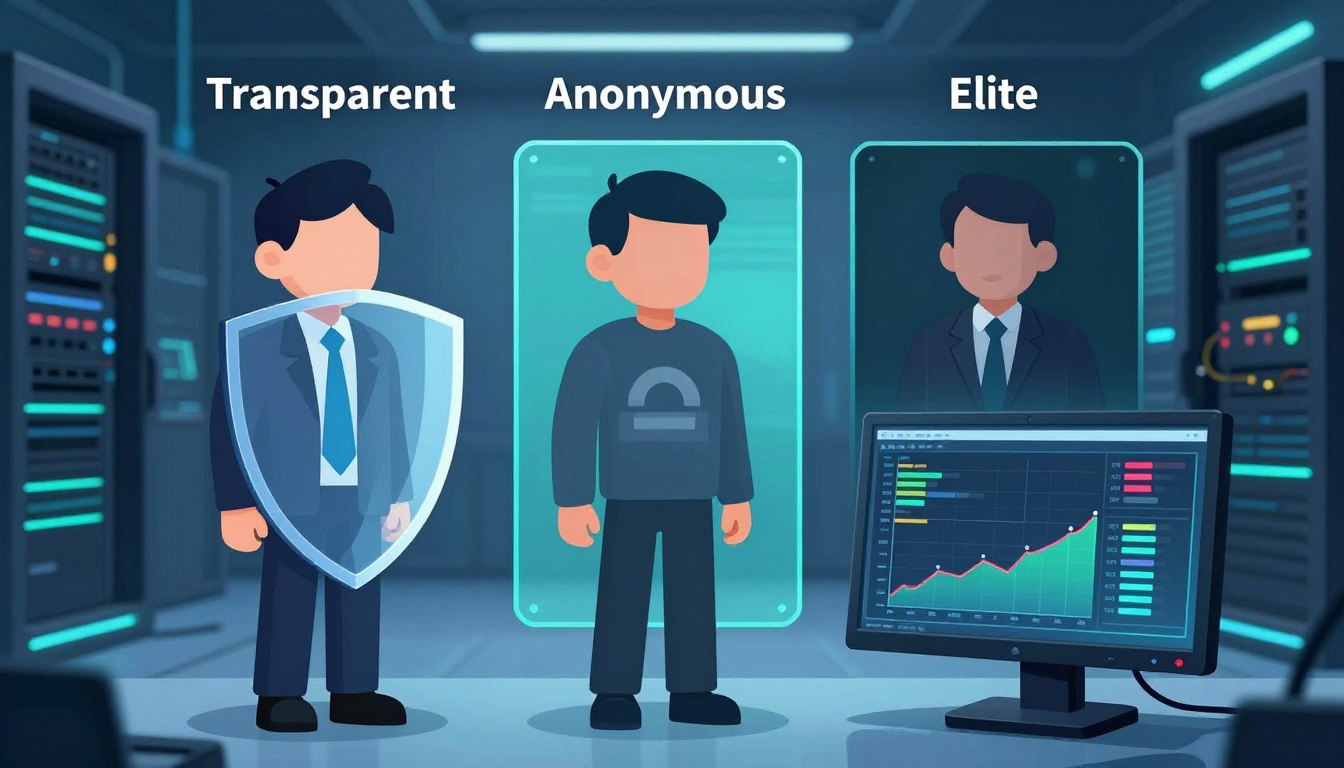
    A transparent proxy shows client headers, which can reveal your original IP or HTTP_X_FORWARDED_FOR. An anonymous proxy hides your IP but might still show it’s a proxy. An elite proxy, or high anonymity, hides your IP and removes all proxy headers.

    We’ll talk about how they work, their speed, security, and real-life uses. This includes business access, education, streaming, marketing, and web scraping. We’ll also give tips on how to choose a provider and test proxies in your own setup.

    This article is a detailed guide to help you decide. We’ll give you steps to check proxy performance, cost, and reliability. We write in the first person plural to offer you direct advice. This will help you choose between transparent and anonymous proxies or go for an elite proxy if you need top-level anonymity.

    Key Takeaways

    • Transparent proxies reveal client headers and are simple to deploy.
    • Anonymous proxies hide IPs but may disclose proxy use.
    • Elite proxy (high anonymity) provides the strongest concealment.
    • Choose based on use case: performance needs, compliance, and scraping scale.
    • Test providers and measure latency, header behavior, and reliability.

    Understanding Proxies: An Overview

    We start with a quick guide on proxy technology. Proxies act as middlemen between clients and servers. They manage traffic, follow rules, and sometimes speed up content delivery. Squid is great for caching, while NGINX and HAProxy are top picks for reverse proxying.

    What is a Proxy?

    A proxy server is like a messenger. It sends requests from a client to a server and brings back the answers. Proxies can be set up on the client side or server side for different tasks.

    They can change traffic, add headers, check who’s accessing, and store pages to save time. Squid, NGINX, and HAProxy are favorites for many users.

    How Proxies Work

    The process is straightforward: client sends a request → proxy → server → proxy → client. Proxies can change or hide the client’s IP by adding or altering headers.

    They support various ways to check who’s accessing, like Basic, Digest, and NTLM. SOCKS proxies handle TCP streams, while HTTP and HTTPS proxies work with HTTP headers. For HTTPS, they might use the CONNECT method or inspect content.

    Types of Proxies in Use

    Proxies are categorized by their function and where they come from. Transparent proxies show the client’s IP and add headers. Anonymous proxies hide the user’s IP but might still show proxy use. Elite proxies hide both the client’s IP and the fact that a proxy is being used.

    Residential proxies use real consumer IPs and are less likely to be blocked but cost more. Datacenter proxies are cheaper and faster but might get blocked more often.

    Proxy Type Typical Use IP Origin Anonymity
    Transparent Content caching, internal filtering Datacenter or corporate network Low — reveals client and headers like X-Forwarded-For
    Anonymous Privacy for casual browsing, basic masking Residential or datacenter Moderate — hides client IP but may show proxy usage
    Elite proxy High-stakes scraping, secure market targeting Residential or datacenter High — strips identifying headers and hides proxy presence
    SOCKS Protocol-agnostic tunneling, apps and games Varies Varies by implementation
    Reverse / Caching Load balancing, TLS offload, faster delivery Server-side infrastructure (NGINX, HAProxy) Not applicable — serves backend

    The Concept of Transparency in Proxies

    Transparent proxies forward client requests without hiding the original IP. They add proxy headers like HTTP_X_FORWARDED_FOR and Via. This helps networks keep a clear audit trail and makes policy enforcement easier.

    When choosing between transparent and anonymous proxies, we consider how traffic is routed. Transparent proxies are simpler to set up and cost less to run. They also offer reliable caching. This model is best for organizations that need to know the client’s true identity.

    We list ideal use cases where keeping client identity matters.

    • Enterprise caching to reduce bandwidth and speed updates.
    • Schools and universities enforcing content filters and SafeSearch.
    • ISPs and parents implementing parental controls.
    • Corporate monitoring, auditing, and internal load balancing.

    However, transparent proxies have some drawbacks. They don’t offer privacy or geo-masking. This makes them unsuitable for users who need anonymity. Sites that check proxy headers may block or flag traffic, limiting their use for scraping or bypassing location restrictions.

    Feature Transparent Proxy Anonymous Proxy
    Client IP Exposure Preserved via HTTP_X_FORWARDED_FOR and similar proxy headers Hidden from target servers
    Setup Complexity Low; easy to configure for networks Higher; requires anonymization tools
    Primary Uses Caching, filtering, monitoring Privacy, geo-masking, secure browsing
    Cost Lower due to minimal processing Higher because of added services
    Blocking Risk Higher when proxy headers are detected Lower if well-configured

    A Deep Dive into Anonymous Proxies

    We look into how anonymous proxies work and what they offer. They hide your IP from servers but might still show their presence with proxy headers. This balance offers privacy but not complete secrecy, showing the trade-offs for different needs.

    Benefits of Using Anonymous Proxies

    Anonymous proxies are great for simple privacy needs at a low cost. They hide your IP and reduce basic tracking. They’re a cost-effective choice compared to more advanced proxies, available in datacenter and residential types.

    Scenarios Where Anonymity Matters

    On public Wi-Fi, anonymous proxies keep your browsing private. They’re also good for small web scraping tasks to avoid rate limits. For market research, they help quickly switch between addresses. They’re useful for light geo-block bypasses for basic content access.

    Drawbacks and Considerations

    However, there are limits. Sites can spot proxy use by checking headers, which weakens anonymity. Datacenter IPs are easier to block. Advanced methods can still uncover your identity. Always choose HTTPS to protect against malicious proxies.

    • Masked IP reduces simple tracking and IP bans.
    • Proxy headers may reveal proxy usage to destination servers.
    • Cheaper than elite proxies but less effective against advanced detection.
    • Useful for basic bypasses when we need to bypass geo-restrictions quickly.

    Elite Proxies: The Best of the Best

    Elite proxy options are top-notch for those who need top secrecy and reliability. They are at the highest level of proxy services. This means they keep your IP hidden and don’t show signs of using a proxy.

    elite proxy

    What Sets Elite Proxies Apart?

    Elite proxies hide your identity by not sending out certain headers. They make it seem like you’re directly connected to the server. This is why residential elite proxies are less likely to get blocked, as they look like real user connections.

    When to Choose Elite Proxies

    Elite proxies are best for critical tasks that need to be very private. This includes big web scraping projects and checking ads. They’re also great for managing many accounts and getting past tough geo-blocks. They help avoid being detected, which is very important.

    Cost Implications of Elite Proxies

    Elite proxies are more expensive than other types. Residential elite addresses are pricier because they offer more variety and are less likely to get blocked. Datacenter elite proxies are also more expensive, especially if you’re using a dedicated server.

    Prices vary based on how you’re billed. You might pay per IP, by bandwidth, or for how many connections you make at once. There might be extra costs for features like rotation and API management, which make managing many proxies easier.

    Comparing Transparent and Anonymous Proxies

    We look at how transparent and anonymous proxies work differently. This helps teams choose the best tool for their needs. We’ll talk about what they do, how well they perform, and their security features.

    Key Differences in Functionality

    Transparent proxies show the client’s original IP and add headers like HTTP_X_FORWARDED_FOR. They’re good for caching, content filtering, and following company rules.

    Anonymous proxies hide the user’s IP but might show that a proxy is being used. Elite proxies hide both the original IP and any signs of a proxy for ultimate secrecy.

    Performance and Speed Comparisons

    Choosing between transparent and anonymous proxies affects speed. Transparent proxies are often faster because they work at the edge of networks and use caching. This makes repeat requests quicker.

    Anonymous proxies, especially datacenter ones, can also be fast for single requests. But elite residential proxies, which use consumer ISPs, might be slower. Still, they can be better for big tasks like scraping or automation, even if they’re slower.

    Security Features

    Transparent proxies are good for logging and preventing data loss. But they don’t keep your IP private, so they’re not great for privacy.

    Anonymous proxies hide your IP but don’t encrypt your data. Elite proxies add more secrecy but you have to trust the provider. Always use HTTPS/TLS and certificate pinning for sensitive data.

    Aspect Transparent Anonymous Elite
    IP exposure Original IP forwarded; headers like HTTP_X_FORWARDED_FOR show source Client IP hidden; proxy presence may be visible Client IP hidden; proxy use concealed
    Typical use Policy, caching, filtering Privacy, simple concealment Stealth, bypassing strict blocks
    Performance High due to caching and local placement Variable; datacenter can be fast Lower latency sometimes, but higher success rates for blocked targets
    Security Strong for logging and DLP; poor for anonymity Basic privacy; depends on TLS Best stealth; depends on provider trust

    We warn against using untrusted free proxies. They can steal or change your data, even if they seem to work. Choosing between transparent and anonymous proxies depends on what you need. It’s about finding the right balance between speed, headers, and trust in providers.

    Use Cases for Transparent Proxies

    We explore how transparent proxies help in real-world scenarios. They offer control, visibility, and efficiency. This is why many organizations prefer them for their balance of privacy and compliance.

    Businesses and Organizations

    Transparent proxies help us cache software updates, saving on bandwidth costs. They work with firewalls from Fortinet and Palo Alto. This centralizes proxy headers for logging and policy enforcement.

    They also help meet compliance audits by logging client IPs. The HTTP_X_FORWARDED_FOR header keeps client IPs in logs. This makes client configuration easy.

    Network teams use them to enforce policies, filter content, and optimize WAN traffic. These setups make managing large fleets of endpoints easier.

    Educational Institutions

    In schools and universities, we use transparent proxies to block content without installing software. This is easy for IT managers to set up, especially with different devices.

    They enforce SafeSearch, block malicious sites, and manage bandwidth during busy times. Proxy headers like HTTP_X_FORWARDED_FOR help administrators track user requests for safety reviews.

    Integrating transparent proxies with learning management systems improves access control. It keeps the student experience simple.

    Streaming Services and Content Diversion

    We set up transparent proxies at ISP and campus edges to cache streaming content. This reduces CDN costs and speeds up delivery for popular content.

    Transparent proxies can improve throughput but can’t fake the origin location. For geo-restricted content, the choice between transparent and anonymous proxies is key. Transparent proxies reveal the client IP via HTTP_X_FORWARDED_FOR and other headers.

    For optimizing delivery rather than location masking, transparent proxies are a good choice. They are practical and easy to use for networks with predictable streaming needs.

    Use Cases for Anonymous Proxies

    Anonymous proxy tools help keep our online activities private. They hide our IP addresses and block ads. The type of proxy we choose affects how fast and reliable it is.

    We’ll look at some common uses for these tools. We’ll also compare Transparent vs anonymous proxies. This way, teams can choose the best option for their needs.

    Personal Privacy and Security

    Using public Wi-Fi? An anonymous proxy keeps your device’s IP hidden. This stops simple tracking. Using HTTPS and privacy-focused browsers like Firefox or Brave adds extra protection.

    For even more privacy, Tor is a good choice. It sends your traffic through many nodes. But, it might be slower and not work with all sites. Anonymous proxies usually work better for everyday browsing.

    Bypassing Geo-Restrictions

    Anonymous proxy services help us access content blocked by region. How well it works depends on the site’s checks. Some sites look at proxy headers or IP ranges.

    Residential proxies are better for streaming and local services. But, results can vary. Testing different proxy levels helps find the best one for each platform.

    E-commerce and Market Research

    For comparing prices and monitoring competitors, we use anonymous proxies. They help us run queries without showing our company’s IP. This lowers the risk of being blocked right away.

    For big data collection projects, elite or rotating residential proxies are better. They help avoid rate limits and IP bans. Using both anonymous and rotating proxies balances cost and reliability in market research.

    The Role of Elite Proxies in Digital Marketing

    We use elite proxy solutions for big campaigns that need precision and reliability. In digital marketing, an elite proxy offers high anonymity. This reduces the risk of being blocked or getting fake responses during tests.

    This setup lets us mimic real user behavior in different markets without showing our true location.

    elite proxy

    Enhancing Web Scraping Efficiency

    Elite proxy networks help us get more successful requests for big crawls. Residential IPs are great because they avoid many proxy-detection tricks. This means fewer captchas and less chance of being banned.

    For tasks like price checking, lead gathering, and keeping an eye on competitors, we use rotating IPs from Bright Data, Oxylabs, or Smartproxy. This keeps our scraping smooth.

    We suggest matching our rotation policies to how the target site behaves. Short sessions are good for wide crawls. Sticky sessions are better for sites that need consistent client state.

    Overcoming Ad Verification Issues

    Elite proxy access is key for ad verification. It lets us see ads just like real users do. High anonymity stops ad networks from spotting our testing nodes and changing the ads.

    Residential elite proxies help avoid false negatives in ad fraud detection. They make sure our teams see the real ad experience in the target locations.

    We test ads from different IP origins to ensure they’re delivered the same way. This lowers the chance of misreporting due to proxy flags or data center IPs.

    Targeting Specific Markets

    We use localized elite proxy IPs for market-specific checks. This includes checking SEO positions, content localization, and ad targeting. City- and ISP-level residential addresses give us the real deal, unlike datacenter IPs.

    This accuracy is crucial for verifying local search engine results or checking creatives for regional differences.

    We see IP origin authenticity as very important. For campaigns that need detailed testing, the right mix of high anonymity residential endpoints is essential for reliable insights.

    Security Considerations for All Proxy Types

    We look at the security trade-offs for proxy types. A small mistake can turn a useful tool into a risk. We share practical risks and ways to protect systems without slowing them down.

    Transparent proxies pass client addresses in headers like HTTP_X_FORWARDED_FOR. This makes them easy to check but loses privacy.

    Risks with transparent proxies include IP exposure and leaks. They also pose a single point of failure. We suggest strict access controls and logging to lower risks.

    Now, let’s talk about anonymous proxy threats. Even with hidden IP, other signs can reveal identity.

    Threats to anonymous proxies include IP blocking and header leakage. Fingerprinting and man-in-the-middle attacks are also risks. Free or unknown proxies might log traffic or steal credentials if not using TLS.

    To fight these threats, we check providers and use HTTPS/TLS. We also test for header artifacts and ensure client data isn’t leaked.

    Elite proxy options offer better privacy but aren’t perfect.

    Elite proxies need encryption to protect data. They hide origins better than others, but we must still use TLS and validate certificates. For extra security, use VPNs or SSH tunnels.

    Choosing an elite proxy provider means checking their logging and data retention policies. For sensitive tasks, look for dedicated IPs and vendors with SOC 2 or ISO certifications.

    We end with controls for all proxy types. Use minimal headers, strip or rewrite HTTP_X_FORWARDED_FOR, and rotate credentials. Always monitor for unusual activity.

    Regular audits, incident plans, and checking vendors are key to a solid proxy security plan. This approach balances performance, privacy, and compliance.

    Choosing the Right Proxy for Your Needs

    We help teams pick the right proxy solutions. This depends on their technical and business goals. The choice between Transparent vs anonymous or elite proxy varies by use case, budget, and needed proxy levels.

    Factors to Consider

    First, we identify the main goals. These can be privacy, caching, web scraping, ad verification, or CDN offload. We match these goals with the right anonymity level.

    Next, we look at IP origin. Residential IPs are good for scraping and have low block rates. Datacenter IPs offer high throughput and are cheaper. We also consider latency, bandwidth, rotation, and concurrency needs.

    We check if headers are verified and if the provider is transparent about HTTP_X_FORWARDED_FOR and similar fields. It’s important to ensure compliance with privacy laws and regional data rules.

    We also evaluate technical support, API features, and SLA terms. Budget plays a big role in choosing between basic proxy levels and an elite proxy for critical tasks.

    Trusted Providers in the Market

    We look at top vendors in different categories. Bright Data and Oxylabs offer residential and datacenter routing. Smartproxy focuses on residential pools with simpler plans.

    Cloudflare and Akamai are great for reverse proxy or CDN needs. For datacenter IPs, cloud providers like AWS, Google Cloud, and Microsoft Azure offer scalable options.

    For enterprise needs, we look for vendors with compliance certifications and clear policies. It’s important to review provider documentation and third-party audits before making a decision.

    Trial Periods and Guarantees

    We suggest testing with trial accounts or small pilot projects. This helps validate performance, block rates, and geographic coverage. Real-world tests show how headers behave, rotation fidelity, and response times.

    We look for money-back guarantees, refundable trials, or pay-as-you-go plans. Pilot runs should include target sites, request rates, and concurrency patterns. This confirms if the provider meets our expectations.

    We recommend documenting results and comparing providers on the same workload. This helps us choose proxy providers that meet our technical and budgetary needs while showing value.

    Future Trends in Proxy Technology

    We’re looking at big changes in how companies use proxies. The future will bring clearer proxy sources, smarter routing, and better compliance. These updates will impact everything from basic proxy levels to large-scale deployments that need reliability and auditability.

    Innovations to Watch

    The residential proxy market will grow with a focus on ethical IP sourcing and consent. Better rotation APIs will help avoid request collisions and make large-scale scraping more reliable.

    Proxies and CDNs will work together to reduce global latency. Tools for managing fingerprints and automating browsers with Puppeteer and Playwright will become common for teams needing consistent sessions.

    The Impact of AI on Proxy Services

    AI and proxies will work together closely. Machine learning will improve rotation strategies and spot blocking patterns in real time.

    Adaptive request pacing, anomaly detection, and smarter routing will lower bans and latency. Providers will use AI to identify malicious IPs and improve geo-targeting.

    AI-driven techniques to evade detection may lead to a battle with anti-bot systems. This will shape how proxy levels and features are presented.

    Evolving User Needs and Proxy Adaptation

    Privacy and fraud prevention will require proxies that prove legal sourcing and offer detailed access controls. Companies will seek integration with SIEM tools and compliance attestations.

    There will be more demand for managed services that combine elite proxy experiences with browser isolation and identity-safe automation. Clearer guidance on Transparent vs anonymous options will be needed based on use case and risk.

    The industry must balance innovation with ethics. It’s important to ensure proxy levels match their purpose and that the future of proxies supports both scale and legitimacy.

    Conclusion: Making the Best Choice

    We’ll wrap up by highlighting key differences in proxy choices. Deciding between transparent and anonymous proxies depends on our needs. Do we want to keep client IP and headers for caching or compliance?

    Transparent proxies keep these details, while anonymous ones hide the client IP but might show proxy use. Elite proxies, the most private, hide both IP and proxy signs. When choosing, consider cost, speed, and how easy they are to detect.

    For picking a proxy, start with a checklist. First, figure out what you need and how much traffic you’ll handle. Then, pick your IP type and anonymity level. Look at providers like Bright Data, Oxylabs, or Smartproxy.

    Test them by checking headers, seeing how often they get blocked, and making sure they use TLS. Make sure the terms and compliance are right before you use them a lot.

    To get better at this, learn about standards and tools that show how proxies work in real life. Look at RFC 7239 on Forwarded headers and OWASP’s proxy security tips. Use cURL, Wireshark, and browser tools to see if headers are there.

    Keep checking how your proxies work as things change. This will help them stay strong against new traffic and detection methods.

    FAQ

    What is the difference between transparent, anonymous, and elite (high-anonymity) proxies?

    Transparent proxies keep the client IP and add headers like HTTP_X_FORWARDED_FOR. Anonymous proxies hide the client IP but might show proxy use. Elite proxies hide the client IP and don’t show proxy headers, making it seem like a direct connection.

    When should we use a transparent proxy?

    Use transparent proxies when you need to keep the client’s identity. They’re good for auditing, caching, and content filtering. They’re also used in schools, ISPs, and for internal load-balancing to help with troubleshooting.

    What are the main benefits of anonymous proxies?

    Anonymous proxies hide the IP to protect privacy and avoid tracking. They’re cheap for web scraping and market research. They come in datacenter and residential types, fitting different needs.

    Why choose elite (high-anonymity) proxies over anonymous ones?

    Elite proxies remove headers and act like native connections. They’re better for scraping, ad verification, and multi-account use. They’re stealthy and hard to detect.

    How do headers like X-Forwarded-For and HTTP_X_FORWARDED_FOR affect proxy anonymity?

    Headers like X-Forwarded-For show the client IP or proxy chain. Transparent proxies keep these headers. Elite proxies remove them to hide the client IP and proxy.

    What trade-offs exist between datacenter and residential proxies?

    Datacenter proxies are fast but easy to block. Residential proxies are harder to detect and better for geo-sensitive tasks. They’re more expensive and slower.

    How does proxy choice affect performance and blocking rates?

    Transparent proxies are fast but may block more. Datacenter proxies are quick but riskier. Residential proxies are slower but more successful. We choose based on speed and success rate.

    Are free proxies safe to use for sensitive data?

    Free proxies are risky. They can log or modify content. For sensitive data, use paid providers with HTTPS and clear logging policies.

    Which authentication and protocols should we expect from proxy providers?

    Providers often support HTTP(S) and SOCKS5 proxies. They use username/password, IP allowlisting, or APIs for authentication. For HTTPS, they use CONNECT tunneling or TLS termination.

    How do we test whether a proxy is truly elite (high-anonymity)?

    Check for missing headers with cURL or browser tools. Run real tests to see if it’s blocked or detected.

    What cost models should we anticipate for elite proxies?

    Elite proxies are pricey. They’re billed per-IP, by bandwidth, or by connections. Residential elite IPs are more expensive for their lower block rates.

    Which providers are recognized in the proxy market for residential and elite services?

    Bright Data, Oxylabs, and Smartproxy are top for residential and enterprise proxies. Cloud providers and CDNs offer datacenter solutions for various needs.

    What security practices should we follow regardless of proxy type?

    Always use HTTPS/TLS and check certificates. Choose providers with clear logging policies. For high-risk tasks, use VPNs or SSH tunnels.

    How do proxies interact with modern anti-bot and fingerprinting techniques?

    Anti-bot systems check IP, headers, and browser signals. Elite proxies reduce detection but can’t fool all systems. Use rotation and browser automation to evade detection.

    Can transparent proxies help with CDN or streaming performance?

    Yes, they cache content and reduce bandwidth. They’re good for controlled networks but can’t bypass geo-restrictions.

    What legal or compliance issues should we consider when buying proxies?

    Make sure IP sourcing is legal and compliant. Check provider terms for logging and data transfer policies. For enterprises, ask for compliance guarantees and addendums.

    How will AI and automation affect proxy selection and use?

    AI will improve rotation and detect blocks. It will also make detection and evasion more complex. Providers will need to adapt with smarter tools.


  • How to Hide Your Real IP Address Using a Free Proxy Server

    How to Hide Your Real IP Address Using a Free Proxy Server

    When we browse from home, work, or public Wi-Fi, we often want to hide our IP address. A free proxy server can do this by acting as an intermediary. It masks our real IP and routes our traffic through another endpoint.

    This makes it great for privacy, getting around regional blocks, and for tasks like web scraping or testing geo-restricted content.

    In this article, we’ll give you a practical guide to setting up a proxy for everyday users in the United States and worldwide. We’ll compare HTTP vs SOCKS to help you choose the right proxy for your needs. You’ll get a list of options, step-by-step guides, troubleshooting tips, and security advice.

    We’ll talk about the trade-offs, like performance, protocol differences, and logging policies. SOCKS5 works at the transport layer and handles more types of traffic. HTTP proxies work at the application layer for web requests. But, neither option guarantees complete anonymity—logging, encryption, and provider practices vary.

    So, we encourage legal, ethical, and informed use.

    Key Takeaways

    • A free proxy server can help hide IP address for improved privacy and access to region-locked content.
    • HTTP vs SOCKS matters: choose HTTP for web proxy tasks and SOCKS5 for broader traffic handling.
    • Browser proxy extensions offer quick proxy setup, but reliability and speed vary by provider.
    • Free solutions have limits—check logging policies and encryption before trust.
    • We will provide step-by-step setup, troubleshooting, and safe-usage tips in the following sections.

    What is a Proxy IP Address?

    A proxy server acts as a middleman between our device and the servers we visit. It shows a different IP address to the outside world. This IP address hides our real one and is what servers see.

    Proxies have different roles. A forward proxy helps with privacy and controlling access. A reverse proxy balances traffic and protects servers. Each role changes how the proxy IP address works and who sees it.

    We look at how proxy servers vary in function and scope. Knowing these differences helps us choose between a web proxy and a browser proxy for Chrome or Firefox.

    Understanding Proxy Servers

    A proxy acts as a relay, sending our requests and getting responses. It can check HTTP headers and change requests before sending them. This is common for web filtering.

    Some proxies work at a lower level, not checking the content of our requests. They support more protocols and don’t interfere with our data as much.

    Types of Proxy Servers

    We compare common proxy types to help us decide. HTTP and HTTPS proxies work at the web layer and are good for caching and controlling headers. SOCKS4 and SOCKS5 work at a lower level and support any protocol.

    SOCKS5 supports UDP and has authentication, while SOCKS4 doesn’t. Transparent proxies work without our setup and are often used by ISPs. Web proxy sites offer quick access without changing system settings.

    We include a short protocol comparison to clarify trade-offs.

    Proxy Type Main Use Case Protocol Support Configuration
    HTTP/HTTPS Web traffic filtering, caching HTTP headers, TLS Browser proxy or system proxy
    SOCKS4 Simple TCP tunneling TCP only App-level or system proxy
    SOCKS5 Flexible tunneling, apps and games TCP and UDP, authentication App-level or system proxy
    Transparent Network-level interception Varies No client setup
    Web Proxy Quick browser access HTTP/HTTPS via web interface Access via website

    Benefits of Using a Proxy IP Address

    Proxy IP address masking boosts privacy and hides our devices. It’s useful on public Wi-Fi or for separating work and personal browsing.

    Geolocation spoofing lets us access content blocked by location. A proxy in another country can unlock region-locked services. Proxies also speed up repeated requests and save bandwidth.

    Proxies help control access in corporate networks. They enforce policies and log activity. Proxies differ from VPNs and Tor. A VPN encrypts all traffic, while Tor routes through many nodes for anonymity. Choosing between HTTP and SOCKS depends on the apps and control needed.

    How Does a Proxy IP Address Work?

    We explain how proxies work so you can understand their role in protecting your identity. We’ll cover the request process, the differences between proxy types, and the security risks involved.

    Data Transmission Process

    When you use a proxy, your browser sends a request to the proxy server. The proxy can change headers, serve cached content, or forward the request. It then gets a response from the server and sends it back to you.

    With a SOCKS proxy, a handshake establishes a tunnel for TCP or UDP. The SOCKS server then sends data between you and the destination. SOCKS works with any protocol, not just HTTP, making it versatile.

    Encryption and Security Features

    Not all free proxies encrypt your data. An HTTP proxy might only send unencrypted HTTP unless you use HTTPS. SOCKS5 doesn’t encrypt by default; encryption depends on the application layer, like HTTPS inside a SOCKS tunnel.

    Proxies often use simple login to control access. For better security, use a proxy with TLS or a VPN. If a proxy tries to intercept TLS without validation, it can lead to man-in-the-middle attacks.

    Aspect HTTP Proxy SOCKS Proxy
    Layer Application layer; interprets and can modify HTTP headers Transport layer; tunnels raw TCP/UDP packets without parsing HTTP
    Data transmission model Request-response flow with possible caching and header changes Handshake then tunnel; relays raw packets between endpoints
    Protocol awareness HTTP-aware; suited for web traffic Protocol-agnostic; supports non-HTTP services
    Encryption Depends on HTTPS; plain HTTP is unencrypted No native encryption; relies on application-layer TLS for security
    Authentication Common: basic, digest, token-based methods Common: username/password; varies by implementation
    Use cases Web browsing, content filtering, caching SMTP, FTP, gaming, arbitrary TCP/UDP services

    Advantages of Hiding Your IP Address

    Hiding your IP address offers many benefits for everyday browsing and sensitive tasks. It makes it harder for websites and advertisers to track you. This way, your online activities stay private, especially when you’re shopping or researching.

    Proxies are just one part of a bigger privacy plan. Cookies and browser fingerprinting can still collect data. To boost privacy, use proxies with privacy settings and tools. This approach keeps things simple without sacrificing security.

    H3: Enhanced Privacy Online

    By hiding your IP address, third parties see the proxy’s address, not yours. This makes it harder for attackers to target you. It also keeps your online activities private, whether for research, advocacy, or personal accounts.

    H3: Bypassing Geographic Restrictions

    Proxies let you show an IP from another country, unlocking region-locked content. For streaming, HTTP proxies work well. But for apps that use different protocols, SOCKS5 is better because it supports more protocols.

    Choosing between HTTP and SOCKS depends on your needs. HTTP proxies are great for web traffic. SOCKS5 is more flexible for various applications because it handles non-HTTP traffic too.

    H3: Safe Browsing on Public Wi-Fi

    Public Wi-Fi can be risky, with threats like packet sniffing and session hijacking. Hiding your IP address makes it harder for local attackers to find you. This reduces the risk of them targeting your device.

    Even with a proxy, unencrypted traffic is still at risk. So, always use HTTPS or a VPN on public Wi-Fi. This combination of encrypted connections and careful habits enhances your safety online.

    Choosing the Right Free Proxy Server

    When picking a proxy for everyday use or light scraping, we look at privacy, speed, and setup ease. Free proxy servers vary a lot. We need clear criteria to compare providers and protocols before committing.

    free proxy server

    Factors to Consider

    First, we check protocol support. A comparison between HTTP vs SOCKS5 is key because each handles traffic differently.

    We review logging and privacy policy to see what data the provider stores. Free services often keep logs or limit features.

    We look at the geographic location of proxy servers to match content access needs and latency targets.

    We verify bandwidth and concurrent connection limits so our workflows do not stall under load.

    We confirm authentication options and HTTPS support for secure sessions.

    We assess provider reputation by reading recent user feedback and verifying terms before use.

    Popular Free Proxy Services

    We consider several widely used options that offer free tiers. Hidester provides a web proxy interface and promises minimal setup. KProxy offers browser extensions for Chrome and Firefox and a simple toggle for casual use. Hide.me’s free tier supports multiple locations and has clear protocol notes. ProxySite runs a clean web proxy and focuses on quick access to blocked pages.

    We note supported protocols and extension support for each provider. Availability and policies change frequently, so we always verify current terms before relying on a service.

    Evaluating Reliability and Speed

    We test latency and throughput with common tools. Using ping and traceroute gives quick latency insight. Curl or browser downloads show real throughput behavior.

    We run session stability tests to watch for abrupt disconnects. We try concurrent connections to see how a free proxy server handles multiple streams.

    We check uptime history, read recent reviews, and run short trials to measure real-world reliability and speed. This hands-on approach reduces surprises when using a proxy in production.

    Provider Supported Protocols Access Methods Known Limits Best Use
    Hidester HTTP, limited HTTPS Web interface, proxy setup Bandwidth caps on free tier Quick web unblocking
    KProxy HTTP, some SOCKS via extensions Browser extensions, web proxy Concurrent connection limits Casual browsing and lightweight tasks
    Hide.me (free) HTTP, SOCKS5 on some plans Apps, browser setup, extensions Location and throughput limits Privacy-focused casual use
    ProxySite HTTP, supports HTTPS passthrough Web proxy Session timeouts, slower at peak Bypassing simple blocks

    How to Set Up a Free Proxy Server

    We guide you through setting up a proxy server. We cover how to install hosted and self-hosted options. Then, we show you how to set up proxies in Chrome and Firefox. Finally, we explain how to set up proxies on iOS and Android devices.

    Step-by-Step Installation Guide

    First, choose a provider and decide between HTTP and SOCKS. HTTP is good for simple web browsing. SOCKS5 is better for apps that support it.

    Get the server address, port, and any login details from your provider. Put these into your client or OS proxy settings. Test it by looking up a website or using a connectivity checker.

    If you’re setting up on Linux, use Squid for an HTTP proxy. Install it with apt or yum, then edit squid.conf. For SOCKS, install Dante or 3proxy and set up interfaces, clients, and auth.

    Set up basic firewall rules to allow the proxy port and block unwanted access. Restart the service and test from a remote machine to confirm everything works right.

    Browser Configuration

    Chrome uses your system proxy on Windows and macOS. Open Settings > System > Open proxy settings. Enter the host and port for HTTP/HTTPS or a SOCKS proxy when supported by the OS. Save and restart Chrome to ensure the browser proxy takes effect.

    Firefox supports SOCKS natively. Go to Preferences > General > Network Settings > Manual proxy configuration. Enter HTTP fields for HTTP proxies or set the SOCKS host and choose SOCKS5 for better compatibility. Clear DNS settings if you need DNS resolution through the proxy.

    Consider proxy auto-config (PAC) files when you need rule-based routing. Many browser extensions from reputable vendors can manage multiple proxy profiles and switch on demand without editing OS settings.

    Mobile Device Setup

    On iOS, go to Settings > Wi‑Fi, tap the active network, then Configure Proxy > Manual. Enter the host, port, and credentials. That applies to the selected Wi‑Fi network and works well for HTTP and HTTPS proxies.

    Android varies by version. Open Wi‑Fi, long-press the network, choose Modify network, expand Advanced options, and set Proxy to Manual. Enter host and port. Some Android builds limit SOCKS support at the OS level; in those cases use a third-party app or a VPN-based proxy app to route SOCKS traffic.

    Many mobile browsers only support HTTP(S) via system settings. For device-wide SOCKS, we recommend trusted apps that create a local VPN tunnel and forward traffic to your SOCKS server. Test browsing and specific apps to confirm the mobile proxy setup works for both HTTP content and app-level connections.

    Troubleshooting Common Proxy Issues

    When using a free proxy, we often face basic problems. Quick fixes can save a lot of time. Below are steps to tackle common issues and get back online without hassle.

    First, we do targeted checks to find most connection faults. Simple network tests help us see if the problem is on our device, the proxy, or the connection between them.

    Connection Errors

    Connection errors often come from wrong proxy settings, bad login details, or protocol mismatch. We check the proxy host and port, make sure our login info is correct, and see if our firewall or ISP blocks the proxy port.

    We use ping and traceroute to test reachability. Curl with proxy flags helps us see if the proxy accepts requests. It’s important to use the right HTTP or SOCKS settings to avoid immediate failures.

    Slow Speed Problems

    A slow proxy can be due to overloaded servers, high latency, or provider throttling. We compare different proxy servers to find the slow ones and switch to a closer one.

    For non-HTTP traffic, we try SOCKS5. This can reduce overhead for certain protocols. Local network checks, like rebooting the router and testing without the proxy, help confirm if the proxy is the problem.

    Proxy Not Responding

    If the proxy is not responding, we check for server downtime, blocked ports, expired credentials, or maintenance. Checking the provider’s status page quickly tells us if there’s an outage.

    As a backup, we keep a list of alternative proxies. If we keep having problems, we might consider paid services from brands like Cloudflare or Bright Data for better reliability and service guarantees.

    Issue Likely Cause Practical Check Immediate Fix
    Connection errors Wrong host/port, bad credentials, protocol mismatch Ping, traceroute, curl with –proxy, verify auth Correct settings, update credentials, switch HTTP vs SOCKS
    Slow proxy Overload, high latency, throttling, distant server Speed tests, compare endpoints, test without proxy Change server location, try SOCKS5, use paid tier
    Proxy not responding Server downtime, blocked ports, expired creds Check provider status, test port reachability, renew creds Switch proxy, contact provider, use alternative service

    Understanding Proxy Server Limitations

    Free proxies have their downsides. They hide our IP but come with privacy, security, and performance issues.

    Potential Security Risks

    Using untrusted proxies can be risky. They might inject malware, change pages, or steal our login info.

    Free proxies that don’t encrypt data are especially dangerous. They send our info in plain text. This makes us more vulnerable.

    Data Logging Concerns

    Free proxies often log our online activities. They might keep records of our IP, when we visited sites, and what we did.

    It’s important to check privacy policies. Look for services that promise not to log your activities. Paid options like NordVPN Teams and Bright Data usually have better logging policies.

    Performance Drawbacks

    Free proxies can slow us down. They might limit our bandwidth, cause delays, and have unstable connections.

    They also might not support all protocols. SOCKS is better than HTTP but speed depends on the provider’s network.

    Issue What to Watch For Practical Impact
    Security risks Content injection, man-in-the-middle, credential theft Compromised accounts, altered web content, privacy breaches
    Data logging IP, timestamps, visited domains, shared logs Loss of anonymity, targeted ads, potential legal exposure
    Performance Bandwidth caps, latency, instability Poor streaming, slow browsing, interrupted tasks
    Protocol support HTTP vs SOCKS differences, UDP and IPv6 availability Limited app compatibility, slower connections for certain uses
    Reliability Uptime, maintenance, provider transparency Unpredictable access, frequent reconfiguration

    The Role of Proxy IP Addresses in Web Scraping

    We use proxies to collect more data without harming our systems. The right proxies help us succeed more often and avoid failures. They also make our crawlers stronger.

    How Proxies Facilitate Data Collection

    Proxies spread out our requests across many IP addresses. This way, one address can’t get blocked by rate limits. It lowers the risk of being blocked when we scrape public pages, APIs, or product listings.

    We use HTTP proxies for scraping standard web pages with tools like Requests or Puppeteer. For broader support or custom clients, we choose SOCKS5. Choosing the right proxy depends on the task at hand.

    Avoiding IP Bans with Proxies

    To dodge IP bans, we use several methods. Proxy rotation spreads out the load and prevents one IP from being suspicious. This keeps our activities under the radar.

    We prefer residential proxies for realistic scraping on sensitive sites. Datacenter proxies are better for faster, cheaper scraping where risk is lower. We also set rate limits, randomize request times, and change headers to look more human.

    We combine proxy strategies with best practices for headless browsers to reduce our digital footprint. We follow website rules and get permissions when needed. Ethical scraping keeps our reputation and operations running smoothly.

    Free Proxy vs Paid Proxy: Which is Better?

    We compare free and paid proxies to help you decide. We look at reliability, speed, privacy, and value. Our guide aims to make choosing easier.

    Comparing Features and Services

    Paid services like Luminati and Smartproxy offer better uptime and speed. They also provide dedicated IPs and customer support. These services support SOCKS5 and HTTPS, which is great for complex tasks.

    Free proxies, on the other hand, have bandwidth limits and may log your activity. They mainly support HTTP proxies. Free services are not reliable for important tasks.

    Cost-Effectiveness of Free Proxies

    Free proxies are good for quick tests or casual browsing. They’re free, which is great for one-time needs.

    But, they can be slow and may risk your privacy. Troubleshooting and slower work can add up. We consider these costs when judging their value.

    Long-Term Use Considerations

    For ongoing tasks or critical privacy, paid proxies are better. They offer reliable performance and support a variety of protocols.

    Consider starting with free proxies for testing. Then, switch to paid options for better performance and support.

    Aspect Free Proxy Paid Proxy
    Uptime Unreliable, frequent drops High, with SLAs
    Speed Limited bandwidth Optimized, faster
    Protocols Mostly HTTP; limited SOCKS Full support: HTTP, SOCKS5, HTTPS
    Privacy Unclear logging policies Transparent privacy terms
    Support None or community forums 24/7 support and SLAs
    Best Use Testing, casual use Production, scraping, business

    Tips for Safe Proxy Usage

    We take steps to keep our online activities private and fast with proxies. Good practices help us avoid risks and keep our browsing smooth. This is true for work, scraping, or just browsing.

    Avoiding Malicious Proxies

    We choose trusted providers. Companies like NordLayer and Bright Data have been checked by others. We read reviews before using any proxy.

    We make sure the proxy supports HTTPS and check the certificates. Never send sensitive info over unencrypted channels.

    We avoid free proxies that show ads or ask for too much. If a proxy acts strange, we remove it and tell others.

    Regularly Changing Proxies

    Using different proxies helps avoid being tracked and slowed down. Changing IPs regularly spreads out our online activity.

    We use tools for automatic proxy switching. For scraping, we use libraries or platforms that offer this feature.

    We also change user agents with IPs to avoid being detected.

    Additional Privacy Tools

    We encrypt our traffic with TLS/HTTPS. This makes our proxy use safer and protects our data.

    We use browsers like Brave or a secure Firefox. We clear cookies often and block trackers with tools like uBlock Origin and Privacy Badger.

    We pick VPNs and Tor based on our needs. Sometimes, we use more than one tool for extra security.

    Focus Area Practical Steps Recommended Tools
    Provider Trust Choose audited vendors, read reviews, verify HTTPS NordLayer, Bright Data
    Credentials Safety Avoid sending sensitive logins over plain HTTP TLS/HTTPS, certificate checks
    Rotation Strategy Use proxy rotation, time-based cycles, IP pools Rotating proxy middleware, scraping platforms
    Browser Hygiene Clear cookies, use privacy settings, block trackers Brave, Firefox, uBlock Origin, Privacy Badger
    Protocol Choice Understand HTTP vs SOCKS for use case and speed HTTP proxies for web, SOCKS5 for broader TCP/UDP support
    Layered Privacy Combine proxies with VPN or Tor where needed Commercial VPNs, Tor Browser

    Alternatives to Proxy IP Addresses

    Looking beyond basic proxies, we find tools that offer stronger privacy and broader coverage. These options help protect your traffic, keep your identity private, and manage network access. Here, we compare what many readers use for these purposes.

    Virtual Private Networks

    VPNs create an encrypted tunnel for all your device’s traffic. This is different from many proxies, which only affect certain apps or browsers. VPNs offer end-to-end encryption and consistent privacy across your operating system.

    VPNs have strong encryption, easy setup, and protect all background services. However, they might slow down your internet and you have to trust the VPN provider. We test popular VPNs like ExpressVPN, NordVPN, and Proton VPN. Each has its own balance of speed, privacy, and server reach.

    Tor Network Overview

    Tor is a decentralized network that hides your traffic through multiple relays. It offers deeper anonymity but can be slower and may not work with all web services.

    Tor mainly handles TCP traffic and blocks some protocols for safety. Many apps use Tor with SOCKS5 by connecting to the Tor SOCKS interface at localhost:9050. This shows the difference between HTTP proxies and SOCKS clients, which forward raw TCP streams at the transport layer.

    Choosing between these alternatives depends on your needs and threats. We recommend VPNs for reliable encryption and ease of use. For deep anonymity, Tor is a good choice, even if it’s slower.

    Real-Life Use Cases for Proxy IP Addresses

    We explore how professionals use proxy IP addresses every day. Each example shows how different proxies meet different needs. Our goal is to help teams choose the right tool for their tasks.

    proxy use cases

    For accessing region-locked content, professionals rely on proxies. Marketing teams check streaming services like Netflix and Hulu to see what’s available in different countries. SEO analysts use proxies to see how Google results vary by location. Researchers also use proxies to access government sites that are only available in certain areas.

    For streaming, HTTP proxies work well. But for apps that use different protocols, SOCKS5 is better. This shows the importance of choosing between HTTP and SOCKS for different tasks.

    Proxies also help protect sensitive tasks. Journalists and whistleblowers use them to keep their IP addresses hidden. This is crucial for investigations and confidential communications. For the highest level of anonymity, Tor is the best choice. Using a VPN and a proxy together can offer even more protection.

    Market research proxies help gather data on a large scale. Analysts use them to collect pricing information, competitor listings, and ad verification across different regions. Rotating residential proxies help avoid being blocked or limited by geo-restrictions. This makes it seem like real users are accessing the data.

    It’s important to follow ethical guidelines when using proxies for market research. This includes respecting site terms of service and local laws.

    To compare options, we present a concise table that contrasts common proxy choices and their best fit for real tasks.

    Use Case Best Proxy Type Key Benefit Notes
    Streaming and localized browsing HTTP/HTTPS Simple setup for browsers Good for accessing region-locked content and testing catalogs
    Application-level tasks and torrent clients SOCKS5 Protocol-agnostic support Preferred when HTTP vs SOCKS trade-offs favor broader protocol coverage
    High-anonymity communications Tor or layered VPN + proxy Strong anonymity and route obfuscation Use for investigative journalism and whistleblowing research
    Large-scale market research Rotating residential market research proxy Mimics real-user traffic, reduces blocks Ideal for pricing checks, ad verification, and competitor analysis

    Staying Legal and Ethical with Proxy Use

    We need to balance privacy with the law and ethics when using proxies. This guide helps us use proxies legally and ethically in our daily tasks. It also explains when to choose HTTP vs SOCKS for different needs.

    Understanding Local Laws

    Proxies are legal in the U.S. and many other countries. But, hiding your IP doesn’t make illegal actions legal. We must know laws like the Computer Fraud and Abuse Act, which punish unauthorized access and fraud.

    When working with copyrighted material, financial systems, or personal data, we should talk to a lawyer. This ensures we follow the law.

    International laws differ. Some places ban geo-block circumvention or have strict data export rules. We must know these laws before working across borders.

    Responsible Usage Guidelines

    We follow strict rules for ethical proxy use. When scraping, we respect robots.txt and site terms. We also avoid making too many requests and use backoff strategies to not overload servers.

    We don’t use proxies for harassment, DDoS attacks, or fraud. For business, we promote transparency about automated tools. We also follow privacy laws like CCPA for personal data.

    For choosing between HTTP and SOCKS, we explain the differences. HTTP is good for web traffic and handling headers easily. SOCKS supports more protocols and streams, making it better for complex tasks. We choose based on security, performance, and compliance needs.

    We keep logs minimal and only keep data as long as needed. Regular audits and documented policies help us stay legal and ethical.

    Conclusion: Enhancing Your Online Anonymity

    We’ve explored how proxy servers help us hide our IP and access content blocked by region. The main benefits include better privacy, safer use of public Wi-Fi, and tools for automation and scraping. For everyday web browsing, a browser proxy or HTTP(S) proxy is usually enough. But for more applications, SOCKS5 is better.

    When choosing between HTTP and SOCKS, remember that HTTP proxies are best for web traffic. They work at the application layer. SOCKS5, on the other hand, is better for non-HTTP applications like torrents. This makes it easier to pick the right tool for your needs.

    We suggest trying free proxy services for basic trials but look at reputable paid providers for better speed and logging policies. Adding a trusted proxy with a VPN or Tor can increase security for sensitive tasks. Always use these tools ethically and legally. We’re here to help compare providers or guide you through setup when you’re ready.

    FAQ

    What is the difference between an HTTP proxy and a SOCKS5 proxy?

    HTTP proxies work at the application layer and understand HTTP/HTTPS headers. They can cache, filter, or modify web traffic. On the other hand, SOCKS5 works at the transport layer and tunnels raw TCP/UDP packets without interpreting application protocols.

    SOCKS5 is more flexible for non-HTTP applications like torrent clients and game clients. HTTP proxies are easier to use for browser-based tasks and web scraping.

    Will using a free proxy make us completely anonymous online?

    No. Free proxies can hide our IP address from destination sites. But they rarely provide complete anonymity. Many free proxies log metadata, may not encrypt traffic end-to-end, and cannot prevent browser fingerprinting or cookie tracking.

    For stronger privacy, combine proxies with HTTPS, a VPN, or Tor. Also, adopt additional browser privacy measures.

    Are SOCKS proxies encrypted by default?

    No. SOCKS5 tunnels raw traffic but does not encrypt it by default. Encryption depends on the application-layer protocol inside the SOCKS tunnel.

    For example, HTTPS traffic remains encrypted even when routed through SOCKS. If encryption is required, use HTTPS/TLS on top of the proxy or pair the proxy with a VPN.

    How do we configure a browser to use a proxy?

    In Chrome, open Settings > System > Open your computer’s proxy settings. Enter the proxy host, port, and credentials for HTTP/HTTPS or SOCKS.

    In Firefox, go to Preferences > General > Network Settings > Manual proxy configuration. Firefox natively supports SOCKS. Many providers also offer browser extensions or PAC files to simplify switching between proxies.

    Can proxies help us bypass geographic restrictions for streaming?

    Yes, proxies can present an IP address from another region to access geo-restricted content. HTTP/HTTPS proxies are usually sufficient for browser-based streaming.

    However, free proxies may be blocked by streaming services or suffer from slow performance. Paid residential proxies or reputable VPNs tend to be more reliable for consistent streaming access.

    Are free proxies safe to use on public Wi-Fi?

    Free proxies can obscure our local IP on public networks. But safety depends on encryption. If the proxy or the destination site doesn’t use TLS, traffic can still be intercepted.

    On untrusted Wi-Fi, we recommend using HTTPS everywhere or a VPN in addition to any proxy. This protects credentials and sensitive data.

    How can proxies help with web scraping and avoiding IP bans?

    Proxies let us distribute requests across many IP addresses. This reduces request concentration from a single IP and lowers the chance of rate limits or bans.

    Strategies include rotating proxies, using residential IP pools for realism, randomizing request timing, and respecting robots.txt and site terms. Ethical scraping practices and legal compliance remain essential.

    What common problems occur when a proxy won’t connect?

    Typical causes are incorrect host/port, wrong credentials, protocol mismatch, blocked ports by firewall or ISP, DNS issues, or provider downtime.

    We recommend testing connectivity with ping/traceroute, using curl with proxy flags, and checking the provider’s status or docs for required ports like 1080 for SOCKS.

    How do logging and privacy policies differ between free and paid proxies?

    Many free proxies log connection metadata and may aggregate or sell data to monetize the service. Paid providers often offer clearer no-logs commitments, contractual SLAs, and better privacy controls.

    Always read the provider’s privacy policy. For sensitive or long-term use, prefer reputable paid services with explicit no-logs and privacy guarantees.

    Should we use SOCKS5 or HTTP proxies for non-HTTP applications?

    Use SOCKS5 for non-HTTP applications because it supports raw TCP/UDP traffic and is protocol-agnostic. HTTP proxies are designed for web traffic and can misbehave or fail when used with non-HTTP protocols.

    For example, game clients, some APIs, and torrent applications perform better over SOCKS5.

    Can we run our own free proxy server, and which software is recommended?

    Yes. For self-hosted HTTP proxies, Squid is a widely used open-source option. For SOCKS, Dante or 3proxy are common choices.

    Self-hosting gives us control over logging and authentication but requires maintenance, secure configuration, firewall rules, and possibly a VPS with adequate bandwidth.

    How do we test a proxy’s reliability and speed?

    Test latency with ping/traceroute, measure throughput via curl or browser downloads, and run stability tests with repeated requests or concurrent connections.

    Check uptime history, read user reviews, and run short trials to assess real-world performance. For scraping, simulate realistic request patterns to see if the proxy sustains load without throttling.

    What are safer alternatives to proxies for privacy?

    VPNs offer system-wide encrypted tunnels and stronger end-to-end protection, making them a good alternative for general privacy. Tor provides strong anonymity via multi-hop relays but is slower and can be blocked by some sites.

    Combining a VPN or Tor with proxies can provide layered privacy depending on the threat model.

    How often should we rotate proxies to avoid detection?

    Rotation frequency depends on use case. For web scraping or automation, rotate per request or per small batch of requests to mimic distributed users.

    For interactive browsing, rotating less frequently (per session) can reduce complexity. Always balance rotation with session continuity needs and use a pool of reputable IPs to avoid repeated detection.

    Are there legal risks to using proxies in the United States?

    Using proxies is legal in most jurisdictions, including the United States, but illegal activity conducted through proxies remains unlawful. Proxy use that facilitates copyright circumvention, fraud, unauthorized access, or violations of terms of service can carry legal consequences.

    We recommend consulting legal counsel for high-risk applications and always complying with applicable laws and site policies.