Tag: Online Privacy

  • How to Scrape Google Search Results Safely Using Anonymous Proxies

    How to Scrape Google Search Results Safely Using Anonymous Proxies

    We will show you how to safely scrape Google Search results. This is done by using anonymous proxies and elite proxies. Our aim is to help you avoid detection and blocks.

    We will give you practical steps to bypass rate limits. This way, you can avoid getting a 429 too many requests response or an IP ban. This guide is for U.S.-based developers and data teams doing SERP scraping for SEO, market research, or product development.

    In this article, we cover the basics of SERP scraping. We also talk about legal and ethical boundaries. Plus, we discuss how to choose the right proxy, whether residential or datacenter.

    We explain how to set up your technical tools. We also share strategies to handle rate limits and CAPTCHA. You’ll learn how to scrape from different locations and scale your operations.

    We emphasize the use of anonymous proxies and elite proxies. These tools help distribute requests and bypass rate limits while staying compliant. We also discuss how to avoid api throttling and 429 too many requests errors. And, we share ways to lower the risk of an IP ban during sustained scraping operations.

    Key Takeaways

    • We use anonymous proxies and elite proxies to distribute requests and reduce detection.
    • Proper setup and rate limiting help avoid api throttling and 429 too many requests errors.
    • Choosing between residential and datacenter proxies affects reliability and cost.
    • Ethical and legal boundaries guide safe scraping practices for U.S. teams.
    • Planning for distributed requests and load testing improves long-term scraping success.

    Understanding SERP Scraping

    We start by explaining the main idea of collecting search engine results automatically. SERP scraping gets rankings, snippets, and more. This helps teams see how visible they are over time.

    What is SERP Scraping?

    SERP scraping is about getting data from search engine results pages. It helps us understand organic and paid positions, and even rich results. It’s used for SEO tracking, competitor analysis, and more.

    Why Is It Important?

    Accurate SERP data is key for measuring visibility and checking SEO plans. It shows changes in search results and how algorithms affect traffic.

    With this info, we can focus on the right content, keep an eye on competitors, and make technical improvements. Good data leads to better decisions in marketing and engineering.

    The Role of Proxies in Scraping

    Proxies hide our IP and spread out traffic. This way, no single IP gets too much traffic. It helps avoid getting banned and keeps requests looking natural.

    Choosing the right proxy is important. It affects how well we scrape and how likely we are to get caught. Proxies help us get around limits and avoid being blocked when we make many requests at once.

    Legal and Ethical Considerations

    We must balance technical goals with clear legal and ethical guardrails before we scrape search results. Respecting site rules and user privacy keeps projects sustainable. This reduces exposure to enforcement actions like account suspension or an ip ban.

    Compliance with search engine policies

    We review Google’s Terms of Service and robots.txt guidance before any crawl. These documents set limits on automated access and outline acceptable behavior. Failure to follow them can trigger legal notices, account suspension, or an ip ban from search endpoints.

    We design scrapers to avoid rapid request bursts that mimic abusive traffic. Implementing sensible pacing prevents 429 too many requests responses. This lowers the chance of escalations involving api throttling or service blocks.

    Respecting copyright and data privacy

    We treat scraped content as potentially copyrighted. Publisher snippets, images, and rich results often belong to third parties. Reusing that material without permission risks infringement claims.

    We minimize collection of personally identifiable information and apply anonymization when retention is necessary. Privacy laws such as GDPR and CCPA can impose obligations when SERPs include names, email fragments, or location clues. Storing only what we need and securing data at rest reduces legal exposure.

    Ethical scraping versus malicious scraping

    We draw a clear line between legitimate research or business intelligence and harmful activity. Ethical scraping uses rate limits, honors robots.txt, and shares intent when required. Malicious scraping involves mass data theft, credential stuffing, or patterns that cause service disruption.

    We avoid tactics that hide intent or overwhelm endpoints. Using proxies to distribute load can be a valid technical measure, yet it must be paired with legal compliance and transparent policies. Poorly designed proxy usage may provoke api throttling measures, 429 too many requests errors, or an ip ban.

    We document our approach, monitor request patterns, and respond quickly to complaints. That combination keeps our work robust, defensible, and aligned with industry expectations.

    Choosing the Right Proxies

    Before we start scraping, we need to understand our proxy options. The type of proxy we choose impacts our success, cost, and ability to avoid rate limits. This is especially true for distributed tasks and load testing.

    Types of Proxies: Residential vs. Datacenter

    Residential proxies use IPs from internet service providers, like those assigned to homes. They are trusted by Google, block less often, and cost more. They’re great for scraping search engine results pages (SERPs) naturally.

    Datacenter proxies come from hosting providers and virtual machines. They’re faster and cheaper, perfect for heavy scraping. However, Google flags them more, increasing detection risk.

    Mobile proxies mimic carrier networks, offering the highest anonymity. They’re ideal for targeting mobile-specific results or needing top anonymity.

    Factors to Consider When Selecting Proxies

    Success rate against Google is our first concern. We look at real-world block and challenge rates to meet our goals.

    IP pool size and geographic diversity are key for scraping in different locations. A large pool helps avoid reuse and supports targeting various regions.

    Concurrent connection limits and session persistence affect how many threads we can run. Stable sessions are crucial for maintaining search context during long crawls.

    Authentication methods, latency, bandwidth caps, and cost per IP are important. We also consider provider reputation and support for rotation and session control for load testing and distributed requests.

    Recommended Proxy Providers

    We test several top providers to see how they perform in real-world scenarios. Bright Data (formerly Luminati), Smartproxy, Oxylabs, Storm Proxies, and NetNut are often mentioned in reviews.

    When evaluating providers, we ask for trial credits and test their SERP scraping success. We also check their support for geo-targeting, session rotation, and persistent connections.

    For projects where avoiding rate limits is crucial, we choose elite proxies. They offer high anonymity and stable sessions. This helps reduce detection and boosts performance during load testing and scaling scraping operations.

    Setting Up Your Scraping Environment

    We start by setting up a solid environment for scraping tasks. A clean setup cuts down on errors and helps avoid hitting rate limits. This makes our tests more reliable.

    We pick a programming environment like Python or Node.js. For making HTTP requests, we use requests in Python or axios in Node. For simulating browsers, we choose tools like Puppeteer, Playwright, or Selenium.

    Tools for managing proxies handle rotation and authentication. We also use systems like ELK or Grafana to track errors and performance. Docker helps us create the same environment on any machine.

    Configuring your proxy settings

    We set up proxy settings with secure login options. These include username/password, IP whitelisting, and tokens. We switch proxies for each request or session, depending on the load.

    Using connection pooling makes our requests more efficient. For secure connections, we enable TLS/SSL passthrough. We choose between SOCKS5 and HTTP(S) based on speed and protocol needs.

    We add timeouts and retry logic to handle failures without hitting limits. We structure retries with exponential backoff to avoid rate limits.

    Ensuring browser compatibility

    We prefer headless Chrome or Chromium for realistic interactions. We use tools like Puppeteer or Playwright to drive them. We rotate user-agents and manage browser fingerprints to avoid detection.

    We apply proxy settings at browser launch for consistent routing. We test our scrapers under simulated loads to see how they handle rate limits. By spreading requests across proxy pools, we avoid hitting rate limits.

    Creating Your Scraping Script

    We start by picking the right language and setting up a clear code structure. This approach prevents common mistakes and helps us avoid hitting rate limits. It also reduces the chance of getting blocked by api throttling or 429 too many requests errors.

    Choosing a Programming Language

    Python, Node.js, or Go are top choices for SERP tasks. Python is great for quick development and has a wide range of tools like requests and BeautifulSoup. Node.js is perfect for browser automation with tools like axios and Puppeteer. Go is ideal for large-scale scraping due to its high concurrency and low latency.

    Each language has its own strengths. Python is best for quick prototypes and parsing HTML. Node.js offers easy access to headless Chromium and event-driven I/O. Go excels in efficient concurrency, which helps avoid api throttling.

    Basic Code Structure for SERP Scraping

    We break down our code into different parts. These include request orchestration, proxy rotation, and rate limiting. We also have response parsing, data validation, and error handling for 429 and network issues.

    Request orchestration manages how requests are sent and received. Proxy rotation changes the outgoing IP to avoid rate limits. Rate limiting middleware controls delays to prevent api throttling and 429 errors.

    Response parsing deals with both static and dynamic content. For dynamic pages, we use headless browsers or Playwright. We keep cookies and session tokens to maintain state and avoid retries.

    Common Libraries and Frameworks

    We use well-known libraries to make development faster and more reliable. Here’s a quick look at some popular tools for SERP scraping.

    Language / Tool Use Case Key Strength
    Python — requests, aiohttp, BeautifulSoup, lxml Lightweight requests, async scraping, fast HTML parsing Easy syntax, rich parsing options, strong community
    Python — Selenium, Playwright Rendering JS, complex interactions, session handling Robust browser automation, good for dynamic SERPs
    Node.js — axios, node-fetch, Cheerio HTTP clients and fast HTML parsing Event-driven I/O, seamless JS environment
    Node.js — Puppeteer, Playwright Headless browser automation and page rendering Native control of Chromium, reliable for complex pages
    Go — net/http, colly High-performance crawling and concurrent requests Fast execution, low memory footprint, strong concurrency
    Auxiliary — Scrapy, ProxyBroker Frameworks for full pipelines and proxy discovery Built-in middleware, easy proxy integration

    We add proxy rotation and retry logic to our middleware. This includes exponential backoff for 429 errors and randomized delays to bypass rate limits. When api throttling happens, we reduce concurrency and increase backoff to recover smoothly.

    We store session cookies and tokens securely and reuse them to lower authentication overhead. For dynamic content, we prefer Playwright or Puppeteer with pooled browser contexts. This way, we can render pages efficiently without starting a full browser process for each request.

    Implementing Rate Limiting

    We need to control how many requests we send to protect servers and keep our scraping sustainable. Rate limiting stops overload and keeps us within expected patterns. APIs often throttle traffic when it looks off.

    Why this control matters

    Too many requests can slow servers, cause errors, or even ban IPs. Setting limits helps avoid 429 errors and long-term blocks. It also saves bandwidth and cuts costs from throttling.

    Practical techniques to pace traffic

    We use exponential backoff for retries after failures. Adding jittered delays makes patterns harder to spot. Token and leaky bucket algorithms manage throughput with bursts.

    Setting per-IP and global caps helps avoid hitting limits. Session-based pacing and staggering workers smooth out peaks. Distributing requests across many proxies mirrors organic traffic and limits load.

    Tools to monitor and alert

    We watch 429 error rates, average latency, and success rates per IP for early signs of throttling. Prometheus and Grafana give us real-time dashboards.

    ELK Stack helps us analyze logs and spot trends. Sentry captures exceptions and error spikes. Proxy vendors offer dashboards for health and request volumes.

    Metric Why It Matters Recommended Tool
    429 Error Rate Shows api throttling or rate limit breaches Prometheus + Grafana alerts
    Average Latency Indicates slow endpoints or overloaded proxies Grafana dashboards
    Success Rate per IP Reveals problematic proxies or bans ELK Stack for log correlation
    Request Volume by Worker Helps balance concurrent load and avoid spikes Prometheus metrics + provider dashboards
    Alert Thresholds Automated triggers to prevent bans Sentry and Grafana alerting

    To avoid rate limit bypasses, we mix pacing algorithms with wide proxy rotation and monitoring. This approach keeps us resilient, costs predictable, and avoids service interruptions.

    Handling CAPTCHAs

    We all deal with CAPTCHAs when scraping search results. These tests, like reCAPTCHA v2 and v3, and hCaptcha, check if we’re human. If we send too many automated requests, we might get a 429 error or be banned.

    Understanding CAPTCHA Challenges

    CAPTCHAs use visual tests and JavaScript to tell humans from bots. They track mouse movements and cookie history. If it looks like a bot, the site might ask for a CAPTCHA or slow down our requests.

    Ignoring CAPTCHAs can lead to 429 errors and even an ip ban. It’s important to treat them as part of the site’s defense.

    Tools for Bypassing CAPTCHAs

    There are automated solvers and human services like 2Captcha and Anti-Captcha. Each has different prices, success rates, and speeds.

    We can use full browser automation with tools like Puppeteer. This makes our requests look more like real users. It’s important to choose wisely and have a plan B for when solvers fail.

    Best Practices for Avoiding CAPTCHA Triggers

    We can make our requests look more natural by randomizing timing and using different user-agents. Keeping sessions open and using good proxies helps too.

    We should avoid blocking resources that might trigger CAPTCHAs. If we hit limits, we slow down or pause. If we get a CAPTCHA, we wait, change our proxy, and try again.

    Topic Approach Benefits Risks
    Browser Automation Use Puppeteer or Playwright with full JS and session persistence Higher realism, fewer CAPTCHAs, consistent cookies Higher resource use, setup complexity
    CAPTCHA Solvers 2Captcha, Anti-Captcha, CapMonster or human-in-loop Fast solving, simple integration Cost per solve, varying reliability
    Proxy Strategy Rotate high-quality residential or mobile proxies Reduces ip ban risk, spreads requests Higher cost, management overhead
    Rate Controls Randomized delays and adaptive backoff Prevents 429 too many requests, avoids throttling Longer crawl times, complexity in tuning
    Fallback Flow Pause, rotate proxy, lower rate, retry Recovers from CAPTCHAs and avoids ip ban Requires robust error handling

    Data Extraction Techniques

    We share practical steps for extracting data from search results and webpages. Our goal is to use strong methods that combine scraping, headless rendering, and API use. This keeps our pipelines strong and easy to manage.

    Parsing HTML Responses

    We use top parsers like lxml, BeautifulSoup, and Cheerio to make raw responses useful. CSS and XPath selectors help us get titles, snippets, URLs, and JSON-LD easily. This avoids the need for tricky string operations.

    Dynamic pages require us to access the DOM after rendering. We use tools like Playwright or Puppeteer for this. Then, we run parsers on the HTML to catch more data and fix errors faster.

    Storing Extracted Data Efficiently

    Choosing where to store data depends on how much we have and how we plan to use it. We pick PostgreSQL for structured data, MongoDB for flexible data, S3 for big exports, and BigQuery for analytics. Each has its own role in our pipeline.

    We keep schema versions up to date, remove duplicates, and add indexes to speed up queries. Good indexing and storage formats save money and make analysis quicker during load tests.

    Working with APIs for Enhanced Data

    When possible, we use official APIs like Google Custom Search API. This lowers the risk of scraping and makes data more consistent. We combine API data with scraped records to fill in missing information and check field accuracy.

    APIs have limits and costs. We manage these by sending requests in batches, caching responses, and setting up retry logic. If APIs aren’t enough, we use elite proxies for targeted scraping. We do this ethically to avoid rate limit issues.

    Throughout our process, we apply rules and checks to ensure data accuracy. This makes our datasets reliable and ready for analysis.

    Scraping Multiple Locations

    When we target search results across regions, we must treat each location as a distinct data source. Search results change by country, city, and language. To mirror local SERPs, we add geo parameters, set Accept-Language headers, and vary queries for local phrasing.

    How to Target Different Regions

    We build requests that include regional signals such as the uule parameter for Google, country-specific query terms, and the right Accept-Language header. Small changes in query wording can yield different local rankings. So, we test variants for each city or state.

    Utilizing Geo-Targeting with Proxies

    We select proxies that match our target locations so requests appear to come from the intended region. Residential proxies and ISP-assigned IPs deliver higher trust scores for local results. Many providers let us pick city-level endpoints, which simplifies geo-targeting and ensures Google returns localized SERPs.

    Challenges of Multi-Location Scraping

    We face operational hurdles when scaling a geographically diverse proxy pool. Maintaining many regional IPs increases cost and complexity, while latency can slow crawls. Regional CAPTCHAs often appear more frequently, which forces us to rotate proxies and integrate human-solvers or smart retry logic.

    Legal rules vary by country, so we map data protection requirements before scraping each market. Rate policies differ per region, so we design regional throttles to bypass rate limits and avoid triggering local IP blocks.

    Batch scheduling helps us control load and keep behavior predictable. We group requests by time zone, apply per-region rate limiting, and monitor response patterns to adapt proxy selection. These methods improve reliability when performing multi-location scraping at scale.

    Testing and Troubleshooting

    We test and fix problems to keep scraping pipelines running smoothly. This phase focuses on common failures, how to debug them, and steps to take when issues arise.

    debugging scraping

    Common issues include 429 too many requests, CAPTCHAs, and blocked IPs. These problems can be caused by too many requests, automated behavior, or changes in the website’s structure. Timeouts and pages that only load with JavaScript are also common issues.

    We start by testing problems locally before making big changes. First, we try the same request from one IP, then from many. We check the request and response headers for any clues.

    Logging full HTML responses helps us spot problems. We use browser devtools to look at the DOM and network timing. We also track user-agent and cookie behavior.

    Granular logs are key. We log proxy used, latency, response code, and the raw body for each request. This helps us find the cause of problems like 429 too many requests.

    When debugging, we change one thing at a time. If the problem goes away, we know what caused it. We use canary runs to test small groups of pages before making changes.

    We do controlled load testing to avoid surprises. Tools like Apache JMeter and k6 help us test traffic slowly. This helps us see how systems handle pressure before real traffic hits.

    For recurring problems like ip bans, we have a runbook. The runbook includes steps like rotating proxies and reducing concurrency. We schedule regular checks to make sure everything is stable.

    Here are some quick tips for troubleshooting:

    • Reproduce the error locally with a single IP and with the proxy pool.
    • Inspect headers, cookies, and full HTML responses for anomalies.
    • Log per-request metadata: proxy, latency, response code, and body.
    • Isolate one variable at a time: proxy, user-agent, then headers.
    • Run load testing with JMeter or k6 and perform canary runs.
    • Keep a runbook for 429 too many requests and ip ban recovery steps.

    We keep improving our fixes and testing. This approach helps us respond faster and keeps data collection consistent.

    Adapting to Algorithm Changes

    Google updates its ranking signals and SERP layouts often. These changes can break parsers and alter how we detect content. It’s crucial to monitor algorithms closely to catch these changes early.

    We check live SERPs and sample results across different areas. Regular checks help us spot important DOM edits. When we find differences, we review and decide if we need to update our methods.

    Our scraping strategy is based on modular parts. We create parsers that keep extraction rules separate from request logic. This makes it easier to update without redeploying the whole scraper. We also use automated DOM diff detection to quickly find layout changes.

    We keep our rate limiting and fingerprinting flexible. Adjusting how often we make requests helps avoid being blocked by APIs. If we start getting blocked more, we look at our proxy quality and distribution to avoid unsafe ways to bypass limits.

    We test our scraping in staging against live SERPs. These tests help us catch problems early. We also simulate distributed requests at a small scale to make sure everything works before we go live.

    We stay updated by following reliable sources. Google’s Official Search Central blog and sites like Moz and Search Engine Journal keep us informed. We also check developer forums and GitHub projects for technical details.

    We get updates from changelogs for tools like Puppeteer and Playwright. These updates can affect how we render and intercept content. Proxy providers also send us notices when things change, helping us adjust our requests.

    Area Why It Matters Action Items
    Structure Changes Alters selectors and extraction accuracy Run DOM diffs, update modular parsers, retest
    Ranking Volatility Signals algorithm updates that affect SERP content Increase monitoring cadence, compare historical SERPs
    Rate Controls Can trigger api throttling and blocks Tune rate limiting, emulate human pacing, log throttles
    Proxy Health Poor proxies raise block rates and skew results Assess provider advisories, rotate pools, test geo coverage
    Tooling Updates Changes in headless browsers affect rendering Track changelogs, run compatibility tests, patch quickly
    Traffic Pattern Tests Helps validate behavior under distributed requests Simulate distributed requests at small scale, monitor metrics

    Ensuring Data Quality

    We focus on keeping our SERP datasets reliable and useful. We check for errors right after we crawl data. This way, we avoid big problems later and don’t have to make too many requests.

    We use different ways to make sure our data is correct. We check URLs for silent errors and remove duplicate records. We also make sure the data fits the expected format and compare it to known samples.

    To clean the data, we make sure everything is in the right format. We remove extra spaces and make dates and numbers consistent. Adding extra information helps us find where problems come from.

    We use tools like Apache Airflow or Prefect to manage our data. This makes it easier to track changes and fix issues. It also helps us see how cleaning data affects our results.

    We have rules to catch any mistakes in our data. If we find a problem, we review it by hand and update our methods. This keeps our data accurate without needing to scrape everything again.

    For analyzing our data, we use Python and SQL. We also use Looker and Tableau for visualizing trends. We have dashboards in Grafana to show how our data is doing.

    We use special tools to spot sudden changes in our data. This helps us avoid getting blocked by rate limits. We only make extra requests when it’s really needed.

    We have a simple checklist for our data. We check for the right format, remove duplicates, and add extra information. This keeps our data consistent and saves us time.

    Scaling Your Scraping Efforts

    As our project grows, we need to scale without breaking patterns or getting blocked. Scaling scraping means making technical choices that balance speed, cost, and reliability. We explore ways to increase crawling capacity while keeping data quality and access safe.

    When to expand operations

    We scale when we need more data, like more keywords or higher refresh rates. Monitoring SERPs in real-time and needing to do more things at once are signs to grow. Business needs often drive the need for more coverage before we can adjust technically.

    Strategies for efficient growth

    We prefer horizontal scaling with worker pools to keep tasks separate and stable. Sharding by keyword or region helps avoid conflicts and makes retries easier. Using message queues like RabbitMQ or Kafka helps manage distributed requests and handle spikes.

    Container orchestration with Kubernetes lets us scale based on load. Having a big proxy pool spreads out traffic and lowers the chance of getting banned. We carefully manage rate limits across workers to avoid getting blocked by APIs.

    Managing resources effectively

    We save money by comparing proxy costs to the value of the data we get. Caching common queries and focusing on important keywords reduces unnecessary requests. Setting a retry budget stops retries from getting too expensive and raising detection risks.

    Regular load testing with tools like k6 or Apache JMeter checks how we perform under heavy traffic. This helps us find and fix problems before they cause issues in production.

    Scaling Area Approach Benefit Tool Examples
    Task Distribution Worker pools with sharding by keyword/region Reduces contention; easier retries Celery, Kubernetes Jobs
    Traffic Coordination Message queues to buffer and sequence jobs Smooths bursts; enables backpressure RabbitMQ, Apache Kafka
    Proxy Management Large proxy pools with rotation and health checks Lowers ban risk; enables distributed requests Residential proxy providers, in-house pools
    Rate Control Centralized rate limiting and per-worker caps Avoids API throttling and failed batches Envoy, Redis token bucket
    Performance Validation Periodic load testing and chaos drills Identifies bottlenecks before outages k6, Apache JMeter
    Cost Optimization Caching, prioritization, and retry budgets Improves ROI on proxy and compute spend Redis, Cloud cost monitoring

    Staying Compliant with Data Regulations

    We need to balance our scraping needs with legal duties when collecting search results. Laws like GDPR and CCPA limit how we process personal data. They also give rights to individuals. Knowing these rules helps us avoid legal trouble and protect our users.

    Understanding GDPR and CCPA

    GDPR is the European law that requires us to have a legal reason for processing data. It also limits our purpose and gives people the right to access and delete their data. Breaking these rules can lead to fines and investigations.

    CCPA is a U.S. law that focuses on consumer rights in California. It requires us to give notice, allow opt-out, and delete data upon request. Since U.S. laws vary, we watch both federal and state actions closely.

    Best Practices for Compliance

    We try to collect as little personal data as possible. When we do need personal data, we anonymize or hash it. We also keep a document explaining why we collect it and how long we keep it.

    We have systems in place for people to opt-out and remove their data. For big projects, we get legal advice and do privacy impact assessments. This helps us avoid legal trouble, like using proxies to bypass rate limits.

    We have rules for when to stop scraping and how to notify people. These rules help us stay safe and show we’re responsible to regulators.

    Monitoring Legal Changes

    We keep an eye on updates from the European Data Protection Board, the FTC, and state regulators. We also subscribe to legal newsletters and privacy services. This way, we catch new rules early.

    We automate checks in our pipeline, like data audits and privacy impact assessments. These steps help us stay up-to-date with changing laws. They also let us respond quickly when rules change.

    Real-World Applications of SERP Scraping

    We use SERP scraping in many ways to help businesses make smart choices. It supports market research, competitor analysis, SEO, and targeted outreach.

    market research

    Market Research and Competitor Analysis

    Tracking how competitors rank is key. SERP scraping helps us see these changes. It shows us where our content might be lacking.

    It also helps us see how well brands like Starbucks or Home Depot do in local markets.

    We look at product mentions and prices to compare offers. This helps us set prices and position our products better.

    SEO and Digital Marketing Strategies

    Scraped SERP data helps us track rankings and see how we do in special features. This info guides our content and paid search plans.

    To monitor more often, we use special proxies and spread out our requests. This way, we avoid getting banned and can spot drops fast.

    Lead Generation and Outreach

    Scraping SERPs helps us find niche directories and local listings. It’s great for finding leads in real estate and professional services.

    We follow the rules and respect sites when we get contact info. This keeps our outreach ethical and compliant.

    Conclusion: Best Practices for Safe SERP Scraping

    We began by discussing legal and ethical guidelines for scraping search results. Our guide includes using residential or elite proxies for privacy and stability. It also covers proxy rotation and data validation to keep information accurate.

    We also talked about creating realistic browser automation to avoid CAPTCHA issues. This helps us avoid getting blocked by rate limits.

    Recap of Key Takeaways

    Before scraping data, we need to know about laws like GDPR and CCPA. Elite proxies or high-quality residential providers are best for sensitive tasks. We should also use strong rate limiting and retry logic to avoid getting blocked.

    Monitoring for api throttling and setting up alerts helps catch problems early. This reduces the risk of getting banned.

    Final Recommendations for Success

    Start with small pilots to test proxy providers and see how they perform. Keep your parsers flexible for quick updates. Focus on privacy and data storage to ensure accuracy.

    Be cautious when trying to bypass rate limits. Find a balance between efficiency and respect for the services you’re using. Invest in monitoring to quickly spot api throttling or 429 errors.

    Future Trends in SERP Scraping

    Expect more defenses against headless browser fingerprinting and stricter laws on automated data collection. Managed data APIs might reduce the need for scraping. Proxy services will improve with better geo-targeting and session management.

    To stay ahead, follow technical blogs, vendor updates, and legal resources. This way, our strategies can adapt to the changing landscape.

    FAQ

    What is the safest way to scrape Google SERPs without getting blocked?

    Use high-quality proxies to spread out your requests. Set strict limits and random delays to avoid being blocked. Use full browser automation to act like a real user. Rotate user agents and cookies often.

    Watch for 429 errors and CAPTCHAs. Start small and grow slowly to avoid getting banned.

    Should we use residential, datacenter, or mobile proxies for SERP scraping?

    It depends on what you need. Residential and mobile proxies are safer and less likely to get blocked. Datacenter proxies are faster but riskier.

    For big projects, mix proxy types. Use elite proxies for the most important tasks.

    How do we handle 429 Too Many Requests and API throttling?

    Slow down when you get 429 errors. Use smart backoff and rate limits. Spread out your requests with a big proxy pool.

    Limit how many requests each proxy can handle. Watch for 429 trends and alert for rate changes or proxy swaps.

    What configuration patterns do you recommend for proxy rotation?

    Rotate proxies per session or request, depending on your needs. Use sticky sessions for tasks needing cookies. Rotate for simple GETs.

    Use username/password, IP whitelisting, or tokens for authentication. Manage connections and timeouts to avoid too many retries.

    How do we reduce CAPTCHA frequency and handle CAPTCHAs when they appear?

    Use top-notch proxies and realistic browser automation. Keep sessions open and use random timing. Make sure to load all resources.

    When CAPTCHAs pop up, pause and swap proxies or sessions. For big jobs, use CAPTCHA-solving services carefully. Prevent CAPTCHAs whenever possible.

    Which tools and libraries are best for building a scraper that handles dynamic SERPs?

    For browser-based scraping, choose Puppeteer or Playwright in Node.js. Playwright or Selenium in Python works well too. For HTTP scraping, use requests, aiohttp, or Go’s net/http.

    Combine parsers like BeautifulSoup or lxml for data extraction. Use proxy management libraries and Docker for reproducible environments.

    How can we target SERPs for different regions and cities reliably?

    Use geo-located proxies and set locale headers. Include the required cities or ISPs in your proxy pool. Apply regional rate limits to avoid bans.

    Test results in each location and account for latency and CAPTCHA patterns.

    What storage and data quality practices should we follow after scraping?

    Store data with metadata like timestamp and proxy ID. Use schema validation and deduplication. Choose the right storage for your needs.

    Build ETL pipelines and monitor data quality. This helps avoid re-scraping and rate limiting.

    How do we test and debug scraping failures like partial renders, timeouts, or DOM changes?

    Reproduce issues locally with the same settings. Log headers and HTML snapshots. Use devtools to inspect the DOM.

    Add detailed logs for each request. Run tests to find rate-limiting issues and adjust settings.

    What compliance and legal safeguards should we implement when scraping SERPs?

    Check Google’s Terms of Service and robots.txt. Minimize PII collection and anonymize data. Document your processes and keep records.

    Implement opt-out and deletion workflows. Consult legal experts for big projects. Following GDPR and CCPA reduces legal risks.

    When should we scale our scraping infrastructure and how do we avoid amplified detection?

    Scale when your needs grow. Use worker pools and message queues for horizontal scaling. Autoscale containers for efficiency.

    Coordinate rate limits and shard by region or keyword. Expand proxy pools as needed. Test to avoid detection.

    Are there alternatives to scraping for SERP data?

    Yes. Use official APIs or third-party providers for legal and easy rate limiting. But they have limits. Combine APIs with selective scraping for full coverage.

    Which proxy providers do you recommend for high-success SERP scraping?

    Check out Bright Data, Oxylabs, Smartproxy, NetNut, and Storm Proxies. Each has different features. Test them live and measure success rates before choosing.

    How do we stay up to date with algorithm and layout changes that break scrapers?

    Watch for changes in SERP structure and ranking. Use automated DOM diffs and continuous integration tests. Follow Google and industry sources.

    Keep your scraper flexible and ready for updates. Deploy fixes quickly when needed.
  • Transparent vs. Anonymous vs. Elite Proxies Explained

    Transparent vs. Anonymous vs. Elite Proxies Explained

    We’re here to help U.S. IT teams, marketers, and privacy lovers pick the best proxy. We’ll show you the key differences between transparent, anonymous, and elite proxies. These differences are crucial for your security, how fast things work, and if you follow the rules.

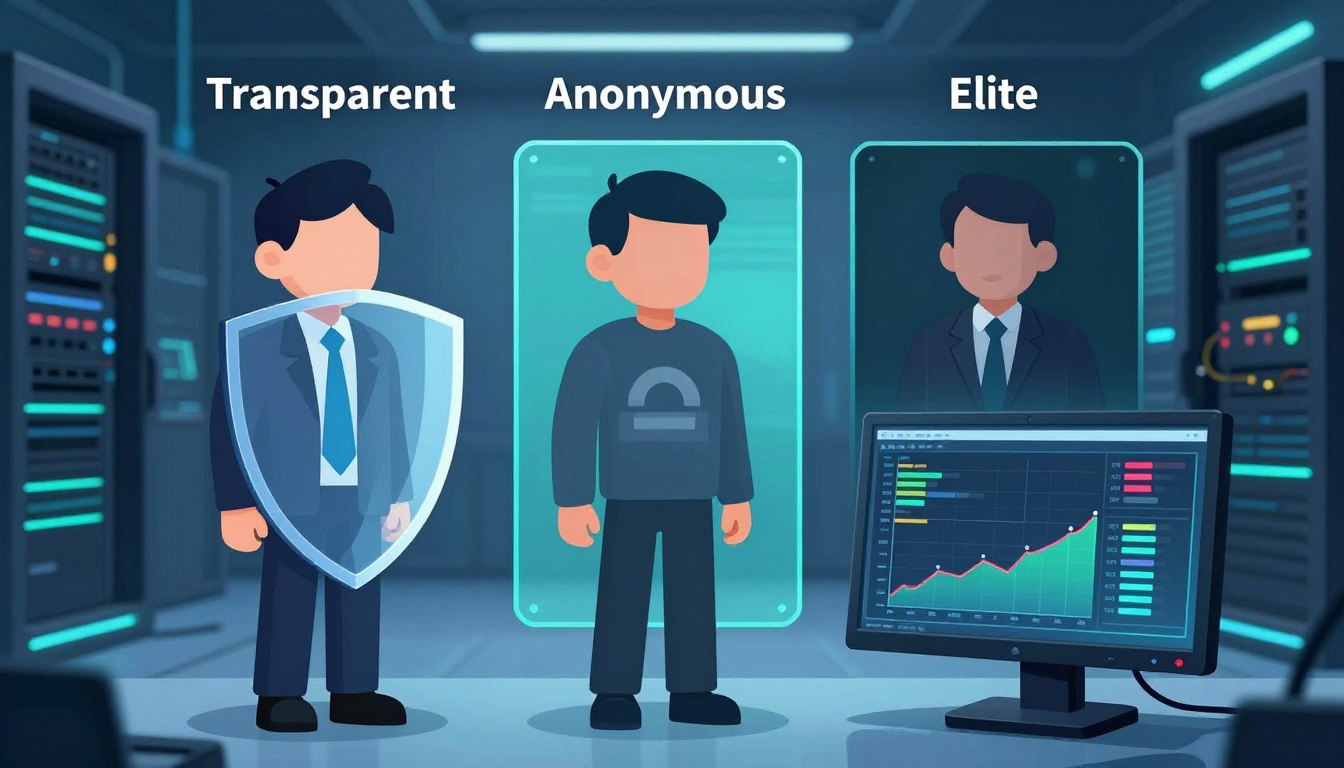
    A transparent proxy shows client headers, which can reveal your original IP or HTTP_X_FORWARDED_FOR. An anonymous proxy hides your IP but might still show it’s a proxy. An elite proxy, or high anonymity, hides your IP and removes all proxy headers.

    We’ll talk about how they work, their speed, security, and real-life uses. This includes business access, education, streaming, marketing, and web scraping. We’ll also give tips on how to choose a provider and test proxies in your own setup.

    This article is a detailed guide to help you decide. We’ll give you steps to check proxy performance, cost, and reliability. We write in the first person plural to offer you direct advice. This will help you choose between transparent and anonymous proxies or go for an elite proxy if you need top-level anonymity.

    Key Takeaways

    • Transparent proxies reveal client headers and are simple to deploy.
    • Anonymous proxies hide IPs but may disclose proxy use.
    • Elite proxy (high anonymity) provides the strongest concealment.
    • Choose based on use case: performance needs, compliance, and scraping scale.
    • Test providers and measure latency, header behavior, and reliability.

    Understanding Proxies: An Overview

    We start with a quick guide on proxy technology. Proxies act as middlemen between clients and servers. They manage traffic, follow rules, and sometimes speed up content delivery. Squid is great for caching, while NGINX and HAProxy are top picks for reverse proxying.

    What is a Proxy?

    A proxy server is like a messenger. It sends requests from a client to a server and brings back the answers. Proxies can be set up on the client side or server side for different tasks.

    They can change traffic, add headers, check who’s accessing, and store pages to save time. Squid, NGINX, and HAProxy are favorites for many users.

    How Proxies Work

    The process is straightforward: client sends a request → proxy → server → proxy → client. Proxies can change or hide the client’s IP by adding or altering headers.

    They support various ways to check who’s accessing, like Basic, Digest, and NTLM. SOCKS proxies handle TCP streams, while HTTP and HTTPS proxies work with HTTP headers. For HTTPS, they might use the CONNECT method or inspect content.

    Types of Proxies in Use

    Proxies are categorized by their function and where they come from. Transparent proxies show the client’s IP and add headers. Anonymous proxies hide the user’s IP but might still show proxy use. Elite proxies hide both the client’s IP and the fact that a proxy is being used.

    Residential proxies use real consumer IPs and are less likely to be blocked but cost more. Datacenter proxies are cheaper and faster but might get blocked more often.

    Proxy Type Typical Use IP Origin Anonymity
    Transparent Content caching, internal filtering Datacenter or corporate network Low — reveals client and headers like X-Forwarded-For
    Anonymous Privacy for casual browsing, basic masking Residential or datacenter Moderate — hides client IP but may show proxy usage
    Elite proxy High-stakes scraping, secure market targeting Residential or datacenter High — strips identifying headers and hides proxy presence
    SOCKS Protocol-agnostic tunneling, apps and games Varies Varies by implementation
    Reverse / Caching Load balancing, TLS offload, faster delivery Server-side infrastructure (NGINX, HAProxy) Not applicable — serves backend

    The Concept of Transparency in Proxies

    Transparent proxies forward client requests without hiding the original IP. They add proxy headers like HTTP_X_FORWARDED_FOR and Via. This helps networks keep a clear audit trail and makes policy enforcement easier.

    When choosing between transparent and anonymous proxies, we consider how traffic is routed. Transparent proxies are simpler to set up and cost less to run. They also offer reliable caching. This model is best for organizations that need to know the client’s true identity.

    We list ideal use cases where keeping client identity matters.

    • Enterprise caching to reduce bandwidth and speed updates.
    • Schools and universities enforcing content filters and SafeSearch.
    • ISPs and parents implementing parental controls.
    • Corporate monitoring, auditing, and internal load balancing.

    However, transparent proxies have some drawbacks. They don’t offer privacy or geo-masking. This makes them unsuitable for users who need anonymity. Sites that check proxy headers may block or flag traffic, limiting their use for scraping or bypassing location restrictions.

    Feature Transparent Proxy Anonymous Proxy
    Client IP Exposure Preserved via HTTP_X_FORWARDED_FOR and similar proxy headers Hidden from target servers
    Setup Complexity Low; easy to configure for networks Higher; requires anonymization tools
    Primary Uses Caching, filtering, monitoring Privacy, geo-masking, secure browsing
    Cost Lower due to minimal processing Higher because of added services
    Blocking Risk Higher when proxy headers are detected Lower if well-configured

    A Deep Dive into Anonymous Proxies

    We look into how anonymous proxies work and what they offer. They hide your IP from servers but might still show their presence with proxy headers. This balance offers privacy but not complete secrecy, showing the trade-offs for different needs.

    Benefits of Using Anonymous Proxies

    Anonymous proxies are great for simple privacy needs at a low cost. They hide your IP and reduce basic tracking. They’re a cost-effective choice compared to more advanced proxies, available in datacenter and residential types.

    Scenarios Where Anonymity Matters

    On public Wi-Fi, anonymous proxies keep your browsing private. They’re also good for small web scraping tasks to avoid rate limits. For market research, they help quickly switch between addresses. They’re useful for light geo-block bypasses for basic content access.

    Drawbacks and Considerations

    However, there are limits. Sites can spot proxy use by checking headers, which weakens anonymity. Datacenter IPs are easier to block. Advanced methods can still uncover your identity. Always choose HTTPS to protect against malicious proxies.

    • Masked IP reduces simple tracking and IP bans.
    • Proxy headers may reveal proxy usage to destination servers.
    • Cheaper than elite proxies but less effective against advanced detection.
    • Useful for basic bypasses when we need to bypass geo-restrictions quickly.

    Elite Proxies: The Best of the Best

    Elite proxy options are top-notch for those who need top secrecy and reliability. They are at the highest level of proxy services. This means they keep your IP hidden and don’t show signs of using a proxy.

    elite proxy

    What Sets Elite Proxies Apart?

    Elite proxies hide your identity by not sending out certain headers. They make it seem like you’re directly connected to the server. This is why residential elite proxies are less likely to get blocked, as they look like real user connections.

    When to Choose Elite Proxies

    Elite proxies are best for critical tasks that need to be very private. This includes big web scraping projects and checking ads. They’re also great for managing many accounts and getting past tough geo-blocks. They help avoid being detected, which is very important.

    Cost Implications of Elite Proxies

    Elite proxies are more expensive than other types. Residential elite addresses are pricier because they offer more variety and are less likely to get blocked. Datacenter elite proxies are also more expensive, especially if you’re using a dedicated server.

    Prices vary based on how you’re billed. You might pay per IP, by bandwidth, or for how many connections you make at once. There might be extra costs for features like rotation and API management, which make managing many proxies easier.

    Comparing Transparent and Anonymous Proxies

    We look at how transparent and anonymous proxies work differently. This helps teams choose the best tool for their needs. We’ll talk about what they do, how well they perform, and their security features.

    Key Differences in Functionality

    Transparent proxies show the client’s original IP and add headers like HTTP_X_FORWARDED_FOR. They’re good for caching, content filtering, and following company rules.

    Anonymous proxies hide the user’s IP but might show that a proxy is being used. Elite proxies hide both the original IP and any signs of a proxy for ultimate secrecy.

    Performance and Speed Comparisons

    Choosing between transparent and anonymous proxies affects speed. Transparent proxies are often faster because they work at the edge of networks and use caching. This makes repeat requests quicker.

    Anonymous proxies, especially datacenter ones, can also be fast for single requests. But elite residential proxies, which use consumer ISPs, might be slower. Still, they can be better for big tasks like scraping or automation, even if they’re slower.

    Security Features

    Transparent proxies are good for logging and preventing data loss. But they don’t keep your IP private, so they’re not great for privacy.

    Anonymous proxies hide your IP but don’t encrypt your data. Elite proxies add more secrecy but you have to trust the provider. Always use HTTPS/TLS and certificate pinning for sensitive data.

    Aspect Transparent Anonymous Elite
    IP exposure Original IP forwarded; headers like HTTP_X_FORWARDED_FOR show source Client IP hidden; proxy presence may be visible Client IP hidden; proxy use concealed
    Typical use Policy, caching, filtering Privacy, simple concealment Stealth, bypassing strict blocks
    Performance High due to caching and local placement Variable; datacenter can be fast Lower latency sometimes, but higher success rates for blocked targets
    Security Strong for logging and DLP; poor for anonymity Basic privacy; depends on TLS Best stealth; depends on provider trust

    We warn against using untrusted free proxies. They can steal or change your data, even if they seem to work. Choosing between transparent and anonymous proxies depends on what you need. It’s about finding the right balance between speed, headers, and trust in providers.

    Use Cases for Transparent Proxies

    We explore how transparent proxies help in real-world scenarios. They offer control, visibility, and efficiency. This is why many organizations prefer them for their balance of privacy and compliance.

    Businesses and Organizations

    Transparent proxies help us cache software updates, saving on bandwidth costs. They work with firewalls from Fortinet and Palo Alto. This centralizes proxy headers for logging and policy enforcement.

    They also help meet compliance audits by logging client IPs. The HTTP_X_FORWARDED_FOR header keeps client IPs in logs. This makes client configuration easy.

    Network teams use them to enforce policies, filter content, and optimize WAN traffic. These setups make managing large fleets of endpoints easier.

    Educational Institutions

    In schools and universities, we use transparent proxies to block content without installing software. This is easy for IT managers to set up, especially with different devices.

    They enforce SafeSearch, block malicious sites, and manage bandwidth during busy times. Proxy headers like HTTP_X_FORWARDED_FOR help administrators track user requests for safety reviews.

    Integrating transparent proxies with learning management systems improves access control. It keeps the student experience simple.

    Streaming Services and Content Diversion

    We set up transparent proxies at ISP and campus edges to cache streaming content. This reduces CDN costs and speeds up delivery for popular content.

    Transparent proxies can improve throughput but can’t fake the origin location. For geo-restricted content, the choice between transparent and anonymous proxies is key. Transparent proxies reveal the client IP via HTTP_X_FORWARDED_FOR and other headers.

    For optimizing delivery rather than location masking, transparent proxies are a good choice. They are practical and easy to use for networks with predictable streaming needs.

    Use Cases for Anonymous Proxies

    Anonymous proxy tools help keep our online activities private. They hide our IP addresses and block ads. The type of proxy we choose affects how fast and reliable it is.

    We’ll look at some common uses for these tools. We’ll also compare Transparent vs anonymous proxies. This way, teams can choose the best option for their needs.

    Personal Privacy and Security

    Using public Wi-Fi? An anonymous proxy keeps your device’s IP hidden. This stops simple tracking. Using HTTPS and privacy-focused browsers like Firefox or Brave adds extra protection.

    For even more privacy, Tor is a good choice. It sends your traffic through many nodes. But, it might be slower and not work with all sites. Anonymous proxies usually work better for everyday browsing.

    Bypassing Geo-Restrictions

    Anonymous proxy services help us access content blocked by region. How well it works depends on the site’s checks. Some sites look at proxy headers or IP ranges.

    Residential proxies are better for streaming and local services. But, results can vary. Testing different proxy levels helps find the best one for each platform.

    E-commerce and Market Research

    For comparing prices and monitoring competitors, we use anonymous proxies. They help us run queries without showing our company’s IP. This lowers the risk of being blocked right away.

    For big data collection projects, elite or rotating residential proxies are better. They help avoid rate limits and IP bans. Using both anonymous and rotating proxies balances cost and reliability in market research.

    The Role of Elite Proxies in Digital Marketing

    We use elite proxy solutions for big campaigns that need precision and reliability. In digital marketing, an elite proxy offers high anonymity. This reduces the risk of being blocked or getting fake responses during tests.

    This setup lets us mimic real user behavior in different markets without showing our true location.

    elite proxy

    Enhancing Web Scraping Efficiency

    Elite proxy networks help us get more successful requests for big crawls. Residential IPs are great because they avoid many proxy-detection tricks. This means fewer captchas and less chance of being banned.

    For tasks like price checking, lead gathering, and keeping an eye on competitors, we use rotating IPs from Bright Data, Oxylabs, or Smartproxy. This keeps our scraping smooth.

    We suggest matching our rotation policies to how the target site behaves. Short sessions are good for wide crawls. Sticky sessions are better for sites that need consistent client state.

    Overcoming Ad Verification Issues

    Elite proxy access is key for ad verification. It lets us see ads just like real users do. High anonymity stops ad networks from spotting our testing nodes and changing the ads.

    Residential elite proxies help avoid false negatives in ad fraud detection. They make sure our teams see the real ad experience in the target locations.

    We test ads from different IP origins to ensure they’re delivered the same way. This lowers the chance of misreporting due to proxy flags or data center IPs.

    Targeting Specific Markets

    We use localized elite proxy IPs for market-specific checks. This includes checking SEO positions, content localization, and ad targeting. City- and ISP-level residential addresses give us the real deal, unlike datacenter IPs.

    This accuracy is crucial for verifying local search engine results or checking creatives for regional differences.

    We see IP origin authenticity as very important. For campaigns that need detailed testing, the right mix of high anonymity residential endpoints is essential for reliable insights.

    Security Considerations for All Proxy Types

    We look at the security trade-offs for proxy types. A small mistake can turn a useful tool into a risk. We share practical risks and ways to protect systems without slowing them down.

    Transparent proxies pass client addresses in headers like HTTP_X_FORWARDED_FOR. This makes them easy to check but loses privacy.

    Risks with transparent proxies include IP exposure and leaks. They also pose a single point of failure. We suggest strict access controls and logging to lower risks.

    Now, let’s talk about anonymous proxy threats. Even with hidden IP, other signs can reveal identity.

    Threats to anonymous proxies include IP blocking and header leakage. Fingerprinting and man-in-the-middle attacks are also risks. Free or unknown proxies might log traffic or steal credentials if not using TLS.

    To fight these threats, we check providers and use HTTPS/TLS. We also test for header artifacts and ensure client data isn’t leaked.

    Elite proxy options offer better privacy but aren’t perfect.

    Elite proxies need encryption to protect data. They hide origins better than others, but we must still use TLS and validate certificates. For extra security, use VPNs or SSH tunnels.

    Choosing an elite proxy provider means checking their logging and data retention policies. For sensitive tasks, look for dedicated IPs and vendors with SOC 2 or ISO certifications.

    We end with controls for all proxy types. Use minimal headers, strip or rewrite HTTP_X_FORWARDED_FOR, and rotate credentials. Always monitor for unusual activity.

    Regular audits, incident plans, and checking vendors are key to a solid proxy security plan. This approach balances performance, privacy, and compliance.

    Choosing the Right Proxy for Your Needs

    We help teams pick the right proxy solutions. This depends on their technical and business goals. The choice between Transparent vs anonymous or elite proxy varies by use case, budget, and needed proxy levels.

    Factors to Consider

    First, we identify the main goals. These can be privacy, caching, web scraping, ad verification, or CDN offload. We match these goals with the right anonymity level.

    Next, we look at IP origin. Residential IPs are good for scraping and have low block rates. Datacenter IPs offer high throughput and are cheaper. We also consider latency, bandwidth, rotation, and concurrency needs.

    We check if headers are verified and if the provider is transparent about HTTP_X_FORWARDED_FOR and similar fields. It’s important to ensure compliance with privacy laws and regional data rules.

    We also evaluate technical support, API features, and SLA terms. Budget plays a big role in choosing between basic proxy levels and an elite proxy for critical tasks.

    Trusted Providers in the Market

    We look at top vendors in different categories. Bright Data and Oxylabs offer residential and datacenter routing. Smartproxy focuses on residential pools with simpler plans.

    Cloudflare and Akamai are great for reverse proxy or CDN needs. For datacenter IPs, cloud providers like AWS, Google Cloud, and Microsoft Azure offer scalable options.

    For enterprise needs, we look for vendors with compliance certifications and clear policies. It’s important to review provider documentation and third-party audits before making a decision.

    Trial Periods and Guarantees

    We suggest testing with trial accounts or small pilot projects. This helps validate performance, block rates, and geographic coverage. Real-world tests show how headers behave, rotation fidelity, and response times.

    We look for money-back guarantees, refundable trials, or pay-as-you-go plans. Pilot runs should include target sites, request rates, and concurrency patterns. This confirms if the provider meets our expectations.

    We recommend documenting results and comparing providers on the same workload. This helps us choose proxy providers that meet our technical and budgetary needs while showing value.

    Future Trends in Proxy Technology

    We’re looking at big changes in how companies use proxies. The future will bring clearer proxy sources, smarter routing, and better compliance. These updates will impact everything from basic proxy levels to large-scale deployments that need reliability and auditability.

    Innovations to Watch

    The residential proxy market will grow with a focus on ethical IP sourcing and consent. Better rotation APIs will help avoid request collisions and make large-scale scraping more reliable.

    Proxies and CDNs will work together to reduce global latency. Tools for managing fingerprints and automating browsers with Puppeteer and Playwright will become common for teams needing consistent sessions.

    The Impact of AI on Proxy Services

    AI and proxies will work together closely. Machine learning will improve rotation strategies and spot blocking patterns in real time.

    Adaptive request pacing, anomaly detection, and smarter routing will lower bans and latency. Providers will use AI to identify malicious IPs and improve geo-targeting.

    AI-driven techniques to evade detection may lead to a battle with anti-bot systems. This will shape how proxy levels and features are presented.

    Evolving User Needs and Proxy Adaptation

    Privacy and fraud prevention will require proxies that prove legal sourcing and offer detailed access controls. Companies will seek integration with SIEM tools and compliance attestations.

    There will be more demand for managed services that combine elite proxy experiences with browser isolation and identity-safe automation. Clearer guidance on Transparent vs anonymous options will be needed based on use case and risk.

    The industry must balance innovation with ethics. It’s important to ensure proxy levels match their purpose and that the future of proxies supports both scale and legitimacy.

    Conclusion: Making the Best Choice

    We’ll wrap up by highlighting key differences in proxy choices. Deciding between transparent and anonymous proxies depends on our needs. Do we want to keep client IP and headers for caching or compliance?

    Transparent proxies keep these details, while anonymous ones hide the client IP but might show proxy use. Elite proxies, the most private, hide both IP and proxy signs. When choosing, consider cost, speed, and how easy they are to detect.

    For picking a proxy, start with a checklist. First, figure out what you need and how much traffic you’ll handle. Then, pick your IP type and anonymity level. Look at providers like Bright Data, Oxylabs, or Smartproxy.

    Test them by checking headers, seeing how often they get blocked, and making sure they use TLS. Make sure the terms and compliance are right before you use them a lot.

    To get better at this, learn about standards and tools that show how proxies work in real life. Look at RFC 7239 on Forwarded headers and OWASP’s proxy security tips. Use cURL, Wireshark, and browser tools to see if headers are there.

    Keep checking how your proxies work as things change. This will help them stay strong against new traffic and detection methods.

    FAQ

    What is the difference between transparent, anonymous, and elite (high-anonymity) proxies?

    Transparent proxies keep the client IP and add headers like HTTP_X_FORWARDED_FOR. Anonymous proxies hide the client IP but might show proxy use. Elite proxies hide the client IP and don’t show proxy headers, making it seem like a direct connection.

    When should we use a transparent proxy?

    Use transparent proxies when you need to keep the client’s identity. They’re good for auditing, caching, and content filtering. They’re also used in schools, ISPs, and for internal load-balancing to help with troubleshooting.

    What are the main benefits of anonymous proxies?

    Anonymous proxies hide the IP to protect privacy and avoid tracking. They’re cheap for web scraping and market research. They come in datacenter and residential types, fitting different needs.

    Why choose elite (high-anonymity) proxies over anonymous ones?

    Elite proxies remove headers and act like native connections. They’re better for scraping, ad verification, and multi-account use. They’re stealthy and hard to detect.

    How do headers like X-Forwarded-For and HTTP_X_FORWARDED_FOR affect proxy anonymity?

    Headers like X-Forwarded-For show the client IP or proxy chain. Transparent proxies keep these headers. Elite proxies remove them to hide the client IP and proxy.

    What trade-offs exist between datacenter and residential proxies?

    Datacenter proxies are fast but easy to block. Residential proxies are harder to detect and better for geo-sensitive tasks. They’re more expensive and slower.

    How does proxy choice affect performance and blocking rates?

    Transparent proxies are fast but may block more. Datacenter proxies are quick but riskier. Residential proxies are slower but more successful. We choose based on speed and success rate.

    Are free proxies safe to use for sensitive data?

    Free proxies are risky. They can log or modify content. For sensitive data, use paid providers with HTTPS and clear logging policies.

    Which authentication and protocols should we expect from proxy providers?

    Providers often support HTTP(S) and SOCKS5 proxies. They use username/password, IP allowlisting, or APIs for authentication. For HTTPS, they use CONNECT tunneling or TLS termination.

    How do we test whether a proxy is truly elite (high-anonymity)?

    Check for missing headers with cURL or browser tools. Run real tests to see if it’s blocked or detected.

    What cost models should we anticipate for elite proxies?

    Elite proxies are pricey. They’re billed per-IP, by bandwidth, or by connections. Residential elite IPs are more expensive for their lower block rates.

    Which providers are recognized in the proxy market for residential and elite services?

    Bright Data, Oxylabs, and Smartproxy are top for residential and enterprise proxies. Cloud providers and CDNs offer datacenter solutions for various needs.

    What security practices should we follow regardless of proxy type?

    Always use HTTPS/TLS and check certificates. Choose providers with clear logging policies. For high-risk tasks, use VPNs or SSH tunnels.

    How do proxies interact with modern anti-bot and fingerprinting techniques?

    Anti-bot systems check IP, headers, and browser signals. Elite proxies reduce detection but can’t fool all systems. Use rotation and browser automation to evade detection.

    Can transparent proxies help with CDN or streaming performance?

    Yes, they cache content and reduce bandwidth. They’re good for controlled networks but can’t bypass geo-restrictions.

    What legal or compliance issues should we consider when buying proxies?

    Make sure IP sourcing is legal and compliant. Check provider terms for logging and data transfer policies. For enterprises, ask for compliance guarantees and addendums.

    How will AI and automation affect proxy selection and use?

    AI will improve rotation and detect blocks. It will also make detection and evasion more complex. Providers will need to adapt with smarter tools.

  • Why You Need a Reliable Proxy Checker for Public Nodes

    Why You Need a Reliable Proxy Checker for Public Nodes

    We use both residential and datacenter proxies in our work. A good proxy checker is key to finding out which ones pass IP detection tests. It also shows which ones hide ISP details and which ones get blocked a lot during scraping or automated tasks.

    Public nodes can send traffic through an ISP proxy or cloud providers. This mix changes how geolocation, latency, and anonymity work. Without checking first, we might face bans, wasted requests, and issues with following rules.

    Teams in the industry say checking proxies saves money by avoiding trial-and-error. Testing for anonymity, latency, and geographic consistency helps us avoid blocks and complete tasks better. A proxy checker makes our work more precise.

    In this article, we’ll talk about what a proxy checker does and how to pick the right one. We’ll also look at how proxy type affects public nodes. We’ll share tips for setting up and keeping an eye on our systems to ensure they’re safe, fast, and follow the rules.

    Key Takeaways

    • We must test public nodes to reduce IP detection and lower block rate.
    • Residential vs datacenter behavior differs: ISP proxy routes feel more natural, datacenter proxies can be flagged faster.
    • A proxy checker measures anonymity, latency, and geolocation before deployment.
    • Pre-checking proxies saves time and cuts operational costs for scraping and automation.
    • Ongoing monitoring of public nodes ensures consistent performance and compliance.

    Understanding Proxy Checkers

    A proxy checker is key in today’s networking world. It checks if proxy servers work well, including their speed and privacy. It also checks if they match our needs for location and protocol.

    What is a Proxy Checker?

    A proxy checker is a tool that tests proxy servers. It checks if they are up and running, how fast they are, and if they keep your identity private. It also finds out where they are located and what protocols they support.

    How Proxy Checkers Work

    Proxy checkers do many tests to understand a proxy’s performance. They first check if they can connect and how fast they respond.

    Then, they look at the request headers to see how private the proxy is. They also use services like MaxMind to find out where the proxy is located. This helps tell if it’s from an ISP or a datacenter.

    They also do more detailed tests. These include checking how well the proxy blocks requests and verifying its security. They also check for DNS leaks and WebRTC issues to make sure the proxy is reliable.

    Types of Proxy Checkers

    There are different types of proxy checkers, each for a specific use. Online SaaS checkers are great for quick checks. Open-source command-line tools are perfect for automated checks in DevOps.

    Browser extensions are handy for quick checks while you’re browsing. API services are for big companies that need to monitor many proxies at once.

    Checker Type Best For Key Features
    Online SaaS Fast list validation Dashboards, geo lookups, ASN/subnet insights
    Open-Source CLI Automation and DevOps Scriptable tests, latency reports, header analysis
    Browser Extension Quick in-browser checks WebRTC and DNS leak tests, simple ip detection
    API Service Real-time monitoring Enterprise dashboards, block-rate simulation, reporting

    The Importance of Reliable Proxy Checking

    For businesses and individuals, checking proxies is key. We face many challenges that can harm our services. A good proxy checker helps us stay safe and keep our operations running smoothly.

    Security Risks of Unchecked Proxies

    Unchecked proxies can lead to serious security issues. They can allow hackers to intercept data and inject malware. This puts our data at risk and can lead to legal problems.

    Platforms like Amazon Web Services share IP blocks. This can link our IP to bad behavior, making it harder to access our services.

    We use a proxy checker to spot and remove risky proxies. It helps us avoid problems before they start.

    Enhancing Privacy with a Proxy Checker

    Privacy is crucial, and a proxy checker helps protect it. It checks for leaks that could reveal our IP. This ensures our online activities stay private.

    Residential proxies help us blend in with regular internet users. But, we must check them to make sure they’re not fake or part of a botnet.

    Regular checks keep our services running smoothly. They help us avoid sudden blocks and meet legal requirements for data handling. This keeps our customers happy and our business safe.

    Key Features to Look for in a Proxy Checker

    We seek features that ensure proxy validation is reliable and consistent. A good proxy checker should provide clear speed metrics and real-world performance data. It should also highlight issues like cloud proxy pools and bad subnet ranges. This makes it easier to pick proxies that fit our needs.

    Let’s dive into the essential features. Each one is crucial for achieving better performance, such as lower latency and higher success rates. It also ensures safer ip detection.

    Speed and Performance Metrics

    Latency, throughput, success rate, and connection timeout are key metrics. They show how a proxy handles heavy loads and targets like e-commerce sites.

    Checkers that simulate real traffic help predict proxy failures. They measure connection time and request completion for a complete performance picture.

    User-Friendly Interface

    We look for dashboards with easy-to-use features. Sortable tables, visual indicators, and exportable reports in CSV or JSON are a must. These features help teams make quick decisions.

    Automated alerts and trend charts help spot performance drops fast. Filters by ASN and subnet help identify cloud proxy providers or specific ISPs. Historical views make it easier to track when a proxy’s reliability drops.

    Compatibility with Different Platforms

    Compatibility is key. We need REST APIs for automation, CLI tools for DevOps, and browser plugins for quick checks. Integrations with Scrapy and Puppeteer make testing in scraping workflows easier.

    Support for HTTP, HTTPS, and SOCKS5 is a must, along with common authentication schemes. Cross-platform compatibility makes deployment smoother across cloud instances, local servers, and CI pipelines.

    We also value features like ASN and subnet lookup, ip detection tests, country and region filtering, and concurrent checks. These features increase confidence in our proxy fleet and reduce the risk of unexpected failures.

    Different Use Cases for Proxy Checkers

    We use proxy checkers to find the right tool for each job. Each task needs specific checks for speed, location, and privacy. Here, we explore three common scenarios and the best proxy choices for each.

    web scraping

    Web Scraping

    For web scraping, we look for proxies with low block rates and varied subnets. We check if scripts can access specific sites without fail. The checker also reports on response time, success rate, and ISP detection.

    Choosing between residential and datacenter proxies depends on risk and budget. Residential proxies mimic real ISP traffic, reducing detection risks for sensitive scraping. Datacenter or cloud proxies are cheaper for large jobs where some risk is okay.

    Bypassing Geo-Restrictions

    Proxy checkers help us confirm location and latency from desired areas. They ensure probes resolve to the correct country, city, and ISP. This is crucial for accessing region-locked content.

    Residential proxies offer better local routing and lower IP block rates. Before starting content capture or streaming, checkers verify the proxy’s location.

    Anonymity in Online Activities

    Anonymity is key for market research, ad verification, and price comparison. Proxy checkers reveal if proxies leak information or reveal their origin. This helps us pick elite proxies for complete privacy.

    Proxy choice depends on task sensitivity. For financial tasks, residential proxies are best for their reliability and trust. For high-volume, low-cost tasks, datacenter or cloud proxies are fine if checkers confirm good anonymity and performance.

    Evaluating Online Proxy Checkers

    We start by looking at community feedback and objective metrics when we evaluate proxy checker options. User experiences help us spot patterns that lab benchmarks miss. We learn which tools report accurate ip detection, which show realistic block rate numbers, and which misidentify subnets.

    We recommend reading reviews on reputable tech blogs, scanning GitHub issues for recurring bugs, and joining forums where admins test proxies in real scenarios. Independent tests often reveal differences in ASN and subnet detection that vendor pages omit. We stay critical of cherry-picked benchmarks and favor community-shared data.

    Below we outline common tool categories and representative names that we encounter in the field. Each has strengths for different workflows, from simple browser checks to scalable API-driven services used in enterprise scraping and security audits.

    • Commercial SaaS: providers with dashboards, API endpoints, and support for bulk checks.
    • Open-source tools: local utilities for validation and integration into CI pipelines.
    • Browser utilities: lightweight extensions for quick IP and WebRTC checks.
    • Lookup services: MaxMind, IPinfo, and RIPE/ARIN WHOIS for geo, ASN, and subnet lookups.

    When we compare candidates we use specific criteria. Accuracy of ASN and subnet detection sits at the top of our list. We test depth of anonymity checks, including WebRTC and DNS leak detection. We measure real-world block rate against sample proxy lists. We test scalability with concurrent checks and review pricing models for per-check or subscription billing.

    Category Representative Names Key Strength What we test
    Commercial SaaS Bright Data, Oxylabs, Smartproxy Dashboards, APIs, support ip detection accuracy, block rate under load, integration options
    Open-source ProxyBroker, mitmproxy, Nmap scripts Local control, auditability ASN/subnet detection, extensibility, community reviews
    Browser Tools FoxyProxy, WebRTC leak testers Quick checks, developer-friendly WebRTC/DNS leak tests, simple ip detection
    Lookup Services MaxMind, IPinfo, RIPE/ARIN WHOIS Authoritative geo and ASN data Subnet mapping, ASN validation, enrichment for reports

    We advise testing each shortlisted checker with our own proxy samples. Personal tests confirm vendor claims about block rate and ip detection. We log discrepancies and favor tools that let us export raw results for audit. This hands-on approach helps us choose tools that suit our scale and budget.

    The Role of Public Nodes in Proxy Use

    We use a variety of endpoints when testing proxies. Public nodes are accessible to anyone. They include free proxy lists, Tor exit nodes, and shared VPN endpoints. These differ from private proxies in how they are set up and who can use them.

    Definition of Public Nodes

    Public nodes are on shared servers and handle traffic from many users. They are often found in lists that offer free routing or anonymity. They can be on ISP networks, cloud providers, or datacenter subnets.

    We check if an endpoint acts like an isp proxy or a cloud proxy. This affects how fast data moves and how websites see the connection. A quick test can show if an address is from a residential ISP or a datacenter.

    Benefits and Drawbacks of Public Nodes

    Public nodes are easy to access and cheap. They’re good for quick tests or short tasks. They also offer a wide range of locations, which is useful for some users.

    But, there are big downsides. Public nodes often get blocked more and their uptime is not reliable. Many are on datacenter or cloud subnets, making it easier for websites to detect them. This also means they might be grouped with bad traffic.

    Security is another big concern. Open nodes can be used for bad activities like sniffing traffic or adding content. Always check public nodes before using them. A good proxy checker can find and block slow, malicious, or detectable nodes. It helps tell residential from datacenter proxies.

    Risks Associated with Public Proxies

    Public proxies seem appealing for quick access or low-cost testing. But, we must consider the risks before using them. Here, we discuss the main dangers and how to test for them.

    Data Breaches and Privacy Concerns

    Untrusted public proxies can steal sensitive information. They can capture login details and session cookies. This is a big privacy risk.

    These proxies can also alter content and inject scripts. This is a legal issue for companies handling personal data.

    Rules like HIPAA and GDPR are strict about personal data. We advise against using public proxies for regulated data. This helps avoid data breaches and legal trouble.

    Connection Reliability Issues

    Public proxies often have uptime and latency problems. They can be blocked suddenly, affecting tasks like scraping and automation.

    Datacenter proxies get blocked by big services like Google and Amazon. Residential proxies can be reliable one minute and down the next.

    Unreliable connections lead to retries and timeouts. This increases costs and makes scheduling hard for important tasks.

    How Proxy Checkers Help

    We use proxy checkers to spot suspicious activity and test TLS. Good checkers also monitor uptime and flag bad proxies.

    Advanced tools do ip detection, check response consistency, and measure metrics. These help us avoid risky proxies in important workflows.

    For critical tasks, we skip public proxies and choose trusted providers. This lowers privacy risks and boosts connection reliability for ongoing operations.

    How to Choose the Right Proxy Checker

    Choosing the right proxy checker starts with a clear plan. We need to define what we want to protect, the scale of our operations, and how results will plug into our automation. This first pass helps us choose proxy checker tools that match real needs and avoid wasted effort.

    choose proxy checker

    Assessing Your Needs

    We start by assessing our needs across five dimensions. These are scale, sensitivity, target services, protocol support, and budget. Scale covers the number of proxies and how often we test them.

    Sensitivity covers privacy and compliance rules for data handling. Target services matter because social media platforms and e-commerce sites flag different patterns. Protocol support tells us whether SOCKS5, HTTPS, or HTTP are required.

    Budget sets realistic expectations for features and support. Deciding between residential vs datacenter proxies affects which metrics matter most. For residential use, anonymity tests and IP reputation are more critical.

    For datacenter scenarios, throughput and concurrency limits often weigh heavier.

    Comparing Features and Tools

    We compare tools using a practical checklist. Accuracy of IP detection and ASN/subnet mapping helps us tell isp proxy from cloud proxy origins. Measuring block rate against custom endpoints shows how proxies behave with our targets.

    Concurrency limits and API or CLI support determine how well a checker integrates with our workflows. Reporting, alerting, pricing transparency, and vendor reputation round out the evaluation.

    We always trial promising checkers with real proxy lists. Trials validate claims on block rate, latency, and false positives. Historical performance trends reduce reliance on single-run tests.

    Evaluation Area What to Look For Why It Matters
    IP & ASN Mapping Clear ISP and ASN identification; cloud vs ISP tags Helps distinguish an isp proxy from a cloud proxy and supports routing decisions
    Block Rate Measurement Custom endpoint testing, repeatable metrics, exportable results Shows real-world failure rates against our targets and informs proxy rotation
    Protocol Support HTTP, HTTPS, SOCKS5, and IPv6 where needed Ensures compatibility with our applications and scraping libraries
    Integration API, CLI, SDKs, and webhooks Allows automation and reduces manual checks in large deployments
    Concurrency & Throughput Limits per account; testing parallelism Determines how many proxies we can validate at once without bottlenecks
    Reporting & History Trend graphs, exportable logs, alert thresholds Helps spot degradation over time and avoid one-off anomalies
    Pricing & Trials Transparent tiers, trial period, overage policies Prevents surprises and allows true validation before commitment
    Vendor Reputation User reviews, case studies, support responsiveness Indicates reliability and speed of issue resolution

    We recommend prioritizing checkers that integrate with our workflow through APIs or CLI tools. Tools that offer ASN/subnet intelligence let us see whether an address is a cloud proxy or an isp proxy. That intelligence helps with routing decisions and risk assessment.

    When features tie, we favor vendors that publish historical trends and let us measure block rate consistently. That approach gives us confidence beyond a single scan and lowers operational risk.

    Setting Up Your Proxy Checker

    Let’s start with what you need to know when setting up a proxy checker. We’ll cover both SaaS services and self-hosted tools. We’ll also talk about how to avoid false positives.

    Setting it up is easy if you follow the right steps. For SaaS, just create an account and link your proxy provider. For self-hosted tools, download the package and get your host ready.

    1. Create an account or download the package and check the checksums.
    2. Set up API keys for SaaS or environment variables for local use.
    3. Install any needed software like Python or Node.
    4. Do a test run with a sample proxy list to check everything works.
    5. Add proxies using file upload, API, or direct feeds for updates.

    Configuring the checker lets you control its depth and speed. You can set limits on how many checks run at once, how long each check takes, and which sites to test.

    • Concurrency/thread limits to avoid overwhelming targets or our host.
    • Timeout thresholds set realistically to balance speed and accuracy.
    • Test endpoints choose custom endpoints or default verification pages.
    • Protocol selection for HTTP, HTTPS, SOCKS4 and SOCKS5.
    • Authentication credentials support for username/password or token-based proxies.
    • Scheduling for recurring checks to keep lists fresh.

    It’s a good idea to enable ASN and subnet detection. This helps spot cloud proxy ranges and reduces false positives. Also, turn on WebRTC and DNS leak checks to make sure your anonymity is strong.

    Choose your timeout values based on how fast your typical targets are. Short timeouts mean quicker results but might miss slow but good proxies. Long timeouts are more accurate but slower. Find a balance that works for you and adjust as needed.

    Set up alerts for when success rates drop or block rates rise. Connect your results to tools like Datadog or Prometheus. This way, you can see how proxy health affects your system.

    Setup Step SaaS Approach Self-Hosted Approach
    Initial access Create account, obtain API key Download package, verify checksum
    Proxy input Upload list, use provider integration or API Import file or pull from provider API
    Dependencies None on client; service handles runtime Install Python/Node, libraries, and runtime
    Key config Concurrency, timeout, test endpoints Same options plus local env tuning and cron schedules
    Advanced checks Enable geolocation, ASN, ip detection Enable geolocation, ASN, subnet scanning and ip detection
    Alerting & integration Built-in webhooks and integrations Integrate with Datadog, Prometheus, or custom webhooks

    Best Practices for Using Proxy Checkers

    We use proxy checkers to keep our proxy pools healthy. Here are some steps to update proxy lists, monitor performance, and handle changes in latency or blocking.

    We keep our inventory fresh by removing dead or blacklisted IPs. We also rotate proxies to avoid being detected. We set up automatic re-validation with our proxy checker to remove failing entries before they cause problems.

    Regular Updates of Proxy Lists

    We keep our subnets diverse and spread traffic across different providers. This reduces the risk of single-point failures. We also limit the reuse of the same proxy for many accounts to avoid attribution risk.

    We store credentials securely and rotate them as recommended by providers. We scan against known blocklists and check geographic and ISP data regularly. If an isp proxy or cloud range shows a high block rate, we move traffic to healthier ranges.

    Monitoring Performance and Speed

    We always check speed metrics like latency and request success rate. We also track block rate over time and look for correlations with changes in target sites or ISP ranges. This helps us detect gradual degradation and take action.

    We use proxy checker outputs in real-time to make data-driven selections. Our dashboards show speed metrics, block rate, and uptime. Alerts notify us when a proxy’s health is low, so we can act quickly.

    • Rotate proxies regularly and keep diverse subnets.
    • Schedule automatic re-validation and purge failing entries.
    • Monitor latency, success rate, and block rate continuously.
    • Correlate issues to ASN and isp proxy ranges for targeted remediation.
    • Secure credentials and limit reuse across accounts.
    • Log activity and feed outputs into orchestration for automatic selection.

    We follow these steps as part of our operational playbook. They help us reduce downtime, improve scraping yields, and keep privacy in workflows that use public and private proxies.

    Troubleshooting Common Issues

    We start by outlining quick checks to resolve common connection problems. These issues affect proxy workflows. Keep diagnostics simple and repeatable to find faults fast and reduce downtime.

    Connection Failures

    When connection failures occur, common culprits include wrong credentials and protocol mismatch. Firewalls, NAT blocks, expired proxies, and rate-limiting at the target also cause problems. We first verify credentials and test TCP reachability with telnet or netcat.

    We check protocol settings to ensure we’re using SOCKS5 when needed, not plain HTTP. Adjusting timeouts and concurrency limits can help. If blocks persist, we look at ASN and subnet data to see if the hosting provider is blacklisted.

    For persistent high block rate, we rotate proxies across diverse subnets and lower request frequency. Emulating realistic browser headers and pacing requests often reduces flags. If datacenter IPs trigger constant ip detection, we consider moving to residential or ISP-owned addresses.

    Checking Proxy Anonymity

    Testing proxy anonymity includes looking for header leaks like X-Forwarded-For and Via, plus DNS and WebRTC leaks. We use both browser-based checks and API validators to confirm that no identifying data escapes.

    If a proxy fails anonymity tests, we switch to elite proxies or reconfigure proxy software to strip identifying headers. ASN and subnet lookup reveal whether an IP belongs to a cloud proxy provider or a home ISP, which helps predict ip detection risk.

    When ip detection is frequent, rotating across diverse providers and subnets lowers block rate. We maintain a mix of residential and vetted cloud proxy endpoints. This makes our footprint look organic and resilient during troubleshooting.

    The Future of Proxy Checking Technology

    Proxy checking will change fast as networks grow and attacks get smarter. Tools will move from simple tests to deeper analysis. We’ll focus on better scoring, quicker results, and better working with automation.

    Trends in Proxy Technology

    More focus will be on ASN and subnet smarts to catch ISP blocks. Real-time analytics will help teams spot issues early. This way, campaigns won’t fail.

    Hybrid proxy pools will mix residential and datacenter proxies. This balances cost and risk. Cloud and isp proxy services will work to hide their identities better.

    Browser automation will team up with proxy checkers. This will handle proxy rotation, session keeping, and location automatically. We’ll get more detailed location data, like city and ISP, for better targeting and following rules.

    The Impact of AI on Proxy Checking

    AI will change how we detect IPs by using latency, ASN, request headers, and block rate history. Machine learning will help score proxies better than old rules.

    We’ll use AI to pick and replace proxies automatically. This will cut downtime by moving traffic before blocks happen. Smart rotation and dynamic rerouting will become common.

    An arms race is coming: as detection gets better, proxy providers will find new ways to hide. We’ll need to keep improving AI detection to keep proxy services working well.

    Conclusion: Making Informed Choices

    We’ve looked at why a good proxy checker is key when picking between residential and datacenter proxies. Residential proxies come from home ISPs and are less likely to be blocked. They are more expensive, though.

    Datacenter proxies are faster and cheaper but can be traced back to their source. This makes them riskier for detection.

    When picking a proxy checker, look for tools that check for anonymity, speed, location, and security. The best tools do ip detection tests and report on block rates. They also show ASN and subnet details.

    This helps us compare proxy options and find any weaknesses before they cause problems.

    To move forward, we should think about our needs and try out different proxy checkers. Use them with sample proxy lists, including both ISP-based and cloud proxies. Start with a short test period and connect the checker via API.

    Then, set up dashboards to watch block rates and other important metrics. By making proxy checks a regular part of our work, we lower risks and make our proxy management smarter.

    FAQ

    Why do we need a reliable proxy checker when using public nodes?

    Public nodes have different IP attributes that affect how well they work. A good proxy checker checks if the proxy is available, anonymous, and in the right location. It also checks if the proxy is owned by a residential ISP or a cloud provider.

    This helps us avoid getting banned and saves us money. It also helps us find the best proxies for our needs.

    What exactly is a proxy checker and what does it test?

    A proxy checker is a tool that checks if proxies work well. It tests if the proxy connects, how fast it is, and if it supports different protocols. It also checks if the proxy keeps your identity hidden and if it’s in the right location.

    Good checkers also test for leaks and simulate how often a proxy might get blocked.

    How do proxy checkers tell residential proxies apart from datacenter or cloud proxies?

    Checkers look at the ASN and subnet to figure out who owns the IP. Residential proxies usually belong to consumer ISPs, while datacenter proxies belong to hosting providers. This helps us know if a proxy is likely to get detected.

    What types of proxy checkers are available and when should we use each?

    There are online tools for ongoing monitoring, open-source tools for one-time checks, browser extensions for quick tests, and API services for automation. Use online tools for large-scale monitoring, open-source tools for audits, and APIs for integrating checks into your workflow.

    Can proxy checkers detect advanced ip detection techniques and fingerprinting?

    Basic checkers look at IP attributes, but advanced checkers use more methods. They analyze HTTP headers, check for leaks, and test TLS fingerprints. This helps reduce false positives and gives a better idea of block rate risk.

    What security risks do unchecked public proxies pose?

    Unchecked public proxies can lead to man-in-the-middle attacks and data theft. They can also inject malware or tracking scripts. A proxy checker identifies risky proxies and helps avoid these dangers.

    How does a proxy checker improve privacy and reduce leaks?

    Checkers verify if proxies hide your identity by checking for leaks. They make sure your traffic looks like it’s coming from the claimed location. This reduces the chance of getting detected when using high-anonymity proxies.

    What performance metrics should we look for in a proxy checker?

    Look for metrics like latency, throughput, and success rate. Also, check how well the proxy performs in real-world scenarios. Monitoring block rate and concurrency helps spot issues early.

    Which features make a proxy checker user-friendly for teams?

    A good checker has dashboards, exportable reports, and automated alerts. It should also have API/CLI access and visual indicators for health. Features like historical trend views and integrations with other tools make it easier to use.

    How do proxy checkers help reduce block rate for web scraping?

    Checkers find proxies with low block rates by testing them against multiple targets. They help diversify subnets and rotate proxies wisely. This keeps scraping operations running smoothly.

    Are public nodes ever acceptable to use?

    Public nodes are okay for low-risk tests due to their availability and cost. However, they often have high block rates and security risks. Use them only for non-sensitive tasks after checking with a proxy checker.

    How should we evaluate and choose a proxy checker for our needs?

    Consider your scale, sensitivity, and target services. Look at the checker’s accuracy, ASN/subnet intelligence, and block rate simulation. Also, check its concurrency limits, API/automation capabilities, and pricing. Test it with real proxies to see if it meets your needs.

    What configuration options are important when setting up a proxy checker?

    Important options include concurrency/thread limits, timeout thresholds, and custom test endpoints. Also, enable ASN/subnet lookup, select protocols, and set up authentication. Realistic timeouts and WebRTC/DNS leak tests are crucial for accuracy.

    How often should we re-check our proxy lists and monitor performance?

    Regularly validate proxies—daily or weekly depending on your scale. Remove dead or blacklisted IPs quickly. Monitor latency, success rate, and block rate to catch issues early.

    What common troubleshooting steps help when proxies fail?

    Check if credentials and protocol match. Test basic TCP connectivity and check for firewall or NAT issues. Review timeouts and concurrency settings. For anonymity failures, test for leaks and switch to better proxies if needed.

    How can AI and machine learning improve proxy checking?

    AI can predict which proxies will fail by analyzing signals like latency and ASN. Machine learning helps with smarter rotation and predictive replacement. This improves uptime in large-scale deployments.

    Which third-party data sources do proxy checkers use for geolocation and ASN info?

    Reliable checkers use MaxMind, IPinfo, and regional registries for location and ASN data. This helps determine if a proxy is residential or cloud-based and ensures accurate routing.

    What are the legal and compliance considerations when using public proxies?

    Using public proxies for personal or regulated data can be risky. Ensure data protection compliance and avoid sensitive data on untrusted nodes. Proxy checkers help maintain compliance by flagging suspicious nodes and TLS issues.

    How do we interpret ASN/subnet signals when assessing proxy risk?

    ASNs and subnet patterns show if an IP is from a consumer ISP or a cloud provider. Large cloud ASNs and subnets indicate higher detection risk. Prioritize residential ISPs for sensitive tasks and use ASN filtering to avoid risky ranges.

  • A Safety Guide to Using Free Public V2Ray Servers.

    A Safety Guide to Using Free Public V2Ray Servers.

    In today’s world, our digital lives are more open than ever. Keeping your online activity safe is crucial for protecting your personal info. This guide will help you use free, public V2Ray servers to boost your internet privacy.

    Many people look for free ways to secure their internet. V2Ray is a strong, flexible protocol for this. But, using public servers can be tricky. Without the right info, you might risk your data. This guide will show you how to use these tools safely and well.

    We aim to give you the tools to safely explore this world. We’ll share clear, easy steps to use these tools without risking your digital safety. Let’s make sure your quest for better internet privacy protection is both safe and successful.

    Key Takeaways

    • Free public V2Ray servers can be powerful tools for internet privacy protection when used correctly.
    • Always verify the source and reputation of a public server before connecting.
    • Use additional security layers, like a firewall and updated antivirus software.
    • Regularly update your V2Ray client and configuration for the latest security.
    • Be cautious of servers that require sensitive personal information.
    • Monitor your connection speed and stability as a basic health check.
    • This guide provides the foundational steps for a safer, more private online experience.

    What Is V2Ray and Why It Matters for Online Freedom

    Looking for true internet freedom? Tech-savvy users often turn to V2Ray, a sophisticated proxy system. It’s more than software; it’s a gateway to the open web.

    V2Ray stands out because it’s a versatile platform. Unlike single-protocol solutions, it gives users control over their connection’s behavior and appearance.

    Understanding V2Ray’s Advanced Proxy Technology

    V2Ray is a multi-protocol proxy that disguises your traffic. It doesn’t just create a tunnel like traditional tools. Instead, it can make your data look like normal HTTPS traffic or even random noise.

    This obfuscation is crucial in regions with deep packet inspection. The system uses the “VMess” protocol at its core. This protocol supports dynamic port switching and multiple encryption methods.

    V2Ray’s strength lies in its modular design. You can configure transport layers independently from proxy settings. This flexibility allows for creative solutions to specific blocking techniques.

    Understanding these technical foundations is key to proper online security measures. V2Ray’s architecture provides the building blocks for robust privacy. However, its power requires careful configuration to be effective.

    How V2Ray Outperforms Traditional VPN Solutions

    Many users assume all privacy tools offer similar protection. V2Ray challenges this assumption with several distinct advantages. Its approach to traffic handling represents a significant evolution.

    Standard VPNs typically use one protocol like OpenVPN or WireGuard. They create a recognizable pattern that sophisticated filters can detect. V2Ray’s multi-protocol support helps avoid these detection patterns.

    The platform’s customization options far exceed most commercial VPN services. You can fine-tune encryption levels, transmission methods, and routing rules. This granular control is particularly valuable for advanced online security measures.

    Let’s examine the key differences through a practical comparison:

    Feature V2Ray Traditional VPN Advantage
    Protocol Flexibility Supports multiple simultaneous protocols (VMess, Socks, HTTP) Typically uses single protocol (OpenVPN, WireGuard) Harder to detect and block
    Traffic Obfuscation Can disguise as HTTPS/WebSocket/TLS traffic Minimal obfuscation in standard configurations Bypasses deep packet inspection
    Configuration Control Highly granular user-controlled settings Limited to provider’s app settings Adaptable to specific threats
    Routing Intelligence Advanced routing rules based on domain, IP, or protocol Basic split tunneling in premium versions Optimized performance and security
    Censorship Resistance Specifically designed for restrictive environments Primarily designed for privacy in open networks More effective behind firewalls

    This comparison reveals why V2Ray has become the choice for challenging environments. Its technical superiority doesn’t make traditional VPNs obsolete. Rather, it provides a specialized tool for specific situations.

    The Growing Popularity of V2Ray for Circumventing Censorship

    V2Ray’s adoption has surged in regions with aggressive internet controls. Countries employing sophisticated filtering systems have inadvertently promoted its use. When mainstream tools fail, users seek more advanced solutions.

    The platform’s community-driven development responds quickly to new blocking methods. As governments update their censorship technology, V2Ray developers release countermeasures. This creates an ongoing technical dialogue between blockers and bypass tools.

    We’re seeing increased usage among journalists, researchers, and activists worldwide. These users require reliable access to information without surveillance. V2Ray’s evolving capabilities meet this critical need.

    Educational institutions in restricted regions also utilize these systems. Students and academics need global research materials for their work. The platform helps maintain academic freedom where internet access is limited.

    This growing popularity underscores the universal desire for digital liberty. As more people recognize the importance of comprehensive online security measures, tools like V2Ray will continue evolving. They represent not just technical solutions, but embodiments of the open internet ideal.

    The Real Cost of “Free” Public V2Ray Servers

    Let’s uncover the truth about free public V2Ray servers. That zero-dollar price is tempting, but it’s not the whole story. Knowing this helps you make safer choices online.

    Why Operators Offer Free V2Ray Servers

    People don’t run servers for free out of kindness. There’s always a reason. Sometimes, it’s to help people in censored areas. They want everyone to have access to information.

    free public v2ray server risks

    Other times, it’s not so noble. Some use your connection for their gain. They might analyze your traffic or sell your data. In the worst cases, a free server is just a trap for ads, malware, or stealing your login info.

    Hidden Risks Behind the No-Cost Facade

    Connecting to an unknown server is risky. Data logging is a big concern. Even if they say “no logs,” you can’t trust them. They might record your browsing history and more.

    Performance and reliability are often poor. Free servers are crowded. This means slow speeds and frequent disconnections. They’re not built for stability.

    Worst of all, the server could be compromised. You might go through a malicious node. This turns a privacy tool into a threat.

    When Free Public Servers Make Sense (and When They Don’t)

    Free servers have their uses. They’re good for certain tasks where you don’t need full anonymity. Use them for simple tasks like watching videos or general browsing.

    They’re also great for testing V2Ray before you pay for it. But, they’re not for sensitive activities. Never use them for banking, shopping, or work emails.

    For those tasks, you need a reliable cybersecurity solution. The table below shows the difference.

    Activity Type Appropriate for Free Public Server? Why or Why Not? Recommended Alternative
    Streaming geo-restricted content Yes, with caution Low privacy risk, but expect buffering. Free server is acceptable.
    General news browsing Yes Minimal personal data exposure. Free server is acceptable.
    Testing V2Ray client setup Yes Purpose is technical learning, not privacy. Free server is ideal.
    Online banking & finance Never Extreme risk of credential theft and fraud. Paid VPN or private V2Ray.
    Sensitive communications (email, messaging) Never High risk of data interception and leaks. End-to-end encrypted apps + private proxy.

    Viewing free servers as a “sometimes tool” is key. This approach keeps you safe. It’s essential for real online safety.

    Public V2Ray Safety: Your First Line of Defense

    The most powerful security tool isn’t a piece of software, but your cautious mindset. Before we dive into configurations and technical checks, we need to establish the mental framework that will keep you safe. This foundation turns you from a passive user into an active defender of your own privacy.

    security mindset for public v2ray servers

    Think of this section as building your psychological armor. The technical steps that follow will only be effective if they’re guided by the right principles. We’re shifting from a “connect and hope” approach to a “verify and protect” methodology.

    Adopting a Security-First Mindset

    A security-first mindset means assuming every public server carries potential risks until proven otherwise. This isn’t about paranoia—it’s about practical caution. When you connect to an unknown server, you’re essentially inviting a stranger into your digital home.

    We recommend embracing two core philosophies:

    • Never Trust, Always Verify: Don’t take any server’s claims at face value. Assume configuration files might be altered, speeds might be exaggerated, and privacy promises might be empty. Your job is to verify everything through testing and research.
    • Apply the Principle of Least Privilege: Only grant the server access to what it absolutely needs. If you’re just browsing news sites, don’t log into sensitive accounts. If you’re checking social media, don’t access financial information during the same session.

    This mindset shift transforms how you interact with technology. Instead of asking “Can I connect?” you start asking “Should I connect, and what precautions do I need?” That simple question change represents your first major victory in personal cybersecurity.

    Essential Privacy Principles for Public Server Users

    With the right mindset established, we can define concrete principles that should guide every public server session. These aren’t just suggestions—they’re the non-negotiable rules that separate safe usage from reckless behavior.

    First, understand that encryption during transport doesn’t equal anonymity at the destination. Your V2Ray connection encrypts data between your device and the server, but what happens after that depends entirely on the server operator.

    Second, practice activity segregation. We divide our online lives into different risk categories:

    1. Low-risk activities: Reading news, watching videos, general browsing
    2. Medium-risk activities: Social media, email checking, forum participation
    3. High-risk activities: Banking, shopping, confidential work, sensitive communications

    Public V2Ray servers should generally be reserved for low and occasionally medium-risk activities. This principle alone eliminates most potential damage from a compromised connection.

    Third, always have layered protection. Never rely solely on the V2Ray connection. Use additional data encryption tools for sensitive files, enable two-factor authentication on important accounts, and maintain updated security software on your device.

    The most dangerous assumption in cybersecurity is “It probably won’t happen to me.” With public servers, you must operate on the opposite principle: “If it can be exploited, someone will try.”

    Setting Realistic Expectations for Protection Levels

    Now let’s address what public V2Ray servers can and cannot do for you. This clarity prevents disappointment and, more importantly, prevents dangerous overconfidence.

    What V2Ray Does Protect:

    • Encrypts data between your device and the server
    • Helps bypass basic network censorship and geo-restrictions
    • Obscures your traffic from your local internet provider
    • Provides protocol flexibility that’s harder to detect than standard VPNs

    What V2Ray Does NOT Protect:

    • Your data from the server operator themselves
    • You from malware if the server is compromised
    • Your identity if you log into personal accounts
    • You from legal consequences of illegal activities

    The critical truth many users miss: A malicious server operator can see everything once your data is decrypted on their end. This is why we emphasize mindset and principles first. No technical solution can fix poor judgment.

    Your V2Ray connection is like a secure tunnel—but you have no control over what’s at the other end. If that endpoint is malicious, your encrypted journey simply delivers your data directly to someone who shouldn’t have it.

    This doesn’t mean public servers are useless. It means we must use them with clear understanding of their limitations. For casual browsing and basic privacy needs, they can be excellent tools. For sensitive activities, they’re inadequate without additional data encryption tools and precautions.

    With this philosophical foundation in place, we’re ready to move from theory to practice. The next sections will show you exactly how to implement these principles through concrete, actionable steps.

    Step 1: Researching and Vetting Public V2Ray Servers

    Your journey to secure browsing techniques starts with researching and vetting public V2Ray servers. This step is crucial. Skipping it risks your privacy and security from the start.

    Think of yourself as a digital detective. Your mission is to find trustworthy servers. This requires patience and a skeptical eye. The reward is a safer online experience.

    secure browsing techniques research vetting public v2ray servers

    Finding Reliable Public Server Lists

    Not all server lists are the same. Your first task is to find credible sources. Start with well-known technology forums and developer communities.

    GitHub repositories by active developers are often more reliable than unknown websites. Look for recent updates, many stars, and active discussions. These signs show the server is well-maintained.

    Privacy subreddits and Telegram channels can also help. But be cautious. Make sure the community is well-moderated and has clear rules.

    Avoid lists promoted by pop-up ads or spammy comments. These are usually traps to steal your data or spread malware.

    Investigating Server Operator Backgrounds

    After finding a server, check who runs it. Anonymity is okay, but transparency is key.

    Look for operators who communicate openly. A Telegram group, GitHub issues page, or blog is a good sign. Check their activity history. Longer activity often means they’re reliable.

    Search for the operator’s name or server alias online. Do they contribute to open-source projects? Positive presence in different forums is a good sign.

    Be cautious of operators making unrealistic promises. Anyone claiming “100% anonymity forever” is likely exaggerating. Responsible operators state limitations clearly.

    Analyzing User Reviews and Community Feedback

    Community feedback is crucial. Look beyond simple ratings. Read between the lines for patterns.

    Search for discussions about specific servers. Look for complaints about downtime, speed changes, or suspicious connections. One complaint might be an outlier. Five complaints indicate a real issue.

    Notice how operators respond to complaints. Do they address issues professionally? Or do they become defensive? Their response style shows their commitment.

    Join discussions and ask questions. Ask about stability and any odd experiences. The collective experience of users reveals truths no single review can show.

    Identifying Immediate Red Flags to Avoid

    Some warning signs should make you avoid a server immediately. We’ve listed the most critical red flags below. If a server has any of these, stop investigating and move on.

    Red Flag What It Looks Like Why It’s Dangerous
    Requests for Personal Information Asks for email, phone number, or social media accounts to access the server. Directly compromises your anonymity. Often leads to spam, phishing, or credential theft.
    No Privacy Policy or Terms Server provides no information about data handling, logging policies, or usage rules. You have zero clarity on what happens to your data. Operator may log everything.
    Spammy Promotion Channels Advertised via comment spam, pop-up ads, or unsolicited messages. Indicates malicious intent. These servers often exist to infect devices or steal data.
    Unrealistic Performance Claims Promises “unlimited bandwidth,” “zero downtime,” or “military-grade encryption.” Shows operator either doesn’t understand technology or intentionally deceives users.
    Pressure to Donate Immediately Demands payment or donation before allowing any testing or providing config details. Classic scam tactic. Legitimate operators usually let you test first.

    Remember, thorough vetting is your first practical application of secure browsing techniques. This time investment greatly reduces your risk before connecting. Next, we’ll show you how to test servers safely.

    Step 2: Testing Public Servers Safely Before Regular Use

    You’ve found a promising public V2Ray server. The next step is to test it safely before using it with real data. This step checks if the server acts as expected in a safe setting. It’s your first line of defense against hidden risks.

    Creating Isolated Testing Environments

    Don’t test a new server on your main computer. Use a virtual machine (VM) instead. Tools like VirtualBox or VMware let you run a separate OS. This keeps any malware or tracking scripts away from your main system.

    If a VM isn’t possible, at least use a dedicated, clean user profile in your browser. Also, create a temporary, clean user account on your OS. This creates a “sandbox” that isolates the server’s access to your main system and real data.

    Using Dummy Accounts and Test Data

    Your real identity and data should never be used in testing. Never use your primary email or personal credentials. For digital privacy best practices, create and use disposable, anonymous email accounts from services like ProtonMail or Temp-Mail for any logins during testing.

    Use entirely fictional personal details if a sign-up is required. This way, you can simulate real use without exposing any real data. It lets you see how the server handles dummy information, giving you a clear view of its behavior without risk.

    Monitoring Server Behavior During Initial Connection

    Once connected to the public server in your isolated environment, observe everything. Use a network monitoring tool (like Wireshark in a sandbox) or a browser’s developer console to watch for unexpected network requests. Are there attempts to connect to unknown domains? Are you being redirected to suspicious sites?

    Also, monitor your system’s resource usage for any unusual spikes in CPU or network activity. This could indicate hidden mining scripts or data exfiltration attempts. Pay close attention to browser certificate warnings or unexpected certificate authorities, as these can be signs of a man-in-the-middle attack.

    This testing phase is not just about speed; it’s a security audit. By methodically testing in a safe, isolated way, you turn an unknown public server into a trusted tool. Remember, digital privacy best practices are built on the principle of verified trust, not blind faith.

    Step 3: Configuring Your V2Ray Client for Maximum Protection

    You’ve found a public server and tested it safely. Now, it’s time to lock down your V2Ray client. Proper configuration turns a basic connection into a secure, private tunnel. This step makes you an informed operator, taking control of your digital security.

    v2ray client configuration for security

    Optimal Security Settings for Public Server Connections

    Your first defense is the client configuration. For clients like V2RayN or Qv2ray, start with the latest version. Outdated software has vulnerabilities that can be exploited. Choose the most secure transport protocol available on the server.

    WebSocket (WS) over TLS is the best for public servers. It makes your traffic look like normal HTTPS, helping you stay hidden.

    Enabling Additional Encryption Layers

    V2Ray’s VMess protocol has its own encryption. But adding a transport layer of encryption is key. Transport Layer Security (TLS) adds an extra layer of encryption, like your browser does when you visit a bank’s website.

    Always connect to a server with a valid TLS certificate. For VMess, use VMessAEAD and the latest protocol versions. This creates a strong, multi-layered security envelope for your data.

    Configuring DNS Settings to Prevent Leaks

    A major risk with proxies is a DNS leak. If your DNS queries go outside the V2Ray tunnel, your ISP can see your browsing. This defeats the purpose of a proxy. Your V2Ray client should handle all DNS requests through the secure tunnel.

    Use a secure, trusted DNS resolver like Cloudflare (1.1.1.1) or Quad9 (9.9.9.9) within the V2Ray client settings. This ensures your DNS requests are encrypted and routed through the V2Ray tunnel, preventing your ISP from logging your browsing habits.

    Most clients have a “DNS” or “System Proxy” section. Avoid using your system’s default DNS. By forcing all DNS queries through the V2Ray tunnel to a secure provider, you close a critical privacy leak and ensure your domain lookups are also protected from snooping.

    Disabling Unnecessary Features That Increase Risk

    Security isn’t just about what you enable, but also what you disable. Many V2Ray clients and configurations come with features that, while useful in some contexts, are liabilities on public servers.

    • Local Network Access: Ensure the client is configured to not allow access to your local network (LAN). This prevents the server from accessing other devices on your home network, a major security risk.
    • Mux and Other Multiplexing: For high-latency connections, features like “mux” can improve performance. However, on an untrusted public server, it can complicate traffic patterns and introduce instability. For maximum security on a public server, it’s often safer to disable advanced features you don’t absolutely need.
    • Logging: In your client settings, disable verbose logging. While logs are useful for debugging, they can contain sensitive metadata about your connection patterns. Configure your client to log errors only.

    Configuring these settings is not just about ticking boxes. It’s about building a security posture that assumes the public server you’re using cannot be fully trusted. You are the architect of your own privacy. By meticulously configuring your client, you build a secure, private, and resilient connection that puts you in control.

    Step 4: Implementing Traffic Encryption Best Practices

    Many people think a secure proxy means all their web activity is safe. But, it’s important to protect the data itself. Using layered encryption keeps your activities private, even from the public server you’re using.

    Think of your V2Ray connection as a private courier. These practices ensure your letters are sealed shut before you hand them over. This is a cornerstone of robust network security software strategy.

    traffic encryption best practices diagram

    Using HTTPS Everywhere for Web Traffic

    Your browser is your main way to access the internet. Many websites offer both insecure HTTP and encrypted HTTPS connections. Without action, you might use the weaker option.

    Browser extensions like HTTPS Everywhere (from the Electronic Frontier Foundation) help. They force your browser to use the HTTPS version of a site whenever possible. This adds a vital layer of encryption between your device and the website’s server.

    This means your login details, search queries, and browsing data on that specific site are scrambled. It prevents “man-in-the-middle” snooping on your web traffic, even within the V2Ray tunnel. Always enable this extension when using a public server.

    Applying End-to-End Encryption for Sensitive Data

    For truly sensitive communications, HTTPS isn’t enough. You need end-to-end encryption (E2EE). With E2EE, your data is encrypted on your device and only decrypted on the recipient’s device.

    The server in the middle—including the V2Ray server operator—only sees unreadable gibberish. They cannot access your messages, files, or call content.

    Rely on established E2EE applications for critical tasks:

    • Messaging: Use Signal or WhatsApp for private conversations.
    • Email: Switch to ProtonMail or Tutanota for confidential emails.
    • File Sharing: Use encrypted cloud services like Tresorit or send files via Signal.

    This practice ensures your most private data remains yours alone, regardless of the network path it takes.

    Choosing Secure Protocols Within V2Ray

    V2Ray itself offers different transport protocols. Your choice here adds another critical encryption and obfuscation layer. For public servers, we strongly recommend protocols that use TLS (Transport Layer Security).

    TLS is the same technology that secures HTTPS websites. Using a TLS-based transport like WebSocket with TLS or gRPC with TLS wraps your entire V2Ray connection in a layer of standard web encryption.

    This makes your proxy traffic look remarkably similar to regular HTTPS traffic. It’s much harder for network filters to identify and block. It also adds an extra encryption step beyond V2Ray’s core protocols.

    Protocol Type Examples in V2Ray Security & Obfuscation Level Best Use Case for Public Servers
    TLS-Based WebSocket + TLS, gRPC + TLS Very High. Adds standard web encryption, excellent obfuscation. Recommended. Ideal for bypassing censorship and maximizing privacy.
    Plain TCP/UDP TCP, mKCP Medium. Relies solely on V2Ray’s internal encryption. Easier to detect. Only if TLS options are unavailable. Higher risk on restrictive networks.
    Disguised HTTP/2, QUIC (configured) High. Mimics common web protocols specifically to avoid detection. Excellent in heavily censored regions where deep packet inspection is used.

    Configuring these protocols is done in your V2Ray client settings, often by selecting a specific “transport” or “stream setting.” Pairing this internal protocol choice with the external practices above creates a formidable, multi-layered defense for your data.

    Step 5: Managing Your Online Activities on Public Servers

    Having the right tech setup is just the start. It’s how you use it every day that matters. Logging into your bank account on a public server is a big no-no. This step is about the behavioral discipline that keeps you safe online.

    Think of your online activities like choosing clothes for the weather. You wouldn’t wear a swimsuit in the snow. Similarly, match your online actions to the server’s risk level. This is key to managing your digital exposure.

    vpn services public v2ray server safety

    Creating Clear Boundaries for Different Activity Types

    Not all online actions are the same. Start by categorizing your activities into risk tiers. This helps you decide what to do and what not to do on a public V2Ray server.

    We can break activities into three tiers:

    • Low-Risk Activities: General web browsing, reading news sites, watching non-logged-in videos, or accessing public information. These are low-stakes activities where a privacy breach would be an annoyance, not a catastrophe.
    • Medium-Risk Activities: Logging into social media accounts (that aren’t your primary), reading forums, or watching streaming content that requires a login. The risk increases as you tie activity to an account.
    • High-Risk Activities: Any action involving sensitive, personal, or financial data. This is the danger zone on a public server.

    The golden rule: Your public V2Ray server is for low and, with caution, medium-risk activities only. It is a tool for privacy and access, not a cloak of invisibility for high-stakes actions.

    What You Should Never Do on Public V2Ray Servers

    This is the non-negotiable list. Treat these as absolute prohibitions when connected to any public server, no matter how trustworthy it seems.

    • Never log into primary accounts. This is the cardinal rule. Do not access your primary email, main social media profiles, or any account where a breach would be catastrophic.
    • Never conduct financial transactions. This includes logging into your bank, investment, or cryptocurrency accounts. A public server operator could, in theory, intercept your credentials.
    • Never download and execute files. A compromised or malicious server could serve you a trojan horse instead of the file you expected.
    • Never use the same credentials you use elsewhere. If you must log into a service, use a unique username and password combination you have never used before and will never use again.
    • Never assume your traffic is invisible. While the traffic is encrypted from you to the server, the server operator can see the destination of your traffic (though not the content if you use HTTPS).

    The most secure connection in the world is useless if you type your password into a fake login page. Technology can’t fix bad user behavior.

    Safe Browsing Practices for Reduced Risk

    With the “nevers” established, let’s focus on the “do’s”—the practices that let you leverage a public server’s benefits while capping your risk.

    Embrace Privacy-Focused Tools: Use privacy-centric search engines like DuckDuckGo or Startpage by default. These don’t track your searches or build a profile on you, which is crucial when your traffic is exiting a random public IP address.

    Segregate Your Browsing: Use your browser’s container or profile feature to create a separate, disposable profile just for public server use. This keeps your cookies, history, and cache isolated from your main browsing data.

    • Clear Everything After Each Session: Make it a ritual. When you’re done with your session, clear all browser data: cookies, cache, history, and local storage. Do this before you disconnect from the public server.
    • Use HTTPS Everywhere: This browser extension forces websites to use an encrypted HTTPS connection when available, preventing “man-in-the-middle” attacks on the connection between you and the public server.
    • Avoid Logins When Possible: If you don’t need to log in, don’t. Browse in “read-only” mode. If you must log in, consider it a high-risk action and follow the strict rules above.

    Remember, a public V2Ray server is a tool for privacy and access, not anonymity. It changes your IP address and encrypts traffic to the server, but it does not make you a ghost. The most effective security layer is you. By categorizing your activities, respecting the absolute “nevers,” and adopting these safe browsing habits, you transform a public server from a liability into a powerful tool for your digital toolkit.

    Step 6: Monitoring Your Connection for Suspicious Activity

    Think of your public V2Ray connection like a rented car. You wouldn’t drive it without checking the gauges. Similarly, you need to keep an eye on your connection to stay safe.

    monitoring connection tools for online anonymity

    Being proactive is key. Just trusting a server isn’t enough. You need to check if it’s working right. This keeps your online anonymity tools effective.

    Security is not just a product, but a process. It’s more than installing software; it’s about making verification a habit.

    Tools to Detect Data Leaks and Unauthorized Access

    First, get the right tools for checking your connection. These tools are simple and often free. They help you see if your connection is healthy.

    Always check your connection with a DNS leak test website first. This makes sure your DNS requests go through the V2Ray server, not your ISP. Then, use an IP address checker to see if it shows the V2Ray server’s IP, not yours.

    For those who want more detail, tools like Wireshark are great. They let you see all the traffic on your network. You can spot any unexpected connections or data sent to unknown places.

    The table below helps you pick the right tool for your level:

    Tool Category Primary Purpose Skill Level Key Action
    DNS Leak Test Websites Verify DNS queries are private Beginner Run immediately after connecting
    IP Address & WebRTC Checkers Confirm your visible IP is masked Beginner Use alongside DNS test
    Network Speed Test Tools Establish a performance baseline Beginner Run when the connection is fresh
    Network Analyzers (e.g., Wireshark) Inspect raw traffic for anomalies Advanced Use periodically for deep audits

    Recognizing Signs of Compromised Connections

    Tools give you data, but you also need to watch for signs of trouble. A bad server or connection often shows small clues.

    Sudden, unexplained drops in speed can be a warning sign. It might mean the server is overloaded or logging your data. Look for unfamiliar processes or high network activity when your V2Ray client is idle.

    The most serious sign is when you can’t log in to trusted websites. If your password doesn’t work on a site you know, stop immediately. You might be on a phishing page. Never enter your login details if something seems off.

    Regular Security Check Protocols

    Being vigilant must be a regular habit. We suggest two simple checks to keep you safe.

    First, do a basic audit every month. This includes a DNS leak test, an IP check, and a speed test. Compare the results to your baseline. This monthly check ensures your privacy stays strong.

    Second, run a full check after any changes. Whenever you update your V2Ray client settings or switch servers, test right away. This makes sure your new setup is secure from the start.

    By setting up these regular checks, you make security a part of your digital routine. You go from hoping your online anonymity tools work to knowing they do. This ongoing proof is your greatest power.

    Step 7: Maintaining Operational Security During Use

    Securing your connection is just the start. True security is an ongoing effort. This step is about daily habits to keep you safe from public V2Ray servers. It’s about being proactive and disciplined.

    Imagine a secure place. You wouldn’t use the same entrance every day if followed. You’d change your path and erase your tracks. It’s the same with your online activities.

    operational security for public V2Ray servers

    Regularly Rotate Between Different Public Servers

    Being a regular on one server is risky. It lets the server operator know your habits over time.

    Use 3-5 trusted servers and rotate them. For example, use Server A for browsing on Monday and Server B for research on Tuesday.

    “In the world of operational security, predictability is vulnerability. A moving target is a hard target.”

    Rotating servers keeps your habits secret. It also lowers the risk if a server is compromised or goes down.

    Setting and Adhering to Session Time Limits

    Long sessions on one server are risky. The more time you spend connected, the more data you share.

    Set strict time limits for each session. For sensitive tasks, use the least time needed. This limits damage if a connection is compromised.

    Executing a Rigorous Post-Session Cleanup

    Your session isn’t over when you disconnect. Your browser and system cache still show your activity.

    After every single session, do a digital cleanup. It’s essential for your security.

    Here’s a simple checklist for each session:

    Step Action Why It’s Important
    1. Disconnect & Close Disconnect from the V2Ray server and close your browser completely. Ends the active session and stops all data flow.
    2. Clear Browser Data Clear all browsing data: Cache, Cookies, History, and Site Data. Use the “All Time” or “Everything” time range. Removes local evidence of sites visited and login sessions.
    3. Restart Your V2Ray Client Fully quit and restart your V2Ray client application. Clears any session data or temporary configurations stored in memory.
    4. System Reboot (Optional but advised) For high-sensitivity users, a full system reboot is the gold standard. Clears system cache and ensures no session data is kept in volatile memory.

    This routine might seem tedious, but it’s crucial. It resets your digital environment, keeping your activities isolated to that session.

    Operational security is not a one-time task. It’s a daily practice. By rotating servers, limiting sessions, and cleaning up, you reduce your digital footprint. This disciplined approach is key to your personal security.

    Advanced Protection: Virtual Environments and Isolation

    Imagine having a separate computer inside your computer for risky online activities. Virtual environments offer this power. They create digital fortresses around your data when using public V2Ray servers. We’re moving to hardware-level containment strategies for top security.

    Think of it as building walls around your information. Each wall adds a barrier for attackers. For sensitive tasks, your public server connection is just one part of a multi-layered defense.

    virtual environment isolation security

    Using Virtual Machines for High-Risk Connections

    Virtual machines (VMs) create sandboxes that isolate your activities. You can run a separate operating system within your computer. This makes a “containment chamber” for risky browsing.

    Here’s why this approach is powerful for public server users:

    • Complete isolation: Any malware or breach stays trapped in the virtual environment
    • Easy reset capability: You can revert to a clean snapshot after each session
    • No trace left behind: When you shut down the VM, everything inside disappears
    • Testing safety: Perfect for trying new public servers without risking your main system

    We recommend a dedicated VM for public V2Ray connections. Keep it lean with only essential software. After each session, revert to a clean snapshot. This keeps damage contained within the digital space.

    Browser Isolation Techniques for Public Server Browsing

    If virtual machines seem too technical, browser isolation is a simpler option. It involves using dedicated browsers for public server sessions. Think of it as having different “work uniforms” for different privacy needs.

    Consider these practical browser isolation strategies:

    1. Dedicated browser installations: Install a separate browser (like Firefox or Chrome) used exclusively for public server connections
    2. Live OS USBs: Boot from a USB drive with a portable operating system for maximum isolation
    3. Containerized browsing: Use tools that run browsers in isolated containers separate from your system
    4. Privacy-focused browsers: Utilize browsers like Tor Browser that automatically implement strong isolation

    Each browsing session through a public server should start fresh. Disable cookies, don’t save passwords, and use private browsing modes. Your goal is to leave no persistent data that could be tracked or compromised. Remember: the browser is your primary interface with the internet—keeping it isolated keeps you protected.

    Creating Separate User Profiles for Different Privacy Needs

    Your operating system’s built-in user account system provides another layer of isolation. By creating separate profiles for different activities, you establish clear boundaries within your own computer. This is like having different “identities” for different privacy requirements.

    Here’s how to implement effective user profile separation:

    Standard User: Your everyday account for regular activities like email and social media. Never use this profile for public server connections.

    Public Server User: A dedicated account specifically for browsing through public V2Ray servers. This profile has limited permissions and no access to your sensitive files.

    Administrator Account: Used only for system maintenance and software installation. Keep this completely separate from your browsing activities.

    Windows, macOS, and Linux all support multiple user accounts. Set up each with appropriate permissions—your public server profile should have the most restrictions. When you need to browse through a public server, log into that specific profile. When finished, log out completely. This simple practice creates meaningful separation between your different online personas and activities.

    These advanced isolation techniques transform your security approach from reactive to proactive. Instead of just hoping a public server is safe, you’re assuming it might be compromised and building walls accordingly. That mindset shift—from trust to verified containment—represents the highest level of personal digital security available today.

    Virtual environments, browser isolation, and separate user profiles work together to create what security professionals call “defense in depth.” Each layer provides backup protection if another fails. When you combine these techniques with the previous steps we’ve discussed, you’re not just using a public server—you’re controlling exactly how much access it has to your digital life.

    When to Upgrade from Public to Private V2Ray Solutions

    Public servers are great for casual use, but they’re not enough for serious online activities. Free services can’t keep up with our growing security needs. Moving to private solutions means you’re choosing stronger digital protection.

    Recognizing the Limits of Public Server Protection

    Free public V2Ray servers are okay for simple browsing and basic privacy. But, they have their limits. You might see slow speeds during busy times.

    Connection drops can mess up your work. Server overload makes things worse. And, you can’t trust who’s running these servers or how they handle your data.

    Think about upgrading if you do important online stuff. Activities like online banking or business talks need top security. Public servers just can’t offer that.

    Your online safety is worth more than a gamble. The risks of using public servers are too high. It’s time to invest in better options.

    Evaluating Paid V2Ray Service Providers

    Paid V2Ray services are a big step up from free ones. They offer reliable speeds and better performance. You get consistent service, not just when it’s easy.

    These services are run professionally with clear rules. Look for ones that don’t log your activities. The best ones promise no logging at all.

    Where the service is located is also important. Choose places with strong privacy laws. These places protect your data better.

    Good support is another big plus. Paid services help with setup problems. They fix issues fast, saving you time and stress.

    When picking a provider, consider these key points:

    Evaluation Criteria What to Look For Why It Matters
    Logging Policy Explicit no-logging guarantee Ensures your activities remain private
    Server Locations Multiple geographic options Provides flexibility and better speeds
    Connection Protocols Support for latest V2Ray protocols Enhances security and obfuscation
    Customer Support 24/7 availability with technical expertise Resolves issues quickly when they occur
    Transparency Reports Regular publication of service status Builds trust through openness

    Costs vary, but quality service is worth it. Think of it as investing in your digital safety. The peace of mind is worth the monthly cost for serious users.

    Considering Self-Hosted V2Ray Server Options

    Self-hosting is the ultimate in V2Ray privacy. You control everything, eliminating trust issues with third parties.

    You rent a VPS and set up V2Ray yourself. It requires tech skills but offers unmatched security.

    Total control is the main benefit. You set all security settings and protocols. No one else can access your server.

    Custom configuration lets you tailor the service to your needs. You can optimize for speed, security, or specific uses. It’s more flexible than any pre-set service.

    However, it comes with technical challenges and ongoing upkeep. You need to handle updates and security patches. Regular checks ensure it runs smoothly.

    Costs include VPS rental and your time. Prices range from $5 to $20 a month for quality servers. The investment pays off in better privacy and skills.

    This path demands commitment but delivers the highest security level possible. You manage your own secure network. It’s rewarding and teaches valuable tech skills.

    We suggest this for those with tech confidence. Managing your own secure connection is empowering. Your privacy reaches its peak with self-hosting.

    Legal and Ethical Considerations for U.S. Users

    Using public V2Ray servers in the U.S. is more than just tech skills. You need to know the laws and ethics too. In the U.S., there are special privacy laws, platform rules, and a duty to use these tools right. Ignoring these can get you in trouble and hurt your freedom. Here’s what U.S. users should know before they start.

    Understanding U.S. Digital Privacy Laws and Regulations

    In the U.S., laws at the federal and state levels apply to V2Ray users. The Computer Fraud and Abuse Act (CFAA) and the Electronic Communications Privacy Act (ECPA) are key. The CFAA can make unauthorized computer access a crime, including using V2Ray to bypass controls.

    The ECPA and state laws protect your online communications. But, using a V2Ray server doesn’t make you completely anonymous. Your internet provider or the server operator might still collect your data. So, while U.S. laws help, they don’t give you total freedom when using these tools.

    Complying with Platform Terms of Service

    Using a public V2Ray server also means following platform rules. This is a big legal point many miss.

    • Streaming Services: Netflix, Hulu, and Disney+ ban proxies and VPNs to watch geo-restricted content. Using a V2Ray server to bypass these rules breaks their terms and can get your account shut down.
    • Corporate & Educational Networks: Using V2Ray to get around school or work firewalls is against the rules. This can lead to serious consequences, like being kicked out or fired.
    • Gaming & Social Platforms: Steam, Xbox Live, and social media sites don’t allow third-party software to hide your location. Breaking these rules can get you banned forever.

    Ignoring a platform’s rules can mean losing your account and all your data. Always check the terms before using a service.

    Ethical Use of Public V2Ray Servers

    Using public V2Ray servers ethically is important. These servers are often a gift from the community or a free service. Being ethical means respecting the server and the community.

    First, think about how you use the server’s resources. Don’t use it for heavy activities like streaming 4K videos or sharing big files. This can slow down the service for others. Second, never use it for illegal stuff like piracy or harassment. This is not only risky for you but also hurts the server for everyone.

    Lastly, follow the server’s rules. If it says no commercial use or P2P file-sharing, stick to it. Using these servers responsibly keeps them open for everyone. It’s about protecting your privacy without breaking the law or the server’s trust.

    Emergency Response Plan for Security Incidents

    If you think a security breach has happened while using a public V2Ray server, stay calm and follow a plan. A good emergency plan can stop a small problem from getting bigger. It’s about being ready, not scared.

    By taking the right steps, you can stop the threat and keep your digital life safe. You also help others by telling authorities about the bad guys.

    Immediate Actions When You Suspect a Security Breach

    When you think something’s wrong, act fast. Quick action can stop a small issue from becoming a big problem.

    Your first step is always to disconnect. Get off the public V2Ray server right away. Then, disable any auto-reconnect features. Your goal is to stop any data leaks.

    If you think your device is at risk, run a full system scan. Use a good anti-malware or antivirus program. A full scan is key to finding and removing malware or spyware.

    Also, check your recent account activity. Log into important accounts, like your main email. Look for any logins from places or devices you don’t know. This is important, not just being paranoid.

    Securing Your Accounts and Changing Credentials

    After stopping the immediate threat, focus on fixing the damage. Your login details might be at risk.

    Here’s a checklist to make your accounts safe, in order:

    1. Primary Email: Change the password right away and turn on 2FA if you can. This account is key for resetting others.
    2. Financial Accounts: Update passwords for banks, credit cards, and PayPal. Check recent transactions for anything odd.
    3. Password Manager: Secure it fast. This is where all your digital life is kept.
    4. Social Media & Other Critical Services: Change passwords for social media, cloud storage, and any service with personal or financial data.

    Don’t use old passwords. Make strong, new ones for each account. Where you can, always enable two-factor authentication (2FA). This is especially important for sensitive accounts.

    Reporting Malicious Servers to the Authorities

    Your experience can help others. Reporting a bad V2Ray server keeps everyone safe and holds the bad guys accountable. Here’s how to do it right:

    • Gather Evidence: Take screenshots of the server setup, connection logs (with personal info removed), and any odd messages or activity.
    • Report to the Hosting Provider: Find the server’s host using WHOIS or IP info. Most hosts have an abuse contact. Tell them the server’s IP and your evidence.
    • Report to the Community: If you found the server on a public list or forum, tell the moderator or admin. This helps others avoid the risk.
    • Report to Authorities (for serious threats): For clear crimes, report to the FBI’s Internet Crime Complaint Center (IC3). For U.S. citizens, IC3 is the FBI’s main place for cyber crime reports.

    Use this guide to decide where to report:

    Reporting Channel Best For Response / Outcome
    Server Hosting Provider Servers used for malware, phishing, or spam. Server may be suspended or terminated.
    Public V2Ray Lists & Forums Warning the public about a known malicious server. Server gets blacklisted from public lists.
    FBI IC3 (U.S. only) Significant fraud, data theft, or criminal activity. Investigation by law enforcement.

    Having a plan is not a sign of failure—it’s a key to digital safety. Knowing how to disconnect, secure your accounts, and report threats turns panic into a controlled response. The goal is not just to survive but to recover with your data and privacy safe.

    Conclusion

    Free public V2Ray servers can boost your online privacy and help you get past censorship. But, they come with risks you need to handle carefully. It’s not about avoiding them, but using them smartly.

    Keeping your online safety with a public V2Ray server means being cautious. It’s not just one setting; it’s a whole process. We’ve shown you seven steps to protect yourself, from checking servers to setting up your V2Ray client.

    Your digital privacy is something you work on every day. Begin by finding a reliable public V2Ray server. Test it in a safe space and follow our tips for secure connections. Always watch your connection and be ready to switch servers. This is your best defense.

    As you need more speed, stability, and privacy, think about a private solution. You might choose a paid V2Ray service or host your own server. Either way, you’ll build on the security habits you’ve learned. Your digital privacy is up to you. Start taking care of it today.

    FAQ

    Is it safe to use free public V2Ray servers for my online banking?

    No, it’s not safe. V2Ray encrypts your data, but a bad server can still see it. For banking, use a trusted VPN or your own V2Ray server. Public servers are okay for casual browsing.

    How does V2Ray’s security compare to a standard VPN for public internet privacy protection?

    V2Ray is flexible and good against censorship. But, server security matters a lot. Paid VPNs offer better protection than free public servers.

    What are the biggest hidden risks of using a free public server?

    Risks include data logging, malware, and bandwidth throttling. These servers might be set up by bad actors. Always use end-to-end encrypted apps.

    How can I properly vet a public V2Ray server before connecting?

    Check server lists on trusted sites like GitHub or tech forums. Look for a server with a good reputation and no privacy issues. Be wary of servers asking for personal info.

    What are the essential configuration settings in my V2Ray client for maximum protection?

    Use the most secure transport protocol, like WebSocket with TLS. Set your DNS to a trusted resolver like Cloudflare’s 1.1.1.1. Disable LAN access to keep your connection private.

    Why is using HTTPS and end-to-end encryption still important if I’m using V2Ray?

    V2Ray encrypts your connection, but the server can still see your data. HTTPS and end-to-end encryption add extra security. They ensure your data is safe even if the server is malicious.

    When should I consider upgrading from a free public server to a paid or private solution?

    Upgrade if you need better security. This includes fast connections, sensitive communications, or if you value your privacy. Consider paid V2Ray providers or self-hosting.

    What is my emergency plan if I suspect a public V2Ray server has compromised my security?

    Disconnect from the server and scan for malware. Check your accounts for unauthorized access. Change passwords and report the server to the forum and authorities if needed.

  • Myth vs. Fact: Is Incognito Mode Really Safe?

    Myth vs. Fact: Is Incognito Mode Really Safe?

    Many people think using incognito mode or private browsing keeps their online activities secret. But, the truth might be different. This section aims to clear up what people think about incognito mode safety and private browsing security. We will explore the myths and facts about these features.

    Can incognito mode really offer the security and anonymity that many believe? Let’s discover the answer together.

    Key Takeaways

    • Incognito mode merely prevents your browser from saving your history.
    • Private browsing does not make you completely anonymous online.
    • Incognito mode provides no protection against tracking by websites and ISPs.
    • Understanding the limitations of incognito mode is crucial for effective online privacy protection.
    • Ensuring online safety often requires combining multiple privacy tools.

    Understanding Incognito Mode and Private Browsing

    In today’s digital world, online privacy is more important than ever. Every click and search leaves a digital footprint. This section explores incognito mode and private browsing, explaining how they work and their benefits.

    What is Incognito Mode?

    Incognito mode, also known as private browsing, is a feature in browsers like Google Chrome, Firefox, and Edge. It stops the browser from saving your browsing history, cookies, and form data. This makes it safer to browse anonymously, protecting your history from unauthorized access.

    To start incognito mode, it’s easy. In Google Chrome, click the three-dot menu and choose “New Incognito Window.” In Firefox, pick “New Private Window” from the menu. This simple action unlocks the confidential browsing benefits incognito mode offers.

    How Private Browsing Works

    Private browsing isolates your session from usual storage. It starts a temporary session that doesn’t save your history or cookies. When you close it, all data is erased, leaving no trace of your activity.

    But, it’s important to remember that incognito mode doesn’t mean complete anonymity. It reduces local storage of your browsing, but your activity can still be seen by websites, your ISP, and network admins on shared networks.

    Incognito mode keeps your sessions separate from others, offering a clean start each time. But, knowing its limits is key to using it effectively for privacy.

    The Common Misconceptions About Incognito Mode

    Many people believe wrong things about incognito mode. These beliefs can harm our online privacy. We will look at two big myths and clear them up.

    Myth: Incognito Mode Makes You Completely Anonymous

    Many think incognito mode makes them completely hidden online. This is a big private browsing misconception. Incognito mode just stops your browser from saving your history and cookies. But, websites, your ISP, and even your boss can still see what you’re doing.

    Tracking methods can still follow you, showing incognito mode doesn’t offer full privacy.

    Myth: Incognito Mode Protects Against All Tracking

    Another false belief is that incognito mode blocks all tracking. It’s true it stops your browser from saving your activities. But, it doesn’t stop websites, ads, or ISPs from watching you. This is another private browsing misconception.

    To really protect your privacy, you need more tools like VPNs and tracker blockers.

    incognito mode myths

    Misconception Reality
    Incognito mode makes you completely anonymous Incognito mode only prevents local browsing records; websites and ISPs can still track you.
    Incognito mode protects against all tracking While local tracking is disabled, website analytics and ISPs can still monitor your activities.

    The Reality of Incognito Mode Safety

    Incognito mode is often seen as a way to keep your browsing private. But, it’s important to know what it really does and what it doesn’t. It doesn’t save your browsing history or cookies, but it’s not enough to keep you completely safe online.

    Incognito mode helps keep your browsing private for a short time. But, it doesn’t hide you from websites, your Internet Service Provider (ISP), or trackers. They can still see what you’re doing, even when you’re in incognito mode.

    incognito mode effectiveness

    Experts say incognito mode is good for some privacy, but it’s not perfect. It doesn’t stop all monitoring or tracking. So, it’s key to understand its limits if you think it makes you completely safe.

    To really protect yourself online, you need more than just incognito mode. Use it with other tools to keep your browsing safe and private.

    How Websites and ISPs Track You Even in Incognito Mode

    Many people use incognito mode to keep their browsing private. But, this mode doesn’t always protect you from online user tracking. Websites and ISPs have found ways to track your activities, even when you think you’re anonymous.

    Tracking Technologies Beyond Cookies

    Cookies are known for tracking, but websites use more than just cookies. They also use:

    • Web Beacons: Small, often transparent graphics embedded into web pages or emails, designed to gather information about your interaction with content.
    • Fingerprinting: By collecting data about your device’s configurations, websites can create a unique “fingerprint” for persistent tracking across sessions.
    • Local Storage: A more robust version of cookies stored directly in your browser, which can retain more data and persist even after you close your browser.

    online user tracking

    The Role of IP Addresses

    Your IP address is like your digital home address on the internet. ISPs and websites can use it to track you, even in incognito mode. Every time you connect, your IP address is logged, leaving a trail of your online activities.

    Tracking Method Mechanism Can it Bypass Incognito Mode?
    Cookies Stores data on the user’s device Sometimes
    Web Beacons Embedded in web pages/emails Yes
    Fingerprinting Device and configuration data Yes
    Local Storage Stores more data in browser storage Yes
    IP Addresses Logs connection points Yes

    Knowing about these incognito mode limitations helps you protect your online privacy better. It’s important to understand the different ways online user tracking works to keep your digital life private.

    Limitations of Incognito Mode for Online Privacy Protection

    Many people use incognito mode to keep their browsing private. But, it has some big limits that you need to know to keep your info safe.

    incognito mode shortcomings

    Data Still Accessible by Networks

    Incognito mode can’t stop networks from seeing your data. This means ISPs, governments, or network admins can still see what you’re doing online. They can catch URLs, site data, and even your search queries.

    Potential Browser Fingerprinting

    Incognito mode also has a big problem with browser fingerprinting. This method collects lots of info about your browser, like plugins and fonts. It can even figure out your screen size. This makes it easy to track you, even when you’re in incognito mode. Knowing these limits shows why you need more ways to protect your online privacy.

    Comparing Incognito Mode with Other Security Tools

    Incognito mode gives you some privacy by not saving your browsing history. But, it’s not as good as other security tools. To really protect your online privacy, you should look into VPNs, the Tor browser, and security extensions.

    VPNs: A Better Alternative?

    Virtual Private Networks (VPNs) offer better privacy than incognito mode. They encrypt your data and hide your IP address. This means your data is safe from your ISP and hackers.

    VPNs work by sending your internet traffic through a secure server. This makes them a stronger choice for keeping your online activities private.

    Tor Browser: Achieving Higher Anonymity

    The Tor browser takes your anonymity to the next level. It uses onion routing for extra encryption. This makes it hard for anyone to track your online activities.

    If you want the highest level of anonymity, Tor is a better choice than incognito mode.

    Using Security Extensions

    Security extensions can also boost your online privacy. Tools like HTTPS Everywhere, Privacy Badger, and uBlock Origin block bad websites and trackers. They ensure your connections are secure.

    Using these extensions with incognito mode can greatly improve your online security. It makes it harder for trackers to follow you.

    Best Practices for Secure Web Browsing

    The internet can be a dangerous place. But, following online safety tips can keep you safe. Secure web browsing means more than just one tool. It’s about using many ways to protect your privacy online.

    Combining Different Privacy Tools

    Using different privacy tools is key to better online security. Incognito mode keeps your browsing history private. But, using a VPN also hides your IP address. Adding security extensions like ad-blockers or anti-tracking tools helps too.

    By using these tools together, you create a strong defense against online dangers.

    Avoiding Suspicious Websites

    Staying away from shady websites is also important. Always look for HTTPS in the URL to know if a site is secure. Don’t click on links or download files from unknown places. These steps help avoid malware and phishing.

    Private Mode Advantages and Disadvantages

    When looking at private mode, it’s important to weigh its good points and bad. A big plus is that it lets you log out fast without leaving any tracks. This stops others from getting into your session data by mistake. Also, it’s great for clearing your cookies and history from the current session.

    But, private mode has its downsides. It might make you feel like you’re hiding your browsing, but you’re not really anonymous online. Your ISP and websites can still see what you’re doing because of your IP address. So, incognito mode doesn’t really protect your online privacy fully.

    Here’s a clear comparison to summarize the private mode pros and cons:

    Advantages Disadvantages
    Quickly logs out of accounts Does not hide your IP address
    Clears session data automatically ISPs and websites can still track you
    No local browser history Limited online privacy protection

    Understanding the good and bad of private mode helps you decide if it’s right for you. It’s handy in some ways, but it’s not enough for complete online privacy. For better protection, you might want to think about using VPNs or the Tor Browser.

    Case Studies: Real-World Implications of Using Incognito Mode

    In today’s digital world, many use incognito mode to keep their browsing private. But, incognito mode case studies show its limits. This section looks at how these limits affect us through corporate spying and personal privacy breaches.

    Corporate Surveillance Cases

    Many incognito mode case studies show it doesn’t stop corporate eyes. Big companies use advanced tracking to watch what employees do, even when they think incognito mode hides them. These stories show the difference between what we think is private and what really is.

    Personal Stories from Privacy Breaches

    Many people have shared how they were spied on, even with incognito mode on. In these privacy breach incidents, users found their browsing history shared with others. This led to ads and misuse of their data. Their stories stress the need for better privacy tools than just incognito mode.

    Conclusion

    As we wrap up our deep dive into private browsing, let’s summarize the main points. Many think incognito mode means total privacy. But, it doesn’t block all tracking and surveillance.

    It’s important to know what incognito mode can and can’t do. Websites and ISPs can still track you, even in incognito mode. This is because they can use advanced tracking and see your IP address.

    Looking at other privacy tools like VPNs, Tor Browser, and security extensions shows a better way. Using these tools together with safe browsing habits is more effective. This way, you can protect your online safety better.

    In short, for real online safety, you need more than just incognito mode. Using different tools and being careful online is the best way to keep your digital life safe.

    FAQ

    What is Incognito Mode?

    Incognito Mode, also known as private browsing, lets you surf the internet without saving your history. It doesn’t store cookies or temporary files on your device. This makes it great for browsing without leaving a trace on your device.

    How Private Browsing Works?

    Private browsing doesn’t save your history, search history, or cookies. When you close the window, any files you downloaded or bookmarks stay. But, it doesn’t keep other session data, like forms and site settings. It’s not fully anonymous and can’t stop your ISP or websites from tracking you.

    Is Incognito Mode Completely Anonymous?

    No, incognito mode isn’t completely anonymous. It stops your device from storing your browsing history. But, it doesn’t hide your IP address. Your ISP, websites, and surveillance tools can still track you.

    Does Incognito Mode Protect Against All Tracking?

    Incognito mode doesn’t block all tracking. It stops cookies from being stored but can’t stop other tracking methods. Your IP address is still visible, allowing trackers to follow your online activities.

    What are the security features of Incognito Mode?

    Incognito mode’s main security features are not saving your history, form data, or cookies when you close the session. It helps keep your browsing private on shared devices. But, it doesn’t encrypt your traffic or protect against all online tracking.

    How do websites and ISPs track you even in Incognito Mode?

    Websites and ISPs can track you in incognito mode using various tracking methods. They can identify your device and behavior. Your IP address is visible, allowing them to track your activities even when incognito mode is on.

    What types of data are still accessible by networks when using Incognito Mode?

    Networks can still access your IP address, visited websites, and data on unsecured connections in incognito mode. It doesn’t encrypt your data or hide your activity from your ISP. This means your data can still be monitored or intercepted.

    What is browser fingerprinting?

    Browser fingerprinting collects your browser’s settings to create a unique identifier. This lets websites track you across sessions and sites, even in incognito mode. It does this by piecing together your browsing behavior based on your device’s fingerprint.

    Are VPNs a better alternative to Incognito Mode?

    Yes, VPNs are a better choice for privacy. They encrypt your internet traffic and hide your IP address. Unlike incognito mode, VPNs protect your data from being intercepted by ISPs and third parties.

    How does the Tor Browser achieve higher anonymity?

    The Tor Browser routes your traffic through multiple servers, encrypting it multiple times. This makes it hard to trace your activity back to you. Unlike incognito mode, Tor hides your IP address and encrypts your traffic, offering strong anonymity.

    How can security extensions improve Incognito Mode protection?

    Security extensions add extra privacy and security features to incognito mode. They block ads, tracking tools, and malware. Using these extensions with incognito mode can make your web browsing more secure.

    What are the best practices for secure web browsing?

    For secure web browsing, use VPNs, security extensions, and encrypted connections (HTTPS). Avoid suspicious sites, update software regularly, and be careful with public Wi-Fi. Combining these with incognito mode can greatly improve your privacy and protection.

    What are the advantages and disadvantages of Private Mode?

    Private mode’s advantages include browsing without saving history or cookies on your device. It’s good for local privacy and preventing others from seeing your browsing. However, it offers limited protection against online tracking and doesn’t encrypt your data or hide your IP address.

    What are some real-world implications of using Incognito Mode?

    Using incognito mode can lead to privacy breaches, even when you think you’re hidden. Cases of corporate surveillance and personal stories show that incognito mode isn’t foolproof. It’s crucial to understand its limitations and use additional privacy measures.
  • What Is an IP Leak? How to Check If Your Identity Is Exposed.

    What Is an IP Leak? How to Check If Your Identity Is Exposed.

    Every time you go online, you leave a digital trail. Your IP address is like your online address. It shows websites where you are.

    An IP leak happens when your address isn’t kept private. Your real location and identity can be seen by others. This can happen without you even knowing.

    Why should you care? If your IP is exposed, advertisers can follow you everywhere. Hackers might also target your devices. Your privacy is at risk.

    This guide will tell you why these leaks happen. We’ll show you how to find out if your info is at risk. Most importantly, we’ll teach you how to keep your connection safe.

    You should be able to browse without worry. Let’s make sure your online identity is safe.

    Key Takeaways

    • Your IP address is a unique identifier that reveals your location and device information online.
    • An IP leak occurs when your real address becomes visible despite using privacy tools like VPNs.
    • Exposure can lead to targeted advertising, tracking, and potential security threats.
    • Common causes include WebRTC vulnerabilities, DNS misconfigurations, and VPN connection drops.
    • Regular verification of your privacy setup is essential for maintaining online anonymity.
    • Simple tools and websites can help you test if your real IP address is exposed.
    • Preventive measures include using reliable security software and proper configuration of privacy tools.

    1. Introduction: The Hidden Danger of IP Leaks

    You’ve connected to your VPN, feeling secure as you browse. You think your digital tracks are hidden, your real location masked. But what if a small crack in your digital armor was revealing your true location to the world? This is the hidden danger of an IP leak.

    An IP leak is when your unique Internet Protocol (IP) address is accidentally exposed. Think of your IP address as your digital return address online. When it leaks, it’s like that address gets stamped on every letter, revealing your location and internet service provider to websites you visit.

    We use tools like VPNs and firewalls to keep our data private. An IP leak is a flaw in that tunnel, a small hole that lets your true digital location and identity seep out. This isn’t just a minor privacy hiccup. When your real IP is exposed, it can be linked back to your internet service provider and your approximate physical location, erasing the anonymity you thought you had.

    Many of us operate under common assumptions about our online safety. The table below highlights how everyday activities we think are safe can carry unseen risks if an IP leak is present.

    Common Online Activity Common Assumption Risk with an IP Leak
    Using a public Wi-Fi network “I’m just browsing; my VPN is on.” Your VPN may leak your real IP address, linking your online activity directly to your device on that network.
    Streaming geo-restricted content “My VPN shows I’m in another country, so I’m safe.” A WebRTC or DNS leak can reveal your true location, alerting the service and violating terms of service.
    General web browsing with a VPN “My VPN app says I’m connected and protected.” Configuration errors or IPv6 leaks can bypass the VPN tunnel, exposing your real IP address to every site you visit.

    This isn’t meant to cause alarm, but to build awareness. The goal of this guide is not to scare, but to empower. An IP leak is a technical problem, and like any problem, it can be understood, detected, and fixed. In the following sections, we’ll show you exactly what an IP leak is, how to test for one, and most importantly, how to seal that digital crack for good.

    2. What Is an IP Leak? Understanding the Basics

    An IP leak happens when your device’s unique online ID, your IP address, is exposed. This is even when you’re using tools to hide it. Think of your IP address as your digital return address for all your online activity. A leak occurs when this address is unintentionally revealed, compromising your privacy and location.

    It’s like the return address on an envelope being visible to everyone who handles the mail, not just the intended recipient.

    Your IP address is key to ip address security. When it’s leaked, it can reveal your location and internet service provider. This exposure can make you vulnerable to targeted attacks, bandwidth throttling by your ISP, or unwanted geo-restrictions. Understanding how these leaks happen is the first step in securing your digital footprint.

    2.1. Common Causes of IP Leaks

    IP leaks are rarely due to a single, catastrophic failure. More often, they result from a combination of technical misconfigurations and software vulnerabilities. The most common cause is a WebRTC leak, where a vulnerability in your web browser’s real-time communication protocol accidentally reveals your real IP address, even when using a VPN. Another frequent culprit is a DNS leak, where your device bypasses the secure VPN tunnel and sends DNS queries through your regular, unencrypted connection, exposing your browsing requests to your Internet Service Provider.

    Other typical causes include misconfigured VPNs that fail to create a proper tunnel for your traffic, or kill switches that don’t activate fast enough if your VPN connection drops. Even your browser’s privacy settings or specific website scripts can trigger a leak. These aren’t typically massive system failures but small cracks in your digital armor that, once found, can be exploited.

    2.2. IP Leak vs. Data Breach: What’s the Difference?

    While the terms are sometimes used interchangeably, an IP leak and a data breach are fundamentally different events with different scales of impact. An IP leak is an accidental exposure of a single, albeit critical, piece of data—your IP address. It’s like accidentally leaving your home address on a public forum. A data breach, in contrast, is a targeted, often malicious, intrusion into a system to steal large volumes of sensitive data like passwords, emails, or financial records from a company’s database.

    “An IP leak is a data exposure, often a configuration error, while a data breach is a targeted attack on a data repository. One exposes a single point of data; the other compromises a whole database.”

    Cybersecurity Analyst

    The key difference lies in intent and scale. An IP leak is often an unintended side effect of a misconfigured service or a software bug. A data breach is a deliberate act of theft. The table below highlights the core distinctions:

    Aspect IP Leak Data Breach
    Scope Usually involves a single, specific piece of data (your IP address). Involves a large-scale compromise of a database with thousands or millions of records.
    Intent Often accidental, due to a misconfiguration or software flaw. Malicious and intentional, carried out by cybercriminals.
    Primary Risk Location tracking, targeted ads, geo-blocking, or throttling by your ISP. Identity theft, financial fraud, and massive privacy violations for all affected users.
    Scale Individual user risk. Mass, affecting millions of users from a single organization.

    Understanding this difference is crucial. While an IP leak compromises your personal privacy, a data breach can expose the sensitive data of millions. Both are serious, but they require different prevention strategies. Securing your ip address security with a reliable VPN and proper configuration is your first line of defense against the former.

    3. Why Should You Care? The Real Risks of an Exposed IP

    Your IP address is like your home address online. When it’s exposed, it invites threats that can be serious. Knowing these risks helps protect your digital identity.

    Many people don’t know their IP address can reveal a lot. It can lead to targeted ads, legal issues, and even safety risks. A simple leak can quickly turn into a big security problem.

    From Annoying to Dangerous: A Risk Spectrum

    The risks of an exposed IP range from small annoyances to big security threats. Knowing this helps you focus on protecting yourself.

    At the lower end, you might face annoyances like targeted ads or geo-restrictions. These are not major security issues.

    In the middle, you could face bigger problems like bandwidth theft or spam. These are more serious but still not the worst.

    The worst risks include doxxing, cyberattacks, and legal trouble. If your IP is used for illegal activities, you could face serious consequences. Even physical safety could be at risk if your location is exposed.

    The most severe risks include:

    • Identity theft through sophisticated attacks
    • Financial fraud using your digital identity
    • Legal liability if your IP is used for illegal activities
    • Physical security risks from doxxing or location exposure

    This spectrum shows why you must protect against IP leaks. What starts as ads can lead to identity theft or worse if your location is compromised.

    Every time you’re online without protection, you’re sharing your location. Protecting against IP leaks is crucial for privacy and security.

    4. How to Check for IP Leaks: A Step-by-Step Guide

    An IP leak can sneak up on you without warning. But, you can find it by following a simple process. This guide will show you how to check for IP leaks. We’ll cover everything from picking a testing tool to understanding the results.

    4.1. Step 1: Choosing a Reliable Leak Testing Website

    First, find a trustworthy website to test for IP leaks. Not all tools are the same. Look for well-known services that check for different types of leaks.

    Here’s a comparison of popular, free leak testing services:

    Service Primary Tests Best For
    ipleak.net IPv4, IPv6, DNS, WebRTC, Torrent IP Comprehensive testing, detailed results
    dnsleaktest.com DNS Leaks, WebRTC Simple, focused DNS leak detection
    browserleaks.com/ip IP, WebRTC, DNS, Geolocation Quick, user-friendly overview
    perfops.net/ip Basic IP and DNS Quick, no-frills IP check

    4.1.1. What the Results Mean

    After testing, you’ll see several important details. It’s key to understand what they mean to check for IP leaks effectively.

    • Your IP Address (IPv4/IPv6): This is the most critical line. If you’re using a VPN, this should show your VPN server’s IP, not your real one.
    • DNS Server: This shows which DNS servers you’re using. If it shows your ISP’s DNS, you have a DNS leak.
    • WebRTC Detection: If this section shows your real IP, you have a WebRTC leak.
    • Country/Location: Should match your VPN server’s location, not your actual location.

    Checking for IP and DNS leaks regularly is not a one-time task. It’s a key habit for staying safe online.

    4.2. Step 2: Performing a Basic IP Leak Test

    Now, let’s do a basic test. Go to ipleak.net without your VPN on. Note your real IP address and location. Then, connect to your VPN and refresh the page. The results should now show a different IP and location, matching your VPN server.

    If the test still shows your real IP or location, you have a leak. This is the simplest way to check for IP leaks.

    4.3. Step 3: Testing for WebRTC Leaks Specifically

    WebRTC leaks can expose your real IP, even with a VPN. To test for this, use a site like BrowserLeaks or ipleak.net. They have specific WebRTC leak tests.

    In Chrome or Firefox, you can also check manually. Type chrome://webrtc-internals (in Chrome) to see active connections. If you see your real IP in the stats, you have a WebRTC leak.

    If a leak is found, the solution is often to disable WebRTC in your browser. Or, use a browser extension that blocks WebRTC requests.

    5. Essential Tools for IP Leak Detection

    Manual checks are a good start, but dedicated tools take IP leak detection to the next level. Specialized tools can automate and enhance your IP leak detection efforts. They provide more accurate and comprehensive results than manual methods.

    These tools can catch leaks that basic browser tests might miss. This gives you a complete picture of your digital exposure.

    5.1. Free Online Leak Test Websites

    Several reputable websites offer free, in-depth IP leak detection. These platforms test for various types of leaks, including WebRTC, DNS, and IPv6 leaks. They provide a more thorough check than a simple “What’s my IP?” search.

    Tool Name Primary Features Best For Direct Link
    IPLeak.net Comprehensive test for IP, DNS, WebRTC, and geolocation leaks. Shows your IPv4, IPv6, and DNS server details. Detailed, all-in-one analysis ipleak.net
    BrowserLeaks.com Extensive browser fingerprinting and WebRTC leak tests. Excellent for advanced users. Deep technical analysis browserleaks.com
    DNSLeakTest.com Specifically designed to detect DNS leaks, which are a common VPN failure point. VPN users checking DNS security dnsleaktest.com

    For the most thorough ip leak detection, we recommend running tests on at least two different websites. This cross-verification can catch leaks that a single service might miss. IPLeak.net is a fantastic starting point for a general overview, while BrowserLeaks.com offers a more forensic, technical breakdown of what data your browser is revealing.

    5.2. Browser Extensions for Continuous Monitoring

    For ongoing ip leak detection, browser extensions provide constant vigilance. They work in the background, alerting you to potential leaks in real-time.

    Key Extensions to Consider:

    • WebRTC Network Limiter: This is a must-have for Chrome and Firefox users. It gives you granular control over WebRTC, the protocol most often responsible for IP leaks even when a VPN is active.
    • Privacy Badger: While its main function is blocking trackers, it provides insight into data requests that could reveal your IP.
    • Built-in Browser Tools: Modern browsers like Firefox and Chrome have enhanced tracking protection that can help flag suspicious data requests.

    These tools transform a one-time check into a continuous monitoring system. For instance, the WebRTC Network Limiter can be configured to block all private IP address leaks, a common failure point for many VPNs. Browser extensions are particularly effective for ip leak detection because they operate at the browser level, catching leaks that system-wide tools might miss.

    Using a combination of the websites for a deep, one-time audit and an extension for ongoing monitoring is the most robust strategy for ip leak detection. This dual approach ensures you’re protected during both initial setup and regular browsing.

    6. A Detailed Tutorial: Checking for VPN Leaks

    Before you think your VPN is working right, make sure it’s not leaking your real IP address. Many people don’t know that even with a VPN, your true location and identity might not be fully hidden. This guide will show you how to check for VPN leaks, like IP, DNS, and WebRTC leaks. By following these steps, you can make sure your VPN is keeping your privacy safe.

    ip leak testing vpn security check

    6.1. Step-by-Step VPN Leak Test

    To do a thorough VPN leak test, you need to check your connection from different angles. Use a trusted leak testing website that can find all types of leaks at once. We’ll go through a three-part process to check your connection before and after using your VPN.

    1. Disconnect from your VPN completely. Before connecting to your VPN, visit a reliable leak testing website. Note your real public IP address and DNS server information that the site reports. This is your baseline.
    2. Connect to your VPN and pick a server in a different country or city. Choose a server far from your actual location for a clearer test.
    3. Re-run the leak test on the same website. This is the most critical step in ip leak testing. Your visible IP address and location should now match the VPN server you’re connected to, not your real location. If your original IP address or your Internet Service Provider’s DNS servers are still visible, you have a leak.
    4. Run specialized tests. Use the tools on the leak test site to check for DNS leaks and WebRTC leaks specifically. These are common vulnerabilities that can expose you even if your main IP address is hidden.

    6.2. Interpreting the Results: What to Do If You Find a Leak

    Understanding your test results is just as important as running the test. A clean result will show only your VPN server’s IP and DNS information. If you see your real IP address, your ISP’s DNS servers, or your actual location, you have a leak. Here’s a simple flowchart for interpreting your results:

    • If your REAL IP address is showing: This is the most serious leak. It means your VPN is not routing all your traffic through its encrypted tunnel. Immediate actions: First, try switching to a different VPN protocol (like OpenVPN or WireGuard instead of IKEv2, or vice versa). If that fails, change to a different server location. The issue could be with that specific server.
    • If your ISP’s DNS servers are visible: This is a DNS leak. Your web requests are being resolved by your ISP, not your VPN’s anonymous DNS. Solution: Configure your device or VPN client to use your VPN provider’s DNS servers, or use a third-party DNS service like Cloudflare (1.1.1.1) or Google DNS.
    • If a WebRTC leak is detected: This is a browser-specific leak. Solution: Disable WebRTC in your browser settings or use a browser extension to block WebRTC. Many VPN providers offer browser extensions that include WebRTC leak protection.

    If your ip leak testing reveals a vulnerability, don’t panic. Most leaks are fixable with the right settings. Your first step should be to consult your VPN provider’s support for their recommended settings and guides for your specific device. A quality VPN provider will have detailed setup guides and a support team to help you lock down your connection. Remember, regular ip leak testing is as important as having a VPN in the first place.

    7. How to Fix and Prevent IP Leaks

    Fixing an exposed IP address is more than just using a VPN. It involves setting up multiple digital layers. We need to tweak our connection tools and daily browsing habits. This approach builds a strong defense against leaks.

    Think of your online security as a chain with many links. Each link is a different layer of protection. If one link fails, the whole chain is at risk. Our goal is to strengthen every link.

    7.1. Configuring Your VPN Properly

    Many people think a VPN alone protects them. But, this is a common mistake. Proper setup turns a basic VPN into a powerful shield.

    The kill switch is your first defense. It blocks all internet traffic if your VPN drops. This keeps your real IP safe during brief disconnections.

    Enable the kill switch in your VPN app settings. Most good VPNs offer this feature. Look for it in the security or connection settings.

    Choosing the right protocol is key. Modern protocols like WireGuard and OpenVPN are secure and reliable. They create strong tunnels to the VPN server.

    Older protocols like PPTP have weaknesses. They might let data leak. Use WireGuard or OpenVPN for the best protection.

    Always check your VPN connection before doing sensitive tasks. Many apps show a clear connection status. Some even display your new IP and location.

    Make checking the status a habit. Do it every time you connect. This simple step helps prevent leaks.

    7.2. Browser and OS Settings to Lock Down Privacy

    Your VPN handles the connection, but your browser and OS manage data flow. These settings add extra layers that can help or hurt your privacy.

    We often ignore these settings. They stay at default while we focus on external tools. Taking control of these settings completes your privacy setup.

    7.2.1. Disabling WebRTC in Major Browsers

    WebRTC enables real-time communication but can expose your IP. Disabling it closes a big vulnerability.

    Google Chrome users need a special extension. The browser doesn’t have a built-in disable option. Use extensions like “WebRTC Leak Prevent” or “WebRTC Control.”

    Firefox has built-in WebRTC control. Go to about:config in your address bar. Search for “media.peerconnection.enabled” and set it to false.

    Microsoft Edge needs extensions like Chrome. Safari on macOS should check security preferences. Each browser handles WebRTC differently.

    Test your browser after making these changes. Use WebRTC-specific tests to confirm your IP is hidden during video calls.

    7.2.2. Hardening Your DNS Settings

    DNS requests can leak your browsing activity if not properly set up. Your internet provider can see your visits despite your VPN.

    Most devices use their ISP’s DNS servers by default. These servers track your browsing. Switch to private DNS servers to avoid this.

    Cloudflare’s 1.1.1.1 service is fast and private. NextDNS offers extra filtering. Google Public DNS (8.8.8.8) is quick but has privacy issues.

    Changing DNS settings varies by operating system. Windows users find it in Network and Sharing Center. macOS users find it in System Preferences under Network.

    Many VPN apps include DNS leak protection. Enable this feature when available. It forces all DNS requests through the VPN’s servers.

    The table below compares popular private DNS options. Each offers different balances of speed, privacy, and features.

    DNS Provider Primary Address Privacy Features Response Time Best For
    Cloudflare 1.1.1.1 No logging policy Very Fast General browsing
    NextDNS Customizable Ad blocking, filtering Fast Family protection
    OpenDNS 208.67.222.222 Phishing protection Fast Security focus
    Google Public DNS 8.8.8.8 Minimal logging Extremely Fast Speed priority

    Implementing these DNS changes adds another barrier against tracking. With proper VPN setup, they form a strong strategy to prevent leaks. Your browsing becomes truly private.

    Remember to test your DNS settings after making changes. Use DNS leak tests to confirm all requests go through your chosen DNS or VPN servers.

    These configurations work together to create a strong defense. No single setting guarantees complete protection. The combination creates a resilient shield around your digital identity.

    Regular maintenance is as important as initial setup. Check these settings monthly. Update extensions when new versions come out. Stay informed about new vulnerabilities.

    This proactive approach helps prevent leaks before they harm your privacy. You become an active protector of your digital presence.

    8. Troubleshooting Common IP Leak Scenarios

    Even with protective measures, your real IP might still leak. This guide helps you find and fix common IP leak problems. We’ll tackle two big issues: a VPN not hiding your IP and WebRTC leaks that won’t go away.

    ip vulnerability scan diagram showing leak detection

    “My VPN is on, but my IP is still showing!” – Fixes

    This problem is frustrating. Your VPN seems to be working, but a quick ip vulnerability scan shows your real location. Here’s a checklist to help you find the leak.

    Checklist Item What to Check Quick Fix
    Kill Switch Is the VPN’s network kill switch enabled? This feature cuts internet access if the VPN disconnects. Enable the kill switch in your VPN app’s security settings.
    VPN Protocol Are you using the recommended protocol? Some protocols are more secure than others. Switch to OpenVPN or WireGuard in your VPN app settings.
    DNS Leak Your device might be using your ISP’s DNS servers instead of the VPN’s. Force your VPN app to use its own DNS servers. Check for DNS leaks online.
    IPv6 Leak Your VPN might only protect IPv4 traffic, leaving IPv6 traffic exposed. Disable IPv6 in your device’s network settings or use a VPN that blocks IPv6.

    If your VPN has “leak protection” or “network lock,” make sure it’s on. A detailed ip vulnerability scan will check all these, not just “what is my IP.”

    Dealing with Persistent WebRTC Leaks

    WebRTC leaks can show your real IP even with a VPN. The first step is to disable WebRTC in your browser. But, this might not solve the problem.

    First, use an online test to check for WebRTC leaks. If you still have a leak, try these steps:

    • Browser Flags: For Chrome or Edge, type chrome://flags in the address bar, search for “WebRTC,” and disable it. This is a power-user fix.
    • Browser Extensions: Add-ons like uBlock Origin or “WebRTC Leak Prevent” can block WebRTC requests at the browser level.
    • Disable IPv6: Many WebRTC leaks happen because WebRTC can reveal your IPv6 address. Disable IPv6 on your device or in your browser’s flags to close this leak.

    For the best protection, use a browser that isolates WebRTC by default. A privacy-focused fork of Firefox is a good choice. Run a detailed ip vulnerability scan after making these changes.

    9. Advanced Detection: Manual Tests for Power Users

    Automated online ip checkers and vulnerability scans are great starting points. But for a deeper look, you need to dig deeper. Tech-savvy users can uncover more by running manual tests. This gives a detailed view of your network’s path and possible ip vulnerability spots.

    Forget the simple “pass/fail” of an online ip checker. Manual tests show the how and why of your connection. Two key tools are essential: one for tracing your data’s path and another for checking your DNS.

    1. Tracing Your Connection Path with Traceroute

    When you visit a website, your data doesn’t go straight there. It goes through many network devices. The traceroute (Mac/Linux) or tracert (Windows) command shows this path. It’s especially useful for checking if your VPN is working right.

    • On Windows: Open Command Prompt and type tracert 8.8.8.8.
    • On Mac/Linux: Open Terminal and type traceroute 8.8.8.8.

    The output lists each “hop” your data makes. If your VPN’s IP is the first hop, your traffic is safe. But if it’s your local router or ISP’s gateway, your real IP is exposed. This manual check is the best way to see your connection’s true path.

    2. Probing DNS with Nslookup and Dig

    Your DNS resolver is very important. For a vulnerability scan of your DNS, manual tools are best. They show where your DNS requests are going, revealing if your VPN is leaking DNS.

    • nslookup (Windows/Mac/Linux): Open a command prompt and type nslookup seowriting.ai. The “Server” and “Address” lines show which DNS server is resolving your queries. It should be your VPN’s DNS, not your ISP’s.
    • dig (Mac/Linux): More detailed, dig seowriting.ai shows the whole query process, revealing the path and the final resolved IP.

    If the DNS server in the response is your ISP’s or a public one like 8.8.8.8, and not your VPN’s, you have a DNS leak. This manual check confirms what automated online ip checkers might only suggest.

    Why Bother with Manual Tests?

    Automated tools are good for a quick ip vulnerability scan, but they can be wrong. Manual tests with tracert and nslookup give you the real truth. They show the exact route and server resolving your queries. For the power user, this is the difference between knowing you’re protected and understanding why you’re protected. It turns a simple online ip checker result into a detailed map of your connection’s security.

    10. Conclusion: Taking Control of Your Digital Identity

    Your IP address is like a key to your digital home. We’ve learned how an IP leak can risk your privacy. But, we can manage this risk by being proactive about digital privacy.

    Start by making IP leak tests a regular habit. Use the tools and websites we’ve talked about. Also, make sure your privacy tools are set up right. A VPN’s strength depends on its settings.

    It’s important to configure your VPN and browser to block leaks. This is a crucial step. Digital privacy is not just a one-time thing. It’s something you need to keep working on.

    This knowledge makes us more aware and in control. We know how to stop IP leaks and how to set up our tools right. By doing regular checks, we take control of our digital privacy.

    Your journey to a safer online life begins with these steps. Test your connection, set up your tools, and browse with confidence. You are now in charge of your digital identity.

    FAQ

    What is an IP leak in simple terms?

    An IP leak is when your device’s real internet address is exposed online. This happens even when you’re using a VPN. It’s like your digital home address being visible on a package you thought was anonymous. This can risk your privacy and security.

    How can I quickly check for an IP leak?

    Use a free, trusted IP leak testing website like ipleak.net or BrowserLeaks.com. Visit the site with and without your VPN. The tool will show your IP address and location. If it shows your real ISP and location with your VPN on, you have a leak. Regularly checking for IP leaks is important for security.

    What’s the most common cause of an IP leak?

    Common causes include WebRTC vulnerabilities in browsers and DNS leaks. WebRTC can bypass your VPN. DNS leaks happen when your device’s domain name requests go to your ISP’s servers instead of your VPN’s. A misconfigured VPN without a kill switch is also a major cause.

    My VPN is connected, but a leak test shows my real IP. What should I do first?

    First, make sure your VPN’s kill switch is on. This cuts your internet if the VPN drops. Then, try switching your VPN protocol to OpenVPN or WireGuard, which are more secure. Also, ensure your VPN app uses its own DNS servers, not your ISP’s. If the leak continues, contact your VPN provider’s support.

    How do I prevent WebRTC leaks in my browser?

    For Chrome and Edge, install a browser extension like “WebRTC Network Limiter” or “uBlock Origin”. For Firefox, disable WebRTC in `about:config`. Set `media.peerconnection.enabled` to `false`. Using a privacy-focused browser like Brave can also prevent WebRTC leaks.

    Are free online IP checkers safe to use?

    Reputable sites like DNSLeakTest.com, IPLeak.net, and BrowserLeaks.com are safe. They show what data is leaking from your browser to them. Avoid unknown sites. For ongoing monitoring, use a trusted browser extension instead of websites.

    What is a DNS leak, and how is it different from an IP leak?

    A DNS leak is a type of IP leak. It exposes your device’s domain name queries, not just your IP address. If these queries go to your ISP’s servers instead of your VPN’s, your ISP can see your browsing history. To prevent DNS leaks, use a secure DNS provider like Cloudflare or NextDNS.

    How often should I test my connection for IP leaks?

    Test your connection for IP leaks whenever you set up a new VPN, install a new browser, or change network settings. After that, test monthly for ongoing security. Also, test immediately if you notice changes in your internet experience, like seeing ads in your local language while connected to a foreign VPN server.