Tag: Internet privacy

  • The Ultimate Guide to SOCKS5 Proxies: Benefits and Uses

    The Ultimate Guide to SOCKS5 Proxies: Benefits and Uses

    This guide is all about the SOCKS5 proxy and why it’s important today. A SOCKS5 proxy helps hide your IP address by sending your internet traffic through a server. It supports many types of traffic and even secure connections, making it great for those who need speed and security.

    We’ll dive into what a SOCKS5 proxy does and how it’s different from older methods. You’ll learn about its secure socket capabilities and how they boost privacy and speed. We’ll also talk about setting it up, keeping your data safe, and how it can improve your online experience.

    This guide is for IT experts, people who care about privacy, gamers, and torrent users in the United States. It’s easy to follow, with clear sections for setup, security, and performance tips. You can find what you need quickly.

    Meta title: “The Ultimate Guide to SOCKS5 Proxies: Benefits and Uses”. Meta description: Learn how SOCKS5 proxy solutions deliver improved security, versatile secure socket support, and faster proxy performance for privacy, torrenting, and gaming.

    Key Takeaways

    • SOCKS5 proxy forwards TCP and UDP traffic through an intermediary server for IP masking.
    • The socks5 protocol supports authentication and secure socket-style connections for added flexibility.
    • Users gain faster proxy performance for applications like gaming and torrenting.
    • We cover setup, security steps (including DNS leak protection), and performance tips.
    • The guide targets IT pros, privacy-conscious consumers, gamers, and torrent users in the United States.

    What is a SOCKS5 Proxy?

    We start with the basics to help you understand the importance of a SOCKS5 proxy. It’s not just for web browsing. We’ll cover how these servers work, compare different protocols, and explain how traffic flows through a proxy.

    Understanding Proxy Servers

    Proxies are servers that act as middlemen between clients and websites. They can cache content, filter it, and keep users anonymous. There are two main types: forward proxies and reverse proxies.

    HTTP and HTTPS proxies work at the application layer, handling web traffic. SOCKS proxies, on the other hand, operate at a lower layer and can handle various types of traffic. The SOCKS5 protocol is the latest version, offering more features than its predecessors.

    Differences Between SOCKS4 and SOCKS5

    We’ll look at the differences between SOCKS4 and SOCKS5. SOCKS4 only supports TCP and lacks authentication and IPv6 support. This makes it less useful for today’s applications.

    SOCKS5, however, supports UDP, has multiple authentication methods, and works with IPv6. Its ability to handle UDP makes it great for services that need fast, reliable connections.

    SOCKS5 also offers better protocol negotiation and authentication options. This makes it more flexible and suitable for a wide range of uses.

    How SOCKS5 Works

    We’ll break down how SOCKS5 works in simple steps. First, the client sets up a SOCKS5 endpoint and port in the settings.

    Then, the client connects to the SOCKS5 server and performs a handshake. If needed, it exchanges authentication credentials.

    The client sends a request, which can be for TCP, UDP, or inbound connections. The server then forwards the request to the target host and sends the response back.

    We note that TCP and UDP are treated differently. TCP is proxied as streams, while UDP uses associations for datagrams. This allows non-HTTP protocols to pass through the proxy.

    Finally, we mention that SOCKS5 doesn’t encrypt data by default. To secure data, it’s often paired with TLS, VPNs, or other secure protocols.

    Benefits of Using SOCKS5 Proxies

    We’ll explore how a SOCKS5 proxy improves our online activities. It enhances privacy, speeds up browsing, and offers flexibility. This makes it easier to choose where to use the socks5 protocol for the best results.

    Enhanced privacy and anonymity

    By routing traffic through a remote server, our IP is hidden. This means our device and location are less exposed when we’re online. It’s great for browsing, torrenting, or gaming.

    However, data might not always be encrypted. Adding TLS or end-to-end encryption is key for secure tasks.

    Improved performance

    Using SOCKS5 can make browsing faster. It has fewer layers than many VPNs, which reduces latency. This is especially true for TCP and UDP traffic.

    Proxies spread across different locations and use load balancing. This cuts down on the number of hops, boosting speed for local services.

    Versatility for different applications

    We can set up apps to use a SOCKS5 proxy individually. This gives us control over which apps use the proxy. It’s handy for specific tasks without affecting everything.

    Support for TCP and UDP makes it versatile. It works well for web browsing, email, VoIP, BitTorrent, and gaming. This makes it useful across many platforms.

    Benefit What it Means Typical Use Cases
    Enhanced privacy Masks client IP by presenting the proxy endpoint Anonymous browsing, torrenting, avoiding direct exposure
    Improved speed Less protocol overhead for TCP/UDP, regional endpoints Faster proxy access to region-locked services, gaming
    Protocol flexibility Supports TCP and UDP for broader compatibility VoIP, BitTorrent, browser-specific routing
    Application-level control Configure individual apps instead of the whole OS Selective proxying for privacy and performance testing

    Common Uses for SOCKS5 Proxies

    We explore how teams and individuals use SOCKS5 proxies. They are used for entertainment, file sharing, and competitive play. Each use has its own steps, limits, and tips for a stable connection and IP protection.

    Bypassing Geo-Restrictions

    We use a SOCKS5 proxy to make it seem like we’re in another country. This helps us access news sites, regional services, and streaming catalogs that are blocked in our area.

    Some platforms check our account details and device fingerprints. They might block us even if our IP changes. Streaming services can also detect proxy pools and limit our access. It’s best to choose providers with many servers and fresh IP ranges for better results.

    Torrenting Safely

    Many torrent users choose a torrenting proxy for its support of tcp udp packets. This reduces overhead compared to a full VPN. Clients like qBittorrent, uTorrent, and Transmission let us set up SOCKS5 for each client, isolating P2P traffic.

    SOCKS5 doesn’t encrypt by default. To avoid leaks, we should enable proxy authentication in the torrent client. Pairing the proxy with a VPN or client encryption settings helps keep our true IP hidden while maintaining high speeds.

    Gaming Enhancements

    A gaming proxy can reduce latency and hide our direct IP to protect against DDoS threats. It makes it easier to access region-locked servers by connecting through a server in the target region.

    Many games use UDP for fast updates. It’s important to have SOCKS5 setups that support tcp udp forwarding. This ensures in-game packets pass without interruption. We test server locations and protocols before choosing a provider to ensure stable, low-latency sessions.

    How to Choose the Right SOCKS5 Proxy

    Choosing a reliable SOCKS5 proxy is about finding the right mix of speed, security, and openness. We’ll look at what matters, compare free and paid options, and highlight top providers. This way, you can find a solution that meets your privacy and performance needs.

    Key Features to Look For

    Look for providers that support both TCP and UDP. Many apps and games use UDP for better performance. Also, check if they offer username/password authentication to control access and prevent abuse.

    Make sure they have clear logging and privacy policies. Providers that share retention limits and third-party audit results are more trustworthy. Having servers in different locations helps with accessing geo-restricted content.

    Check the number of connections allowed, speed and bandwidth limits, and DNS leak protection. Also, confirm that the proxy works with common tools and platforms to avoid setup issues.

    Comparing Free vs. Paid Proxies

    Free SOCKS5 proxies are okay for occasional use. They often have bandwidth limits, unpredictable speeds, and may log your data or inject ads. Some free services sell your data to make money.

    Paid proxies usually offer faster speeds and better privacy without ads. They provide clearer support, service expectations, and features like DNS leak protection and dedicated IPs.

    For torrenting or gaming, paid services are better for stable speeds and legal safety. Paid plans help maintain performance under heavy use and offer quick support when needed.

    Trusted Providers in the Market

    Look at well-known brands that clearly document SOCKS5 support and setup. NordLayer and NordVPN offer SOCKS5 proxies with easy-to-follow guides. Private Internet Access (PIA) is a favorite among power users for its SOCKS5 proxy service.

    Windscribe provides proxy features with strong privacy tools and helpful guides for gaming and Tor. Check their documentation for performance benchmarks and US-based support if you need local help.

    When comparing providers, check independent tests, uptime records, and how they handle secure sockets and socks5 protocols. These signs help find truly trusted providers.

    Setting Up a SOCKS5 Proxy

    We’ll show you how to set up a SOCKS5 proxy. We’ll also cover common mistakes and how to fix them. Follow this guide for a secure and reliable connection.

    SOCKS5 proxy

    Step-by-Step Configuration Guide

    First, get the SOCKS5 server details from your provider. Make sure you have the address, port, and login info ready.

    Open the app you want to use with the proxy. Set up proxy settings in your browser, torrent client, or gaming platform. Use extensions or built-in menus if you can.

    To route all your traffic, adjust your OS proxy settings. This works on Windows or macOS. Or, use a tool like Proxifier to force apps to use the proxy. Choose TCP for most traffic, but enable UDP if your app and provider support it.

    Check if everything works with tools like curl or netcat. A simple curl command can test the socks5 protocol and confirm routing.

    Common Mistakes to Avoid

    Typing wrong login details is a common mistake. Double-check your username, password, address, and port before testing.

    Don’t forget to turn on the proxy in your app after setting it up. Many people forget this step.

    Remember, SOCKS5 doesn’t encrypt your traffic. It just routes it. Make sure your DNS is set up right to avoid leaks.

    Be careful when using both a VPN and a proxy. Using one over the other can mess up your connection. Always keep authentication on unless you really trust the network.

    Troubleshooting Connection Issues

    First, check your server details and login info. If problems continue, check the provider’s status page for any issues.

    Make sure your firewall or antivirus isn’t blocking the connection. Try allowing the client or test from another device to find the problem.

    Look at logs for any errors during the SOCKS5 handshake. Logs can show authentication or protocol problems.

    For deeper issues, use tools like Wireshark for packet capture. If it looks like a server problem, reach out to your provider’s support team.

    Security Features of SOCKS5 Proxies

    We look into how SOCKS5 proxies protect our online traffic. We’ll cover common ways to log in, encrypt data, and avoid DNS leaks. This helps keep our browsing and app use safe.

    Authentication methods

    SOCKS5 offers several ways to log in. You can choose no authentication for easy access but it’s not secure. A better option is username/password, which is safer and logs your sessions.

    Encryption capabilities

    SOCKS5 doesn’t encrypt data itself. It just routes TCP UDP streams. To keep data safe, we use TLS/SSL or SSH tunnels. These methods add security but might slow down your internet.

    Protection against DNS leaks

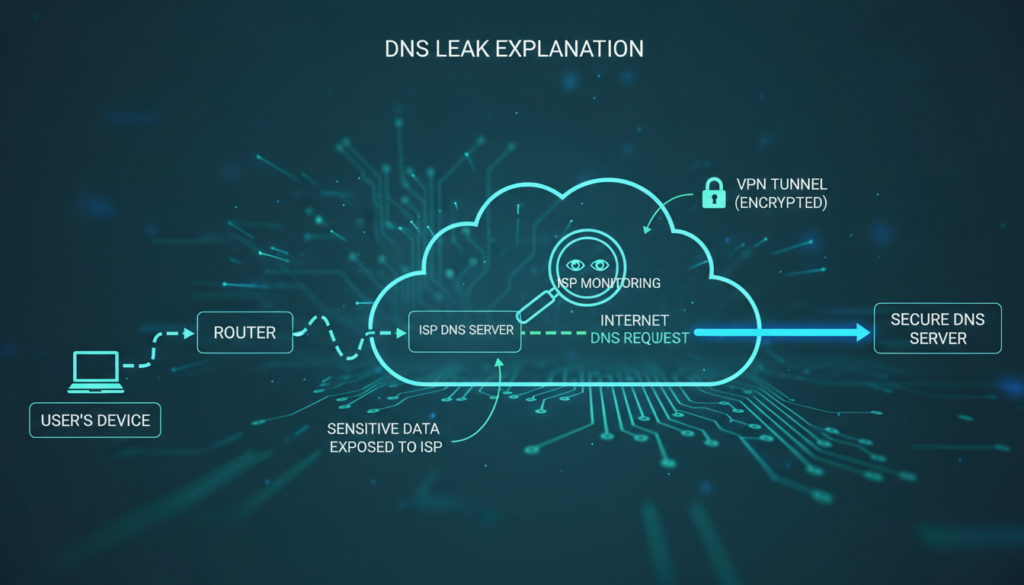
    DNS leaks can reveal where you’ve been online. Some clients send DNS queries through the proxy. If not, we use secure DNS methods or choose providers that block leaks.

    Area Common Options Recommended Practice
    Authentication None; Username/Password (RFC 1929); GSS-API (Kerberos) Username/password or provider-managed keys with logging
    Encryption None native; TLS/SSL at app layer; SSH tunnels; VPN Use SSH or VPN when confidentiality is required; TLS for app-level security
    DNS Handling Client-side proxy DNS; OS resolver; DoH/DoT; Provider DNS Enable proxy DNS or DoH/DoT and verify dns leak protection
    Protocols TCP, UDP routing via SOCKS5 Confirm tcp udp flows are proxied; test with provider tools

    SOCKS5 vs. Other Proxy Types

    We compare common connection tools so readers can pick the right option for their needs. The differences affect speed, protocol support, and privacy.

    Comparing with HTTP Proxies

    HTTP proxies work at the application layer, focusing on web traffic. They handle HTTP and HTTPS, can rewrite headers, and offer caching for faster page loads.

    On the other hand, the socks5 protocol is protocol-agnostic. A SOCKS5 proxy can carry various packets, including UDP traffic. This makes it more flexible for non-web communication.

    SOCKS5 vs. VPNs

    A VPN creates a network-level tunnel that encrypts all device traffic. SOCKS5 runs at the session or application level and usually does not add encryption.

    SOCKS5 avoids tunneling overhead, making it faster for latency-sensitive tasks. A vpn protects everything on the device but may slow connections under heavy encryption. We sometimes use both for encryption and targeted routing.

    Use Cases for Each Proxy Type

    HTTP proxies are great for web-scraping, caching, and tasks focused on HTTP/HTTPS. They are efficient for repeated web requests.

    We choose SOCKS5 for torrenting, gaming, and any app needing UDP or protocol flexibility. It’s a faster proxy for these tasks.

    VPNs are best for full-device privacy, protecting sessions on public Wi‑Fi, and bypassing strict geo-blocks. They offer system-wide security that a single application proxy cannot match.

    Performance Considerations

    We look at how a SOCKS5 proxy impacts real-world speed and response time. Making small changes on both sides can make streaming, gaming, and big transfers faster.

    Bandwidth and Speed Optimization

    High-capacity backbones and servers close to you cut down on transit time. Plans without strict bandwidth caps help avoid slowdowns during busy times.

    Lightweight encryption on the client side reduces CPU use and boosts speed. Choosing TCP for reliable transfers and UDP for real-time streams is key.

    We suggest testing speed and setting up concurrent connections to match server limits. Traffic shaping policies at the provider level should favor low-latency flows for better bandwidth optimization.

    Latency Issues and Solutions

    Latency comes from extra routing hops, overloaded nodes, long distances, and inefficient ISP routing. Each adds milliseconds, affecting gaming and voice calls.

    Choosing nearby servers and using providers with load-balancing helps. Enabling UDP when possible reduces delay for interactive apps.

    Quality-of-service tools let us prioritize gaming or VoIP traffic. Regularly switching endpoints can reveal lower-latency routes.

    Real-World Performance Tests

    We run targeted tests to compare providers and locations. Speedtests to the proxy endpoint show raw throughput. Traceroute exposes routing hops and potential bottlenecks.

    We measure ping and packet loss for gaming scenarios, then benchmark file transfers over TCP and UDP. Documenting results under different servers helps us choose the fastest proxy setup.

    Test What We Measure Why It Matters Tip
    Speedtest to Endpoint Upload/download Mbps Shows available bandwidth for transfers Test at different times of day
    Traceroute Number of hops, routing path Reveals inefficient ISP routes and extra hops Compare routes between nearby servers
    Ping & Packet Loss Latency in ms, loss % Key for gaming and real-time apps Run sustained tests for accuracy
    TCP File Transfer Sustained throughput, errors Shows reliability under congestion Adjust concurrent connections
    UDP Stream Test Jitter, packet ordering, throughput Reflects performance for voice/video Enable UDP on provider when possible

    Integrating SOCKS5 Proxies with Applications

    We show you how to add a SOCKS5 proxy to common apps. This ensures your data stays safe and fast. We’ll cover setting up browsers, torrent clients, and gaming platforms.

    Using browsers

    Firefox lets you set up socks5 in its network settings. Just enter the SOCKS host and port. Also, make sure to select “Proxy DNS when using SOCKS v5” to avoid DNS leaks.

    Chrome and other Chromium browsers use system proxy settings. Or, you can install FoxyProxy to direct specific tabs through the proxy.

    Always test your browser with an IP-reveal site to see if it’s using the proxy. If you use extensions, keep them updated. This helps protect your data when using the proxy.

    Compatibility with torrent clients

    Many torrent clients support SOCKS5. qBittorrent, uTorrent/BitTorrent, Vuze, and Transmission let you choose SOCKS5 as your proxy. Make sure to set it for peer connections, DHT, and trackers.

    Remember to enable authentication if your provider needs it. Also, disable direct connections to prevent leaks. Use torrent IP-checker sites to check if your proxy is working.

    Configuring for gaming platforms

    Many games don’t have proxy settings. But, you can use Proxifier on Windows or proxychains on Linux to route game traffic. SSH dynamic forwarding can also create a local SOCKS5 endpoint.

    UDP traffic is key for fast gaming. Choose solutions that support UDP relay or SOCKS5 UDP. Always test latency before using a provider for competitive games. Also, check stability and adjust settings as needed.

    Application Type Typical Clients / Tools Key Settings Best Practice
    Web Browsing Firefox, Chrome (via system), FoxyProxy Set SOCKS5 host/port, enable proxy DNS Test with IP reveal and limit extension permissions
    Torrenting qBittorrent, uTorrent/BitTorrent, Vuze, Transmission Proxy type = SOCKS5, enable for peers/DHT/trackers, use auth Disable direct connections and verify with torrent IP checker
    Gaming Proxifier, proxychains, SSH dynamic forwarding Route game executable through SOCKS5, enable UDP relay if supported Run latency and stability tests before competitive use

    Potential Downsides of SOCKS5

    We will outline practical drawbacks to weigh when choosing a SOCKS5 proxy for daily use. The protocol can solve many routing problems, but it brings trade-offs that matter for privacy, setup, and reliability.

    SOCKS5 proxy

    Limitations in Security

    A SOCKS5 proxy does not encrypt traffic by default. This means payloads and metadata can be seen by others. Using an untrusted provider can lead to sensitive data being logged or inspected.

    To protect yourself, pair a SOCKS5 proxy with TLS, HTTPS, or a VPN for confidential traffic. This extra layer helps reduce the security risks of the protocol.

    Configuration Complexity

    Setting up proxy settings for each app can be a challenge. You need to configure each program separately and manage DNS and proxy settings carefully. Mistakes can let requests bypass the proxy.

    Setting up system-wide SOCKS5 on macOS and Windows can be tricky. Sometimes, you need third-party tools like Proxifier. Non-technical users may find it hard to use and troubleshoot.

    Reliability of Free Proxies

    Be cautious with free proxies. They often have issues like intermittent availability, slow speeds, and frequent IP blacklisting. Providers might log your data or inject ads, which can harm your privacy and experience.

    For activities like torrenting or gaming, where stability and speed are crucial, free proxies are not reliable. Paid, reputable services are better for these needs to avoid the common problems of free proxies.

    Understanding Legal Implications

    It’s important to know the legal limits when talking about SOCKS5 proxy use. Using a SOCKS5 proxy for privacy or speed is legal in most places, like the United States. But, the activity itself must follow the law.

    It’s crucial to stay away from illegal activities, even with a proxy. Actions like sharing copyrighted content without permission, hacking, or trying to avoid law enforcement are still illegal. These actions can get individuals and companies in trouble, even if they use proxies to hide their actions.

    Before using proxies, we should think about the laws in different places. Some countries, like China, Iran, and Russia, have strict rules about using proxies and VPNs. They might punish people for trying to get around local rules.

    If you work or travel abroad, it’s smart to check the local laws. Businesses need to think about these laws when choosing proxy services. This affects their policies and who they work with.

    Creating clear rules for using proxies is a good idea. Make sure everyone knows what’s allowed and why proxies are used. Companies should have rules for logging, keeping data, and handling legal requests.

    For more complex cases, getting legal advice is a good idea. Lawyers can help make sure proxy use follows laws like GDPR when dealing with personal data. This helps avoid legal problems and keeps companies in line with rules everywhere.

    Best SOCKS5 Proxy Services

    We compare top SOCKS5 proxy services for users. We look at performance, support, and pricing. This helps readers choose the right provider for their needs.

    NordVPN/NordLayer, Private Internet Access (PIA), Proxy.sh, and TorGuard are compared. Each offers SOCKS5 proxy access or similar services. We consider server network size, UDP support, and setup guides.

    NordVPN and NordLayer have large server networks and detailed guides. PIA offers SOCKS5 with strong privacy and easy setup. Proxy.sh focuses on flexible proxy plans with clear billing. TorGuard is great for torrenting and power users needing fast connections.

    Good setup guides are key. They help both beginners and experts. Providers with clear tutorials save time and reduce support calls.

    Customer support should be easy to reach. Live chat, email, and tickets help solve problems fast. Knowledge bases and videos show a provider’s commitment to support.

    Reliability is crucial. Providers with strong uptime records ensure smooth use. Good customer support adds to the reliability for all-day needs.

    Pricing plans are compared by looking at monthly vs. annual rates. We also check bandwidth, connections, and extra features. Many offer discounts for annual plans, while monthly plans are flexible for short projects.

    It’s wise to check refund policies and free trials. A short trial lets us test a proxy’s performance. Users who torrent should look for plans with plenty of bandwidth and clear terms.

    Here’s a table comparing key features of each provider. It helps us quickly see the differences.

    Provider SOCKS5 Access Key Strengths Support Channels Typical Pricing Structure
    NordVPN / NordLayer Included Extensive server network, strong docs, fast backbone Live chat, email, knowledge base Monthly & annual subscriptions, business tiers
    Private Internet Access (PIA) Included Privacy-focused, simple setup, good value Live chat, ticketing, guides Monthly & annual, family plans, add-ons
    Proxy.sh Available Flexible proxy options, pay-as-you-go choices Email, docs, ticketing Tiered plans, bandwidth-based options
    TorGuard Specialized SOCKS5 Torrent-focused, customizable locations Live chat, email, extensive guides Monthly & annual, add-ons like dedicated IPs

    Choose a plan that matches your needs, not just the cheapest. Look at bandwidth, connections, and refunds. A trial period can confirm if a service meets your speed needs.

    FAQs About SOCKS5 Proxies

    We answer the most frequent queries to help readers get practical clarity. This FAQ section covers usage, limitations, and setup tips. It aims to resolve common questions with usable steps and references.

    Common Questions and Misconceptions

    Does SOCKS5 encrypt traffic? The socks5 protocol does not provide encryption by default. It routes traffic at the application level and can pass TCP and UDP streams without altering payloads.

    Is SOCKS5 good for torrenting? Yes, SOCKS5 is popular for torrenting because it hides the client IP. We must configure the torrent client to use authentication and check that peer exchange or tracker settings do not leak the real IP.

    Can SOCKS5 prevent DDoS? Using a proxy can reduce direct exposure by masking an endpoint IP. It is not a full DDoS mitigation solution. We recommend combining proxies with dedicated DDoS protection for critical services.

    How is SOCKS5 different from a VPN? SOCKS5 is lighter-weight and operates per application. A VPN creates a system-wide encrypted tunnel. For sensitive data, pairing SOCKS5 with TLS or a VPN gives stronger protection.

    Expert Answers to User Queries

    Always enable authentication when your provider supports it. Authentication limits unauthorized use and reduces the chance of service abuse.

    Combine SOCKS5 with encryption for private transactions. We suggest TLS, SSH tunnels, or a reputable VPN when handling logins, banking, or sensitive transfers.

    Test DNS routing to prevent leaks. Use tools like curl or traceroute to confirm requests resolve through the intended proxy path. Misrouted DNS queries reveal real locations.

    Select reputed providers for transactional privacy. Brands such as NordVPN, Private Internet Access, and TorGuard maintain support resources and clear policies we can review before subscribing.

    Configuration examples are available for common clients. Firefox, qBittorrent, and Proxifier offer native or extension-based SOCKS5 support. We advise following provider guides and running quick connectivity checks after setup.

    Finding Additional Resources

    We recommend consulting official documentation for SOCKS implementations and the original RFCs for technical depth on the socks5 protocol. Provider support pages from NordVPN, Private Internet Access, and TorGuard offer setup articles and best practices.

    Use networking tools to validate setups. Wireshark helps inspect packet flows, traceroute reveals path hops, and curl verifies HTTP requests through a proxy. These diagnostics help us identify leaks and misconfigurations.

    For hands-on troubleshooting, consult client manuals for Firefox, qBittorrent, and Proxifier. Support centers at major providers contain step-by-step walkthroughs and FAQ sections that complement this SOCKS5 proxy FAQ.

    Future Trends in Proxy Services

    Proxy services are set to change fast as people want more privacy and flexible networks. Online tracking is getting worse, and new rules on data protection are coming. Remote work and a growing interest in privacy tools are also driving changes.

    Growing Demand for Online Privacy

    More people are looking for ways to limit tracking and keep their data safe. Companies, small businesses, and individuals are using proxies and VPNs to meet their needs.

    Groups like the FTC and the European GDPR are making companies more open about how they handle data. This means more focus on logging and provider policies.

    Innovations in Proxy Technologies

    We’re expecting big tech improvements to make proxies more reliable and secure. Secure transport layers and automated geo-located routing will make connections faster and more stable.

    Developers will want API-driven proxy orchestration from providers like Bright Data and Oxylabs for big automation projects. Better UDP relay performance will help real-time apps. Hybrid solutions combining socks5 protocol with TLS tunnels or lightweight VPN encryption will become popular.

    Predictions for SOCKS5 Proxies

    The socks5 protocol will stay important because it’s flexible. Users who care about security will choose SOCKS5 proxies with encryption by default.

    Big companies will pick more advanced options that include SOCKS5 proxy features and identity management from Microsoft and Okta. We also expect providers to be more transparent about their logs and offer clearer compliance options for businesses.

    Trend What It Means Expected Timeline
    Privacy-Driven Adoption Higher consumer and enterprise uptake of proxies and VPNs to counter tracking 1–3 years
    Encrypted Default Deployments SOCKS5 proxy services bundled with TLS or similar encryption by default 1–2 years
    API-Oriented Management Providers offering orchestration APIs for developers and DevOps Immediate to 2 years
    Hybrid Networking Solutions Mix of socks5 protocol routing and lightweight VPN-like tunnels for latency-sensitive apps 2–4 years
    Regulatory Scrutiny Stricter oversight of logging and data retention policies for proxy providers 1–3 years

    User Experiences with SOCKS5 Proxies

    We collected stories and feedback from teams and individuals. They shared how a SOCKS5 proxy works in everyday life. These stories highlight real setups, common challenges, and the benefits of using a SOCKS5 proxy over basic proxies or some VPNs.

    Case Studies and Testimonials

    A remote development team used a SOCKS5 proxy for secure access to internal tools. This setup kept their work smooth and protected their internal IPs. It also allowed them to route specific services securely.

    A gamer found a gaming proxy to reduce DDoS attacks during matches. Using a SOCKS5 endpoint for multiplayer sessions hid their real IP. This made matchmaking more stable in certain areas.

    A power user set up qBittorrent with a SOCKS5 proxy for P2P transfers. This acted as a torrenting proxy, controlling peer visibility. It also used client-level authentication for better control.

    Another group used NordVPN’s SOCKS5 endpoint for selective app routing. They liked that it routed only certain traffic. This kept other connections fast and low-latency.

    Common Feedback from Users

    Users say SOCKS5 proxies offer better anonymity and control. They like choosing which apps use the proxy.

    However, setting up a SOCKS5 proxy can be tricky. Many ask for clearer guides for client setup and DNS handling.

    Streaming service tests show mixed results. Some platforms work with SOCKS5, but others block access.

    When set up right, SOCKS5 proxies can be faster than some VPNs. This is because they have less overhead and selective routing without full encryption.

    Users often ask for better DNS leak protection and more detailed provider guides. These help with easier setup.

    Lessons Learned from Real Users

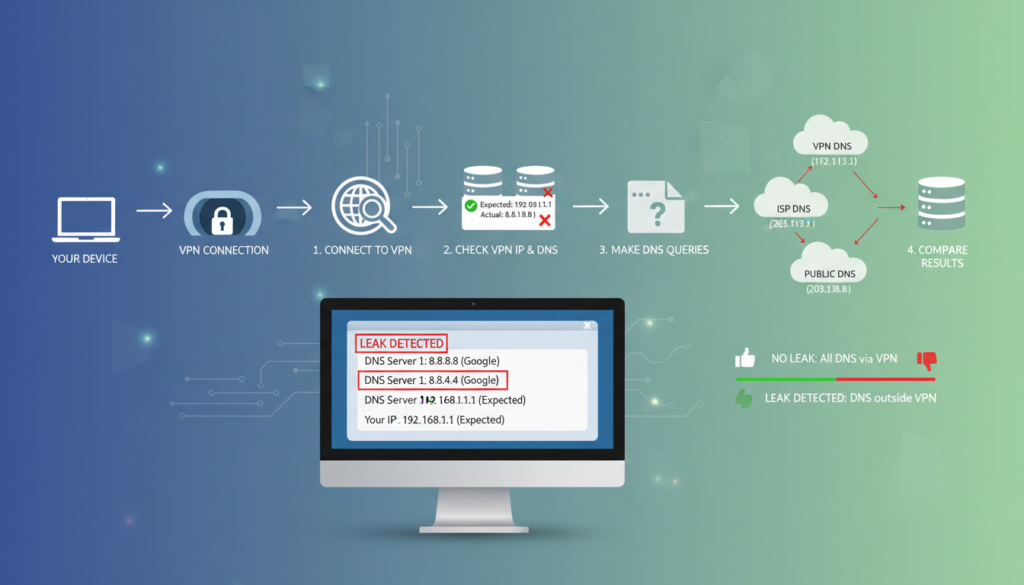
    Always test for IP and DNS leaks after setting up a SOCKS5 proxy. This ensures you don’t accidentally expose your IP when using a torrenting proxy or P2P tools.

    Most users suggest choosing paid providers for reliability. Paid services usually offer stable endpoints, clear documentation, and good support.

    Enable authentication when possible and use encryption with SSH tunnels. This increases safety without losing performance.

    Remember to follow legal and provider policies when using a SOCKS5 proxy. Knowing local laws and service terms helps avoid problems.

    Use Case Real Setup Main Benefit Common Caveat
    Remote development SSH dynamic forwarding to SOCKS5 endpoint Selective routing to internal tools Requires SSH knowledge and proper key management
    Gaming Routing game client via gaming proxy Reduced DDoS exposure and stable routing Possible added latency if endpoint is distant
    Torrenting qBittorrent bound to SOCKS5 as torrenting proxy Lower direct IP exposure to peers Must test for DNS/IP leaks and respect laws
    Selective app routing NordVPN SOCKS5 endpoint for specific apps Faster proxy paths for chosen services Streaming results vary by platform

    Conclusion and Final Thoughts

    We’ve explored how the socks5 protocol works and its benefits. A SOCKS5 proxy is great for certain needs. It supports both TCP and UDP, improving app performance. However, it’s not encrypted like a secure socket layer.

    Choosing trusted paid providers is key. Make sure to set up DNS and authentication right. This keeps your data safe and your identity hidden.

    When using SOCKS5 proxies, always pair them with encryption for sensitive data. For tasks like torrenting or gaming, pick reliable providers like NordVPN or TorGuard. Always enable authentication, test, and update your software.

    Remember to follow the law and document your setup. This reduces risks. For more knowledge, check out provider guides and tools like Wireshark.

    Reviewing RFCs or protocol details can also help. Test in safe environments and seek legal advice for big projects. This ensures you’re using SOCKS5 proxies safely and legally.

    FAQ

    What is a SOCKS5 proxy and how does the SOCKS5 protocol work?

    A SOCKS5 proxy is a way to hide your IP address by routing your internet traffic through a server. It works by setting up a connection, doing any needed authentication, and then sending your traffic to its destination. SOCKS5 is great for hiding your IP but doesn’t encrypt your data on its own. You might need to use something like a VPN to keep your data safe.

    How is SOCKS5 different from SOCKS4 and HTTP proxies?

    SOCKS5 is better than SOCKS4 because it supports UDP and has more ways to authenticate. It also works with IPv6 and can handle more types of traffic. Unlike HTTP proxies, SOCKS5 can handle non-web traffic, making it more versatile.

    Does SOCKS5 encrypt my traffic?

    No, SOCKS5 doesn’t encrypt your data. It just routes it. To keep your data safe, you need to use encryption or a VPN. Each option has its own trade-offs.

    Is SOCKS5 a good option for torrenting?

    Yes, SOCKS5 is good for torrenting because it supports UDP and can be set up for specific apps. It’s often faster than VPNs and can hide your IP. But, remember to use encryption and authentication to keep your data safe.

    Can SOCKS5 help with gaming latency or DDoS protection?

    SOCKS5 can help with DDoS attacks by hiding your IP. It can also make your game traffic faster by routing it through closer servers. But, the results can vary, so test it out before relying on it for big games.

    Should we choose a free or paid SOCKS5 proxy?

    For better performance and privacy, go with a paid proxy. Free ones often have bandwidth limits, are unreliable, and might even inject malware. Paid services usually offer better service and privacy.

    What features should we look for when choosing a SOCKS5 provider?

    Look for support for TCP and UDP, strong authentication, clear privacy policies, and a wide range of servers. Also, check for DNS leak protection and easy setup guides. Good customer support and transparency are key.

    How do we set up SOCKS5 for a specific application like a browser or torrent client?

    First, get your server details from your provider. Then, set up your app to use the proxy. Firefox and some torrent clients make this easy. For apps that don’t support SOCKS5, use tools like Proxifier or proxychains.

    How do we prevent DNS leaks when using SOCKS5?

    To avoid DNS leaks, make sure your app proxies DNS requests. You can also use DNS over HTTPS or choose a provider that routes DNS through the proxy. Always test your setup to ensure your DNS is being proxied.

    What are common configuration mistakes and troubleshooting steps?

    Common mistakes include wrong server details or forgetting to enable the proxy. To fix, check your credentials and server details. If problems persist, try another app or use tools like curl or Wireshark for deeper checks. Contact your provider for help.

    Is using a SOCKS5 proxy legal?

    Using a SOCKS5 proxy is legal in most places, including the US, for lawful activities. But, it’s illegal for illegal activities like copyright infringement. Always check the laws in your area.

    Can SOCKS5 prevent DDoS attacks?

    SOCKS5 can help hide your IP from DDoS attacks. But, it’s not a full DDoS protection service. For strong protection, use a DDoS mitigation service or your provider’s safeguards.

    How does SOCKS5 compare to a VPN in performance and privacy?

    SOCKS5 is faster and has less overhead than a VPN. But, VPNs encrypt all your traffic and offer stronger privacy. You might want to use both for the best performance and privacy.

    Which providers offer reliable SOCKS5 services?

    Good providers include NordVPN, Private Internet Access, Windscribe, and TorGuard. Look for a big server network, UDP support, clear policies, and good customer support.

    What performance tests should we run to evaluate a SOCKS5 proxy?

    Test the proxy’s speed, ping, and packet loss. Also, do traceroutes and file transfer tests. Try different servers to find the fastest one for your needs.

    Can enterprises use SOCKS5 securely at scale?

    Yes, with the right setup and encryption, enterprises can use SOCKS5 securely. Make sure to have strong authentication, logging policies, and access controls. Independent audits and clear contracts are important for trust.

    What are the future trends for SOCKS5 and proxy services?

    Online privacy will keep growing, leading to new proxy technologies. Expect better encryption, UDP support, and easier geo-routing. SOCKS5 will likely stay useful but will be paired with stronger privacy measures.


  • Understanding Reverse Proxies and Their Impact on Website Speed

    Understanding Reverse Proxies and Their Impact on Website Speed

    We start by explaining what reverse proxies are and why they’re important. A reverse proxy sits between users and our servers. It can show a different Proxy IP address than the real server. This helps hide our server’s IP and keeps our backend systems private.

    Reverse proxy performance is key for fast page loading and reliable service. With the right setup, proxies can cache and distribute loads, making pages load faster. But, a bad setup can slow things down and hurt user experience.

    There are more benefits than just speed. Reverse proxies can change what analytics tools see. They can hide the origin IP, affecting logs and who gets credit. They can also change what client IPs look like unless we pass X-Forwarded-For headers right.

    We base our overview on networking texts and RFCs, studies from Cloudflare, Akamai, and Fastly, and tech guides from Nginx and HAProxy. These sources show how edge caching and tuning can boost performance. But, they also warn about the dangers of misconfigurations that can slow things down.

    In this detailed guide, we’ll explore what reverse proxies do, how they speed up content delivery, and how to set them up. We’ll also cover monitoring, security, CDN integration, and real-world examples. Our aim is to help you boost your site’s speed while keeping privacy and digital footprint in check.

    Key Takeaways

    • Reverse proxies can present a different Proxy IP address and mask ip for backend servers.
    • They often improve page load times through caching and load balancing but can add latency if misconfigured.
    • Reverse proxies influence online anonymity and the visible digital footprint for both users and operators.
    • Performance gains are documented by Cloudflare, Akamai, and Fastly; implementation details matter.
    • Nginx and HAProxy docs are essential references for correct header handling and traffic paths.

    What is a Reverse Proxy?

    A reverse proxy is a server that sits between clients and backend servers. It forwards client requests to the backend and returns responses. This way, it hides the details of the origin server.

    Reverse proxies are different from forward proxies. Forward proxies help clients by hiding their IP addresses. Reverse proxies, on the other hand, serve origin servers. They present a single Proxy IP address to the world, enhancing online anonymity for the infrastructure.

    Definition of Reverse Proxy

    A reverse proxy accepts incoming traffic and decides which backend server will handle each request. It can hide the IP details of origin hosts. This makes it easier to manage traffic and balance loads.

    Tools like Nginx and HAProxy are popular for reverse proxy tasks. They help manage services like AWS Elastic Load Balancing.

    How Reverse Proxies Function

    When a client sends a request, DNS directs it to the reverse proxy IP. This IP becomes the public endpoint.

    The reverse proxy then applies rules and features. It might cache content, compress responses, or perform SSL termination. It forwards the request to the backend only when necessary.

    Backend servers send responses back through the proxy. The proxy manipulates headers to hide the backend’s real address. This protects the infrastructure and masks IP addresses.

    We handle both Layer 7 and Layer 4 scenarios. HTTP(S) proxying operates at Layer 7, offering detailed routing and caching. TCP/UDP proxying works at Layer 4, providing fast pass-through for non-HTTP services.

    Common mechanisms include health checks and sticky sessions. These features help manage services internally without changing the public Proxy IP address.

    Function Purpose Example Tools
    Caching Reduce backend load and speed responses Nginx, Varnish
    SSL Termination Offload TLS processing from origin servers HAProxy, AWS ELB
    Load Balancing Distribute requests and enable sticky sessions HAProxy, Google Cloud Load Balancing
    Header Management Preserve client identity or mask origin for online anonymity Nginx, Apache
    Protocol Proxying Support HTTP(S), TCP, and UDP traffic HAProxy, Envoy

    Benefits of Using a Reverse Proxy

    Reverse proxies protect servers, balance load, and speed up delivery. They improve reliability and user experience. They also offer features like mask ip and online anonymity for selected flows. An image below highlights core advantages.

    Reverse proxies act as an application gateway. They hide origin addresses and reduce exposed attack surfaces. By using a reverse proxy, we can keep the origin server’s Proxy IP address private and enforce IP allow/deny lists. This setup makes direct attacks harder and supports SSL/TLS offloading so certificate management is centralized.

    Enhanced Security Features

    We integrate Web Application Firewall (WAF) rules from providers like Cloudflare and Akamai to block common threats. Combining WAF with rate limiting and IP reputation checks strengthens defenses. Services such as AWS Shield can add DDoS mitigation while the proxy keeps the origin Proxy IP address out of public DNS records.

    Masking origin addresses lets us mask ip details in logs and public endpoints. This improves online anonymity for administrative interfaces. When we configure strict access controls, the system removes a direct path to backend servers and reduces lateral attack vectors.

    Load Balancing Capabilities

    Reverse proxies distribute traffic across backend pools using algorithms like round-robin, least connections, and IP-hash. This prevents overload on any single server and helps us scale horizontally. Health checks detect unhealthy nodes and remove them from rotation automatically.

    Session persistence options, or sticky sessions, let us preserve user sessions when required. We can also change location for specific requests through geo-routing. This sends users to the nearest healthy node for lower latency. That approach supports geo-spoofing benefits when testing regional content delivery.

    Improved Site Speed and Performance

    Caching at the edge reduces repeated backend calls and lowers Time to First Byte. Benchmarks from Fastly and Cloudflare show significant TTFB improvements when caching and HTTP/2 multiplexing are active. We terminate SSL at the edge to cut backend CPU load, and we enable gzip or Brotli compression for smaller payloads.

    Persistent keep-alive connections and connection pooling reduce handshake overhead. This speeds up subsequent requests. When we change location routing or apply geo-aware caches, users see faster page loads and fewer round trips to distant servers.

    Benefit How It Helps Example Providers
    Security Hides origin Proxy IP address; WAF, rate limits, DDoS mitigation Cloudflare, Akamai, AWS Shield
    Traffic Distribution Algorithms and health checks prevent overload; supports sticky sessions NGINX, HAProxy, AWS Elastic Load Balancing
    Performance Edge caching, SSL offload, Brotli/gzip compression, HTTP/2 Fastly, Cloudflare, Varnish
    Privacy & Testing Mask ip and enable online anonymity for admin flows; change location for regional testing Residential proxies, CDN geo-routing
    Operational Efficiency Centralized cert management; reduced backend load and maintenance HashiCorp, Certbot automation, commercial CDNs

    How Reverse Proxies Improve Website Speed

    Reverse proxies boost website speed in two main ways: smart caching and efficient compression. These methods cut down on data sent and requests to the origin server. This makes websites load faster for visitors.

    They also help hide the IP address of users, which is good for privacy. This is especially useful in certain situations.

    Caching Mechanisms Explained

    We use caching for static content like images, CSS, and JavaScript. This cuts down on bandwidth and reduces the number of times the origin server is accessed.

    Dynamic caching with stale-while-revalidate returns fresh pages while checking for updates. Microcaching is used for dynamic pages with high request rates. It keeps content fresh without causing delays.

    We set up cache-control headers and use ETag and Last-Modified negotiation. This ensures that assets are updated correctly. Vary headers help with content negotiation for different user agents and cookies.

    We use surrogate keys for targeted cache purges. We also tie cache invalidation to CI/CD workflows. Adding CDN edge caching on top of reverse proxies further reduces latency when users change location.

    Compression Techniques

    We prioritize Brotli for modern browsers and use gzip for older browsers. Server-side negotiation chooses the best compression algorithm based on the browser’s header.

    We compress text-based assets like HTML, CSS, JS, and JSON to reduce payload sizes. We avoid compressing already-compressed formats like JPEG and MP4 to save CPU cycles.

    We balance CPU usage and bandwidth savings. We only compress when it’s beneficial. This reduces server load and speeds up delivery.

    We measure success by looking at payload size, origin hits, and TTFB. When reverse proxies serve cached and compressed content, users see faster page loads. Origin systems also scale better.

    Optimization Primary Effect Key Config Items
    Static Caching Reduces origin requests for images and assets Cache-Control, TTL, CDN edge, surrogate keys
    Dynamic & Microcaching Speeds frequently requested dynamic endpoints stale-while-revalidate, short TTL, cache invalidation hooks
    ETag / Last-Modified Minimizes transferred bytes via validation Proper header generation, conditional GET handling
    Brotli / gzip Compression Reduces payload size for text assets Accept-Encoding negotiation, compression thresholds, exceptions for images
    Edge CDN + Reverse Proxy Lower latency when users change location Geo-routing, cache fill, origin shielding
    Privacy Controls Less direct origin exposure and masked client details Proxy IP address handling, header management to mask ip

    Key Components of a Reverse Proxy

    We explain the key parts needed for a reverse proxy. We talk about physical boxes for on-site setups and software for handling requests, caching, and security. These choices affect the Proxy IP address and how well you can hide the origin server’s details.

    Hardware Needs

    When choosing hardware, we consider the number of connections and SSL transactions. CPU cores are crucial for handling SSL and compression at large scales. More cores help speed up TLS and lower latency.

    Memory is important for storing connection tables and cache objects. We suggest enough RAM to keep cache hit ratios above 70 percent. Fast cache storage for static assets is provided by solid-state drives.

    Network speed and redundant NICs prevent slowdowns and single failure points. For reliability, go for dual power supplies and RAID storage. F5, HAProxy, and NGINX offer guidance on connections and SSL handshakes.

    Software Options

    We look at popular reverse proxy software and commercial solutions. Nginx is great for large deployments needing caching and easy setup. HAProxy excels in load balancing and raw TCP performance.

    Apache Traffic Server is best for caching at the edge. Envoy offers modern L7 features and works well with service meshes. Commercial options from F5 and Citrix provide advanced security, telemetry, and support.

    • Feature fit: choose Nginx for simple caching, HAProxy for high throughput, Envoy for microservices.
    • Licensing and ecosystem: open-source projects fit custom stacks; F5/Citrix are for regulated businesses.
    • Hybrid patterns: mix reverse proxy software with CDNs and cloud load balancers to spread out load and hide origin servers.

    Software choices impact the Proxy IP address you show to the public. Proper setup helps hide the backend server’s IP and keeps online anonymity for sensitive systems.

    Common Use Cases for Reverse Proxies

    We explore how reverse proxies benefit web platforms in real-world scenarios. They enhance performance, flexibility, and security across various hosting options. This includes shared hosting, VPS, dedicated servers, and hybrid cloud setups.

    Reverse proxies are great for handling SSL offload and caching static assets. They also route traffic to backends like Node.js, Apache, or Nginx. In shared hosting, they help isolate noisy tenants while keeping a consistent Proxy IP address for clients.

    Reverse proxies enable blue/green deployments and A/B testing. They allow us to steer traffic to new application pools without changing DNS. This makes rollbacks easier and reduces downtime during releases.

    API gateways and microservices rely on reverse proxies for routing and authentication. They mask IP details from upstream services, improving security. Only the proxy endpoint is exposed, not internal addresses.

    In cloud services, offerings like AWS Application Load Balancer and Google Cloud Load Balancing act as reverse proxies. They connect origin groups and autoscaling backend pools. They also provide native WAF and DDoS protection.

    Hybrid deployments use a reverse proxy on-premises and a CDN for public traffic. This keeps internal servers hidden. It also allows for geo-specific routing or compliance needs.

    Edge caching improves media delivery by reducing origin load and enhancing user experience. We configure caching rules at the reverse proxy. This serves large files from edge nodes, minimizing hits to application servers and reducing bandwidth costs.

    Use Case Typical Environment Key Benefits Relevant Feature
    SSL Offload Shared hosting, VPS, Dedicated Reduced CPU on app servers, simplified cert management hosting reverse proxy
    Blue/Green Deployments Cloud and on-premises Smoother releases, instant rollback Proxy IP address routing
    API Gateway Microservices Centralized auth, rate limiting, observability mask ip for backends
    Edge Caching Media delivery, CDN fronted Lower origin bandwidth, faster load times cloud reverse proxy
    Hybrid Cloud Routing On-prem + Public Cloud Compliance, latency optimization, flexible failover change location for routing

    Comparison: Reverse Proxy vs. Forward Proxy

    We compare forward and reverse proxies to show their different roles on the web. This helps users and site owners pick the best option for their needs.

    A forward proxy acts as a middleman for users, hiding their IP address. It helps with online privacy and lets users access content from other locations. It changes the Proxy IP address seen by servers.

    A reverse proxy sits in front of servers, hiding their IP addresses. It balances traffic, caches content, and boosts security. It’s managed by service owners to protect and speed up their servers.

    Definitions

    Forward proxies, like SOCKS or HTTP proxies, work for clients. They filter traffic, hide IP addresses, and offer privacy.

    Reverse proxies, such as Nginx or HAProxy, direct incoming requests to the right servers. They help hide server IPs and improve reliability.

    Key Differences

    Forward proxies send client requests outward, changing the Proxy IP address. Reverse proxies accept incoming connections and send them to internal servers.

    Forward proxies are used for privacy and to access content from different locations. Reverse proxies are used for load balancing, caching, and security.

    Forward proxies change request headers for privacy and log client-side activities. Reverse proxies add headers to help identify sessions and enforce policies.

    Forward proxies might ask for user credentials. Reverse proxies check identity systems to control access.

    Aspect Forward Proxy Reverse Proxy
    Primary role Client-side privacy and filtering Server-side load distribution and protection
    Typical user End users seeking online anonymity Site operators and DevOps teams
    Effect on Proxy IP address Changes client-visible IP for destinations Masks origin server IPs from clients
    Common features Mask ip, geo-spoofing, content filtering Load balancing, caching, SSL termination
    Header modification Often rewrites headers to protect clients May add X-Forwarded-For and routing headers
    Logging focus Tracks client requests for audits Tracks inbound traffic and backend responses
    Best suited when We need online anonymity or geo-spoofing We need scalability, security, and performance

    Popular Reverse Proxy Tools

    We look at three top reverse proxy tools that are key in web delivery today. Each tool has its own strengths for caching, load balancing, and handling Proxy IP address headers. They support mask ip practices and help keep online anonymity when set up right.

    Nginx is a flexible choice for both small and big sites. It uses proxy_pass, proxy_cache, and compression like gzip or Brotli. Nginx is known for its event-driven architecture, easy SSL termination, and support for HTTP/2 and modular extensions.

    It keeps client Proxy IP address info using X-Forwarded-For or the PROXY protocol. This helps backends log correctly without showing raw mask ip details.

    Nginx

    Nginx is great for fast static content and as a starting point for complex setups. Its config focuses on proxy_pass to upstreams and proxy_cache zones for repeated content.

    It’s used for WordPress speed boosts to big sites needing detailed module extensions. Nginx works well with CDNs and makes managing online anonymity easier with header controls and access rules.

    Apache Traffic Server

    Apache Traffic Server is a powerful caching proxy with a focus on HTTP caching and TTL tuning. It’s known for its high throughput and plugin-driven policy control. It’s perfect for sites needing CDN-like caching.

    It preserves Proxy IP address info via header mapping and supports mask ip strategies for anonymizing origin logs. Its plugin system is great for complex caching rules and high throughput needs.

    HAProxy

    HAProxy is a high-performance L4/L7 load balancer and reverse proxy. It offers advanced health checks, stick-tables for session affinity, and strong observability for traffic patterns.

    HAProxy setups use explicit frontend/backend blocks and flexible routing rules. It supports PROXY protocol and X-Forwarded-For headers to pass client Proxy IP address data upstream. It’s a top choice for teams needing strict control over mask ip handling and traceability.

    Tool Strengths Typical Use Proxy IP Handling Complexity
    Nginx Event-driven, HTTP/2, caching modules Web acceleration, SSL termination, reverse proxy Supports X-Forwarded-For and PROXY protocol; can mask ip via header rules Low to moderate
    Apache Traffic Server High-scale caching, TTL policies, plugin system CDN-like caching, large HTTP caches, origin offload Maps headers for Proxy IP address; plugins enable anonymization Moderate to high
    HAProxy High-performance L4/L7 routing, health checks, observability Enterprise load balancing, session affinity, high availability First-class PROXY protocol and X-Forwarded-For support; useful for mask ip strategies Moderate

    Configuring a Reverse Proxy

    We offer a detailed guide on setting up a reverse proxy. This guide covers installation, routing, and security steps. It helps us test in a staging environment before going live.

    Basic Configuration Steps

    1. First, install proxy software. Pick Nginx or HAProxy and follow the installation guide for your operating system.

    2. Next, define your backend servers. List the IP addresses and ports of each application node. This lets the proxy know where to send traffic.

    3. Then, set up proxy rules and routing. Use location blocks or ACLs to map requests to the right backend. Also, set cache directives for static assets.

    4. Enable SSL/TLS and certificates. Use tools like certbot for Let’s Encrypt or an ACME client for certificate renewals.

    5. Set headers. Forward X-Forwarded-For and X-Real-IP headers. This way, the origin servers can see the client’s Proxy IP address.

    6. Configure health checks. Set up active or passive checks. This marks unhealthy backends and prevents failed requests.

    7. Finally, restart services and test. Do staged restarts, check routes, and use a staging environment. This lets us observe behavior before going live.

    Best Practices for Setup

    We start with secure defaults. Run with least privilege, enable only needed modules, and mask IP addresses. This reduces exposure of origin addresses.

    Automate certificate management. Use Let’s Encrypt or an enterprise ACME client for seamless renewals.

    Log and monitor continuously. Capture logs for requests, errors, and health checks. This helps detect anomalies early.

    Forward headers correctly and configure trust-proxy settings in your app. Proper header handling prevents leaking origin IPs through direct-access DNS records.

    Apply rate limiting and connection timeouts. These controls reduce the impact of abusive clients and maintain backend stability.

    Plan for environment specifics. In cloud deployments, use provider load balancers and private subnets. On-premises setups need stricter network ACLs and physical segregation.

    Use graceful restarts and scripted deployments. Test rollbacks in staging. This ensures we can change location or failover without downtime under load.

    We follow setup best practices and document each step. This ensures a reliable reverse proxy configuration that scales, logs cleanly, and avoids accidental exposure of origin systems.

    Reverse Proxy Performance Metrics

    We track key signs to see how well a reverse proxy works. These signs help us decide when to grow, adjust cache settings, and keep the origin hidden. This ensures online privacy.

    Monitoring Traffic and Load

    We watch for requests per second, how many connections at once, and cache hits. We also check bandwidth, CPU, memory, SSL activity, and how fast responses are. These show us where the proxy is stressed or can grow.

    We use tools like Prometheus, Grafana, and Datadog to gather data. We also look at logs and dashboards to see how the proxy is doing right now.

    Analyzing Server Responses

    We look at how fast the first byte comes, the types of server responses, and how long it takes to get data from the backend. We also check for errors and slow spots. This helps us understand how users experience the proxy.

    By checking cache hits and misses, we see how well it works. A good reverse proxy keeps the origin’s IP hidden. This protects it and keeps users’ data safe.

    Metric What It Shows Typical Tools
    Requests per second (RPS) Traffic volume and burst patterns Prometheus, Grafana, Datadog
    Concurrent connections Concurrency limits and queuing HAProxy stats, nginx_status, New Relic
    Cache hit ratio Cache efficiency and origin load reduction Prometheus exporters, access logs
    TTFB and latency percentiles User-perceived responsiveness OpenTelemetry, Grafana, Datadog
    Response code distribution Error trends and successful delivery rates Access logs, New Relic, Splunk
    CPU / Memory / Bandwidth Resource saturation and scaling triggers Prometheus node exporters, cloud monitoring
    SSL transactions per second TLS CPU load and termination capacity HAProxy stats, nginx_status, Datadog

    We set alerts for important metrics and do regular checks. This helps us catch problems, improve cache settings, and keep the proxy safe. It also helps us balance cost and reliability.

    Security Considerations

    We focus on keeping traffic safe and fast when we use a reverse proxy. It’s all about handling TLS, shaping traffic, and strict rules. These steps help keep our origin IP safe and protect user and service anonymity.

    SSL termination

    SSL Termination

    We often stop TLS at the reverse proxy to save our servers’ CPU. This way, we can manage certificates better and speed up responses. It also keeps our servers’ workloads light.

    Choosing between edge-only TLS and end-to-end TLS depends on our needs. Edge-only TLS stops at the proxy, while end-to-end encrypts all the way to the backend. We use end-to-end TLS for full encryption when needed.

    We follow best practices for managing keys. We store them in secure modules or services like AWS Certificate Manager. We also rotate keys regularly and automate renewals with Let’s Encrypt or managed CA services. This keeps our SSL termination reliable.

    DDoS Protection

    We use multiple layers to fight off DDoS attacks. Rate limiting, connection limiting, and SYN cookies slow down bad traffic. This lets good traffic through.

    We team up with scrubbing and edge providers like Cloudflare and Akamai Kona Site Defender for big DDoS fights. Putting our proxy behind a CDN helps handle traffic spikes and filters globally.

    We also hide our real server addresses to protect them from attacks. Exposed DNS A records can give away our backend. So, we check DNS, use CDN proxy IP addresses, and limit access with firewalls.

    Additional Hardening

    We use web application firewalls and request validation to block threats. This includes SQL injection, XSS, and more. We also sanitize headers to prevent attacks that can change routing or leak data.

    We secure logs by hiding sensitive info, controlling access, and encrypting them. Good logging and monitoring help us spot issues and act fast. This includes triggering DDoS mitigation or incident response.

    We get advice from Cloudflare, Akamai, and AWS Shield for our defense plans. They help us improve our DDoS fight and protect our origin IP without losing performance or anonymity.

    Troubleshooting Common Issues

    We start with a quick checklist for fixing reverse proxy problems. It helps us find and fix issues fast. We focus on network and setup problems that usually cause trouble.

    Connectivity Problems

    First, we check if DNS can find the Proxy IP address. We make sure A/AAAA records are correct and that changes have spread out.

    Then, we use curl to test direct connections to the proxy and the backend. A simple curl -v shows us TLS handshake problems and HTTP codes that point to routing or listener issues.

    We also look at firewall and security group rules on cloud services like AWS and Azure. Blocked ports, wrong mask ip ranges, or missing rules can cause connection problems.

    For deeper analysis, we use tcpdump to capture packets. This shows us SYN/ACK flows, retransmissions, and if the proxy sends traffic to the backend.

    Configuration Errors

    We check if upstream definitions are correct. Wrong addresses can cause 502 and 504 errors when backends can’t be reached.

    We also check proxy header settings to keep client IPs. Wrong X-Forwarded-For or proxy_protocol options make logging and access controls unreliable.

    Finally, we check SSL certificate chains with openssl s_client. We make sure certificates match hostnames. Wrong certs cause TLS failures and client-side errors.

    We also look at caching rules to avoid old content. Timeouts and wrong cache keys can lead to inconsistent responses.

    Practical Diagnostics

    • Run nginx -t or similar CLI checks to find parsing errors before reloads.
    • Enable verbose logs to trace request flows and spot header changes.
    • Use staging environments for config checks and keep a rollback plan.
    • Check system logs and vendor docs for known issues and fixes.

    We follow a specific order: check DNS and Proxy IP, test connections with curl and openssl, capture packets if needed, and then look at logs. This helps us find and fix problems faster.

    Issue Likely Cause Diagnostic Tool Immediate Remediation
    DNS not resolving Incorrect A/AAAA record pointing away from proxy dig, nslookup, traceroute Update DNS to correct Proxy IP address, lower TTL during changes
    TLS handshake failure Expired or mismatched certificate openssl s_client, curl -v Replace certs, ensure full chain and correct CN/SAN entries
    502/504 errors Backend unreachable or timeout curl, tcpdump, nginx -t Verify upstream addresses, increase timeouts, restart backend if needed
    Lost client IPs Missing X-Forwarded-For or proxy_protocol Access logs, curl with custom headers Enable proper proxy headers and configure backend to read them
    Intermittent drops Firewall rules or mask ip misconfigurations tcpdump, cloud firewall audit Adjust security group masks and open required ports only

    Future of Reverse Proxies in Web Development

    Reverse proxies are changing how we deliver web content. Edge computing is moving logic closer to users. This shift affects how Proxy IP addresses appear and how services mask IP for local content.

    Cloudflare and Fastly are adding new features to their platforms. This will help operators fine-tune routing and meet compliance needs.

    Trends to Watch

    Edge computing is growing, with edge proxies handling tasks at the network edge. This reduces latency and makes content more localized.

    Serverless architectures will work with reverse proxies to handle requests. This makes it easier to hide IP details while keeping security and observability intact.

    Privacy and data locality will lead to more geo-aware routing. Teams will manage Proxy IP addresses to meet privacy rules and user needs.

    Evolving Technologies

    Service mesh projects like Envoy are merging with reverse proxy features. We expect deeper integration to offer consistent policy and telemetry across clusters.

    HTTP/3 and QUIC adoption will change proxy implementations. Faster connections and improved multiplexing will alter caching and routing patterns.

    Programmability will grow through WASM extensions and Lua scripting in Nginx. These tools will let us customize proxy behavior and routing without big platform changes.

    Observability will improve with OpenTelemetry and richer tracing. Better tools will help teams monitor proxy impact on latency and regional delivery, enhancing user experience.

    • Edge caching plus distributed caching strategies reduce origin load and speed responses.
    • Service mesh controls can enforce routing rules while preserving the ability to present a unified Proxy IP address.
    • Programmable proxies let us change location behavior dynamically for A/B testing and compliance.

    Reverse Proxy and CDN Integration

    We look at how combining a reverse proxy with a content delivery network (CDN) boosts delivery. It also cuts down on the load on origin servers and adds extra security at the edge. By setting it up right, CDNs can show their proxy IP address to users, hiding the origin details. This setup is great for testing from different locations and supports controlled geo-spoofing.

    Benefits of Combining Strategies

    Edge caching makes pages load faster by storing assets near users. This means fewer requests to the origin and lower costs for providers like Cloudflare and Fastly. Together, they make sites more reliable during busy times and better defend against DDoS attacks by blocking malicious traffic.

    Using a CDN also keeps server addresses private by showing a proxy IP to users. This helps protect server details. Geo-spoofing lets us show content as if it’s from a different place without moving our main servers. With POPs all over the world, we get consistent performance everywhere.

    Implementation Steps

    To integrate a CDN with a reverse proxy, we follow a detailed checklist. First, we set up the CDN to pull from the reverse proxy, keeping it the main source. Then, we make sure cache-control headers match our caching strategy and that the CDN respects them for caching.

    We also set the right origin headers so the CDN gets the right content and can authenticate when needed. To keep the origin safe, we limit direct access with IP allowlists, origin secrets, or cloud provider protections. This stops the actual server IP from being accidentally exposed.

    We make sure cache changes are synced across networks with purge and invalidation workflows. We test cache behavior from different places and check that direct DNS or A-records don’t show the origin IP. We also test geo-spoofing from specific POPs.

    We use Cloudflare, Akamai, and Fastly’s guides for best practices in origin protection and CDN setup. By following these steps, we keep performance high while keeping the origin IP hidden behind proxy IPs.

    Case Studies of Successful Reverse Proxy Implementations

    We share two reverse proxy success stories. They show how speed, cost, and reliability can improve. Each story highlights real-world examples and the benefits they brought.

    E-commerce Example

    Merchants on Shopify Plus and big retailers used Nginx or HAProxy with CDNs like Fastly or Cloudflare. They set up reverse proxies to speed up websites, improve image caching, and handle busy sales times.

    These efforts cut server costs, sped up checkouts, and made sites more reliable. They used smart cache rules, protected origins, and had failover plans. IP masking helped keep backend clusters private while keeping a consistent Proxy IP address at the edge.

    Media Streaming Example

    Streaming services used edge caches and reverse proxies for HLS/DASH segments. They ended TLS at POPs, cached playlist files, and used adaptive bitrate to save bandwidth.

    They combined caching with CDN edge logic to speed up starts and reduce buffering. Teams watched cache hits, origin egress, and latency. A stable Proxy IP address at the edge made geo-routing and audits easier, while mask ip strategies protected origins.

    Both cases show the importance of smart caching, monitoring, origin protection, and failover testing. They suggest clear caching rules, regular audits of mask ip policies, and studying Cloudflare, Fastly, and Akamai for better practices.

    Area Challenge Reverse Proxy Role Measured Benefit
    E-commerce Traffic spikes during sales Nginx + CDN for caching images and load balancing Reduced TTFB by 30–60%, lower server costs, faster checkout
    Media Streaming High origin egress and slow startup Edge reverse proxy with microcaching of manifests and segments Improved startup time by 20–40%, cut origin bandwidth
    Security & Ops Protecting origin and maintaining privacy Mask ip policies, Proxy IP address controls, TLS termination at edge Stronger origin protection, simplified auditing, maintained online anonymity

    Conclusion: Leveraging Reverse Proxies for Optimal Performance

    We conclude by summarizing the key points and offering practical advice. Reverse proxies greatly improve speed, scale, and security when set up right. They manage traffic, cut down on delays, and safeguard servers without making things too complicated.

    reverse proxy benefits

    Summary of Benefits

    Caching and compression are big wins, making pages load faster and saving on bandwidth. Load balancing helps servers handle more traffic smoothly. Offloading SSL and using a proxy to hide IP addresses also boost security.

    Managing Proxy IP addresses and headers is crucial for privacy and location-based content delivery. Correct header management lets us serve content from different locations while keeping the backend hidden. This enhances online privacy.

    Final Thoughts on Implementation

    Begin with a small test to see how it works. Check cache rules, compression, and header handling before scaling up. Keep an eye on performance and adjust as needed.

    Use reverse proxies with CDNs for global reach and strict origin protection to hide backend IPs. Stay updated with software patches and log audits to avoid exposing servers. Combine proxies with secure DNS, minimal logging, and strong access controls to reduce our digital footprint while meeting performance goals.

    Focus Area Practical Step Expected Result
    Performance Enable caching and Brotli/Gzip compression Lower latency, smaller payloads, faster page loads
    Scalability Configure load balancing with health checks Smoother handling of traffic spikes, higher uptime
    Security Terminate SSL at the proxy and block malicious patterns Reduced server exposure, improved threat mitigation
    Privacy Manage Proxy IP address and strip sensitive headers Enhanced online anonymity and protected origin IPs
    Deployment Start small, monitor logs, iterate configurations Fewer errors, clear rollback path, predictable scaling
    Geo Delivery Use header routing to change location per request Localized content delivery and better user experience

    Resource References and Further Reading

    To learn more about reverse proxies, start with key texts. “HTTP: The Definitive Guide” by O’Reilly and “High Performance Browser Networking” by Ilya Grigorik are great. They cover the basics of protocols and how clients interact with proxies.

    For hands-on learning, check out official guides and tutorials. Nginx, HAProxy, and Apache Traffic Server have useful guides. Envoy, Cloudflare, and Fastly also offer valuable resources. Cloud providers like AWS, Google Cloud, and Microsoft Azure have guides on load balancing and proxy services.

    Don’t forget about practical tools and standards. Learn about Let’s Encrypt and ACME client guides for SSL. Tutorials on Prometheus + Grafana are great for monitoring. Also, check out RFCs for HTTP and proxy behavior.

    Engineering blogs from big platforms are also worth reading. They share real-world examples on caching, geo-spoofing, and more. These help you understand how to keep your online presence anonymous.

    Here’s a suggested learning path: start with the recommended books, then follow tutorials to set up a small lab. Try out caching and compression. Next, integrate a CDN and do a staged production rollout. For more, mix RFCs, vendor guides, and engineering blogs for a solid reference.

    FAQ

    What is a reverse proxy and how does it differ from a forward proxy?

    A reverse proxy sits between clients and servers, hiding server details. It forwards client requests to servers and returns responses. Unlike forward proxies, reverse proxies focus on load balancing and protecting servers.

    How does a reverse proxy affect website speed and performance?

    Reverse proxies can speed up websites by caching content and compressing responses. They also reduce CPU load by terminating SSL/TLS. However, misconfigurations can slow things down, so it’s important to monitor performance.

    Can a reverse proxy mask our origin server’s IP address (mask IP)?

    Yes, a reverse proxy can hide server IPs by showing only its own IP. To keep this protection, avoid exposing server IPs and restrict access to proxy or CDN IP ranges.

    What headers should we configure to preserve client IP visibility (X-Forwarded-For and related headers)?

    Use headers like X-Forwarded-For to show the client’s IP to servers. Make sure to trust only known proxy IP ranges to prevent spoofing. Consider using the PROXY protocol for reliable client IP forwarding.

    How do caching strategies on a reverse proxy differ for static vs. dynamic content?

    Cache static content like images and CSS for a long time. For dynamic content, use microcaching or surrogate keys for targeted invalidation. Use cache-control headers to guide caching behavior.

    Which reverse proxy software options should we consider for different use cases?

    Nginx is great for reverse proxying, caching, and SSL termination. HAProxy is good for load balancing and observability. Apache Traffic Server is best for large-scale caching. Envoy is modern and programmable. Choose based on your needs and scale.

    What hardware resources matter when running an on-prem reverse proxy?

    CPU, memory, network throughput, and fast storage are key. Size your setup based on expected traffic and desired performance. Make sure it’s reliable and monitor it closely.

    How do we integrate a reverse proxy with a CDN for optimal performance and origin protection?

    Set the CDN to pull from the reverse proxy. Use cache-control and surrogate headers. Secure the origin by restricting access to CDN and proxy IP ranges. Ensure proper header forwarding and cache invalidation.

    What security features should we enable on our reverse proxy?

    Enable SSL/TLS termination and automate certificate renewal. Use WAF rules or a managed WAF. Apply rate limiting and connection limiting. Sanitize headers and use origin access controls and DDoS mitigation for stronger protection.

    Which metrics should we monitor to assess reverse proxy performance?

    Track requests per second, concurrent connections, cache hit ratio, and bandwidth. Monitor CPU, memory, and SSL transactions. Use tools like Prometheus + Grafana to track performance.

    How can misconfiguration expose our origin IP or degrade performance?

    Misconfigurations can expose server IPs or slow down performance. Avoid direct DNS A-records and restrict origin access. Properly forward headers and cache content to avoid issues.

    Should we terminate TLS at the proxy or maintain end-to-end encryption?

    Terminating TLS at the proxy simplifies certificate management. For sensitive environments, use re-encryption to preserve end-to-end encryption. Consider security, performance, and compliance when deciding.

    Can reverse proxies support geo-spoofing or changing perceived location?

    Yes, reverse proxies can deliver content from different locations. This can be for geo-routing or localization. Note that client anonymity is typically achieved with forward proxies or VPNs.

    What troubleshooting steps do we use for common reverse proxy issues like 502/504 errors?

    Check DNS resolution, proxy-to-backend connectivity, and health checks. Inspect logs for upstream timeouts. Use tools like curl and openssl s_client to troubleshoot. Validate configuration and rollback if needed.

    How will emerging technologies (HTTP/3, edge compute) change reverse proxy roles?

    HTTP/3 and edge compute will shift more work to the edge. This will enable lower latency and programmable proxies. Proxies will become more integrated with service meshes, expanding options for geo-aware delivery.

  • How to Hide Your Real IP Address Using a Free Proxy Server

    How to Hide Your Real IP Address Using a Free Proxy Server

    When we browse from home, work, or public Wi-Fi, we often want to hide our IP address. A free proxy server can do this by acting as an intermediary. It masks our real IP and routes our traffic through another endpoint.

    This makes it great for privacy, getting around regional blocks, and for tasks like web scraping or testing geo-restricted content.

    In this article, we’ll give you a practical guide to setting up a proxy for everyday users in the United States and worldwide. We’ll compare HTTP vs SOCKS to help you choose the right proxy for your needs. You’ll get a list of options, step-by-step guides, troubleshooting tips, and security advice.

    We’ll talk about the trade-offs, like performance, protocol differences, and logging policies. SOCKS5 works at the transport layer and handles more types of traffic. HTTP proxies work at the application layer for web requests. But, neither option guarantees complete anonymity—logging, encryption, and provider practices vary.

    So, we encourage legal, ethical, and informed use.

    Key Takeaways

    • A free proxy server can help hide IP address for improved privacy and access to region-locked content.
    • HTTP vs SOCKS matters: choose HTTP for web proxy tasks and SOCKS5 for broader traffic handling.
    • Browser proxy extensions offer quick proxy setup, but reliability and speed vary by provider.
    • Free solutions have limits—check logging policies and encryption before trust.
    • We will provide step-by-step setup, troubleshooting, and safe-usage tips in the following sections.

    What is a Proxy IP Address?

    A proxy server acts as a middleman between our device and the servers we visit. It shows a different IP address to the outside world. This IP address hides our real one and is what servers see.

    Proxies have different roles. A forward proxy helps with privacy and controlling access. A reverse proxy balances traffic and protects servers. Each role changes how the proxy IP address works and who sees it.

    We look at how proxy servers vary in function and scope. Knowing these differences helps us choose between a web proxy and a browser proxy for Chrome or Firefox.

    Understanding Proxy Servers

    A proxy acts as a relay, sending our requests and getting responses. It can check HTTP headers and change requests before sending them. This is common for web filtering.

    Some proxies work at a lower level, not checking the content of our requests. They support more protocols and don’t interfere with our data as much.

    Types of Proxy Servers

    We compare common proxy types to help us decide. HTTP and HTTPS proxies work at the web layer and are good for caching and controlling headers. SOCKS4 and SOCKS5 work at a lower level and support any protocol.

    SOCKS5 supports UDP and has authentication, while SOCKS4 doesn’t. Transparent proxies work without our setup and are often used by ISPs. Web proxy sites offer quick access without changing system settings.

    We include a short protocol comparison to clarify trade-offs.

    Proxy Type Main Use Case Protocol Support Configuration
    HTTP/HTTPS Web traffic filtering, caching HTTP headers, TLS Browser proxy or system proxy
    SOCKS4 Simple TCP tunneling TCP only App-level or system proxy
    SOCKS5 Flexible tunneling, apps and games TCP and UDP, authentication App-level or system proxy
    Transparent Network-level interception Varies No client setup
    Web Proxy Quick browser access HTTP/HTTPS via web interface Access via website

    Benefits of Using a Proxy IP Address

    Proxy IP address masking boosts privacy and hides our devices. It’s useful on public Wi-Fi or for separating work and personal browsing.

    Geolocation spoofing lets us access content blocked by location. A proxy in another country can unlock region-locked services. Proxies also speed up repeated requests and save bandwidth.

    Proxies help control access in corporate networks. They enforce policies and log activity. Proxies differ from VPNs and Tor. A VPN encrypts all traffic, while Tor routes through many nodes for anonymity. Choosing between HTTP and SOCKS depends on the apps and control needed.

    How Does a Proxy IP Address Work?

    We explain how proxies work so you can understand their role in protecting your identity. We’ll cover the request process, the differences between proxy types, and the security risks involved.

    Data Transmission Process

    When you use a proxy, your browser sends a request to the proxy server. The proxy can change headers, serve cached content, or forward the request. It then gets a response from the server and sends it back to you.

    With a SOCKS proxy, a handshake establishes a tunnel for TCP or UDP. The SOCKS server then sends data between you and the destination. SOCKS works with any protocol, not just HTTP, making it versatile.

    Encryption and Security Features

    Not all free proxies encrypt your data. An HTTP proxy might only send unencrypted HTTP unless you use HTTPS. SOCKS5 doesn’t encrypt by default; encryption depends on the application layer, like HTTPS inside a SOCKS tunnel.

    Proxies often use simple login to control access. For better security, use a proxy with TLS or a VPN. If a proxy tries to intercept TLS without validation, it can lead to man-in-the-middle attacks.

    Aspect HTTP Proxy SOCKS Proxy
    Layer Application layer; interprets and can modify HTTP headers Transport layer; tunnels raw TCP/UDP packets without parsing HTTP
    Data transmission model Request-response flow with possible caching and header changes Handshake then tunnel; relays raw packets between endpoints
    Protocol awareness HTTP-aware; suited for web traffic Protocol-agnostic; supports non-HTTP services
    Encryption Depends on HTTPS; plain HTTP is unencrypted No native encryption; relies on application-layer TLS for security
    Authentication Common: basic, digest, token-based methods Common: username/password; varies by implementation
    Use cases Web browsing, content filtering, caching SMTP, FTP, gaming, arbitrary TCP/UDP services

    Advantages of Hiding Your IP Address

    Hiding your IP address offers many benefits for everyday browsing and sensitive tasks. It makes it harder for websites and advertisers to track you. This way, your online activities stay private, especially when you’re shopping or researching.

    Proxies are just one part of a bigger privacy plan. Cookies and browser fingerprinting can still collect data. To boost privacy, use proxies with privacy settings and tools. This approach keeps things simple without sacrificing security.

    H3: Enhanced Privacy Online

    By hiding your IP address, third parties see the proxy’s address, not yours. This makes it harder for attackers to target you. It also keeps your online activities private, whether for research, advocacy, or personal accounts.

    H3: Bypassing Geographic Restrictions

    Proxies let you show an IP from another country, unlocking region-locked content. For streaming, HTTP proxies work well. But for apps that use different protocols, SOCKS5 is better because it supports more protocols.

    Choosing between HTTP and SOCKS depends on your needs. HTTP proxies are great for web traffic. SOCKS5 is more flexible for various applications because it handles non-HTTP traffic too.

    H3: Safe Browsing on Public Wi-Fi

    Public Wi-Fi can be risky, with threats like packet sniffing and session hijacking. Hiding your IP address makes it harder for local attackers to find you. This reduces the risk of them targeting your device.

    Even with a proxy, unencrypted traffic is still at risk. So, always use HTTPS or a VPN on public Wi-Fi. This combination of encrypted connections and careful habits enhances your safety online.

    Choosing the Right Free Proxy Server

    When picking a proxy for everyday use or light scraping, we look at privacy, speed, and setup ease. Free proxy servers vary a lot. We need clear criteria to compare providers and protocols before committing.

    free proxy server

    Factors to Consider

    First, we check protocol support. A comparison between HTTP vs SOCKS5 is key because each handles traffic differently.

    We review logging and privacy policy to see what data the provider stores. Free services often keep logs or limit features.

    We look at the geographic location of proxy servers to match content access needs and latency targets.

    We verify bandwidth and concurrent connection limits so our workflows do not stall under load.

    We confirm authentication options and HTTPS support for secure sessions.

    We assess provider reputation by reading recent user feedback and verifying terms before use.

    Popular Free Proxy Services

    We consider several widely used options that offer free tiers. Hidester provides a web proxy interface and promises minimal setup. KProxy offers browser extensions for Chrome and Firefox and a simple toggle for casual use. Hide.me’s free tier supports multiple locations and has clear protocol notes. ProxySite runs a clean web proxy and focuses on quick access to blocked pages.

    We note supported protocols and extension support for each provider. Availability and policies change frequently, so we always verify current terms before relying on a service.

    Evaluating Reliability and Speed

    We test latency and throughput with common tools. Using ping and traceroute gives quick latency insight. Curl or browser downloads show real throughput behavior.

    We run session stability tests to watch for abrupt disconnects. We try concurrent connections to see how a free proxy server handles multiple streams.

    We check uptime history, read recent reviews, and run short trials to measure real-world reliability and speed. This hands-on approach reduces surprises when using a proxy in production.

    Provider Supported Protocols Access Methods Known Limits Best Use
    Hidester HTTP, limited HTTPS Web interface, proxy setup Bandwidth caps on free tier Quick web unblocking
    KProxy HTTP, some SOCKS via extensions Browser extensions, web proxy Concurrent connection limits Casual browsing and lightweight tasks
    Hide.me (free) HTTP, SOCKS5 on some plans Apps, browser setup, extensions Location and throughput limits Privacy-focused casual use
    ProxySite HTTP, supports HTTPS passthrough Web proxy Session timeouts, slower at peak Bypassing simple blocks

    How to Set Up a Free Proxy Server

    We guide you through setting up a proxy server. We cover how to install hosted and self-hosted options. Then, we show you how to set up proxies in Chrome and Firefox. Finally, we explain how to set up proxies on iOS and Android devices.

    Step-by-Step Installation Guide

    First, choose a provider and decide between HTTP and SOCKS. HTTP is good for simple web browsing. SOCKS5 is better for apps that support it.

    Get the server address, port, and any login details from your provider. Put these into your client or OS proxy settings. Test it by looking up a website or using a connectivity checker.

    If you’re setting up on Linux, use Squid for an HTTP proxy. Install it with apt or yum, then edit squid.conf. For SOCKS, install Dante or 3proxy and set up interfaces, clients, and auth.

    Set up basic firewall rules to allow the proxy port and block unwanted access. Restart the service and test from a remote machine to confirm everything works right.

    Browser Configuration

    Chrome uses your system proxy on Windows and macOS. Open Settings > System > Open proxy settings. Enter the host and port for HTTP/HTTPS or a SOCKS proxy when supported by the OS. Save and restart Chrome to ensure the browser proxy takes effect.

    Firefox supports SOCKS natively. Go to Preferences > General > Network Settings > Manual proxy configuration. Enter HTTP fields for HTTP proxies or set the SOCKS host and choose SOCKS5 for better compatibility. Clear DNS settings if you need DNS resolution through the proxy.

    Consider proxy auto-config (PAC) files when you need rule-based routing. Many browser extensions from reputable vendors can manage multiple proxy profiles and switch on demand without editing OS settings.

    Mobile Device Setup

    On iOS, go to Settings > Wi‑Fi, tap the active network, then Configure Proxy > Manual. Enter the host, port, and credentials. That applies to the selected Wi‑Fi network and works well for HTTP and HTTPS proxies.

    Android varies by version. Open Wi‑Fi, long-press the network, choose Modify network, expand Advanced options, and set Proxy to Manual. Enter host and port. Some Android builds limit SOCKS support at the OS level; in those cases use a third-party app or a VPN-based proxy app to route SOCKS traffic.

    Many mobile browsers only support HTTP(S) via system settings. For device-wide SOCKS, we recommend trusted apps that create a local VPN tunnel and forward traffic to your SOCKS server. Test browsing and specific apps to confirm the mobile proxy setup works for both HTTP content and app-level connections.

    Troubleshooting Common Proxy Issues

    When using a free proxy, we often face basic problems. Quick fixes can save a lot of time. Below are steps to tackle common issues and get back online without hassle.

    First, we do targeted checks to find most connection faults. Simple network tests help us see if the problem is on our device, the proxy, or the connection between them.

    Connection Errors

    Connection errors often come from wrong proxy settings, bad login details, or protocol mismatch. We check the proxy host and port, make sure our login info is correct, and see if our firewall or ISP blocks the proxy port.

    We use ping and traceroute to test reachability. Curl with proxy flags helps us see if the proxy accepts requests. It’s important to use the right HTTP or SOCKS settings to avoid immediate failures.

    Slow Speed Problems

    A slow proxy can be due to overloaded servers, high latency, or provider throttling. We compare different proxy servers to find the slow ones and switch to a closer one.

    For non-HTTP traffic, we try SOCKS5. This can reduce overhead for certain protocols. Local network checks, like rebooting the router and testing without the proxy, help confirm if the proxy is the problem.

    Proxy Not Responding

    If the proxy is not responding, we check for server downtime, blocked ports, expired credentials, or maintenance. Checking the provider’s status page quickly tells us if there’s an outage.

    As a backup, we keep a list of alternative proxies. If we keep having problems, we might consider paid services from brands like Cloudflare or Bright Data for better reliability and service guarantees.

    Issue Likely Cause Practical Check Immediate Fix
    Connection errors Wrong host/port, bad credentials, protocol mismatch Ping, traceroute, curl with –proxy, verify auth Correct settings, update credentials, switch HTTP vs SOCKS
    Slow proxy Overload, high latency, throttling, distant server Speed tests, compare endpoints, test without proxy Change server location, try SOCKS5, use paid tier
    Proxy not responding Server downtime, blocked ports, expired creds Check provider status, test port reachability, renew creds Switch proxy, contact provider, use alternative service

    Understanding Proxy Server Limitations

    Free proxies have their downsides. They hide our IP but come with privacy, security, and performance issues.

    Potential Security Risks

    Using untrusted proxies can be risky. They might inject malware, change pages, or steal our login info.

    Free proxies that don’t encrypt data are especially dangerous. They send our info in plain text. This makes us more vulnerable.

    Data Logging Concerns

    Free proxies often log our online activities. They might keep records of our IP, when we visited sites, and what we did.

    It’s important to check privacy policies. Look for services that promise not to log your activities. Paid options like NordVPN Teams and Bright Data usually have better logging policies.

    Performance Drawbacks

    Free proxies can slow us down. They might limit our bandwidth, cause delays, and have unstable connections.

    They also might not support all protocols. SOCKS is better than HTTP but speed depends on the provider’s network.

    Issue What to Watch For Practical Impact
    Security risks Content injection, man-in-the-middle, credential theft Compromised accounts, altered web content, privacy breaches
    Data logging IP, timestamps, visited domains, shared logs Loss of anonymity, targeted ads, potential legal exposure
    Performance Bandwidth caps, latency, instability Poor streaming, slow browsing, interrupted tasks
    Protocol support HTTP vs SOCKS differences, UDP and IPv6 availability Limited app compatibility, slower connections for certain uses
    Reliability Uptime, maintenance, provider transparency Unpredictable access, frequent reconfiguration

    The Role of Proxy IP Addresses in Web Scraping

    We use proxies to collect more data without harming our systems. The right proxies help us succeed more often and avoid failures. They also make our crawlers stronger.

    How Proxies Facilitate Data Collection

    Proxies spread out our requests across many IP addresses. This way, one address can’t get blocked by rate limits. It lowers the risk of being blocked when we scrape public pages, APIs, or product listings.

    We use HTTP proxies for scraping standard web pages with tools like Requests or Puppeteer. For broader support or custom clients, we choose SOCKS5. Choosing the right proxy depends on the task at hand.

    Avoiding IP Bans with Proxies

    To dodge IP bans, we use several methods. Proxy rotation spreads out the load and prevents one IP from being suspicious. This keeps our activities under the radar.

    We prefer residential proxies for realistic scraping on sensitive sites. Datacenter proxies are better for faster, cheaper scraping where risk is lower. We also set rate limits, randomize request times, and change headers to look more human.

    We combine proxy strategies with best practices for headless browsers to reduce our digital footprint. We follow website rules and get permissions when needed. Ethical scraping keeps our reputation and operations running smoothly.

    Free Proxy vs Paid Proxy: Which is Better?

    We compare free and paid proxies to help you decide. We look at reliability, speed, privacy, and value. Our guide aims to make choosing easier.

    Comparing Features and Services

    Paid services like Luminati and Smartproxy offer better uptime and speed. They also provide dedicated IPs and customer support. These services support SOCKS5 and HTTPS, which is great for complex tasks.

    Free proxies, on the other hand, have bandwidth limits and may log your activity. They mainly support HTTP proxies. Free services are not reliable for important tasks.

    Cost-Effectiveness of Free Proxies

    Free proxies are good for quick tests or casual browsing. They’re free, which is great for one-time needs.

    But, they can be slow and may risk your privacy. Troubleshooting and slower work can add up. We consider these costs when judging their value.

    Long-Term Use Considerations

    For ongoing tasks or critical privacy, paid proxies are better. They offer reliable performance and support a variety of protocols.

    Consider starting with free proxies for testing. Then, switch to paid options for better performance and support.

    Aspect Free Proxy Paid Proxy
    Uptime Unreliable, frequent drops High, with SLAs
    Speed Limited bandwidth Optimized, faster
    Protocols Mostly HTTP; limited SOCKS Full support: HTTP, SOCKS5, HTTPS
    Privacy Unclear logging policies Transparent privacy terms
    Support None or community forums 24/7 support and SLAs
    Best Use Testing, casual use Production, scraping, business

    Tips for Safe Proxy Usage

    We take steps to keep our online activities private and fast with proxies. Good practices help us avoid risks and keep our browsing smooth. This is true for work, scraping, or just browsing.

    Avoiding Malicious Proxies

    We choose trusted providers. Companies like NordLayer and Bright Data have been checked by others. We read reviews before using any proxy.

    We make sure the proxy supports HTTPS and check the certificates. Never send sensitive info over unencrypted channels.

    We avoid free proxies that show ads or ask for too much. If a proxy acts strange, we remove it and tell others.

    Regularly Changing Proxies

    Using different proxies helps avoid being tracked and slowed down. Changing IPs regularly spreads out our online activity.

    We use tools for automatic proxy switching. For scraping, we use libraries or platforms that offer this feature.

    We also change user agents with IPs to avoid being detected.

    Additional Privacy Tools

    We encrypt our traffic with TLS/HTTPS. This makes our proxy use safer and protects our data.

    We use browsers like Brave or a secure Firefox. We clear cookies often and block trackers with tools like uBlock Origin and Privacy Badger.

    We pick VPNs and Tor based on our needs. Sometimes, we use more than one tool for extra security.

    Focus Area Practical Steps Recommended Tools
    Provider Trust Choose audited vendors, read reviews, verify HTTPS NordLayer, Bright Data
    Credentials Safety Avoid sending sensitive logins over plain HTTP TLS/HTTPS, certificate checks
    Rotation Strategy Use proxy rotation, time-based cycles, IP pools Rotating proxy middleware, scraping platforms
    Browser Hygiene Clear cookies, use privacy settings, block trackers Brave, Firefox, uBlock Origin, Privacy Badger
    Protocol Choice Understand HTTP vs SOCKS for use case and speed HTTP proxies for web, SOCKS5 for broader TCP/UDP support
    Layered Privacy Combine proxies with VPN or Tor where needed Commercial VPNs, Tor Browser

    Alternatives to Proxy IP Addresses

    Looking beyond basic proxies, we find tools that offer stronger privacy and broader coverage. These options help protect your traffic, keep your identity private, and manage network access. Here, we compare what many readers use for these purposes.

    Virtual Private Networks

    VPNs create an encrypted tunnel for all your device’s traffic. This is different from many proxies, which only affect certain apps or browsers. VPNs offer end-to-end encryption and consistent privacy across your operating system.

    VPNs have strong encryption, easy setup, and protect all background services. However, they might slow down your internet and you have to trust the VPN provider. We test popular VPNs like ExpressVPN, NordVPN, and Proton VPN. Each has its own balance of speed, privacy, and server reach.

    Tor Network Overview

    Tor is a decentralized network that hides your traffic through multiple relays. It offers deeper anonymity but can be slower and may not work with all web services.

    Tor mainly handles TCP traffic and blocks some protocols for safety. Many apps use Tor with SOCKS5 by connecting to the Tor SOCKS interface at localhost:9050. This shows the difference between HTTP proxies and SOCKS clients, which forward raw TCP streams at the transport layer.

    Choosing between these alternatives depends on your needs and threats. We recommend VPNs for reliable encryption and ease of use. For deep anonymity, Tor is a good choice, even if it’s slower.

    Real-Life Use Cases for Proxy IP Addresses

    We explore how professionals use proxy IP addresses every day. Each example shows how different proxies meet different needs. Our goal is to help teams choose the right tool for their tasks.

    proxy use cases

    For accessing region-locked content, professionals rely on proxies. Marketing teams check streaming services like Netflix and Hulu to see what’s available in different countries. SEO analysts use proxies to see how Google results vary by location. Researchers also use proxies to access government sites that are only available in certain areas.

    For streaming, HTTP proxies work well. But for apps that use different protocols, SOCKS5 is better. This shows the importance of choosing between HTTP and SOCKS for different tasks.

    Proxies also help protect sensitive tasks. Journalists and whistleblowers use them to keep their IP addresses hidden. This is crucial for investigations and confidential communications. For the highest level of anonymity, Tor is the best choice. Using a VPN and a proxy together can offer even more protection.

    Market research proxies help gather data on a large scale. Analysts use them to collect pricing information, competitor listings, and ad verification across different regions. Rotating residential proxies help avoid being blocked or limited by geo-restrictions. This makes it seem like real users are accessing the data.

    It’s important to follow ethical guidelines when using proxies for market research. This includes respecting site terms of service and local laws.

    To compare options, we present a concise table that contrasts common proxy choices and their best fit for real tasks.

    Use Case Best Proxy Type Key Benefit Notes
    Streaming and localized browsing HTTP/HTTPS Simple setup for browsers Good for accessing region-locked content and testing catalogs
    Application-level tasks and torrent clients SOCKS5 Protocol-agnostic support Preferred when HTTP vs SOCKS trade-offs favor broader protocol coverage
    High-anonymity communications Tor or layered VPN + proxy Strong anonymity and route obfuscation Use for investigative journalism and whistleblowing research
    Large-scale market research Rotating residential market research proxy Mimics real-user traffic, reduces blocks Ideal for pricing checks, ad verification, and competitor analysis

    Staying Legal and Ethical with Proxy Use

    We need to balance privacy with the law and ethics when using proxies. This guide helps us use proxies legally and ethically in our daily tasks. It also explains when to choose HTTP vs SOCKS for different needs.

    Understanding Local Laws

    Proxies are legal in the U.S. and many other countries. But, hiding your IP doesn’t make illegal actions legal. We must know laws like the Computer Fraud and Abuse Act, which punish unauthorized access and fraud.

    When working with copyrighted material, financial systems, or personal data, we should talk to a lawyer. This ensures we follow the law.

    International laws differ. Some places ban geo-block circumvention or have strict data export rules. We must know these laws before working across borders.

    Responsible Usage Guidelines

    We follow strict rules for ethical proxy use. When scraping, we respect robots.txt and site terms. We also avoid making too many requests and use backoff strategies to not overload servers.

    We don’t use proxies for harassment, DDoS attacks, or fraud. For business, we promote transparency about automated tools. We also follow privacy laws like CCPA for personal data.

    For choosing between HTTP and SOCKS, we explain the differences. HTTP is good for web traffic and handling headers easily. SOCKS supports more protocols and streams, making it better for complex tasks. We choose based on security, performance, and compliance needs.

    We keep logs minimal and only keep data as long as needed. Regular audits and documented policies help us stay legal and ethical.

    Conclusion: Enhancing Your Online Anonymity

    We’ve explored how proxy servers help us hide our IP and access content blocked by region. The main benefits include better privacy, safer use of public Wi-Fi, and tools for automation and scraping. For everyday web browsing, a browser proxy or HTTP(S) proxy is usually enough. But for more applications, SOCKS5 is better.

    When choosing between HTTP and SOCKS, remember that HTTP proxies are best for web traffic. They work at the application layer. SOCKS5, on the other hand, is better for non-HTTP applications like torrents. This makes it easier to pick the right tool for your needs.

    We suggest trying free proxy services for basic trials but look at reputable paid providers for better speed and logging policies. Adding a trusted proxy with a VPN or Tor can increase security for sensitive tasks. Always use these tools ethically and legally. We’re here to help compare providers or guide you through setup when you’re ready.

    FAQ

    What is the difference between an HTTP proxy and a SOCKS5 proxy?

    HTTP proxies work at the application layer and understand HTTP/HTTPS headers. They can cache, filter, or modify web traffic. On the other hand, SOCKS5 works at the transport layer and tunnels raw TCP/UDP packets without interpreting application protocols.

    SOCKS5 is more flexible for non-HTTP applications like torrent clients and game clients. HTTP proxies are easier to use for browser-based tasks and web scraping.

    Will using a free proxy make us completely anonymous online?

    No. Free proxies can hide our IP address from destination sites. But they rarely provide complete anonymity. Many free proxies log metadata, may not encrypt traffic end-to-end, and cannot prevent browser fingerprinting or cookie tracking.

    For stronger privacy, combine proxies with HTTPS, a VPN, or Tor. Also, adopt additional browser privacy measures.

    Are SOCKS proxies encrypted by default?

    No. SOCKS5 tunnels raw traffic but does not encrypt it by default. Encryption depends on the application-layer protocol inside the SOCKS tunnel.

    For example, HTTPS traffic remains encrypted even when routed through SOCKS. If encryption is required, use HTTPS/TLS on top of the proxy or pair the proxy with a VPN.

    How do we configure a browser to use a proxy?

    In Chrome, open Settings > System > Open your computer’s proxy settings. Enter the proxy host, port, and credentials for HTTP/HTTPS or SOCKS.

    In Firefox, go to Preferences > General > Network Settings > Manual proxy configuration. Firefox natively supports SOCKS. Many providers also offer browser extensions or PAC files to simplify switching between proxies.

    Can proxies help us bypass geographic restrictions for streaming?

    Yes, proxies can present an IP address from another region to access geo-restricted content. HTTP/HTTPS proxies are usually sufficient for browser-based streaming.

    However, free proxies may be blocked by streaming services or suffer from slow performance. Paid residential proxies or reputable VPNs tend to be more reliable for consistent streaming access.

    Are free proxies safe to use on public Wi-Fi?

    Free proxies can obscure our local IP on public networks. But safety depends on encryption. If the proxy or the destination site doesn’t use TLS, traffic can still be intercepted.

    On untrusted Wi-Fi, we recommend using HTTPS everywhere or a VPN in addition to any proxy. This protects credentials and sensitive data.

    How can proxies help with web scraping and avoiding IP bans?

    Proxies let us distribute requests across many IP addresses. This reduces request concentration from a single IP and lowers the chance of rate limits or bans.

    Strategies include rotating proxies, using residential IP pools for realism, randomizing request timing, and respecting robots.txt and site terms. Ethical scraping practices and legal compliance remain essential.

    What common problems occur when a proxy won’t connect?

    Typical causes are incorrect host/port, wrong credentials, protocol mismatch, blocked ports by firewall or ISP, DNS issues, or provider downtime.

    We recommend testing connectivity with ping/traceroute, using curl with proxy flags, and checking the provider’s status or docs for required ports like 1080 for SOCKS.

    How do logging and privacy policies differ between free and paid proxies?

    Many free proxies log connection metadata and may aggregate or sell data to monetize the service. Paid providers often offer clearer no-logs commitments, contractual SLAs, and better privacy controls.

    Always read the provider’s privacy policy. For sensitive or long-term use, prefer reputable paid services with explicit no-logs and privacy guarantees.

    Should we use SOCKS5 or HTTP proxies for non-HTTP applications?

    Use SOCKS5 for non-HTTP applications because it supports raw TCP/UDP traffic and is protocol-agnostic. HTTP proxies are designed for web traffic and can misbehave or fail when used with non-HTTP protocols.

    For example, game clients, some APIs, and torrent applications perform better over SOCKS5.

    Can we run our own free proxy server, and which software is recommended?

    Yes. For self-hosted HTTP proxies, Squid is a widely used open-source option. For SOCKS, Dante or 3proxy are common choices.

    Self-hosting gives us control over logging and authentication but requires maintenance, secure configuration, firewall rules, and possibly a VPS with adequate bandwidth.

    How do we test a proxy’s reliability and speed?

    Test latency with ping/traceroute, measure throughput via curl or browser downloads, and run stability tests with repeated requests or concurrent connections.

    Check uptime history, read user reviews, and run short trials to assess real-world performance. For scraping, simulate realistic request patterns to see if the proxy sustains load without throttling.

    What are safer alternatives to proxies for privacy?

    VPNs offer system-wide encrypted tunnels and stronger end-to-end protection, making them a good alternative for general privacy. Tor provides strong anonymity via multi-hop relays but is slower and can be blocked by some sites.

    Combining a VPN or Tor with proxies can provide layered privacy depending on the threat model.

    How often should we rotate proxies to avoid detection?

    Rotation frequency depends on use case. For web scraping or automation, rotate per request or per small batch of requests to mimic distributed users.

    For interactive browsing, rotating less frequently (per session) can reduce complexity. Always balance rotation with session continuity needs and use a pool of reputable IPs to avoid repeated detection.

    Are there legal risks to using proxies in the United States?

    Using proxies is legal in most jurisdictions, including the United States, but illegal activity conducted through proxies remains unlawful. Proxy use that facilitates copyright circumvention, fraud, unauthorized access, or violations of terms of service can carry legal consequences.

    We recommend consulting legal counsel for high-risk applications and always complying with applicable laws and site policies.

  • Proxies Demystified: Learn What They Are and How to Use Them

    Proxies Demystified: Learn What They Are and How to Use Them

    We all navigate a vast digital world every day. Understanding the tools we have is key to controlling our journey.

    A proxy server is like a middleman. It sits between your device and the internet, handling your requests.

    This simple tool offers big benefits. It can hide your real IP address for privacy. It can also let you access content blocked in your area. Plus, it adds security by filtering your web traffic.

    In this guide, I’ll explain this important technology simply. You’ll learn how a proxy works and its types. I’ll also show you how to set one up yourself.

    Key Takeaways

    • A proxy server acts as a gateway between your device and the internet.
    • It hides your real IP address, enhancing your online privacy.
    • Proxies can help you access geo-restricted websites and content.
    • They provide a basic security layer by filtering incoming web traffic.
    • Different proxy types (like residential or datacenter) serve different purposes.
    • Using a proxy often involves a simple change in your device or browser settings.
    • Understanding this tool is a major step toward managing your digital footprint.

    What is a Proxy? Defining the Digital Middleman

    A proxy acts as a digital go-between, protecting your identity online. When you browse, your computer usually talks directly to a website. But with a proxy, it acts as an intermediary for all your internet traffic.

    This change is powerful. It adds a layer of protection between your device and the internet. The core proxy meaning is about representation and facilitation.

    The Textbook Proxy Definition

    A proxy server is a system that sits between your device and a website. It receives your requests, forwards them, gets the response, and sends it back. This process masks your IP address and filters data.

    This process does several important things. It hides your IP, filters data, and caches content for faster requests. The proxy definition shows it as a shield and facilitator.

    The Restaurant Waiter Analogy

    Think of a proxy like a restaurant waiter. You are the customer, and the kitchen is the internet. The waiter acts as a middleman, getting your food for you.

    Without a proxy, you’d have to go to the kitchen yourself. Everyone would see you. But with a proxy, you stay hidden, and the waiter checks your order first.

    This analogy shows how a proxy works. It’s a trusted middleman that handles the details for you.

    Direct Connection vs. Proxy Connection: A Quick Comparison
    Feature Direct Connection Proxy Connection
    IP Address Exposure Your real IP is visible to the destination server. The proxy’s IP is shown, hiding your real address.
    Request Path Your device → Target Server Your device → Proxy Server → Target Server
    Content Filtering Limited to your device’s firewall or software. The proxy can filter traffic for all connected devices.
    Typical Use Case General, unrestricted home browsing. Enhanced privacy, bypassing blocks, web scraping.

    Understanding the proxy meaning—a digital middleman—is key. It opens the door to learning how it works and its many uses.

    How a Proxy Server Works: A Step-by-Step Breakdown

    A proxy server acts like a personal courier for your online needs. It handles everything from sending to receiving your requests. Let’s explore how a single web request goes through a four-stage process. This process is key for keeping your online activities private and accessible.

    Every time you visit a website, your device follows a specific path. This process happens quickly, but understanding each step can make the technology clearer.

    Step 1: Your Request Goes to the Proxy

    First, you need to set up your device to use a proxy server. You enter the proxy’s IP address and port number into your network settings. This is how you start using a proxy.

    Instead of going straight to the website, your request goes to the proxy server first. Your device tells the proxy, “Please get this webpage for me.” The proxy becomes the first stop for all your online activities.

    Step 2: The Proxy Evaluates and Masks Your Info

    The proxy server gets your request. It can do several things, like log your request details. But the most important thing it does is IP address masking.

    The proxy hides your computer’s IP address and uses its own instead. This makes it look like the request is coming from the proxy, not you. This is how you stay anonymous online.

    Step 3: The Proxy Fetches the Data For You

    With its own identity, the proxy server sends your request to the website. It connects directly to “website.com” and asks for what you want.

    The website thinks the request is coming from the proxy. It doesn’t know your real IP address. This lets the proxy access websites you might not be able to reach directly.

    Step 4: The Proxy Sends the Data Back

    The website sends the data back to the proxy server. Before sending it to you, the proxy can cache the data. This means it stores a copy of the website’s response.

    If you or someone else requests the same page again, the proxy can send the cached version. This makes websites load faster and uses less bandwidth.

    Finally, the proxy sends the data to your browser. Your device shows the content without any issues. The whole process is complete, and your online activity is protected by the proxy.

    The 3 Core Components of Any Proxy Connection

    Setting up a proxy isn’t rocket science. It’s about knowing three key parts. It’s like setting up a new phone. You need a phone number, a network, and to speak the right language. A proxy connection needs an IP address, a port number, and a protocol. Knowing these is the first step to using any proxy network.

    When you enter these settings, you complete the setup. Your traffic then goes through a middleman server. Let’s look at each part so you know what you’re doing.

    IP Address: Your Proxy’s Digital Identity

    This is the most important part. When you use a proxy, the proxy ip address hides your real one. Websites see this address instead of yours.

    Not all proxy IPs are the same. Datacenter IPs come from server farms. They’re fast but some sites can block them.

    Residential IPs, from real ISPs, are harder to spot. They offer better access for sensitive tasks. Picking the right proxy ip is crucial.

    Port: The Designated Gateway

    The IP address is like the building’s address. The port is like the apartment number. It tells your traffic which “door” to use on the proxy server. Each service uses specific ports.

    For example, web traffic often uses port 80 for HTTP and 443 for HTTPS. Many proxies use ports like 8080 or 3128. Make sure to use the right port number from your proxy service. The wrong port is like sending a letter to the wrong zip code—it won’t arrive.

    Protocol: The Set of Communication Rules

    The protocol is the language your computer and the proxy server use. It defines how data is formatted and secured. You’ll mostly see HTTP, HTTPS, and SOCKS.

    HTTP/HTTPS proxies are for web browsing. HTTP is basic, while HTTPS encrypts your data. HTTPS is good for security.

    SOCKS proxies, especially SOCKS5, are versatile. They handle web browsing, file transfers, and more. They’re like a universal translator for your internet. SOCKS5 is great for a flexible proxy network setup.

    Knowing IP, Port, and Protocol makes you a better configurator. You’ll understand what to enter and why it’s important for your online goals.

    7 Major Types of Proxies and What They Do

    The world of proxies is diverse, with different types for various needs. Knowing about these types of proxies helps you pick the right one. Whether you need privacy, access, security, or data collection, there’s a proxy for you.

    Understanding proxy types is more than just tech talk. It’s about finding the right tool for your goals, whether it’s speed, anonymity, or access.

    1. Forward Proxies (The Standard Client Shield)

    Forward proxies are what most people think of when they hear “proxy.” They sit between your device and the internet. All your web requests go through them first.

    These proxies act as shields. They fetch data for you and send it back, hiding your IP address. Businesses and schools use them to control and filter traffic.

    2. Reverse Proxies (The Server Protector)

    Reverse proxies protect servers, not clients. They act as a single point for incoming traffic, hiding the real servers.

    When you visit a big website, you’re likely talking to a reverse proxy first. They distribute requests to balance server loads and filter out bad traffic.

    3. HTTP/HTTPS Proxies (For Web Traffic)

    HTTP/HTTPS proxies are made for web browsers. They handle HTTP and HTTPS protocols. They’re great for managing web page access.

    They’re good for content filtering and speeding up web pages. But they can’t handle other protocols like email or file transfers.

    4. SOCKS Proxies (For All Traffic Types)

    SOCKS proxies are versatile. They don’t care about the data type. They simply route packets, making them a general-purpose solution.

    SOCKS5 is ideal for tasks like streaming and gaming. It’s also great for routing all traffic from an app through a proxy tunnel.

    5. Transparent Proxies (The Unhidden Filter)

    Transparent proxies don’t hide your IP address. They identify themselves as proxies and pass your original IP. Why use them?

    They’re good for enforcing policies and caching data. Companies use them to filter content and save bandwidth. You might not even know you’re using one.

    6. Anonymous Proxies (The Identity Hider)

    Anonymous proxies hide your digital identity. They identify themselves as proxies but don’t forward your original IP. They offer privacy without being too complex.

    They’re useful for bypassing simple geo-blocks. They provide a good level of privacy for general browsing.

    7. Residential vs. Datacenter Proxies (Origin Matters)

    The main difference today is between residential and datacenter proxies. It’s not about how they work, but where their IP addresses come from. This affects their success in tasks like web scraping.

    Residential Proxies use real ISP-issued IP addresses. They make traffic look like it’s coming from a real user. They’re hard to detect and block.

    Datacenter Proxies use cloud server IP addresses. They’re faster and cheaper but easier to block. Their IP ranges are publicly known.

    Feature Residential Proxy Datacenter Proxy
    IP Origin Real ISP, assigned to a physical location Cloud server provider data center
    Success Rate Very High (Appears as a real user) Lower (Easier to detect and block)
    Speed Generally Slower (Depends on user’s connection) Very Fast (Dedicated server bandwidth)
    Cost More Expensive Less Expensive
    Best For Ad verification, sneaker bots, avoiding bans High-speed data scraping, bulk tasks

    Choosing among these seven types is the first step in creating an effective proxy strategy. Each type has its own purpose in the world of internet tools.

    5 Common Use Cases for Proxy Servers

    Let’s dive into five real-world scenarios where proxy servers make a big difference. They are crucial for both personal use and for big companies.

    1. Enhancing Online Privacy and Security

    For everyday users, a proxy is a first defense. When using public Wi-Fi, a proxy hides your IP address. This keeps your device safe from others on the network.

    It doesn’t offer full encryption like a VPN but adds a layer of privacy. This is especially useful for casual browsing.

    2. Bypassing Geo-Restrictions and Censorship

    This use is very popular. Streaming services and news sites often block content based on your location. By using a proxy server in another country, you can access more content.

    This helps streaming fans and journalists get around government blocks. As one advocate said,

    “In many regions, a reliable proxy is a key to the global internet.”

    3. Web Scraping and Market Research

    Businesses need data to stay competitive. They use bots to scan websites for market trends. But, using the same IP address too much can get blocked.

    Professional proxy services offer many IPs. This lets bots act like they’re coming from different places. This way, businesses can collect data without getting blocked.

    4. Load Balancing for Websites

    Here, the proxy helps the server, not the user. High-traffic sites use reverse proxies. Your request goes to the proxy first.

    The proxy then spreads the traffic across several servers. This keeps the site fast and running smoothly, even when it’s busy.

    5. Content Filtering in Schools/Workplaces

    Organizations use proxies to control what users can see online. Schools block social media and workplaces block streaming. This keeps the network safe and productive.

    The user might not even know they’re using a proxy. It filters content automatically, following the rules set by the network admin.

    The 4 Key Benefits of Using a Proxy

    Proxies are more than just tools; they are strategic assets for your online life. They do more than hide your IP address. They improve your privacy, access, speed, and control.

    These benefits solve real problems for both individuals and companies. Let’s explore the four main advantages of using a proxy.

    proxy usage benefits

    Benefit 1: Increased Anonymity

    Proxies offer a layer of anonymity. When you use a proxy, your real IP address is hidden. Websites see the proxy’s IP, not yours.

    This makes it hard for others to track you online. It’s not about being invisible. It’s about making it harder for unwanted tracking.

    For everyday browsing, it stops advertisers and data brokers from building a profile on you. In sensitive situations, it protects your personal network from the public web.

    Benefit 2: Access to Global Content

    Proxies unlock the global internet. Many services block content based on your location. This is called geo-blocking.

    By using a proxy in another country, you can access content blocked in your area. You can watch shows, access markets, or read news from other countries.

    This turns the internet into a borderless resource. It expands your world with just a few clicks.

    Benefit 3: Improved Performance via Caching

    Proxies also improve performance. Many proxies cache web data for faster access.

    Caching saves a copy of web pages and files. When you request them again, the proxy delivers them quickly. This makes websites load faster and saves bandwidth.

    This is especially useful in offices or schools where many people visit the same sites. It improves your experience and reduces network load.

    Benefit 4: Network Security and Control

    For network admins, proxies are key for security and management. A proxy acts as a gateway for all web traffic. This allows for strong oversight.

    Admins can block malicious sites and filter out inappropriate content. This keeps users safe and productive.

    Proxies also help monitor traffic for security threats. This is crucial for any secure network, big or small.

    These four benefits show why proxies are more than just IP hiding tools. They make the internet safer, faster, and more open.

    Understanding the Risks and Limitations of Proxies

    Knowing the downsides and limits of proxy technology is key. A proxy’s strength depends on the service it uses. Always look at the big picture before you start.

    Choosing the wrong proxy services can mess up your plans. There are four main things to watch out for.

    Risk 1: Security Threats from Unverified Proxies

    Free, public proxies are the biggest risk. They often lack security and care. People might put malware or ads in your data stream.

    They’re a big risk. Your private info, like passwords, can get stolen. Always check the proxy’s source and reputation before using it.

    Risk 2: Data Logging and Privacy Invasion

    This creates a privacy problem. You think you’re staying hidden, but the proxy can see everything. Many free proxies log your IP, when you connected, and where you went.

    This info is valuable. It can be sold or leaked. Your privacy is only as strong as the proxy provider’s privacy policy. Trust is key here.

    Risk 3: Speed Reduction and Unreliability

    Using a proxy makes things slower. It’s a basic problem. The distance to the proxy and how busy it is affect your speed.

    Free proxies are slow and often go down. They’re bad for streaming or gaming. You have to weigh anonymity against speed.

    Risk 4: Legal and Ethical Grey Areas

    Proxies are legal, but using them wrong can be a problem. Breaking geo-restrictions on streaming sites is against the rules.

    Worse, proxies for fraud or hacking can get you in big trouble. It’s important to follow the rules of websites and your country’s laws.

    Risk Category Primary Impact Common In Key Mitigation Strategy
    Security Threats Malware infection, data theft Free, public proxy services Use only reputable, paid providers with SSL encryption
    Data Logging Loss of privacy, targeted ads Services with unclear/no-logs policies Choose providers with a verified, audited no-logs policy
    Speed Reduction High latency, connection drops Overloaded datacenter proxies Select high-speed residential proxies or premium datacenter nodes close to you
    Legal Grey Areas Account bans, legal liability Any proxy used for ToS violation Understand and comply with the terms of service for your target websites

    The table above shows these risks and how to deal with them. It’s not about avoiding proxy services. It’s about picking them wisely. A good provider can turn a risk into a useful tool.

    How to Choose the Right Proxy Service: A Checklist

    Choosing a proxy isn’t just about finding the cheapest option. It’s about finding the right tool for your job. The market is full of providers, each making bold claims. Without a clear plan, you risk wasting money or compromising your security.

    I use a simple, four-step checklist to cut through the noise. It ensures I match a service’s capabilities to my specific needs every time.

    This methodical approach saves you from future headaches. Follow these steps in order, and you’ll confidently identify a reliable proxy website that delivers on its promises.

    checklist for choosing a proxy website

    Step 1: Define Your Primary Objective

    Your first question should be: “What do I need this proxy for?” The answer dictates everything that follows. A service perfect for streaming Netflix abroad will fail at large-scale data collection.

    I break down common objectives into three categories. For accessing geo-blocked streaming or shopping sites, you need high-speed connections and residential IPs. For web scraping or market research, a large, rotating pool of IPs is non-negotiable. If your goal is general privacy on public Wi-Fi, strong anonymity and a strict no-log policy are your top priorities.

    Write down your primary use case. This single decision will guide your next three choices.

    Step 2: Decide Between Residential and Datacenter

    With your objective clear, you can now choose the right IP origin. This choice balances legitimacy against speed and cost.

    Residential proxies use IP addresses assigned by real Internet Service Providers to real homes. They appear very legitimate to websites, making them ideal for bypassing tough geo-blocks or accessing social media platforms. However, they are often more expensive and can have slower speeds.

    Datacenter proxies are created in bulk from cloud servers. They are much faster and more affordable. Their downside is that websites can easily detect and block them because they don’t come from consumer ISPs. I recommend them for speed-intensive tasks like ad verification or bulk data scraping where getting blocked is a manageable risk.

    Step 3: Evaluate Free vs. Paid Options

    This is a critical juncture. The allure of a free service is strong, but the hidden costs are higher. I strongly advise against using free public proxies for any serious or sensitive task.

    Free proxies are often overloaded, painfully slow, and disconnect frequently. Worse, they can be honeypots set up to harvest your data. The operators have no incentive to provide security or support. A paid service from a reputable provider invests in infrastructure, security, and customer service. You are not just buying an IP address; you are buying reliability and peace of mind.

    The table below highlights the stark differences:

    Feature Free Proxies Paid Proxy Services
    Security Level Very high risk. Often lack encryption and may inject malware. High. Use secure protocols (HTTPS, SOCKS5) and maintain server integrity.
    Speed & Bandwidth Severely limited, with throttling and crowded servers. Guaranteed high speeds with scalable bandwidth options.
    Reliability & Uptime Extremely unreliable. Servers vanish without notice. High uptime (99%+) with consistent, stable connections.
    Customer Support Nonexistent. Dedicated support via chat, email, or ticket systems.
    Data Logging Policy Almost always log your activity; privacy is a myth. Reputable providers offer transparent, audited no-logging policies.

    Investing in a paid service is investing in your own project’s success and security.

    Step 4: Check for Essential Features

    Finally, drill into the specifics of the paid services on your shortlist. Not all paid providers are equal. Here are the essential features I vet before making a final decision:

    • Size and Rotation of IP Pool: A larger, global pool offers more flexibility and reduces the chance of IP bans.
    • Geographic Coverage: Ensure they have proxies in the specific countries or cities you need.
    • Connection Speed and Latency: Look for performance benchmarks or trial periods to test speed yourself.
    • Uptime Reliability: Seek providers that publish uptime statistics or offer service level agreements (SLAs).
    • Quality of Customer Support: Responsive support is crucial for troubleshooting setup or connection issues.
    • Transparent Privacy Policy: The best proxy website will have a clear, easy-to-find policy stating they do not log your browsing data.

    By working through this checklist, you move from guesswork to a confident, informed choice. You’ll select a proxy service that is a powerful asset, not a liability.

    A Beginner’s Guide to Setting Up a Proxy

    Ready to control your online traffic? Setting up a proxy is a great first step. This guide will walk you through it. We’ll cover browser setups for Chrome and Firefox, and system-wide proxy on Windows.

    Before starting, gather your proxy server details. You’ll need the IP address, port number, and any login info. Make sure you have this from your proxy provider.

    Setup Method Scope of Effect Key Input Fields Required
    Browser Proxy (Chrome/Firefox) Only web traffic from that specific browser Proxy IP, Port, Authentication credentials
    System-Wide Proxy (Windows) All internet traffic from your computer Proxy IP, Port, Script address (optional)
    Testing Your Setup Verification step for any method Access to an IP checking website

    How to Configure a Proxy in Google Chrome

    Chrome uses your system’s proxy settings by default. To set a proxy for Chrome, use its settings.

    1. Click the three-dot menu in the top-right corner and select Settings.
    2. In the left sidebar, click System, then select Open your computer’s proxy settings. This redirects you to Windows settings.
    3. Alternatively, you can install a Chrome extension like “Proxy SwitchyOmega” for more granular control within the browser.
    4. When in Windows settings (see below), under “Manual proxy setup”, toggle Use a proxy server to On.
    5. Enter your proxy server’s IP address and port in the provided fields.
    6. If your proxy requires a login, Chrome will prompt you for a username and password when you first try to browse.

    How to Configure a Proxy in Mozilla Firefox

    Firefox has its own proxy configuration menu, separate from your system settings. This gives you more flexibility.

    1. Click the three-line menu in the top-right and select Settings.
    2. In the left panel, scroll down and click Network Settings.
    3. In the “Connection Settings” window, select Manual proxy configuration.
    4. In the “HTTP Proxy” field, enter your proxy server’s IP address.
    5. In the adjacent “Port” field, enter the correct port number (like 8080 or 3128).
    6. Check the box that says Use this proxy server for all protocols to simplify setup.
    7. If authentication is needed, click OK and Firefox will prompt you for credentials on your first connection attempt.

    How to Set a System-Wide Proxy on Windows 10/11

    Setting a proxy at the system level routes all applications’ internet traffic through it, not just your browser.

    1. Open the Start Menu and click the gear icon to open Settings.
    2. Go to Network & Internet and select Proxy from the left-hand menu.
    3. Under the “Manual proxy setup” section, toggle the Use a proxy server switch to On.
    4. Enter the proxy IP address and Port in the fields provided.
    5. You can optionally add specific addresses to the “Use the proxy server except for” list for bypassing the proxy.
    6. Click Save. Windows may ask for administrator permission.
    7. For advanced setups using a configuration script (PAC file), use the “Automatic proxy setup” section instead.

    How to Test if Your Proxy is Working

    After configuration, you must verify the connection is active and working correctly.

    The simplest test is to visit an IP address checking website. I recommend whatismyipaddress.com or ipleak.net.

    1. With your proxy configured, open your browser and go to one of these sites.
    2. The website will display the IP address it detects. This should be your proxy server’s IP, not your personal home IP.
    3. If the displayed IP matches the one provided by your proxy service, your setup is successful.
    4. For a more thorough test, check for DNS leaks on ipleak.net. This ensures all your data is routed through the proxy.
    5. Finally, try accessing a website that was previously geo-blocked for you. If you can now access it, your proxy is functioning as intended.

    If the IP check still shows your real address, double-check your proxy settings for typos. Also, ensure any VPN software is turned off, as it can override proxy settings.

    Proxy vs. VPN: Understanding the Key Differences

    Many people think proxies and VPNs are the same, but they’re not. They serve different purposes and have unique features. Both can hide your IP address, but they handle privacy and security differently.

    Level of Encryption and Security

    A Virtual Private Network (VPN) creates an encrypted tunnel for all data. This means your data is scrambled, keeping you safe from public Wi-Fi snoops and your internet provider.

    A standard proxy server acts as a gateway, not a shield. Most proxies don’t offer strong encryption. Your data might be visible between your device and the proxy. For real security, a VPN is better.

    Scope of Traffic Coverage

    VPNs cover your entire system. Once connected, the VPN software reroutes all traffic from every app on your device. This is a big plus for privacy.

    A proxy server is more specific. You can set your web browser to use a proxy, but other apps use your direct connection. This makes proxies great for specific tasks, like accessing region-locked websites.

    Typical Use Cases for Each

    I suggest using a proxy server for web tasks where encryption isn’t crucial. This includes web scraping, bypassing geo-blocks, and managing social media accounts.

    VPNs are best for full privacy and security. They’re perfect for public Wi-Fi, remote work, or areas with heavy surveillance.

    Feature Proxy Server VPN
    Primary Encryption Minimal or none (varies by type) Strong, end-to-end encryption
    Traffic Coverage Usually application-specific (e.g., browser) Entire device system-wide
    Ideal For Web scraping, geo-unblocking, content filtering Public Wi-Fi security, full anonymity, remote work
    Impact on Speed Often faster for simple tasks Can be slower due to encryption overhead

    Choosing between a proxy and a VPN depends on your needs. For web-based anonymity, a proxy server is good. For full privacy, a VPN is the best choice.

    Conclusion

    I’ve looked into how a proxy server works as a key online helper. It changes how we connect to the internet.

    A proxy helps keep your online identity hidden and can get past blocked websites. It also helps with tasks like web scraping or managing networks.

    Choosing between a residential proxy and a datacenter proxy is important. The right choice depends on what you need, like privacy or speed.

    Finding a trustworthy provider is key for safety. Free proxies might seem good but can be risky.

    While a VPN gives more security, a proxy is better for specific tasks. Knowing the difference helps me make better choices.

    This guide is just the beginning. Now, I can start using a proxy for my own needs.

    Learning about proxy servers makes my online life better. It gives me more privacy, access, and control over my digital world.

    FAQ

    What is a proxy server in simple terms?

    A proxy server acts like a digital middleman. It sits between your device and the internet. When you browse, your requests first go to the proxy. It then sends them to the website, hiding your IP and location.

    How does a proxy actually work step-by-step?

    Here’s how it works: First, your web traffic goes to the proxy’s IP address. The proxy then gets your request, hides your IP, and sends it to the website. The website sends data back to the proxy, which then sends it to you. This is the core of proxy usage.

    What are the main types of proxies?

    Proxies are categorized by function and origin. There are forward and reverse proxies, HTTP/HTTPS and SOCKS5 proxies, and transparent or anonymous proxies. Residential proxies come from real ISP connections, while datacenter proxies come from cloud servers. Each type has its own use in the proxy network.

    What is a common, practical use for a proxy?

    One common use is bypassing geo-restrictions. For example, you can use a proxy to access streaming content or news websites blocked in your area. This is useful for both individuals and businesses doing market research.

    What’s the difference between a proxy and a VPN?

    While both route your traffic, a VPN offers more encryption and security. A proxy, especially a standard HTTP one, doesn’t encrypt traffic and only handles web browser requests. I use a VPN for privacy, but a specialized proxy for tasks like web scraping.

    How do I set up a proxy on my computer?

    To set up a proxy, start by configuring it in a browser. For example, in Google Chrome or Mozilla Firefox, enter the proxy details in network settings. For all PC traffic, set a system-wide proxy in Windows or macOS network settings.

    How can I test if my proxy is working correctly?

    To test, visit “whatismyipaddress.com” before and after connecting to the proxy. If it’s working, the IP address and location shown will be the proxy’s, not yours. This confirms your traffic is routed through the proxy.

    Are free proxy services safe to use?

    Free proxy services are risky. They can inject malware or ads and log your data. I always recommend a reputable paid provider with a no-logging policy for safe proxy usage.

    What is a reverse proxy?

    A reverse proxy sits in front of web servers. It protects the server, distributes traffic, and handles SSL encryption. It’s key for website performance and security, not for end-users.

    Why is the IP address type (residential vs. datacenter) so important?

    The IP origin is crucial for web scraping and ad verification. Residential proxies mimic regular user traffic, making them less likely to be blocked. Datacenter proxies are faster but easier to detect and ban. Choosing the right type is essential for proxy service selection.

  • HTTP vs. SOCKS5 Proxy: Understanding the Security Differences

    HTTP vs. SOCKS5 Proxy: Understanding the Security Differences

    In today’s world, keeping your data safe and secure is key. Choosing the right proxy protocol is a big decision. The debate between HTTP and SOCKS5 proxies is not just technical—it affects your network’s safety.

    Both HTTP and SOCKS5 act as middlemen for your internet traffic. But, their protocols handle your data differently. This has big effects on how well they work and how safe they are.

    This analysis will dive deep into the HTTP vs. SOCKS5 debate. We’ll look beyond simple definitions to the architectural differences that shape their security. We’ll explore how each protocol deals with data, encryption, and authentication.

    Knowing these differences is the first step to building a strong and safe network.

    Key Takeaways

    • The core security debate between HTTP and SOCKS5 proxies stems from their fundamental protocol architecture.
    • Understanding the underlying technology is crucial for making an informed, security-first decision.
    • Each protocol has distinct strengths and weaknesses in handling data, encryption, and authentication.
    • The right choice depends on your specific use case and security requirements.
    • This comparison provides the technical foundation needed to assess which proxy type secures your data more effectively.

    The Critical Role of Proxies in Network Security

    A proxy server is key in modern network security. It sits between your device and the internet, controlling all traffic. This makes it a powerful tool for security and management.

    At its core, a proxy server acts as a security checkpoint. It routes your connection through itself before reaching a website or service. This simple step is the basis for many security and management functions.

    However, not all proxies are the same. The protocol they use determines their security and capabilities. HTTP and SOCKS5 protocols offer different security levels, impacting their role in your security setup.

    An HTTP proxy understands web traffic (HTTP/HTTPS) and can filter, cache, and log web requests. It’s like a security guard who checks the address on every package (the HTTP headers) and decides whether to let it through. This allows for content filtering and user policy enforcement.

    A SOCKS5 proxy operates at a lower, more fundamental network layer. It doesn’t understand the content of the data passing through it; it simply relays all traffic between the client and server. This makes it a more general-purpose and neutral conduit, often used for bypassing restrictions or routing all traffic from an application.

    The choice between an HTTP and a SOCKS5 proxy is about the type of security and control you need. The following table highlights their core architectural differences, which form the basis of their security profiles:

    Feature HTTP Proxy SOCKS5 Proxy
    Protocol Layer Application Layer (Layer 7) Session Layer (Layer 5)
    Primary Function Interprets and can filter web (HTTP/HTTPS) traffic. Relays any type of traffic (TCP/UDP) without deep inspection.
    Security Focus Content filtering, caching, and user authentication for web traffic. General-purpose tunneling and traffic obfuscation for any protocol.
    Ideal Security Use Case Web content filtering, access control, and web traffic monitoring. General network-level privacy, bypassing firewalls, and P2P applications.

    This choice is critical. An HTTP proxy offers more control and insight into web traffic, making it great for corporate security policies. However, its deep inspection of web traffic can be a privacy concern and is limited to web protocols. The http proxy vs socks5 proxy decision is not about which is universally “better.” It’s about which is the right tool for your specific security and functionality needs. SOCKS5 proxies are often preferred for creating secure tunnels for all application traffic, not just web browsing.

    In summary, the proxy server is the cornerstone of a layered security model. It acts as a controlled checkpoint, a filter, and a shield. The decision in the http proxy vs socks5 proxy debate dictates the type of security and control you can implement, shaping your network’s entire defensive posture.

    HTTP Proxy Protocol: Architecture and Security Profile

    In the comparison of HTTP vs SOCKS5 proxies, knowing how HTTP proxies work is key. They sit at the top of the network stack, where they can see and change web traffic. This lets them block bad content but also raises privacy and security issues.

    HTTP proxies are more than just forwarders. They can understand HTTP headers, store web pages, and enforce rules. This power is both a blessing and a curse, offering strong security but also privacy risks.

    How HTTP Proxies Operate

    At their core, HTTP proxies catch and change client requests and server answers. When a client uses a proxy, the proxy talks to the server instead. This lets them do several important things:

    • Request Interception: The proxy catches client requests before they hit the internet
    • Content Filtering: Admins can block or allow traffic based on what it is or says
    • Caching: They store often-asked-for web pages to speed things up
    • Logging and Monitoring: They keep records of all traffic for security checks

    The HTTP CONNECT Method and Header Manipulation

    The HTTP CONNECT method makes HTTPS traffic safe through a proxy. It’s key for secure web browsing but raises some security worries. When a client uses HTTPS through a proxy, the CONNECT method makes a secure tunnel to the server. This lets encrypted data pass through without the proxy seeing it.

    But this setup also brings some security issues:

    Vulnerability Risk Level Common Exploits Mitigation Strategy
    Header Injection High Attackers inject malicious headers Input validation, header sanitization
    Request Smuggling High Bypassing security filters Strict HTTP/1.1 compliance
    Cache Poisoning Medium Cache manipulation attacks Cache validation headers
    CONNECT Method Abuse High Tunnel unauthorized traffic Strict CONNECT method policies

    Changing HTTP headers is a big risk for HTTP proxies. Since proxies can read and change headers, bad actors can:

    • Bypass security filters
    • Take over sessions
    • Do cache poisoning attacks
    • Hide bad traffic in good requests

    Inherent Security Features and Flaws

    HTTP proxies have built-in security features that can be good or bad, depending on how they’re set up. Their ability to see web traffic data is great for blocking bad stuff and scanning for malware. But, if the proxy gets hacked, this same power can be used against it.

    The main security challenge with HTTP proxies is their ability to see web traffic data. This lets them block bad content and scan for malware. But, it also makes them a single point of attack and a target for hackers. When they can see SSL/TLS traffic, they act like a “man-in-the-middle,” which can be both a security plus and a minus.

    Important security things to think about include:

    1. Certificate Management: Proxies that handle SSL/TLS must keep certificates safe
    2. Traffic Inspection: Their deep packet inspection can find malware but also raises privacy concerns
    3. Authentication Bypass: If not set up right, proxies can let unauthorized access
    4. Protocol Vulnerabilities: HTTP/1.1 keep-alive attacks, request smuggling

    In the big comparison of HTTP vs SOCKS5 security models, HTTP proxies offer more web traffic visibility. But, this comes with more complexity and risk. They’re great tools for security when set up right, but they can be weak spots if not designed with security in mind.

    The HTTP CONNECT method is key for HTTPS tunneling but can be a risk if not secured well. Companies must weigh the need to check web traffic against the privacy and security risks that come with it.

    SOCKS5 Proxy Protocol: A Deeper Dive

    HTTP proxies work at the application layer. But, SOCKS5 operates at a lower level, making it more versatile. It works at Layer 5 of the OSI model. This design gives it security and flexibility benefits over HTTP proxies.

    SOCKS5 is different from HTTP proxies. It’s a general-purpose protocol that doesn’t filter data. It just sends raw TCP or UDP traffic between a client and a server. This makes it great for security and privacy.

    Core Functionality and Protocol-Agnostic Traffic

    SOCKS5 makes a TCP connection to the proxy server. Then, it connects to the target server for the client. It’s protocol-agnostic, meaning it works with any protocol, not just HTTP.

    It operates at the session layer, between the transport and application layers. This means it can’t see the encrypted content of HTTPS or other secure protocols. It can’t read, filter, or cache data. This is a security feature that reduces the proxy’s attack surface.

    Authentication and Connection Methods

    SOCKS5 supports various authentication methods. The most common is Username/Password. This is a big security upgrade over many HTTP proxies. It also supports “null” authentication for open proxies and GSS-API for enterprise environments.

    For connection methods, SOCKS5 supports “CONNECT” for TCP traffic and UDP ASSOCIATE for UDP. This is a big advantage over HTTP proxies, which only handle TCP-based traffic. SOCKS5 is great for real-time applications like gaming or VoIP.

    Authentication Method Description Use Case Security Level
    No Authentication Open proxy, no credentials required. Public or low-security internal networks. Low
    Username/Password Standard RFC 1929 authentication. Standard corporate or personal use. Medium
    GSS-API Enterprise authentication (e.g., Kerberos). Enterprise and high-security networks. High

    Security and Anonymity Advantages

    The main benefits of using SOCKS5 over HTTP are its minimalistic design. It doesn’t interpret data, so it doesn’t add, remove, or modify headers. This makes traffic analysis harder, as it doesn’t insert identifying metadata. This provides a higher degree of anonymity for the source of the traffic.

    Also, SOCKS5 supports both TCP and UDP. This means it can handle a wider variety of applications, including those requiring real-time data transfer. This is a big limitation of HTTP proxies. It’s a superior choice for secure, anonymous P2P file sharing, where both the benefits of using SOCKS5 over HTTP for privacy and protocol support are most apparent.

    HTTP vs. SOCKS5: A Security-Focused Comparison

    When picking a proxy for security, the main difference between HTTP and SOCKS5 is not just what they do. It’s their core philosophy. You have a trusted intermediary that checks and routes your data (HTTP proxy) or a secure, “dumb pipe” that just passes it through (SOCKS5). This comparison shows the security implications of this choice.

    Protocol-Level Security Architecture

    The security of a proxy starts with its protocol architecture. This is the first big point of comparison in the difference between HTTP and SOCKS5.

    An HTTP proxy is an application-layer intermediary. It knows HTTP and HTTPS, so it can read, log, and change your web traffic. This makes it great for filtering, caching, and monitoring. But, it also means your data is at risk if the proxy is compromised.

    On the other hand, a SOCKS5 proxy works at a lower level, the session layer. It just sends your traffic without looking at the data packets. It doesn’t get what you’re doing online, making it a secure, authenticated tunnel. This makes SOCKS5 work with many protocols, not just web traffic.

    Data Interception and Eavesdropping Risks

    The security models of HTTP and SOCKS5 really differ here. An HTTP proxy can see your unencrypted traffic. If you’re not using HTTPS, it can see everything you send and receive. This is a big data interception risk if the proxy is not trustworthy.

    Even with HTTPS, the proxy can still act as a “man-in-the-middle” (MITM). It can decrypt and re-encrypt your traffic if it has the right certificate. This makes the proxy powerful but also a target for attackers.

    SOCKS5, however, doesn’t look at the data. It just moves packets. This means it can’t see or log your traffic. This lowers the eavesdropping risk from the proxy itself. But, it can’t check for malware or filter content, so you have to rely on your endpoints.

    Authentication and Access Control

    Both protocols support access control, but they do it differently. An HTTP proxy can authenticate users and enforce specific policies. This is great for corporate environments. SOCKS5 also supports authentication, but it’s simpler and doesn’t check the traffic itself.

    The table below shows a direct comparison of the two protocols on key security points:

    Security Feature HTTP Proxy SOCKS5 Proxy
    Traffic Inspection Can inspect, log, and modify HTTP/HTTPS traffic. Can perform SSL inspection. No inspection; acts as a simple data relay.
    Protocol Support Primarily HTTP, HTTPS, FTP over HTTP. Protocol-agnostic. Works with any TCP/UDP traffic (email, gaming, P2P).
    Encryption Handling Can act as a “man-in-the-middle” for HTTPS with its own certificates. Passes encrypted traffic through without decryption.
    Authentication Often uses web-based or NTLM authentication; can integrate with directory services. Supports username/password (RFC 1929) and GSS-API methods.
    Data Eavesdropping Risk High. The proxy can see all unencrypted content and can be a single point of failure. Low. The proxy cannot see or understand the data it is passing through.
    Best Use Case Corporate web filtering, content caching, SSL inspection. General-purpose tunneling, P2P, gaming, and general traffic obfuscation.

    In summary, choosing between HTTP and SOCKS5 is about control versus privacy. The difference between HTTP and SOCKS5 is about trust and purpose. The HTTP proxy controls your traffic, while SOCKS5 is a private tunnel. Your choice depends on whether you need to inspect traffic or just want a fast, anonymous relay.

    Security Analysis: HTTP Proxy Vulnerabilities

    HTTP proxies are useful for managing web traffic but have security weaknesses. These weaknesses can be used by hackers. We’ll look at two main issues: header manipulation and encrypted traffic handling. Knowing these risks is key for companies using proxies for security.

    Header Manipulation and Spoofing

    HTTP proxies intercept and sometimes change HTTP headers and content. This helps with caching and filtering but also makes them vulnerable. Hackers can inject or change headers to launch attacks like cache poisoning and session hijacking.

    They can also inject malicious scripts into cached content. This is called web cache poisoning. It allows hackers to serve harmful content to users.

    Proxies can also be used to spoof headers. This can lead to attacks like man-in-the-middle (MITM) attacks. It can also result in stolen credentials and unauthorized access to sensitive data. This makes the proxy a prime target for hackers.

    Limitations in Encrypted Traffic (HTTPS) Handling

    HTTPS has made it harder for HTTP proxies to work. They can’t inspect HTTPS traffic because it’s encrypted. To filter HTTPS, the proxy must act as a man-in-the-middle (MITM).

    This means the proxy breaks the trust between the user and the site. It needs to create a new SSL certificate for the site. This requires a custom Certificate Authority (CA) certificate on all devices.

    If this certificate is compromised, all encrypted traffic can be decrypted. This makes the proxy a high-risk target. A breach of the proxy’s private key could expose all network traffic.

    This setup is also vulnerable to SSL stripping attacks. These attacks force a secure HTTPS connection to be downgraded to HTTP. The proxy becomes a bottleneck for encrypted traffic, posing both performance and security risks.

    Security Advantages of the SOCKS5 Protocol

    Many wonder: which is better, HTTP or SOCKS5 for keeping data safe? The answer depends on the protocol’s design. HTTP proxies are content-aware, but SOCKS5 is a private tunnel for network traffic. It offers better anonymity and helps bypass censorship.

    which is better http or socks5 security advantages

    Traffic Obfuscation and Anonymity

    SOCKS5 is a simple relay for all types of traffic. It doesn’t read or change data packets. This makes it a secure choice for privacy.

    SOCKS5 can handle any traffic without revealing its type. This makes it hard for networks to know what you’re doing online. It’s a big win for privacy.

    Resistance to Deep Packet Inspection (DPI)

    Deep Packet Inspection (DPI) analyzes traffic content. HTTP proxies are easy to spot, but SOCKS5 is not. It doesn’t use HTTP headers that DPI systems look for.

    SOCKS5 traffic is harder to block because it looks like regular TCP or UDP. Adding encryption makes it even harder to detect. This lets it get past many firewalls that block HTTP proxy traffic.

    In the end, SOCKS5 is better for keeping your data safe. It hides the traffic’s nature, offering more privacy than HTTP.

    Performance and Overhead: Speed vs. Security Trade-offs

    In network security, choosing between HTTP and SOCKS5 proxies is a big decision. It’s about balancing speed and security. Each choice affects network efficiency, user experience, and security.

    When picking a proxy, think about how it handles data and encryption. HTTP and SOCKS5 proxies work differently. This affects how well they perform in various situations.

    Latency and Throughput Comparison

    Latency and throughput are key areas where HTTP and SOCKS5 proxies differ. HTTP proxies need to inspect data at the application layer. This adds extra work and slows things down.

    HTTP proxies work at Layer 7 of the OSI model. They check and filter data at the application layer. This means extra latency of 20-100 milliseconds per request. It depends on the traffic and rules.

    SOCKS5 proxies work at a lower layer and mainly forward packets. This makes them 20-40% faster than HTTP proxies. They don’t check application data, so they’re quicker for sending data.

    Throughput also varies. HTTP proxies might slow down when dealing with HTTPS traffic. They need to decrypt, check, and re-encrypt it. SOCKS5 proxies handle encrypted traffic better since they don’t decrypt or check it.

    Encryption Overhead and Processing Load

    Encryption processing is a big difference between HTTP and SOCKS5 proxies. This is especially true in busy environments. How well a proxy handles encryption affects user experience and costs.

    HTTP proxies that intercept SSL/TLS need to decrypt and re-encrypt HTTPS traffic. This takes a lot of work. It includes:

    • TLS handshake termination and re-establishment
    • Certificate management and validation
    • Real-time encryption/decryption operations
    • Content filtering and policy enforcement

    This extra work can slow down throughput by 15-30% in busy scenarios. It’s most noticeable in:

    1. High-traffic web applications with many connections
    2. Places needing fast data transmission
    3. Scenarios with strict speed needs

    SOCKS5 proxies avoid this extra work. They forward encrypted traffic without checking it. This means they need 40-60% less power to handle encrypted traffic than HTTP proxies.

    The performance differences can be seen in this comparison:

    Performance Metric HTTP Proxy SOCKS5 Proxy
    Latency Overhead High (50-100ms additional) Low (5-20ms additional)
    Throughput (encrypted traffic) Limited by decryption/re-encryption Near-line speed
    Processing Overhead High (TLS termination required) Minimal (packet forwarding)
    CPU Utilization High (crypto operations) Low (packet forwarding only)
    Memory Usage High (session state) Low (stateless operation)

    Encryption overhead is a big problem for HTTP proxies in man-in-the-middle setups. They must decrypt, inspect, and re-encrypt all traffic. This creates a bottleneck that SOCKS5 proxies don’t have.

    In bandwidth-heavy apps or high-connection environments, this encryption difference is crucial. Organizations must consider the security benefits against the performance costs. This is especially true with modern encryption that’s hard to process at scale.

    As one network architect said, “The performance gap between protocol inspection and simple forwarding can be the difference between a responsive application and a frustrating user experience.” This shows why choosing the right proxy is key. It’s not just about security or inspection.

    Practical Use Cases and Deployment Scenarios

    Choosing between HTTP and SOCKS5 proxies is a big decision. It affects your network’s security and how it works. Each protocol has its own strengths for different needs.

    When to Use an HTTP Proxy

    HTTP proxies work at the application layer. They’re great for content filtering, caching, and logging. They’re perfect for:

    • Corporate Web Filtering: HTTP proxies are top-notch for blocking bad sites and enforcing rules. They can check HTTP headers and content, deciding what to block or allow.
    • Content Caching: They’re also good for caching web content. This saves bandwidth and makes websites load faster for everyone.
    • Compliance and Auditing: For detailed web traffic logs, HTTP proxies are essential. They help meet compliance needs by logging every HTTP request.
    • Traffic Optimization: They can also compress data, which is key in places with limited bandwidth.

    An HTTP proxy acts as a content-aware guardian, perfect for managing and securing web traffic where application-layer visibility is required.

    But, they can’t handle HTTPS well. They can only tunnel it, not inspect or cache it. For HTTPS, you need a “man-in-the-middle” setup, which is complex and risky.

    When to Use a SOCKS5 Proxy

    SOCKS5 works at a lower level, making it a versatile tool. It’s great for different scenarios.

    Use a SOCKS5 proxy when:

    • Bypassing Network Restrictions: It’s the go-to for getting around geo-blocks or firewalls. It makes it seem like traffic is coming from somewhere else.
    • P2P and Gaming Applications: SOCKS5 is better for P2P file sharing, torrent clients, or online gaming. It handles raw, non-HTTP traffic better than HTTP proxies.
    • Application-Level Proxying: For specific apps like torrent clients or email clients, SOCKS5 is the standard. You can set it to send all traffic through the proxy.
    • Traffic Obfuscation and Anonymity: SOCKS5 proxies, especially with Tor, offer more anonymity. They hide the true IP address and traffic type, making it look like generic TCP/UDP traffic.

    Choosing between HTTP and SOCKS5 depends on what you need. Use HTTP for inspecting, filtering, or caching web content. Use SOCKS5 for a general-purpose tunnel for any app or protocol without deep packet inspection.

    In a secure enterprise setup, the choice between HTTP and SOCKS5 is key. An HTTP proxy with SSL inspection secures a network. A SOCKS5 server might be used on a developer’s machine for secure tunneling. The best choice depends on whether you need deep content control or universal traffic forwarding.

    Enterprise Deployment and Security Hardening

    When we move from theory to the server room, securing proxies in an enterprise is key. A strong setup is essential, as a misconfigured proxy can be a big risk. This section offers steps to make both HTTP and SOCKS5 proxies secure. The benefits of using SOCKS5 over HTTP are clear when security matters most.

    secure proxy configuration

    Secure Configuration for HTTP Proxies

    HTTP proxies are versatile but have security gaps that need to be closed. A secure setup goes beyond just routing traffic.

    First, use TLS for all connections. This means mandating HTTPS for all communication. Never let the proxy handle plain HTTP traffic to servers, as it exposes data. Strong, trusted certificates and strict validation are crucial to prevent attacks. Certificate pinning for your proxy’s certificate adds extra trust.

    Access control is a must. Use strict, role-based access control (RBAC) lists. Authenticate users before they access the proxy. Avoid open proxies, which can be used for malicious traffic. Use IP whitelisting, username/password, and enterprise directory integration for strong access control.

    Finally, detailed and immutable logging is vital. Logs should capture connection attempts, source/destination IPs, and timestamps. But, avoid storing sensitive data. A key principle: log for audit, not for surveillance.

    “The security of a proxy is defined by its most permissive rule. A single misconfigured access control list can render all other defenses useless.”

    — Common principle in network security

    Hardening a SOCKS5 Proxy Server

    While HTTP proxies operate at the application layer, SOCKS5 handles all traffic. This power requires stricter controls. The primary benefit of using SOCKS5 over HTTP is its ability to handle any protocol, but it can be misused if not secured.

    The most critical step is to enable and enforce strong authentication. Never run a SOCKS5 proxy without authentication. Use the strongest method available, like GSS-API (Kerberos) or username/password. The GSS-API method is especially valuable in enterprise settings for secure domain authentication.

    Network-level isolation is your next defense. Place the SOCKS5 proxy in a demilitarized zone (DMZ) or a tightly controlled network segment. It should only accept connections from authorized, internal subnets and must never be exposed directly to the public internet. The cardinal rule: never deploy an open SOCKS5 proxy. An open SOCKS5 relay can be used for malicious traffic, making your server a launchpad for attacks.

    Furthermore, configure the SOCKS5 service to only bind to specific, necessary network interfaces, not 0.0.0.0. Implement egress filtering on the proxy server itself to control what outbound connections it can make, preventing it from being used as a pivot point into your internal network.

    Security Feature HTTP/HTTPS Proxy SOCKS5 Proxy
    Protocol Security Works with HTTP, HTTPS, FTP. Understands application data, which allows for content filtering and caching. Protocol-agnostic. Works with any TCP/UDP traffic (e.g., email, gaming, P2P). No content inspection.
    Traffic Encryption HTTPS between client and proxy is a must. Proxy can inspect TLS traffic if it holds the CA cert (man-in-the-middle). Does not inspect or encrypt traffic itself. Relies on the end application for encryption (e.g., SSH tunnel over SOCKS5).
    Authentication Basic, Digest, NTLM. Often tied into web-based auth systems. Supports username/password, GSS-API (Kerberos), or no-auth (dangerous).
    Anonymity Level Reveals “X-Forwarded-For” headers, can be used for user tracking. Offers better IP-level anonymity for the client, as it simply relays traffic without adding identifying headers.
    Best Use Case Web content filtering, SSL inspection, caching web content. General-purpose TCP/UDP tunneling, bypassing firewalls for specific apps, P2P.

    To implement a secure proxy architecture, follow these hardening steps:

    • Isolate and Monitor: Place proxies in a DMZ, log all connection attempts, and set up alerts for anomalous traffic.
    • Principle of Least Privilege: Configure the proxy service to run under a dedicated, low-privilege system account with minimal permissions.
    • Regular Audits: Conduct periodic security reviews and penetration tests on your proxy configurations.
    • Patch and Update: Proxy software, like any other, has vulnerabilities. Maintain a strict patch management schedule.

    The choice and configuration of your proxy should be a deliberate security decision. For high-anonymity and protocol-agnostic tunneling, the benefits of using SOCKS5 over HTTP are clear. However, for deep content inspection and web-specific policy enforcement, a properly secured HTTP proxy is indispensable. The most secure enterprise environments often deploy both, each serving a distinct, hardened purpose.

    Protocol-Level Security and Future-Proofing

    To really secure a network, we need to look at the protocols that carry data. This comparison http vs socks5 shows big differences in security and how they handle new web standards. Knowing these differences is key for keeping your network safe in the future.

    Handshake and Authentication Flaws

    HTTP and SOCKS5 proxies both start with a handshake. But, their methods and weaknesses are quite different. HTTP proxies often just forward data and may not have strong security checks.

    SOCKS5, on the other hand, has a more detailed handshake. It supports different ways to authenticate, but the first part of the handshake is not encrypted. This makes it vulnerable to attacks if not protected by something like a VPN.

    Also, neither protocol requires encryption for the handshake. This means the connection can be made without encryption, making it easy to intercept data. This is a big problem with many basic setups.

    Impact of Modern Protocols (HTTP/3, QUIC)

    New web protocols like HTTP/3 and QUIC are changing the game. They use UDP and TLS, which is different from what traditional proxies are used to. This makes it hard for them to keep up.

    QUIC, in particular, is a big challenge. It’s UDP-based and uses TLS 1.3. This means old proxies might not work with it at all.

    1. Bypass Risk: Old proxies might not see QUIC traffic. This means QUIC can go around proxy rules and security checks.
    2. Inspection Blind Spots: Most proxies are made for TCP. They might not be able to check or forward QUIC packets properly.
    3. Performance and Security Trade-off: QUIC is fast but can be a security risk. A proxy that doesn’t get QUIC can’t check its security.

    The table below shows how each proxy type handles modern protocols:

    Protocol/Feature Traditional HTTP Proxy SOCKS5 Proxy Impact of HTTP/3 & QUIC
    Underlying Transport TCP (HTTP/1.1, HTTP/2 over TLS) TCP or UDP (via SOCKS5 UDP ASSOCIATE) UDP (QUIC), new connection multiplexing
    Protocol Awareness High (understands HTTP semantics) Low (transparent transport layer) QUIC operates at a lower layer, often bypassing app-layer inspection.
    QUIC/HTTP/3 Handling Poor. May fail or force a fallback to HTTP/2 or HTTP/1.1. Transparent. SOCKS5 simply forwards UDP packets; QUIC traffic may pass through but is not inspected. May bypass security or fail entirely.
    Security Implication Inspection bypass, policy violation. Traffic may bypass all security controls. Security policies are evaded; encrypted traffic is not inspected.

    This comparison http vs socks5 shows why it’s important to keep your proxy up to date. You need a proxy that works with HTTP/3 and QUIC. Your network’s security depends on it.

    To keep your network safe, look for proxies that support HTTP/3 and QUIC. They should be able to check these protocols without breaking the connection or missing security checks.

    Anonymity, Privacy, and Logging Policies

    Choosing a proxy means understanding its privacy handling is key, just like its speed. The choice between HTTP and SOCKS5 proxies isn’t just about speed or compatibility. It’s about privacy and what data trails you leave behind.

    This section explains the privacy implications of your proxy choice. It focuses on how each protocol handles your anonymity and what it remembers.

    IP Address Masking and Anonymity Levels

    Both HTTP and SOCKS5 proxies hide your IP from the final server. But, the level of true anonymity they offer is different.

    An HTTP proxy hides your IP from websites but logs a lot of your activity. On the other hand, a SOCKS5 proxy is like a blind courier. It forwards data without seeing the details, especially if it’s encrypted.

    This difference makes SOCKS5 more private. It’s content-agnostic.

    Data Retention and Logging Policies

    The big privacy question is: What does the proxy server remember, and for how long? The technical design of the protocols makes a big privacy difference.

    HTTP Proxy Logging: An HTTP proxy logs a lot. It logs domains, URLs, access times, and data transferred. This creates a detailed history of your web activity.

    SOCKS5 Proxy Logging: A SOCKS5 proxy logs only connection metadata. It logs timestamps, source IP, and destination IP/port. It can’t log specific websites or encrypted sessions.

    “The key privacy advantage of SOCKS5 isn’t just in hiding your IP, but in its inherent design that limits what the proxy itself can know. It’s a fundamental privacy-by-design feature.”

    SOCKS5 is better for users with high-threat models. It’s good for journalists, activists, or security researchers. They need to avoid proxy logs being compromised or subpoenaed.

    Choosing for Privacy: A Practical View

    Your choice depends on your threat model. For basic web filtering or IP masking, an HTTP proxy might be enough. But for true operational security, SOCKS5 is better. It leaves a smaller privacy footprint.

    Always check a provider’s privacy and logging policies. Even the most secure protocol can’t protect you if the provider logs too much. SOCKS5, which knows less, is often more private.

    Common Security Pitfalls and Misconfigurations

    Even the most secure proxy protocol can fail if not set up right. Knowing what not to do is as important as knowing what to do. This section will cover key security mistakes that can weaken your network’s defenses.

    Open Proxy Risks and Amplification Attacks

    One big mistake is leaving a proxy server open and unsecured. An open proxy lets any IP address connect without needing a password. This is a big problem for several reasons.

    First, it makes your network a possible attack point. Malicious actors can use your proxy to hide their IP address while doing bad things. This can get your network involved in cyberattacks and even get your IP banned by security services.

    Worse, an open proxy can be used in amplification attacks. In an HTTP proxy, an attacker can use it to send lots of traffic in a DDoS attack. An unsecured SOCKS5 proxy is even more dangerous. Attackers often find open proxies to create “proxy botnets” for attacks, spam, or data scraping.

    The risk isn’t just from outside. An open internal proxy can help an attacker who has gotten into your network. They can move around and hide their traffic.

    SSL/TLS Interception and the “Man-in-the-Middle” Dilemma

    SSL/TLS interception is another tricky security practice. Many products use it to check encrypted traffic for malware. But, it’s not without risks.

    The main problem is breaking the trust chain. To check HTTPS traffic, the proxy must break the encryption, check the content, and then encrypt it again. This means the proxy needs its own certificate. If not done right, this can be a big risk.

    Also, this process can break certificate pinning. This is a security feature that ensures apps and services talk to the right server. To get around this, organizations install a custom root certificate. But, if the private key for this certificate is stolen, an attacker can decrypt all traffic.

    In the http vs socks5 proxy security debate, SSL/TLS interception is riskier with HTTP proxies. SOCKS5 proxies don’t handle SSL/TLS decryption by default. But, they can be part of a chain that includes an SSL-inspecting device. The key is to use SSL/TLS interception carefully, with strict controls and careful management of the Certificate Authority (CA) and its private keys. Misconfiguring this can lead to a major failure for your encrypted traffic.

    Making the Strategic Security Decision

    Choosing between HTTP and SOCKS5 proxies isn’t about picking the best one. It’s about matching a protocol’s security with your needs. This step is crucial for picking the right tool for your goals.

    Security Checklist for Choosing a Protocol

    Use this checklist for your http vs socks5 proxy configuration decision. Answering these questions will help you decide what’s best for your situation.

    • Do you need to inspect or filter web content? If you want to filter web traffic or enforce policies, an HTTP proxy is a good choice.
    • Do you need to tunnel non-HTTP(S) traffic or use UDP-based protocols? For gaming traffic or email, SOCKS5 is better because it works with any protocol.
    • Is end-user anonymity or location masking the top priority? For hiding IP addresses, SOCKS5 is more effective.
    • Is there a need for high-performance, low-latency tunneling? SOCKS5 is faster for applications that need quick data transfer.
    • Is the environment high-security or high-risk? For strict security, HTTP proxies can inspect HTTPS traffic, even if it’s a privacy risk.

    Hybrid and Chained Proxy Setups

    In high-security environments, you might need more than one proxy. Using chained proxies creates a strong defense. This way, you can use the best of both worlds.

    For example, a local SOCKS5 proxy can tunnel all traffic. Then, it goes through a corporate HTTP proxy for filtering and logging. This setup is common and secure for businesses.

    In this chained setup:

    • The SOCKS5 proxy starts by tunneling traffic, offering anonymity and support for various protocols.
    • The traffic then goes to the HTTP proxy for deeper inspection, policy enforcement, and content filtering before it hits the internet.

    This layered approach uses SOCKS5 for tunneling and HTTP for security and content control. When choosing your http vs socks5 proxy configuration, think about what you need for security, privacy, and performance.

    Conclusion

    Choosing between HTTP and SOCKS5 isn’t about one being better than the other. The right choice depends on your security needs and how you use the proxy. HTTP proxies are great for controlling web content but can be complex. SOCKS5, on the other hand, focuses on speed and privacy.

    HTTP proxies are best for places where you need to check and filter web content closely. They let you see and manage web traffic well. SOCKS5, however, is better for quick and private data transfers. It’s good for situations where you don’t need to inspect the data closely.

    The safest proxy depends on how well it fits your security goals. It’s not just about the protocol. The best choice between HTTP and SOCKS5 depends on what you value most. Do you need detailed content control or fast, private data transfer?

    FAQ

    What is the fundamental security difference between an HTTP and a SOCKS5 proxy?

    A: The main difference is where they work and what they can see. An HTTP proxy works at the top layer and can see and change your web traffic. This makes it useful for filtering but also a single point of failure. A SOCKS5 proxy works lower down and just sends your data without looking at it. This keeps your data private but doesn’t block bad content.

    Which is more secure for general browsing: HTTP or SOCKS5 proxy?

    A: For safe web surfing, a SOCKS5 proxy is better, especially with a VPN. An HTTP proxy can see your web traffic if it checks SSL/TLS. SOCKS5 doesn’t see your data, so it’s more private. But, it doesn’t block malware or filter content.

    Which proxy type is faster, HTTP or SOCKS5?

    A: HTTP proxies are fast for simple web requests, especially if they cache content. But, SOCKS5 is faster for complex tasks. It doesn’t check your data, so it’s quicker and uses less resources.

    Can a SOCKS5 proxy hide my IP address like a VPN?

    A: Yes, but it’s different. Both SOCKS5 and VPNs hide your IP. But, SOCKS5 doesn’t encrypt your data. For real security, use SOCKS5 with an encrypted tunnel or HTTPS.

    When should I definitely use an HTTP proxy?

    A: Use an HTTP proxy for filtering, caching, and security at the application layer. It’s great for corporate networks to block sites and save bandwidth. It’s also good for monitoring and logging web traffic.

    When is SOCKS5 the definitive choice?

    A: Choose SOCKS5 for bypassing geo-restrictions or firewalls, especially for non-web traffic. It’s perfect for P2P, gaming, or apps that don’t support proxies. It’s also good for hiding the type of traffic you’re sending.

    Which proxy is better for privacy and anonymity?

    A: For privacy, SOCKS5 is better when used right. It doesn’t log your traffic, so the proxy knows less about you. An HTTP proxy can see your web traffic, so SOCKS5 over a secure connection is safer.

    Can I use both HTTP and SOCKS5 proxies together?

    A: Yes, using both is common for better privacy. You can use a SOCKS5 proxy for IP masking and an HTTP proxy for web traffic. This setup offers both privacy and filtering capabilities.

  • The Dangers of DNS Leaks: Why Your ISP Can Still See Your History.

    The Dangers of DNS Leaks: Why Your ISP Can Still See Your History.

    We often use VPNs to keep our online activities private. We believe they encrypt our connection and hide our digital tracks. But, a small flaw can make this protection useless, letting your ISP see all your browsing history.

    This issue is called a DNS leak. Even with a VPN on, your device might send DNS requests to your ISP, not the VPN’s secure tunnel. This leak shows your browsing history, location, and habits to your ISP.

    For journalists, activists, and anyone who cares about privacy, this is a big problem. A DNS leak test is the only sure way to check if your connection is private. It’s not just about avoiding ads; it’s about protecting your right to digital privacy.

    Key Takeaways

    • DNS leaks can expose your entire browsing history to your ISP, even when using a VPN.
    • A VPN is not a guarantee of privacy if a DNS leak is present.
    • Journalists, activists, and everyday users are all at risk of exposure.
    • Your ISP can see and log every website you visit if a leak occurs.
    • Conducting a DNS leak test is a simple, essential step for anyone serious about online privacy.
    • Your location and identity can be compromised through a DNS leak.
    • Regular testing is the only way to ensure your privacy tools are working as intended.

    1. The Invisible Threat: What Is a DNS Leak?

    Every time you visit a website, you send a secret message. If this message leaks, it can reveal what you’re doing online. We often encrypt our web traffic, but the first request can slip through unnoticed. This is called a DNS leak, and it can undermine the privacy tools we use.

    To understand this threat, we need to know how the internet’s directory works. We also need to know where protection systems fail. A reliable dns leak detection tool is key for finding these vulnerabilities before they harm your data.

    1.1 DNS: The Phonebook of the Internet

    The Domain Name System (DNS) translates website names into numbers that computers can understand. It’s like the internet’s universal phonebook. Without DNS, we’d have to remember numbers for every website.

    When you type a website’s address, your device doesn’t know where to find it. It sends a DNS query to a resolver, usually your internet service provider. This resolver then searches through servers until it finds the correct number.

    “DNS is one of the most fundamental yet overlooked components of internet privacy. Every query tells a story about user intent.”

    — Cybersecurity Researcher

    The DNS system works well for connecting us to websites but raises privacy concerns. Your ISP’s DNS servers log these queries, creating a profile of your browsing habits. Even with privacy tools, the first request can still leak.

    1.2 The Anatomy of a Leak: When DNS Requests Go Astray

    A DNS leak happens when queries bypass their secure path. Instead of going through an encrypted VPN tunnel, they go directly to your ISP’s servers. This happens silently, often without any warning or error message.

    Your device works normally, and websites load as expected. The leak is invisible unless you specifically test for it. That’s why using a dns leak detection tool regularly is important for privacy.

    1.2.1 The Role of Your ISP in the DNS Process

    Internet service providers usually assign their own DNS servers automatically. These servers handle all translation requests from devices on their network. While convenient, this gives ISPs complete visibility into your browsing destinations.

    Even when you try to hide your activity, default settings may use these ISP servers. Network configurations, especially after reconnections or system updates, can override your privacy settings. The ISP’s DNS infrastructure becomes the unintended recipient of your queries.

    1.2.2 How a VPN is Supposed to Protect Your Queries

    A properly configured VPN creates an encrypted tunnel for all internet traffic. This includes DNS queries, which should route through the VPN provider’s private DNS servers. These servers don’t log your activity or associate it with your real IP address.

    The VPN’s DNS protection should be automatic and seamless. When working correctly, your ISP sees only encrypted data to the VPN server, not your individual website requests. This separation is key to the privacy promise of VPN services.

    DNS Path Type Query Route Visibility Privacy Status Detection Method
    Secure VPN Path Device → VPN Tunnel → VPN DNS VPN provider only Protected Shows VPN DNS servers only
    ISP Default Path Device → ISP DNS Server Full ISP visibility Exposed Shows ISP servers clearly
    Leaky Path Device → ISP DNS (bypassing VPN) Full ISP visibility despite VPN Critical Failure Mixed results showing both
    Third-party Secure Device → Encrypted DNS (DoH/DoT) DNS provider only Protected Shows chosen secure resolver

    1.3 Why a DNS Leak is a Critical Privacy Failure

    When DNS queries leak, they expose your browsing intentions before encryption begins. Your ISP gains a complete map of websites you visit, even while using a VPN. This defeats the primary purpose of privacy tools meant to obscure your digital trail.

    The failure is particularly serious because it happens transparently. Your VPN connection might show as active, websites might load through encrypted channels, but the initial queries traveled unprotected. This creates a false sense of security while your activity remains exposed.

    We consider this a critical failure because it undermines the fundamental privacy guarantee. A comprehensive dns leak detection tool helps identify these breaches before sensitive browsing occurs. Regular testing should become part of your digital hygiene routine.

    Beyond ISP surveillance, leaked DNS data can expose you to additional risks. Malicious actors on your network might intercept these unencrypted queries. Government surveillance programs often monitor DNS traffic as part of broader data collection efforts.

    2. How DNS Leaks Happen: A Technical Post-Mortem

    When you ask for a website, your device sends a DNS request. Many think their VPN keeps all data safe. But, there are many ways DNS requests can leak to your ISP.

    technical dns leak diagram

    2.1 The Standard, Secure Path of a DNS Request

    With a good VPN, your DNS request is safe. Your computer turns “example.com” into an IP address. This should never reach your ISP.

    Here’s how it should work:

    1. You type a website address into your browser.
    2. Your device sends a DNS query to find the website.
    3. The VPN client catches this query before it goes to your default DNS.
    4. The query goes through the VPN tunnel to the VPN’s DNS server.
    5. The VPN’s DNS server gives back the IP address through the tunnel.
    6. Your browser connects to the website through the VPN.

    In this perfect world, your ISP only sees encrypted traffic. They can’t see which sites you visit. A good VPN with DNS leak protection is key. Always test to make sure your DNS is safe.

    2.2 Common Failure Points That Cause Leaks

    The safe path depends on everything working right. But, many things can go wrong. These problems often go unnoticed until a test shows them.

    2.2.1 VPN Configuration Failures and Kill Switches

    Many leaks come from VPN setup mistakes. The kill switch is meant to block all internet if the VPN drops. But, not all kill switches work as they should.

    Some only block app traffic, letting DNS queries through. Others react too slow, exposing you. We’ve seen DNS requests leak during VPN server changes or reconnects.

    Setting up your VPN wrong is another problem. If your VPN client doesn’t change your DNS settings, leaks happen. Some VPNs need manual DNS setup. Skipping this step leaves you open to leaks.

    2.2.2 IPv6 Leaks: The Stealthy Vulnerability

    IPv6 is a sneaky leak point. Many VPNs and systems still use IPv4. Your device might use IPv6 for DNS queries, while your VPN only handles IPv4.

    This creates a leak. The IPv6 DNS request goes to your ISP’s servers. Your VPN doesn’t even see it. This is a big privacy breach that standard tests might miss.

    Modern systems often have IPv6 on by default. Unless your VPN supports and tunnels IPv6, these queries leak. That’s why you need to test for DNS leaks, including IPv6.

    2.2.3 Operating System DNS Handling Quirks

    Your computer’s OS adds more complexity. Systems like Windows 10/11, macOS, and Linux have their own DNS behaviors. Some features meant to be helpful can actually risk your privacy.

    Windows has Smart Multi-Homed Name Resolution. It sends DNS queries to multiple servers at once. If one of those servers is your ISP’s, your query leaks.

    macOS and some Linux distributions have similar quirks. They might cache DNS results or use fallback servers. These features can bypass your VPN’s DNS settings.

    2.3 The Role of Transparent DNS Proxies and ISP Hijacking

    Sometimes, the problem isn’t with you. Some ISPs use transparent DNS proxies. These systems catch and redirect DNS traffic, ignoring your device settings.

    Here’s how it works. Your computer sends a DNS query to your VPN’s DNS. The ISP’s network equipment sees this as DNS traffic. It then redirects the query to the ISP’s DNS servers.

    You get the right IP address, so it seems fine. But, your ISP now knows all your browsing history. Your VPN’s encryption doesn’t matter for DNS privacy.

    This is common with:

    • Mobile network providers
    • Some cable internet providers
    • Public Wi-Fi in airports and hotels
    • Corporate networks with content filtering

    Detecting ISP hijacking needs special tests. Regular DNS leak tests might not catch this. The query seems to come from your DNS server, but it actually went through the ISP’s proxy first.

    Understanding these technical issues shows why DNS privacy needs many defenses. No single setting or tool can guarantee safety. Regular testing is your best defense against these hidden leaks.

    3. The Real-World Consequences of a DNS Leak

    When we talk about DNS leaks, we’re not just discussing technical issues. We’re talking about real threats to your privacy and security. A DNS leak can turn your private browsing into a public record.

    3.1 Your ISP’s Unblinking Eye: Profiling and Data Collection

    Your ISP keeps a record of every website you try to visit if there’s a DNS leak. This creates a detailed diary of your online activities. They know where you go, what you search for, and when.

    This data paints a clear picture of your life. Visiting medical sites might show health concerns. Looking up financial sites could indicate your economic status. Streaming and shopping patterns reveal your hobbies and lifestyle.

    3.1.1 How ISPs Use DNS Data to Build a Profile

    ISPs use advanced analytics to turn DNS logs into detailed profiles. They categorize requests by type, frequency, and timing. This profiling happens automatically through data mining algorithms.

    The resulting profile can include:

    • Demographic information inferred from your browsing habits
    • Interest categories for targeted advertising
    • Health and financial sensitivity scores
    • Behavioral patterns indicating work hours, sleep schedules, and routines

    Some providers sell this data to third parties. Others use it internally for service optimization and marketing. This highlights why protecting DNS privacy is essential.

    The profile grows more detailed with each leaked query. Over time, it becomes a digital fingerprint that uniquely identifies your online behavior. This surveillance happens silently in the background of your daily internet use.

    3.2 Beyond the ISP: Risks from Hackers and Snoopers

    While ISP monitoring is a concern, hackers pose a more immediate threat. Public Wi-Fi networks become hunting grounds when DNS requests leak. Hackers intercept these queries to map your online activity.

    Unencrypted DNS traffic broadcasts your intentions across the network. Anyone with basic tools can see which sites you’re trying to reach. This creates opportunities for phishing, redirection, and exploitation.

    3.2.1 Man-in-the-Middle Attacks on Unencrypted Queries

    Attackers position themselves between your device and the DNS server. They intercept your requests and provide fraudulent responses. This technique redirects you to malicious sites that mimic legitimate ones.

    The attack sequence typically follows this pattern:

    1. Your device sends a DNS query for your bank’s website
    2. The attacker intercepts this unencrypted request
    3. They respond with the IP address of a phishing site
    4. Your browser connects to the fake banking portal
    5. You enter login credentials, which the attacker captures

    These attacks succeed because traditional DNS lacks encryption. The queries travel in plain text that anyone can read and manipulate. This vulnerability makes it crucial to protect dns privacy through encryption and proper configuration.

    Beyond credential theft, attackers can inject malware or track your movements across the web. Each leaked query provides another data point for their surveillance. The risk increases dramatically on unsecured networks like coffee shop Wi-Fi.

    3.3 The Failure of Censorship Circumvention and Geo-Spoofing

    Many users use VPNs to bypass geographical restrictions or censorship. A DNS leak completely undermines this purpose. It reveals your true location despite the VPN tunnel.

    Streaming services and government firewalls check your DNS resolver’s location. When requests leak to your local ISP’s servers, they see you’re accessing content from a restricted region. The service then blocks your connection or reports your actual location.

    This failure occurs because:

    • DNS requests bypass the VPN tunnel entirely
    • Local network settings override VPN configurations
    • Operating systems sometimes prefer faster local resolvers
    • Transparent proxies intercept and redirect queries

    The consequences extend beyond entertainment. Journalists, activists, and researchers rely on geo-spoofing for safety and access. A DNS leak can expose their real location to hostile entities. It can also reveal they’re accessing sensitive or forbidden information.

    This location exposure demonstrates why partial privacy measures fail. Encrypting your web traffic means little if your DNS requests tell the true story. To truly protect dns privacy, you must secure the entire request chain from device to destination.

    Each of these consequences connects to a broader truth: DNS leaks make privacy tools ineffective. They create gaps in your digital defenses that adversaries readily exploit. Addressing this vulnerability requires specific attention to DNS configuration alongside other security measures.

    4. How to Perform a DNS Leak Test: A Step-by-Step Guide

    To fix a DNS leak, first detect it with a test. This test shows if your browsing is private or not. We’ll show you how to do this test easily.

    dns leak test procedure diagram

    4.1 Why a DNS Leak Test is Your First Line of Defense

    Your VPN might look secure, but DNS privacy is key. A DNS leak test checks your privacy setup. It’s like checking your digital locks before using them.

    Many think their VPN does everything. But, this can leave security gaps. Testing proves your protection, not just trusting software.

    4.1.1 What a DNS Leak Test Actually Checks

    A DNS leak test doesn’t check your browsing history. It sees which DNS servers answer your website requests. The test website sends domain name queries and records the answers.

    If your ISP’s servers answer instead of your VPN’s, you have a leak. It also checks for scattered requests across unsecured channels. This shows your internet traffic’s true path.

    4.2 Step-by-Step: Conducting a Comprehensive DNS Leak Test

    Follow these steps to test for DNS leaks. Each step builds on the last, showing your connection’s security.

    4.2.1 Step 1: Baseline Test (Without VPN)

    First, disconnect from your VPN. Visit a trusted DNS leak test site like DNSLeakTest.com or ipleak.net. Run the test and note the servers.

    These will be your ISP’s servers. This is your “unprotected” baseline. Save these results for later. Knowing your ISP’s DNS servers helps you spot them during VPN testing.

    4.2.2 Step 2: Connect to Your VPN

    Next, connect to your VPN. Choose a server in a different country or region. Wait for the connection to establish—this takes 10-20 seconds. Don’t browse other sites during this time.

    Some VPNs have DNS protection on by default. Others need manual activation. Check your VPN’s documentation if unsure. A good connection should use the VPN tunnel for all traffic.

    4.2.3 Step 3: Using a Trusted DNS Leak Test Website

    With your VPN on, go back to the DNS leak test site. Clear your browser cache if you can. Then, run the test again, using the same type as your baseline.

    Trusted sites offer various test options. The extended test checks more domains for thorough detection. Avoid unknown test sites that might collect your data.

    4.2.4 Step 4: Analyzing and Interpreting Your Results

    Compare your VPN test results with your baseline. A good test shows DNS servers from your VPN server’s country, not your ISP’s. The server names should match your VPN provider.

    If you see your ISP’s servers or your actual location’s servers, you have a DNS leak. Some tests show city and country data for each server. Check that these match your VPN server location. Seeing one familiar server among foreign ones means you have a partial leak.

    4.3 Advanced Testing: Checking for IPv6 and WebRTC Leaks

    Basic DNS leak tests might miss two big vulnerabilities. Older VPNs might not handle IPv6 properly, letting traffic bypass the VPN. WebRTC in browsers can also reveal your true IP address, despite VPN protection.

    To test for IPv6 leaks, use sites like test-ipv6.com or ipleak.net’s IPv6 test. These check if IPv6 requests escape your VPN. For WebRTC, visit browserleaks.com/webrtc and see if your real IP shows up with your VPN IP.

    These advanced tests complete your security check. They ensure no hidden channels compromise your privacy. Regular testing in DNS, IPv6, and WebRTC areas gives you full protection awareness.

    5. Case Study: A Real-World DNS Leak in Action

    This case study shows how a journalist’s privacy was compromised. Sarah Chen, a Chicago-based reporter, was working on a sensitive story. She used a VPN for privacy but found her security had a big flaw.

    real world DNS leak case study journalist

    5.1 The Setup: A Journalist Working Remotely

    Sarah Chen was researching a story that needed privacy. She worked from coffee shops and used a VPN for security. Her VPN had DNS leak protection and an automatic kill switch.

    She tested her VPN regularly and got clean results. But, her setup had a hidden weakness.

    Sarah worked from various places in the Midwest. She used a Windows 11 laptop with both IPv4 and IPv6 enabled. This setup was common but had a flaw.

    5.2 The Leak: How a VPN’s “Kill Switch” Failed

    The leak happened at a public library in Indianapolis. Sarah was accessing secure documents. The library’s Wi-Fi dropped, and her VPN took seconds to reconnect.

    The VPN’s kill switch failed to block all traffic. It only blocked IPv4, leaving IPv6 open. Sarah’s computer sent DNS requests over IPv6, bypassing the VPN.

    For 45 seconds, all her domain lookups were exposed. This was a big privacy breach.

    5.2.1 Technical Analysis of the Leak Vector

    The VPN’s kill switch didn’t work as expected. It only controlled the IPv4 interface. The IPv6 interface was left unmanaged.

    When the VPN dropped, here’s what happened:

    • The VPN client lost connection to its server
    • The kill switch activated for IPv4 traffic only
    • Windows continued using its default network configuration for IPv6
    • DNS requests for research domains flowed through the IPv6 interface
    • These requests reached Comcast’s DNS servers instead of the VPN’s private servers

    This shows a common but often overlooked weakness. Many focus on IPv4, forgetting about dual-stack operations. The leak was due to incomplete protection, not malware or misconfiguration.

    5.3 The Aftermath: Data Exposure and Corrective Actions

    Sarah found the leak two days later. A DNS leak test showed her ISP’s servers, not just her VPN’s. The test confirmed the leak.

    The exposed data included DNS lookups for:

    1. Secure document sharing platforms used for whistleblower communications
    2. Research databases containing corporate financial records
    3. Encrypted messaging services for source interviews
    4. Journalistic collaboration tools with project codenames

    The exposed metadata was significant. Her ISP could see she was researching specific corporations. This could reveal her investigation’s focus and compromise sources.

    Sarah took immediate action:

    • She disabled IPv6 on her laptop’s network adapters
    • She switched to a VPN provider with verified IPv6 leak protection
    • She configured her firewall to block all non-VPN traffic
    • She began using DNS-over-HTTPS as an additional layer
    • She notified her editor and sources about the potential exposure

    This case shows even security-aware people can be vulnerable. Sarah’s experience highlights the need for regular DNS leak testing and the limitations of kill switches.

    Sarah’s story is a reminder of the importance of digital privacy. Her actions mirror the steps we recommend for protecting your online security. The real cost was not just data exposure but the time and effort to rebuild security.

    6. How to Prevent DNS Leaks: A Proactive Defense Guide

    Now that we know the risks and how to detect them, let’s build a strong defense. To prevent DNS leaks, we need to use the right tools and set them up correctly. This guide will show you how to protect yourself.

    6.1 Choosing and Configuring a Leak-Proof VPN

    Your first defense is a good Virtual Private Network. Not all VPNs protect against DNS leaks. Look for ones that offer DNS leak protection as a key feature. This ensures all DNS queries go through the VPN’s encrypted tunnel.

    6.1.1 The Importance of a DNS Kill Switch and DNS Leak Protection

    A DNS kill switch is your backup. It watches your VPN connection. If it drops, the kill switch blocks all internet traffic. This stops your real IP and DNS requests from being seen by your ISP.

    6.2 Manual DNS Configuration for Maximum Security

    If you want more control, manual configuration is the way to go. This method avoids your ISP’s DNS and your VPN’s, giving you full privacy control.

    6.2.1 Configuring Your Router for Secure DNS

    Changing your router’s DNS settings is a big step. By using a trusted DNS provider like Cloudflare, Google, or OpenDNS, you protect your whole network. Just log into your router and change the DNS server addresses to your chosen provider’s.

    6.2.2 Implementing DNS-over-HTTPS (DoH) or DNS-over-TLS (DoT)

    For top privacy, use encrypted DNS protocols. DNS-over-HTTPS (DoH) and DNS-over-TLS (DoT) encrypt your DNS queries. Most browsers and operating systems support these. Turning on DoH or DoT makes your DNS traffic as private as HTTPS web traffic.

    6.3 System-Level Hardening

    Don’t forget to secure your operating system and browser. These tweaks block common leak vectors.

    6.3.1 Disabling IPv6 to Prevent Leaks

    IPv6 can cause DNS leaks. Many VPNs and privacy tools are still IPv4-focused. If your setup doesn’t fully support IPv6, your device might send DNS requests over IPv6. Disabling IPv6 on your network adapter is a simple fix. It forces all traffic, including DNS, to use IPv4, which VPNs and encrypted DNS services support.

    6.3.2 Browser Hardening: Blocking WebRTC and Other Leak Vectors

    Your web browser can leak information. WebRTC, for example, can reveal your real IP address even with a VPN. To protect your browser:

    • Install a reputable WebRTC leak prevention extension or disable WebRTC in your browser’s flags.
    • Use a privacy-focused browser like Firefox or a hardened version of Chromium.
    • Disable WebRTC in your browser’s settings or flags (e.g., in Chrome, set `#disable-webrtc` in `chrome://flags`).

    This is a strong DNS leak blocker at the application level.

    Defense Layer Tool/Method Key Benefit Difficulty
    VPN with DNS Protection Paid VPN with DNS Kill Switch Forces all DNS queries through encrypted tunnel Easy
    Router-Level DNS Router DNS Settings Network-wide protection for all devices Moderate
    Encrypted DNS DoH/DoT in Browser/OS Encrypts DNS queries end-to-end Easy
    System Hardening Disable IPv6/WebRTC Plugs OS-level leak vectors Moderate

    Using a secure VPN, encrypted DNS, and hardening your system creates a strong defense. Start with a reliable VPN that has a no-logs policy and a DNS kill switch. Then, use a trusted, encrypted DNS service on your router or device. This multi-layered approach is the best way to prevent DNS leaks and keep your browsing private.

    7. Essential Tools and Software for DNS Security

    Keeping your DNS secure is key to protecting your online identity. Knowing about DNS leaks is just the start. The next step is to use the right tools. Here, we list resources and software to test for and prevent DNS leaks, keeping your DNS queries private.

    7.1 DNS Leak Test Tools and Their Limitations

    To fix a problem, you first need to find it. Many websites offer free DNS leak tests. These tools send DNS requests and show which server handled them. Sites like DNSLeakTest.com and ExpressVPN’s test are great for a quick check.

    But, these tests have limits. A single test only shows one moment in time. Your network or VPN settings can change, causing new leaks. A clean test today doesn’t mean you’re safe tomorrow. Most tests only check IPv4, missing IPv6 leaks.

    7.2 VPNs with Built-in DNS Leak Protection

    Not all VPNs protect your DNS well. A good VPN with strong leak protection is your best defense. When picking a VPN, check its DNS handling, not just its “no-logs” policy.

    7.2.1 Key Features: DNS Servers, Kill Switches, and Obfuscation

    A great VPN for DNS security has certain features. It should have private, no-log DNS servers for your queries. It must also have a kill switch to block traffic if the VPN drops. Look for DNS leak protection and obfuscation features, too.

    7.3 Standalone DNS Privacy Tools and Software

    For those not using a VPN or wanting extra security, standalone tools are key. You can manually set your device to use a secure DNS resolver. Services like Cloudflare (1.1.1.1), Google Public DNS, and Quad9 offer encrypted DNS.

    For advanced users, tools like Simple DNSCrypt or dnscrypt-proxy encrypt DNS traffic. You can also set your firewall to block DNS traffic to all but your chosen secure provider. This multi-layered defense, with a VPN and encrypted DNS, is very secure.

    8. Legal and Privacy Implications of DNS Data

    While using VPNs and encrypted DNS is key, knowing the legal side of DNS data is also crucial. It’s important to understand what your ISP can do with your data, how long they keep it, and how laws are changing. This section will explain the rules that affect your DNS data.

    8.1 What Your ISP Can (and Can’t) Do With Your DNS Data

    In the U.S., your ISP can collect, use, and sell certain data. They can see every website domain you try to visit. They can’t see the full URL of a specific page, but they can build a detailed profile of your internet habits.

    ISPs can legally collect and analyze DNS data for many purposes. They can use it for network management and sell it to advertisers. They can also give this data to law enforcement with a valid warrant. Most ISP privacy policies let them collect and monetize your browsing data. This is why DNS leaks are so critical—they send your data to your ISP, who can legally profit from it.

    8.2 Data Retention Laws and Your Privacy

    Once your ISP has your DNS query data, the next question is: how long do they keep it? This is governed by data retention laws and internal policies, which vary a lot. In the U.S., there is no federal law that mandates a specific retention period for DNS or general internet traffic data. However, ISPs often retain this data for their own business purposes, and many will comply with law enforcement data requests.

    Other regions have stricter rules. The European Union’s General Data Protection Regulation (GDPR), for instance, imposes strict limits on how long data can be kept and for what purpose. In the U.S., some states are enacting their own privacy laws. The key point is that without a legal mandate to delete it, your DNS query history could be sitting on a server for years, part of a profile that can be used for targeted advertising or sold to data brokers.

    Jurisdiction Key Data Retention Law Typical Retention Period for Connection Logs Impact on DNS Data
    United States (Federal) No federal data retention law for ISPs Varies by ISP policy (often 6 months to 2 years) ISPs have broad discretion to collect and monetize DNS and browsing data.
    European Union GDPR, ePrivacy Directive Minimization principle; no longer than necessary Strict purpose limitation; explicit consent often required for processing.
    California, USA California Consumer Privacy Act (CCPA) As specified in privacy policy; users can request deletion. Consumers have the right to know what data is collected and can opt-out of sale.

    8.3 The Future: Encrypted DNS and Evolving Privacy Laws

    The landscape is changing, with technology and law in a constant push-and-pull. The rise of DNS over HTTPS (DoH) and DNS over TLS (DoT) encrypts your DNS queries, preventing your ISP from easily reading them. This is a major step for privacy, making DNS leaks less damaging.

    However, this shift is sparking legal and regulatory debates. Some ISPs and government bodies argue that encrypted DNS hampers network security and law enforcement investigations. The future will likely see a tug-of-war between privacy advocates pushing for default encryption and authorities concerned about “going dark.” New privacy laws, like the California Privacy Rights Act (CPRA), are giving consumers more control, forcing companies to be transparent about data collection. The technical fix of encrypted DNS is thus colliding with an evolving legal framework, moving us toward a future where your DNS queries are your business alone.

    Ultimately, the law is slowly catching up with technology. While tools like VPNs and encrypted DNS provide a technical shield, comprehensive federal privacy legislation in the U.S. would provide a legal backstop, clearly defining and limiting how DNS and other personal data can be used.

    9. Conclusion: Securing Your Digital Trail in a Leak-Prone World

    A DNS leak is a big problem for your online privacy. It lets your ISP see your browsing history, even with a VPN. Companies like Comcast, AT&T, and Verizon can still track you.

    These leaks happen due to wrong settings or VPN issues. They lead to data tracking and can’t hide your location. Tools like DNSLeakTest.com can spot these problems.

    To stay safe, you need to act fast and use multiple layers of protection. Regularly test for DNS leaks. Pick VPNs like NordVPN or ExpressVPN that protect your DNS. Also, set your DNS to use secure servers from Cloudflare or Quad9.

    Your online history is a big part of who you are online. Knowing about DNS leaks helps you control your privacy. By taking these steps, you can keep your browsing private.

    The world of online tracking is always changing. Keep up with new encrypted DNS methods like DNS-over-HTTPS. Stay private by being careful and using the right tools. Your secure connection begins with fixing the DNS layer.

    FAQ

    What is a DNS leak, and why is it a privacy risk?

    A DNS leak happens when your device sends DNS requests outside your VPN. This means your ISP can see all your browsing, even with a VPN. It’s a big privacy issue because it breaks the VPN’s purpose of keeping your online activities private.

    How can I test if my VPN is leaking my DNS requests?

    To check for DNS leaks, use a trusted test tool. Run the test while connected to your VPN. If you see your ISP’s DNS servers instead of your VPN’s, you have a leak. This is key to making sure your VPN is working right.

    What are the most common causes of a DNS leak?

    Common causes include a VPN’s “kill switch” not working, a misconfigured VPN client, or an OS using its own DNS. IPv6 leaks are also a big problem. Your ISP’s DNS proxies can also cause leaks.

    What’s the difference between a DNS leak and a WebRTC leak?

    DNS leaks reveal websites you visit. WebRTC leaks show your real IP address, even with a VPN. Both are serious issues. A good DNS leak test should also check for WebRTC leaks.

    My VPN has DNS leak protection. Am I safe?

    Having DNS leak protection is good, but it’s not enough. Even trusted VPNs can have issues. Always test for DNS leaks and IPv6 leaks to be sure.

    How can I prevent DNS leaks for good?

    To stop DNS leaks, use a VPN with a DNS kill switch and leak protection. Set your device’s DNS settings to a secure service. Disable IPv6 if your VPN doesn’t support it. Use a browser with WebRTC leak protection. Test regularly.

    My ISP provides its own DNS servers. Is that a problem?

    Yes, it’s a big problem. Your ISP’s DNS servers can log all your browsing, even with a VPN. Use a third-party DNS provider or your VPN’s DNS servers to protect your privacy.

    What should I do if my DNS leak test shows a leak?

    If you find a leak, don’t worry. First, check your VPN connection and settings. Then, try these steps:

    1. Reconnect to a different VPN server. Sometimes a simple reconnect fixes the issue.
    2. Check your VPN’s advanced settings. Make sure DNS leak protection is on.
    3. Disable IPv6 on your device’s network adapter if your VPN doesn’t support it.
    4. Manually set your DNS servers to a secure provider and disable automatic DNS assignment.
    5. Contact your VPN’s support. A persistent leak means there’s a problem with your VPN.

    Find a way to fix the leak that works for you. It might involve changing your VPN settings or making system changes.

  • VPN vs. Proxy vs. V2Ray: Which Is Actually the Most Secure?

    VPN vs. Proxy vs. V2Ray: Which Is Actually the Most Secure?

    In today’s world, keeping your online data safe is essential. The tools we use to protect our privacy are our first defense. Many wonder: what is the most secure option for protecting my online activity?

    The debate centers on three main technologies: virtual private networks (VPNs), proxy servers, and V2Ray. Each has its own strengths.

    The differences between a VPN and a proxy might seem small at first. But they represent different ways to secure and protect your online activity. A simple proxy might be enough for a casual user. But someone in a restricted area might need something more.

    This guide will help you understand the differences between VPN and proxy services. We’ll also look at V2Ray as a modern option. You’ll see that the “most secure” choice depends on your specific needs for privacy, speed, and control.

    Key Takeaways

    • Different tools serve different purposes: proxies are for simple tasks, VPNs for general privacy, and advanced tools like V2Ray for complex needs.
    • True online security is a combination of the right tool and secure user practices.
    • The “most secure” option is not a single tool, but the one correctly configured for your specific threat model.
    • Understanding the core function of each technology is the first step to making an informed choice.
    • No single tool can guarantee absolute anonymity; a layered approach to security is best.

    VPN vs. Proxy vs. V2Ray: The Privacy Trio Defined

    In today’s world, three key tools protect our online privacy: VPNs, proxy servers, and V2Ray. They all send your internet traffic through a server, but they work differently. Knowing how they differ is key to choosing the right one for you.

    A Virtual Private Network (VPN) makes a secure tunnel between you and a server. This tunnel hides all your online activities. Your ISP, network admins, and hackers on public Wi-Fi see only encrypted data.

    A proxy server is a simple middleman between you and the internet. It handles traffic for specific apps, like your browser, but not your whole device. It hides your IP address but doesn’t encrypt your data.

    V2Ray is a more advanced tool for getting past censorship. It’s open-source and supports many protocols. V2Ray is great at making your traffic look like normal HTTPS to avoid network restrictions.

    vpn proxy comparison privacy tools

    Why Online Privacy Tools Are No Longer Optional

    Privacy is now a must in the digital world. We’re constantly watched by companies and governments wanting our data. Privacy tools are crucial for internet users today.

    Laws like GDPR and CCPA focus on data handling, not stopping surveillance. Your ISP in the US can monitor and sell your browsing history. This creates a permanent record of your online activities.

    Public Wi-Fi is a big security risk. Hackers can easily steal your personal info without encryption. Without protection, your sensitive data travels openly.

    Privacy tools also help us access content and avoid censorship. Streaming services block content based on where you are. Schools and workplaces block websites. Privacy tools help us access the internet freely.

    Here’s why privacy tools are essential:

    • ISP Data Collection: Most US internet providers log and can share your browsing data with third parties
    • Public Wi-Fi Risks: Unencrypted connections allow easy interception of personal information
    • Geographic Restrictions: Content and services vary by location, limiting what you can access
    • Price Discrimination: Some websites change prices based on your location and browsing history
    • Censorship Circumvention: Necessary in restrictive environments for accessing information

    The vpn proxy comparison is more important than ever. It’s not just about privacy—it’s about finding the right tool for your needs. Whether you need basic protection, full encryption, or advanced obfuscation depends on your situation.

    Each tool addresses different privacy challenges. What was once optional is now essential for protecting our digital lives.

    Virtual Private Networks (VPNs): The Established Guardian

    For those wondering which is better VPN or proxy, understanding VPN technology first provides crucial context. Virtual Private Networks have become the mainstream choice for digital privacy. They offer a balanced approach to security that suits most users.

    VPNs create a protected connection between your device and the internet. This shield keeps your online activities private from prying eyes. Millions rely on VPN services daily for both personal and professional use.

    VPN secure tunnel encryption which is better vpn or proxy

    Before diving into the technical details, let’s establish what makes VPNs different. Unlike basic proxies, VPNs encrypt your entire internet connection. This comprehensive protection explains their popularity as all-purpose privacy tools.

    How a VPN Creates a Secure Tunnel

    Think of a VPN as building a private tunnel through the public internet. Your data travels through this encrypted pathway safely. No one outside can see what’s inside the tunnel.

    The process begins when you connect to a VPN server. Your device establishes an encrypted link with this server. All your internet traffic then routes through this secure connection.

    Encryption scrambles your data into unreadable code. Only your device and the VPN server hold the keys to decode it. This happens before your data reaches your internet service provider.

    We call this “encapsulation” – wrapping your data in protective layers. It’s like sending a secret letter inside a locked box. The box travels through public mail systems, but only the intended recipient can open it.

    VPN Security Protocols: OpenVPN, WireGuard, and IKEv2

    Different VPN protocols determine how your secure tunnel gets built. Each protocol has unique strengths for various situations. The right choice depends on your specific needs.

    OpenVPN remains the industry standard for reliability. This open-source protocol has undergone extensive security testing. It works consistently across different platforms and networks.

    OpenVPN uses strong encryption that has resisted years of attacks. Its flexibility allows customization for specific security requirements. Most premium VPN services offer OpenVPN as their default option.

    WireGuard represents the new generation of VPN protocols. It uses modern cryptography for exceptional speed and efficiency. The entire codebase is remarkably small and easy to audit.

    WireGuard’s simplicity translates to faster connection times. It maintains security while reducing battery drain on mobile devices. This protocol excels in situations where speed matters most.

    IKEv2 (Internet Key Exchange version 2) specializes in mobile stability. It handles network switches seamlessly – like moving from Wi-Fi to cellular data. Your VPN connection persists without dropping.

    This protocol automatically reconnects if your connection briefly interrupts. IKEv2 works particularly well with iOS and mobile operating systems. It’s the go-to choice for users who frequently change networks.

    Strengths of a VPN: All-Round Security

    VPNs deliver comprehensive protection that addresses multiple privacy concerns simultaneously. They’re designed as complete solutions rather than specialized tools. This explains why many users choose VPNs over simpler alternatives.

    The primary strength lies in end-to-end encryption. Every piece of data leaving your device gets encrypted. This includes your browsing history, messages, and even app data.

    VPNs also mask your real IP address effectively. Websites see the VPN server’s address instead of your personal one. This adds an important layer of anonymity to your online presence.

    Another advantage is the broad application support. VPNs protect all internet traffic from your device. You don’t need to configure individual applications separately.

    When evaluating which is better VPN or proxy, consider the consistent security model. VPNs maintain the same protection level across different activities. Whether you’re streaming, banking, or browsing, the encryption remains active.

    Most reputable VPN services operate strict no-logging policies. They don’t record your online activities or connection timestamps. This commitment to privacy completes the security package that makes VPNs the established guardian of digital privacy.

    Proxy Servers: The Basic Redirect

    Proxy servers are a basic way to keep your online activities private. They act as simple relays, forwarding your requests to websites. Your internet traffic doesn’t go straight to its destination. It first goes through a server called a proxy.

    The proxy then makes the request for you. Websites see the proxy’s IP address, not yours. This gives you some anonymity. But, this simplicity comes with big security risks.

    Many people mix up proxies with VPNs because both hide your IP address. The big difference is in how your data is handled. Proxies usually don’t encrypt your traffic all the way. They just send it through another proxy server location.

    How HTTP/HTTPS and SOCKS5 Proxies Work

    Not all proxies are the same. They handle your traffic in different ways. Knowing these differences helps you pick the right tool for your needs.

    HTTP proxies only work with web traffic. They intercept requests between your browser and websites. When you visit a webpage, your browser sends the request to the HTTP proxy instead of directly to the site.

    The proxy then gets the content and sends it back to you. This can cache pages to speed up loading times. But, HTTP proxies only work with web browsers. They don’t protect other apps or services on your device.

    HTTPS proxies add a security layer to the basic HTTP model. They establish an encrypted connection between your browser and the proxy server. This protects your data during the first part of the journey.

    Once your data reaches the proxy, it decrypts the information. Then it forwards your request to the destination website. The encryption only exists between you and the proxy, not all the way to the website.

    SOCKS5 proxies work at a different network level. They handle any type of internet traffic, not just web browsing. This includes email clients, file transfer programs, and gaming applications.

    SOCKS5 doesn’t interpret your data like HTTP proxies do. It simply passes everything through. This makes it more versatile but doesn’t provide additional security features. The protocol itself doesn’t include encryption.

    Proxy Type Primary Use Encryption Traffic Coverage Best For
    HTTP Proxy Web browsing only None by default Browser traffic only Basic web access control
    HTTPS Proxy Secure web browsing To proxy only Browser traffic only Public Wi-Fi web security
    SOCKS5 Proxy All application traffic None by default Any TCP/UDP traffic Gaming, torrenting, apps

    The Security Shortcomings of Proxies

    Proxies offer convenience but fall short for serious privacy needs. Their architectural limitations create several vulnerabilities. We need to understand these weaknesses before relying on proxies for protection.

    Lack of strong encryption represents the most significant gap. Most proxies don’t encrypt your data end-to-end. Even HTTPS proxies only encrypt between you and the proxy server.

    After your data leaves the proxy, it travels in the clear to the final destination. Anyone monitoring the network can potentially see your information. This includes your internet service provider or network administrators.

    Logging risks present another major concern. Proxy servers typically keep detailed logs of your activity. They record which websites you visit and what data you transfer.

    Many free proxy services monetize by selling these logs to advertisers. Even paid proxies often maintain connection records. You have little control over what happens to your data once it passes through their servers.

    Data leaks occur frequently with proxy configurations. DNS requests often bypass the proxy entirely. These requests reveal which websites you’re trying to access.

    WebRTC technology in browsers can also leak your real IP address. Most proxies don’t block these leaks effectively. Your anonymity disappears when these technical gaps expose your identity.

    Limited protection scope affects your overall security. Proxies typically work on a per-application basis. You must configure each program separately to use the proxy.

    If you forget to configure one application, all its traffic goes directly to the internet. This creates security inconsistencies across your device. Your protection depends entirely on your configuration diligence.

    The physical proxy server location also impacts your security. Servers in privacy-unfriendly jurisdictions may comply with data requests. They might share your information with government agencies or other entities.

    Proxies simply weren’t designed for comprehensive privacy protection. They solve specific technical problems like content filtering or basic IP masking. For high-stakes privacy situations, their limitations become dangerous vulnerabilities.

    V2Ray: The Specialist’s Tool for Obfuscation

    The V2Ray project fills a gap in privacy tools. It beats deep packet inspection systems that block standard VPN protocols. Unlike VPNs and proxies, V2Ray makes network traffic unrecognizable to surveillance.

    This makes V2Ray great for places with strict internet rules. Countries with tough internet controls use DPI to block privacy tools. V2Ray’s tricks help get past these blocks.

    Beyond a Simple Proxy: The V2Ray Project

    V2Ray started in areas with tight internet rules. It was made to get past smart blocks. Now, it’s a full, flexible platform.

    V2Ray is more than a proxy. It’s a toolkit for setting up privacy. Users can pick from many protocols for their needs.

    V2Ray changes traffic to look like normal web traffic. This makes it hard for network admins to detect. It’s all about traffic transformation.

    Many use V2Ray with VPNs for extra protection. This mix covers both encryption and hiding.

    VMess Protocol and Anti-Censorship Features

    The VMess protocol is V2Ray’s big innovation. It’s a secure way to talk that fights censorship. VMess has tricks to avoid being analyzed.

    VMess has cool features like:

    • Time-based authentication to stop replay attacks
    • Optional packet length changes for hiding traffic patterns
    • Support for TCP, mKCP, and WebSocket
    • Obfuscation built right in

    These features help beat DPI systems. DPI looks at traffic patterns and protocol signs. V2Ray’s tricks make this hard to spot.

    V2Ray also has other tricks for avoiding blocks:

    1. Transport layer camouflage: Makes traffic look like normal HTTPS or WebSocket
    2. Dynamic port switching: Changes ports to dodge blocks based on patterns
    3. TLS encryption wrapping: Adds extra TLS encryption to look like web traffic

    When we compare v2ray vs vpn security, we see they’re good at different things. VPNs encrypt your data. V2Ray hides that you’re using privacy tools.

    This is key in places with strict rules. Schools, workplaces, and countries with firewalls block VPNs. But V2Ray’s traffic can sneak past these blocks.

    Talking about v2ray vs vpn security shows we’re dealing with different threats. VPNs keep your data safe on public networks. V2Ray keeps your use of privacy tools secret.

    In censored areas, this is crucial. It’s not just about keeping your data safe. It’s about keeping your right to use privacy tools.

    Security and Privacy: The Core Comparison

    When we look at VPNs, proxies, and V2Ray, we see big differences in how they handle security and privacy. This comparison focuses on encryption, data handling, and how well they protect against threats. Knowing these differences helps you choose the best tool for your privacy needs.

    Encryption and Data Integrity

    Encryption is key for any privacy tool. VPNs use AES-256-GCM encryption, making your data unreadable to anyone watching. This keeps your data safe and ensures it’s not tampered with.

    Proxy servers don’t encrypt as much. They might not encrypt at all (HTTP proxies) or only encrypt your browser connection (HTTPS proxies). V2Ray uses strong encryption but makes its traffic look like normal HTTPS. This helps it avoid being blocked, unlike a VPN.

    Logging Policies and Anonymity

    What a provider does with your data matters a lot. A no-logs policy is the highest privacy standard. Good VPNs promise not to log your data and often get audited to prove it.

    Free proxies are often bad for privacy, logging and selling your data. Paid proxies might be better, but they’re not as secure as top VPNs. V2Ray’s privacy depends on who runs the server. Running your own server means you have total control over your data.

    Resilience to Blocking and Throttling

    How well these tools resist interference is very important. Governments and networks use DPI to block certain traffic. A VPN connection, while encrypted, can still be blocked by firewalls.

    V2Ray, especially with VMess protocol and WebSocket transport, is very good at avoiding blocks. It makes its traffic look like normal web traffic, making it hard to block. This is a big advantage in restricted networks.

    In summary, V2Ray is better for getting past censorship. But for general use, a VPN’s strong encryption and no-logging policies are safer. Proxies are not good enough for serious privacy needs.

    Performance and Speed: The Need for Speed

    Choosing privacy tools often means a trade-off between speed and security. Strong encryption and complex routes can slow us down. It’s important to know how VPNs, proxies, and V2Ray balance these needs.

    Performance varies a lot among these tools. Basic proxies might be fast but lack security. On the other hand, modern VPNs and well-set V2Ray can offer fast speeds and protection.

    Latency and Throughput Comparison

    Latency, or ping, shows how fast data gets to its destination. Throughput is the total bandwidth for data transfer. These two metrics affect our browsing experience.

    VPNs usually add 10-30% to our speed. Premium services like WireGuard or OpenVPN can reduce this. The encryption and server distance affect speed and latency.

    Basic proxies have low latency but no privacy. SOCKS5 proxies have little overhead but still lack privacy.

    V2Ray’s speed depends on its setup. With VMess and tuning, it can match VPN speeds. The v2ray vs vpn vs proxy speed debate focuses on V2Ray’s balance of speed and obfuscation.

    Here are typical performance profiles:

    • VPNs: Moderate encryption overhead, consistent performance, speed depends on protocol and server load
    • Proxies: Low latency impact, high throughput for unencrypted traffic, unpredictable for secure connections
    • V2Ray: Performance varies with configuration, can optimize for network conditions

    Stability and Server Network

    Connection stability is key for reliable use. A fast but unstable connection is worse than a slower but stable one.

    VPN providers invest in server infrastructure. Top services have thousands of servers worldwide. This network density improves speed and reliability.

    Proxy servers, especially free ones, are unstable. They have limited resources and often go down. Public proxy lists include many unreliable servers.

    V2Ray’s stability depends on the server quality. On premium VPS services, V2Ray connections are very stable. It has features to keep connections alive during network issues.

    Server network quality impacts performance in several ways:

    1. Geographic distribution: Closer servers mean lower latency
    2. Bandwidth capacity: Under-provisioned servers become bottlenecks during peak usage
    3. Network peering: Quality connections with major networks improve routing
    4. Maintenance standards: Regular updates prevent performance decline

    For the best v2ray vs vpn vs proxy speed experience, consider the technology and infrastructure. A well-configured V2Ray on a high-quality server can outperform a crowded VPN. But, setting this up requires technical skills most users don’t have.

    Modern VPNs have improved encryption performance. Through protocol updates and server optimization, the gap between secure and insecure connections is narrowing. The right choice balances speed and security needs.

    Ease of Use and Configuration

    How easy a privacy tool is to use can make all the difference. It’s important to balance simplicity with customization options.

    Setup and User-Friendliness

    Our three tools show big differences in ease of use. Commercial VPNs are the easiest for most people. You just download, log in, and click to connect.

    Proxy servers are also easy to set up. You just enter a server address and port in your browser or app settings. This makes them great for quick tasks, but they have big limitations.

    V2Ray is at the other end. It’s a command-line tool that needs manual JSON file editing. This is hard for non-tech users.

    Graphical clients help with V2Ray, but it’s still hard to learn. But, it offers deep control for tech-savvy users. They can tweak their connection for better stealth and performance.

    Platform and Device Support

    It’s important for your tools to work on all your devices. Here’s how they compare:

    • VPNs: They have the widest support. Top providers offer apps for Windows, macOS, iOS, Android, Linux, and even routers and smart TVs. This makes it easy to protect your whole household.
    • Proxies: They work in most browsers and some apps, but not system-wide. You have to set them up for each app.
    • V2Ray: It works on major desktops, but mobile support needs third-party clients. Setting it up on each device can be a challenge.

    For easy protection on all devices, a VPN is best. A proxy works for a single browser on one computer. V2Ray is for those who want deep control and are willing to set it up on each device.

    Cost Analysis and Value

    True value in online security is more than just money. It’s about avoiding hidden risks and the effort needed. The initial cost is just a small part of the story.

    We need to look at the whole picture to understand a tool’s true worth. This includes financial and operational aspects.

    Free vs. Paid Services: The Hidden Costs

    Free VPNs or proxies seem appealing. But they must make money somehow. This often means selling user data, showing ads, or limiting speed and data.

    Hidden costs can harm your privacy goals. A free VPN that logs and sells your data is not worth it. Slow connections make online activities frustrating.

    When a product is free, you are often the product being sold.

    Paid services are safer. They use your subscription to fund better security and support. You get a no-logs policy, fast connections, and reliable service.

    It’s better to pay a small monthly fee for security and privacy. Free tools might seem appealing but can cost you more in the long run.

    Total Cost of Ownership

    Looking at the total cost of ownership is important. This includes time, skill, and ongoing maintenance.

    Commercial VPNs are easy to use. You just install an app and connect. Updates are automatic, and the provider handles the servers.

    Setting up a V2Ray server is different. You need to:

    • Get and set up a VPS (Virtual Private Server).
    • Install and configure V2Ray software via command line.
    • Manage security updates and certificates.
    • Fix any connection problems yourself.

    This requires technical skills and a lot of time. It’s a big project for tech enthusiasts. But for most users, it’s too complex and costly.

    When choosing, consider the subscription cost against your time and the service’s reliability. Sometimes, paying more upfront saves you money in the long run.

    Use Case Scenarios: Which Tool for the Job?

    Testing privacy tools in real life shows their true worth. Each tool shines in different ways, depending on how you use the internet. We’ll look at four common situations to help you choose the right tool.

    Bypassing Geo-Restrictions (e.g., Streaming)

    Getting around geo-blocks on streaming sites is a big challenge. Your choice of tool can make a big difference in success and quality.

    A premium VPN service is usually the best choice. Top VPNs have servers just for streaming. They offer fast speeds and keep their IP addresses updated to avoid detection.

    Standard proxy servers often can’t get past these blocks. Even if they do, you might face problems or poor video quality.

    V2Ray can work for streaming, but it needs a lot of setup. For smooth streaming, VPNs are usually more reliable because they offer consistent speeds.

    Public Wi-Fi Security

    Using public Wi-Fi is risky. These networks are often targets for hackers and data thieves.

    For public Wi-Fi, a VPN is essential. It encrypts your data, keeping it safe from snoopers. This includes your login info, financial data, and messages.

    Basic proxies offer little protection for web browsing but leave other apps at risk. They don’t encrypt everything.

    V2Ray can secure connections, but it’s too complex for casual use. For public Wi-Fi, what matters most is a VPN that encrypts reliably and works automatically.

    High-Anonymity Browsing and Censorship Circumvention

    In places with strict internet controls, you need tools that can sneak past detection. You also want to keep your online activities private.

    In heavily censored areas, V2Ray is often the only choice. It hides your traffic as normal HTTPS, making it hard to block.

    Standard VPNs might get blocked in countries like China or Iran. Even if they work, they’re easier to spot and block.

    Proxies don’t protect against government-level surveillance. They lack strong encryption and can’t hide metadata well.

    For this use case, we recommend:

    • V2Ray with VMess protocol for users in restrictive regions
    • Specialized VPNs with obfuscation features for moderate censorship
    • Multi-hop configurations for extreme anonymity requirements

    Torrenting and P2P File Sharing

    Peer-to-peer file sharing needs privacy and fast speeds for downloads.

    VPNs with dedicated P2P servers are best for this. They encrypt your activity and support port forwarding. Look for providers with clear no-logging policies.

    For torrenting, VPNs are better than proxies. They keep your connection stable and protect your IP address.

    SOCKS5 proxies can handle torrent traffic, but they don’t protect your IP well. Your real IP might still be exposed.

    V2Ray can support torrenting, but setting it up for P2P networks is complex. It’s not practical for most users.

    No single tool is perfect for every situation. The safest choice depends on your needs and the threats you face.

    From these scenarios, we see VPNs are often the best choice for everyday use. V2Ray is better for high-risk situations. Proxies are useful for simple tasks but not much else.

    Next, match these recommendations to your online habits. Think about your main activities and choose the tool that offers security and performance for those tasks.

    Head-to-Head Comparison Table

    Exploring VPNs, proxies, and V2Ray shows their unique strengths. A side-by-side comparison highlights their main differences. This table gives a quick look at how these tools compare in key areas like privacy and performance.

    Criteria VPN Proxy V2Ray
    Security & Encryption High. Uses strong encryption like WireGuard or OpenVPN for all data. Low to None. Offers little to no encryption; works as a simple relay. HTTPS proxies add some security for web traffic. High & Configurable. Supports strong encryption and is often paired with TLS for extra security.
    Speed & Performance Speed can be good, but may slow down due to encryption and server distance. Fast for specific tasks, with little processing overhead. Speed varies based on setup and obfuscation level; can be fast but often slower due to advanced routing.
    Ease of Use Very Easy. Easy to use with one-click apps for all devices. Moderate. Requires browser or OS-level config; often needs manual setup. Advanced. Needs technical knowledge for setup and deployment.
    Anonymity Level High. Hides your real IP from servers and your ISP. Low to Medium. Hides your IP from the destination, but the proxy server sees your real IP. High. Offers strong anonymity and resistance to deep packet inspection when set up right.
    Bypassing Censorship Effective. Good for bypassing geo-blocks and some firewalls. Ineffective. Easily detected and blocked by deep packet inspection. Very Effective. Specializes in defeating censorship via traffic obfuscation and mimicking HTTPS traffic.
    Best For General privacy, public Wi-Fi security, accessing geo-blocked content, and secure remote work. Simple content filtering, bypassing basic IP blocks, or region-specific web access. High-risk environments, users in highly restrictive countries, or those needing maximum censorship circumvention.

    As one network security expert noted in a recent industry white paper,

    “The choice of a privacy tool isn’t just about the technology; it’s about matching the tool’s architecture to the specific threat model and use case. A VPN is a robust all-rounder, while a tool like V2Ray is a specialized scalpel for cutting through digital barriers.”

    This comparison shows no single tool is “best.” A VPN is great for most users, but knowing the differences is key to making a smart choice.

    Making Your Decision: A Step-by-Step Guide

    Choosing the right privacy tool can be tough. Find the best fit by matching your needs and comfort level.

    Don’t look for just one “best” tool. The right choice is the one that suits you best. This guide helps you find your match by considering different user profiles.

    For the Security-First User

    Your main goal is to keep your data safe from hackers and surveillance. You want strong encryption and a simple solution.

    If you’re all about security, a paid VPN is your go-to. It encrypts all your data automatically. This is great for online banking or public Wi-Fi.

    Look for a VPN with a strict no-logs policy and modern encryption like WireGuard. Free VPNs are not secure. Proxies lack encryption, and V2Ray needs more setup than you might want.

    For the Budget-Conscious User

    You’re looking for privacy without spending money. Free services seem appealing, but they come with trade-offs.

    For basic web anonymity or accessing blocked sites, a free proxy (HTTPS) works. It changes your IP address quickly.

    But remember, proxies don’t encrypt your data. For better security, consider a VPN with a free tier or a low-cost plan. The cost is worth it to avoid data risks. V2Ray is not beginner-friendly for free users.

    For the Tech-Savvy and Privacy-Focused

    You face tough censorship or tracking. You need strong protection and are okay with complex setups.

    For advanced anonymity, V2Ray is your tool. Its VMess protocol and transport layer camouflage are perfect for bypassing firewalls.

    Using V2Ray with a reliable server gives you a strong anti-censorship tool. A VPN might not work in your area, and a proxy is too simple. This option requires effort but offers great protection.

    Here’s a simple guide to help you choose:

    • If you need easy, all-around security for daily use → Choose a paid VPN.
    • If you need a quick, temporary IP change for basic tasks → A free HTTPS proxy may work.
    • If you face advanced blocking and have technical skills → Explore V2Ray configurations.

    Your choice depends on balancing security, ease, and cost with your personal needs.

    Conclusion: The Most Secure Choice for You

    Looking into VPN, proxy, and V2Ray shows a key fact. No one tool is the most secure for everyone. Your choice depends on your privacy needs and the threats you face.

    For the best protection, a top VPN like ExpressVPN or NordVPN is your best bet. They offer strong encryption, a wide server network, and easy-to-use apps. They’re great for safe web browsing, protecting public Wi-Fi, and streaming.

    Proxy servers are good for simple tasks. They hide your IP for web scraping or accessing content not available in your area. But, they don’t offer the same level of security as a VPN. Use proxies for tasks where you don’t need full security.

    V2Ray is for those who need extra security. It’s great for getting past strict censorship. Its special features help you bypass tough blocks.

    Think about how you use the internet every day. Decide what you need to protect and from whom. This helps you choose the right tool: VPN, proxy, or V2Ray. Making this choice helps build your digital shield.

    FAQ

    What is the main difference between a VPN and a proxy?

    A VPN and a proxy serve different purposes. A proxy just relays your internet traffic. It doesn’t encrypt your data and may not protect all your traffic. On the other hand, a VPN creates an encrypted tunnel for your entire internet connection. It secures all your traffic and hides your real IP address, offering better privacy and security.

    Which is more secure for my daily browsing: a VPN, a proxy, or V2Ray?

    For daily browsing, a VPN is the best choice. It offers strong encryption and protects all your device’s traffic. It also helps hide your IP address. Proxies are less secure and not good for sensitive activities. V2Ray is more complex and usually used for advanced scenarios like bypassing censorship.

    Is a proxy server safe for online banking or shopping?

    No, a standard proxy is not safe for online banking or shopping. Most proxies don’t encrypt your data fully. This means your login details and financial info could be exposed. Always use a trusted VPN service with a no-logs policy for sensitive activities to keep your data encrypted and private.

    How does V2Ray compare to a standard VPN for bypassing geo-restrictions?

    V2Ray is better at bypassing geo-restrictions in highly restrictive environments. It uses advanced obfuscation to evade blocks. While a VPN works well for most geo-unblocking, V2Ray is more effective in countries with aggressive censorship. It’s a specialist tool for advanced users in these scenarios.

    Will using a VPN, proxy, or V2Ray slow down my internet speed?

    A>Yes, using any of these can slow down your internet. A proxy might have a small impact for simple tasks but offers little security. A good VPN might slow speeds by 10-30% due to encryption. But premium services try to minimize this. V2Ray can be fast if set up well, but its speed depends on server quality and configuration. Generally, you trade some speed for security and privacy.

    Can I use a free proxy or VPN for my privacy needs?

    No, we advise against using free proxy or VPN services for sensitive activities. They often log and sell your data, inject ads, or use your device for botnets. For reliable security and privacy, a reputable paid VPN service with a strict no-logs policy is safer.

    I need to use public Wi-Fi. What should I use?

    Always use a VPN on public Wi-Fi. Public Wi-Fi is insecure, and a VPN encrypts your data. This protects your passwords, messages, and data from network snoopers. A proxy won’t encrypt all your traffic, and V2Ray is too complex for this scenario.

    For torrenting, is a VPN or a proxy better?

    A VPN is the best choice for torrenting. It encrypts all your traffic and hides your IP address from the swarm. This is crucial for privacy and security. A proxy is not enough as it may not encrypt all traffic or protect your identity from the swarm.

    Is V2Ray the most secure option overall?

    Not necessarily. V2Ray is powerful for obfuscation and defeating censorship. But “most secure” depends on the context. For most users, a well-configured VPN with a no-logs policy and modern protocols offers better security and privacy. V2Ray’s security and performance depend on its configuration, making it more for advanced users in restrictive environments.

    Which is the best tool for unblocking streaming services like Netflix?

    A premium VPN is the most reliable for unblocking geo-restricted content. Top-tier services like ExpressVPN, NordVPN, and Surfshark have servers to bypass streaming blocks. Proxies are often blocked, and V2Ray is not designed for this use case.

    How do I choose between a VPN, proxy, and V2Ray?

    Your choice depends on your needs and threat model. For most users, a paid VPN is the best all-rounder. Use a proxy for simple tasks. Consider V2Ray only if you’re a power user in a heavily censored region and can configure it. Always check the logging policy of any service you use.

  • Is V2Ray Safe? The Truth About Encryption and Data Privacy

    Is V2Ray Safe? The Truth About Encryption and Data Privacy

    You’ve probably heard about V2Ray and how it boosts online security. As you explore the digital world, keeping your data private is key. With more cyber threats, V2Ray is crucial for protecting your online actions.

    V2Ray aims to offer a secure and private connection. It uses top-notch encryption to shield your data. But does it really keep your online activities safe? This article explores V2Ray‘s safety features, including its encryption and data privacy. We’ll give you a full picture of what it can do.

    Key Takeaways

    • Understanding V2Ray and its purpose in online security.
    • The importance of data privacy in today’s digital age.
    • An overview of V2Ray encryption methods.
    • How V2Ray enhances your online safety.
    • The role of V2Ray in protecting your data.

    What Is V2Ray and How Does It Work?

    V2Ray is a key tool for keeping your internet use private. It helps you get around online blocks and keeps your data safe. Let’s look at where it came from and how it works.

    Origin and Development of V2Ray

    V2Ray started as an open-source project. This means developers from all over the world helped make it. It was created because people wanted better ways to protect their online privacy.

    Since then, V2Ray has grown. It now has many features that make it more secure and useful.

    Core Functionality and Architecture

    V2Ray is a platform that helps you connect to the internet safely. Its design is flexible, making it easy to set up.

    Protocol Implementation

    V2Ray uses different protocols, like VMess, for secure communication. VMess is fast and secure, making it great for users.

    V2Ray works at the network layer. This lets it secure your internet traffic. It’s important for avoiding blocks and keeping your data safe.

    Knowing how V2Ray works helps you see its value in protecting your online connection.

    Understanding V2Ray’s Encryption Protocols

    V2Ray is a secure proxy tool that uses encryption protocols like TLS and VMess. These protocols help keep your data private. V2Ray has a multi-layered encryption to protect your internet traffic from being intercepted or eavesdropped.

    TLS Encryption Implementation

    TLS (Transport Layer Security) is a protocol that encrypts your communications. V2Ray uses TLS to encrypt data between the client and server. This makes it hard for others to intercept and understand your information.

    Certificate Verification Process

    The TLS encryption process checks if the server is real. It makes sure you’re connecting to the right server, not a fake one. V2Ray supports different ways to verify certificates, including self-signed ones and those from trusted Certificate Authorities (CAs).

    VMess Protocol Security Analysis

    VMess is a special protocol for V2Ray. It adds more security and flexibility. It uses different encryption algorithms and authentication methods to keep your data safe and private.

    Authentication Mechanisms

    VMess has strong ways to stop unauthorized access to your data. It uses UUIDs and other crypto techniques to check if clients and servers are who they say they are. This ensures only the right people can see your encrypted data.

    In summary, V2Ray’s encryption protocols, like TLS and VMess, work together to give you a safe and private browsing experience. Knowing how these protocols work helps you understand the protection they offer for your online activities.

    Is V2Ray Safe for Daily Internet Usage?

    When you’re online, knowing if V2Ray is safe is key. V2Ray aims to keep your internet use private and secure. But, its success depends on several things.

    Data Protection Capabilities

    V2Ray’s ability to protect your data is a big deal. It uses end-to-end encryption to keep your info safe from others.

    Traffic Obfuscation Features

    V2Ray also hides your online actions with traffic obfuscation. This makes it hard for others to see what you’re doing online.

    Deep Packet Inspection Resistance

    V2Ray’s tricks are great against deep packet inspection (DPI). DPI tries to check and control your internet use. V2Ray’s tricks make it hard for DPI to catch your online moves.

    In short, V2Ray is a good choice for daily internet use. It keeps your data safe and your online actions hidden. Thanks to end-to-end encryption and its fight against DPI, V2Ray offers a secure way to surf the web.

    V2Ray’s Security Features: A Deep Dive

    V2Ray is a top tool for keeping your online privacy safe. It stands out because it supports many protocols. This makes it both versatile and secure.

    Multi-protocol Support Benefits

    V2Ray lets users pick the best protocol for their needs. You can choose from VMess, Shadowsocks, or SOCKS. This flexibility is key for staying secure in different networks.

    Multi-protocol support benefits include:

    • Enhanced flexibility in choosing protocols
    • Better adaptability to various network conditions
    • Improved security through diverse encryption methods

    Anti-detection Mechanisms

    V2Ray has smart ways to avoid being detected. These methods keep your data private and secure.

    Stealth Mode Operations

    Stealth Mode is a key anti-detection tool. It makes V2Ray traffic look like normal HTTPS. This makes it hard for censors to block V2Ray.

    Stealth Mode operations involve:

    • Disguising V2Ray traffic as HTTPS
    • Evading deep packet inspection
    • Enhancing user privacy in restricted environments

    Potential Security Vulnerabilities in V2Ray

    It’s important for users to know about V2Ray’s security issues. This tool is used for secure browsing. But, its security can be affected by different factors.

    Known Security Issues and CVEs

    V2Ray is open-source, so its security problems are shared publicly. These include Common Vulnerabilities and Exposures (CVEs). Some issues could let hackers see your data or stop your service.

    Developer Response to Vulnerabilities

    The V2Ray team quickly fixes security problems. When a CVE is found, they work fast to patch it. They first find the issue, then decide how bad it is, and finally fix it.

    Patch Implementation Timeline

    How long it takes to fix a problem depends on the issue’s severity. Serious problems get fixed quickly, in a few days. Less critical ones might take longer.

    Vulnerability Severity Average Response Time Patch Implementation Time
    Critical 2-3 days 5-7 days
    Medium 1-2 weeks 2-4 weeks
    Low 2-4 weeks 1-3 months

    Knowing these details helps users understand V2Ray’s security. This knowledge helps them decide if it’s safe to use.

    Case Study: V2Ray Implementation in High-Risk Environments

    V2Ray is becoming more popular in risky places because it offers strong security. This part looks at how it’s used in corporate settings and by journalists and activists.

    Corporate Security Implementation

    Many big companies in risky areas use V2Ray to keep their talks safe. For example, a global company in areas with tight internet rules uses V2Ray to:

    • Secure employee communications
    • Protect sensitive data transfers
    • Maintain access to critical online resources

    Journalist and Activist Usage Patterns

    Journalists and activists in places where the internet is limited also use V2Ray. It helps hide their online activities and keeps them safe from being found. It’s great for:

    • Secure communication
    • Anonymous browsing
    • Accessing blocked information

    Documented Protection Successes

    V2Ray has helped people avoid being watched and attacked online. For instance, a group of activists used it to plan without being caught by their enemies.

    V2Ray case study

    These stories show how well V2Ray works in dangerous situations. It’s a strong tool for keeping things safe and private.

    V2Ray vs. Traditional VPNs: Security Comparison

    Understanding the differences between V2Ray and traditional VPNs is key in the online security world. Your choice between these technologies greatly affects your data privacy and security.

    Encryption Strength Analysis

    V2Ray and traditional VPNs use different encryption methods. V2Ray uses the VMess protocol, known for its high security and flexibility. Traditional VPNs often use OpenVPN or IPSec.

    Protocol Security Benchmarks

    Studies show V2Ray’s VMess protocol is very secure. It includes encryption and authentication. It also has a strong record against detection and censorship.

    “V2Ray’s flexibility in protocol selection makes it a formidable tool against various forms of surveillance,” notes a cybersecurity expert.

    Privacy Policy Differences

    Privacy policies are a big difference between V2Ray and traditional VPNs. Traditional VPNs may log user activities, which is a privacy concern. V2Ray can be set up to log less, improving privacy.

    In conclusion, when comparing V2Ray and traditional VPNs, consider encryption strength and privacy policies. Your choice depends on your security needs and preferences.

    V2Ray vs. Other Proxy Tools: Shadowsocks, Trojan, and WireGuard

    Looking for a secure proxy solution? It’s key to know the differences between V2Ray, Shadowsocks, Trojan, and WireGuard. Each tool has its own strengths and weaknesses, especially in encryption methods and performance.

    Encryption Method Differences

    V2Ray and Shadowsocks use custom encryption protocols. V2Ray offers more flexibility in protocol setup. Trojan disguises its traffic as HTTPS, making it harder to detect. WireGuard uses ChaCha20 and Poly1305 cryptography, balancing security and performance.

    The encryption methods of these tools greatly affect their security. For example, V2Ray’s VMess protocol is for high security. Shadowsocks is known for its simplicity and speed.

    Performance vs. Security Trade-offs

    Choosing a proxy tool means weighing performance against security. V2Ray lets you customize to balance these. Shadowsocks is faster but may lack some security features compared to V2Ray.

    Real-world Speed and Protection Tests

    WireGuard has shown impressive speed in real-world tests. Its streamlined cryptography and efficient implementation make it fast. V2Ray and Shadowsocks perform differently based on their setup. Trojan is often slower because of its HTTPS disguise.

    A test showed V2Ray’s strong security but sometimes slow performance due to complex setup. Shadowsocks is faster but less secure. WireGuard offers a good balance of speed and security.

    Real-world Case Studies: V2Ray Security Incidents

    V2Ray is becoming more popular, and it’s key to look at real security incidents. This helps us learn how V2Ray handles security challenges. It gives us insights for those thinking of using it.

    Documented Breach Attempts

    In 2022, V2Ray servers faced a big attack. The goal was to use a known weakness. But, thanks to strong encryption and quick fixes by the developers, the attack failed.

    Attack Vector Analysis

    The attacks mostly tried to use old settings and known weaknesses. The most common way was trying to guess login details. Looking closely, we see that keeping things updated greatly lowers the risk of getting hacked.

    Attack Vector Success Rate Mitigation Strategy
    Brute-force login Low Strong password policies
    Exploiting known vulnerabilities Medium Regular software updates
    Outdated configurations High Regular configuration audits

    User Experience Reports

    Many users say V2Ray is secure and works well.

    “I’ve been using V2Ray for over a year now, and I’ve experienced no major security incidents,” a user reported on a popular tech forum.

    But, some users have had problems with staying connected. These were fixed by tweaking settings.

    V2Ray security incidents

    In summary, real-world examples show V2Ray can handle many security threats. By learning from these incidents and using best practices, users can make their experience even safer.

    Setting Up V2Ray Securely: Best Practices

    Setting up V2Ray securely means paying attention to both server and client settings. To use V2Ray safely, follow these steps.

    Server Configuration Recommendations

    First, set up your V2Ray server right. Choose a secure protocol like VMess. Also, make sure your server’s firewall only lets in needed traffic. Keep your server software up to date to avoid security holes.

    Hardening Techniques

    To make your V2Ray server even safer, think about traffic obfuscation. This makes your V2Ray traffic look like normal HTTPS. You can use V2Ray’s built-in features or third-party plugins for this.

    Client-side Security Settings

    On the client side, always use the newest version of your V2Ray client. Check the server’s identity before connecting to avoid attacks. Use strong authentication and update your client regularly.

    By following these tips for server and client settings, you can greatly improve your V2Ray security.

    Legal and Privacy Implications of Using V2Ray

    When you use V2Ray, knowing its legal and privacy sides is key. V2Ray, like other privacy tools, faces a complex legal world. This world changes a lot from country to country.

    Regulatory Considerations in the United States

    In the U.S., laws about privacy, data protection, and internet freedom shape V2Ray’s legal standing. It’s important for users to know about federal and state laws that could affect their use.

    Data Retention Policies

    Data retention policies are a big deal for V2Ray’s privacy. It’s crucial to understand how V2Ray deals with user data. This helps figure out its privacy level.

    Logging Practices Examination

    V2Ray’s logging practices are key to its data policies. How much V2Ray logs user activity affects privacy. Minimal logging is better for privacy.

    Think carefully about the legal and privacy sides before using V2Ray. Remember, laws can change, so keeping up is important.

    Conclusion: Is V2Ray the Right Choice for Your Privacy Needs?

    V2Ray is a powerful tool for keeping your online activities private. It has strong security features and encryption. But, you should think about if it fits your needs.

    V2Ray has many advanced features like multi-protocol support and anti-detection. These make it great for those who want better online security. Yet, you should also think about its possible weaknesses and legal issues.

    Deciding if V2Ray is for you depends on your personal needs. If you want a secure way to protect your online identity, V2Ray might be perfect. Remember, no tool is perfect, so staying updated is key.

    In the end, whether V2Ray is right for you depends on your privacy concerns. Knowing its strengths and weaknesses helps you decide if it’s the best choice for your online safety.

    FAQ

    Is V2Ray a VPN?

    No, V2Ray is not a traditional VPN. It’s a platform that supports many protocols like VMess and Shadowsocks. It offers a flexible way to bypass internet censorship and boost online security.

    How does V2Ray protect my data?

    V2Ray keeps your data safe with strong encryption. It uses TLS and VMess to make sure your internet traffic stays private and secure.

    Can V2Ray be used for torrenting?

    Yes, you can use V2Ray for torrenting. But, make sure to set it up right and know the laws about torrenting in your area.

    Is V2Ray faster than traditional VPNs?

    V2Ray’s speed can be as good as or even better than traditional VPNs. This depends on how you set it up, the protocol you use, and the server’s location.

    How do I set up V2Ray on my device?

    To set up V2Ray, first download and install a V2Ray client. Then, configure the server settings. Make sure you have the right credentials, like the server address and UUID.

    Can I use V2Ray on multiple devices?

    Yes, you can use V2Ray on many devices. This includes Windows, macOS, Linux, Android, and iOS. Just make sure you have the right client software.

    Does V2Ray keep logs of my internet activity?

    V2Ray’s logging policies vary by server. Some servers might keep logs, while others don’t. It’s important to pick a server provider you can trust.

    Can V2Ray bypass geo-restrictions?

    Yes, V2Ray is made to get around geo-restrictions and internet censorship. It lets you access content that’s blocked in your area.

    Is V2Ray compatible with all operating systems?

    V2Ray works with many operating systems. This includes Windows, macOS, Linux, Android, and iOS. You just need the right client apps.

    How does V2Ray compare to Shadowsocks?

    V2Ray and Shadowsocks both help bypass internet censorship. But V2Ray is more flexible and customizable. It supports many protocols, while Shadowsocks focuses mainly on the Shadowsocks protocol.

    Can I use V2Ray for streaming?

    Yes, you can use V2Ray for streaming. It can bypass geo-restrictions and provide a stable connection. But, the quality depends on the server’s bandwidth and your internet connection.

    What is the difference between V2Ray and WireGuard?

    V2Ray is a multi-protocol platform that focuses on bypassing censorship and enhancing security. WireGuard, on the other hand, is a fast, secure VPN protocol that focuses on simplicity and performance.