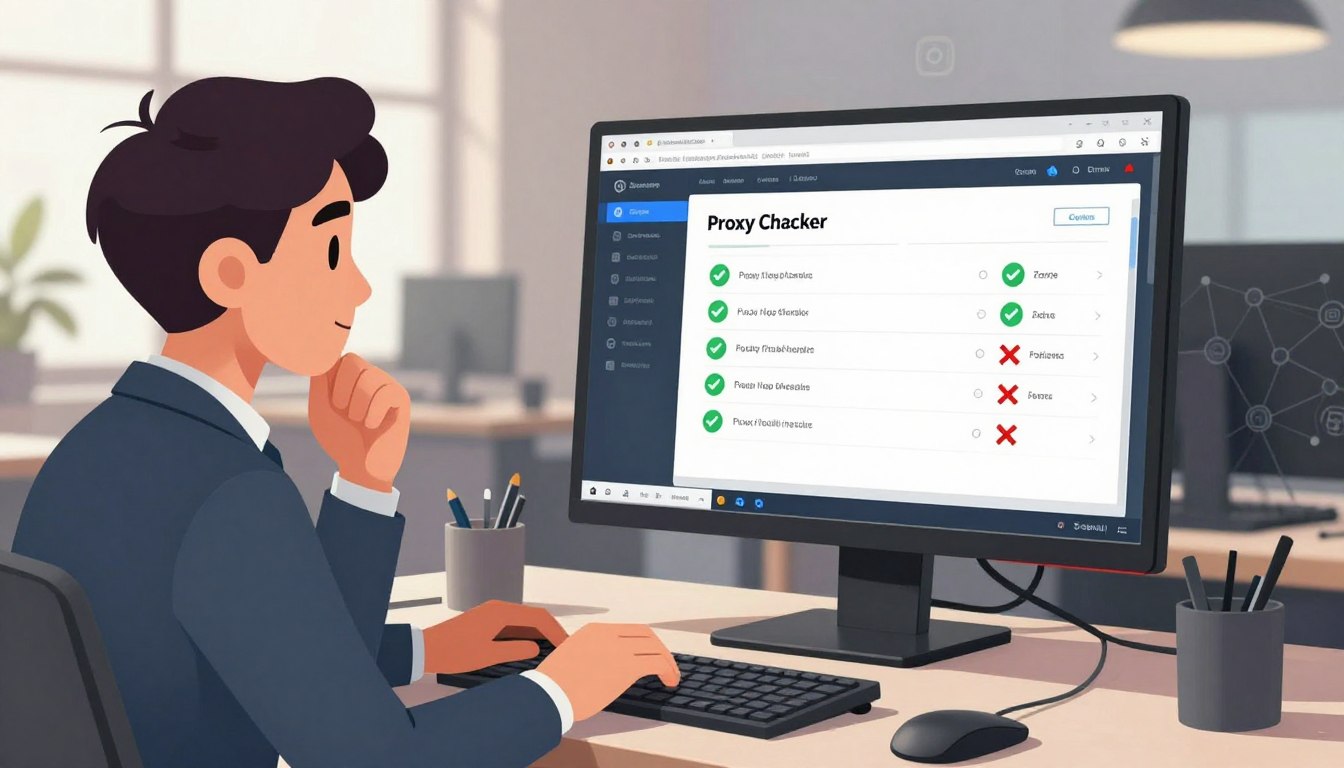
We use both residential and datacenter proxies in our work. A good proxy checker is key to finding out which ones pass IP detection tests. It also shows which ones hide ISP details and which ones get blocked a lot during scraping or automated tasks.
Public nodes can send traffic through an ISP proxy or cloud providers. This mix changes how geolocation, latency, and anonymity work. Without checking first, we might face bans, wasted requests, and issues with following rules.
Teams in the industry say checking proxies saves money by avoiding trial-and-error. Testing for anonymity, latency, and geographic consistency helps us avoid blocks and complete tasks better. A proxy checker makes our work more precise.
In this article, we’ll talk about what a proxy checker does and how to pick the right one. We’ll also look at how proxy type affects public nodes. We’ll share tips for setting up and keeping an eye on our systems to ensure they’re safe, fast, and follow the rules.
Key Takeaways
- We must test public nodes to reduce IP detection and lower block rate.
- Residential vs datacenter behavior differs: ISP proxy routes feel more natural, datacenter proxies can be flagged faster.
- A proxy checker measures anonymity, latency, and geolocation before deployment.
- Pre-checking proxies saves time and cuts operational costs for scraping and automation.
- Ongoing monitoring of public nodes ensures consistent performance and compliance.
Understanding Proxy Checkers
A proxy checker is key in today’s networking world. It checks if proxy servers work well, including their speed and privacy. It also checks if they match our needs for location and protocol.
What is a Proxy Checker?
A proxy checker is a tool that tests proxy servers. It checks if they are up and running, how fast they are, and if they keep your identity private. It also finds out where they are located and what protocols they support.
How Proxy Checkers Work
Proxy checkers do many tests to understand a proxy’s performance. They first check if they can connect and how fast they respond.
Then, they look at the request headers to see how private the proxy is. They also use services like MaxMind to find out where the proxy is located. This helps tell if it’s from an ISP or a datacenter.
They also do more detailed tests. These include checking how well the proxy blocks requests and verifying its security. They also check for DNS leaks and WebRTC issues to make sure the proxy is reliable.
Types of Proxy Checkers
There are different types of proxy checkers, each for a specific use. Online SaaS checkers are great for quick checks. Open-source command-line tools are perfect for automated checks in DevOps.
Browser extensions are handy for quick checks while you’re browsing. API services are for big companies that need to monitor many proxies at once.
| Checker Type | Best For | Key Features |
|---|---|---|
| Online SaaS | Fast list validation | Dashboards, geo lookups, ASN/subnet insights |
| Open-Source CLI | Automation and DevOps | Scriptable tests, latency reports, header analysis |
| Browser Extension | Quick in-browser checks | WebRTC and DNS leak tests, simple ip detection |
| API Service | Real-time monitoring | Enterprise dashboards, block-rate simulation, reporting |
The Importance of Reliable Proxy Checking
For businesses and individuals, checking proxies is key. We face many challenges that can harm our services. A good proxy checker helps us stay safe and keep our operations running smoothly.
Security Risks of Unchecked Proxies
Unchecked proxies can lead to serious security issues. They can allow hackers to intercept data and inject malware. This puts our data at risk and can lead to legal problems.
Platforms like Amazon Web Services share IP blocks. This can link our IP to bad behavior, making it harder to access our services.
We use a proxy checker to spot and remove risky proxies. It helps us avoid problems before they start.
Enhancing Privacy with a Proxy Checker
Privacy is crucial, and a proxy checker helps protect it. It checks for leaks that could reveal our IP. This ensures our online activities stay private.
Residential proxies help us blend in with regular internet users. But, we must check them to make sure they’re not fake or part of a botnet.
Regular checks keep our services running smoothly. They help us avoid sudden blocks and meet legal requirements for data handling. This keeps our customers happy and our business safe.
Key Features to Look for in a Proxy Checker
We seek features that ensure proxy validation is reliable and consistent. A good proxy checker should provide clear speed metrics and real-world performance data. It should also highlight issues like cloud proxy pools and bad subnet ranges. This makes it easier to pick proxies that fit our needs.
Let’s dive into the essential features. Each one is crucial for achieving better performance, such as lower latency and higher success rates. It also ensures safer ip detection.
Speed and Performance Metrics
Latency, throughput, success rate, and connection timeout are key metrics. They show how a proxy handles heavy loads and targets like e-commerce sites.
Checkers that simulate real traffic help predict proxy failures. They measure connection time and request completion for a complete performance picture.
User-Friendly Interface
We look for dashboards with easy-to-use features. Sortable tables, visual indicators, and exportable reports in CSV or JSON are a must. These features help teams make quick decisions.
Automated alerts and trend charts help spot performance drops fast. Filters by ASN and subnet help identify cloud proxy providers or specific ISPs. Historical views make it easier to track when a proxy’s reliability drops.
Compatibility with Different Platforms
Compatibility is key. We need REST APIs for automation, CLI tools for DevOps, and browser plugins for quick checks. Integrations with Scrapy and Puppeteer make testing in scraping workflows easier.
Support for HTTP, HTTPS, and SOCKS5 is a must, along with common authentication schemes. Cross-platform compatibility makes deployment smoother across cloud instances, local servers, and CI pipelines.
We also value features like ASN and subnet lookup, ip detection tests, country and region filtering, and concurrent checks. These features increase confidence in our proxy fleet and reduce the risk of unexpected failures.
Different Use Cases for Proxy Checkers
We use proxy checkers to find the right tool for each job. Each task needs specific checks for speed, location, and privacy. Here, we explore three common scenarios and the best proxy choices for each.

Web Scraping
For web scraping, we look for proxies with low block rates and varied subnets. We check if scripts can access specific sites without fail. The checker also reports on response time, success rate, and ISP detection.
Choosing between residential and datacenter proxies depends on risk and budget. Residential proxies mimic real ISP traffic, reducing detection risks for sensitive scraping. Datacenter or cloud proxies are cheaper for large jobs where some risk is okay.
Bypassing Geo-Restrictions
Proxy checkers help us confirm location and latency from desired areas. They ensure probes resolve to the correct country, city, and ISP. This is crucial for accessing region-locked content.
Residential proxies offer better local routing and lower IP block rates. Before starting content capture or streaming, checkers verify the proxy’s location.
Anonymity in Online Activities
Anonymity is key for market research, ad verification, and price comparison. Proxy checkers reveal if proxies leak information or reveal their origin. This helps us pick elite proxies for complete privacy.
Proxy choice depends on task sensitivity. For financial tasks, residential proxies are best for their reliability and trust. For high-volume, low-cost tasks, datacenter or cloud proxies are fine if checkers confirm good anonymity and performance.
Evaluating Online Proxy Checkers
We start by looking at community feedback and objective metrics when we evaluate proxy checker options. User experiences help us spot patterns that lab benchmarks miss. We learn which tools report accurate ip detection, which show realistic block rate numbers, and which misidentify subnets.
We recommend reading reviews on reputable tech blogs, scanning GitHub issues for recurring bugs, and joining forums where admins test proxies in real scenarios. Independent tests often reveal differences in ASN and subnet detection that vendor pages omit. We stay critical of cherry-picked benchmarks and favor community-shared data.
Below we outline common tool categories and representative names that we encounter in the field. Each has strengths for different workflows, from simple browser checks to scalable API-driven services used in enterprise scraping and security audits.
- Commercial SaaS: providers with dashboards, API endpoints, and support for bulk checks.
- Open-source tools: local utilities for validation and integration into CI pipelines.
- Browser utilities: lightweight extensions for quick IP and WebRTC checks.
- Lookup services: MaxMind, IPinfo, and RIPE/ARIN WHOIS for geo, ASN, and subnet lookups.
When we compare candidates we use specific criteria. Accuracy of ASN and subnet detection sits at the top of our list. We test depth of anonymity checks, including WebRTC and DNS leak detection. We measure real-world block rate against sample proxy lists. We test scalability with concurrent checks and review pricing models for per-check or subscription billing.
| Category | Representative Names | Key Strength | What we test |
|---|---|---|---|
| Commercial SaaS | Bright Data, Oxylabs, Smartproxy | Dashboards, APIs, support | ip detection accuracy, block rate under load, integration options |
| Open-source | ProxyBroker, mitmproxy, Nmap scripts | Local control, auditability | ASN/subnet detection, extensibility, community reviews |
| Browser Tools | FoxyProxy, WebRTC leak testers | Quick checks, developer-friendly | WebRTC/DNS leak tests, simple ip detection |
| Lookup Services | MaxMind, IPinfo, RIPE/ARIN WHOIS | Authoritative geo and ASN data | Subnet mapping, ASN validation, enrichment for reports |
We advise testing each shortlisted checker with our own proxy samples. Personal tests confirm vendor claims about block rate and ip detection. We log discrepancies and favor tools that let us export raw results for audit. This hands-on approach helps us choose tools that suit our scale and budget.
The Role of Public Nodes in Proxy Use
We use a variety of endpoints when testing proxies. Public nodes are accessible to anyone. They include free proxy lists, Tor exit nodes, and shared VPN endpoints. These differ from private proxies in how they are set up and who can use them.
Definition of Public Nodes
Public nodes are on shared servers and handle traffic from many users. They are often found in lists that offer free routing or anonymity. They can be on ISP networks, cloud providers, or datacenter subnets.
We check if an endpoint acts like an isp proxy or a cloud proxy. This affects how fast data moves and how websites see the connection. A quick test can show if an address is from a residential ISP or a datacenter.
Benefits and Drawbacks of Public Nodes
Public nodes are easy to access and cheap. They’re good for quick tests or short tasks. They also offer a wide range of locations, which is useful for some users.
But, there are big downsides. Public nodes often get blocked more and their uptime is not reliable. Many are on datacenter or cloud subnets, making it easier for websites to detect them. This also means they might be grouped with bad traffic.
Security is another big concern. Open nodes can be used for bad activities like sniffing traffic or adding content. Always check public nodes before using them. A good proxy checker can find and block slow, malicious, or detectable nodes. It helps tell residential from datacenter proxies.
Risks Associated with Public Proxies
Public proxies seem appealing for quick access or low-cost testing. But, we must consider the risks before using them. Here, we discuss the main dangers and how to test for them.
Data Breaches and Privacy Concerns
Untrusted public proxies can steal sensitive information. They can capture login details and session cookies. This is a big privacy risk.
These proxies can also alter content and inject scripts. This is a legal issue for companies handling personal data.
Rules like HIPAA and GDPR are strict about personal data. We advise against using public proxies for regulated data. This helps avoid data breaches and legal trouble.
Connection Reliability Issues
Public proxies often have uptime and latency problems. They can be blocked suddenly, affecting tasks like scraping and automation.
Datacenter proxies get blocked by big services like Google and Amazon. Residential proxies can be reliable one minute and down the next.
Unreliable connections lead to retries and timeouts. This increases costs and makes scheduling hard for important tasks.
How Proxy Checkers Help
We use proxy checkers to spot suspicious activity and test TLS. Good checkers also monitor uptime and flag bad proxies.
Advanced tools do ip detection, check response consistency, and measure metrics. These help us avoid risky proxies in important workflows.
For critical tasks, we skip public proxies and choose trusted providers. This lowers privacy risks and boosts connection reliability for ongoing operations.
How to Choose the Right Proxy Checker
Choosing the right proxy checker starts with a clear plan. We need to define what we want to protect, the scale of our operations, and how results will plug into our automation. This first pass helps us choose proxy checker tools that match real needs and avoid wasted effort.
Assessing Your Needs
We start by assessing our needs across five dimensions. These are scale, sensitivity, target services, protocol support, and budget. Scale covers the number of proxies and how often we test them.
Sensitivity covers privacy and compliance rules for data handling. Target services matter because social media platforms and e-commerce sites flag different patterns. Protocol support tells us whether SOCKS5, HTTPS, or HTTP are required.
Budget sets realistic expectations for features and support. Deciding between residential vs datacenter proxies affects which metrics matter most. For residential use, anonymity tests and IP reputation are more critical.
For datacenter scenarios, throughput and concurrency limits often weigh heavier.
Comparing Features and Tools
We compare tools using a practical checklist. Accuracy of IP detection and ASN/subnet mapping helps us tell isp proxy from cloud proxy origins. Measuring block rate against custom endpoints shows how proxies behave with our targets.
Concurrency limits and API or CLI support determine how well a checker integrates with our workflows. Reporting, alerting, pricing transparency, and vendor reputation round out the evaluation.
We always trial promising checkers with real proxy lists. Trials validate claims on block rate, latency, and false positives. Historical performance trends reduce reliance on single-run tests.
| Evaluation Area | What to Look For | Why It Matters |
|---|---|---|
| IP & ASN Mapping | Clear ISP and ASN identification; cloud vs ISP tags | Helps distinguish an isp proxy from a cloud proxy and supports routing decisions |
| Block Rate Measurement | Custom endpoint testing, repeatable metrics, exportable results | Shows real-world failure rates against our targets and informs proxy rotation |
| Protocol Support | HTTP, HTTPS, SOCKS5, and IPv6 where needed | Ensures compatibility with our applications and scraping libraries |
| Integration | API, CLI, SDKs, and webhooks | Allows automation and reduces manual checks in large deployments |
| Concurrency & Throughput | Limits per account; testing parallelism | Determines how many proxies we can validate at once without bottlenecks |
| Reporting & History | Trend graphs, exportable logs, alert thresholds | Helps spot degradation over time and avoid one-off anomalies |
| Pricing & Trials | Transparent tiers, trial period, overage policies | Prevents surprises and allows true validation before commitment |
| Vendor Reputation | User reviews, case studies, support responsiveness | Indicates reliability and speed of issue resolution |
We recommend prioritizing checkers that integrate with our workflow through APIs or CLI tools. Tools that offer ASN/subnet intelligence let us see whether an address is a cloud proxy or an isp proxy. That intelligence helps with routing decisions and risk assessment.
When features tie, we favor vendors that publish historical trends and let us measure block rate consistently. That approach gives us confidence beyond a single scan and lowers operational risk.
Setting Up Your Proxy Checker
Let’s start with what you need to know when setting up a proxy checker. We’ll cover both SaaS services and self-hosted tools. We’ll also talk about how to avoid false positives.
Setting it up is easy if you follow the right steps. For SaaS, just create an account and link your proxy provider. For self-hosted tools, download the package and get your host ready.
- Create an account or download the package and check the checksums.
- Set up API keys for SaaS or environment variables for local use.
- Install any needed software like Python or Node.
- Do a test run with a sample proxy list to check everything works.
- Add proxies using file upload, API, or direct feeds for updates.
Configuring the checker lets you control its depth and speed. You can set limits on how many checks run at once, how long each check takes, and which sites to test.
- Concurrency/thread limits to avoid overwhelming targets or our host.
- Timeout thresholds set realistically to balance speed and accuracy.
- Test endpoints choose custom endpoints or default verification pages.
- Protocol selection for HTTP, HTTPS, SOCKS4 and SOCKS5.
- Authentication credentials support for username/password or token-based proxies.
- Scheduling for recurring checks to keep lists fresh.
It’s a good idea to enable ASN and subnet detection. This helps spot cloud proxy ranges and reduces false positives. Also, turn on WebRTC and DNS leak checks to make sure your anonymity is strong.
Choose your timeout values based on how fast your typical targets are. Short timeouts mean quicker results but might miss slow but good proxies. Long timeouts are more accurate but slower. Find a balance that works for you and adjust as needed.
Set up alerts for when success rates drop or block rates rise. Connect your results to tools like Datadog or Prometheus. This way, you can see how proxy health affects your system.
| Setup Step | SaaS Approach | Self-Hosted Approach |
|---|---|---|
| Initial access | Create account, obtain API key | Download package, verify checksum |
| Proxy input | Upload list, use provider integration or API | Import file or pull from provider API |
| Dependencies | None on client; service handles runtime | Install Python/Node, libraries, and runtime |
| Key config | Concurrency, timeout, test endpoints | Same options plus local env tuning and cron schedules |
| Advanced checks | Enable geolocation, ASN, ip detection | Enable geolocation, ASN, subnet scanning and ip detection |
| Alerting & integration | Built-in webhooks and integrations | Integrate with Datadog, Prometheus, or custom webhooks |
Best Practices for Using Proxy Checkers
We use proxy checkers to keep our proxy pools healthy. Here are some steps to update proxy lists, monitor performance, and handle changes in latency or blocking.
We keep our inventory fresh by removing dead or blacklisted IPs. We also rotate proxies to avoid being detected. We set up automatic re-validation with our proxy checker to remove failing entries before they cause problems.
Regular Updates of Proxy Lists
We keep our subnets diverse and spread traffic across different providers. This reduces the risk of single-point failures. We also limit the reuse of the same proxy for many accounts to avoid attribution risk.
We store credentials securely and rotate them as recommended by providers. We scan against known blocklists and check geographic and ISP data regularly. If an isp proxy or cloud range shows a high block rate, we move traffic to healthier ranges.
Monitoring Performance and Speed
We always check speed metrics like latency and request success rate. We also track block rate over time and look for correlations with changes in target sites or ISP ranges. This helps us detect gradual degradation and take action.
We use proxy checker outputs in real-time to make data-driven selections. Our dashboards show speed metrics, block rate, and uptime. Alerts notify us when a proxy’s health is low, so we can act quickly.
- Rotate proxies regularly and keep diverse subnets.
- Schedule automatic re-validation and purge failing entries.
- Monitor latency, success rate, and block rate continuously.
- Correlate issues to ASN and isp proxy ranges for targeted remediation.
- Secure credentials and limit reuse across accounts.
- Log activity and feed outputs into orchestration for automatic selection.
We follow these steps as part of our operational playbook. They help us reduce downtime, improve scraping yields, and keep privacy in workflows that use public and private proxies.
Troubleshooting Common Issues
We start by outlining quick checks to resolve common connection problems. These issues affect proxy workflows. Keep diagnostics simple and repeatable to find faults fast and reduce downtime.
Connection Failures
When connection failures occur, common culprits include wrong credentials and protocol mismatch. Firewalls, NAT blocks, expired proxies, and rate-limiting at the target also cause problems. We first verify credentials and test TCP reachability with telnet or netcat.
We check protocol settings to ensure we’re using SOCKS5 when needed, not plain HTTP. Adjusting timeouts and concurrency limits can help. If blocks persist, we look at ASN and subnet data to see if the hosting provider is blacklisted.
For persistent high block rate, we rotate proxies across diverse subnets and lower request frequency. Emulating realistic browser headers and pacing requests often reduces flags. If datacenter IPs trigger constant ip detection, we consider moving to residential or ISP-owned addresses.
Checking Proxy Anonymity
Testing proxy anonymity includes looking for header leaks like X-Forwarded-For and Via, plus DNS and WebRTC leaks. We use both browser-based checks and API validators to confirm that no identifying data escapes.
If a proxy fails anonymity tests, we switch to elite proxies or reconfigure proxy software to strip identifying headers. ASN and subnet lookup reveal whether an IP belongs to a cloud proxy provider or a home ISP, which helps predict ip detection risk.
When ip detection is frequent, rotating across diverse providers and subnets lowers block rate. We maintain a mix of residential and vetted cloud proxy endpoints. This makes our footprint look organic and resilient during troubleshooting.
The Future of Proxy Checking Technology
Proxy checking will change fast as networks grow and attacks get smarter. Tools will move from simple tests to deeper analysis. We’ll focus on better scoring, quicker results, and better working with automation.
Trends in Proxy Technology
More focus will be on ASN and subnet smarts to catch ISP blocks. Real-time analytics will help teams spot issues early. This way, campaigns won’t fail.
Hybrid proxy pools will mix residential and datacenter proxies. This balances cost and risk. Cloud and isp proxy services will work to hide their identities better.
Browser automation will team up with proxy checkers. This will handle proxy rotation, session keeping, and location automatically. We’ll get more detailed location data, like city and ISP, for better targeting and following rules.
The Impact of AI on Proxy Checking
AI will change how we detect IPs by using latency, ASN, request headers, and block rate history. Machine learning will help score proxies better than old rules.
We’ll use AI to pick and replace proxies automatically. This will cut downtime by moving traffic before blocks happen. Smart rotation and dynamic rerouting will become common.
An arms race is coming: as detection gets better, proxy providers will find new ways to hide. We’ll need to keep improving AI detection to keep proxy services working well.
Conclusion: Making Informed Choices
We’ve looked at why a good proxy checker is key when picking between residential and datacenter proxies. Residential proxies come from home ISPs and are less likely to be blocked. They are more expensive, though.
Datacenter proxies are faster and cheaper but can be traced back to their source. This makes them riskier for detection.
When picking a proxy checker, look for tools that check for anonymity, speed, location, and security. The best tools do ip detection tests and report on block rates. They also show ASN and subnet details.
This helps us compare proxy options and find any weaknesses before they cause problems.
To move forward, we should think about our needs and try out different proxy checkers. Use them with sample proxy lists, including both ISP-based and cloud proxies. Start with a short test period and connect the checker via API.
Then, set up dashboards to watch block rates and other important metrics. By making proxy checks a regular part of our work, we lower risks and make our proxy management smarter.
FAQ
Why do we need a reliable proxy checker when using public nodes?
Public nodes have different IP attributes that affect how well they work. A good proxy checker checks if the proxy is available, anonymous, and in the right location. It also checks if the proxy is owned by a residential ISP or a cloud provider.
This helps us avoid getting banned and saves us money. It also helps us find the best proxies for our needs.
What exactly is a proxy checker and what does it test?
A proxy checker is a tool that checks if proxies work well. It tests if the proxy connects, how fast it is, and if it supports different protocols. It also checks if the proxy keeps your identity hidden and if it’s in the right location.
Good checkers also test for leaks and simulate how often a proxy might get blocked.
How do proxy checkers tell residential proxies apart from datacenter or cloud proxies?
Checkers look at the ASN and subnet to figure out who owns the IP. Residential proxies usually belong to consumer ISPs, while datacenter proxies belong to hosting providers. This helps us know if a proxy is likely to get detected.
What types of proxy checkers are available and when should we use each?
There are online tools for ongoing monitoring, open-source tools for one-time checks, browser extensions for quick tests, and API services for automation. Use online tools for large-scale monitoring, open-source tools for audits, and APIs for integrating checks into your workflow.
Can proxy checkers detect advanced ip detection techniques and fingerprinting?
Basic checkers look at IP attributes, but advanced checkers use more methods. They analyze HTTP headers, check for leaks, and test TLS fingerprints. This helps reduce false positives and gives a better idea of block rate risk.
What security risks do unchecked public proxies pose?
Unchecked public proxies can lead to man-in-the-middle attacks and data theft. They can also inject malware or tracking scripts. A proxy checker identifies risky proxies and helps avoid these dangers.
How does a proxy checker improve privacy and reduce leaks?
Checkers verify if proxies hide your identity by checking for leaks. They make sure your traffic looks like it’s coming from the claimed location. This reduces the chance of getting detected when using high-anonymity proxies.
What performance metrics should we look for in a proxy checker?
Look for metrics like latency, throughput, and success rate. Also, check how well the proxy performs in real-world scenarios. Monitoring block rate and concurrency helps spot issues early.
Which features make a proxy checker user-friendly for teams?
A good checker has dashboards, exportable reports, and automated alerts. It should also have API/CLI access and visual indicators for health. Features like historical trend views and integrations with other tools make it easier to use.
How do proxy checkers help reduce block rate for web scraping?
Checkers find proxies with low block rates by testing them against multiple targets. They help diversify subnets and rotate proxies wisely. This keeps scraping operations running smoothly.
Are public nodes ever acceptable to use?
Public nodes are okay for low-risk tests due to their availability and cost. However, they often have high block rates and security risks. Use them only for non-sensitive tasks after checking with a proxy checker.
How should we evaluate and choose a proxy checker for our needs?
Consider your scale, sensitivity, and target services. Look at the checker’s accuracy, ASN/subnet intelligence, and block rate simulation. Also, check its concurrency limits, API/automation capabilities, and pricing. Test it with real proxies to see if it meets your needs.
What configuration options are important when setting up a proxy checker?
Important options include concurrency/thread limits, timeout thresholds, and custom test endpoints. Also, enable ASN/subnet lookup, select protocols, and set up authentication. Realistic timeouts and WebRTC/DNS leak tests are crucial for accuracy.
How often should we re-check our proxy lists and monitor performance?
Regularly validate proxies—daily or weekly depending on your scale. Remove dead or blacklisted IPs quickly. Monitor latency, success rate, and block rate to catch issues early.
What common troubleshooting steps help when proxies fail?
Check if credentials and protocol match. Test basic TCP connectivity and check for firewall or NAT issues. Review timeouts and concurrency settings. For anonymity failures, test for leaks and switch to better proxies if needed.
How can AI and machine learning improve proxy checking?
AI can predict which proxies will fail by analyzing signals like latency and ASN. Machine learning helps with smarter rotation and predictive replacement. This improves uptime in large-scale deployments.
Which third-party data sources do proxy checkers use for geolocation and ASN info?
Reliable checkers use MaxMind, IPinfo, and regional registries for location and ASN data. This helps determine if a proxy is residential or cloud-based and ensures accurate routing.
What are the legal and compliance considerations when using public proxies?
Using public proxies for personal or regulated data can be risky. Ensure data protection compliance and avoid sensitive data on untrusted nodes. Proxy checkers help maintain compliance by flagging suspicious nodes and TLS issues.
How do we interpret ASN/subnet signals when assessing proxy risk?
ASNs and subnet patterns show if an IP is from a consumer ISP or a cloud provider. Large cloud ASNs and subnets indicate higher detection risk. Prioritize residential ISPs for sensitive tasks and use ASN filtering to avoid risky ranges.