We want to teach you how to scrape Google safely and responsibly. We’ll show you how to use anonymous proxies to do this. Our goal is to help you avoid getting banned and follow the law and ethics.
This guide is for teams in the United States. They do competitive intelligence, SEO research, and more. They need accurate data from search engine results pages.
We’ll talk about choosing the right proxy and managing it. We’ll also cover how to make your requests look real. This includes handling captchas and choosing between headless browsers and HTTP scraping.
We’ll also discuss how to build your queries safely. You’ll learn about robots.txt and Terms of Service. Plus, how to store and parse your results securely.
Our guide is written in the first person plural. We stress the importance of following the law and ethics. Quick tips: use residential or mobile proxies for stealth. Rotate user-agents and headers. Use randomized delays and detect captchas early. Store data securely and keep logs for audits.
Key Takeaways
- Use anonymous proxies, especially residential or mobile, to protect origin IPs during google scraping.
- Rotate user-agent and other headers to mimic real browsers and reduce fingerprinting risk.
- Implement randomized delays and throttling to emulate human behavior and avoid captcha triggers.
- Detect and handle captchas early; maintain human-in-the-loop fallbacks where needed.
- Log requests and store scraped data securely to support audits and compliance.
Why We Scrape Google Search Results and When It’s Appropriate
We scrape search engine results when we need raw data or HTML for our projects. This is often for tracking rankings, checking ad placements, or getting local results that APIs miss. It’s important to know why we’re doing it and stick to public content.
Business and research use cases for scraping SERPs
Scraping SERPs helps us understand the market and competitors. It lets teams at companies like HubSpot and Shopify adjust their strategies fast.
SEO and keyword research benefit from regular snapshots of title tags and rankings. This is key for local search monitoring, especially for franchises and retailers.
For e-commerce, scraping helps with price and product aggregation. It’s also used in academic studies to analyze query behavior and SERP features over time.
Monitoring brand reputation and ad verification are also important tasks. Agencies use it to check compliance and spot unauthorized messages.
Legal and ethical boundaries to consider
Public search results are treated differently from private ones. We only collect what’s available on the page, respecting crawl rates and avoiding personal data.
Privacy laws like the California Consumer Privacy Act (CCPA) are crucial. We don’t collect personal data unless we have a legal reason to do so.
Contractual obligations and intellectual property rights are also key. We don’t scrape paywalled content or reproduce databases without permission. Staying within legal limits protects our organizations.
When to choose API alternatives over scraping
For critical or sensitive work, we prefer official APIs. Google Custom Search API and Google Cloud offerings provide structured data and clear terms, reducing risk.
Third-party SERP APIs are good for quick, reliable data when the cost is right. They offer simplicity and avoid blocking or captchas.
Scraping with anonymous proxies is best when APIs can’t meet our needs. This is for deep DOM captures, precise localization, or complex dorking.
| Use Case | Preferred Method | Why |
|---|---|---|
| Low-volume reporting and compliance | Google Custom Search API | Structured data, clear terms, lower legal risk |
| High-frequency local rank tracking | SERP scraping with proxies | Granular localization and full HTML context |
| Ad verification across regions | Third-party SERP API | Normalized responses and managed infrastructure |
| Academic studies on query behavior | Google scraping or API, depending on scope | APIs for small samples, scraping for large-scale DOM analysis |
| Price aggregation for e-commerce | SERP scraping with compliance checks | Requires frequent, detailed captures of product snippets |
Understanding SERP scraping: Key Concepts and Terminology
We first define what SERP scraping is and why using the right terms is crucial. It helps teams avoid errors when they extract data like rankings and snippets. This introduction sets the vocabulary for the guide.
What SERP scraping means and what it delivers
SERP scraping is about automatically getting data from Google search pages. We gather organic results, ads, and more. This includes things like featured snippets and local packs.
What we get includes rankings, titles, and URLs. We also get ad copy and flags for special features. This data helps us understand search results better.
Search engine results page structure and elements we target
The search results page has different sections like ads and organic listings. Each section has its own markup and can change based on where you are or what device you use.
Mobile versions of search pages can look different. We need to make sure our tools work the same way on all devices and locations. This ensures we get the right data every time.
Important terms: bots, crawlers, captchas, rate limits
It’s important to know the difference between bots, crawlers, and scrapers. Bots and crawlers are programs that browse pages. Scrapers are tools that focus on extracting specific data.
Rate limits are rules to prevent too many requests at once. Captchas and reCAPTCHA are systems that detect automated activity. Fingerprinting is about identifying non-human traffic by collecting browser and device information.
Google uses these methods to spot suspicious activity. When we build systems for scraping Google, we need to plan for these challenges. This ensures our data pipelines stay reliable.
Risks of Scraping Google Without Protection
Scraping Google at scale comes with big risks. Without protection, we can get caught fast. This can mess up our projects, harm our clients, or break our tools.
IP blocking is a common defense. Google might block us with HTTP 429, 503, or 403 codes. They could slow down our connections or block our IP range.
Account bans are another risk. If we scrape using logged-in accounts, we could lose access to important services. This includes Gmail, Search Console, and Google Cloud services.
Captcha challenges are a sign of robotic behavior. If our requests seem too uniform, Google might ask us to prove we’re human. They use invisible tests that can stop our automated processes.
Fingerprinting makes us easier to detect. Google looks at browser signals like canvas and font details. They also check timezone, screen size, and installed plugins.
Being inconsistent in our browser signals can lead to more captcha challenges. We need to keep our browser settings the same across all requests. This helps avoid getting blocked.
Reputational damage is a big worry. If our scraping causes problems or looks abusive, others might stop working with us. Clients might doubt our reliability if our data delivery slows down.
Legal trouble is another concern. Scraping without permission or capturing personal data can attract unwanted attention. We need to be careful about what data we collect and how long we keep it.
To avoid these risks, we focus on defensive strategies. We use many sources, mimic real browser behavior, and collect minimal personal data. These steps help us avoid getting blocked, reduce captcha challenges, and protect our reputation and legal standing.
Why Anonymous Proxies Are Essential for Safe Scraping
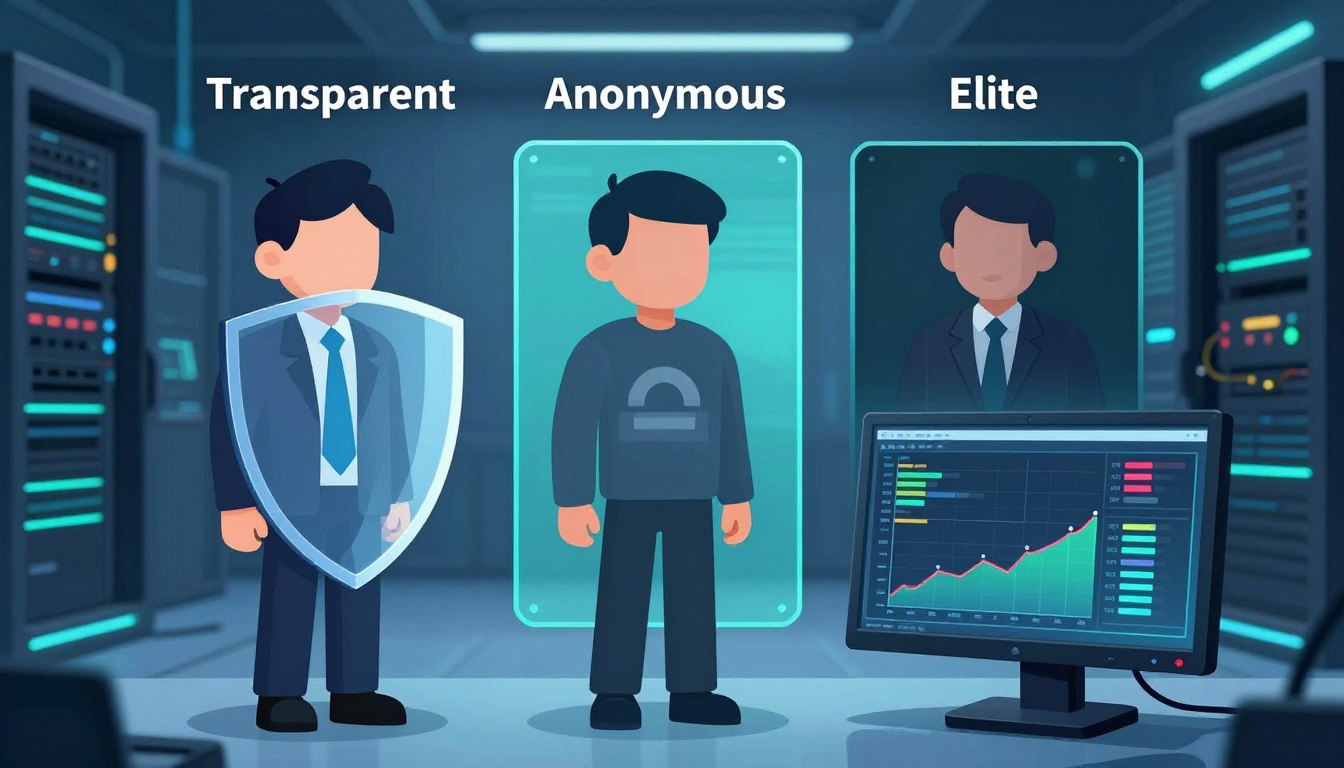
Scraping Google results at scale requires careful planning. Anonymous proxies hide our IP and remove identifying headers. This keeps our online presence small and avoids detection.
How anonymous proxies help us hide origin IPs
Anonymous proxies act as middlemen, showing Google a different IP than our own. We spread our queries across many addresses to avoid being blocked. This method also helps us maintain a consistent identity for a short time.
Differences between datacenter, residential, and mobile proxies
Datacenter proxies are quick and cheap but risk being detected by Google. They’re good for small tasks or non-Google sites.
Residential proxies use real ISP addresses, making them more trustworthy. They help us scrape Google results more smoothly.
Mobile proxies mimic mobile traffic, perfect for capturing mobile SERPs. They’re pricier but offer the most realistic experience.
Protocol support is key. HTTP(S) proxies work for basic requests. SOCKS5 supports more protocols, ideal for complex crawls.
Choosing the right proxy type for Google SERP scraping
For stealthy, high-volume scraping, choose residential or mobile proxies. Datacenter proxies are okay for small tests or non-Google sites.
When picking a provider, look at pool size, rotation API, and session control. Check IP churn policies and HTTPS support. Test IPs for Google reachability and scan for blacklisting.
Practical tips: use authenticated proxies and providers with clear policies. Avoid cheap suppliers that sell blacklisted IPs. Keep an eye on your proxy pool’s health. This ensures reliable scraping without disrupting search platforms.
Proxy Pool Management Strategies
We manage proxy pools to keep google scraping stable and stealthy. A good pool strategy reduces blocks, keeps latency low, and preserves realistic behavior during SERP scraping.

Rotation choices affect detection risk. We use three main modes: round-robin for uniform distribution, randomized rotation per request to break patterns, and session-based rotation that pins an IP for short-lived sequences to preserve cookies and state. We balance frequency to avoid pattern detection and to prevent overusing a single IP.
Health checks keep the pool usable. We probe known endpoints, log success rates, average response times, and captcha frequency. Any proxy showing rising captcha rates or repeated 403/429 responses goes into quarantine for automated revalidation.
We set clear thresholds for marking IPs as bad. For example, if captcha rate exceeds a provider-specific threshold or error rates spike beyond X%, we pull replacements via provider APIs. Tracking provider-level failures helps us diversify across multiple vendors and avoid single-point outages.
Geolocation rotation matters when we need local SERP results. We map target locales to exit locations and select proxies that match those regions. For multi-location campaigns we maintain separate regional pools and shuffle within each pool to prevent mixed-location artifacts in results.
Session management is crucial for personalization tests. We pin a proxy to a session while rotating user-agent strings and cookie jars. That approach preserves realism for short sequences while letting us cover broad query sets with rotating proxies elsewhere.
We automate metrics and alerts. Key metrics include success rate, avg response time, captcha frequency, and provider uptime. Automated alerts trigger when health degrades, so we can replace IPs or tweak rotation without manual intervention.
Finally, we document pool policies and keep logs for auditing. Clear replacement rules, rotation schedules, and geolocation rotation maps let us scale SERP scraping reliably and reduce operational risk during sustained google scraping campaigns.
Configuring User-Agent and Request Headers to Mimic Real Users
We aim to act like real users to avoid detection while scraping. We manage identity signals and session data carefully. This ensures our requests look natural.
Why rotate user-agent strings
We change user-agent values to dodge blocking. Mixing desktop and mobile strings from Chrome, Safari, and Firefox makes our requests seem human. We avoid using old or fake user-agent strings.
How we maintain a curated pool
We update our user-agent pool often. For locale targeting, we pair user-agent types with the right Accept-Language headers. This matches the expected device profiles.
Request headers to emulate browsers
We set headers like Accept and Accept-Language to mimic real browsers. The order and values must match the chosen user-agent for consistency.
Randomization and locale targeting
We randomize Accept-Language and vary Referer values within realistic bounds. This is helpful for distributed scraping tasks across regions.
TLS, HTTP/2, and connection behavior
Connection reuse and TLS fingerprints can reveal bots. We use real TLS ciphers and HTTP/2 behaviors when possible. Headless Chromium builds that match Chrome’s TLS profile help reduce fingerprint differences.
Cookie jar and session persistence
We use a cookie jar per proxy or session to keep browsing state. Session cookies are kept for short sequences like pagination and clicks. We clear or rotate cookies when switching IPs to avoid linking across sessions.
Managing client-side storage
When using headless browsers, we manage localStorage and other client-side stores. This matches typical user flows. We seed values that real pages might create during navigation.
Avoiding obvious automation
We add small delays between requests and fetch page assets like CSS and images when practical. Keeping header sets and request timing consistent with browser patterns reduces detection risk.
Practical checklist
- Rotate realistic user-agent strings across device types.
- Keep Accept and Accept-Language consistent with locale.
- Use cookie jar per session and persist cookies during short workflows.
- Emulate TLS and HTTP/2 behaviors or use headless browsers that match real stacks.
- Request assets and add human-like delays to mimic browsing.
Implementing Realistic Request Patterns and Throttling
We create request flows that mimic how people browse online. This helps lower the chance of being caught while scraping search engine results pages (SERPs) and Google. We use small, varied pauses and uneven query timing to make traffic seem natural.
Instead of constant delays, we use probabilistic ones. For SERP interactions, delays range from 1–10 seconds, with a chance for longer times. This makes our traffic look more like real browsing.
We also randomize click sequences and query ordering. Sessions mix short and long queries and sometimes open links before returning to search pages. These actions add randomness and reduce pattern repetition.
Randomized delays and human-like browsing patterns
We model delays with distributions like log-normal or exponential to reflect human reaction times. This approach helps us avoid uniform intervals and improves our stealth during Google scraping.
We simulate UI interactions like scrolling and intermittent idle periods. We also include unrelated navigations to break the monotony. These tactics, along with cookie and session handling, help maintain a plausible browsing experience.
Parallelism limits to avoid triggering alarms
We limit concurrent requests per IP to a conservative level. For Google, we aim for 1–3 simultaneous requests per IP. We increase global throughput by expanding the proxy pool, not by raising parallelism on single IPs.
We balance how fast we collect data with the risk of being detected. More parallelism speeds up collection but raises detection risk. Our systems monitor error rates and adjust concurrency if needed.
Time-of-day and timing strategies for distributed scraping
We schedule traffic to match local activity cycles. We target business hours for commercial queries and evening windows for consumer topics. Staggering workers across time zones helps smooth out the load and avoids unusual bursts.
We implement backoff and burst handling on error signals. When encountering 4xx or 5xx responses, we apply exponential backoff and increase idle times. Captchas prompt immediate pause, proxy rotation, and longer cool-downs.
| Strategy | Typical Parameters | Risk Trade-off |
|---|---|---|
| Randomized delays | 1–10s for SERP; log-normal distribution; occasional 30–120s reads | Low risk, moderate latency |
| Human-like sequences | Mixed query lengths, pagination probability 20–40%, random unrelated nav 5–10% | Low risk, higher realism |
| Per-IP parallelism | 1–3 concurrent requests | Low detection risk, limited throughput |
| Global parallelism | Scaled to pool size; target safe rate per 1000 IPs | Throughput vs detection depends on pool health |
| Time-of-day scheduling | Align to target locale work/leisure hours; staggered workers | Reduces anomalous patterns |
| Burst handling & backoff | Exponential backoff factor 2, max delay 30–300s; proxy swap on repeated failures | Prevents escalation after errors |
Detecting and Handling Captchas and Challenges
When we scrape Google at scale, we often hit a captcha wall. This is unless we design our system to avoid these triggers. Captchas block automated traffic patterns. We aim to quickly spot challenges, choose the least disruptive response, and focus on prevention to keep costs and risks low.
We find captcha pages by looking for g-recaptcha and data-sitekey in HTML. We also check response codes, redirect chains, and known challenge endpoints. Logging how often challenges occur per IP and user-agent helps us find weak spots in our proxy pools or header hygiene.
Google’s reCAPTCHA comes in different forms. reCAPTCHA v2 shows visible widgets that need interaction. reCAPTCHA v3 gives risk scores and can trigger invisible challenges that block automated flows before showing a visible prompt. High request rates, repeated queries, abnormal navigation patterns, poor IP reputation, and bot-like fingerprints are common triggers.
We have three solving options: automated solvers, headless-browser interactions, and human-in-the-loop services. Each has its own speed, cost, and reliability. Automated solvers guess responses quickly, headless-browser interactions navigate APIs, and human services solve difficult CAPTCHAs in real-time.
When solving captchas isn’t possible, we use fallbacks. First, we back off and retry after random delays. Then, we switch to a fresh proxy session with a different IP and clean browser profile. If the problem persists, we send the query to a trusted SERP scraping API provider instead of trying again.
Prevention is our main goal. We reduce captcha incidence by rotating proxies, enforcing realistic throttling, and using varied, current user-agent strings. These steps lower the need for captcha solving and improve our scraping efforts’ reliability over time.
| Challenge Signal | Detection Method | Primary Response | Secondary Fallback |
|---|---|---|---|
| Visible reCAPTCHA widget | HTML marker: g-recaptcha, data-sitekey | Attempt headless interaction or automated solver | Rotate proxy and retry later |
| Invisible reCAPTCHA / low score | Behavioral block, non-200 responses, risk score headers | Lower request rate and re-evaluate headers | Use human-in-the-loop or API provider for SERP scraping |
| High captcha frequency per IP | Log frequency per IP and user-agent | Quarantine IP and refresh proxy pool | Adjust rotation policy and increase session isolation |
| Bot-like fingerprint detected | Browser fingerprint anomalies, missing headers | Improve header emulation and cookie handling | Replay with full browser profile or route to API |
| Repeated query patterns | Query similarity logs and timing analysis | Randomize queries, insert delays | Batch differently or throttle to human-like cadence |
Using Headless Browsers Versus HTTP Scraping for SERP Results
We choose tools for SERP scraping based on speed, stealth, and accuracy. There’s a clear choice between fast HTTP scraping and detailed browser rendering. The right choice depends on the page’s behavior and our needs.
For pages driven by JavaScript or needing interaction, we use a headless browser. Tools like Puppeteer and Selenium with Chromium run scripts and render content. This makes results more like real user experiences, especially for dynamic pages.
Using a headless browser, however, uses more resources. It increases CPU and memory use, lowers throughput, and raises costs as we scale. We must hide our identity, tweak settings, and manage user-agents to avoid detection.
HTTP scraping is better for simple data needs. It uses libraries like Requests to fetch pages quickly and cheaply. This method is great for high-volume tasks without the need for JavaScript rendering.
For straightforward SERPs, HTTP scraping is the best choice. It’s fast and cost-effective. We still use user-agent rotation and headers to seem legitimate and avoid blocks.
We mix methods for the best results. Start with HTTP scraping for bulk tasks. Then, use a headless browser for pages needing detailed rendering. Caching pages helps manage costs and reduces repeat renders.
Here’s how we decide:
- Use HTTP scraping for initial HTML or API responses.
- Choose a headless browser for content needing JavaScript execution.
- Use a hybrid approach for pages needing different rendering levels.
- Always rotate user-agents and manage headers for both methods.
| Criterion | HTTP scraping | Headless browser (Puppeteer) |
|---|---|---|
| Rendering JavaScript | Limited; cannot execute JS | Full JS execution and interactive flows |
| Resource use | Low CPU and memory | High CPU and memory |
| Throughput | High; easier to scale | Lower; more costly at scale |
| Detection surface | Smaller network footprint; needs header and user-agent care | Broader fingerprint; must emulate browser features and GPU metrics |
| Best use case | Bulk SERP scraping where HTML contains needed data | Dynamic SERPs, lazy-loaded content, and interactive checks |
| Scaling strategy | Mass parallel requests behind rotating proxies | Selective rendering with caching and fallbacks |
Query Construction, Dorking, and Avoiding Detection
We make our queries look like real searches to blend in with normal traffic. This careful approach helps avoid detection by Google during scraping. It’s all about creating queries that seem natural.

We use natural language and short phrases in our queries. We also mix in different punctuation styles. This variety helps our searches look like they come from real users.
When we use advanced operators, we do it randomly and in small amounts. This way, our searches don’t seem automated. It’s all about keeping things unpredictable.
We break our queries into batches and spread them out over time and different IP addresses. This makes our searches look like they come from many different users. We avoid repeating the same queries from the same IP too often.
We clean up every query to prevent errors. We make sure the queries are normal in length and don’t contain any special characters. This helps avoid raising any red flags.
We keep track of how our queries are received. This helps us learn which ones might trigger captchas or blocks. This knowledge helps us improve our scraping strategies.
We have a checklist to make sure our searches are varied and natural:
- Vary operator usage and case to avoid repetitive dorking signatures.
- Mix high-frequency and low-frequency phrases in each session.
- Randomize request timing and rotate endpoints to mimic human browsing.
| Risk Area | Mitigation | Practical Tip |
|---|---|---|
| Patterned dorking | Randomize operators and frequency | Use site: occasionally, not as the default |
| High-volume batching | Space batches, rotate IPs | Limit identical queries per hour per proxy |
| Malformed queries | Sanitize and normalize inputs | Strip control characters and cap length |
| Repeat triggers | Maintain logs and adjust patterns | Track hits that caused captchas on the search engine results page |
Automating query design is like doing thorough research. By being careful with our dorking and query construction, we can avoid detection. This approach helps us get the data we need from search engine results.
Respecting Robots.txt, Terms of Service, and Compliance
We follow strict rules in our SERP scraping work. These rules help us avoid trouble and make sure our scrapers don’t bother sites like Google. Before starting, we check the rules, understand the policies, and plan our logging for compliance checks.
What robots.txt communicates and how we interpret it
Robots.txt tells us how to crawl sites. It uses Allow and Disallow lines for specific user-agents. Some sites also have crawl-delay rules, but Google doesn’t follow those. We stick to the rules and make sure we don’t crawl where we shouldn’t.
Understanding Google’s Terms of Service and risk mitigation
Google’s Terms of Service say we can’t mess with their service. Breaking these rules can get us blocked or worse. For risky projects, we get legal advice, use Google’s APIs when we can, and slow down our scraping to avoid getting caught.
Regulatory obligations and data handling
Privacy laws like CCPA and GDPR guide how we handle data. Even public data might have personal info like phone numbers. We minimize data, hide personal info, and follow laws on how long we keep data.
Maintaining audit trails and compliance records
We keep detailed logs of our activities. These logs help us check our own work and show we’re following the rules. They also help us deal with any legal issues that come up.
Practical mitigation practices
- Prefer APIs over scraping when data is available through official channels.
- Rate-limit aggressively and randomize traffic patterns to reduce harm.
- Offer clear opt-out or removal processes for downstream consumers of collected data.
- Consult counsel for enterprise deployments that could trigger contractual or regulatory exposure.
We aim to be both effective and legal in our google scraping projects. Paying attention to robots.txt, Terms of Service, and compliance helps us avoid trouble. This way, we can keep scraping data without risking our access to it.
Data Storage, Parsing, and Result Normalization
Data handling is key in any SERP scraping workflow. We set clear rules for extracting data, use strong parsing, and normalize results. This way, we turn messy data into reliable sets for analysis and action.
We pull out specific fields for each result: rank, title, snippet, and more. This helps us see how rankings and features change over time.
We use top HTML parsers like BeautifulSoup and lxml in Python, and Cheerio in Node.js. When we find JSON-LD, we use it because it’s more stable. We also have backup plans with CSS selectors and XPath to handle changes in the web.
We make sure data looks the same everywhere, no matter the device or location. We standardize things like dates and money. We also clean up URLs and make sure mobile and desktop data looks the same.
Removing duplicates and making sure data is the same is crucial. We handle redirects and merge similar data. We also spot when the same URL shows up in different ways.
We store our data in PostgreSQL for easy queries. We keep performance metrics in a special store and raw HTML in object storage for debugging. We make sure data is safe by encrypting it and controlling who can see it.
We follow rules on how long to keep data and what to keep private. We only keep personal info if we have to. We also keep raw data to check our work and make sure we follow rules.
We watch for errors and changes in how data is presented. This helps us keep our data up to date. It’s important for our ongoing projects.
Monitoring, Alerts, and Adaptive Behavior
We keep our SERP scraping pipelines running smoothly by always watching them. We check if proxies are working well and if our scrapers are using resources right. This way, we can fix problems before they get worse.
We also check if the pages we scrape have what we expect. This helps us catch problems where things look okay but aren’t quite right. We track how many requests we make, how fast we get answers, and how often we succeed.
We have a system for sending alerts based on how serious a problem is. For small issues, we just send a gentle reminder. For bigger problems, we might switch to a different IP or slow down our requests. And for the worst problems, we stop scraping and try something else.
Our alerts are set up to send messages when we see certain signs of trouble. For example, if we get a lot of errors or if our proxies start to fail fast. These messages give our team all the info they need to act fast.
We use tools like Grafana or Datadog to show our data in a clear way. These dashboards help us see things like how often we get captchas, how many requests we make, and how well our scraping is going. This helps us catch any problems and make sure we’re doing things right.
We use what we learn from our data to make our scraping better. If we get a lot of captchas, we might slow down or make fewer requests. If some queries keep getting blocked, we might change those queries or use different proxies.
We have a special system that makes sure we handle things the same way every time. This system can even try harder methods if needed, like using headless rendering or switching to new IPs. It can also pause scraping if things get too tough.
We have plans in place for big problems like getting blocked by too many sites or if our providers have outages. These plans include using other data sources, paying for APIs, and figuring out what went wrong after the fact. This helps us avoid the same problems in the future.
We regularly test our systems to make sure they’re working right. This includes checking our monitoring, alerts, and how we adapt to problems. It helps us stay ready and keep our data safe and accurate while we scrape the web.
Cost, Performance, and Scaling Considerations
We balance cost, performance, and anonymity when designing systems for SERP scraping and google scraping. Small design choices change proxy cost and throughput. We outline typical cost drivers, trade-offs between stealth and speed, and practical scaling patterns that keep our footprint discreet as we grow.
- Proxy provider fees: residential and mobile proxies command higher rates than datacenter providers. Pricing models vary by per IP, per GB, or concurrent sessions.
- Compute: headless browser instances cost more CPU and memory than lightweight HTTP workers.
- Bandwidth: transfer fees add up with heavy result pages or images during google scraping.
- Captcha solving: third-party solver credits or human-in-the-loop services add predictable per-challenge expense.
- Storage and monitoring: long-term storage, logs, and observability tools represent ongoing monthly costs.
Estimating per-request costs
- If a provider charges per GB, calculate average page size and convert to requests per GB to get per-request cost.
- For per-IP or concurrent session pricing, amortize the session cost over expected requests per session.
- Include a buffer for captcha events and retries when modeling real-world expenses for SERP scraping.
Performance versus stealth
Higher stealth methods—residential or mobile proxies and full headless rendering—reduce detection risk at the expense of lower throughput and higher proxy cost. We accept slower, randomized request patterns when anonymity is critical.
Maximizing throughput with datacenter proxies and aggressive concurrency lowers per-request spend. That approach risks more blocks and captchas during google scraping. We pick an approach based on project tolerance for interruptions and budget constraints.
Cost optimization tactics
- Reuse sessions to amortize authentication and cookie setup.
- Cache SERP snapshots for repeated queries to avoid redundant requests.
- Process parsing asynchronously so workers focus on fetching, not on CPU-heavy extraction.
- Combine HTTP scraping for most pages with selective headless rendering only for pages that need JS execution.
Scaling architecture
We favor horizontal scaling with stateless worker fleets. Message queues like RabbitMQ or Amazon SQS let us buffer bursts and decouple producers from consumers.
Autoscaling groups handle load spikes. We shard workloads by region and assign separate proxy pools per shard to prevent cross-region leaks and to keep proxy cost estimates accurate.
Operational controls for safe scaling
- Implement rate-limiting and per-IP quotas at the worker level to keep request rates within safe bounds.
- Partition by proxy pool and rotate pools per project so a single provider exposure does not affect everything.
- Rotate credentials regularly and enforce strict pool segregation to reduce correlation risks when scaling.
Maintaining anonymity at scale
Diversifying providers and IP sources reduces single points of failure and keeps our google scraping strategy robust. Centralized orchestration ensures global policies for headers, throttling, and session reuse are applied consistently as we increase scale.
Conclusion
We focus on practical, defensive engineering for SERP scraping and google scraping. Our main goals are to prevent and be stealthy. We use anonymous proxies, create realistic user-agents, and slow down requests to act like humans.
For top stealth, we choose residential or mobile proxies. We mix fast HTTP calls with headless browser sessions. This keeps things quick and accurate.
Compliance and ethics are key. We use official APIs when we can, follow robots.txt and Google’s rules, and keep detailed records. It’s also crucial to handle captcha well to avoid trouble.
Before big scraping jobs, we check a few things. We make sure we have diverse proxies, realistic user-agents, and manage cookies and sessions well. We also randomize our requests and have a solid captcha plan.
We keep scraped data safe and have a system to alert us quickly. With careful planning, legal knowledge, and ongoing checks, SERP scraping can be safe and useful. If you’re unsure, talk to a lawyer or use a trusted SERP provider for important tasks.
FAQ
What is the safest way for us to scrape Google search results while minimizing bans?
We use anonymous proxies, rotate user-agents and headers, and keep cookie jars per session. We also implement randomized delays and low per-IP concurrency. It’s better to prevent bans than to solve captchas.
We use realistic request patterns and geolocation-aware proxy pools. Session pinning for short-lived interactions also helps a lot.
When should we choose an official API instead of scraping SERPs?
We prefer official APIs for projects that are critical, low-volume, or need to follow strict rules. APIs are safer and cheaper at small scales. Scraping is better when APIs can’t meet specific needs.
What are the main proxy types and which is best for Google SERP scraping?
Datacenter proxies are fast but easy to block. Residential proxies are trusted and realistic. Mobile proxies are the most realistic.
For stealthy scraping, choose residential or mobile proxies. Look for providers with good reputation, IP churn controls, and accurate geolocation.
How do we manage a proxy pool to avoid detection and downtime?
We rotate proxies and run health checks continuously. We quarantine bad IPs and diversify providers. We keep pools for each region and replace IPs when needed.
Automated monitoring and replacement policies keep the pool healthy.
How many times can we reuse a proxy before it becomes risky?
There’s no fixed number. We check for captcha frequency, error rates, and anomalies. We reuse proxies for short sessions and then rotate.
Monitor per-IP metrics and retire IPs that exceed thresholds to avoid escalation.
Which request headers should we mimic to look like real browsers?
We rotate user-agent strings for modern browsers. We set Accept, Accept-Language, and other headers consistently. For higher stealth, we emulate TLS fingerprints and HTTP/2 behavior.
Should we use headless browsers or plain HTTP requests for SERP scraping?
Use plain HTTP for initial HTML data and speed. Use headless browsers for JavaScript data or complex interactions. A hybrid model balances performance and stealth.
How do we detect and handle Google captchas effectively?
We detect captchas by scanning HTML and response patterns. Our mitigation ladder includes throttling, rotating proxies and UAs, and solving captchas if needed. Avoidance is cheaper than solving captchas.
What query construction and dorking practices reduce detection risk?
We craft queries like humans: vary phrasing and use common and niche queries. Batch queries and randomize order. Sanitize inputs to avoid repetitive patterns.
How should we respect robots.txt and Google’s Terms of Service?
We treat robots.txt as a guideline and review site rules. For Google, we understand restrictions and counsel using APIs for high-risk projects. We keep audit trails and consult legal counsel for enterprise projects.
What data fields should we extract from SERPs and how do we normalize them?
We extract rank, title, snippet, and more. We normalize timestamps, currencies, and units. We canonicalize URLs and map mobile/desktop layouts for consistent analysis.
How do we store scraped SERP data securely and efficiently?
We store structured results in relational databases and time-series metrics in specialized stores. We encrypt data and enforce access controls. We retain raw snapshots for audits and apply retention policies.
Which monitoring and alerting metrics are critical for a scraper system?
We monitor requests per minute per IP, captcha rate, and response time. We alert on spikes in captchas and rising errors. Telemetry feeds adaptive throttling and mitigations.
How do we scale scraping operations without losing anonymity?
We scale horizontally with stateless worker fleets and autoscaling groups. We diversify proxy providers and shard traffic. We centralize orchestration to enforce global policies as scale grows.
What are typical cost drivers and how can we optimize spend?
Major costs include proxies, headless browser compute, and captcha-solving. We optimize by caching snapshots, reusing sessions, and combining HTTP scraping with selective headless renders. We process extraction asynchronously to reduce costs.