In today’s world, keeping your data safe and secure is key. Choosing the right proxy protocol is a big decision. The debate between HTTP and SOCKS5 proxies is not just technical—it affects your network’s safety.
Both HTTP and SOCKS5 act as middlemen for your internet traffic. But, their protocols handle your data differently. This has big effects on how well they work and how safe they are.
This analysis will dive deep into the HTTP vs. SOCKS5 debate. We’ll look beyond simple definitions to the architectural differences that shape their security. We’ll explore how each protocol deals with data, encryption, and authentication.
Knowing these differences is the first step to building a strong and safe network.
Key Takeaways
- The core security debate between HTTP and SOCKS5 proxies stems from their fundamental protocol architecture.
- Understanding the underlying technology is crucial for making an informed, security-first decision.
- Each protocol has distinct strengths and weaknesses in handling data, encryption, and authentication.
- The right choice depends on your specific use case and security requirements.
- This comparison provides the technical foundation needed to assess which proxy type secures your data more effectively.
The Critical Role of Proxies in Network Security
A proxy server is key in modern network security. It sits between your device and the internet, controlling all traffic. This makes it a powerful tool for security and management.
At its core, a proxy server acts as a security checkpoint. It routes your connection through itself before reaching a website or service. This simple step is the basis for many security and management functions.
However, not all proxies are the same. The protocol they use determines their security and capabilities. HTTP and SOCKS5 protocols offer different security levels, impacting their role in your security setup.
An HTTP proxy understands web traffic (HTTP/HTTPS) and can filter, cache, and log web requests. It’s like a security guard who checks the address on every package (the HTTP headers) and decides whether to let it through. This allows for content filtering and user policy enforcement.
A SOCKS5 proxy operates at a lower, more fundamental network layer. It doesn’t understand the content of the data passing through it; it simply relays all traffic between the client and server. This makes it a more general-purpose and neutral conduit, often used for bypassing restrictions or routing all traffic from an application.
The choice between an HTTP and a SOCKS5 proxy is about the type of security and control you need. The following table highlights their core architectural differences, which form the basis of their security profiles:
| Feature | HTTP Proxy | SOCKS5 Proxy |
|---|---|---|
| Protocol Layer | Application Layer (Layer 7) | Session Layer (Layer 5) |
| Primary Function | Interprets and can filter web (HTTP/HTTPS) traffic. | Relays any type of traffic (TCP/UDP) without deep inspection. |
| Security Focus | Content filtering, caching, and user authentication for web traffic. | General-purpose tunneling and traffic obfuscation for any protocol. |
| Ideal Security Use Case | Web content filtering, access control, and web traffic monitoring. | General network-level privacy, bypassing firewalls, and P2P applications. |
This choice is critical. An HTTP proxy offers more control and insight into web traffic, making it great for corporate security policies. However, its deep inspection of web traffic can be a privacy concern and is limited to web protocols. The http proxy vs socks5 proxy decision is not about which is universally “better.” It’s about which is the right tool for your specific security and functionality needs. SOCKS5 proxies are often preferred for creating secure tunnels for all application traffic, not just web browsing.
In summary, the proxy server is the cornerstone of a layered security model. It acts as a controlled checkpoint, a filter, and a shield. The decision in the http proxy vs socks5 proxy debate dictates the type of security and control you can implement, shaping your network’s entire defensive posture.
HTTP Proxy Protocol: Architecture and Security Profile
In the comparison of HTTP vs SOCKS5 proxies, knowing how HTTP proxies work is key. They sit at the top of the network stack, where they can see and change web traffic. This lets them block bad content but also raises privacy and security issues.
HTTP proxies are more than just forwarders. They can understand HTTP headers, store web pages, and enforce rules. This power is both a blessing and a curse, offering strong security but also privacy risks.
How HTTP Proxies Operate
At their core, HTTP proxies catch and change client requests and server answers. When a client uses a proxy, the proxy talks to the server instead. This lets them do several important things:
- Request Interception: The proxy catches client requests before they hit the internet
- Content Filtering: Admins can block or allow traffic based on what it is or says
- Caching: They store often-asked-for web pages to speed things up
- Logging and Monitoring: They keep records of all traffic for security checks
The HTTP CONNECT Method and Header Manipulation
The HTTP CONNECT method makes HTTPS traffic safe through a proxy. It’s key for secure web browsing but raises some security worries. When a client uses HTTPS through a proxy, the CONNECT method makes a secure tunnel to the server. This lets encrypted data pass through without the proxy seeing it.
But this setup also brings some security issues:
| Vulnerability | Risk Level | Common Exploits | Mitigation Strategy |
|---|---|---|---|
| Header Injection | High | Attackers inject malicious headers | Input validation, header sanitization |
| Request Smuggling | High | Bypassing security filters | Strict HTTP/1.1 compliance |
| Cache Poisoning | Medium | Cache manipulation attacks | Cache validation headers |
| CONNECT Method Abuse | High | Tunnel unauthorized traffic | Strict CONNECT method policies |
Changing HTTP headers is a big risk for HTTP proxies. Since proxies can read and change headers, bad actors can:
- Bypass security filters
- Take over sessions
- Do cache poisoning attacks
- Hide bad traffic in good requests
Inherent Security Features and Flaws
HTTP proxies have built-in security features that can be good or bad, depending on how they’re set up. Their ability to see web traffic data is great for blocking bad stuff and scanning for malware. But, if the proxy gets hacked, this same power can be used against it.
The main security challenge with HTTP proxies is their ability to see web traffic data. This lets them block bad content and scan for malware. But, it also makes them a single point of attack and a target for hackers. When they can see SSL/TLS traffic, they act like a “man-in-the-middle,” which can be both a security plus and a minus.
Important security things to think about include:
- Certificate Management: Proxies that handle SSL/TLS must keep certificates safe
- Traffic Inspection: Their deep packet inspection can find malware but also raises privacy concerns
- Authentication Bypass: If not set up right, proxies can let unauthorized access
- Protocol Vulnerabilities: HTTP/1.1 keep-alive attacks, request smuggling
In the big comparison of HTTP vs SOCKS5 security models, HTTP proxies offer more web traffic visibility. But, this comes with more complexity and risk. They’re great tools for security when set up right, but they can be weak spots if not designed with security in mind.
The HTTP CONNECT method is key for HTTPS tunneling but can be a risk if not secured well. Companies must weigh the need to check web traffic against the privacy and security risks that come with it.
SOCKS5 Proxy Protocol: A Deeper Dive
HTTP proxies work at the application layer. But, SOCKS5 operates at a lower level, making it more versatile. It works at Layer 5 of the OSI model. This design gives it security and flexibility benefits over HTTP proxies.
SOCKS5 is different from HTTP proxies. It’s a general-purpose protocol that doesn’t filter data. It just sends raw TCP or UDP traffic between a client and a server. This makes it great for security and privacy.
Core Functionality and Protocol-Agnostic Traffic
SOCKS5 makes a TCP connection to the proxy server. Then, it connects to the target server for the client. It’s protocol-agnostic, meaning it works with any protocol, not just HTTP.
It operates at the session layer, between the transport and application layers. This means it can’t see the encrypted content of HTTPS or other secure protocols. It can’t read, filter, or cache data. This is a security feature that reduces the proxy’s attack surface.
Authentication and Connection Methods
SOCKS5 supports various authentication methods. The most common is Username/Password. This is a big security upgrade over many HTTP proxies. It also supports “null” authentication for open proxies and GSS-API for enterprise environments.
For connection methods, SOCKS5 supports “CONNECT” for TCP traffic and UDP ASSOCIATE for UDP. This is a big advantage over HTTP proxies, which only handle TCP-based traffic. SOCKS5 is great for real-time applications like gaming or VoIP.
| Authentication Method | Description | Use Case | Security Level |
|---|---|---|---|
| No Authentication | Open proxy, no credentials required. | Public or low-security internal networks. | Low |
| Username/Password | Standard RFC 1929 authentication. | Standard corporate or personal use. | Medium |
| GSS-API | Enterprise authentication (e.g., Kerberos). | Enterprise and high-security networks. | High |
Security and Anonymity Advantages
The main benefits of using SOCKS5 over HTTP are its minimalistic design. It doesn’t interpret data, so it doesn’t add, remove, or modify headers. This makes traffic analysis harder, as it doesn’t insert identifying metadata. This provides a higher degree of anonymity for the source of the traffic.
Also, SOCKS5 supports both TCP and UDP. This means it can handle a wider variety of applications, including those requiring real-time data transfer. This is a big limitation of HTTP proxies. It’s a superior choice for secure, anonymous P2P file sharing, where both the benefits of using SOCKS5 over HTTP for privacy and protocol support are most apparent.
HTTP vs. SOCKS5: A Security-Focused Comparison
When picking a proxy for security, the main difference between HTTP and SOCKS5 is not just what they do. It’s their core philosophy. You have a trusted intermediary that checks and routes your data (HTTP proxy) or a secure, “dumb pipe” that just passes it through (SOCKS5). This comparison shows the security implications of this choice.
Protocol-Level Security Architecture
The security of a proxy starts with its protocol architecture. This is the first big point of comparison in the difference between HTTP and SOCKS5.
An HTTP proxy is an application-layer intermediary. It knows HTTP and HTTPS, so it can read, log, and change your web traffic. This makes it great for filtering, caching, and monitoring. But, it also means your data is at risk if the proxy is compromised.
On the other hand, a SOCKS5 proxy works at a lower level, the session layer. It just sends your traffic without looking at the data packets. It doesn’t get what you’re doing online, making it a secure, authenticated tunnel. This makes SOCKS5 work with many protocols, not just web traffic.
Data Interception and Eavesdropping Risks
The security models of HTTP and SOCKS5 really differ here. An HTTP proxy can see your unencrypted traffic. If you’re not using HTTPS, it can see everything you send and receive. This is a big data interception risk if the proxy is not trustworthy.
Even with HTTPS, the proxy can still act as a “man-in-the-middle” (MITM). It can decrypt and re-encrypt your traffic if it has the right certificate. This makes the proxy powerful but also a target for attackers.
SOCKS5, however, doesn’t look at the data. It just moves packets. This means it can’t see or log your traffic. This lowers the eavesdropping risk from the proxy itself. But, it can’t check for malware or filter content, so you have to rely on your endpoints.
Authentication and Access Control
Both protocols support access control, but they do it differently. An HTTP proxy can authenticate users and enforce specific policies. This is great for corporate environments. SOCKS5 also supports authentication, but it’s simpler and doesn’t check the traffic itself.
The table below shows a direct comparison of the two protocols on key security points:
| Security Feature | HTTP Proxy | SOCKS5 Proxy |
|---|---|---|
| Traffic Inspection | Can inspect, log, and modify HTTP/HTTPS traffic. Can perform SSL inspection. | No inspection; acts as a simple data relay. |
| Protocol Support | Primarily HTTP, HTTPS, FTP over HTTP. | Protocol-agnostic. Works with any TCP/UDP traffic (email, gaming, P2P). |
| Encryption Handling | Can act as a “man-in-the-middle” for HTTPS with its own certificates. | Passes encrypted traffic through without decryption. |
| Authentication | Often uses web-based or NTLM authentication; can integrate with directory services. | Supports username/password (RFC 1929) and GSS-API methods. |
| Data Eavesdropping Risk | High. The proxy can see all unencrypted content and can be a single point of failure. | Low. The proxy cannot see or understand the data it is passing through. |
| Best Use Case | Corporate web filtering, content caching, SSL inspection. | General-purpose tunneling, P2P, gaming, and general traffic obfuscation. |
In summary, choosing between HTTP and SOCKS5 is about control versus privacy. The difference between HTTP and SOCKS5 is about trust and purpose. The HTTP proxy controls your traffic, while SOCKS5 is a private tunnel. Your choice depends on whether you need to inspect traffic or just want a fast, anonymous relay.
Security Analysis: HTTP Proxy Vulnerabilities
HTTP proxies are useful for managing web traffic but have security weaknesses. These weaknesses can be used by hackers. We’ll look at two main issues: header manipulation and encrypted traffic handling. Knowing these risks is key for companies using proxies for security.
Header Manipulation and Spoofing
HTTP proxies intercept and sometimes change HTTP headers and content. This helps with caching and filtering but also makes them vulnerable. Hackers can inject or change headers to launch attacks like cache poisoning and session hijacking.
They can also inject malicious scripts into cached content. This is called web cache poisoning. It allows hackers to serve harmful content to users.
Proxies can also be used to spoof headers. This can lead to attacks like man-in-the-middle (MITM) attacks. It can also result in stolen credentials and unauthorized access to sensitive data. This makes the proxy a prime target for hackers.
Limitations in Encrypted Traffic (HTTPS) Handling
HTTPS has made it harder for HTTP proxies to work. They can’t inspect HTTPS traffic because it’s encrypted. To filter HTTPS, the proxy must act as a man-in-the-middle (MITM).
This means the proxy breaks the trust between the user and the site. It needs to create a new SSL certificate for the site. This requires a custom Certificate Authority (CA) certificate on all devices.
If this certificate is compromised, all encrypted traffic can be decrypted. This makes the proxy a high-risk target. A breach of the proxy’s private key could expose all network traffic.
This setup is also vulnerable to SSL stripping attacks. These attacks force a secure HTTPS connection to be downgraded to HTTP. The proxy becomes a bottleneck for encrypted traffic, posing both performance and security risks.
Security Advantages of the SOCKS5 Protocol
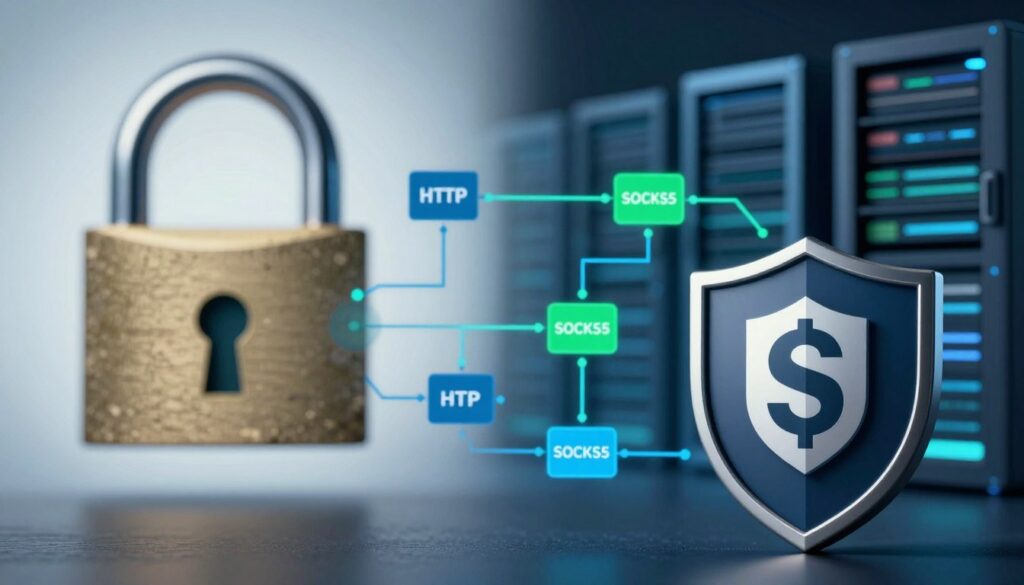
Many wonder: which is better, HTTP or SOCKS5 for keeping data safe? The answer depends on the protocol’s design. HTTP proxies are content-aware, but SOCKS5 is a private tunnel for network traffic. It offers better anonymity and helps bypass censorship.
Traffic Obfuscation and Anonymity
SOCKS5 is a simple relay for all types of traffic. It doesn’t read or change data packets. This makes it a secure choice for privacy.
SOCKS5 can handle any traffic without revealing its type. This makes it hard for networks to know what you’re doing online. It’s a big win for privacy.
Resistance to Deep Packet Inspection (DPI)
Deep Packet Inspection (DPI) analyzes traffic content. HTTP proxies are easy to spot, but SOCKS5 is not. It doesn’t use HTTP headers that DPI systems look for.
SOCKS5 traffic is harder to block because it looks like regular TCP or UDP. Adding encryption makes it even harder to detect. This lets it get past many firewalls that block HTTP proxy traffic.
In the end, SOCKS5 is better for keeping your data safe. It hides the traffic’s nature, offering more privacy than HTTP.
Performance and Overhead: Speed vs. Security Trade-offs
In network security, choosing between HTTP and SOCKS5 proxies is a big decision. It’s about balancing speed and security. Each choice affects network efficiency, user experience, and security.
When picking a proxy, think about how it handles data and encryption. HTTP and SOCKS5 proxies work differently. This affects how well they perform in various situations.
Latency and Throughput Comparison
Latency and throughput are key areas where HTTP and SOCKS5 proxies differ. HTTP proxies need to inspect data at the application layer. This adds extra work and slows things down.
HTTP proxies work at Layer 7 of the OSI model. They check and filter data at the application layer. This means extra latency of 20-100 milliseconds per request. It depends on the traffic and rules.
SOCKS5 proxies work at a lower layer and mainly forward packets. This makes them 20-40% faster than HTTP proxies. They don’t check application data, so they’re quicker for sending data.
Throughput also varies. HTTP proxies might slow down when dealing with HTTPS traffic. They need to decrypt, check, and re-encrypt it. SOCKS5 proxies handle encrypted traffic better since they don’t decrypt or check it.
Encryption Overhead and Processing Load
Encryption processing is a big difference between HTTP and SOCKS5 proxies. This is especially true in busy environments. How well a proxy handles encryption affects user experience and costs.
HTTP proxies that intercept SSL/TLS need to decrypt and re-encrypt HTTPS traffic. This takes a lot of work. It includes:
- TLS handshake termination and re-establishment
- Certificate management and validation
- Real-time encryption/decryption operations
- Content filtering and policy enforcement
This extra work can slow down throughput by 15-30% in busy scenarios. It’s most noticeable in:
- High-traffic web applications with many connections
- Places needing fast data transmission
- Scenarios with strict speed needs
SOCKS5 proxies avoid this extra work. They forward encrypted traffic without checking it. This means they need 40-60% less power to handle encrypted traffic than HTTP proxies.
The performance differences can be seen in this comparison:
| Performance Metric | HTTP Proxy | SOCKS5 Proxy |
|---|---|---|
| Latency Overhead | High (50-100ms additional) | Low (5-20ms additional) |
| Throughput (encrypted traffic) | Limited by decryption/re-encryption | Near-line speed |
| Processing Overhead | High (TLS termination required) | Minimal (packet forwarding) |
| CPU Utilization | High (crypto operations) | Low (packet forwarding only) |
| Memory Usage | High (session state) | Low (stateless operation) |
Encryption overhead is a big problem for HTTP proxies in man-in-the-middle setups. They must decrypt, inspect, and re-encrypt all traffic. This creates a bottleneck that SOCKS5 proxies don’t have.
In bandwidth-heavy apps or high-connection environments, this encryption difference is crucial. Organizations must consider the security benefits against the performance costs. This is especially true with modern encryption that’s hard to process at scale.
As one network architect said, “The performance gap between protocol inspection and simple forwarding can be the difference between a responsive application and a frustrating user experience.” This shows why choosing the right proxy is key. It’s not just about security or inspection.
Practical Use Cases and Deployment Scenarios
Choosing between HTTP and SOCKS5 proxies is a big decision. It affects your network’s security and how it works. Each protocol has its own strengths for different needs.
When to Use an HTTP Proxy
HTTP proxies work at the application layer. They’re great for content filtering, caching, and logging. They’re perfect for:
- Corporate Web Filtering: HTTP proxies are top-notch for blocking bad sites and enforcing rules. They can check HTTP headers and content, deciding what to block or allow.
- Content Caching: They’re also good for caching web content. This saves bandwidth and makes websites load faster for everyone.
- Compliance and Auditing: For detailed web traffic logs, HTTP proxies are essential. They help meet compliance needs by logging every HTTP request.
- Traffic Optimization: They can also compress data, which is key in places with limited bandwidth.
An HTTP proxy acts as a content-aware guardian, perfect for managing and securing web traffic where application-layer visibility is required.
But, they can’t handle HTTPS well. They can only tunnel it, not inspect or cache it. For HTTPS, you need a “man-in-the-middle” setup, which is complex and risky.
When to Use a SOCKS5 Proxy
SOCKS5 works at a lower level, making it a versatile tool. It’s great for different scenarios.
Use a SOCKS5 proxy when:
- Bypassing Network Restrictions: It’s the go-to for getting around geo-blocks or firewalls. It makes it seem like traffic is coming from somewhere else.
- P2P and Gaming Applications: SOCKS5 is better for P2P file sharing, torrent clients, or online gaming. It handles raw, non-HTTP traffic better than HTTP proxies.
- Application-Level Proxying: For specific apps like torrent clients or email clients, SOCKS5 is the standard. You can set it to send all traffic through the proxy.
- Traffic Obfuscation and Anonymity: SOCKS5 proxies, especially with Tor, offer more anonymity. They hide the true IP address and traffic type, making it look like generic TCP/UDP traffic.
Choosing between HTTP and SOCKS5 depends on what you need. Use HTTP for inspecting, filtering, or caching web content. Use SOCKS5 for a general-purpose tunnel for any app or protocol without deep packet inspection.
In a secure enterprise setup, the choice between HTTP and SOCKS5 is key. An HTTP proxy with SSL inspection secures a network. A SOCKS5 server might be used on a developer’s machine for secure tunneling. The best choice depends on whether you need deep content control or universal traffic forwarding.
Enterprise Deployment and Security Hardening
When we move from theory to the server room, securing proxies in an enterprise is key. A strong setup is essential, as a misconfigured proxy can be a big risk. This section offers steps to make both HTTP and SOCKS5 proxies secure. The benefits of using SOCKS5 over HTTP are clear when security matters most.

Secure Configuration for HTTP Proxies
HTTP proxies are versatile but have security gaps that need to be closed. A secure setup goes beyond just routing traffic.
First, use TLS for all connections. This means mandating HTTPS for all communication. Never let the proxy handle plain HTTP traffic to servers, as it exposes data. Strong, trusted certificates and strict validation are crucial to prevent attacks. Certificate pinning for your proxy’s certificate adds extra trust.
Access control is a must. Use strict, role-based access control (RBAC) lists. Authenticate users before they access the proxy. Avoid open proxies, which can be used for malicious traffic. Use IP whitelisting, username/password, and enterprise directory integration for strong access control.
Finally, detailed and immutable logging is vital. Logs should capture connection attempts, source/destination IPs, and timestamps. But, avoid storing sensitive data. A key principle: log for audit, not for surveillance.
“The security of a proxy is defined by its most permissive rule. A single misconfigured access control list can render all other defenses useless.”
Hardening a SOCKS5 Proxy Server
While HTTP proxies operate at the application layer, SOCKS5 handles all traffic. This power requires stricter controls. The primary benefit of using SOCKS5 over HTTP is its ability to handle any protocol, but it can be misused if not secured.
The most critical step is to enable and enforce strong authentication. Never run a SOCKS5 proxy without authentication. Use the strongest method available, like GSS-API (Kerberos) or username/password. The GSS-API method is especially valuable in enterprise settings for secure domain authentication.
Network-level isolation is your next defense. Place the SOCKS5 proxy in a demilitarized zone (DMZ) or a tightly controlled network segment. It should only accept connections from authorized, internal subnets and must never be exposed directly to the public internet. The cardinal rule: never deploy an open SOCKS5 proxy. An open SOCKS5 relay can be used for malicious traffic, making your server a launchpad for attacks.
Furthermore, configure the SOCKS5 service to only bind to specific, necessary network interfaces, not 0.0.0.0. Implement egress filtering on the proxy server itself to control what outbound connections it can make, preventing it from being used as a pivot point into your internal network.
| Security Feature | HTTP/HTTPS Proxy | SOCKS5 Proxy |
|---|---|---|
| Protocol Security | Works with HTTP, HTTPS, FTP. Understands application data, which allows for content filtering and caching. | Protocol-agnostic. Works with any TCP/UDP traffic (e.g., email, gaming, P2P). No content inspection. |
| Traffic Encryption | HTTPS between client and proxy is a must. Proxy can inspect TLS traffic if it holds the CA cert (man-in-the-middle). | Does not inspect or encrypt traffic itself. Relies on the end application for encryption (e.g., SSH tunnel over SOCKS5). |
| Authentication | Basic, Digest, NTLM. Often tied into web-based auth systems. | Supports username/password, GSS-API (Kerberos), or no-auth (dangerous). |
| Anonymity Level | Reveals “X-Forwarded-For” headers, can be used for user tracking. | Offers better IP-level anonymity for the client, as it simply relays traffic without adding identifying headers. |
| Best Use Case | Web content filtering, SSL inspection, caching web content. | General-purpose TCP/UDP tunneling, bypassing firewalls for specific apps, P2P. |
To implement a secure proxy architecture, follow these hardening steps:
- Isolate and Monitor: Place proxies in a DMZ, log all connection attempts, and set up alerts for anomalous traffic.
- Principle of Least Privilege: Configure the proxy service to run under a dedicated, low-privilege system account with minimal permissions.
- Regular Audits: Conduct periodic security reviews and penetration tests on your proxy configurations.
- Patch and Update: Proxy software, like any other, has vulnerabilities. Maintain a strict patch management schedule.
The choice and configuration of your proxy should be a deliberate security decision. For high-anonymity and protocol-agnostic tunneling, the benefits of using SOCKS5 over HTTP are clear. However, for deep content inspection and web-specific policy enforcement, a properly secured HTTP proxy is indispensable. The most secure enterprise environments often deploy both, each serving a distinct, hardened purpose.
Protocol-Level Security and Future-Proofing
To really secure a network, we need to look at the protocols that carry data. This comparison http vs socks5 shows big differences in security and how they handle new web standards. Knowing these differences is key for keeping your network safe in the future.
Handshake and Authentication Flaws
HTTP and SOCKS5 proxies both start with a handshake. But, their methods and weaknesses are quite different. HTTP proxies often just forward data and may not have strong security checks.
SOCKS5, on the other hand, has a more detailed handshake. It supports different ways to authenticate, but the first part of the handshake is not encrypted. This makes it vulnerable to attacks if not protected by something like a VPN.
Also, neither protocol requires encryption for the handshake. This means the connection can be made without encryption, making it easy to intercept data. This is a big problem with many basic setups.
Impact of Modern Protocols (HTTP/3, QUIC)
New web protocols like HTTP/3 and QUIC are changing the game. They use UDP and TLS, which is different from what traditional proxies are used to. This makes it hard for them to keep up.
QUIC, in particular, is a big challenge. It’s UDP-based and uses TLS 1.3. This means old proxies might not work with it at all.
- Bypass Risk: Old proxies might not see QUIC traffic. This means QUIC can go around proxy rules and security checks.
- Inspection Blind Spots: Most proxies are made for TCP. They might not be able to check or forward QUIC packets properly.
- Performance and Security Trade-off: QUIC is fast but can be a security risk. A proxy that doesn’t get QUIC can’t check its security.
The table below shows how each proxy type handles modern protocols:
| Protocol/Feature | Traditional HTTP Proxy | SOCKS5 Proxy | Impact of HTTP/3 & QUIC |
|---|---|---|---|
| Underlying Transport | TCP (HTTP/1.1, HTTP/2 over TLS) | TCP or UDP (via SOCKS5 UDP ASSOCIATE) | UDP (QUIC), new connection multiplexing |
| Protocol Awareness | High (understands HTTP semantics) | Low (transparent transport layer) | QUIC operates at a lower layer, often bypassing app-layer inspection. |
| QUIC/HTTP/3 Handling | Poor. May fail or force a fallback to HTTP/2 or HTTP/1.1. | Transparent. SOCKS5 simply forwards UDP packets; QUIC traffic may pass through but is not inspected. | May bypass security or fail entirely. |
| Security Implication | Inspection bypass, policy violation. | Traffic may bypass all security controls. | Security policies are evaded; encrypted traffic is not inspected. |
This comparison http vs socks5 shows why it’s important to keep your proxy up to date. You need a proxy that works with HTTP/3 and QUIC. Your network’s security depends on it.
To keep your network safe, look for proxies that support HTTP/3 and QUIC. They should be able to check these protocols without breaking the connection or missing security checks.
Anonymity, Privacy, and Logging Policies
Choosing a proxy means understanding its privacy handling is key, just like its speed. The choice between HTTP and SOCKS5 proxies isn’t just about speed or compatibility. It’s about privacy and what data trails you leave behind.
This section explains the privacy implications of your proxy choice. It focuses on how each protocol handles your anonymity and what it remembers.
IP Address Masking and Anonymity Levels
Both HTTP and SOCKS5 proxies hide your IP from the final server. But, the level of true anonymity they offer is different.
An HTTP proxy hides your IP from websites but logs a lot of your activity. On the other hand, a SOCKS5 proxy is like a blind courier. It forwards data without seeing the details, especially if it’s encrypted.
This difference makes SOCKS5 more private. It’s content-agnostic.
Data Retention and Logging Policies
The big privacy question is: What does the proxy server remember, and for how long? The technical design of the protocols makes a big privacy difference.
HTTP Proxy Logging: An HTTP proxy logs a lot. It logs domains, URLs, access times, and data transferred. This creates a detailed history of your web activity.
SOCKS5 Proxy Logging: A SOCKS5 proxy logs only connection metadata. It logs timestamps, source IP, and destination IP/port. It can’t log specific websites or encrypted sessions.
“The key privacy advantage of SOCKS5 isn’t just in hiding your IP, but in its inherent design that limits what the proxy itself can know. It’s a fundamental privacy-by-design feature.”
SOCKS5 is better for users with high-threat models. It’s good for journalists, activists, or security researchers. They need to avoid proxy logs being compromised or subpoenaed.
Choosing for Privacy: A Practical View
Your choice depends on your threat model. For basic web filtering or IP masking, an HTTP proxy might be enough. But for true operational security, SOCKS5 is better. It leaves a smaller privacy footprint.
Always check a provider’s privacy and logging policies. Even the most secure protocol can’t protect you if the provider logs too much. SOCKS5, which knows less, is often more private.
Common Security Pitfalls and Misconfigurations
Even the most secure proxy protocol can fail if not set up right. Knowing what not to do is as important as knowing what to do. This section will cover key security mistakes that can weaken your network’s defenses.
Open Proxy Risks and Amplification Attacks
One big mistake is leaving a proxy server open and unsecured. An open proxy lets any IP address connect without needing a password. This is a big problem for several reasons.
First, it makes your network a possible attack point. Malicious actors can use your proxy to hide their IP address while doing bad things. This can get your network involved in cyberattacks and even get your IP banned by security services.
Worse, an open proxy can be used in amplification attacks. In an HTTP proxy, an attacker can use it to send lots of traffic in a DDoS attack. An unsecured SOCKS5 proxy is even more dangerous. Attackers often find open proxies to create “proxy botnets” for attacks, spam, or data scraping.
The risk isn’t just from outside. An open internal proxy can help an attacker who has gotten into your network. They can move around and hide their traffic.
SSL/TLS Interception and the “Man-in-the-Middle” Dilemma
SSL/TLS interception is another tricky security practice. Many products use it to check encrypted traffic for malware. But, it’s not without risks.
The main problem is breaking the trust chain. To check HTTPS traffic, the proxy must break the encryption, check the content, and then encrypt it again. This means the proxy needs its own certificate. If not done right, this can be a big risk.
Also, this process can break certificate pinning. This is a security feature that ensures apps and services talk to the right server. To get around this, organizations install a custom root certificate. But, if the private key for this certificate is stolen, an attacker can decrypt all traffic.
In the http vs socks5 proxy security debate, SSL/TLS interception is riskier with HTTP proxies. SOCKS5 proxies don’t handle SSL/TLS decryption by default. But, they can be part of a chain that includes an SSL-inspecting device. The key is to use SSL/TLS interception carefully, with strict controls and careful management of the Certificate Authority (CA) and its private keys. Misconfiguring this can lead to a major failure for your encrypted traffic.
Making the Strategic Security Decision
Choosing between HTTP and SOCKS5 proxies isn’t about picking the best one. It’s about matching a protocol’s security with your needs. This step is crucial for picking the right tool for your goals.
Security Checklist for Choosing a Protocol
Use this checklist for your http vs socks5 proxy configuration decision. Answering these questions will help you decide what’s best for your situation.
- Do you need to inspect or filter web content? If you want to filter web traffic or enforce policies, an HTTP proxy is a good choice.
- Do you need to tunnel non-HTTP(S) traffic or use UDP-based protocols? For gaming traffic or email, SOCKS5 is better because it works with any protocol.
- Is end-user anonymity or location masking the top priority? For hiding IP addresses, SOCKS5 is more effective.
- Is there a need for high-performance, low-latency tunneling? SOCKS5 is faster for applications that need quick data transfer.
- Is the environment high-security or high-risk? For strict security, HTTP proxies can inspect HTTPS traffic, even if it’s a privacy risk.
Hybrid and Chained Proxy Setups
In high-security environments, you might need more than one proxy. Using chained proxies creates a strong defense. This way, you can use the best of both worlds.
For example, a local SOCKS5 proxy can tunnel all traffic. Then, it goes through a corporate HTTP proxy for filtering and logging. This setup is common and secure for businesses.
In this chained setup:
- The SOCKS5 proxy starts by tunneling traffic, offering anonymity and support for various protocols.
- The traffic then goes to the HTTP proxy for deeper inspection, policy enforcement, and content filtering before it hits the internet.
This layered approach uses SOCKS5 for tunneling and HTTP for security and content control. When choosing your http vs socks5 proxy configuration, think about what you need for security, privacy, and performance.
Conclusion
Choosing between HTTP and SOCKS5 isn’t about one being better than the other. The right choice depends on your security needs and how you use the proxy. HTTP proxies are great for controlling web content but can be complex. SOCKS5, on the other hand, focuses on speed and privacy.
HTTP proxies are best for places where you need to check and filter web content closely. They let you see and manage web traffic well. SOCKS5, however, is better for quick and private data transfers. It’s good for situations where you don’t need to inspect the data closely.
The safest proxy depends on how well it fits your security goals. It’s not just about the protocol. The best choice between HTTP and SOCKS5 depends on what you value most. Do you need detailed content control or fast, private data transfer?
FAQ
What is the fundamental security difference between an HTTP and a SOCKS5 proxy?
A: The main difference is where they work and what they can see. An HTTP proxy works at the top layer and can see and change your web traffic. This makes it useful for filtering but also a single point of failure. A SOCKS5 proxy works lower down and just sends your data without looking at it. This keeps your data private but doesn’t block bad content.
Which is more secure for general browsing: HTTP or SOCKS5 proxy?
A: For safe web surfing, a SOCKS5 proxy is better, especially with a VPN. An HTTP proxy can see your web traffic if it checks SSL/TLS. SOCKS5 doesn’t see your data, so it’s more private. But, it doesn’t block malware or filter content.
Which proxy type is faster, HTTP or SOCKS5?
A: HTTP proxies are fast for simple web requests, especially if they cache content. But, SOCKS5 is faster for complex tasks. It doesn’t check your data, so it’s quicker and uses less resources.
Can a SOCKS5 proxy hide my IP address like a VPN?
A: Yes, but it’s different. Both SOCKS5 and VPNs hide your IP. But, SOCKS5 doesn’t encrypt your data. For real security, use SOCKS5 with an encrypted tunnel or HTTPS.
When should I definitely use an HTTP proxy?
A: Use an HTTP proxy for filtering, caching, and security at the application layer. It’s great for corporate networks to block sites and save bandwidth. It’s also good for monitoring and logging web traffic.
When is SOCKS5 the definitive choice?
A: Choose SOCKS5 for bypassing geo-restrictions or firewalls, especially for non-web traffic. It’s perfect for P2P, gaming, or apps that don’t support proxies. It’s also good for hiding the type of traffic you’re sending.
Which proxy is better for privacy and anonymity?
A: For privacy, SOCKS5 is better when used right. It doesn’t log your traffic, so the proxy knows less about you. An HTTP proxy can see your web traffic, so SOCKS5 over a secure connection is safer.
Can I use both HTTP and SOCKS5 proxies together?
A: Yes, using both is common for better privacy. You can use a SOCKS5 proxy for IP masking and an HTTP proxy for web traffic. This setup offers both privacy and filtering capabilities.