Author: v2nodes

  • The Dangers of DNS Leaks: Why Your ISP Can Still See Your History.

    The Dangers of DNS Leaks: Why Your ISP Can Still See Your History.

    We often use VPNs to keep our online activities private. We believe they encrypt our connection and hide our digital tracks. But, a small flaw can make this protection useless, letting your ISP see all your browsing history.

    This issue is called a DNS leak. Even with a VPN on, your device might send DNS requests to your ISP, not the VPN’s secure tunnel. This leak shows your browsing history, location, and habits to your ISP.

    For journalists, activists, and anyone who cares about privacy, this is a big problem. A DNS leak test is the only sure way to check if your connection is private. It’s not just about avoiding ads; it’s about protecting your right to digital privacy.

    Key Takeaways

    • DNS leaks can expose your entire browsing history to your ISP, even when using a VPN.
    • A VPN is not a guarantee of privacy if a DNS leak is present.
    • Journalists, activists, and everyday users are all at risk of exposure.
    • Your ISP can see and log every website you visit if a leak occurs.
    • Conducting a DNS leak test is a simple, essential step for anyone serious about online privacy.
    • Your location and identity can be compromised through a DNS leak.
    • Regular testing is the only way to ensure your privacy tools are working as intended.

    1. The Invisible Threat: What Is a DNS Leak?

    Every time you visit a website, you send a secret message. If this message leaks, it can reveal what you’re doing online. We often encrypt our web traffic, but the first request can slip through unnoticed. This is called a DNS leak, and it can undermine the privacy tools we use.

    To understand this threat, we need to know how the internet’s directory works. We also need to know where protection systems fail. A reliable dns leak detection tool is key for finding these vulnerabilities before they harm your data.

    1.1 DNS: The Phonebook of the Internet

    The Domain Name System (DNS) translates website names into numbers that computers can understand. It’s like the internet’s universal phonebook. Without DNS, we’d have to remember numbers for every website.

    When you type a website’s address, your device doesn’t know where to find it. It sends a DNS query to a resolver, usually your internet service provider. This resolver then searches through servers until it finds the correct number.

    “DNS is one of the most fundamental yet overlooked components of internet privacy. Every query tells a story about user intent.”

    — Cybersecurity Researcher

    The DNS system works well for connecting us to websites but raises privacy concerns. Your ISP’s DNS servers log these queries, creating a profile of your browsing habits. Even with privacy tools, the first request can still leak.

    1.2 The Anatomy of a Leak: When DNS Requests Go Astray

    A DNS leak happens when queries bypass their secure path. Instead of going through an encrypted VPN tunnel, they go directly to your ISP’s servers. This happens silently, often without any warning or error message.

    Your device works normally, and websites load as expected. The leak is invisible unless you specifically test for it. That’s why using a dns leak detection tool regularly is important for privacy.

    1.2.1 The Role of Your ISP in the DNS Process

    Internet service providers usually assign their own DNS servers automatically. These servers handle all translation requests from devices on their network. While convenient, this gives ISPs complete visibility into your browsing destinations.

    Even when you try to hide your activity, default settings may use these ISP servers. Network configurations, especially after reconnections or system updates, can override your privacy settings. The ISP’s DNS infrastructure becomes the unintended recipient of your queries.

    1.2.2 How a VPN is Supposed to Protect Your Queries

    A properly configured VPN creates an encrypted tunnel for all internet traffic. This includes DNS queries, which should route through the VPN provider’s private DNS servers. These servers don’t log your activity or associate it with your real IP address.

    The VPN’s DNS protection should be automatic and seamless. When working correctly, your ISP sees only encrypted data to the VPN server, not your individual website requests. This separation is key to the privacy promise of VPN services.

    DNS Path Type Query Route Visibility Privacy Status Detection Method
    Secure VPN Path Device → VPN Tunnel → VPN DNS VPN provider only Protected Shows VPN DNS servers only
    ISP Default Path Device → ISP DNS Server Full ISP visibility Exposed Shows ISP servers clearly
    Leaky Path Device → ISP DNS (bypassing VPN) Full ISP visibility despite VPN Critical Failure Mixed results showing both
    Third-party Secure Device → Encrypted DNS (DoH/DoT) DNS provider only Protected Shows chosen secure resolver

    1.3 Why a DNS Leak is a Critical Privacy Failure

    When DNS queries leak, they expose your browsing intentions before encryption begins. Your ISP gains a complete map of websites you visit, even while using a VPN. This defeats the primary purpose of privacy tools meant to obscure your digital trail.

    The failure is particularly serious because it happens transparently. Your VPN connection might show as active, websites might load through encrypted channels, but the initial queries traveled unprotected. This creates a false sense of security while your activity remains exposed.

    We consider this a critical failure because it undermines the fundamental privacy guarantee. A comprehensive dns leak detection tool helps identify these breaches before sensitive browsing occurs. Regular testing should become part of your digital hygiene routine.

    Beyond ISP surveillance, leaked DNS data can expose you to additional risks. Malicious actors on your network might intercept these unencrypted queries. Government surveillance programs often monitor DNS traffic as part of broader data collection efforts.

    2. How DNS Leaks Happen: A Technical Post-Mortem

    When you ask for a website, your device sends a DNS request. Many think their VPN keeps all data safe. But, there are many ways DNS requests can leak to your ISP.
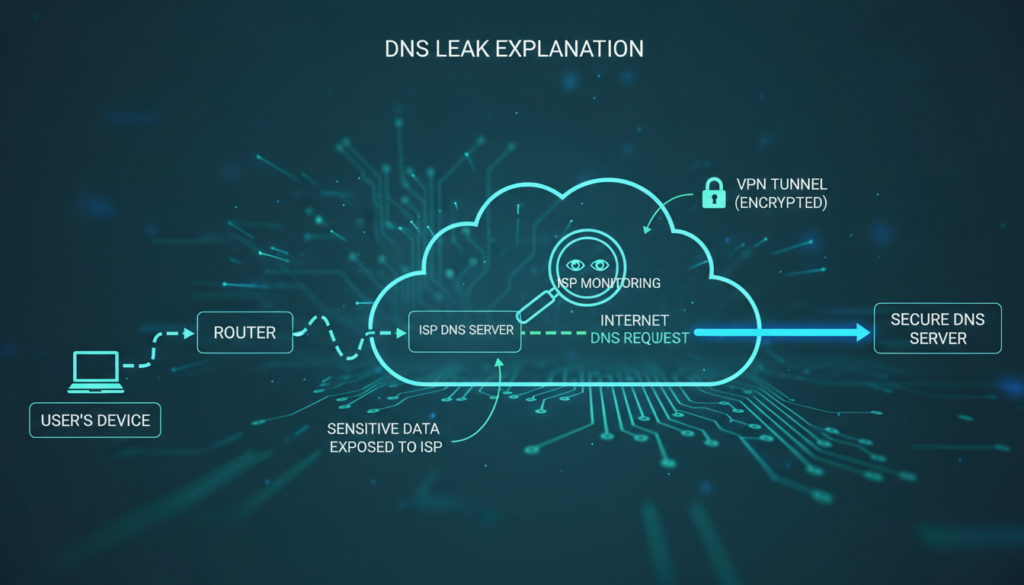
    technical dns leak diagram

    2.1 The Standard, Secure Path of a DNS Request

    With a good VPN, your DNS request is safe. Your computer turns “example.com” into an IP address. This should never reach your ISP.

    Here’s how it should work:

    1. You type a website address into your browser.
    2. Your device sends a DNS query to find the website.
    3. The VPN client catches this query before it goes to your default DNS.
    4. The query goes through the VPN tunnel to the VPN’s DNS server.
    5. The VPN’s DNS server gives back the IP address through the tunnel.
    6. Your browser connects to the website through the VPN.

    In this perfect world, your ISP only sees encrypted traffic. They can’t see which sites you visit. A good VPN with DNS leak protection is key. Always test to make sure your DNS is safe.

    2.2 Common Failure Points That Cause Leaks

    The safe path depends on everything working right. But, many things can go wrong. These problems often go unnoticed until a test shows them.

    2.2.1 VPN Configuration Failures and Kill Switches

    Many leaks come from VPN setup mistakes. The kill switch is meant to block all internet if the VPN drops. But, not all kill switches work as they should.

    Some only block app traffic, letting DNS queries through. Others react too slow, exposing you. We’ve seen DNS requests leak during VPN server changes or reconnects.

    Setting up your VPN wrong is another problem. If your VPN client doesn’t change your DNS settings, leaks happen. Some VPNs need manual DNS setup. Skipping this step leaves you open to leaks.

    2.2.2 IPv6 Leaks: The Stealthy Vulnerability

    IPv6 is a sneaky leak point. Many VPNs and systems still use IPv4. Your device might use IPv6 for DNS queries, while your VPN only handles IPv4.

    This creates a leak. The IPv6 DNS request goes to your ISP’s servers. Your VPN doesn’t even see it. This is a big privacy breach that standard tests might miss.

    Modern systems often have IPv6 on by default. Unless your VPN supports and tunnels IPv6, these queries leak. That’s why you need to test for DNS leaks, including IPv6.

    2.2.3 Operating System DNS Handling Quirks

    Your computer’s OS adds more complexity. Systems like Windows 10/11, macOS, and Linux have their own DNS behaviors. Some features meant to be helpful can actually risk your privacy.

    Windows has Smart Multi-Homed Name Resolution. It sends DNS queries to multiple servers at once. If one of those servers is your ISP’s, your query leaks.

    macOS and some Linux distributions have similar quirks. They might cache DNS results or use fallback servers. These features can bypass your VPN’s DNS settings.

    2.3 The Role of Transparent DNS Proxies and ISP Hijacking

    Sometimes, the problem isn’t with you. Some ISPs use transparent DNS proxies. These systems catch and redirect DNS traffic, ignoring your device settings.

    Here’s how it works. Your computer sends a DNS query to your VPN’s DNS. The ISP’s network equipment sees this as DNS traffic. It then redirects the query to the ISP’s DNS servers.

    You get the right IP address, so it seems fine. But, your ISP now knows all your browsing history. Your VPN’s encryption doesn’t matter for DNS privacy.

    This is common with:

    • Mobile network providers
    • Some cable internet providers
    • Public Wi-Fi in airports and hotels
    • Corporate networks with content filtering

    Detecting ISP hijacking needs special tests. Regular DNS leak tests might not catch this. The query seems to come from your DNS server, but it actually went through the ISP’s proxy first.

    Understanding these technical issues shows why DNS privacy needs many defenses. No single setting or tool can guarantee safety. Regular testing is your best defense against these hidden leaks.

    3. The Real-World Consequences of a DNS Leak

    When we talk about DNS leaks, we’re not just discussing technical issues. We’re talking about real threats to your privacy and security. A DNS leak can turn your private browsing into a public record.

    3.1 Your ISP’s Unblinking Eye: Profiling and Data Collection

    Your ISP keeps a record of every website you try to visit if there’s a DNS leak. This creates a detailed diary of your online activities. They know where you go, what you search for, and when.

    This data paints a clear picture of your life. Visiting medical sites might show health concerns. Looking up financial sites could indicate your economic status. Streaming and shopping patterns reveal your hobbies and lifestyle.

    3.1.1 How ISPs Use DNS Data to Build a Profile

    ISPs use advanced analytics to turn DNS logs into detailed profiles. They categorize requests by type, frequency, and timing. This profiling happens automatically through data mining algorithms.

    The resulting profile can include:

    • Demographic information inferred from your browsing habits
    • Interest categories for targeted advertising
    • Health and financial sensitivity scores
    • Behavioral patterns indicating work hours, sleep schedules, and routines

    Some providers sell this data to third parties. Others use it internally for service optimization and marketing. This highlights why protecting DNS privacy is essential.

    The profile grows more detailed with each leaked query. Over time, it becomes a digital fingerprint that uniquely identifies your online behavior. This surveillance happens silently in the background of your daily internet use.

    3.2 Beyond the ISP: Risks from Hackers and Snoopers

    While ISP monitoring is a concern, hackers pose a more immediate threat. Public Wi-Fi networks become hunting grounds when DNS requests leak. Hackers intercept these queries to map your online activity.

    Unencrypted DNS traffic broadcasts your intentions across the network. Anyone with basic tools can see which sites you’re trying to reach. This creates opportunities for phishing, redirection, and exploitation.

    3.2.1 Man-in-the-Middle Attacks on Unencrypted Queries

    Attackers position themselves between your device and the DNS server. They intercept your requests and provide fraudulent responses. This technique redirects you to malicious sites that mimic legitimate ones.

    The attack sequence typically follows this pattern:

    1. Your device sends a DNS query for your bank’s website
    2. The attacker intercepts this unencrypted request
    3. They respond with the IP address of a phishing site
    4. Your browser connects to the fake banking portal
    5. You enter login credentials, which the attacker captures

    These attacks succeed because traditional DNS lacks encryption. The queries travel in plain text that anyone can read and manipulate. This vulnerability makes it crucial to protect dns privacy through encryption and proper configuration.

    Beyond credential theft, attackers can inject malware or track your movements across the web. Each leaked query provides another data point for their surveillance. The risk increases dramatically on unsecured networks like coffee shop Wi-Fi.

    3.3 The Failure of Censorship Circumvention and Geo-Spoofing

    Many users use VPNs to bypass geographical restrictions or censorship. A DNS leak completely undermines this purpose. It reveals your true location despite the VPN tunnel.

    Streaming services and government firewalls check your DNS resolver’s location. When requests leak to your local ISP’s servers, they see you’re accessing content from a restricted region. The service then blocks your connection or reports your actual location.

    This failure occurs because:

    • DNS requests bypass the VPN tunnel entirely
    • Local network settings override VPN configurations
    • Operating systems sometimes prefer faster local resolvers
    • Transparent proxies intercept and redirect queries

    The consequences extend beyond entertainment. Journalists, activists, and researchers rely on geo-spoofing for safety and access. A DNS leak can expose their real location to hostile entities. It can also reveal they’re accessing sensitive or forbidden information.

    This location exposure demonstrates why partial privacy measures fail. Encrypting your web traffic means little if your DNS requests tell the true story. To truly protect dns privacy, you must secure the entire request chain from device to destination.

    Each of these consequences connects to a broader truth: DNS leaks make privacy tools ineffective. They create gaps in your digital defenses that adversaries readily exploit. Addressing this vulnerability requires specific attention to DNS configuration alongside other security measures.

    4. How to Perform a DNS Leak Test: A Step-by-Step Guide

    To fix a DNS leak, first detect it with a test. This test shows if your browsing is private or not. We’ll show you how to do this test easily.
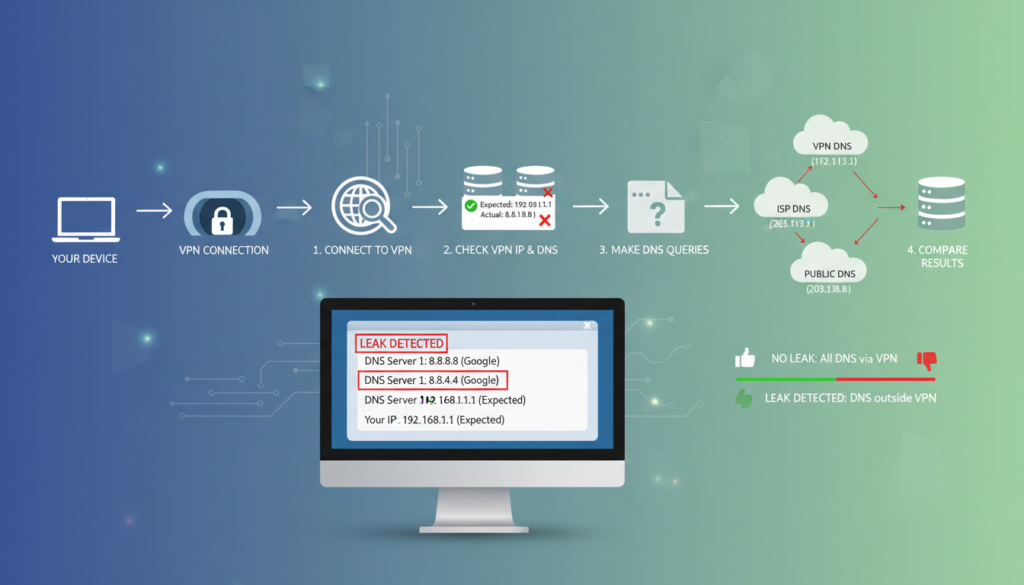
    dns leak test procedure diagram

    4.1 Why a DNS Leak Test is Your First Line of Defense

    Your VPN might look secure, but DNS privacy is key. A DNS leak test checks your privacy setup. It’s like checking your digital locks before using them.

    Many think their VPN does everything. But, this can leave security gaps. Testing proves your protection, not just trusting software.

    4.1.1 What a DNS Leak Test Actually Checks

    A DNS leak test doesn’t check your browsing history. It sees which DNS servers answer your website requests. The test website sends domain name queries and records the answers.

    If your ISP’s servers answer instead of your VPN’s, you have a leak. It also checks for scattered requests across unsecured channels. This shows your internet traffic’s true path.

    4.2 Step-by-Step: Conducting a Comprehensive DNS Leak Test

    Follow these steps to test for DNS leaks. Each step builds on the last, showing your connection’s security.

    4.2.1 Step 1: Baseline Test (Without VPN)

    First, disconnect from your VPN. Visit a trusted DNS leak test site like DNSLeakTest.com or ipleak.net. Run the test and note the servers.

    These will be your ISP’s servers. This is your “unprotected” baseline. Save these results for later. Knowing your ISP’s DNS servers helps you spot them during VPN testing.

    4.2.2 Step 2: Connect to Your VPN

    Next, connect to your VPN. Choose a server in a different country or region. Wait for the connection to establish—this takes 10-20 seconds. Don’t browse other sites during this time.

    Some VPNs have DNS protection on by default. Others need manual activation. Check your VPN’s documentation if unsure. A good connection should use the VPN tunnel for all traffic.

    4.2.3 Step 3: Using a Trusted DNS Leak Test Website

    With your VPN on, go back to the DNS leak test site. Clear your browser cache if you can. Then, run the test again, using the same type as your baseline.

    Trusted sites offer various test options. The extended test checks more domains for thorough detection. Avoid unknown test sites that might collect your data.

    4.2.4 Step 4: Analyzing and Interpreting Your Results

    Compare your VPN test results with your baseline. A good test shows DNS servers from your VPN server’s country, not your ISP’s. The server names should match your VPN provider.

    If you see your ISP’s servers or your actual location’s servers, you have a DNS leak. Some tests show city and country data for each server. Check that these match your VPN server location. Seeing one familiar server among foreign ones means you have a partial leak.

    4.3 Advanced Testing: Checking for IPv6 and WebRTC Leaks

    Basic DNS leak tests might miss two big vulnerabilities. Older VPNs might not handle IPv6 properly, letting traffic bypass the VPN. WebRTC in browsers can also reveal your true IP address, despite VPN protection.

    To test for IPv6 leaks, use sites like test-ipv6.com or ipleak.net’s IPv6 test. These check if IPv6 requests escape your VPN. For WebRTC, visit browserleaks.com/webrtc and see if your real IP shows up with your VPN IP.

    These advanced tests complete your security check. They ensure no hidden channels compromise your privacy. Regular testing in DNS, IPv6, and WebRTC areas gives you full protection awareness.

    5. Case Study: A Real-World DNS Leak in Action

    This case study shows how a journalist’s privacy was compromised. Sarah Chen, a Chicago-based reporter, was working on a sensitive story. She used a VPN for privacy but found her security had a big flaw.

    real world DNS leak case study journalist

    5.1 The Setup: A Journalist Working Remotely

    Sarah Chen was researching a story that needed privacy. She worked from coffee shops and used a VPN for security. Her VPN had DNS leak protection and an automatic kill switch.

    She tested her VPN regularly and got clean results. But, her setup had a hidden weakness.

    Sarah worked from various places in the Midwest. She used a Windows 11 laptop with both IPv4 and IPv6 enabled. This setup was common but had a flaw.

    5.2 The Leak: How a VPN’s “Kill Switch” Failed

    The leak happened at a public library in Indianapolis. Sarah was accessing secure documents. The library’s Wi-Fi dropped, and her VPN took seconds to reconnect.

    The VPN’s kill switch failed to block all traffic. It only blocked IPv4, leaving IPv6 open. Sarah’s computer sent DNS requests over IPv6, bypassing the VPN.

    For 45 seconds, all her domain lookups were exposed. This was a big privacy breach.

    5.2.1 Technical Analysis of the Leak Vector

    The VPN’s kill switch didn’t work as expected. It only controlled the IPv4 interface. The IPv6 interface was left unmanaged.

    When the VPN dropped, here’s what happened:

    • The VPN client lost connection to its server
    • The kill switch activated for IPv4 traffic only
    • Windows continued using its default network configuration for IPv6
    • DNS requests for research domains flowed through the IPv6 interface
    • These requests reached Comcast’s DNS servers instead of the VPN’s private servers

    This shows a common but often overlooked weakness. Many focus on IPv4, forgetting about dual-stack operations. The leak was due to incomplete protection, not malware or misconfiguration.

    5.3 The Aftermath: Data Exposure and Corrective Actions

    Sarah found the leak two days later. A DNS leak test showed her ISP’s servers, not just her VPN’s. The test confirmed the leak.

    The exposed data included DNS lookups for:

    1. Secure document sharing platforms used for whistleblower communications
    2. Research databases containing corporate financial records
    3. Encrypted messaging services for source interviews
    4. Journalistic collaboration tools with project codenames

    The exposed metadata was significant. Her ISP could see she was researching specific corporations. This could reveal her investigation’s focus and compromise sources.

    Sarah took immediate action:

    • She disabled IPv6 on her laptop’s network adapters
    • She switched to a VPN provider with verified IPv6 leak protection
    • She configured her firewall to block all non-VPN traffic
    • She began using DNS-over-HTTPS as an additional layer
    • She notified her editor and sources about the potential exposure

    This case shows even security-aware people can be vulnerable. Sarah’s experience highlights the need for regular DNS leak testing and the limitations of kill switches.

    Sarah’s story is a reminder of the importance of digital privacy. Her actions mirror the steps we recommend for protecting your online security. The real cost was not just data exposure but the time and effort to rebuild security.

    6. How to Prevent DNS Leaks: A Proactive Defense Guide

    Now that we know the risks and how to detect them, let’s build a strong defense. To prevent DNS leaks, we need to use the right tools and set them up correctly. This guide will show you how to protect yourself.

    6.1 Choosing and Configuring a Leak-Proof VPN

    Your first defense is a good Virtual Private Network. Not all VPNs protect against DNS leaks. Look for ones that offer DNS leak protection as a key feature. This ensures all DNS queries go through the VPN’s encrypted tunnel.

    6.1.1 The Importance of a DNS Kill Switch and DNS Leak Protection

    A DNS kill switch is your backup. It watches your VPN connection. If it drops, the kill switch blocks all internet traffic. This stops your real IP and DNS requests from being seen by your ISP.

    6.2 Manual DNS Configuration for Maximum Security

    If you want more control, manual configuration is the way to go. This method avoids your ISP’s DNS and your VPN’s, giving you full privacy control.

    6.2.1 Configuring Your Router for Secure DNS

    Changing your router’s DNS settings is a big step. By using a trusted DNS provider like Cloudflare, Google, or OpenDNS, you protect your whole network. Just log into your router and change the DNS server addresses to your chosen provider’s.

    6.2.2 Implementing DNS-over-HTTPS (DoH) or DNS-over-TLS (DoT)

    For top privacy, use encrypted DNS protocols. DNS-over-HTTPS (DoH) and DNS-over-TLS (DoT) encrypt your DNS queries. Most browsers and operating systems support these. Turning on DoH or DoT makes your DNS traffic as private as HTTPS web traffic.

    6.3 System-Level Hardening

    Don’t forget to secure your operating system and browser. These tweaks block common leak vectors.

    6.3.1 Disabling IPv6 to Prevent Leaks

    IPv6 can cause DNS leaks. Many VPNs and privacy tools are still IPv4-focused. If your setup doesn’t fully support IPv6, your device might send DNS requests over IPv6. Disabling IPv6 on your network adapter is a simple fix. It forces all traffic, including DNS, to use IPv4, which VPNs and encrypted DNS services support.

    6.3.2 Browser Hardening: Blocking WebRTC and Other Leak Vectors

    Your web browser can leak information. WebRTC, for example, can reveal your real IP address even with a VPN. To protect your browser:

    • Install a reputable WebRTC leak prevention extension or disable WebRTC in your browser’s flags.
    • Use a privacy-focused browser like Firefox or a hardened version of Chromium.
    • Disable WebRTC in your browser’s settings or flags (e.g., in Chrome, set `#disable-webrtc` in `chrome://flags`).

    This is a strong DNS leak blocker at the application level.

    Defense Layer Tool/Method Key Benefit Difficulty
    VPN with DNS Protection Paid VPN with DNS Kill Switch Forces all DNS queries through encrypted tunnel Easy
    Router-Level DNS Router DNS Settings Network-wide protection for all devices Moderate
    Encrypted DNS DoH/DoT in Browser/OS Encrypts DNS queries end-to-end Easy
    System Hardening Disable IPv6/WebRTC Plugs OS-level leak vectors Moderate

    Using a secure VPN, encrypted DNS, and hardening your system creates a strong defense. Start with a reliable VPN that has a no-logs policy and a DNS kill switch. Then, use a trusted, encrypted DNS service on your router or device. This multi-layered approach is the best way to prevent DNS leaks and keep your browsing private.

    7. Essential Tools and Software for DNS Security

    Keeping your DNS secure is key to protecting your online identity. Knowing about DNS leaks is just the start. The next step is to use the right tools. Here, we list resources and software to test for and prevent DNS leaks, keeping your DNS queries private.

    7.1 DNS Leak Test Tools and Their Limitations

    To fix a problem, you first need to find it. Many websites offer free DNS leak tests. These tools send DNS requests and show which server handled them. Sites like DNSLeakTest.com and ExpressVPN’s test are great for a quick check.

    But, these tests have limits. A single test only shows one moment in time. Your network or VPN settings can change, causing new leaks. A clean test today doesn’t mean you’re safe tomorrow. Most tests only check IPv4, missing IPv6 leaks.

    7.2 VPNs with Built-in DNS Leak Protection

    Not all VPNs protect your DNS well. A good VPN with strong leak protection is your best defense. When picking a VPN, check its DNS handling, not just its “no-logs” policy.

    7.2.1 Key Features: DNS Servers, Kill Switches, and Obfuscation

    A great VPN for DNS security has certain features. It should have private, no-log DNS servers for your queries. It must also have a kill switch to block traffic if the VPN drops. Look for DNS leak protection and obfuscation features, too.

    7.3 Standalone DNS Privacy Tools and Software

    For those not using a VPN or wanting extra security, standalone tools are key. You can manually set your device to use a secure DNS resolver. Services like Cloudflare (1.1.1.1), Google Public DNS, and Quad9 offer encrypted DNS.

    For advanced users, tools like Simple DNSCrypt or dnscrypt-proxy encrypt DNS traffic. You can also set your firewall to block DNS traffic to all but your chosen secure provider. This multi-layered defense, with a VPN and encrypted DNS, is very secure.

    8. Legal and Privacy Implications of DNS Data

    While using VPNs and encrypted DNS is key, knowing the legal side of DNS data is also crucial. It’s important to understand what your ISP can do with your data, how long they keep it, and how laws are changing. This section will explain the rules that affect your DNS data.

    8.1 What Your ISP Can (and Can’t) Do With Your DNS Data

    In the U.S., your ISP can collect, use, and sell certain data. They can see every website domain you try to visit. They can’t see the full URL of a specific page, but they can build a detailed profile of your internet habits.

    ISPs can legally collect and analyze DNS data for many purposes. They can use it for network management and sell it to advertisers. They can also give this data to law enforcement with a valid warrant. Most ISP privacy policies let them collect and monetize your browsing data. This is why DNS leaks are so critical—they send your data to your ISP, who can legally profit from it.

    8.2 Data Retention Laws and Your Privacy

    Once your ISP has your DNS query data, the next question is: how long do they keep it? This is governed by data retention laws and internal policies, which vary a lot. In the U.S., there is no federal law that mandates a specific retention period for DNS or general internet traffic data. However, ISPs often retain this data for their own business purposes, and many will comply with law enforcement data requests.

    Other regions have stricter rules. The European Union’s General Data Protection Regulation (GDPR), for instance, imposes strict limits on how long data can be kept and for what purpose. In the U.S., some states are enacting their own privacy laws. The key point is that without a legal mandate to delete it, your DNS query history could be sitting on a server for years, part of a profile that can be used for targeted advertising or sold to data brokers.

    Jurisdiction Key Data Retention Law Typical Retention Period for Connection Logs Impact on DNS Data
    United States (Federal) No federal data retention law for ISPs Varies by ISP policy (often 6 months to 2 years) ISPs have broad discretion to collect and monetize DNS and browsing data.
    European Union GDPR, ePrivacy Directive Minimization principle; no longer than necessary Strict purpose limitation; explicit consent often required for processing.
    California, USA California Consumer Privacy Act (CCPA) As specified in privacy policy; users can request deletion. Consumers have the right to know what data is collected and can opt-out of sale.

    8.3 The Future: Encrypted DNS and Evolving Privacy Laws

    The landscape is changing, with technology and law in a constant push-and-pull. The rise of DNS over HTTPS (DoH) and DNS over TLS (DoT) encrypts your DNS queries, preventing your ISP from easily reading them. This is a major step for privacy, making DNS leaks less damaging.

    However, this shift is sparking legal and regulatory debates. Some ISPs and government bodies argue that encrypted DNS hampers network security and law enforcement investigations. The future will likely see a tug-of-war between privacy advocates pushing for default encryption and authorities concerned about “going dark.” New privacy laws, like the California Privacy Rights Act (CPRA), are giving consumers more control, forcing companies to be transparent about data collection. The technical fix of encrypted DNS is thus colliding with an evolving legal framework, moving us toward a future where your DNS queries are your business alone.

    Ultimately, the law is slowly catching up with technology. While tools like VPNs and encrypted DNS provide a technical shield, comprehensive federal privacy legislation in the U.S. would provide a legal backstop, clearly defining and limiting how DNS and other personal data can be used.

    9. Conclusion: Securing Your Digital Trail in a Leak-Prone World

    A DNS leak is a big problem for your online privacy. It lets your ISP see your browsing history, even with a VPN. Companies like Comcast, AT&T, and Verizon can still track you.

    These leaks happen due to wrong settings or VPN issues. They lead to data tracking and can’t hide your location. Tools like DNSLeakTest.com can spot these problems.

    To stay safe, you need to act fast and use multiple layers of protection. Regularly test for DNS leaks. Pick VPNs like NordVPN or ExpressVPN that protect your DNS. Also, set your DNS to use secure servers from Cloudflare or Quad9.

    Your online history is a big part of who you are online. Knowing about DNS leaks helps you control your privacy. By taking these steps, you can keep your browsing private.

    The world of online tracking is always changing. Keep up with new encrypted DNS methods like DNS-over-HTTPS. Stay private by being careful and using the right tools. Your secure connection begins with fixing the DNS layer.

    FAQ

    What is a DNS leak, and why is it a privacy risk?

    A DNS leak happens when your device sends DNS requests outside your VPN. This means your ISP can see all your browsing, even with a VPN. It’s a big privacy issue because it breaks the VPN’s purpose of keeping your online activities private.

    How can I test if my VPN is leaking my DNS requests?

    To check for DNS leaks, use a trusted test tool. Run the test while connected to your VPN. If you see your ISP’s DNS servers instead of your VPN’s, you have a leak. This is key to making sure your VPN is working right.

    What are the most common causes of a DNS leak?

    Common causes include a VPN’s “kill switch” not working, a misconfigured VPN client, or an OS using its own DNS. IPv6 leaks are also a big problem. Your ISP’s DNS proxies can also cause leaks.

    What’s the difference between a DNS leak and a WebRTC leak?

    DNS leaks reveal websites you visit. WebRTC leaks show your real IP address, even with a VPN. Both are serious issues. A good DNS leak test should also check for WebRTC leaks.

    My VPN has DNS leak protection. Am I safe?

    Having DNS leak protection is good, but it’s not enough. Even trusted VPNs can have issues. Always test for DNS leaks and IPv6 leaks to be sure.

    How can I prevent DNS leaks for good?

    To stop DNS leaks, use a VPN with a DNS kill switch and leak protection. Set your device’s DNS settings to a secure service. Disable IPv6 if your VPN doesn’t support it. Use a browser with WebRTC leak protection. Test regularly.

    My ISP provides its own DNS servers. Is that a problem?

    Yes, it’s a big problem. Your ISP’s DNS servers can log all your browsing, even with a VPN. Use a third-party DNS provider or your VPN’s DNS servers to protect your privacy.

    What should I do if my DNS leak test shows a leak?

    If you find a leak, don’t worry. First, check your VPN connection and settings. Then, try these steps:

    1. Reconnect to a different VPN server. Sometimes a simple reconnect fixes the issue.
    2. Check your VPN’s advanced settings. Make sure DNS leak protection is on.
    3. Disable IPv6 on your device’s network adapter if your VPN doesn’t support it.
    4. Manually set your DNS servers to a secure provider and disable automatic DNS assignment.
    5. Contact your VPN’s support. A persistent leak means there’s a problem with your VPN.

    Find a way to fix the leak that works for you. It might involve changing your VPN settings or making system changes.

  • Why HTTPS Is Not Enough to Bypass Strict Internet Censorship

    Why HTTPS Is Not Enough to Bypass Strict Internet Censorship

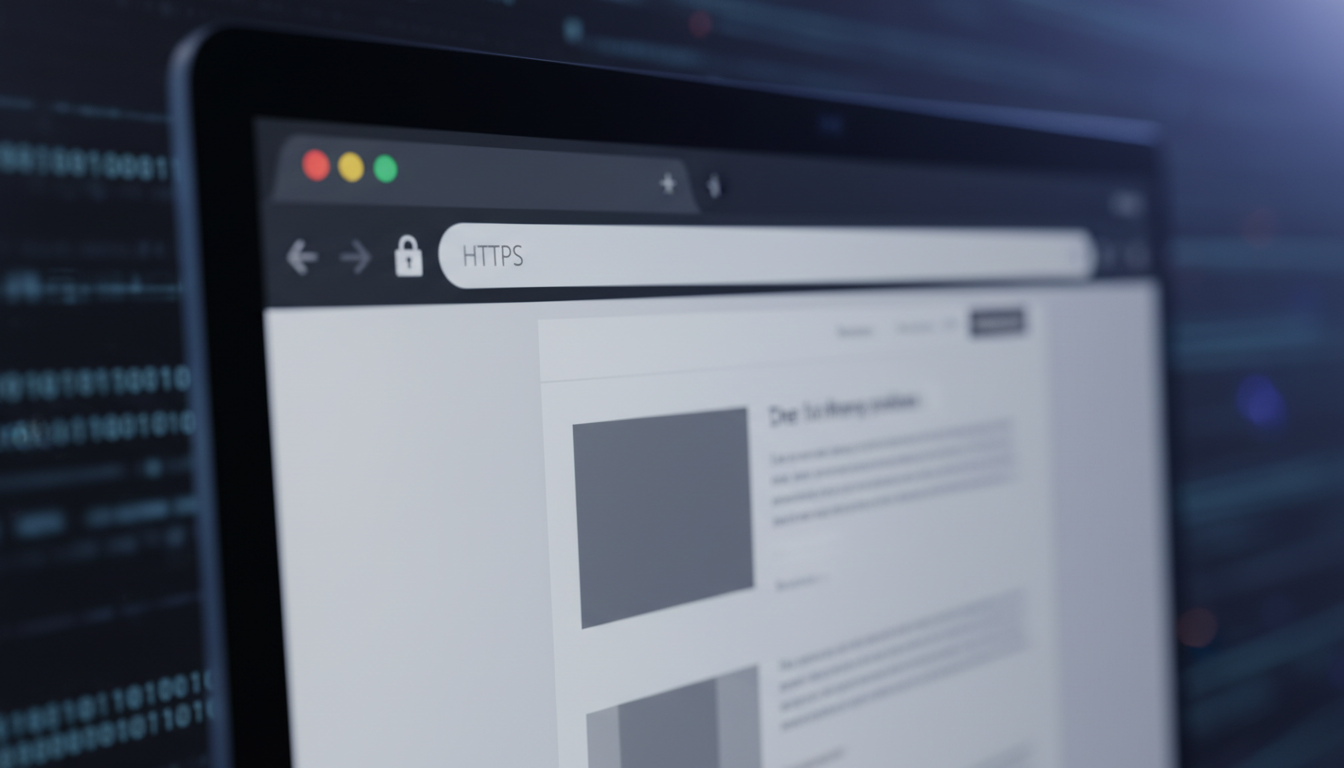
    You might think that little lock icon in your browser’s address bar means you’re browsing privately. That’s a common, and potentially dangerous, misconception. While HTTPS is essential for security, it is not a cloak of invisibility. It encrypts the content of your data, but it does not make you invisible on the network.

    Think of it like a sealed, opaque envelope. HTTPS ensures no one can read the letter inside. However, the envelope’s “to” and “from” addresses are still clearly visible on the outside. In the digital world, censors and surveillance systems don’t always need to read your mail to block it; they just need to see where it’s going.

    This is the core conflict: encryption protects the “what,” but not the “where” or “when.” Sophisticated state-level firewalls and network filters don’t need to decrypt your data. They can see the domain you’re trying to reach (like a social media site or news outlet) and the time you visit it. This metadata is often enough for an automated system to block your connection before a single encrypted byte is transferred.

    In short, while HTTPS secures your content from prying eyes, it does nothing to hide your intent. For true internet freedom, you need tools that mask your entire digital footprint, not just the content of your messages.

    Key Takeaways

    • HTTPS encrypts the content of your data but does not hide which websites you are visiting.
    • Sophisticated censorship systems block traffic based on the destination, not the content.
    • Your internet service provider or a network censor can see the domain you are trying to access, even with HTTPS.
    • True privacy requires hiding your entire digital footprint, not just encrypting the data.
    • To effectively bypass censorship, you need tools that mask your traffic patterns, not just your data.

    The Illusion of Security: HTTPS in Today’s Censored Internet

    The widespread adoption of HTTPS has created a dangerous psychological phenomenon: users now assume encrypted connections guarantee complete anonymity and access freedom. This assumption forms the core of a modern digital illusion. While HTTPS provides crucial protection against many threats, it falls painfully short against sophisticated state-level censorship systems.

    You might feel completely secure when visiting your favorite news site or social media platform. The padlock icon seems to promise that no one can see what you’re reading or posting. However, this sense of security becomes a vulnerability when facing determined censors who don’t need to read your content to block it.

    What HTTPS Actually Promises You

    HTTPS, or Hypertext Transfer Protocol Secure, delivers two fundamental technical guarantees. First, it provides end-to-end encryption through TLS/SSL protocols. This means the content of your communication—the actual articles you read, messages you send, or files you download—gets scrambled between your device and the website’s server.

    Second, HTTPS ensures data integrity. It verifies that the information you receive hasn’t been tampered with during transmission. No third party can silently modify a news article or inject malicious code into the page you’re viewing. These protections are essential for basic web security and privacy.

    As cybersecurity expert Bruce Schneier once noted,

    “Encryption works. Properly implemented strong crypto systems are one of the few things you can rely on.”

    This remains true for protecting content from eavesdroppers. However, it doesn’t address the metadata that censorship systems exploit.

    The Dangerous Gap Between Perception and Reality

    Here lies the critical disconnect. You believe HTTPS makes your browsing invisible, but censors don’t need visibility into your content. They operate on different information entirely. Modern censorship apparatuses analyze the wrapper around your encrypted data, not the data itself.

    Three pieces of information remain visible even with perfect HTTPS encryption:

    • Destination IP addresses: Every website has a unique numerical address. Censors maintain massive blocklists of IPs associated with forbidden services.
    • Server Name Indication (SNI): This unencrypted part of the TLS handshake reveals which website you’re trying to visit, like a return address on an envelope.
    • Traffic patterns and timing: The size, frequency, and timing of data packets create a unique fingerprint that advanced systems can recognize and block.

    Deep Packet Inspection (DPI) systems employed by national firewalls analyze these visible elements in real-time. They don’t decrypt your traffic—they don’t need to. By recognizing patterns associated with banned services, they can silently drop connections or redirect you to warning pages.

    This creates what experts call the “metadata gap.” Your content is safe, but your intent and destination are completely exposed. This exposure makes standard HTTPS useless for true internet freedom in restricted environments.

    Real-World Consequences of Overreliance on HTTPS

    The practical impact of this gap hits hard. Imagine you’re a researcher trying to access international academic journals from a country with strict internet controls. Your browser shows the secure padlock, but the page never loads. The connection simply times out or redirects.

    You’ve done everything “right” by using HTTPS-enabled sites, yet you’re completely blocked. This frustration demonstrates why HTTPS alone cannot achieve reliable https censorship bypass. The protocol wasn’t designed to combat state-level blocking mechanisms.

    More dangerously, this false sense of security leads to risky behavior. Users might:

    1. Assume they’re protected when accessing sensitive information
    2. Neglect to use additional privacy tools
    3. Underestimate the capabilities of modern censorship systems
    4. Make incorrect assumptions about their digital safety

    Journalists, activists, and ordinary citizens facing restrictive regimes discover this limitation painfully. They find themselves blocked from essential information resources despite using “secure” connections. This reality underscores why understanding HTTPS’s limitations represents the first step toward genuine internet freedom.

    The padlock icon protects your data from criminals and corporations. It does not protect your access from governments. Recognizing this distinction is crucial for anyone operating in or communicating with censored regions. True digital privacy requires tools designed specifically for https censorship bypass, not just content encryption.

    HTTPS Technical Foundation: What Gets Encrypted and What Doesn’t

    When you connect to a secure website, the padlock icon in your browser suggests a private, encrypted connection. This security is powered by HTTPS, which creates a secure tunnel for your data. However, this encryption has clear boundaries. It’s crucial to understand that while HTTPS encrypts the content of your communication, a significant amount of metadata and connection data remains exposed. This section breaks down the technical bedrock of HTTPS to show what is truly hidden and what remains visible, a critical distinction for your online privacy.

    TLS/SSL: The Encryption Backbone

    At the heart of HTTPS lies the Transport Layer Security (TLS) protocol, the successor to SSL. This isn’t a single lock, but a sophisticated system of digital handshakes and key exchanges. It creates a secure tunnel for your data, but the process of building that tunnel reveals information before the first encrypted byte is sent.

    Certificate Authorities and Trust Chains

    Trust on the web is not assumed; it is verified. When you visit a secure site, your browser checks the site’s digital certificate. This certificate is a digital ID card, issued by a trusted third party called a Certificate Authority (CA). Your browser has a pre-installed list of trusted CAs. When you connect to a site, its certificate is checked against this list and validated. This “chain of trust” is fundamental to online privacy and security, as it verifies you’re talking to the real website and not an imposter.

    The TLS Handshake Process Demystified

    Before any secure data flows, your browser and the web server perform a complex, automated dance called the TLS handshake. This process, though invisible to you, reveals key information. It begins with the “Client Hello,” where your browser announces its presence and capabilities to the server. Even in modern TLS 1.3, the initial messages—including the Server Name Indication (SNI)—are often sent in the clear before encryption begins. This handshake establishes a shared secret key for the session, but the negotiation process itself can be observed.

    Visible Metadata: Your Digital Footprint

    Encryption protects the letter inside the envelope, but the envelope itself—the metadata—is often visible. This digital footprint can be as revealing as the content it hides, posing a significant challenge to comprehensive online privacy. The following elements are often visible, even over an HTTPS connection.

    Server Name Indication (SNI) Exposure

    When you connect to a website, your browser must tell the server which site you want to visit, especially if the server hosts multiple sites. It does this using the Server Name Indication (SNI) extension in the initial, unencrypted part of the TLS handshake. This means a network observer—like your internet service provider or a government censor—can see the exact domain name you are visiting (e.g., `news.site.com`), even though they cannot see the specific page or your activity on that site.

    DNS Queries and IP Address Visibility

    Before your browser can even start the TLS handshake, it needs to find the website’s server. It does this via a DNS (Domain Name System) query. This query, asking “Where is `news.site.com`?”, is usually sent in plaintext to a DNS server. This reveals the site you intend to visit. Furthermore, the resulting connection is to a specific IP address. While the IP address doesn’t name the site, it can be easily traced back to a specific hosting provider or service, often revealing the site’s identity.

    Packet Timing and Size Patterns

    Even the size and timing of encrypted data packets can reveal information. This is a more advanced analysis, but censors and analysts can use traffic analysis. For example, the distinct size and timing of data packets when loading a specific social media homepage or a video can be fingerprinted. This is known as a “website fingerprinting” attack.

    While the encrypted content of your video call is secure, the fact that you are in a long, steady video call with someone can be inferred from the constant, predictable size of the data packets. This metadata pattern, visible even with HTTPS, can be a serious online privacy concern.

    Understanding this technical foundation is crucial. HTTPS provides a secure tunnel, but the entrance and exit of that tunnel are often in plain sight. Your destination (SNI), the act of asking for directions (DNS), and the rhythm of your data (packet patterns) can all be observed. True online privacy requires understanding that encryption protects the content of your communication, but not the context. The next section will explore how these technical exposures are actively exploited by modern censorship systems.

    Modern Censorship Techniques That Defeat HTTPS Encryption

    Your HTTPS connection, symbolized by the padlock icon, creates a secure tunnel between you and a website. However, this tunnel is not a private, hidden passage. State-level censors and sophisticated network administrators have developed an arsenal of techniques to identify, analyze, and block your encrypted traffic. To truly bypass web filters and firewalls, you must first understand the powerful methods they use to pierce the veil of HTTPS encryption.

    Deep Packet Inspection (DPI): The Primary Threat

    Deep Packet Inspection (DPI) is the most formidable weapon in a censor’s arsenal. Unlike simple firewalls that just look at packet headers, DPI devices inspect the actual data payload of your traffic in real-time. They act like a postal service that doesn’t just read the address on an envelope, but opens and reads the letter inside, even if it’s written in a code they can’t fully read.

    How DPI Fingerprints HTTPS Traffic

    Even though the content of your HTTPS traffic is encrypted, the patterns and metadata are not. DPI firewalls use advanced heuristics to create a “fingerprint” of your traffic. They don’t need to decrypt your data; they just need to recognize the pattern. They analyze the size, timing, and sequence of the data packets you send and receive.

    bypass web filters deep packet inspection

    For example, the initial TLS/SSL handshake (the “TLS Client Hello” packet) contains unencrypted metadata that DPI can analyze. The Server Name Indication (SNI) in this packet, which is sent in plaintext, reveals the website you’re trying to connect to, even before the encrypted tunnel is established. DPI firewalls maintain massive blocklists of domain names and IPs, and the SNI is a primary target for blocking.

    Behavioral Analysis and Pattern Recognition

    Beyond the initial handshake, DPI systems use behavioral analysis. Machine learning algorithms can identify specific applications or services by their traffic patterns. For instance, a 15-minute session with a consistent data flow every 30 seconds might be flagged as a video stream. A connection to a known VPN provider’s IP range, with regular, sustained, encrypted data flow, is a massive red flag. This behavioral fingerprinting allows censors to throttle or block traffic that “looks like” a banned service, even if they can’t see the specific content.

    DNS-Based Censorship Methods

    DNS (Domain Name System) is like the internet’s phonebook, translating human-friendly domain names (like “example.com”) into machine-readable IP addresses. Censors exploit this system in several ways.

    DNS Poisoning and Hijacking

    This is a common, low-tech method. When your device asks a DNS server for the IP address of a blocked website, a censor’s server intercepts this request. Instead of the real IP, it returns a fake address. This is often the IP of a government or censor’s server that displays a block page or simply fails to connect. It’s a simple but surprisingly effective way to block access at the most basic level.

    Limitations of DNS over HTTPS (DoH)

    DNS over HTTPS (DoH) and DNS over TLS (DoT) encrypt your DNS queries, preventing a censor from seeing which domain name you’re trying to resolve. This is a significant step for privacy. However, it has critical limitations against a determined censor:

    • Not a Complete Solution: DoH only encrypts the DNS request itself. It doesn’t hide the IP address of the website you’re connecting to, which can be blocked independently.
    • Blockable Protocol: Censors can easily block the well-known ports (like 853 for DoT or 443 for DoH) or block the IP addresses of major public DoH providers like Cloudflare (1.1.1.1) or Google (8.8.8.8).
    • No Anonymity: DoH does not hide your IP address or your traffic patterns. Your ISP or a censor can still see you’re connecting to a DoH server and can see all the encrypted traffic flowing to that IP, which can be a red flag in itself.

    Therefore, while DoH helps bypass web filters that rely on simple DNS hijacking, it’s a weak shield against a censor using DPI or IP blocking.

    IP Address Blocking and Blacklisting

    This is the simplest and most brute-force method. Censors maintain vast lists of IP addresses associated with banned services (like VPN endpoints, Tor nodes, or specific social media platforms). When you try to connect to a blacklisted IP, the connection is simply dropped or reset at the network level. This is why VPN servers and proxy services must constantly rotate their IP addresses—once a server’s IP is discovered and blacklisted, it becomes useless in that region.

    Protocol Analysis and Traffic Shaping

    This is the next level of sophistication. Censors don’t just block; they can also throttle or degrade your connection. By analyzing the size, timing, and flow of your encrypted data packets, they can make educated guesses about the protocol you’re using.

    For example, the Tor network has a distinct, identifiable traffic pattern. Censors use “deep packet inspection” to recognize the unique signature of the Tor protocol and can throttle or block it, even though they can’t see the content. Similarly, they can throttle all traffic that doesn’t match the pattern of standard HTTPS web browsing, a technique that can make VPNs and privacy tools unusably slow.

    To effectively bypass web filters and circumvent these advanced techniques, you need more than just an HTTPS connection. You need a strategy that addresses the full spectrum of these detection and blocking methods.

    Global Censorship Systems: Case Examples

    To understand why HTTPS alone fails against state-level censorship, you must examine real-world systems. These systems don’t just block content; they create layered filtering systems that HTTPS encryption cannot hide from.

    Different nations and organizations deploy unique censorship architectures. Each uses HTTPS metadata against you. They prove that encryption alone cannot protect your access.

    The Great Firewall of China: The Most Advanced System

    China’s Great Firewall (GFW) represents the most sophisticated national censorship system. It doesn’t just block websites; it actively interferes with encrypted connections. The GFW doesn’t need to decrypt your HTTPS traffic to know what you’re doing.

    How the GFW Combines Multiple Techniques

    The GFW uses a layered approach. It starts with IP blocking at the national border. Then, it uses Deep Packet Inspection (DPI) to analyze your encrypted traffic patterns. The GFW looks for specific TLS handshake patterns and SNI (Server Name Indication) data in your HTTPS requests.

    Even with HTTPS, the GFW can see which server you’re connecting to during the TLS handshake. This Server Name Indication (SNI) is sent in plaintext. The GFW maintains massive blocklists of IP addresses and domain names that trigger immediate connection resets.

    Specific HTTPS Limitations in China

    Your HTTPS connection might be secure, but the GFW targets the connection setup. It uses active probing to test if you’re using VPN protocols. It can detect and throttle encrypted traffic that matches VPN patterns. The GFW also performs “active probing” – it completes connections to suspected VPN servers and analyzes the response.

    Even with perfect HTTPS encryption, the GFW can still block you. It maintains blocklists of IP addresses and domain names. When you try to access a blocked HTTPS site, the connection is reset at the TCP level. Your browser shows a connection error, not a certificate warning.

    Iran’s National Information Network

    Iran’s approach focuses on controlling the entire national internet infrastructure. The National Information Network (NIN) creates a domestic intranet. International traffic must pass through state-controlled gateways. Your HTTPS traffic might be encrypted, but the NIN uses protocol fingerprinting.

    Iran’s system analyzes your encrypted traffic’s timing, size, and patterns. Even with HTTPS, they can identify VPN and Tor traffic. The system then throttles or blocks these connections. The government also forces local certificate authorities to issue certificates, enabling man-in-the-middle attacks on some connections.

    Russia’s Sovereign Internet Law

    Russia’s approach focuses on infrastructure control. The Sovereign Internet Law requires all internet traffic to pass through state-controlled routing points. Your HTTPS traffic must route through these checkpoints.

    This system uses Deep Packet Inspection at the national level. Even with HTTPS, the system can:

    • Analyze traffic patterns to identify VPN and Tor usage
    • Throttle encrypted traffic to specific services
    • Block IP ranges known to belong to VPN providers
    • Monitor TLS certificate patterns to identify services

    Corporate and Educational Firewalls

    Corporate and school networks use similar techniques. Your company might block social media during work hours. Educational institutions often block gaming or streaming sites. These systems use SSL inspection appliances that act as “man-in-the-middle.”

    Your HTTPS connection to a banking site might be intercepted by a corporate proxy. The proxy presents its own certificate, decrypts your traffic, inspects it, then re-encrypts it. You’ll see a certificate warning unless the company certificate is installed on your device.

    Censorship System Primary Technique HTTPS Limitations Exposed Bypass Difficulty
    China’s Great Firewall DPI + SNI Filtering SNI visible in handshake, IP blocking Extremely Difficult
    Iran’s National Network Protocol Fingerprinting Traffic pattern analysis Difficult
    Russia’s Sovereign Net National DPI Infrastructure Traffic throttling & blocking Moderate
    Corporate Firewalls SSL Inspection Man-in-the-middle possible Easy to Moderate

    Each system proves that HTTPS alone cannot protect your access. The metadata, connection patterns, and traffic analysis defeat encryption’s privacy benefits. You must understand these systems to choose effective bypass tools.

    Notice how each system attacks different layers. China focuses on the network layer. Iran controls the infrastructure. Russia focuses on routing control. Corporate systems use certificate inspection. Your bypass strategy must match the specific censorship system you face.

    HTTPS Censorship Bypass: Effective Methods and Tools

    When HTTPS encryption alone cannot bypass sophisticated internet censorship, specialized tools become essential for maintaining digital freedom. This section explores practical solutions that go beyond basic encryption to help you access information freely.

    VPN and proxy server connections bypassing a firewall

    Virtual Private Networks (VPNs)

    Virtual Private Networks create an encrypted tunnel for all your internet traffic, hiding your online activity from censors. These services route your connection through secure servers, masking your real location and IP address. This makes VPN services essential for accessing blocked content and maintaining privacy.

    ExpressVPN: Speed and Reliability

    ExpressVPN stands out for its exceptional speed and reliable connections. With servers in 94 countries, it offers fast speeds ideal for streaming and video calls. Its proprietary Lightway protocol ensures both speed and security, making it a top choice for streaming and general browsing.

    NordVPN: Security Features

    NordVPN emphasizes security with its Double VPN feature that routes traffic through two servers. It includes a kill switch, threat protection, and specialty servers for specific needs. The service works reliably in restrictive environments.

    Mullvad VPN: Privacy Focus

    Mullvad VPN prioritizes privacy, accepting anonymous payments including cash. It doesn’t require email registration and offers WireGuard protocol support. This Swedish-based service has a strong no-logs policy and doesn’t track user activity.

    Specialized Proxy Protocols

    When standard VPNs are blocked, specialized proxy protocols use advanced obfuscation to bypass Deep Packet Inspection (DPI). These tools disguise your traffic to appear as regular HTTPS traffic.

    Shadowsocks: Obfuscation Specialist

    This open-source proxy uses a SOCKS5 proxy to disguise traffic. It’s particularly effective in countries with aggressive DPI. Shadowsocks doesn’t encrypt data but obfuscates traffic patterns, making it difficult for censors to detect and block.

    V2Ray with VMess Protocol

    V2Ray is a platform-agnostic tool that supports multiple protocols. Its VMess protocol provides strong encryption and authentication. It can be configured to make traffic appear as normal web traffic, helping it bypass many censorship systems.

    Trojan: Mimicking HTTPS Traffic

    Trojan is designed to disguise proxy traffic as normal HTTPS traffic. It uses TLS to make the traffic look like standard HTTPS, making it difficult for censors to distinguish from regular secure web traffic.

    The Tor Network and Bridges

    Tor provides strong anonymity by routing traffic through multiple encrypted layers. It’s effective but can be slow. For censorship circumvention, Tor bridges are essential in restrictive regions.

    How Tor Circumvents Censorship

    Tor routes your connection through multiple encrypted nodes, making it extremely difficult to trace. This multi-layered encryption and routing make it highly resistant to censorship and surveillance.

    Obtaining and Using Tor Bridges

    Tor bridges are unlisted entry points to the Tor network, not publicly listed. You can request bridges from the Tor Project or trusted community sources. These bridges help you connect to Tor even when the network is blocked in your region.

    Method Best For Key Feature Difficulty Speed
    Commercial VPN General use, streaming Ease of use, many servers Easy Fast
    Shadowsocks Highly restrictive regions Obfuscation techniques Medium Medium
    V2Ray Advanced users Multiple protocols Hard Fast
    Tor with Bridges Maximum privacy Strong anonymity Medium Slow
    Trojan Bypassing DPI Mimics HTTPS traffic Medium Fast

    Each tool has strengths for different scenarios. Commercial VPN services offer the easiest way to unblock websites, while specialized protocols provide stealth in restrictive environments. The Tor network with bridges offers the strongest privacy but at slower speeds. For most users, a combination of a reliable VPN service and knowledge of alternative protocols provides the best balance of speed, security, and accessibility.

    Case Study Analysis: Real-World Bypass Scenarios

    The following case studies illustrate how different tools and strategies are applied in real-world censorship environments, moving beyond HTTPS to examine practical applications of circumvention tools.

    case study analysis censorship bypass scenarios with digital network connections

    Case 1: Journalist Accessing Blocked News Sites

    Situation: Reporting from a Restricted Region

    A foreign correspondent in a country with strict internet controls needed to access international news sources and file reports without detection. The local government employed deep packet inspection to block access to major news outlets and social media platforms. Standard HTTPS browsing was not enough to bypass the sophisticated censorship system.

    Solution: Multi-hop VPN with Obfsproxy

    The journalist used a multi-hop VPN with obfsproxy to disguise the traffic. This setup routed the connection through multiple servers in different countries, with obfsproxy adding an extra layer of obfuscation to make the VPN traffic look like ordinary HTTPS traffic. This made the traffic blend in with regular web traffic, helping it avoid detection by deep packet inspection systems.

    Results and Lessons Learned

    The journalist successfully accessed and filed reports using blocked news sources for a week without detection. The key lesson was that obfuscation is crucial in high-censorship environments. Multi-hop VPNs increase anonymity but can reduce speed. The journalist learned to use a combination of a trusted VPN provider with obfuscation features and a secondary, less monitored internet connection as a backup.

    Case 2: Researcher Accessing Academic Databases

    Situation: Institutional Firewall Restrictions

    A university researcher in a country with strict academic censorship needed to access international academic journals and databases that were blocked by the national firewall. The university’s network also blocked standard VPN protocols to prevent bypass attempts.

    Solution: SSH Tunneling with Dynamic Port Forwarding

    The researcher set up an SSH tunnel with dynamic port forwarding through a trusted server outside the country. This created a secure SSH tunnel that acted as a SOCKS proxy. All the researcher’s traffic was encrypted and routed through this tunnel, effectively bypassing the institutional firewall that blocked direct access to academic databases.

    Results and Lessons Learned

    The researcher gained full access to necessary academic resources. The main lesson was that SSH tunneling provides a high degree of control and is difficult for firewalls to block without disrupting legitimate SSH traffic. However, it requires more technical setup than a typical VPN. The researcher learned to automate the tunnel connection for a more seamless experience.

    Case 3: Business Accessing Global Services

    Situation: Geographic Licensing Restrictions

    A software company with remote teams needed to access cloud services and licensed software that were restricted to specific geographic regions. The company’s enterprise VPN with static, dedicated IP addresses was flagged and blocked by the service providers’ geo-fencing.

    Solution: Enterprise VPN with Dedicated IPs

    The company deployed a business-grade VPN service that provided them with a pool of dedicated IP addresses in the required geographic regions. This setup made the company’s traffic appear to originate from the licensed regions, satisfying the service’s geo-restrictions. The enterprise VPN also offered a static IP address, which is often required for business API access.

    Results and Lessons Learned

    The company regained reliable access to all necessary services. The key takeaway was that for business continuity, a dedicated IP VPN service with robust protocol support is more reliable than free or consumer-grade VPNs. The company also implemented a failover system using a secondary provider to ensure constant access.

    Tool Comparison: Strengths, Weaknesses, and Best Use Cases

    The effectiveness of any censorship circumvention tool depends on a careful balance of speed, stealth, and simplicity. With numerous options available, from commercial VPNs to specialized protocols, selecting the right tool requires understanding their distinct advantages and limitations in real-world censorship environments.

    Speed Performance Under Censorship Conditions

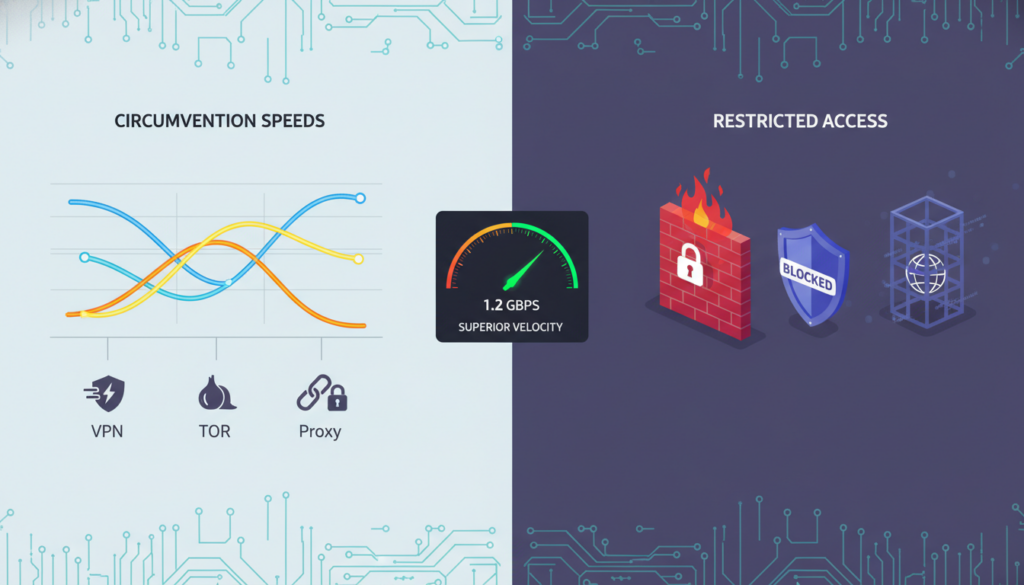
    Speed is often the first casualty when bypassing censorship. Paid commercial VPNs typically offer the fastest connections, with premium services like ExpressVPN and NordVPN maintaining global networks optimized for streaming and high-bandwidth activities. However, their performance can suffer during peak censorship periods when deep packet inspection (DPI) is aggressive.

    Specialized protocols like Shadowsocks and V2Ray offer moderate speeds but excel at bypassing DPI through traffic obfuscation. The Tor network, while providing excellent anonymity, is notoriously slow due to its multi-hop architecture. For basic browsing, even free VPNs might suffice, but for streaming or large downloads, premium VPNs or custom VPS setups are essential.

    comparison of censorship circumvention tool speeds

    Your location relative to VPN servers also matters. Connecting to a server in a neighboring country will be faster than one on another continent. Some tools like V2Ray can maintain decent speeds even with traffic obfuscation enabled, though encryption overhead reduces throughput by 10-30%.

    Detection Resistance and Stealth Capabilities

    Detection resistance is crucial in high-censorship regions. China’s Great Firewall, for instance, uses DPI to identify and block standard VPN protocols. Advanced tools like V2Ray and Shadowsocks use traffic obfuscation to make your traffic look like normal HTTPS, making them extremely effective in high-censorship countries.

    Stealth capabilities vary widely. Tor bridges and obfs4 can hide the fact you’re using Tor. Some VPNs offer “stealth” or “obfuscated” servers that disguise VPN traffic as regular HTTPS. However, free VPNs and proxies often lack these stealth features, making them easily detected and blocked.

    Ease of Setup and Maintenance Requirements

    Commercial VPNs are the easiest to use—just install an app and connect. This makes them ideal for non-technical users. More advanced tools like V2Ray or setting up your own Shadowsocks server require technical knowledge. Configuration can be complex, involving server setup, port forwarding, and certificate management.

    Maintenance is another factor. Commercial VPNs handle all server maintenance. Self-hosted solutions like Shadowsocks require you to manage your own server, including security updates and monitoring. Free services often have unreliable uptime and may log your data.

    Regular maintenance is minimal for commercial VPNs, but self-hosted solutions need regular security patches and updates to stay ahead of censorship technology.

    Cost Analysis: Free vs. Premium Solutions

    The free vs. premium decision involves more than just price. Free VPNs and proxies often come with hidden costs: data logging, bandwidth limits, and security risks. Some free services monetize your data or display excessive ads.

    Feature Free Solutions Premium VPNs Self-Hosted
    Cost Free or ad-supported $3-12/month $5-20/month + setup
    Speed Limited, throttled Fast, optimized servers Depends on your VPS
    Privacy Poor (data collection) No-logs policies Complete control
    Setup Difficulty Easy Very Easy Advanced
    Best For Casual, low-risk use Most users, streaming Tech-savvy, high-risk users

    Premium VPNs offer the best balance for most users, offering speed, reliability, and strong encryption. For journalists or activists in high-censorship countries, a combination of Tor bridges with obfuscation might be necessary despite the speed cost.

    For maximum security, some users combine tools: a premium VPN for daily use, with Tor bridges as a backup. Your choice should match your specific threat model. Casual users in moderately restrictive countries can use standard VPNs, while those in high-censorship regions need advanced tools like V2Ray or Shadowsocks.

    Building Your Personal Censorship Circumvention Strategy

    Building a personal strategy to bypass internet censorship is not about finding a single magic tool. It’s about constructing a resilient, layered system tailored to your specific needs and the unique threats you face. This section guides you in creating a personal circumvention strategy that is as dynamic and adaptive as the censorship technologies it aims to bypass.

    Your journey to reliable, uncensored access begins with a clear, step-by-step plan. You must move from simply using tools to implementing a personal security protocol. This means moving beyond just installing a VPN and hoping it works. You need a strategy that evolves with both the censorship technology and your own changing circumstances.

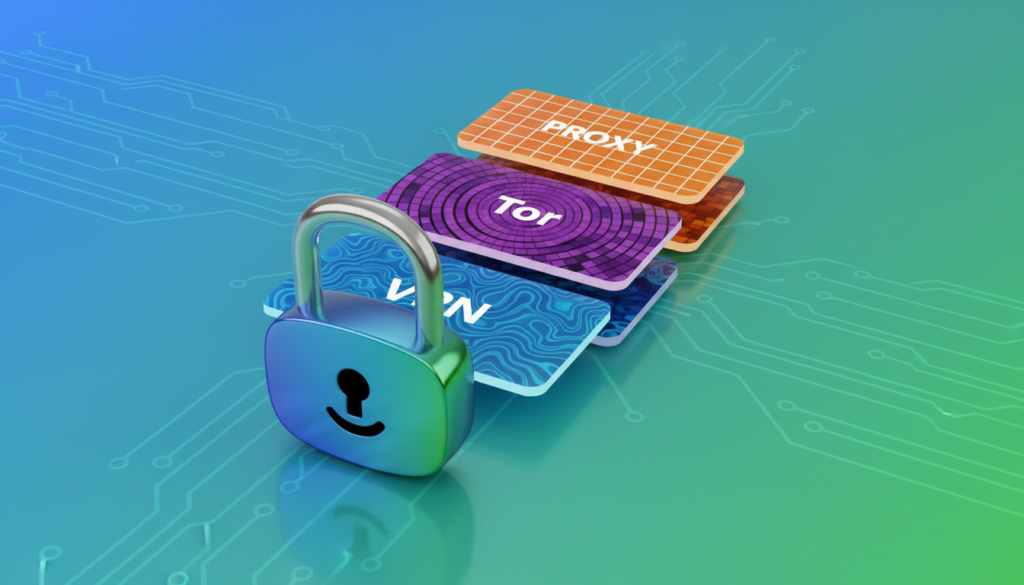
    A strategic layered defense diagram showing VPN, Tor, and a proxy as layers, with a lock icon representing security, symbolizing a personal censorship circumvention strategy for accessing geo-restricted content

    Assessing Your Specific Risk Profile

    Your first step is honest risk assessment. Are you a journalist in a high-risk country, a researcher accessing sensitive data, or a traveler needing to access home services? Your threat model dictates your strategy. A traveler needing to watch geo-restricted content has different needs and risks than an activist. Ask yourself:

    • What content am I trying to access, and how is it blocked?
    • What are the potential consequences if my circumvention activity is detected in my jurisdiction?
    • What is my technical skill level for setting up and maintaining tools?

    This assessment is the cornerstone of your strategy. The table below illustrates how different users might approach their strategy based on risk and need.

    User Profile Primary Risk Primary Tool Backup Tool Key Strategy
    Journalist/Activist High. Severe consequences if identified. Tor Browser with a secure bridge Paid, high-quality VPN with a no-logs policy Maximum anonymity. Use Tor for sensitive comms, VPN for general browsing.
    Business Professional Medium. Need reliable access to global services and data. Premium, reputable VPN for all devices Enterprise-grade proxy service Reliability and speed for accessing geo-restricted content access for work.
    Researcher/Academic Medium-High. Access to blocked journals/data is critical. Institutional or paid academic VPN SSH or SOCKS5 proxy for specific applications Secure, stable access to academic databases and global research.
    General User / Traveler Low-Medium. Goal is to circumvent online restrictions for media and communication. Reputable, paid VPN service Free, temporary proxy for emergencies Balance of speed, ease of use, and access to geo-restricted content.

    Implementing Defense in Depth Principles

    Do not rely on a single point of failure. A robust strategy uses a layered, or “defense in depth,” approach. Think of it as a series of gates an adversary must pass.

    Your primary tool, like a reliable paid VPN, should be your first layer. However, have a backup. This could be a secondary VPN from a different provider, or a different technology like the Tor Browser. This layered approach ensures that if your primary method of circumventing online restrictions is blocked or throttled, you have a fallback that works on a different technical principle.

    Regular Testing and Adaptation Procedures

    Your strategy is not a “set it and forget it” solution. Censorship technology evolves, and so must you. Regularly test your setup.

    1. Leak Tests: Use sites like ipleak.net to ensure your VPN or proxy isn’t leaking your real IP address.
    2. Blocked Resources Test: Regularly try to access a site you know is blocked in your region to ensure your method still works.
    3. Performance Checks: Test speeds and latency. A slow connection can be a sign of throttling or a poor server choice.

    Set a monthly reminder to check for updates on censorship techniques and updates to your tools.

    Legal and Ethical Considerations

    Your actions have consequences beyond your screen. It is your responsibility to understand the laws in your jurisdiction. Circumventing a corporate firewall at work to watch sports is a violation of your employer’s policy. Bypassing a national firewall to access social media may be illegal in some countries.

    “The power to access information is a responsibility. Use these tools to seek truth, not to infringe on the rights of others.”

    Ethically, these tools should be used to access geo-restricted content for education, communication, and accessing the open web, not for malicious purposes. Understand the Terms of Service for the tools you use and the platforms you access.

    Your strategy is your personal key to the open internet. Build it thoughtfully, test it regularly, and use it responsibly.

    Conclusion

    Relying solely on HTTPS for security and privacy in a censored internet is a significant risk. This protocol encrypts your data but cannot hide your digital footprint from sophisticated, state-level censorship. As detailed, tools like Deep Packet Inspection (DPI) can still identify and block traffic, rendering HTTPS insufficient against determined censors.

    Your defense requires a strategic, layered approach. A robust anonymous browsing strategy combines multiple tools. A reputable, no-logs VPN can mask your IP address, while the Tor network offers a high degree of anonymity for sensitive communication. For the ultimate in anonymous browsing, the Tor Browser is specifically designed to resist fingerprinting and tracking.

    Tools like Shadowsocks or V2Ray can also help obfuscate your traffic. Your ability to access the open internet depends not on a single technology, but on a dynamic, informed strategy. True digital freedom is maintained through a layered, adaptable, and informed approach to your online security.

    FAQ

    If a website uses HTTPS, is it safe from being blocked by a government or my ISP?

    No. While HTTPS encrypts the *content* of your communication, it does not hide the *destination* of your traffic. Advanced censorship systems, like those using Deep Packet Inspection (DPI), can analyze patterns, timing, and even the unencrypted Server Name Indication (SNI) in your initial connection to identify and block access to specific websites, even if the content itself is encrypted.

    What is the biggest weakness of HTTPS when facing censorship?

    The primary weakness is that it does not hide the “metadata.” While the content of your visit to a news site is encrypted, the fact that you are connecting to that site’s IP address is visible. Censors can also analyze unencrypted parts of the connection handshake (like the SNI) or use traffic analysis to fingerprint and block encrypted traffic patterns, effectively blocking the site despite HTTPS.

    I’m in a country with strict internet controls. Is a regular VPN enough to access blocked sites?

    A standard commercial VPN can help, but in countries with advanced censorship systems like the Great Firewall of China, basic VPNs can be detected and blocked. In such cases, you may need more sophisticated tools that use obfuscation protocols (like the ones used by Shadowsocks or V2Ray) or connect to the Tor network with obfuscated bridges, which are designed to hide the fact that you are even using a circumvention tool.

    What is the difference between a VPN and the Tor Browser for bypassing censorship?

    A VPN routes all your traffic through an encrypted tunnel to a server in another location, masking your real IP and making it appear you are browsing from the VPN server’s location. It’s generally faster and good for general use. The Tor Browser, in contrast, routes your traffic through multiple encrypted relays, providing much stronger anonymity but often at a significant cost to connection speed. Tor is more effective against national-level censorship but can be slower for streaming or downloading.

    What is “Deep Packet Inspection (DPI)” and why does it matter?

    Deep Packet Inspection (DPI) is a sophisticated filtering technology used by advanced censors. Unlike a simple blocklist, DPI can analyze the characteristics of your internet traffic—even when encrypted—to identify and block specific protocols, like those used by VPNs or the Tor network. It’s one of the primary methods used to defeat simple HTTPS and VPN connections in restrictive countries.

    Are free VPNs safe for bypassing censorship?

    It is highly risky. Free VPNs often have poor security, may log your activity, inject ads, or even sell your data. In the context of censorship, they are often the first to be blocked or identified by censors. For reliable and private circumvention, a reputable, paid VPN with a strong no-logs policy and obfuscation features is a more secure, though not infallible, choice.

    What is the single most important step I can take to protect my privacy against censorship?

    Use a “defense in depth” strategy. Don’t rely on a single tool. Use a trusted, paid VPN for daily browsing. Have a backup, like the Tor Browser, for when primary tools are blocked. Use a DNS-over-HTTPS (DoH) or DNS-over-TLS (DoT) resolver to prevent DNS-based censorship and spoofing. Most importantly, stay informed about the censorship techniques used in your region and adapt your tools accordingly.

  • Myth vs. Fact: Is Incognito Mode Really Safe?

    Myth vs. Fact: Is Incognito Mode Really Safe?

    Many people think using incognito mode or private browsing keeps their online activities secret. But, the truth might be different. This section aims to clear up what people think about incognito mode safety and private browsing security. We will explore the myths and facts about these features.

    Can incognito mode really offer the security and anonymity that many believe? Let’s discover the answer together.

    Key Takeaways

    • Incognito mode merely prevents your browser from saving your history.
    • Private browsing does not make you completely anonymous online.
    • Incognito mode provides no protection against tracking by websites and ISPs.
    • Understanding the limitations of incognito mode is crucial for effective online privacy protection.
    • Ensuring online safety often requires combining multiple privacy tools.

    Understanding Incognito Mode and Private Browsing

    In today’s digital world, online privacy is more important than ever. Every click and search leaves a digital footprint. This section explores incognito mode and private browsing, explaining how they work and their benefits.

    What is Incognito Mode?

    Incognito mode, also known as private browsing, is a feature in browsers like Google Chrome, Firefox, and Edge. It stops the browser from saving your browsing history, cookies, and form data. This makes it safer to browse anonymously, protecting your history from unauthorized access.

    To start incognito mode, it’s easy. In Google Chrome, click the three-dot menu and choose “New Incognito Window.” In Firefox, pick “New Private Window” from the menu. This simple action unlocks the confidential browsing benefits incognito mode offers.

    How Private Browsing Works

    Private browsing isolates your session from usual storage. It starts a temporary session that doesn’t save your history or cookies. When you close it, all data is erased, leaving no trace of your activity.

    But, it’s important to remember that incognito mode doesn’t mean complete anonymity. It reduces local storage of your browsing, but your activity can still be seen by websites, your ISP, and network admins on shared networks.

    Incognito mode keeps your sessions separate from others, offering a clean start each time. But, knowing its limits is key to using it effectively for privacy.

    The Common Misconceptions About Incognito Mode

    Many people believe wrong things about incognito mode. These beliefs can harm our online privacy. We will look at two big myths and clear them up.

    Myth: Incognito Mode Makes You Completely Anonymous

    Many think incognito mode makes them completely hidden online. This is a big private browsing misconception. Incognito mode just stops your browser from saving your history and cookies. But, websites, your ISP, and even your boss can still see what you’re doing.

    Tracking methods can still follow you, showing incognito mode doesn’t offer full privacy.

    Myth: Incognito Mode Protects Against All Tracking

    Another false belief is that incognito mode blocks all tracking. It’s true it stops your browser from saving your activities. But, it doesn’t stop websites, ads, or ISPs from watching you. This is another private browsing misconception.

    To really protect your privacy, you need more tools like VPNs and tracker blockers.

    incognito mode myths

    Misconception Reality
    Incognito mode makes you completely anonymous Incognito mode only prevents local browsing records; websites and ISPs can still track you.
    Incognito mode protects against all tracking While local tracking is disabled, website analytics and ISPs can still monitor your activities.

    The Reality of Incognito Mode Safety

    Incognito mode is often seen as a way to keep your browsing private. But, it’s important to know what it really does and what it doesn’t. It doesn’t save your browsing history or cookies, but it’s not enough to keep you completely safe online.

    Incognito mode helps keep your browsing private for a short time. But, it doesn’t hide you from websites, your Internet Service Provider (ISP), or trackers. They can still see what you’re doing, even when you’re in incognito mode.

    incognito mode effectiveness

    Experts say incognito mode is good for some privacy, but it’s not perfect. It doesn’t stop all monitoring or tracking. So, it’s key to understand its limits if you think it makes you completely safe.

    To really protect yourself online, you need more than just incognito mode. Use it with other tools to keep your browsing safe and private.

    How Websites and ISPs Track You Even in Incognito Mode

    Many people use incognito mode to keep their browsing private. But, this mode doesn’t always protect you from online user tracking. Websites and ISPs have found ways to track your activities, even when you think you’re anonymous.

    Tracking Technologies Beyond Cookies

    Cookies are known for tracking, but websites use more than just cookies. They also use:

    • Web Beacons: Small, often transparent graphics embedded into web pages or emails, designed to gather information about your interaction with content.
    • Fingerprinting: By collecting data about your device’s configurations, websites can create a unique “fingerprint” for persistent tracking across sessions.
    • Local Storage: A more robust version of cookies stored directly in your browser, which can retain more data and persist even after you close your browser.

    online user tracking

    The Role of IP Addresses

    Your IP address is like your digital home address on the internet. ISPs and websites can use it to track you, even in incognito mode. Every time you connect, your IP address is logged, leaving a trail of your online activities.

    Tracking Method Mechanism Can it Bypass Incognito Mode?
    Cookies Stores data on the user’s device Sometimes
    Web Beacons Embedded in web pages/emails Yes
    Fingerprinting Device and configuration data Yes
    Local Storage Stores more data in browser storage Yes
    IP Addresses Logs connection points Yes

    Knowing about these incognito mode limitations helps you protect your online privacy better. It’s important to understand the different ways online user tracking works to keep your digital life private.

    Limitations of Incognito Mode for Online Privacy Protection

    Many people use incognito mode to keep their browsing private. But, it has some big limits that you need to know to keep your info safe.

    incognito mode shortcomings

    Data Still Accessible by Networks

    Incognito mode can’t stop networks from seeing your data. This means ISPs, governments, or network admins can still see what you’re doing online. They can catch URLs, site data, and even your search queries.

    Potential Browser Fingerprinting

    Incognito mode also has a big problem with browser fingerprinting. This method collects lots of info about your browser, like plugins and fonts. It can even figure out your screen size. This makes it easy to track you, even when you’re in incognito mode. Knowing these limits shows why you need more ways to protect your online privacy.

    Comparing Incognito Mode with Other Security Tools

    Incognito mode gives you some privacy by not saving your browsing history. But, it’s not as good as other security tools. To really protect your online privacy, you should look into VPNs, the Tor browser, and security extensions.

    VPNs: A Better Alternative?

    Virtual Private Networks (VPNs) offer better privacy than incognito mode. They encrypt your data and hide your IP address. This means your data is safe from your ISP and hackers.

    VPNs work by sending your internet traffic through a secure server. This makes them a stronger choice for keeping your online activities private.

    Tor Browser: Achieving Higher Anonymity

    The Tor browser takes your anonymity to the next level. It uses onion routing for extra encryption. This makes it hard for anyone to track your online activities.

    If you want the highest level of anonymity, Tor is a better choice than incognito mode.

    Using Security Extensions

    Security extensions can also boost your online privacy. Tools like HTTPS Everywhere, Privacy Badger, and uBlock Origin block bad websites and trackers. They ensure your connections are secure.

    Using these extensions with incognito mode can greatly improve your online security. It makes it harder for trackers to follow you.

    Best Practices for Secure Web Browsing

    The internet can be a dangerous place. But, following online safety tips can keep you safe. Secure web browsing means more than just one tool. It’s about using many ways to protect your privacy online.

    Combining Different Privacy Tools

    Using different privacy tools is key to better online security. Incognito mode keeps your browsing history private. But, using a VPN also hides your IP address. Adding security extensions like ad-blockers or anti-tracking tools helps too.

    By using these tools together, you create a strong defense against online dangers.

    Avoiding Suspicious Websites

    Staying away from shady websites is also important. Always look for HTTPS in the URL to know if a site is secure. Don’t click on links or download files from unknown places. These steps help avoid malware and phishing.

    Private Mode Advantages and Disadvantages

    When looking at private mode, it’s important to weigh its good points and bad. A big plus is that it lets you log out fast without leaving any tracks. This stops others from getting into your session data by mistake. Also, it’s great for clearing your cookies and history from the current session.

    But, private mode has its downsides. It might make you feel like you’re hiding your browsing, but you’re not really anonymous online. Your ISP and websites can still see what you’re doing because of your IP address. So, incognito mode doesn’t really protect your online privacy fully.

    Here’s a clear comparison to summarize the private mode pros and cons:

    Advantages Disadvantages
    Quickly logs out of accounts Does not hide your IP address
    Clears session data automatically ISPs and websites can still track you
    No local browser history Limited online privacy protection

    Understanding the good and bad of private mode helps you decide if it’s right for you. It’s handy in some ways, but it’s not enough for complete online privacy. For better protection, you might want to think about using VPNs or the Tor Browser.

    Case Studies: Real-World Implications of Using Incognito Mode

    In today’s digital world, many use incognito mode to keep their browsing private. But, incognito mode case studies show its limits. This section looks at how these limits affect us through corporate spying and personal privacy breaches.

    Corporate Surveillance Cases

    Many incognito mode case studies show it doesn’t stop corporate eyes. Big companies use advanced tracking to watch what employees do, even when they think incognito mode hides them. These stories show the difference between what we think is private and what really is.

    Personal Stories from Privacy Breaches

    Many people have shared how they were spied on, even with incognito mode on. In these privacy breach incidents, users found their browsing history shared with others. This led to ads and misuse of their data. Their stories stress the need for better privacy tools than just incognito mode.

    Conclusion

    As we wrap up our deep dive into private browsing, let’s summarize the main points. Many think incognito mode means total privacy. But, it doesn’t block all tracking and surveillance.

    It’s important to know what incognito mode can and can’t do. Websites and ISPs can still track you, even in incognito mode. This is because they can use advanced tracking and see your IP address.

    Looking at other privacy tools like VPNs, Tor Browser, and security extensions shows a better way. Using these tools together with safe browsing habits is more effective. This way, you can protect your online safety better.

    In short, for real online safety, you need more than just incognito mode. Using different tools and being careful online is the best way to keep your digital life safe.

    FAQ

    What is Incognito Mode?

    Incognito Mode, also known as private browsing, lets you surf the internet without saving your history. It doesn’t store cookies or temporary files on your device. This makes it great for browsing without leaving a trace on your device.

    How Private Browsing Works?

    Private browsing doesn’t save your history, search history, or cookies. When you close the window, any files you downloaded or bookmarks stay. But, it doesn’t keep other session data, like forms and site settings. It’s not fully anonymous and can’t stop your ISP or websites from tracking you.

    Is Incognito Mode Completely Anonymous?

    No, incognito mode isn’t completely anonymous. It stops your device from storing your browsing history. But, it doesn’t hide your IP address. Your ISP, websites, and surveillance tools can still track you.

    Does Incognito Mode Protect Against All Tracking?

    Incognito mode doesn’t block all tracking. It stops cookies from being stored but can’t stop other tracking methods. Your IP address is still visible, allowing trackers to follow your online activities.

    What are the security features of Incognito Mode?

    Incognito mode’s main security features are not saving your history, form data, or cookies when you close the session. It helps keep your browsing private on shared devices. But, it doesn’t encrypt your traffic or protect against all online tracking.

    How do websites and ISPs track you even in Incognito Mode?

    Websites and ISPs can track you in incognito mode using various tracking methods. They can identify your device and behavior. Your IP address is visible, allowing them to track your activities even when incognito mode is on.

    What types of data are still accessible by networks when using Incognito Mode?

    Networks can still access your IP address, visited websites, and data on unsecured connections in incognito mode. It doesn’t encrypt your data or hide your activity from your ISP. This means your data can still be monitored or intercepted.

    What is browser fingerprinting?

    Browser fingerprinting collects your browser’s settings to create a unique identifier. This lets websites track you across sessions and sites, even in incognito mode. It does this by piecing together your browsing behavior based on your device’s fingerprint.

    Are VPNs a better alternative to Incognito Mode?

    Yes, VPNs are a better choice for privacy. They encrypt your internet traffic and hide your IP address. Unlike incognito mode, VPNs protect your data from being intercepted by ISPs and third parties.

    How does the Tor Browser achieve higher anonymity?

    The Tor Browser routes your traffic through multiple servers, encrypting it multiple times. This makes it hard to trace your activity back to you. Unlike incognito mode, Tor hides your IP address and encrypts your traffic, offering strong anonymity.

    How can security extensions improve Incognito Mode protection?

    Security extensions add extra privacy and security features to incognito mode. They block ads, tracking tools, and malware. Using these extensions with incognito mode can make your web browsing more secure.

    What are the best practices for secure web browsing?

    For secure web browsing, use VPNs, security extensions, and encrypted connections (HTTPS). Avoid suspicious sites, update software regularly, and be careful with public Wi-Fi. Combining these with incognito mode can greatly improve your privacy and protection.

    What are the advantages and disadvantages of Private Mode?

    Private mode’s advantages include browsing without saving history or cookies on your device. It’s good for local privacy and preventing others from seeing your browsing. However, it offers limited protection against online tracking and doesn’t encrypt your data or hide your IP address.

    What are some real-world implications of using Incognito Mode?

    Using incognito mode can lead to privacy breaches, even when you think you’re hidden. Cases of corporate surveillance and personal stories show that incognito mode isn’t foolproof. It’s crucial to understand its limitations and use additional privacy measures.
  • What Is an IP Leak? How to Check If Your Identity Is Exposed.

    What Is an IP Leak? How to Check If Your Identity Is Exposed.

    Every time you go online, you leave a digital trail. Your IP address is like your online address. It shows websites where you are.

    An IP leak happens when your address isn’t kept private. Your real location and identity can be seen by others. This can happen without you even knowing.

    Why should you care? If your IP is exposed, advertisers can follow you everywhere. Hackers might also target your devices. Your privacy is at risk.

    This guide will tell you why these leaks happen. We’ll show you how to find out if your info is at risk. Most importantly, we’ll teach you how to keep your connection safe.

    You should be able to browse without worry. Let’s make sure your online identity is safe.

    Key Takeaways

    • Your IP address is a unique identifier that reveals your location and device information online.
    • An IP leak occurs when your real address becomes visible despite using privacy tools like VPNs.
    • Exposure can lead to targeted advertising, tracking, and potential security threats.
    • Common causes include WebRTC vulnerabilities, DNS misconfigurations, and VPN connection drops.
    • Regular verification of your privacy setup is essential for maintaining online anonymity.
    • Simple tools and websites can help you test if your real IP address is exposed.
    • Preventive measures include using reliable security software and proper configuration of privacy tools.

    1. Introduction: The Hidden Danger of IP Leaks

    You’ve connected to your VPN, feeling secure as you browse. You think your digital tracks are hidden, your real location masked. But what if a small crack in your digital armor was revealing your true location to the world? This is the hidden danger of an IP leak.

    An IP leak is when your unique Internet Protocol (IP) address is accidentally exposed. Think of your IP address as your digital return address online. When it leaks, it’s like that address gets stamped on every letter, revealing your location and internet service provider to websites you visit.

    We use tools like VPNs and firewalls to keep our data private. An IP leak is a flaw in that tunnel, a small hole that lets your true digital location and identity seep out. This isn’t just a minor privacy hiccup. When your real IP is exposed, it can be linked back to your internet service provider and your approximate physical location, erasing the anonymity you thought you had.

    Many of us operate under common assumptions about our online safety. The table below highlights how everyday activities we think are safe can carry unseen risks if an IP leak is present.

    Common Online Activity Common Assumption Risk with an IP Leak
    Using a public Wi-Fi network “I’m just browsing; my VPN is on.” Your VPN may leak your real IP address, linking your online activity directly to your device on that network.
    Streaming geo-restricted content “My VPN shows I’m in another country, so I’m safe.” A WebRTC or DNS leak can reveal your true location, alerting the service and violating terms of service.
    General web browsing with a VPN “My VPN app says I’m connected and protected.” Configuration errors or IPv6 leaks can bypass the VPN tunnel, exposing your real IP address to every site you visit.

    This isn’t meant to cause alarm, but to build awareness. The goal of this guide is not to scare, but to empower. An IP leak is a technical problem, and like any problem, it can be understood, detected, and fixed. In the following sections, we’ll show you exactly what an IP leak is, how to test for one, and most importantly, how to seal that digital crack for good.

    2. What Is an IP Leak? Understanding the Basics

    An IP leak happens when your device’s unique online ID, your IP address, is exposed. This is even when you’re using tools to hide it. Think of your IP address as your digital return address for all your online activity. A leak occurs when this address is unintentionally revealed, compromising your privacy and location.

    It’s like the return address on an envelope being visible to everyone who handles the mail, not just the intended recipient.

    Your IP address is key to ip address security. When it’s leaked, it can reveal your location and internet service provider. This exposure can make you vulnerable to targeted attacks, bandwidth throttling by your ISP, or unwanted geo-restrictions. Understanding how these leaks happen is the first step in securing your digital footprint.

    2.1. Common Causes of IP Leaks

    IP leaks are rarely due to a single, catastrophic failure. More often, they result from a combination of technical misconfigurations and software vulnerabilities. The most common cause is a WebRTC leak, where a vulnerability in your web browser’s real-time communication protocol accidentally reveals your real IP address, even when using a VPN. Another frequent culprit is a DNS leak, where your device bypasses the secure VPN tunnel and sends DNS queries through your regular, unencrypted connection, exposing your browsing requests to your Internet Service Provider.

    Other typical causes include misconfigured VPNs that fail to create a proper tunnel for your traffic, or kill switches that don’t activate fast enough if your VPN connection drops. Even your browser’s privacy settings or specific website scripts can trigger a leak. These aren’t typically massive system failures but small cracks in your digital armor that, once found, can be exploited.

    2.2. IP Leak vs. Data Breach: What’s the Difference?

    While the terms are sometimes used interchangeably, an IP leak and a data breach are fundamentally different events with different scales of impact. An IP leak is an accidental exposure of a single, albeit critical, piece of data—your IP address. It’s like accidentally leaving your home address on a public forum. A data breach, in contrast, is a targeted, often malicious, intrusion into a system to steal large volumes of sensitive data like passwords, emails, or financial records from a company’s database.

    “An IP leak is a data exposure, often a configuration error, while a data breach is a targeted attack on a data repository. One exposes a single point of data; the other compromises a whole database.”

    Cybersecurity Analyst

    The key difference lies in intent and scale. An IP leak is often an unintended side effect of a misconfigured service or a software bug. A data breach is a deliberate act of theft. The table below highlights the core distinctions:

    Aspect IP Leak Data Breach
    Scope Usually involves a single, specific piece of data (your IP address). Involves a large-scale compromise of a database with thousands or millions of records.
    Intent Often accidental, due to a misconfiguration or software flaw. Malicious and intentional, carried out by cybercriminals.
    Primary Risk Location tracking, targeted ads, geo-blocking, or throttling by your ISP. Identity theft, financial fraud, and massive privacy violations for all affected users.
    Scale Individual user risk. Mass, affecting millions of users from a single organization.

    Understanding this difference is crucial. While an IP leak compromises your personal privacy, a data breach can expose the sensitive data of millions. Both are serious, but they require different prevention strategies. Securing your ip address security with a reliable VPN and proper configuration is your first line of defense against the former.

    3. Why Should You Care? The Real Risks of an Exposed IP

    Your IP address is like your home address online. When it’s exposed, it invites threats that can be serious. Knowing these risks helps protect your digital identity.

    Many people don’t know their IP address can reveal a lot. It can lead to targeted ads, legal issues, and even safety risks. A simple leak can quickly turn into a big security problem.

    From Annoying to Dangerous: A Risk Spectrum

    The risks of an exposed IP range from small annoyances to big security threats. Knowing this helps you focus on protecting yourself.

    At the lower end, you might face annoyances like targeted ads or geo-restrictions. These are not major security issues.

    In the middle, you could face bigger problems like bandwidth theft or spam. These are more serious but still not the worst.

    The worst risks include doxxing, cyberattacks, and legal trouble. If your IP is used for illegal activities, you could face serious consequences. Even physical safety could be at risk if your location is exposed.

    The most severe risks include:

    • Identity theft through sophisticated attacks
    • Financial fraud using your digital identity
    • Legal liability if your IP is used for illegal activities
    • Physical security risks from doxxing or location exposure

    This spectrum shows why you must protect against IP leaks. What starts as ads can lead to identity theft or worse if your location is compromised.

    Every time you’re online without protection, you’re sharing your location. Protecting against IP leaks is crucial for privacy and security.

    4. How to Check for IP Leaks: A Step-by-Step Guide

    An IP leak can sneak up on you without warning. But, you can find it by following a simple process. This guide will show you how to check for IP leaks. We’ll cover everything from picking a testing tool to understanding the results.

    4.1. Step 1: Choosing a Reliable Leak Testing Website

    First, find a trustworthy website to test for IP leaks. Not all tools are the same. Look for well-known services that check for different types of leaks.

    Here’s a comparison of popular, free leak testing services:

    Service Primary Tests Best For
    ipleak.net IPv4, IPv6, DNS, WebRTC, Torrent IP Comprehensive testing, detailed results
    dnsleaktest.com DNS Leaks, WebRTC Simple, focused DNS leak detection
    browserleaks.com/ip IP, WebRTC, DNS, Geolocation Quick, user-friendly overview
    perfops.net/ip Basic IP and DNS Quick, no-frills IP check

    4.1.1. What the Results Mean

    After testing, you’ll see several important details. It’s key to understand what they mean to check for IP leaks effectively.

    • Your IP Address (IPv4/IPv6): This is the most critical line. If you’re using a VPN, this should show your VPN server’s IP, not your real one.
    • DNS Server: This shows which DNS servers you’re using. If it shows your ISP’s DNS, you have a DNS leak.
    • WebRTC Detection: If this section shows your real IP, you have a WebRTC leak.
    • Country/Location: Should match your VPN server’s location, not your actual location.

    Checking for IP and DNS leaks regularly is not a one-time task. It’s a key habit for staying safe online.

    4.2. Step 2: Performing a Basic IP Leak Test

    Now, let’s do a basic test. Go to ipleak.net without your VPN on. Note your real IP address and location. Then, connect to your VPN and refresh the page. The results should now show a different IP and location, matching your VPN server.

    If the test still shows your real IP or location, you have a leak. This is the simplest way to check for IP leaks.

    4.3. Step 3: Testing for WebRTC Leaks Specifically

    WebRTC leaks can expose your real IP, even with a VPN. To test for this, use a site like BrowserLeaks or ipleak.net. They have specific WebRTC leak tests.

    In Chrome or Firefox, you can also check manually. Type chrome://webrtc-internals (in Chrome) to see active connections. If you see your real IP in the stats, you have a WebRTC leak.

    If a leak is found, the solution is often to disable WebRTC in your browser. Or, use a browser extension that blocks WebRTC requests.

    5. Essential Tools for IP Leak Detection

    Manual checks are a good start, but dedicated tools take IP leak detection to the next level. Specialized tools can automate and enhance your IP leak detection efforts. They provide more accurate and comprehensive results than manual methods.

    These tools can catch leaks that basic browser tests might miss. This gives you a complete picture of your digital exposure.

    5.1. Free Online Leak Test Websites

    Several reputable websites offer free, in-depth IP leak detection. These platforms test for various types of leaks, including WebRTC, DNS, and IPv6 leaks. They provide a more thorough check than a simple “What’s my IP?” search.

    Tool Name Primary Features Best For Direct Link
    IPLeak.net Comprehensive test for IP, DNS, WebRTC, and geolocation leaks. Shows your IPv4, IPv6, and DNS server details. Detailed, all-in-one analysis ipleak.net
    BrowserLeaks.com Extensive browser fingerprinting and WebRTC leak tests. Excellent for advanced users. Deep technical analysis browserleaks.com
    DNSLeakTest.com Specifically designed to detect DNS leaks, which are a common VPN failure point. VPN users checking DNS security dnsleaktest.com

    For the most thorough ip leak detection, we recommend running tests on at least two different websites. This cross-verification can catch leaks that a single service might miss. IPLeak.net is a fantastic starting point for a general overview, while BrowserLeaks.com offers a more forensic, technical breakdown of what data your browser is revealing.

    5.2. Browser Extensions for Continuous Monitoring

    For ongoing ip leak detection, browser extensions provide constant vigilance. They work in the background, alerting you to potential leaks in real-time.

    Key Extensions to Consider:

    • WebRTC Network Limiter: This is a must-have for Chrome and Firefox users. It gives you granular control over WebRTC, the protocol most often responsible for IP leaks even when a VPN is active.
    • Privacy Badger: While its main function is blocking trackers, it provides insight into data requests that could reveal your IP.
    • Built-in Browser Tools: Modern browsers like Firefox and Chrome have enhanced tracking protection that can help flag suspicious data requests.

    These tools transform a one-time check into a continuous monitoring system. For instance, the WebRTC Network Limiter can be configured to block all private IP address leaks, a common failure point for many VPNs. Browser extensions are particularly effective for ip leak detection because they operate at the browser level, catching leaks that system-wide tools might miss.

    Using a combination of the websites for a deep, one-time audit and an extension for ongoing monitoring is the most robust strategy for ip leak detection. This dual approach ensures you’re protected during both initial setup and regular browsing.

    6. A Detailed Tutorial: Checking for VPN Leaks

    Before you think your VPN is working right, make sure it’s not leaking your real IP address. Many people don’t know that even with a VPN, your true location and identity might not be fully hidden. This guide will show you how to check for VPN leaks, like IP, DNS, and WebRTC leaks. By following these steps, you can make sure your VPN is keeping your privacy safe.

    ip leak testing vpn security check

    6.1. Step-by-Step VPN Leak Test

    To do a thorough VPN leak test, you need to check your connection from different angles. Use a trusted leak testing website that can find all types of leaks at once. We’ll go through a three-part process to check your connection before and after using your VPN.

    1. Disconnect from your VPN completely. Before connecting to your VPN, visit a reliable leak testing website. Note your real public IP address and DNS server information that the site reports. This is your baseline.
    2. Connect to your VPN and pick a server in a different country or city. Choose a server far from your actual location for a clearer test.
    3. Re-run the leak test on the same website. This is the most critical step in ip leak testing. Your visible IP address and location should now match the VPN server you’re connected to, not your real location. If your original IP address or your Internet Service Provider’s DNS servers are still visible, you have a leak.
    4. Run specialized tests. Use the tools on the leak test site to check for DNS leaks and WebRTC leaks specifically. These are common vulnerabilities that can expose you even if your main IP address is hidden.

    6.2. Interpreting the Results: What to Do If You Find a Leak

    Understanding your test results is just as important as running the test. A clean result will show only your VPN server’s IP and DNS information. If you see your real IP address, your ISP’s DNS servers, or your actual location, you have a leak. Here’s a simple flowchart for interpreting your results:

    • If your REAL IP address is showing: This is the most serious leak. It means your VPN is not routing all your traffic through its encrypted tunnel. Immediate actions: First, try switching to a different VPN protocol (like OpenVPN or WireGuard instead of IKEv2, or vice versa). If that fails, change to a different server location. The issue could be with that specific server.
    • If your ISP’s DNS servers are visible: This is a DNS leak. Your web requests are being resolved by your ISP, not your VPN’s anonymous DNS. Solution: Configure your device or VPN client to use your VPN provider’s DNS servers, or use a third-party DNS service like Cloudflare (1.1.1.1) or Google DNS.
    • If a WebRTC leak is detected: This is a browser-specific leak. Solution: Disable WebRTC in your browser settings or use a browser extension to block WebRTC. Many VPN providers offer browser extensions that include WebRTC leak protection.

    If your ip leak testing reveals a vulnerability, don’t panic. Most leaks are fixable with the right settings. Your first step should be to consult your VPN provider’s support for their recommended settings and guides for your specific device. A quality VPN provider will have detailed setup guides and a support team to help you lock down your connection. Remember, regular ip leak testing is as important as having a VPN in the first place.

    7. How to Fix and Prevent IP Leaks

    Fixing an exposed IP address is more than just using a VPN. It involves setting up multiple digital layers. We need to tweak our connection tools and daily browsing habits. This approach builds a strong defense against leaks.

    Think of your online security as a chain with many links. Each link is a different layer of protection. If one link fails, the whole chain is at risk. Our goal is to strengthen every link.

    7.1. Configuring Your VPN Properly

    Many people think a VPN alone protects them. But, this is a common mistake. Proper setup turns a basic VPN into a powerful shield.

    The kill switch is your first defense. It blocks all internet traffic if your VPN drops. This keeps your real IP safe during brief disconnections.

    Enable the kill switch in your VPN app settings. Most good VPNs offer this feature. Look for it in the security or connection settings.

    Choosing the right protocol is key. Modern protocols like WireGuard and OpenVPN are secure and reliable. They create strong tunnels to the VPN server.

    Older protocols like PPTP have weaknesses. They might let data leak. Use WireGuard or OpenVPN for the best protection.

    Always check your VPN connection before doing sensitive tasks. Many apps show a clear connection status. Some even display your new IP and location.

    Make checking the status a habit. Do it every time you connect. This simple step helps prevent leaks.

    7.2. Browser and OS Settings to Lock Down Privacy

    Your VPN handles the connection, but your browser and OS manage data flow. These settings add extra layers that can help or hurt your privacy.

    We often ignore these settings. They stay at default while we focus on external tools. Taking control of these settings completes your privacy setup.

    7.2.1. Disabling WebRTC in Major Browsers

    WebRTC enables real-time communication but can expose your IP. Disabling it closes a big vulnerability.

    Google Chrome users need a special extension. The browser doesn’t have a built-in disable option. Use extensions like “WebRTC Leak Prevent” or “WebRTC Control.”

    Firefox has built-in WebRTC control. Go to about:config in your address bar. Search for “media.peerconnection.enabled” and set it to false.

    Microsoft Edge needs extensions like Chrome. Safari on macOS should check security preferences. Each browser handles WebRTC differently.

    Test your browser after making these changes. Use WebRTC-specific tests to confirm your IP is hidden during video calls.

    7.2.2. Hardening Your DNS Settings

    DNS requests can leak your browsing activity if not properly set up. Your internet provider can see your visits despite your VPN.

    Most devices use their ISP’s DNS servers by default. These servers track your browsing. Switch to private DNS servers to avoid this.

    Cloudflare’s 1.1.1.1 service is fast and private. NextDNS offers extra filtering. Google Public DNS (8.8.8.8) is quick but has privacy issues.

    Changing DNS settings varies by operating system. Windows users find it in Network and Sharing Center. macOS users find it in System Preferences under Network.

    Many VPN apps include DNS leak protection. Enable this feature when available. It forces all DNS requests through the VPN’s servers.

    The table below compares popular private DNS options. Each offers different balances of speed, privacy, and features.

    DNS Provider Primary Address Privacy Features Response Time Best For
    Cloudflare 1.1.1.1 No logging policy Very Fast General browsing
    NextDNS Customizable Ad blocking, filtering Fast Family protection
    OpenDNS 208.67.222.222 Phishing protection Fast Security focus
    Google Public DNS 8.8.8.8 Minimal logging Extremely Fast Speed priority

    Implementing these DNS changes adds another barrier against tracking. With proper VPN setup, they form a strong strategy to prevent leaks. Your browsing becomes truly private.

    Remember to test your DNS settings after making changes. Use DNS leak tests to confirm all requests go through your chosen DNS or VPN servers.

    These configurations work together to create a strong defense. No single setting guarantees complete protection. The combination creates a resilient shield around your digital identity.

    Regular maintenance is as important as initial setup. Check these settings monthly. Update extensions when new versions come out. Stay informed about new vulnerabilities.

    This proactive approach helps prevent leaks before they harm your privacy. You become an active protector of your digital presence.

    8. Troubleshooting Common IP Leak Scenarios

    Even with protective measures, your real IP might still leak. This guide helps you find and fix common IP leak problems. We’ll tackle two big issues: a VPN not hiding your IP and WebRTC leaks that won’t go away.

    ip vulnerability scan diagram showing leak detection

    “My VPN is on, but my IP is still showing!” – Fixes

    This problem is frustrating. Your VPN seems to be working, but a quick ip vulnerability scan shows your real location. Here’s a checklist to help you find the leak.

    Checklist Item What to Check Quick Fix
    Kill Switch Is the VPN’s network kill switch enabled? This feature cuts internet access if the VPN disconnects. Enable the kill switch in your VPN app’s security settings.
    VPN Protocol Are you using the recommended protocol? Some protocols are more secure than others. Switch to OpenVPN or WireGuard in your VPN app settings.
    DNS Leak Your device might be using your ISP’s DNS servers instead of the VPN’s. Force your VPN app to use its own DNS servers. Check for DNS leaks online.
    IPv6 Leak Your VPN might only protect IPv4 traffic, leaving IPv6 traffic exposed. Disable IPv6 in your device’s network settings or use a VPN that blocks IPv6.

    If your VPN has “leak protection” or “network lock,” make sure it’s on. A detailed ip vulnerability scan will check all these, not just “what is my IP.”

    Dealing with Persistent WebRTC Leaks

    WebRTC leaks can show your real IP even with a VPN. The first step is to disable WebRTC in your browser. But, this might not solve the problem.

    First, use an online test to check for WebRTC leaks. If you still have a leak, try these steps:

    • Browser Flags: For Chrome or Edge, type chrome://flags in the address bar, search for “WebRTC,” and disable it. This is a power-user fix.
    • Browser Extensions: Add-ons like uBlock Origin or “WebRTC Leak Prevent” can block WebRTC requests at the browser level.
    • Disable IPv6: Many WebRTC leaks happen because WebRTC can reveal your IPv6 address. Disable IPv6 on your device or in your browser’s flags to close this leak.

    For the best protection, use a browser that isolates WebRTC by default. A privacy-focused fork of Firefox is a good choice. Run a detailed ip vulnerability scan after making these changes.

    9. Advanced Detection: Manual Tests for Power Users

    Automated online ip checkers and vulnerability scans are great starting points. But for a deeper look, you need to dig deeper. Tech-savvy users can uncover more by running manual tests. This gives a detailed view of your network’s path and possible ip vulnerability spots.

    Forget the simple “pass/fail” of an online ip checker. Manual tests show the how and why of your connection. Two key tools are essential: one for tracing your data’s path and another for checking your DNS.

    1. Tracing Your Connection Path with Traceroute

    When you visit a website, your data doesn’t go straight there. It goes through many network devices. The traceroute (Mac/Linux) or tracert (Windows) command shows this path. It’s especially useful for checking if your VPN is working right.

    • On Windows: Open Command Prompt and type tracert 8.8.8.8.
    • On Mac/Linux: Open Terminal and type traceroute 8.8.8.8.

    The output lists each “hop” your data makes. If your VPN’s IP is the first hop, your traffic is safe. But if it’s your local router or ISP’s gateway, your real IP is exposed. This manual check is the best way to see your connection’s true path.

    2. Probing DNS with Nslookup and Dig

    Your DNS resolver is very important. For a vulnerability scan of your DNS, manual tools are best. They show where your DNS requests are going, revealing if your VPN is leaking DNS.

    • nslookup (Windows/Mac/Linux): Open a command prompt and type nslookup seowriting.ai. The “Server” and “Address” lines show which DNS server is resolving your queries. It should be your VPN’s DNS, not your ISP’s.
    • dig (Mac/Linux): More detailed, dig seowriting.ai shows the whole query process, revealing the path and the final resolved IP.

    If the DNS server in the response is your ISP’s or a public one like 8.8.8.8, and not your VPN’s, you have a DNS leak. This manual check confirms what automated online ip checkers might only suggest.

    Why Bother with Manual Tests?

    Automated tools are good for a quick ip vulnerability scan, but they can be wrong. Manual tests with tracert and nslookup give you the real truth. They show the exact route and server resolving your queries. For the power user, this is the difference between knowing you’re protected and understanding why you’re protected. It turns a simple online ip checker result into a detailed map of your connection’s security.

    10. Conclusion: Taking Control of Your Digital Identity

    Your IP address is like a key to your digital home. We’ve learned how an IP leak can risk your privacy. But, we can manage this risk by being proactive about digital privacy.

    Start by making IP leak tests a regular habit. Use the tools and websites we’ve talked about. Also, make sure your privacy tools are set up right. A VPN’s strength depends on its settings.

    It’s important to configure your VPN and browser to block leaks. This is a crucial step. Digital privacy is not just a one-time thing. It’s something you need to keep working on.

    This knowledge makes us more aware and in control. We know how to stop IP leaks and how to set up our tools right. By doing regular checks, we take control of our digital privacy.

    Your journey to a safer online life begins with these steps. Test your connection, set up your tools, and browse with confidence. You are now in charge of your digital identity.

    FAQ

    What is an IP leak in simple terms?

    An IP leak is when your device’s real internet address is exposed online. This happens even when you’re using a VPN. It’s like your digital home address being visible on a package you thought was anonymous. This can risk your privacy and security.

    How can I quickly check for an IP leak?

    Use a free, trusted IP leak testing website like ipleak.net or BrowserLeaks.com. Visit the site with and without your VPN. The tool will show your IP address and location. If it shows your real ISP and location with your VPN on, you have a leak. Regularly checking for IP leaks is important for security.

    What’s the most common cause of an IP leak?

    Common causes include WebRTC vulnerabilities in browsers and DNS leaks. WebRTC can bypass your VPN. DNS leaks happen when your device’s domain name requests go to your ISP’s servers instead of your VPN’s. A misconfigured VPN without a kill switch is also a major cause.

    My VPN is connected, but a leak test shows my real IP. What should I do first?

    First, make sure your VPN’s kill switch is on. This cuts your internet if the VPN drops. Then, try switching your VPN protocol to OpenVPN or WireGuard, which are more secure. Also, ensure your VPN app uses its own DNS servers, not your ISP’s. If the leak continues, contact your VPN provider’s support.

    How do I prevent WebRTC leaks in my browser?

    For Chrome and Edge, install a browser extension like “WebRTC Network Limiter” or “uBlock Origin”. For Firefox, disable WebRTC in `about:config`. Set `media.peerconnection.enabled` to `false`. Using a privacy-focused browser like Brave can also prevent WebRTC leaks.

    Are free online IP checkers safe to use?

    Reputable sites like DNSLeakTest.com, IPLeak.net, and BrowserLeaks.com are safe. They show what data is leaking from your browser to them. Avoid unknown sites. For ongoing monitoring, use a trusted browser extension instead of websites.

    What is a DNS leak, and how is it different from an IP leak?

    A DNS leak is a type of IP leak. It exposes your device’s domain name queries, not just your IP address. If these queries go to your ISP’s servers instead of your VPN’s, your ISP can see your browsing history. To prevent DNS leaks, use a secure DNS provider like Cloudflare or NextDNS.

    How often should I test my connection for IP leaks?

    Test your connection for IP leaks whenever you set up a new VPN, install a new browser, or change network settings. After that, test monthly for ongoing security. Also, test immediately if you notice changes in your internet experience, like seeing ads in your local language while connected to a foreign VPN server.
  • The Dangers of Unsecured Public Wi-Fi: How V2Nodes Protects You.

    The Dangers of Unsecured Public Wi-Fi: How V2Nodes Protects You.

    I’ve used many “free” networks in coffee shops, airports, and hotels. That easy login screen seems like a blessing when you need to check email or finish work. But, this convenience comes with a hidden cost—your personal privacy.

    These open networks are often not secure at all. When you connect, you’re sharing your digital life with others on the network. Your login details, financial info, and private messages can be caught by bad actors.

    That’s why I trust V2Nodes. It makes a secure, encrypted path for all my online activities. Whether I’m browsing or banking, my data stays safe from unwanted eyes. It turns risky public connections into private, safe paths.

    Key Takeaways

    • Free public Wi-Fi networks often lack basic security protections
    • Your sensitive personal data can be easily intercepted on unsecured connections
    • Cybercriminals frequently target these networks to steal information
    • Simple browsing on public networks exposes more data than most people realize
    • Encryption services like V2Nodes create a protective barrier for your online activity
    • Protecting your digital privacy requires proactive security measures
    • Secure connections are essential for both work and personal internet use

    Why “Free Wi-Fi” Could Cost You Everything

    We see the sign for free internet and connect without a second thought. It feels like a small victory, a modern convenience we’ve come to expect. Yet, this automatic habit hides a dangerous contradiction. The very thing that promises connection and convenience can become a gateway for theft and intrusion. Understanding this paradox is the first step in guarding against the very real risks of using public wifi.

    The Allure and Danger of Public Hotspots

    Public Wi-Fi networks are everywhere—from coffee shops and airports to hotels and libraries. Their appeal is obvious: instant, cost-free access in a world that runs on data. We’re driven by urgency and convenience, often prioritizing getting online over considering how secure that connection might be.

    Why We Take Unnecessary Risks

    Our brains are wired to seek reward and avoid immediate inconvenience. When you’re in a hurry to send an email or check a map, the future threat of cybercrime feels abstract. The present benefit of free access feels concrete. This cognitive bias leads us to click “connect” on networks named “Free Airport WiFi” or “Coffee_Shop_Guest,” ignoring the glaring red flags.

    We also operate under a false sense of security. Many believe that if a place is reputable, its Wi-Fi must be safe. Or we think that simply having a password on the network (like in a hotel) means our data is protected. These assumptions are tragically incorrect and form the bedrock of our vulnerability.

    risks of using public wifi psychology

    That free connection isn’t free. The price is your privacy and security. When you use an unsecured public hotspot, you may be paying with:

    • Your Financial Data: Credit card numbers, bank login details, and payment app info can be intercepted.
    • Your Personal Identity: Login credentials for email, social media, and cloud accounts are up for grabs.
    • Your Professional Information: Sensitive work emails, confidential documents, and corporate network access can be compromised.
    • Your Digital Footprint: Every website you visit, every search you make, can be monitored and logged by a malicious actor on the same network.

    The real cost isn’t just stolen data; it’s the aftermath—spending months repairing your credit, recovering hijacked accounts, and dealing with the stress of a data breach. This is the hidden bill presented by “free” internet.

    My Personal Wake-Up Call

    I learned this lesson not from a textbook, but from a heart-stopping moment of my own. It transformed my understanding of digital security from a theoretical concern into a personal mandate.

    A Personal Story of Data Vulnerability

    A few years ago, I was working remotely from a well-known hotel lounge. I connected to the official “Hotel_Guest” network, entered the provided password, and thought I was secure. I spent an hour reviewing financial statements and sending emails with sensitive attachments.

    Later that day, I received a fraud alert from my bank for a small, unfamiliar online purchase. It was a test. The criminals had gotten my card details from that session. I immediately realized the hotel’s Wi-Fi, while password-protected for access, did not encrypt the data traveling across it. My information was broadcast in plain text for anyone on that network to scoop up. I was lucky the bank caught it early, but the violation I felt was profound.

    What I Learned From My Own Close Call

    That incident was my ultimate wake-up call. It taught me three critical lessons that define my approach to cybersecurity today:

    1. A Password is Not a Shield: A network login password only controls who can join the network. It does nothing to scramble or protect the data you send once you’re connected.
    2. Complacency is the Greatest Risk: I was in a “trusted” environment and doing “normal” work. Hackers prey on this exact sense of normalcy and trust.
    3. Proactive Protection is Non-Negotiable: Relying on the security of a public network is a gamble. True safety requires you to bring your own security with you, creating a private tunnel for your data no matter where you are.

    This personal brush with the risks of using public wifi shifted my mindset completely. It moved me from hoping for safety to actively engineering it for every connection I make.

    The Hidden Dangers of Public Wifi Dangers: What You Don’t See Can Hurt You

    Understanding the dangers of public hotspots is key to staying safe on public wifi. The threats aren’t always obvious. They are often silent, automated processes that happen in the background. I’ll explain three common and dangerous attacks. Knowing how they work makes you safer.

    Man-in-the-Middle Attacks: The Invisible Threat

    Imagine a private conversation where a stranger secretly listens and alters what you say. A Man-in-the-Middle (MitM) attack is like this. The hacker positions themselves between your device and the internet.

    How Hackers Intercept Your Data in Real-Time

    When you connect to a compromised router, the attacker can redirect your traffic. Every website request, login attempt, and message you send passes through their hands. They see everything before it reaches its intended destination.

    They use tools to decrypt weak security or exploit software flaws. Your data is captured, analyzed, and sometimes even modified. An attacker could change a bank transfer amount or the recipient’s details before the information reaches the bank’s server.

    Real Examples of Data Interception

    I’ve read reports of hackers in crowded coffee shops using cheap, portable devices to launch these attacks. In one case, they intercepted login credentials for a corporate email account. In another, they captured credit card details during an online purchase. The users had no idea their session was compromised until it was too late.

    Public spaces with many connected users are prime targets. The hacker’s goal is often credential harvesting or financial theft. They rely on the fact that most people assume a public network is just slow, not hostile.

    Evil Twin Networks: When Free Wi-Fi Isn’t What It Seems

    This attack preys on trust and convenience. A hacker sets up a rogue Wi-Fi hotspot with a name that looks legitimate. It might be called “Free Airport WiFi” instead of the official “Airport_Partner_WiFi,” or “Starbucks_Guest” right next to a real Starbucks.

    How to Spot Malicious Hotspots

    Vigilance is your best defense. First, always verify the official network name with staff at the location. If you see two very similar names, that’s a major red flag. Second, be wary of networks that require no password at all when others do.

    Third, if you connect and immediately get prompts to “update software” or enter personal details to access the internet, disconnect immediately. Legitimate public networks rarely ask for such information upfront. This practice is fundamental to staying safe on public wifi.

    The Airport and Hotel Wi-Fi Trap

    These are high-risk zones. Travelers are tired, in a hurry, and desperate to connect. Hackers know this. They set up powerful portable routers that broadcast strong signals with names like “Airport_Free_WiFi” or “Hotel_Guest.”

    Once connected, all your internet traffic flows through the hacker’s device. They can steal booking confirmations, frequent flyer logins, and even passport details if you fill out a form. I always double-check the exact network spelling provided at the hotel front desk or on airport signage.

    Packet Sniffing: Your Data Laid Bare

    Data travels across networks in small chunks called “packets.” On a secure, encrypted connection, these packets are scrambled. On an open public Wi-Fi network, they can be sent in plain, readable text. Packet sniffing is simply using software to collect and read these unencrypted packets.

    What Information Hackers Can Steal

    The range of data vulnerable to sniffing is alarming. It goes far beyond just website addresses. The table below breaks down the common types of information exposed:

    Data Type Specific Examples Potential Consequence
    Login Credentials Usernames & passwords for email, social media, banking sites (if not using HTTPS fully). Account takeover, identity theft, financial loss.
    Personal Messages Contents of emails, instant messages, and social media DMs sent in plain text. Privacy invasion, blackmail, corporate espionage.
    Browsing History Every URL of every website and page you visit. Profiling of habits, interests, and potential vulnerabilities.
    Session Cookies Digital keys that keep you logged into websites like Amazon or Facebook. Session hijacking, where a hacker can access your accounts without your password.
    Financial Information Credit card numbers, CVV codes, and billing addresses entered on non-secure forms. Direct financial fraud and unauthorized purchases.

    Tools That Make This Scarily Easy for Attackers

    You don’t need to be a coding genius to perform packet sniffing. Free, widely available software like Wireshark provides a user-friendly interface. A hacker can simply run it on a laptop connected to the same public network, start a capture, and watch the data stream in.

    They can apply filters to look specifically for passwords, cookies, or credit card numbers. This automation makes large-scale data theft possible with minimal effort. It underscores why a basic connection is not a safe connection.

    staying safe on public wifi data interception diagram

    These hidden dangers—interception, impersonation, and sniffing—form the core threat model of public Wi-Fi. They work because the network itself lacks security. In the next section, I’ll show exactly how this exposed data becomes a tool for further attacks against you.

    How Your Personal Information Becomes Public Property

    Understanding attacks is one thing, but seeing their personal impact is another. The dangers of public Wi-Fi become real when you see what’s at risk. This turns a vague threat into a real, personal danger.

    Unencrypted Data: Your Digital Life in Plain Text

    Connecting to an unsecured network without protection makes your data very vulnerable. It’s like sending a postcard instead of a sealed box. Anyone with the right tools can read it as it passes by.

    What Hackers Actually See

    Without security, a hacker can see a shockingly clear picture of your online life. They can see the websites you visit, articles you read, and search terms. If you’re not using HTTPS, they can see the data you submit to forms before it’s encrypted.

    The Most Vulnerable Types of Data

    Not all data is the same to hackers. The most sought-after information includes:

    • Login Credentials: Usernames and passwords for email, social media, and banking sites are the ultimate prize.
    • Financial Information: Credit card numbers, bank details, or payment information entered on a non-HTTPS page.
    • Personal Communications: The content of emails, private messages, and even unencrypted chat messages can be intercepted.
    • Browsing History & Habits: Your digital footprint reveals your interests, location history, and daily habits.

    This is the core of thesecurity threats on public wifi. It turns browsing into a data leak.

    Session Hijacking: When Your Login Goes Wrong

    Even if your password is safe, your active session might not be. Session hijacking is a sophisticated attack where a thief steals the “key” that keeps you logged into a website, like your email or social media account.

    How Attackers Take Over Your Accounts

    When you log into a website, the server gives your browser a “session cookie” or token. On an unsecured network, an attacker can use a packet sniffer to intercept this unique token. Once they have it, they can impersonate your browser, effectively becoming you on that site. They don’t need your password; they already have the keys to the door.

    Real-World Examples of Account Takeovers

    This isn’t just theory. Account takeovers from security threats on public wifi happen regularly. For instance, a business traveler using hotel Wi-Fi to check a corporate email account could have their session hijacked. The attacker, now logged in as the user, can read sensitive emails, access cloud storage, or even launch further attacks from the compromised account. Another common scenario involves social media accounts being hijacked on airport or café Wi-Fi, used to spread spam or scam the victim’s contacts.

    In short, on an open network, your data isn’t just at risk of being seen—it can be stolen and used. Your email, your social media, and even your identity can be hijacked because a single, unencrypted session was left exposed. This is the real-world impact of the security threats on public wifi, turning a convenience into a critical vulnerability.

    How V2Nodes Creates Your Personal Digital Fortress

    We’ll see how V2Nodes builds a safe space for you online. It starts with knowing the dangers and ends with a secure place for all your web activities.

    The Encryption Shield: Military-Grade Protection

    V2Nodes uses top-notch encryption to keep you safe. This tech turns your data into unreadable code as it goes out. It’s like a strong digital lock on your info.

    Even if hackers try to grab your data, they’ll only get jumbled text. This is your first line of defense against online threats.

    V2Nodes employs AES-256 encryption, a favorite among security pros. The “256” means the encryption key is super long and hard to crack. So, every message you send is wrapped in a strong digital shield.

    This makes your data a complex code that’s nearly impossible to break. It keeps your sensitive info safe from prying eyes.

    How Your Data Stays Private End-to-End

    End-to-end encryption is the top choice for keeping data private. With V2Nodes, your data is encrypted before it leaves your device. It travels safely through public Wi-Fi, only to be unlocked at the V2Nodes server.

    This way, your data is never readable on public networks. Even your ISP can’t see what you’re doing online. It’s a big step towards safe browsing on public Wi-Fi.

    The Secure Tunnel: Your Data’s Armored Car

    Encryption is like the lock, but the secure tunnel is the vehicle that carries your data. When you connect to V2Nodes, it creates a private tunnel between you and a V2Nodes server. All your internet traffic goes through this safe path, hidden from others on the public Wi-Fi.

    From Your Device to V2Nodes Servers

    Here’s how it works: When you want to visit a website, your request is encrypted and sent through the tunnel. The V2Nodes server then makes the request to the internet for you. The website sees the request coming from the V2Nodes server, not your device.

    This not only encrypts your data but also hides your true IP address and location.

    Why This Tunnel Is Hack-Proof

    The tunnel by V2Nodes is wrapped in layers of security. It uses strong protocols like OpenVPN and WireGuard®. These are designed to stop eavesdropping and man-in-the-middle attacks.

    Even if you’re on a fake hotspot, your data stays safe inside the encrypted tunnel. It’s hidden from hackers and snoopers on the same network.

    V2Nodes Features That Make You Invisible Online

    Security on public Wi-Fi isn’t just about building walls. It’s about becoming a ghost. When you connect through V2Nodes, you’re not just shielded; you actively disappear from the view of snoops and hackers. This invisibility is powered by a suite of specific, high-performance features. Each one works in concert to achieve a single goal: protecting your data on public wifi by making your online presence untraceable and secure.

    Military-Grade Encryption Explained

    Think of encryption as a complex, unbreakable code. V2Nodes uses AES-256 encryption, the same standard trusted by governments and security agencies worldwide. It scrambles every single bit of data leaving your device into a meaningless jumble of characters. To anyone intercepting it on a public network, it looks like digital noise. This is the fundamental layer that turns your sensitive information into a secret language only your device and the secure server can understand.

    AES-256 vs. Other Encryption Standards

    Not all encryption is created equal. The strength of an encryption cipher is often measured by its key size—the number of possible combinations a hacker would need to try to break it. AES-256 stands at the top of this hierarchy.

    Encryption Standard Key Size (Bits) Primary Use & Security Level Vulnerability to Brute Force
    AES-256 256 Military, government, top-tier financial data. Considered quantum-resistant. Virtually impossible with current technology. Would take billions of years.
    AES-128 128 Common for general commercial security and online banking. Very strong. Extremely difficult, but theoretically less future-proof than 256-bit.
    Blowfish 32-448 Older systems, some legacy software. Largely deprecated for new systems. Known vulnerabilities make it unsuitable for modern high-security needs.
    DES (Data Encryption Standard) 56 Historical standard. Completely obsolete and easily broken. Can be broken in minutes with modern computing power.

    Why This Level of Security Matters

    You might wonder if such strong encryption is overkill for checking email at a café. It’s not. Cybercriminals use automated tools that constantly scan public networks for any weakness. A lesser encryption standard is a weaker link they can exploit. By employing AES-256, V2Nodes ensures there is no weak link. This eliminates the risk of your login credentials, personal messages, or banking details being deciphered, which is the core of protecting your data on public wifi.

    The Kill Switch: Your Safety Net

    Encryption is your armor, but what if the armor momentarily fails? A Kill Switch is your critical safety net. It continuously monitors the secure connection between your device and the V2Nodes server. If that connection drops unexpectedly—even for a split second—the Kill Switch instantly blocks all internet traffic to and from your device.

    How It Protects You From Exposure

    Without a Kill Switch, a dropped VPN connection would cause your device to revert to its normal, unprotected internet connection. On public Wi-Fi, this means your real IP address and unencrypted data would be exposed. The Kill Switch prevents this by acting as a circuit breaker. It stops all data flow until the secure VPN tunnel is fully re-established. This guarantees that your identity and activity are never accidentally leaked onto the insecure network.

    Real-Time Protection Features

    The V2Nodes Kill Switch operates in real-time, offering proactive protection:

    • Instant Reaction: The block happens faster than any app or website can send identifying data.
    • Application-Level Control: You can choose to block all traffic or only specific, sensitive applications.
    • Persistent Security: It remains active in the background, ensuring safety even if you forget to manually reconnect.

    This feature is non-negotiable for true security. It turns a potential moment of vulnerability into a managed safety event, solidifying the process of protecting your data on public wifi.

    Global Server Network Advantage

    Security isn’t just about technology; it’s also about strategy. V2Nodes operates a vast network of servers spread across numerous countries. This geographic diversity is a powerful tool for enhancing your privacy and connection stability.

    Why Server Location Matters for Security

    Connecting to a server in a different country or region does more than just allow access to geo-restricted content. It strategically distances your online activity from your physical location. If you’re in New York on a public Wi-Fi, but your connection exits through a server in Amsterdam, any tracker or eavesdropper will see the Amsterdam server’s location. This severs the direct link between your identity on the public network and your actual browsing activity, adding a crucial layer of obfuscation.

    How Multiple Servers Increase Your Protection

    A large server network provides two key security benefits:

    1. Load Distribution and Speed: Traffic is spread across many servers, preventing any single one from becoming a bottleneck. This maintains fast encryption speeds, so you don’t disable your VPN out of frustration—a common security mistake.
    2. Redundancy and Reliability: If one server experiences issues, you can instantly switch to another without interrupting your secure session. This resilience means your protected tunnel is always available, keeping you invisible.

    By combining military-grade encryption, a failsafe Kill Switch, and a strategic global network, V2Nodes doesn’t just defend you. It redefines your relationship with public Wi-Fi, transforming you from a visible target into a ghost in the machine, fully focused on protecting your data on public wifi.

    Step-by-Step: Your Complete Public Wi-Fi Safety Protocol

    This guide turns awareness into action, giving you control over your digital safety. We’ve discussed the dangers of unsecured public wifi and how V2Nodes protects you. Now, let’s build your personal defense system. Follow these steps to secure every connection.

    Each step is simple and designed for beginners. You don’t need technical expertise to stay safe. I’ll guide you from choosing your plan to testing your setup. Your security becomes automatic with this protocol.

    Getting Started with V2Nodes: A Beginner’s Guide

    Starting with V2Nodes takes just minutes. The process is streamlined for immediate protection. I remember my first setup – it was surprisingly straightforward. Let me show you how easy it can be.

    Choosing the Right V2Nodes Plan

    V2Nodes offers three main plans to match different needs. Your choice depends on how often you use public networks.

    • Basic Plan: Perfect for occasional travelers who need protection at cafes and airports.
    • Plus Plan: Ideal for regular business travelers with multiple devices.
    • Pro Plan: Best for digital nomads and remote workers always on public Wi-Fi.

    I recommend the Plus Plan for most users. It balances cost with comprehensive features. The Pro Plan adds advanced security layers for high-risk situations. Choose based on your exposure to public networks.

    Installation and Setup Made Simple

    Once you select your plan, installation follows these clear steps:

    1. Download the V2Nodes app from your device’s official app store
    2. Create your account using a strong, unique password
    3. Select your preferred payment method for subscription
    4. Launch the app and log in with your credentials
    5. Allow necessary permissions for the VPN to function properly

    The interface guides you through each stage. I completed my setup in under five minutes. The app remembers your preferences for future connections. You’re now ready to configure optimal protection.

    Optimal Settings for Maximum Protection

    Default settings provide good security, but optimized settings deliver maximum protection. These adjustments ensure you’re always protected against evolving threats. I’ve tested these configurations across various networks.

    Configuring for Different Network Types

    Different public networks require specific security approaches. Your V2Nodes app can adapt to each environment.

    For open coffee shop networks, enable these settings:

    • Always-on VPN connection
    • Kill Switch activated
    • Highest encryption level selected
    • Automatic server selection based on speed

    For airport and hotel networks, add these configurations:

    • DNS leak protection enabled
    • WebRTC blocking turned on
    • Split tunneling disabled for full protection
    • Protocol set to WireGuard for best performance

    These settings create layers of defense. Each network type presents unique dangers of unsecured public wifi. Your configuration should match the threat level.

    Testing Your Security Setup

    Never assume your protection is working. Regular testing confirms your security measures are active. I test my setup every time I connect to a new network.

    Follow this testing protocol:

    1. Connect to the public Wi-Fi network first
    2. Activate your V2Nodes connection
    3. Visit a DNS leak test website (like dnsleaktest.com)
    4. Verify your IP address shows the VPN server location
    5. Check that no DNS requests show your actual ISP
    6. Confirm the kill switch works by briefly disabling VPN

    This testing takes two minutes but provides peace of mind. You’ll know exactly when you’re protected. The process becomes routine with practice.

    Your complete safety protocol is now established. From plan selection to configuration testing, you have control. This system works automatically once set up correctly. You can connect to any public network with confidence.

    Beyond Coffee Shops: Other Wi-Fi Danger Zones

    Cafes are not the only places with big wifi hotspot security risks. Hotels and airports are also risky, even though we trust them. Public transport is another danger zone. Knowing these places is key to staying safe.

    Hotels and Airports: The Risk Multipliers

    These places attract many valuable targets. Business travelers and tourists with credit cards are common. The many devices make it easy for hackers to hide.

    Why Hotel Wi-Fi Is Particularly Dangerous

    Hotel networks are complex, managed by third parties. The login you see might not be real. I’ve seen setups where guests could see each other’s files.

    One password for the whole hotel means everyone is at risk if it’s hacked. Hotels don’t update their networks as often as companies do. This leaves them open to attacks.

    Airport Wi-Fi: A Hacker’s Playground

    Airports are full of people in a rush. They’re easy targets for hackers. Fake SSIDs look just like real ones, making it hard to tell the difference.

    These areas are open to physical and digital snooping. Connecting to an unsecured hotspot means your data is exposed to anyone with bad intentions.

    Public Transportation Networks

    Wi-Fi on trains and buses is common. But, it comes with wifi hotspot security risks. The network can drop security when it changes towers.

    Trains, Buses, and Their Hidden Dangers

    Trains have one big hotspot for everyone. If it’s not secure, hackers can see all your data. These systems focus on coverage, not security.

    How to Stay Safe While Traveling

    Travel safety starts with being proactive. Never think a network is safe just because it’s from a known company. Use a VPN like V2Nodes to encrypt your data.

    Here’s what I do in danger zones:

    • Always use a VPN before connecting. Turn on V2Nodes *before* joining any Wi-Fi.
    • Verify the official network name. Check with staff for the exact SSID at hotels and airports. Avoid similar but wrong names.
    • Disable file sharing. Turn off public folder sharing to avoid sharing on a shared network.
    • Use your mobile hotspot as a backup. For sensitive tasks, your cellular data is safer than public Wi-Fi.

    By knowing these wifi hotspot security risks, you can stay safe everywhere. The threats grow with your travels, so does your need for protection.

    V2Nodes in Action: Real-World Protection Scenarios

    In the world of business and remote work, a single bad connection can ruin months of work. Public Wi-Fi has long been a risk for professionals on the move. But what does real protection look like? The following case studies show V2Nodes as a key shield for professionals everywhere.

    Case Study: The Business Traveler

    Imagine a sales director, Sarah, using airport lounge Wi-Fi before a big meeting. Her laptop has sensitive merger details. This is common for business travelers working from airports, hotels, and conference centers.

    Protecting Corporate Data on the Go

    Sarah needs to stay connected. Before V2Nodes, public logins were risky. Corporate firewalls and email filters don’t work outside the office. Her device, full of sales data, is a target on public Wi-Fi.

    With V2Nodes, her situation changes. Its military-grade encryption protects her data like a personal detail. It creates a secure tunnel for her data. Even if the network is compromised, her emails and financial data stay private. It’s not just a VPN; it’s a mobile vault for her company’s secrets.

    How V2Nodes Prevented a Major Breach

    A colleague at a tech conference last year connected to what seemed like the hotel’s Wi-Fi. It was an “evil twin” network set up by a competitor. His device connected, and his login credentials were exposed for a few seconds.

    “Without my V2Nodes connection, I would have handed over the keys to our entire development roadmap. The secure tunnel prevented any data from leaving my device without encryption, making the intercepted data useless to the attacker.”

    V2Nodes didn’t just encrypt data; its Kill Switch feature cut off the internet if the secure tunnel was broken. This stopped any data leaks. This is the difference between a scare and a major breach.

    Case Study: The Remote Worker

    The rise of remote work has changed security. The office is now anywhere with Wi-Fi, and so are threats.

    Secure Coffee Shop Working

    Take Alex, a freelance graphic designer. His office is a local café. He handles client logos and designs. Public Wi-Fi is a risk for data capture.

    When Alex connects to the café’s Wi-Fi, his data is visible. But with V2Nodes, his data is encrypted. The café’s network sees only scrambled data. His client’s designs stay confidential, even if the network is compromised.

    Client Data Protection in Public Spaces

    For professionals like Alex, client trust is key. A data leak can harm their reputation. When Alex sends or receives data, it’s vulnerable on public Wi-Fi.

    V2Nodes protects client data:

    • End-to-End Encryption: Data is scrambled before leaving Alex’s device, unreadable to interceptors.
    • Secure DNS: V2Nodes routes internet requests through secure DNS servers, preventing fake login pages.
    • Network Lock (Kill Switch): If the secure connection drops, the Kill Switch blocks all internet traffic, preventing leaks.

    This isn’t just about hiding browsing history. It’s about sending final files, sharing financial models, or sending manuscripts. V2Nodes keeps confidential work safe. In the remote work era, your security is your device. V2Nodes keeps it secure.

    Debunking Public Wi-Fi Security Myths

    It’s time to debunk common myths about public Wi-Fi security. Many people rely on outdated or wrong information, leading to data breaches. Let’s tackle three myths that risk your personal and financial info every time you connect.

    Users often believe false security myths. This is like leaving your door unlocked in a busy area. Let’s reveal the truth behind these misconceptions.

    Myth 1: “I Only Check Email, So I’m Safe”

    This myth is dangerous. Many think checking email or social media makes them safe. But, this is not true.

    Why Email Is More Vulnerable Than You Think

    Your email is a key to your digital world. Hackers can get your login details when you check email on public Wi-Fi. They can then access your bank and social media accounts.

    Think about what’s in your email. Bank statements, login confirmations, and sensitive info are all at risk on unsecured networks.

    “The most secure password is useless if it’s sent over an unsecured network.”

    Myth 2: “Secure Websites (HTTPS) Are Enough”

    Trusting only the padlock icon is a half-truth. HTTPS encrypts data with a website, but not your whole connection.

    The Danger of Mixed Content and HTTP Pages

    Many sites have mixed content, with some parts loaded over HTTP. This lets attackers inject malware or track you. Your ISP can also see which sites you visit, even on HTTPS sites.

    A VPN like V2Nodes encrypts all your traffic. This secures your connections, including DNS requests, and keeps your browsing habits private.

    Myth 3: “My Phone Handles Security Automatically”

    We trust our phones too much. Auto-connect features are a major security risk, not a benefit.

    The Risks of Automatic Wi-Fi Connections

    Your device might auto-connect to networks, including fake ones. Attackers can set up fake hotspots. A VPN with an automatic kill switch, like V2Nodes, is key to prevent data leaks.

    To understand these myths, let’s look at common misconceptions versus reality:

    Common Myth Reality Check
    “I have nothing to hide, so I’m not a target.” Hackers use automated bots that don’t discriminate. They target all devices on a network, looking for any vulnerability.
    “The coffee shop’s Wi-Fi is password-protected, so it’s safe.” A password on a public Wi-Fi network only restricts who can join the network, not who can see the data traveling across it. The traffic is often still unencrypted.
    “My device’s firewall and antivirus will protect me.” Firewalls and antivirus software are crucial, but they don’t encrypt your internet traffic. They can’t stop a man-in-the-middle attack on an unsecured network.

    Believing these myths can lead to security breaches. The solution isn’t to avoid public Wi-Fi. Instead, use it wisely with a reliable VPN.

    V2Nodes creates a secure tunnel around your data. This makes myths irrelevant. You can browse, bank, and communicate safely, knowing your data is protected.

    Conclusion: Your Action Plan for Wi-Fi Security

    We’ve seen the dangers of public Wi-Fi. From hackers to fake hotspots, your data is at risk. Knowing the risks is just the start. Taking action is what keeps you safe.

    V2Nodes is your shield against these threats. It creates a secure tunnel for your data. With top-notch encryption and servers worldwide, you’re protected.

    Here’s what you need to do. Always use V2Nodes when you’re on public Wi-Fi. Keep it running on all your devices for ongoing safety. And don’t forget to use strong, unique passwords. Remember, security is an ongoing effort.

    Public Wi-Fi dangers are real, but you’re ready. Protect your online world now. Visit V2Nodes to secure your connection.

    FAQ

    What are the main dangers of using unsecured public Wi-Fi?

    Using unsecured public Wi-Fi can be risky. Hackers might intercept your data through Man-in-the-Middle (MitM) attacks. They could also connect to fake “Evil Twin” hotspots or “sniff” your data. This can lead to stolen passwords, financial info, and personal data. It’s important to know these dangers before using public Wi-Fi.

    How does V2Nodes specifically protect my data on public Wi-Fi?

    V2Nodes creates a secure tunnel for your internet traffic. When you connect to public Wi-Fi, your data is encrypted with AES-256 encryption. This makes your online activity and real IP address invisible to hackers, protecting your data.

    Is it safe to check my email or bank account on public Wi-Fi if I use V2Nodes?

    Yes, it’s much safer. V2Nodes encrypts all your traffic. So, even if you check your bank account on public Wi-Fi, hackers will only see encrypted data. This protects sensitive information like login credentials and financial details.

    I only use secure (HTTPS) websites. Do I still need a VPN like V2Nodes on public Wi-Fi?

    A> HTTPS is important, but it’s not enough. A VPN like V2Nodes adds extra protection. It encrypts all your traffic, not just your browser session. It also hides your real IP address and location, offering better security against public Wi-Fi risks.

    How does V2Nodes protect me from “Evil Twin” hotspots?

    An “Evil Twin” is a fake Wi-Fi network that looks real. V2Nodes can’t stop you from connecting to it, but it makes the threat less harmful. Even if you connect to a hacker’s network, V2Nodes encrypts your data. Hackers will only see encrypted data, keeping your information safe.

    What is the “Kill Switch” and why is it important for public Wi-Fi security?

    The Kill Switch is a key feature. If your VPN connection drops, it blocks all internet traffic. This prevents your real IP address and unencrypted data from being exposed, keeping your data safe.

    I mostly use my phone on public Wi-Fi. Are the risks the same, and how does V2Nodes help?

    Yes, the risks are the same, and phones are just as vulnerable. V2Nodes encrypts all data from your mobile apps and browsers. This protects your texts, emails, and app data when using public hotspots, making it a crucial part of mobile security.

    Is using a VPN like V2Nodes legal, and will it slow down my connection?

    Using a VPN for privacy and security is legal in most places. Modern VPNs like V2Nodes are fast and don’t slow down your connection much. The encryption adds a small overhead, but it’s worth it for the security on public Wi-Fi.
  • VPN vs. Proxy vs. V2Ray: Which Is Actually the Most Secure?

    VPN vs. Proxy vs. V2Ray: Which Is Actually the Most Secure?

    In today’s world, keeping your online data safe is essential. The tools we use to protect our privacy are our first defense. Many wonder: what is the most secure option for protecting my online activity?

    The debate centers on three main technologies: virtual private networks (VPNs), proxy servers, and V2Ray. Each has its own strengths.

    The differences between a VPN and a proxy might seem small at first. But they represent different ways to secure and protect your online activity. A simple proxy might be enough for a casual user. But someone in a restricted area might need something more.

    This guide will help you understand the differences between VPN and proxy services. We’ll also look at V2Ray as a modern option. You’ll see that the “most secure” choice depends on your specific needs for privacy, speed, and control.

    Key Takeaways

    • Different tools serve different purposes: proxies are for simple tasks, VPNs for general privacy, and advanced tools like V2Ray for complex needs.
    • True online security is a combination of the right tool and secure user practices.
    • The “most secure” option is not a single tool, but the one correctly configured for your specific threat model.
    • Understanding the core function of each technology is the first step to making an informed choice.
    • No single tool can guarantee absolute anonymity; a layered approach to security is best.

    VPN vs. Proxy vs. V2Ray: The Privacy Trio Defined

    In today’s world, three key tools protect our online privacy: VPNs, proxy servers, and V2Ray. They all send your internet traffic through a server, but they work differently. Knowing how they differ is key to choosing the right one for you.

    A Virtual Private Network (VPN) makes a secure tunnel between you and a server. This tunnel hides all your online activities. Your ISP, network admins, and hackers on public Wi-Fi see only encrypted data.

    A proxy server is a simple middleman between you and the internet. It handles traffic for specific apps, like your browser, but not your whole device. It hides your IP address but doesn’t encrypt your data.

    V2Ray is a more advanced tool for getting past censorship. It’s open-source and supports many protocols. V2Ray is great at making your traffic look like normal HTTPS to avoid network restrictions.

    vpn proxy comparison privacy tools

    Why Online Privacy Tools Are No Longer Optional

    Privacy is now a must in the digital world. We’re constantly watched by companies and governments wanting our data. Privacy tools are crucial for internet users today.

    Laws like GDPR and CCPA focus on data handling, not stopping surveillance. Your ISP in the US can monitor and sell your browsing history. This creates a permanent record of your online activities.

    Public Wi-Fi is a big security risk. Hackers can easily steal your personal info without encryption. Without protection, your sensitive data travels openly.

    Privacy tools also help us access content and avoid censorship. Streaming services block content based on where you are. Schools and workplaces block websites. Privacy tools help us access the internet freely.

    Here’s why privacy tools are essential:

    • ISP Data Collection: Most US internet providers log and can share your browsing data with third parties
    • Public Wi-Fi Risks: Unencrypted connections allow easy interception of personal information
    • Geographic Restrictions: Content and services vary by location, limiting what you can access
    • Price Discrimination: Some websites change prices based on your location and browsing history
    • Censorship Circumvention: Necessary in restrictive environments for accessing information

    The vpn proxy comparison is more important than ever. It’s not just about privacy—it’s about finding the right tool for your needs. Whether you need basic protection, full encryption, or advanced obfuscation depends on your situation.

    Each tool addresses different privacy challenges. What was once optional is now essential for protecting our digital lives.

    Virtual Private Networks (VPNs): The Established Guardian

    For those wondering which is better VPN or proxy, understanding VPN technology first provides crucial context. Virtual Private Networks have become the mainstream choice for digital privacy. They offer a balanced approach to security that suits most users.

    VPNs create a protected connection between your device and the internet. This shield keeps your online activities private from prying eyes. Millions rely on VPN services daily for both personal and professional use.

    VPN secure tunnel encryption which is better vpn or proxy

    Before diving into the technical details, let’s establish what makes VPNs different. Unlike basic proxies, VPNs encrypt your entire internet connection. This comprehensive protection explains their popularity as all-purpose privacy tools.

    How a VPN Creates a Secure Tunnel

    Think of a VPN as building a private tunnel through the public internet. Your data travels through this encrypted pathway safely. No one outside can see what’s inside the tunnel.

    The process begins when you connect to a VPN server. Your device establishes an encrypted link with this server. All your internet traffic then routes through this secure connection.

    Encryption scrambles your data into unreadable code. Only your device and the VPN server hold the keys to decode it. This happens before your data reaches your internet service provider.

    We call this “encapsulation” – wrapping your data in protective layers. It’s like sending a secret letter inside a locked box. The box travels through public mail systems, but only the intended recipient can open it.

    VPN Security Protocols: OpenVPN, WireGuard, and IKEv2

    Different VPN protocols determine how your secure tunnel gets built. Each protocol has unique strengths for various situations. The right choice depends on your specific needs.

    OpenVPN remains the industry standard for reliability. This open-source protocol has undergone extensive security testing. It works consistently across different platforms and networks.

    OpenVPN uses strong encryption that has resisted years of attacks. Its flexibility allows customization for specific security requirements. Most premium VPN services offer OpenVPN as their default option.

    WireGuard represents the new generation of VPN protocols. It uses modern cryptography for exceptional speed and efficiency. The entire codebase is remarkably small and easy to audit.

    WireGuard’s simplicity translates to faster connection times. It maintains security while reducing battery drain on mobile devices. This protocol excels in situations where speed matters most.

    IKEv2 (Internet Key Exchange version 2) specializes in mobile stability. It handles network switches seamlessly – like moving from Wi-Fi to cellular data. Your VPN connection persists without dropping.

    This protocol automatically reconnects if your connection briefly interrupts. IKEv2 works particularly well with iOS and mobile operating systems. It’s the go-to choice for users who frequently change networks.

    Strengths of a VPN: All-Round Security

    VPNs deliver comprehensive protection that addresses multiple privacy concerns simultaneously. They’re designed as complete solutions rather than specialized tools. This explains why many users choose VPNs over simpler alternatives.

    The primary strength lies in end-to-end encryption. Every piece of data leaving your device gets encrypted. This includes your browsing history, messages, and even app data.

    VPNs also mask your real IP address effectively. Websites see the VPN server’s address instead of your personal one. This adds an important layer of anonymity to your online presence.

    Another advantage is the broad application support. VPNs protect all internet traffic from your device. You don’t need to configure individual applications separately.

    When evaluating which is better VPN or proxy, consider the consistent security model. VPNs maintain the same protection level across different activities. Whether you’re streaming, banking, or browsing, the encryption remains active.

    Most reputable VPN services operate strict no-logging policies. They don’t record your online activities or connection timestamps. This commitment to privacy completes the security package that makes VPNs the established guardian of digital privacy.

    Proxy Servers: The Basic Redirect

    Proxy servers are a basic way to keep your online activities private. They act as simple relays, forwarding your requests to websites. Your internet traffic doesn’t go straight to its destination. It first goes through a server called a proxy.

    The proxy then makes the request for you. Websites see the proxy’s IP address, not yours. This gives you some anonymity. But, this simplicity comes with big security risks.

    Many people mix up proxies with VPNs because both hide your IP address. The big difference is in how your data is handled. Proxies usually don’t encrypt your traffic all the way. They just send it through another proxy server location.

    How HTTP/HTTPS and SOCKS5 Proxies Work

    Not all proxies are the same. They handle your traffic in different ways. Knowing these differences helps you pick the right tool for your needs.

    HTTP proxies only work with web traffic. They intercept requests between your browser and websites. When you visit a webpage, your browser sends the request to the HTTP proxy instead of directly to the site.

    The proxy then gets the content and sends it back to you. This can cache pages to speed up loading times. But, HTTP proxies only work with web browsers. They don’t protect other apps or services on your device.

    HTTPS proxies add a security layer to the basic HTTP model. They establish an encrypted connection between your browser and the proxy server. This protects your data during the first part of the journey.

    Once your data reaches the proxy, it decrypts the information. Then it forwards your request to the destination website. The encryption only exists between you and the proxy, not all the way to the website.

    SOCKS5 proxies work at a different network level. They handle any type of internet traffic, not just web browsing. This includes email clients, file transfer programs, and gaming applications.

    SOCKS5 doesn’t interpret your data like HTTP proxies do. It simply passes everything through. This makes it more versatile but doesn’t provide additional security features. The protocol itself doesn’t include encryption.

    Proxy Type Primary Use Encryption Traffic Coverage Best For
    HTTP Proxy Web browsing only None by default Browser traffic only Basic web access control
    HTTPS Proxy Secure web browsing To proxy only Browser traffic only Public Wi-Fi web security
    SOCKS5 Proxy All application traffic None by default Any TCP/UDP traffic Gaming, torrenting, apps

    The Security Shortcomings of Proxies

    Proxies offer convenience but fall short for serious privacy needs. Their architectural limitations create several vulnerabilities. We need to understand these weaknesses before relying on proxies for protection.

    Lack of strong encryption represents the most significant gap. Most proxies don’t encrypt your data end-to-end. Even HTTPS proxies only encrypt between you and the proxy server.

    After your data leaves the proxy, it travels in the clear to the final destination. Anyone monitoring the network can potentially see your information. This includes your internet service provider or network administrators.

    Logging risks present another major concern. Proxy servers typically keep detailed logs of your activity. They record which websites you visit and what data you transfer.

    Many free proxy services monetize by selling these logs to advertisers. Even paid proxies often maintain connection records. You have little control over what happens to your data once it passes through their servers.

    Data leaks occur frequently with proxy configurations. DNS requests often bypass the proxy entirely. These requests reveal which websites you’re trying to access.

    WebRTC technology in browsers can also leak your real IP address. Most proxies don’t block these leaks effectively. Your anonymity disappears when these technical gaps expose your identity.

    Limited protection scope affects your overall security. Proxies typically work on a per-application basis. You must configure each program separately to use the proxy.

    If you forget to configure one application, all its traffic goes directly to the internet. This creates security inconsistencies across your device. Your protection depends entirely on your configuration diligence.

    The physical proxy server location also impacts your security. Servers in privacy-unfriendly jurisdictions may comply with data requests. They might share your information with government agencies or other entities.

    Proxies simply weren’t designed for comprehensive privacy protection. They solve specific technical problems like content filtering or basic IP masking. For high-stakes privacy situations, their limitations become dangerous vulnerabilities.

    V2Ray: The Specialist’s Tool for Obfuscation

    The V2Ray project fills a gap in privacy tools. It beats deep packet inspection systems that block standard VPN protocols. Unlike VPNs and proxies, V2Ray makes network traffic unrecognizable to surveillance.

    This makes V2Ray great for places with strict internet rules. Countries with tough internet controls use DPI to block privacy tools. V2Ray’s tricks help get past these blocks.

    Beyond a Simple Proxy: The V2Ray Project

    V2Ray started in areas with tight internet rules. It was made to get past smart blocks. Now, it’s a full, flexible platform.

    V2Ray is more than a proxy. It’s a toolkit for setting up privacy. Users can pick from many protocols for their needs.

    V2Ray changes traffic to look like normal web traffic. This makes it hard for network admins to detect. It’s all about traffic transformation.

    Many use V2Ray with VPNs for extra protection. This mix covers both encryption and hiding.

    VMess Protocol and Anti-Censorship Features

    The VMess protocol is V2Ray’s big innovation. It’s a secure way to talk that fights censorship. VMess has tricks to avoid being analyzed.

    VMess has cool features like:

    • Time-based authentication to stop replay attacks
    • Optional packet length changes for hiding traffic patterns
    • Support for TCP, mKCP, and WebSocket
    • Obfuscation built right in

    These features help beat DPI systems. DPI looks at traffic patterns and protocol signs. V2Ray’s tricks make this hard to spot.

    V2Ray also has other tricks for avoiding blocks:

    1. Transport layer camouflage: Makes traffic look like normal HTTPS or WebSocket
    2. Dynamic port switching: Changes ports to dodge blocks based on patterns
    3. TLS encryption wrapping: Adds extra TLS encryption to look like web traffic

    When we compare v2ray vs vpn security, we see they’re good at different things. VPNs encrypt your data. V2Ray hides that you’re using privacy tools.

    This is key in places with strict rules. Schools, workplaces, and countries with firewalls block VPNs. But V2Ray’s traffic can sneak past these blocks.

    Talking about v2ray vs vpn security shows we’re dealing with different threats. VPNs keep your data safe on public networks. V2Ray keeps your use of privacy tools secret.

    In censored areas, this is crucial. It’s not just about keeping your data safe. It’s about keeping your right to use privacy tools.

    Security and Privacy: The Core Comparison

    When we look at VPNs, proxies, and V2Ray, we see big differences in how they handle security and privacy. This comparison focuses on encryption, data handling, and how well they protect against threats. Knowing these differences helps you choose the best tool for your privacy needs.

    Encryption and Data Integrity

    Encryption is key for any privacy tool. VPNs use AES-256-GCM encryption, making your data unreadable to anyone watching. This keeps your data safe and ensures it’s not tampered with.

    Proxy servers don’t encrypt as much. They might not encrypt at all (HTTP proxies) or only encrypt your browser connection (HTTPS proxies). V2Ray uses strong encryption but makes its traffic look like normal HTTPS. This helps it avoid being blocked, unlike a VPN.

    Logging Policies and Anonymity

    What a provider does with your data matters a lot. A no-logs policy is the highest privacy standard. Good VPNs promise not to log your data and often get audited to prove it.

    Free proxies are often bad for privacy, logging and selling your data. Paid proxies might be better, but they’re not as secure as top VPNs. V2Ray’s privacy depends on who runs the server. Running your own server means you have total control over your data.

    Resilience to Blocking and Throttling

    How well these tools resist interference is very important. Governments and networks use DPI to block certain traffic. A VPN connection, while encrypted, can still be blocked by firewalls.

    V2Ray, especially with VMess protocol and WebSocket transport, is very good at avoiding blocks. It makes its traffic look like normal web traffic, making it hard to block. This is a big advantage in restricted networks.

    In summary, V2Ray is better for getting past censorship. But for general use, a VPN’s strong encryption and no-logging policies are safer. Proxies are not good enough for serious privacy needs.

    Performance and Speed: The Need for Speed

    Choosing privacy tools often means a trade-off between speed and security. Strong encryption and complex routes can slow us down. It’s important to know how VPNs, proxies, and V2Ray balance these needs.

    Performance varies a lot among these tools. Basic proxies might be fast but lack security. On the other hand, modern VPNs and well-set V2Ray can offer fast speeds and protection.

    Latency and Throughput Comparison

    Latency, or ping, shows how fast data gets to its destination. Throughput is the total bandwidth for data transfer. These two metrics affect our browsing experience.

    VPNs usually add 10-30% to our speed. Premium services like WireGuard or OpenVPN can reduce this. The encryption and server distance affect speed and latency.

    Basic proxies have low latency but no privacy. SOCKS5 proxies have little overhead but still lack privacy.

    V2Ray’s speed depends on its setup. With VMess and tuning, it can match VPN speeds. The v2ray vs vpn vs proxy speed debate focuses on V2Ray’s balance of speed and obfuscation.

    Here are typical performance profiles:

    • VPNs: Moderate encryption overhead, consistent performance, speed depends on protocol and server load
    • Proxies: Low latency impact, high throughput for unencrypted traffic, unpredictable for secure connections
    • V2Ray: Performance varies with configuration, can optimize for network conditions

    Stability and Server Network

    Connection stability is key for reliable use. A fast but unstable connection is worse than a slower but stable one.

    VPN providers invest in server infrastructure. Top services have thousands of servers worldwide. This network density improves speed and reliability.

    Proxy servers, especially free ones, are unstable. They have limited resources and often go down. Public proxy lists include many unreliable servers.

    V2Ray’s stability depends on the server quality. On premium VPS services, V2Ray connections are very stable. It has features to keep connections alive during network issues.

    Server network quality impacts performance in several ways:

    1. Geographic distribution: Closer servers mean lower latency
    2. Bandwidth capacity: Under-provisioned servers become bottlenecks during peak usage
    3. Network peering: Quality connections with major networks improve routing
    4. Maintenance standards: Regular updates prevent performance decline

    For the best v2ray vs vpn vs proxy speed experience, consider the technology and infrastructure. A well-configured V2Ray on a high-quality server can outperform a crowded VPN. But, setting this up requires technical skills most users don’t have.

    Modern VPNs have improved encryption performance. Through protocol updates and server optimization, the gap between secure and insecure connections is narrowing. The right choice balances speed and security needs.

    Ease of Use and Configuration

    How easy a privacy tool is to use can make all the difference. It’s important to balance simplicity with customization options.

    Setup and User-Friendliness

    Our three tools show big differences in ease of use. Commercial VPNs are the easiest for most people. You just download, log in, and click to connect.

    Proxy servers are also easy to set up. You just enter a server address and port in your browser or app settings. This makes them great for quick tasks, but they have big limitations.

    V2Ray is at the other end. It’s a command-line tool that needs manual JSON file editing. This is hard for non-tech users.

    Graphical clients help with V2Ray, but it’s still hard to learn. But, it offers deep control for tech-savvy users. They can tweak their connection for better stealth and performance.

    Platform and Device Support

    It’s important for your tools to work on all your devices. Here’s how they compare:

    • VPNs: They have the widest support. Top providers offer apps for Windows, macOS, iOS, Android, Linux, and even routers and smart TVs. This makes it easy to protect your whole household.
    • Proxies: They work in most browsers and some apps, but not system-wide. You have to set them up for each app.
    • V2Ray: It works on major desktops, but mobile support needs third-party clients. Setting it up on each device can be a challenge.

    For easy protection on all devices, a VPN is best. A proxy works for a single browser on one computer. V2Ray is for those who want deep control and are willing to set it up on each device.

    Cost Analysis and Value

    True value in online security is more than just money. It’s about avoiding hidden risks and the effort needed. The initial cost is just a small part of the story.

    We need to look at the whole picture to understand a tool’s true worth. This includes financial and operational aspects.

    Free vs. Paid Services: The Hidden Costs

    Free VPNs or proxies seem appealing. But they must make money somehow. This often means selling user data, showing ads, or limiting speed and data.

    Hidden costs can harm your privacy goals. A free VPN that logs and sells your data is not worth it. Slow connections make online activities frustrating.

    When a product is free, you are often the product being sold.

    Paid services are safer. They use your subscription to fund better security and support. You get a no-logs policy, fast connections, and reliable service.

    It’s better to pay a small monthly fee for security and privacy. Free tools might seem appealing but can cost you more in the long run.

    Total Cost of Ownership

    Looking at the total cost of ownership is important. This includes time, skill, and ongoing maintenance.

    Commercial VPNs are easy to use. You just install an app and connect. Updates are automatic, and the provider handles the servers.

    Setting up a V2Ray server is different. You need to:

    • Get and set up a VPS (Virtual Private Server).
    • Install and configure V2Ray software via command line.
    • Manage security updates and certificates.
    • Fix any connection problems yourself.

    This requires technical skills and a lot of time. It’s a big project for tech enthusiasts. But for most users, it’s too complex and costly.

    When choosing, consider the subscription cost against your time and the service’s reliability. Sometimes, paying more upfront saves you money in the long run.

    Use Case Scenarios: Which Tool for the Job?

    Testing privacy tools in real life shows their true worth. Each tool shines in different ways, depending on how you use the internet. We’ll look at four common situations to help you choose the right tool.

    Bypassing Geo-Restrictions (e.g., Streaming)

    Getting around geo-blocks on streaming sites is a big challenge. Your choice of tool can make a big difference in success and quality.

    A premium VPN service is usually the best choice. Top VPNs have servers just for streaming. They offer fast speeds and keep their IP addresses updated to avoid detection.

    Standard proxy servers often can’t get past these blocks. Even if they do, you might face problems or poor video quality.

    V2Ray can work for streaming, but it needs a lot of setup. For smooth streaming, VPNs are usually more reliable because they offer consistent speeds.

    Public Wi-Fi Security

    Using public Wi-Fi is risky. These networks are often targets for hackers and data thieves.

    For public Wi-Fi, a VPN is essential. It encrypts your data, keeping it safe from snoopers. This includes your login info, financial data, and messages.

    Basic proxies offer little protection for web browsing but leave other apps at risk. They don’t encrypt everything.

    V2Ray can secure connections, but it’s too complex for casual use. For public Wi-Fi, what matters most is a VPN that encrypts reliably and works automatically.

    High-Anonymity Browsing and Censorship Circumvention

    In places with strict internet controls, you need tools that can sneak past detection. You also want to keep your online activities private.

    In heavily censored areas, V2Ray is often the only choice. It hides your traffic as normal HTTPS, making it hard to block.

    Standard VPNs might get blocked in countries like China or Iran. Even if they work, they’re easier to spot and block.

    Proxies don’t protect against government-level surveillance. They lack strong encryption and can’t hide metadata well.

    For this use case, we recommend:

    • V2Ray with VMess protocol for users in restrictive regions
    • Specialized VPNs with obfuscation features for moderate censorship
    • Multi-hop configurations for extreme anonymity requirements

    Torrenting and P2P File Sharing

    Peer-to-peer file sharing needs privacy and fast speeds for downloads.

    VPNs with dedicated P2P servers are best for this. They encrypt your activity and support port forwarding. Look for providers with clear no-logging policies.

    For torrenting, VPNs are better than proxies. They keep your connection stable and protect your IP address.

    SOCKS5 proxies can handle torrent traffic, but they don’t protect your IP well. Your real IP might still be exposed.

    V2Ray can support torrenting, but setting it up for P2P networks is complex. It’s not practical for most users.

    No single tool is perfect for every situation. The safest choice depends on your needs and the threats you face.

    From these scenarios, we see VPNs are often the best choice for everyday use. V2Ray is better for high-risk situations. Proxies are useful for simple tasks but not much else.

    Next, match these recommendations to your online habits. Think about your main activities and choose the tool that offers security and performance for those tasks.

    Head-to-Head Comparison Table

    Exploring VPNs, proxies, and V2Ray shows their unique strengths. A side-by-side comparison highlights their main differences. This table gives a quick look at how these tools compare in key areas like privacy and performance.

    Criteria VPN Proxy V2Ray
    Security & Encryption High. Uses strong encryption like WireGuard or OpenVPN for all data. Low to None. Offers little to no encryption; works as a simple relay. HTTPS proxies add some security for web traffic. High & Configurable. Supports strong encryption and is often paired with TLS for extra security.
    Speed & Performance Speed can be good, but may slow down due to encryption and server distance. Fast for specific tasks, with little processing overhead. Speed varies based on setup and obfuscation level; can be fast but often slower due to advanced routing.
    Ease of Use Very Easy. Easy to use with one-click apps for all devices. Moderate. Requires browser or OS-level config; often needs manual setup. Advanced. Needs technical knowledge for setup and deployment.
    Anonymity Level High. Hides your real IP from servers and your ISP. Low to Medium. Hides your IP from the destination, but the proxy server sees your real IP. High. Offers strong anonymity and resistance to deep packet inspection when set up right.
    Bypassing Censorship Effective. Good for bypassing geo-blocks and some firewalls. Ineffective. Easily detected and blocked by deep packet inspection. Very Effective. Specializes in defeating censorship via traffic obfuscation and mimicking HTTPS traffic.
    Best For General privacy, public Wi-Fi security, accessing geo-blocked content, and secure remote work. Simple content filtering, bypassing basic IP blocks, or region-specific web access. High-risk environments, users in highly restrictive countries, or those needing maximum censorship circumvention.

    As one network security expert noted in a recent industry white paper,

    “The choice of a privacy tool isn’t just about the technology; it’s about matching the tool’s architecture to the specific threat model and use case. A VPN is a robust all-rounder, while a tool like V2Ray is a specialized scalpel for cutting through digital barriers.”

    This comparison shows no single tool is “best.” A VPN is great for most users, but knowing the differences is key to making a smart choice.

    Making Your Decision: A Step-by-Step Guide

    Choosing the right privacy tool can be tough. Find the best fit by matching your needs and comfort level.

    Don’t look for just one “best” tool. The right choice is the one that suits you best. This guide helps you find your match by considering different user profiles.

    For the Security-First User

    Your main goal is to keep your data safe from hackers and surveillance. You want strong encryption and a simple solution.

    If you’re all about security, a paid VPN is your go-to. It encrypts all your data automatically. This is great for online banking or public Wi-Fi.

    Look for a VPN with a strict no-logs policy and modern encryption like WireGuard. Free VPNs are not secure. Proxies lack encryption, and V2Ray needs more setup than you might want.

    For the Budget-Conscious User

    You’re looking for privacy without spending money. Free services seem appealing, but they come with trade-offs.

    For basic web anonymity or accessing blocked sites, a free proxy (HTTPS) works. It changes your IP address quickly.

    But remember, proxies don’t encrypt your data. For better security, consider a VPN with a free tier or a low-cost plan. The cost is worth it to avoid data risks. V2Ray is not beginner-friendly for free users.

    For the Tech-Savvy and Privacy-Focused

    You face tough censorship or tracking. You need strong protection and are okay with complex setups.

    For advanced anonymity, V2Ray is your tool. Its VMess protocol and transport layer camouflage are perfect for bypassing firewalls.

    Using V2Ray with a reliable server gives you a strong anti-censorship tool. A VPN might not work in your area, and a proxy is too simple. This option requires effort but offers great protection.

    Here’s a simple guide to help you choose:

    • If you need easy, all-around security for daily use → Choose a paid VPN.
    • If you need a quick, temporary IP change for basic tasks → A free HTTPS proxy may work.
    • If you face advanced blocking and have technical skills → Explore V2Ray configurations.

    Your choice depends on balancing security, ease, and cost with your personal needs.

    Conclusion: The Most Secure Choice for You

    Looking into VPN, proxy, and V2Ray shows a key fact. No one tool is the most secure for everyone. Your choice depends on your privacy needs and the threats you face.

    For the best protection, a top VPN like ExpressVPN or NordVPN is your best bet. They offer strong encryption, a wide server network, and easy-to-use apps. They’re great for safe web browsing, protecting public Wi-Fi, and streaming.

    Proxy servers are good for simple tasks. They hide your IP for web scraping or accessing content not available in your area. But, they don’t offer the same level of security as a VPN. Use proxies for tasks where you don’t need full security.

    V2Ray is for those who need extra security. It’s great for getting past strict censorship. Its special features help you bypass tough blocks.

    Think about how you use the internet every day. Decide what you need to protect and from whom. This helps you choose the right tool: VPN, proxy, or V2Ray. Making this choice helps build your digital shield.

    FAQ

    What is the main difference between a VPN and a proxy?

    A VPN and a proxy serve different purposes. A proxy just relays your internet traffic. It doesn’t encrypt your data and may not protect all your traffic. On the other hand, a VPN creates an encrypted tunnel for your entire internet connection. It secures all your traffic and hides your real IP address, offering better privacy and security.

    Which is more secure for my daily browsing: a VPN, a proxy, or V2Ray?

    For daily browsing, a VPN is the best choice. It offers strong encryption and protects all your device’s traffic. It also helps hide your IP address. Proxies are less secure and not good for sensitive activities. V2Ray is more complex and usually used for advanced scenarios like bypassing censorship.

    Is a proxy server safe for online banking or shopping?

    No, a standard proxy is not safe for online banking or shopping. Most proxies don’t encrypt your data fully. This means your login details and financial info could be exposed. Always use a trusted VPN service with a no-logs policy for sensitive activities to keep your data encrypted and private.

    How does V2Ray compare to a standard VPN for bypassing geo-restrictions?

    V2Ray is better at bypassing geo-restrictions in highly restrictive environments. It uses advanced obfuscation to evade blocks. While a VPN works well for most geo-unblocking, V2Ray is more effective in countries with aggressive censorship. It’s a specialist tool for advanced users in these scenarios.

    Will using a VPN, proxy, or V2Ray slow down my internet speed?

    A>Yes, using any of these can slow down your internet. A proxy might have a small impact for simple tasks but offers little security. A good VPN might slow speeds by 10-30% due to encryption. But premium services try to minimize this. V2Ray can be fast if set up well, but its speed depends on server quality and configuration. Generally, you trade some speed for security and privacy.

    Can I use a free proxy or VPN for my privacy needs?

    No, we advise against using free proxy or VPN services for sensitive activities. They often log and sell your data, inject ads, or use your device for botnets. For reliable security and privacy, a reputable paid VPN service with a strict no-logs policy is safer.

    I need to use public Wi-Fi. What should I use?

    Always use a VPN on public Wi-Fi. Public Wi-Fi is insecure, and a VPN encrypts your data. This protects your passwords, messages, and data from network snoopers. A proxy won’t encrypt all your traffic, and V2Ray is too complex for this scenario.

    For torrenting, is a VPN or a proxy better?

    A VPN is the best choice for torrenting. It encrypts all your traffic and hides your IP address from the swarm. This is crucial for privacy and security. A proxy is not enough as it may not encrypt all traffic or protect your identity from the swarm.

    Is V2Ray the most secure option overall?

    Not necessarily. V2Ray is powerful for obfuscation and defeating censorship. But “most secure” depends on the context. For most users, a well-configured VPN with a no-logs policy and modern protocols offers better security and privacy. V2Ray’s security and performance depend on its configuration, making it more for advanced users in restrictive environments.

    Which is the best tool for unblocking streaming services like Netflix?

    A premium VPN is the most reliable for unblocking geo-restricted content. Top-tier services like ExpressVPN, NordVPN, and Surfshark have servers to bypass streaming blocks. Proxies are often blocked, and V2Ray is not designed for this use case.

    How do I choose between a VPN, proxy, and V2Ray?

    Your choice depends on your needs and threat model. For most users, a paid VPN is the best all-rounder. Use a proxy for simple tasks. Consider V2Ray only if you’re a power user in a heavily censored region and can configure it. Always check the logging policy of any service you use.

  • Is V2Ray Safe? The Truth About Encryption and Data Privacy

    Is V2Ray Safe? The Truth About Encryption and Data Privacy

    You’ve probably heard about V2Ray and how it boosts online security. As you explore the digital world, keeping your data private is key. With more cyber threats, V2Ray is crucial for protecting your online actions.

    V2Ray aims to offer a secure and private connection. It uses top-notch encryption to shield your data. But does it really keep your online activities safe? This article explores V2Ray‘s safety features, including its encryption and data privacy. We’ll give you a full picture of what it can do.

    Key Takeaways

    • Understanding V2Ray and its purpose in online security.
    • The importance of data privacy in today’s digital age.
    • An overview of V2Ray encryption methods.
    • How V2Ray enhances your online safety.
    • The role of V2Ray in protecting your data.

    What Is V2Ray and How Does It Work?

    V2Ray is a key tool for keeping your internet use private. It helps you get around online blocks and keeps your data safe. Let’s look at where it came from and how it works.

    Origin and Development of V2Ray

    V2Ray started as an open-source project. This means developers from all over the world helped make it. It was created because people wanted better ways to protect their online privacy.

    Since then, V2Ray has grown. It now has many features that make it more secure and useful.

    Core Functionality and Architecture

    V2Ray is a platform that helps you connect to the internet safely. Its design is flexible, making it easy to set up.

    Protocol Implementation

    V2Ray uses different protocols, like VMess, for secure communication. VMess is fast and secure, making it great for users.

    V2Ray works at the network layer. This lets it secure your internet traffic. It’s important for avoiding blocks and keeping your data safe.

    Knowing how V2Ray works helps you see its value in protecting your online connection.

    Understanding V2Ray’s Encryption Protocols

    V2Ray is a secure proxy tool that uses encryption protocols like TLS and VMess. These protocols help keep your data private. V2Ray has a multi-layered encryption to protect your internet traffic from being intercepted or eavesdropped.

    TLS Encryption Implementation

    TLS (Transport Layer Security) is a protocol that encrypts your communications. V2Ray uses TLS to encrypt data between the client and server. This makes it hard for others to intercept and understand your information.

    Certificate Verification Process

    The TLS encryption process checks if the server is real. It makes sure you’re connecting to the right server, not a fake one. V2Ray supports different ways to verify certificates, including self-signed ones and those from trusted Certificate Authorities (CAs).

    VMess Protocol Security Analysis

    VMess is a special protocol for V2Ray. It adds more security and flexibility. It uses different encryption algorithms and authentication methods to keep your data safe and private.

    Authentication Mechanisms

    VMess has strong ways to stop unauthorized access to your data. It uses UUIDs and other crypto techniques to check if clients and servers are who they say they are. This ensures only the right people can see your encrypted data.

    In summary, V2Ray’s encryption protocols, like TLS and VMess, work together to give you a safe and private browsing experience. Knowing how these protocols work helps you understand the protection they offer for your online activities.

    Is V2Ray Safe for Daily Internet Usage?

    When you’re online, knowing if V2Ray is safe is key. V2Ray aims to keep your internet use private and secure. But, its success depends on several things.

    Data Protection Capabilities

    V2Ray’s ability to protect your data is a big deal. It uses end-to-end encryption to keep your info safe from others.

    Traffic Obfuscation Features

    V2Ray also hides your online actions with traffic obfuscation. This makes it hard for others to see what you’re doing online.

    Deep Packet Inspection Resistance

    V2Ray’s tricks are great against deep packet inspection (DPI). DPI tries to check and control your internet use. V2Ray’s tricks make it hard for DPI to catch your online moves.

    In short, V2Ray is a good choice for daily internet use. It keeps your data safe and your online actions hidden. Thanks to end-to-end encryption and its fight against DPI, V2Ray offers a secure way to surf the web.

    V2Ray’s Security Features: A Deep Dive

    V2Ray is a top tool for keeping your online privacy safe. It stands out because it supports many protocols. This makes it both versatile and secure.

    Multi-protocol Support Benefits

    V2Ray lets users pick the best protocol for their needs. You can choose from VMess, Shadowsocks, or SOCKS. This flexibility is key for staying secure in different networks.

    Multi-protocol support benefits include:

    • Enhanced flexibility in choosing protocols
    • Better adaptability to various network conditions
    • Improved security through diverse encryption methods

    Anti-detection Mechanisms

    V2Ray has smart ways to avoid being detected. These methods keep your data private and secure.

    Stealth Mode Operations

    Stealth Mode is a key anti-detection tool. It makes V2Ray traffic look like normal HTTPS. This makes it hard for censors to block V2Ray.

    Stealth Mode operations involve:

    • Disguising V2Ray traffic as HTTPS
    • Evading deep packet inspection
    • Enhancing user privacy in restricted environments

    Potential Security Vulnerabilities in V2Ray

    It’s important for users to know about V2Ray’s security issues. This tool is used for secure browsing. But, its security can be affected by different factors.

    Known Security Issues and CVEs

    V2Ray is open-source, so its security problems are shared publicly. These include Common Vulnerabilities and Exposures (CVEs). Some issues could let hackers see your data or stop your service.

    Developer Response to Vulnerabilities

    The V2Ray team quickly fixes security problems. When a CVE is found, they work fast to patch it. They first find the issue, then decide how bad it is, and finally fix it.

    Patch Implementation Timeline

    How long it takes to fix a problem depends on the issue’s severity. Serious problems get fixed quickly, in a few days. Less critical ones might take longer.

    Vulnerability Severity Average Response Time Patch Implementation Time
    Critical 2-3 days 5-7 days
    Medium 1-2 weeks 2-4 weeks
    Low 2-4 weeks 1-3 months

    Knowing these details helps users understand V2Ray’s security. This knowledge helps them decide if it’s safe to use.

    Case Study: V2Ray Implementation in High-Risk Environments

    V2Ray is becoming more popular in risky places because it offers strong security. This part looks at how it’s used in corporate settings and by journalists and activists.

    Corporate Security Implementation

    Many big companies in risky areas use V2Ray to keep their talks safe. For example, a global company in areas with tight internet rules uses V2Ray to:

    • Secure employee communications
    • Protect sensitive data transfers
    • Maintain access to critical online resources

    Journalist and Activist Usage Patterns

    Journalists and activists in places where the internet is limited also use V2Ray. It helps hide their online activities and keeps them safe from being found. It’s great for:

    • Secure communication
    • Anonymous browsing
    • Accessing blocked information

    Documented Protection Successes

    V2Ray has helped people avoid being watched and attacked online. For instance, a group of activists used it to plan without being caught by their enemies.

    V2Ray case study

    These stories show how well V2Ray works in dangerous situations. It’s a strong tool for keeping things safe and private.

    V2Ray vs. Traditional VPNs: Security Comparison

    Understanding the differences between V2Ray and traditional VPNs is key in the online security world. Your choice between these technologies greatly affects your data privacy and security.

    Encryption Strength Analysis

    V2Ray and traditional VPNs use different encryption methods. V2Ray uses the VMess protocol, known for its high security and flexibility. Traditional VPNs often use OpenVPN or IPSec.

    Protocol Security Benchmarks

    Studies show V2Ray’s VMess protocol is very secure. It includes encryption and authentication. It also has a strong record against detection and censorship.

    “V2Ray’s flexibility in protocol selection makes it a formidable tool against various forms of surveillance,” notes a cybersecurity expert.

    Privacy Policy Differences

    Privacy policies are a big difference between V2Ray and traditional VPNs. Traditional VPNs may log user activities, which is a privacy concern. V2Ray can be set up to log less, improving privacy.

    In conclusion, when comparing V2Ray and traditional VPNs, consider encryption strength and privacy policies. Your choice depends on your security needs and preferences.

    V2Ray vs. Other Proxy Tools: Shadowsocks, Trojan, and WireGuard

    Looking for a secure proxy solution? It’s key to know the differences between V2Ray, Shadowsocks, Trojan, and WireGuard. Each tool has its own strengths and weaknesses, especially in encryption methods and performance.

    Encryption Method Differences

    V2Ray and Shadowsocks use custom encryption protocols. V2Ray offers more flexibility in protocol setup. Trojan disguises its traffic as HTTPS, making it harder to detect. WireGuard uses ChaCha20 and Poly1305 cryptography, balancing security and performance.

    The encryption methods of these tools greatly affect their security. For example, V2Ray’s VMess protocol is for high security. Shadowsocks is known for its simplicity and speed.

    Performance vs. Security Trade-offs

    Choosing a proxy tool means weighing performance against security. V2Ray lets you customize to balance these. Shadowsocks is faster but may lack some security features compared to V2Ray.

    Real-world Speed and Protection Tests

    WireGuard has shown impressive speed in real-world tests. Its streamlined cryptography and efficient implementation make it fast. V2Ray and Shadowsocks perform differently based on their setup. Trojan is often slower because of its HTTPS disguise.

    A test showed V2Ray’s strong security but sometimes slow performance due to complex setup. Shadowsocks is faster but less secure. WireGuard offers a good balance of speed and security.

    Real-world Case Studies: V2Ray Security Incidents

    V2Ray is becoming more popular, and it’s key to look at real security incidents. This helps us learn how V2Ray handles security challenges. It gives us insights for those thinking of using it.

    Documented Breach Attempts

    In 2022, V2Ray servers faced a big attack. The goal was to use a known weakness. But, thanks to strong encryption and quick fixes by the developers, the attack failed.

    Attack Vector Analysis

    The attacks mostly tried to use old settings and known weaknesses. The most common way was trying to guess login details. Looking closely, we see that keeping things updated greatly lowers the risk of getting hacked.

    Attack Vector Success Rate Mitigation Strategy
    Brute-force login Low Strong password policies
    Exploiting known vulnerabilities Medium Regular software updates
    Outdated configurations High Regular configuration audits

    User Experience Reports

    Many users say V2Ray is secure and works well.

    “I’ve been using V2Ray for over a year now, and I’ve experienced no major security incidents,” a user reported on a popular tech forum.

    But, some users have had problems with staying connected. These were fixed by tweaking settings.

    V2Ray security incidents

    In summary, real-world examples show V2Ray can handle many security threats. By learning from these incidents and using best practices, users can make their experience even safer.

    Setting Up V2Ray Securely: Best Practices

    Setting up V2Ray securely means paying attention to both server and client settings. To use V2Ray safely, follow these steps.

    Server Configuration Recommendations

    First, set up your V2Ray server right. Choose a secure protocol like VMess. Also, make sure your server’s firewall only lets in needed traffic. Keep your server software up to date to avoid security holes.

    Hardening Techniques

    To make your V2Ray server even safer, think about traffic obfuscation. This makes your V2Ray traffic look like normal HTTPS. You can use V2Ray’s built-in features or third-party plugins for this.

    Client-side Security Settings

    On the client side, always use the newest version of your V2Ray client. Check the server’s identity before connecting to avoid attacks. Use strong authentication and update your client regularly.

    By following these tips for server and client settings, you can greatly improve your V2Ray security.

    Legal and Privacy Implications of Using V2Ray

    When you use V2Ray, knowing its legal and privacy sides is key. V2Ray, like other privacy tools, faces a complex legal world. This world changes a lot from country to country.

    Regulatory Considerations in the United States

    In the U.S., laws about privacy, data protection, and internet freedom shape V2Ray’s legal standing. It’s important for users to know about federal and state laws that could affect their use.

    Data Retention Policies

    Data retention policies are a big deal for V2Ray’s privacy. It’s crucial to understand how V2Ray deals with user data. This helps figure out its privacy level.

    Logging Practices Examination

    V2Ray’s logging practices are key to its data policies. How much V2Ray logs user activity affects privacy. Minimal logging is better for privacy.

    Think carefully about the legal and privacy sides before using V2Ray. Remember, laws can change, so keeping up is important.

    Conclusion: Is V2Ray the Right Choice for Your Privacy Needs?

    V2Ray is a powerful tool for keeping your online activities private. It has strong security features and encryption. But, you should think about if it fits your needs.

    V2Ray has many advanced features like multi-protocol support and anti-detection. These make it great for those who want better online security. Yet, you should also think about its possible weaknesses and legal issues.

    Deciding if V2Ray is for you depends on your personal needs. If you want a secure way to protect your online identity, V2Ray might be perfect. Remember, no tool is perfect, so staying updated is key.

    In the end, whether V2Ray is right for you depends on your privacy concerns. Knowing its strengths and weaknesses helps you decide if it’s the best choice for your online safety.

    FAQ

    Is V2Ray a VPN?

    No, V2Ray is not a traditional VPN. It’s a platform that supports many protocols like VMess and Shadowsocks. It offers a flexible way to bypass internet censorship and boost online security.

    How does V2Ray protect my data?

    V2Ray keeps your data safe with strong encryption. It uses TLS and VMess to make sure your internet traffic stays private and secure.

    Can V2Ray be used for torrenting?

    Yes, you can use V2Ray for torrenting. But, make sure to set it up right and know the laws about torrenting in your area.

    Is V2Ray faster than traditional VPNs?

    V2Ray’s speed can be as good as or even better than traditional VPNs. This depends on how you set it up, the protocol you use, and the server’s location.

    How do I set up V2Ray on my device?

    To set up V2Ray, first download and install a V2Ray client. Then, configure the server settings. Make sure you have the right credentials, like the server address and UUID.

    Can I use V2Ray on multiple devices?

    Yes, you can use V2Ray on many devices. This includes Windows, macOS, Linux, Android, and iOS. Just make sure you have the right client software.

    Does V2Ray keep logs of my internet activity?

    V2Ray’s logging policies vary by server. Some servers might keep logs, while others don’t. It’s important to pick a server provider you can trust.

    Can V2Ray bypass geo-restrictions?

    Yes, V2Ray is made to get around geo-restrictions and internet censorship. It lets you access content that’s blocked in your area.

    Is V2Ray compatible with all operating systems?

    V2Ray works with many operating systems. This includes Windows, macOS, Linux, Android, and iOS. You just need the right client apps.

    How does V2Ray compare to Shadowsocks?

    V2Ray and Shadowsocks both help bypass internet censorship. But V2Ray is more flexible and customizable. It supports many protocols, while Shadowsocks focuses mainly on the Shadowsocks protocol.

    Can I use V2Ray for streaming?

    Yes, you can use V2Ray for streaming. It can bypass geo-restrictions and provide a stable connection. But, the quality depends on the server’s bandwidth and your internet connection.

    What is the difference between V2Ray and WireGuard?

    V2Ray is a multi-protocol platform that focuses on bypassing censorship and enhancing security. WireGuard, on the other hand, is a fast, secure VPN protocol that focuses on simplicity and performance.