
You might think that little lock icon in your browser’s address bar means you’re browsing privately. That’s a common, and potentially dangerous, misconception. While HTTPS is essential for security, it is not a cloak of invisibility. It encrypts the content of your data, but it does not make you invisible on the network.
Think of it like a sealed, opaque envelope. HTTPS ensures no one can read the letter inside. However, the envelope’s “to” and “from” addresses are still clearly visible on the outside. In the digital world, censors and surveillance systems don’t always need to read your mail to block it; they just need to see where it’s going.
This is the core conflict: encryption protects the “what,” but not the “where” or “when.” Sophisticated state-level firewalls and network filters don’t need to decrypt your data. They can see the domain you’re trying to reach (like a social media site or news outlet) and the time you visit it. This metadata is often enough for an automated system to block your connection before a single encrypted byte is transferred.
In short, while HTTPS secures your content from prying eyes, it does nothing to hide your intent. For true internet freedom, you need tools that mask your entire digital footprint, not just the content of your messages.
Key Takeaways
- HTTPS encrypts the content of your data but does not hide which websites you are visiting.
- Sophisticated censorship systems block traffic based on the destination, not the content.
- Your internet service provider or a network censor can see the domain you are trying to access, even with HTTPS.
- True privacy requires hiding your entire digital footprint, not just encrypting the data.
- To effectively bypass censorship, you need tools that mask your traffic patterns, not just your data.
The Illusion of Security: HTTPS in Today’s Censored Internet
The widespread adoption of HTTPS has created a dangerous psychological phenomenon: users now assume encrypted connections guarantee complete anonymity and access freedom. This assumption forms the core of a modern digital illusion. While HTTPS provides crucial protection against many threats, it falls painfully short against sophisticated state-level censorship systems.
You might feel completely secure when visiting your favorite news site or social media platform. The padlock icon seems to promise that no one can see what you’re reading or posting. However, this sense of security becomes a vulnerability when facing determined censors who don’t need to read your content to block it.
What HTTPS Actually Promises You
HTTPS, or Hypertext Transfer Protocol Secure, delivers two fundamental technical guarantees. First, it provides end-to-end encryption through TLS/SSL protocols. This means the content of your communication—the actual articles you read, messages you send, or files you download—gets scrambled between your device and the website’s server.
Second, HTTPS ensures data integrity. It verifies that the information you receive hasn’t been tampered with during transmission. No third party can silently modify a news article or inject malicious code into the page you’re viewing. These protections are essential for basic web security and privacy.
As cybersecurity expert Bruce Schneier once noted,
“Encryption works. Properly implemented strong crypto systems are one of the few things you can rely on.”
This remains true for protecting content from eavesdroppers. However, it doesn’t address the metadata that censorship systems exploit.
The Dangerous Gap Between Perception and Reality
Here lies the critical disconnect. You believe HTTPS makes your browsing invisible, but censors don’t need visibility into your content. They operate on different information entirely. Modern censorship apparatuses analyze the wrapper around your encrypted data, not the data itself.
Three pieces of information remain visible even with perfect HTTPS encryption:
- Destination IP addresses: Every website has a unique numerical address. Censors maintain massive blocklists of IPs associated with forbidden services.
- Server Name Indication (SNI): This unencrypted part of the TLS handshake reveals which website you’re trying to visit, like a return address on an envelope.
- Traffic patterns and timing: The size, frequency, and timing of data packets create a unique fingerprint that advanced systems can recognize and block.
Deep Packet Inspection (DPI) systems employed by national firewalls analyze these visible elements in real-time. They don’t decrypt your traffic—they don’t need to. By recognizing patterns associated with banned services, they can silently drop connections or redirect you to warning pages.
This creates what experts call the “metadata gap.” Your content is safe, but your intent and destination are completely exposed. This exposure makes standard HTTPS useless for true internet freedom in restricted environments.
Real-World Consequences of Overreliance on HTTPS
The practical impact of this gap hits hard. Imagine you’re a researcher trying to access international academic journals from a country with strict internet controls. Your browser shows the secure padlock, but the page never loads. The connection simply times out or redirects.
You’ve done everything “right” by using HTTPS-enabled sites, yet you’re completely blocked. This frustration demonstrates why HTTPS alone cannot achieve reliable https censorship bypass. The protocol wasn’t designed to combat state-level blocking mechanisms.
More dangerously, this false sense of security leads to risky behavior. Users might:
- Assume they’re protected when accessing sensitive information
- Neglect to use additional privacy tools
- Underestimate the capabilities of modern censorship systems
- Make incorrect assumptions about their digital safety
Journalists, activists, and ordinary citizens facing restrictive regimes discover this limitation painfully. They find themselves blocked from essential information resources despite using “secure” connections. This reality underscores why understanding HTTPS’s limitations represents the first step toward genuine internet freedom.
The padlock icon protects your data from criminals and corporations. It does not protect your access from governments. Recognizing this distinction is crucial for anyone operating in or communicating with censored regions. True digital privacy requires tools designed specifically for https censorship bypass, not just content encryption.
HTTPS Technical Foundation: What Gets Encrypted and What Doesn’t
When you connect to a secure website, the padlock icon in your browser suggests a private, encrypted connection. This security is powered by HTTPS, which creates a secure tunnel for your data. However, this encryption has clear boundaries. It’s crucial to understand that while HTTPS encrypts the content of your communication, a significant amount of metadata and connection data remains exposed. This section breaks down the technical bedrock of HTTPS to show what is truly hidden and what remains visible, a critical distinction for your online privacy.
TLS/SSL: The Encryption Backbone
At the heart of HTTPS lies the Transport Layer Security (TLS) protocol, the successor to SSL. This isn’t a single lock, but a sophisticated system of digital handshakes and key exchanges. It creates a secure tunnel for your data, but the process of building that tunnel reveals information before the first encrypted byte is sent.
Certificate Authorities and Trust Chains
Trust on the web is not assumed; it is verified. When you visit a secure site, your browser checks the site’s digital certificate. This certificate is a digital ID card, issued by a trusted third party called a Certificate Authority (CA). Your browser has a pre-installed list of trusted CAs. When you connect to a site, its certificate is checked against this list and validated. This “chain of trust” is fundamental to online privacy and security, as it verifies you’re talking to the real website and not an imposter.
The TLS Handshake Process Demystified
Before any secure data flows, your browser and the web server perform a complex, automated dance called the TLS handshake. This process, though invisible to you, reveals key information. It begins with the “Client Hello,” where your browser announces its presence and capabilities to the server. Even in modern TLS 1.3, the initial messages—including the Server Name Indication (SNI)—are often sent in the clear before encryption begins. This handshake establishes a shared secret key for the session, but the negotiation process itself can be observed.
Visible Metadata: Your Digital Footprint
Encryption protects the letter inside the envelope, but the envelope itself—the metadata—is often visible. This digital footprint can be as revealing as the content it hides, posing a significant challenge to comprehensive online privacy. The following elements are often visible, even over an HTTPS connection.
Server Name Indication (SNI) Exposure
When you connect to a website, your browser must tell the server which site you want to visit, especially if the server hosts multiple sites. It does this using the Server Name Indication (SNI) extension in the initial, unencrypted part of the TLS handshake. This means a network observer—like your internet service provider or a government censor—can see the exact domain name you are visiting (e.g., `news.site.com`), even though they cannot see the specific page or your activity on that site.
DNS Queries and IP Address Visibility
Before your browser can even start the TLS handshake, it needs to find the website’s server. It does this via a DNS (Domain Name System) query. This query, asking “Where is `news.site.com`?”, is usually sent in plaintext to a DNS server. This reveals the site you intend to visit. Furthermore, the resulting connection is to a specific IP address. While the IP address doesn’t name the site, it can be easily traced back to a specific hosting provider or service, often revealing the site’s identity.
Packet Timing and Size Patterns
Even the size and timing of encrypted data packets can reveal information. This is a more advanced analysis, but censors and analysts can use traffic analysis. For example, the distinct size and timing of data packets when loading a specific social media homepage or a video can be fingerprinted. This is known as a “website fingerprinting” attack.
While the encrypted content of your video call is secure, the fact that you are in a long, steady video call with someone can be inferred from the constant, predictable size of the data packets. This metadata pattern, visible even with HTTPS, can be a serious online privacy concern.
Understanding this technical foundation is crucial. HTTPS provides a secure tunnel, but the entrance and exit of that tunnel are often in plain sight. Your destination (SNI), the act of asking for directions (DNS), and the rhythm of your data (packet patterns) can all be observed. True online privacy requires understanding that encryption protects the content of your communication, but not the context. The next section will explore how these technical exposures are actively exploited by modern censorship systems.
Modern Censorship Techniques That Defeat HTTPS Encryption
Your HTTPS connection, symbolized by the padlock icon, creates a secure tunnel between you and a website. However, this tunnel is not a private, hidden passage. State-level censors and sophisticated network administrators have developed an arsenal of techniques to identify, analyze, and block your encrypted traffic. To truly bypass web filters and firewalls, you must first understand the powerful methods they use to pierce the veil of HTTPS encryption.
Deep Packet Inspection (DPI): The Primary Threat
Deep Packet Inspection (DPI) is the most formidable weapon in a censor’s arsenal. Unlike simple firewalls that just look at packet headers, DPI devices inspect the actual data payload of your traffic in real-time. They act like a postal service that doesn’t just read the address on an envelope, but opens and reads the letter inside, even if it’s written in a code they can’t fully read.
How DPI Fingerprints HTTPS Traffic
Even though the content of your HTTPS traffic is encrypted, the patterns and metadata are not. DPI firewalls use advanced heuristics to create a “fingerprint” of your traffic. They don’t need to decrypt your data; they just need to recognize the pattern. They analyze the size, timing, and sequence of the data packets you send and receive.

For example, the initial TLS/SSL handshake (the “TLS Client Hello” packet) contains unencrypted metadata that DPI can analyze. The Server Name Indication (SNI) in this packet, which is sent in plaintext, reveals the website you’re trying to connect to, even before the encrypted tunnel is established. DPI firewalls maintain massive blocklists of domain names and IPs, and the SNI is a primary target for blocking.
Behavioral Analysis and Pattern Recognition
Beyond the initial handshake, DPI systems use behavioral analysis. Machine learning algorithms can identify specific applications or services by their traffic patterns. For instance, a 15-minute session with a consistent data flow every 30 seconds might be flagged as a video stream. A connection to a known VPN provider’s IP range, with regular, sustained, encrypted data flow, is a massive red flag. This behavioral fingerprinting allows censors to throttle or block traffic that “looks like” a banned service, even if they can’t see the specific content.
DNS-Based Censorship Methods
DNS (Domain Name System) is like the internet’s phonebook, translating human-friendly domain names (like “example.com”) into machine-readable IP addresses. Censors exploit this system in several ways.
DNS Poisoning and Hijacking
This is a common, low-tech method. When your device asks a DNS server for the IP address of a blocked website, a censor’s server intercepts this request. Instead of the real IP, it returns a fake address. This is often the IP of a government or censor’s server that displays a block page or simply fails to connect. It’s a simple but surprisingly effective way to block access at the most basic level.
Limitations of DNS over HTTPS (DoH)
DNS over HTTPS (DoH) and DNS over TLS (DoT) encrypt your DNS queries, preventing a censor from seeing which domain name you’re trying to resolve. This is a significant step for privacy. However, it has critical limitations against a determined censor:
- Not a Complete Solution: DoH only encrypts the DNS request itself. It doesn’t hide the IP address of the website you’re connecting to, which can be blocked independently.
- Blockable Protocol: Censors can easily block the well-known ports (like 853 for DoT or 443 for DoH) or block the IP addresses of major public DoH providers like Cloudflare (1.1.1.1) or Google (8.8.8.8).
- No Anonymity: DoH does not hide your IP address or your traffic patterns. Your ISP or a censor can still see you’re connecting to a DoH server and can see all the encrypted traffic flowing to that IP, which can be a red flag in itself.
Therefore, while DoH helps bypass web filters that rely on simple DNS hijacking, it’s a weak shield against a censor using DPI or IP blocking.
IP Address Blocking and Blacklisting
This is the simplest and most brute-force method. Censors maintain vast lists of IP addresses associated with banned services (like VPN endpoints, Tor nodes, or specific social media platforms). When you try to connect to a blacklisted IP, the connection is simply dropped or reset at the network level. This is why VPN servers and proxy services must constantly rotate their IP addresses—once a server’s IP is discovered and blacklisted, it becomes useless in that region.
Protocol Analysis and Traffic Shaping
This is the next level of sophistication. Censors don’t just block; they can also throttle or degrade your connection. By analyzing the size, timing, and flow of your encrypted data packets, they can make educated guesses about the protocol you’re using.
For example, the Tor network has a distinct, identifiable traffic pattern. Censors use “deep packet inspection” to recognize the unique signature of the Tor protocol and can throttle or block it, even though they can’t see the content. Similarly, they can throttle all traffic that doesn’t match the pattern of standard HTTPS web browsing, a technique that can make VPNs and privacy tools unusably slow.
To effectively bypass web filters and circumvent these advanced techniques, you need more than just an HTTPS connection. You need a strategy that addresses the full spectrum of these detection and blocking methods.
Global Censorship Systems: Case Examples
To understand why HTTPS alone fails against state-level censorship, you must examine real-world systems. These systems don’t just block content; they create layered filtering systems that HTTPS encryption cannot hide from.
Different nations and organizations deploy unique censorship architectures. Each uses HTTPS metadata against you. They prove that encryption alone cannot protect your access.
The Great Firewall of China: The Most Advanced System
China’s Great Firewall (GFW) represents the most sophisticated national censorship system. It doesn’t just block websites; it actively interferes with encrypted connections. The GFW doesn’t need to decrypt your HTTPS traffic to know what you’re doing.
How the GFW Combines Multiple Techniques
The GFW uses a layered approach. It starts with IP blocking at the national border. Then, it uses Deep Packet Inspection (DPI) to analyze your encrypted traffic patterns. The GFW looks for specific TLS handshake patterns and SNI (Server Name Indication) data in your HTTPS requests.
Even with HTTPS, the GFW can see which server you’re connecting to during the TLS handshake. This Server Name Indication (SNI) is sent in plaintext. The GFW maintains massive blocklists of IP addresses and domain names that trigger immediate connection resets.
Specific HTTPS Limitations in China
Your HTTPS connection might be secure, but the GFW targets the connection setup. It uses active probing to test if you’re using VPN protocols. It can detect and throttle encrypted traffic that matches VPN patterns. The GFW also performs “active probing” – it completes connections to suspected VPN servers and analyzes the response.
Even with perfect HTTPS encryption, the GFW can still block you. It maintains blocklists of IP addresses and domain names. When you try to access a blocked HTTPS site, the connection is reset at the TCP level. Your browser shows a connection error, not a certificate warning.
Iran’s National Information Network
Iran’s approach focuses on controlling the entire national internet infrastructure. The National Information Network (NIN) creates a domestic intranet. International traffic must pass through state-controlled gateways. Your HTTPS traffic might be encrypted, but the NIN uses protocol fingerprinting.
Iran’s system analyzes your encrypted traffic’s timing, size, and patterns. Even with HTTPS, they can identify VPN and Tor traffic. The system then throttles or blocks these connections. The government also forces local certificate authorities to issue certificates, enabling man-in-the-middle attacks on some connections.
Russia’s Sovereign Internet Law
Russia’s approach focuses on infrastructure control. The Sovereign Internet Law requires all internet traffic to pass through state-controlled routing points. Your HTTPS traffic must route through these checkpoints.
This system uses Deep Packet Inspection at the national level. Even with HTTPS, the system can:
- Analyze traffic patterns to identify VPN and Tor usage
- Throttle encrypted traffic to specific services
- Block IP ranges known to belong to VPN providers
- Monitor TLS certificate patterns to identify services
Corporate and Educational Firewalls
Corporate and school networks use similar techniques. Your company might block social media during work hours. Educational institutions often block gaming or streaming sites. These systems use SSL inspection appliances that act as “man-in-the-middle.”
Your HTTPS connection to a banking site might be intercepted by a corporate proxy. The proxy presents its own certificate, decrypts your traffic, inspects it, then re-encrypts it. You’ll see a certificate warning unless the company certificate is installed on your device.
| Censorship System | Primary Technique | HTTPS Limitations Exposed | Bypass Difficulty |
|---|---|---|---|
| China’s Great Firewall | DPI + SNI Filtering | SNI visible in handshake, IP blocking | Extremely Difficult |
| Iran’s National Network | Protocol Fingerprinting | Traffic pattern analysis | Difficult |
| Russia’s Sovereign Net | National DPI Infrastructure | Traffic throttling & blocking | Moderate |
| Corporate Firewalls | SSL Inspection | Man-in-the-middle possible | Easy to Moderate |
Each system proves that HTTPS alone cannot protect your access. The metadata, connection patterns, and traffic analysis defeat encryption’s privacy benefits. You must understand these systems to choose effective bypass tools.
Notice how each system attacks different layers. China focuses on the network layer. Iran controls the infrastructure. Russia focuses on routing control. Corporate systems use certificate inspection. Your bypass strategy must match the specific censorship system you face.
HTTPS Censorship Bypass: Effective Methods and Tools
When HTTPS encryption alone cannot bypass sophisticated internet censorship, specialized tools become essential for maintaining digital freedom. This section explores practical solutions that go beyond basic encryption to help you access information freely.

Virtual Private Networks (VPNs)
Virtual Private Networks create an encrypted tunnel for all your internet traffic, hiding your online activity from censors. These services route your connection through secure servers, masking your real location and IP address. This makes VPN services essential for accessing blocked content and maintaining privacy.
ExpressVPN: Speed and Reliability
ExpressVPN stands out for its exceptional speed and reliable connections. With servers in 94 countries, it offers fast speeds ideal for streaming and video calls. Its proprietary Lightway protocol ensures both speed and security, making it a top choice for streaming and general browsing.
NordVPN: Security Features
NordVPN emphasizes security with its Double VPN feature that routes traffic through two servers. It includes a kill switch, threat protection, and specialty servers for specific needs. The service works reliably in restrictive environments.
Mullvad VPN: Privacy Focus
Mullvad VPN prioritizes privacy, accepting anonymous payments including cash. It doesn’t require email registration and offers WireGuard protocol support. This Swedish-based service has a strong no-logs policy and doesn’t track user activity.
Specialized Proxy Protocols
When standard VPNs are blocked, specialized proxy protocols use advanced obfuscation to bypass Deep Packet Inspection (DPI). These tools disguise your traffic to appear as regular HTTPS traffic.
Shadowsocks: Obfuscation Specialist
This open-source proxy uses a SOCKS5 proxy to disguise traffic. It’s particularly effective in countries with aggressive DPI. Shadowsocks doesn’t encrypt data but obfuscates traffic patterns, making it difficult for censors to detect and block.
V2Ray with VMess Protocol
V2Ray is a platform-agnostic tool that supports multiple protocols. Its VMess protocol provides strong encryption and authentication. It can be configured to make traffic appear as normal web traffic, helping it bypass many censorship systems.
Trojan: Mimicking HTTPS Traffic
Trojan is designed to disguise proxy traffic as normal HTTPS traffic. It uses TLS to make the traffic look like standard HTTPS, making it difficult for censors to distinguish from regular secure web traffic.
The Tor Network and Bridges
Tor provides strong anonymity by routing traffic through multiple encrypted layers. It’s effective but can be slow. For censorship circumvention, Tor bridges are essential in restrictive regions.
How Tor Circumvents Censorship
Tor routes your connection through multiple encrypted nodes, making it extremely difficult to trace. This multi-layered encryption and routing make it highly resistant to censorship and surveillance.
Obtaining and Using Tor Bridges
Tor bridges are unlisted entry points to the Tor network, not publicly listed. You can request bridges from the Tor Project or trusted community sources. These bridges help you connect to Tor even when the network is blocked in your region.
| Method | Best For | Key Feature | Difficulty | Speed |
|---|---|---|---|---|
| Commercial VPN | General use, streaming | Ease of use, many servers | Easy | Fast |
| Shadowsocks | Highly restrictive regions | Obfuscation techniques | Medium | Medium |
| V2Ray | Advanced users | Multiple protocols | Hard | Fast |
| Tor with Bridges | Maximum privacy | Strong anonymity | Medium | Slow |
| Trojan | Bypassing DPI | Mimics HTTPS traffic | Medium | Fast |
Each tool has strengths for different scenarios. Commercial VPN services offer the easiest way to unblock websites, while specialized protocols provide stealth in restrictive environments. The Tor network with bridges offers the strongest privacy but at slower speeds. For most users, a combination of a reliable VPN service and knowledge of alternative protocols provides the best balance of speed, security, and accessibility.
Case Study Analysis: Real-World Bypass Scenarios
The following case studies illustrate how different tools and strategies are applied in real-world censorship environments, moving beyond HTTPS to examine practical applications of circumvention tools.

Case 1: Journalist Accessing Blocked News Sites
Situation: Reporting from a Restricted Region
A foreign correspondent in a country with strict internet controls needed to access international news sources and file reports without detection. The local government employed deep packet inspection to block access to major news outlets and social media platforms. Standard HTTPS browsing was not enough to bypass the sophisticated censorship system.
Solution: Multi-hop VPN with Obfsproxy
The journalist used a multi-hop VPN with obfsproxy to disguise the traffic. This setup routed the connection through multiple servers in different countries, with obfsproxy adding an extra layer of obfuscation to make the VPN traffic look like ordinary HTTPS traffic. This made the traffic blend in with regular web traffic, helping it avoid detection by deep packet inspection systems.
Results and Lessons Learned
The journalist successfully accessed and filed reports using blocked news sources for a week without detection. The key lesson was that obfuscation is crucial in high-censorship environments. Multi-hop VPNs increase anonymity but can reduce speed. The journalist learned to use a combination of a trusted VPN provider with obfuscation features and a secondary, less monitored internet connection as a backup.
Case 2: Researcher Accessing Academic Databases
Situation: Institutional Firewall Restrictions
A university researcher in a country with strict academic censorship needed to access international academic journals and databases that were blocked by the national firewall. The university’s network also blocked standard VPN protocols to prevent bypass attempts.
Solution: SSH Tunneling with Dynamic Port Forwarding
The researcher set up an SSH tunnel with dynamic port forwarding through a trusted server outside the country. This created a secure SSH tunnel that acted as a SOCKS proxy. All the researcher’s traffic was encrypted and routed through this tunnel, effectively bypassing the institutional firewall that blocked direct access to academic databases.
Results and Lessons Learned
The researcher gained full access to necessary academic resources. The main lesson was that SSH tunneling provides a high degree of control and is difficult for firewalls to block without disrupting legitimate SSH traffic. However, it requires more technical setup than a typical VPN. The researcher learned to automate the tunnel connection for a more seamless experience.
Case 3: Business Accessing Global Services
Situation: Geographic Licensing Restrictions
A software company with remote teams needed to access cloud services and licensed software that were restricted to specific geographic regions. The company’s enterprise VPN with static, dedicated IP addresses was flagged and blocked by the service providers’ geo-fencing.
Solution: Enterprise VPN with Dedicated IPs
The company deployed a business-grade VPN service that provided them with a pool of dedicated IP addresses in the required geographic regions. This setup made the company’s traffic appear to originate from the licensed regions, satisfying the service’s geo-restrictions. The enterprise VPN also offered a static IP address, which is often required for business API access.
Results and Lessons Learned
The company regained reliable access to all necessary services. The key takeaway was that for business continuity, a dedicated IP VPN service with robust protocol support is more reliable than free or consumer-grade VPNs. The company also implemented a failover system using a secondary provider to ensure constant access.
Tool Comparison: Strengths, Weaknesses, and Best Use Cases
The effectiveness of any censorship circumvention tool depends on a careful balance of speed, stealth, and simplicity. With numerous options available, from commercial VPNs to specialized protocols, selecting the right tool requires understanding their distinct advantages and limitations in real-world censorship environments.
Speed Performance Under Censorship Conditions
Speed is often the first casualty when bypassing censorship. Paid commercial VPNs typically offer the fastest connections, with premium services like ExpressVPN and NordVPN maintaining global networks optimized for streaming and high-bandwidth activities. However, their performance can suffer during peak censorship periods when deep packet inspection (DPI) is aggressive.
Specialized protocols like Shadowsocks and V2Ray offer moderate speeds but excel at bypassing DPI through traffic obfuscation. The Tor network, while providing excellent anonymity, is notoriously slow due to its multi-hop architecture. For basic browsing, even free VPNs might suffice, but for streaming or large downloads, premium VPNs or custom VPS setups are essential.
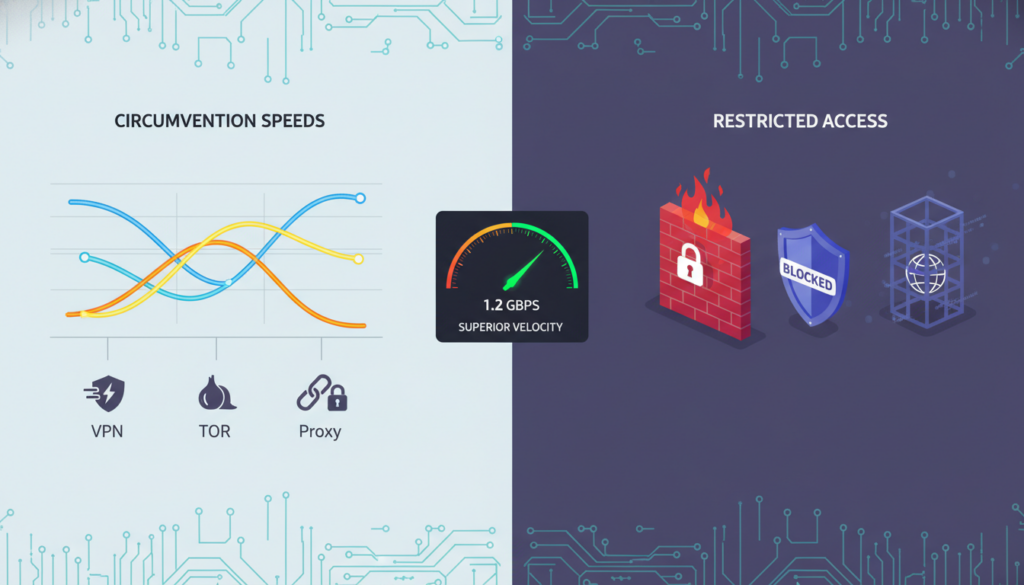
Your location relative to VPN servers also matters. Connecting to a server in a neighboring country will be faster than one on another continent. Some tools like V2Ray can maintain decent speeds even with traffic obfuscation enabled, though encryption overhead reduces throughput by 10-30%.
Detection Resistance and Stealth Capabilities
Detection resistance is crucial in high-censorship regions. China’s Great Firewall, for instance, uses DPI to identify and block standard VPN protocols. Advanced tools like V2Ray and Shadowsocks use traffic obfuscation to make your traffic look like normal HTTPS, making them extremely effective in high-censorship countries.
Stealth capabilities vary widely. Tor bridges and obfs4 can hide the fact you’re using Tor. Some VPNs offer “stealth” or “obfuscated” servers that disguise VPN traffic as regular HTTPS. However, free VPNs and proxies often lack these stealth features, making them easily detected and blocked.
Ease of Setup and Maintenance Requirements
Commercial VPNs are the easiest to use—just install an app and connect. This makes them ideal for non-technical users. More advanced tools like V2Ray or setting up your own Shadowsocks server require technical knowledge. Configuration can be complex, involving server setup, port forwarding, and certificate management.
Maintenance is another factor. Commercial VPNs handle all server maintenance. Self-hosted solutions like Shadowsocks require you to manage your own server, including security updates and monitoring. Free services often have unreliable uptime and may log your data.
Regular maintenance is minimal for commercial VPNs, but self-hosted solutions need regular security patches and updates to stay ahead of censorship technology.
Cost Analysis: Free vs. Premium Solutions
The free vs. premium decision involves more than just price. Free VPNs and proxies often come with hidden costs: data logging, bandwidth limits, and security risks. Some free services monetize your data or display excessive ads.
| Feature | Free Solutions | Premium VPNs | Self-Hosted |
|---|---|---|---|
| Cost | Free or ad-supported | $3-12/month | $5-20/month + setup |
| Speed | Limited, throttled | Fast, optimized servers | Depends on your VPS |
| Privacy | Poor (data collection) | No-logs policies | Complete control |
| Setup Difficulty | Easy | Very Easy | Advanced |
| Best For | Casual, low-risk use | Most users, streaming | Tech-savvy, high-risk users |
Premium VPNs offer the best balance for most users, offering speed, reliability, and strong encryption. For journalists or activists in high-censorship countries, a combination of Tor bridges with obfuscation might be necessary despite the speed cost.
For maximum security, some users combine tools: a premium VPN for daily use, with Tor bridges as a backup. Your choice should match your specific threat model. Casual users in moderately restrictive countries can use standard VPNs, while those in high-censorship regions need advanced tools like V2Ray or Shadowsocks.
Building Your Personal Censorship Circumvention Strategy
Building a personal strategy to bypass internet censorship is not about finding a single magic tool. It’s about constructing a resilient, layered system tailored to your specific needs and the unique threats you face. This section guides you in creating a personal circumvention strategy that is as dynamic and adaptive as the censorship technologies it aims to bypass.
Your journey to reliable, uncensored access begins with a clear, step-by-step plan. You must move from simply using tools to implementing a personal security protocol. This means moving beyond just installing a VPN and hoping it works. You need a strategy that evolves with both the censorship technology and your own changing circumstances.
Assessing Your Specific Risk Profile
Your first step is honest risk assessment. Are you a journalist in a high-risk country, a researcher accessing sensitive data, or a traveler needing to access home services? Your threat model dictates your strategy. A traveler needing to watch geo-restricted content has different needs and risks than an activist. Ask yourself:
- What content am I trying to access, and how is it blocked?
- What are the potential consequences if my circumvention activity is detected in my jurisdiction?
- What is my technical skill level for setting up and maintaining tools?
This assessment is the cornerstone of your strategy. The table below illustrates how different users might approach their strategy based on risk and need.
| User Profile | Primary Risk | Primary Tool | Backup Tool | Key Strategy |
|---|---|---|---|---|
| Journalist/Activist | High. Severe consequences if identified. | Tor Browser with a secure bridge | Paid, high-quality VPN with a no-logs policy | Maximum anonymity. Use Tor for sensitive comms, VPN for general browsing. |
| Business Professional | Medium. Need reliable access to global services and data. | Premium, reputable VPN for all devices | Enterprise-grade proxy service | Reliability and speed for accessing geo-restricted content access for work. |
| Researcher/Academic | Medium-High. Access to blocked journals/data is critical. | Institutional or paid academic VPN | SSH or SOCKS5 proxy for specific applications | Secure, stable access to academic databases and global research. |
| General User / Traveler | Low-Medium. Goal is to circumvent online restrictions for media and communication. | Reputable, paid VPN service | Free, temporary proxy for emergencies | Balance of speed, ease of use, and access to geo-restricted content. |
Implementing Defense in Depth Principles
Do not rely on a single point of failure. A robust strategy uses a layered, or “defense in depth,” approach. Think of it as a series of gates an adversary must pass.
Your primary tool, like a reliable paid VPN, should be your first layer. However, have a backup. This could be a secondary VPN from a different provider, or a different technology like the Tor Browser. This layered approach ensures that if your primary method of circumventing online restrictions is blocked or throttled, you have a fallback that works on a different technical principle.
Regular Testing and Adaptation Procedures
Your strategy is not a “set it and forget it” solution. Censorship technology evolves, and so must you. Regularly test your setup.
- Leak Tests: Use sites like ipleak.net to ensure your VPN or proxy isn’t leaking your real IP address.
- Blocked Resources Test: Regularly try to access a site you know is blocked in your region to ensure your method still works.
- Performance Checks: Test speeds and latency. A slow connection can be a sign of throttling or a poor server choice.
Set a monthly reminder to check for updates on censorship techniques and updates to your tools.
Legal and Ethical Considerations
Your actions have consequences beyond your screen. It is your responsibility to understand the laws in your jurisdiction. Circumventing a corporate firewall at work to watch sports is a violation of your employer’s policy. Bypassing a national firewall to access social media may be illegal in some countries.
“The power to access information is a responsibility. Use these tools to seek truth, not to infringe on the rights of others.”
Ethically, these tools should be used to access geo-restricted content for education, communication, and accessing the open web, not for malicious purposes. Understand the Terms of Service for the tools you use and the platforms you access.
Your strategy is your personal key to the open internet. Build it thoughtfully, test it regularly, and use it responsibly.
Conclusion
Relying solely on HTTPS for security and privacy in a censored internet is a significant risk. This protocol encrypts your data but cannot hide your digital footprint from sophisticated, state-level censorship. As detailed, tools like Deep Packet Inspection (DPI) can still identify and block traffic, rendering HTTPS insufficient against determined censors.
Your defense requires a strategic, layered approach. A robust anonymous browsing strategy combines multiple tools. A reputable, no-logs VPN can mask your IP address, while the Tor network offers a high degree of anonymity for sensitive communication. For the ultimate in anonymous browsing, the Tor Browser is specifically designed to resist fingerprinting and tracking.
Tools like Shadowsocks or V2Ray can also help obfuscate your traffic. Your ability to access the open internet depends not on a single technology, but on a dynamic, informed strategy. True digital freedom is maintained through a layered, adaptable, and informed approach to your online security.
FAQ
If a website uses HTTPS, is it safe from being blocked by a government or my ISP?
No. While HTTPS encrypts the *content* of your communication, it does not hide the *destination* of your traffic. Advanced censorship systems, like those using Deep Packet Inspection (DPI), can analyze patterns, timing, and even the unencrypted Server Name Indication (SNI) in your initial connection to identify and block access to specific websites, even if the content itself is encrypted.
What is the biggest weakness of HTTPS when facing censorship?
The primary weakness is that it does not hide the “metadata.” While the content of your visit to a news site is encrypted, the fact that you are connecting to that site’s IP address is visible. Censors can also analyze unencrypted parts of the connection handshake (like the SNI) or use traffic analysis to fingerprint and block encrypted traffic patterns, effectively blocking the site despite HTTPS.
I’m in a country with strict internet controls. Is a regular VPN enough to access blocked sites?
A standard commercial VPN can help, but in countries with advanced censorship systems like the Great Firewall of China, basic VPNs can be detected and blocked. In such cases, you may need more sophisticated tools that use obfuscation protocols (like the ones used by Shadowsocks or V2Ray) or connect to the Tor network with obfuscated bridges, which are designed to hide the fact that you are even using a circumvention tool.
What is the difference between a VPN and the Tor Browser for bypassing censorship?
A VPN routes all your traffic through an encrypted tunnel to a server in another location, masking your real IP and making it appear you are browsing from the VPN server’s location. It’s generally faster and good for general use. The Tor Browser, in contrast, routes your traffic through multiple encrypted relays, providing much stronger anonymity but often at a significant cost to connection speed. Tor is more effective against national-level censorship but can be slower for streaming or downloading.
What is “Deep Packet Inspection (DPI)” and why does it matter?
Deep Packet Inspection (DPI) is a sophisticated filtering technology used by advanced censors. Unlike a simple blocklist, DPI can analyze the characteristics of your internet traffic—even when encrypted—to identify and block specific protocols, like those used by VPNs or the Tor network. It’s one of the primary methods used to defeat simple HTTPS and VPN connections in restrictive countries.
Are free VPNs safe for bypassing censorship?
It is highly risky. Free VPNs often have poor security, may log your activity, inject ads, or even sell your data. In the context of censorship, they are often the first to be blocked or identified by censors. For reliable and private circumvention, a reputable, paid VPN with a strong no-logs policy and obfuscation features is a more secure, though not infallible, choice.
What is the single most important step I can take to protect my privacy against censorship?
Use a “defense in depth” strategy. Don’t rely on a single tool. Use a trusted, paid VPN for daily browsing. Have a backup, like the Tor Browser, for when primary tools are blocked. Use a DNS-over-HTTPS (DoH) or DNS-over-TLS (DoT) resolver to prevent DNS-based censorship and spoofing. Most importantly, stay informed about the censorship techniques used in your region and adapt your tools accordingly.
Leave a Reply