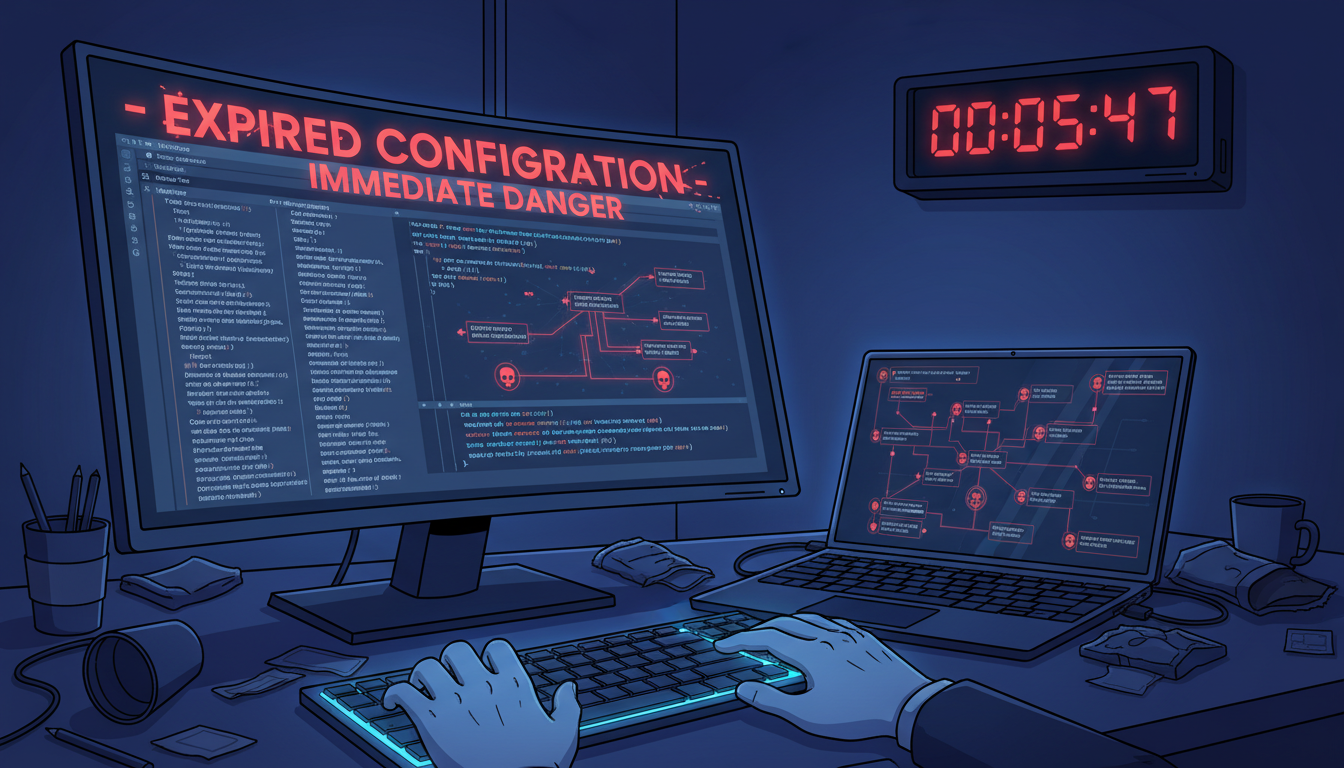
I learned a hard lesson about security. A simple mistake with an old configuration file opened my network to a breach. It was a real, personal experience that put my data at risk.
Expired proxy setups are dangerous and often hidden. Many think an inactive service is safe. But, it can be a doorway for hackers. They find these weak spots before we even know.
This article shares my detailed look into that breach. I’ll explain the technical weaknesses that were exposed. You’ll also learn about the steps that let the breach happen. My aim is to help you avoid making the same mistake.
Key Takeaways
- An expired configuration is not dormant; it can act as a vulnerable backdoor.
- Automated renewal systems can fail, requiring manual checks.
- Outdated settings may leak your true IP address and location.
- Malicious actors continuously scan for and target lapsed proxy servers.
- Regular security audits of all active and inactive connections are essential.
- Immediate revocation of old keys and certificates is a mandatory step.
- Proactive monitoring is more effective than reactive damage control.
V2Ray Fundamentals and the Purpose of Configuration Expiration
The expiration date in a V2Ray configuration is not a mistake. It’s a key safety feature that, if ignored, can cause big problems. Many people don’t get this, which can weaken their security setup. To ensure your setup is secure, you need to know what V2Ray does and why its config files have an expiration date.
V2Ray as a Versatile Proxy Tool for Secure Communication
V2Ray is like a Swiss Army knife for your network. It’s a platform for creating custom proxy protocols. Its main job is to hide and securely send your data between a client and a server.
It’s more than just a VPN. V2Ray makes your data look like normal HTTPS web traffic. This helps get past network filters. Its strength is in being flexible and encrypting your communications well.
But, this flexibility means you have to be careful. The security of your system depends on one important file: the config file.
Anatomy of a V2Ray Configuration File
The V2Ray config file is like the DNA of your secure connection. It’s a JSON file that tells the software how to act. It defines every rule, route, and security setting.
Key Components: Inbounds, Outbounds, Routing, and Policies
The config is built around a few key parts:
- Inbounds: These are the “doors” where V2Ray accepts incoming connections. They define the listening port, protocol (like VMess or Shadowsocks), and settings for client authentication.
- Outbounds: These dictate how V2Ray sends traffic out. An outbound rule points to your destination server and specifies the encryption method for the journey.
- Routing: This is the traffic cop. Routing rules examine each data packet and decide which outbound door it should use based on its destination or other markers.
- Policies: These set the level of security and permissions for different users or connection types. They enforce rules like timeout limits and connection strategies.
When these elements are tuned right, you get a strong, private tunnel. But, a flaw in any part can break the whole system.
Built-in Expiration Dates: A Security Feature, Not a Bug
The expiry field is often misunderstood. Many see a config file stop working and think it’s a problem. I did too. But, it’s actually a smart security feature.
Configuration expiration is about key rotation. Even if your encryption keys were leaked, they expire after a certain date. This limits an attacker’s window of opportunity.
It also stops deployments from running forever on old, forgotten settings. The system needs regular checks. We thought disabling the check was convenient, but it was a big mistake. We ignored a key safety feature.
Seeing the v2ray config expiration as a protective measure, not a flaw, is crucial. It’s there to prevent damage, a lesson we learned too late.
Understanding the Core Expired V2Ray Config Risks
Expired V2Ray config risks are real and dangerous. They are vulnerabilities that attackers look to exploit. We need to look at the specific threats an outdated config poses. It can turn your secure connection into a weak point.
An expired config doesn’t just stop working. It can fail silently, making your system seem safe but not really be. This section will explain the three main risks of using an outdated config.
Breakdown of Encryption and the Illusion of Privacy
V2Ray promises encrypted, private communication. But an expired config can break this promise. Settings like TLS certificates or cipher suites can become invalid.
When this happens, your connection might use weaker encryption. In the worst case, it could send data in plain text. Your system might still show a connection, making you think you’re private when you’re not.
You might think your data is safe, but it’s not. This is a big problem, especially for v2ray security issues.
Open Doors for Man-in-the-Middle (MITM) Attacks
Without strong encryption, you’re open to MITM attacks. This is when someone secretly intercepts your communication. An expired config makes this easy.
If your config’s authentication expires, it becomes untrusted. An attacker can then insert their own server. Your client might connect to this server without warning.
The attacker can then see, change, and steal your data. They can get your login info, inject malware, or take you to fake sites. This turns a simple mistake into a big privacy problem.
Re-exposure to Patched Security Vulnerabilities
This risk is especially bad. An expired config often means your whole V2Ray setup is outdated. This includes the software itself.
Updates and patches fix security holes. An old config might only work with an outdated version of V2Ray. Using old software means you’re exposed to vulnerabilities the developer has already fixed.
Attackers keep lists of these old vulnerabilities. They look for systems running old versions. Using an expired config can make your system vulnerable to attacks that should be fixed.
These risks—broken encryption, MITM attacks, and old vulnerabilities—can all lead to a big problem. Understanding these v2ray security issues is key to avoiding a breach.
My Case Study: The Network That Trusted an Outdated Config
This case study is about a real incident where a network’s security was breached. It wasn’t by a new zero-day exploit, but by an old, expired config. I was called in to analyze it, and it showed how important following procedures is. A mid-sized tech firm used V2Ray to keep their internal and external data safe.
The company thought they had a strong security setup. But, they missed one key thing—a forgotten config file. This made their security almost useless. Here’s how it happened.
Initial Deployment and Security Posture
About eighteen months before the issue, the company set up V2Ray. They wanted to encrypt all traffic to third-party APIs. This was to keep sensitive data safe. The IT team followed a guide and everything worked well at first.
This success made them think they were secure. The proxy was seen as just part of the network. They only checked if it was working, not its security. It was a system that rarely needed anyone’s attention.
The Specific V2Ray Configuration in Use
The config file was complex but standard back then. To show what it looked like without giving away secrets, here’s a simplified version:
| Configuration Parameter | Initial Setting | Intended Security Function | Status at Time of Incident |
|---|---|---|---|
| Protocol | VMess (with dynamic port) | Obfuscate traffic patterns | Active, but encryption degraded |
| Encryption Cipher | AES-128-GCM | Provide strong data confidentiality | Effectively nullified post-expiration |
| User ID (UUID) | Time-bound, renewable | Authenticate client and server | Expired and no longer valid |
| Alter ID | Set to 4 | Add entropy to prevent replay attacks | Functioning but paired with expired ID |
| Transport Layer | WebSocket (wss://) | Mask proxy traffic as HTTPS | Still operational, carrying insecure payloads |
The table shows how the config’s strength relied on the User ID’s validity. When it expired, the whole system’s trust was broken. Yet, the service appeared to work fine.
The Critical Mistake: Ignoring Renewal Notices
The biggest mistake was ignoring warnings about the User ID’s expiration. The V2Ray server logged these warnings. But, a monitoring system collected them.
No one took action. The team was busy with new features. They thought the proxy was secure if it was passing data. This was a critical mistake.
Operational Oversights and Assumed Safety
Several mistakes led to this problem. First, there was no configuration management database (CMDB) to track the config’s life cycle. Its renewal date was nowhere to be found.
Second, security tasks were spread out. Network admins managed the server, but app teams used it. This led to no one being responsible for the proxy’s security.
Lastly, the team believed “if it isn’t broken, don’t fix it.” They thought the proxy was secure because it worked. But, they didn’t realize it had become vulnerable.
The Breach Timeline: From Silent Expiration to Active Attack
The breach started quietly, with a calendar date passing without notice. My investigation revealed a detailed sequence of events. It showed how a v2ray configuration vulnerability became an active threat.
Server logs and network data were key to understanding the attack. The attacker worked slowly and quietly. The silence after the config expired was especially deceptive.
Day 0: Configuration Expiration Without Fanfare
On the expiry date, everything seemed normal. The V2Ray service kept working, and users didn’t notice any issues. My dashboards showed everything was fine.
This lack of immediate failure is a big problem. The system kept running, even though it was no longer secure. The encryption keys were invalid, leaving the system open to attack. But no alarm sounded to warn us.
Later, we found a single, missed log entry. It said the config’s validity had ended. But it was lost among thousands of other messages. The system’s security had changed, but quietly.
Day 5-14: Reconnaissance and Vulnerability Probing
About five days after the expiry, we noticed some oddities. Our logs showed more connection attempts to the V2Ray port. The traffic patterns changed, showing probing activity.
The attacker was gathering information. They were testing the system’s defenses. Our tools showed they were checking the V2Ray version and settings.
This phase lasted over a week. The attacker scanned slowly to avoid detection. They were mapping the exact vulnerabilities in our v2ray configuration. They looked for weak spots or default settings.
Day 15: The Exploit and Initial Compromise
The 15th day was a turning point. The attacker’s reconnaissance paid off. Our logs showed a successful connection to the V2Ray server, followed by unusual activity.
The attacker used an exploit to gain access. They likely targeted a known flaw in an older protocol version. This gave them a foothold on the server.
The first sign of trouble was a small, unauthorized file write. It was a payload to stay hidden. From then on, the attacker was inside, using our expired configuration to their advantage.
Looking back, the attack followed a classic plan. The expiry was the trigger. The reconnaissance was the planning. Day 15 was the execution. Knowing this sequence helps us defend against similar v2ray configuration vulnerabilities.
How Attackers Leveraged the Expired Configuration
The breach started with a simple mistake. It turned into a full-scale attack through three key steps. Our team found a clear plan the attackers used. They made a small mistake into a big problem.
It’s important to understand how this happened. The risks of using expired V2Ray config files are real. It’s not just a simple error, but a way for attackers to get in.
Exploiting Weak or Default Cryptographic Settings
When the V2Ray config expired, it didn’t just stop working. It created a big risk. The system fell back to older, weaker security.
Attackers looked for this chance. They found our system was open to old, weak connections. This was their way in.
The Specific TLS/SSL Handshake Flaw Exploited
The main problem was a bad TLS handshake. Our expired config didn’t require strong security. This let an attacker start a weak connection.
This weak connection was easy to break. The attacker could read all encrypted data. This was a big problem.
Traffic Redirection to Malicious Servers
With the encryption broken, the attackers took control. They didn’t just listen in; they changed where data went. They made it go to a server they controlled.
This server was like a spy in the middle. It saw all data, like passwords and cookies. But it looked like everything was normal.
A silent redirection is far more dangerous than a connection drop. It turns your privacy tool into a data collection tool for the adversary.
Establishing a Foothold and Installing Payloads
The attackers wanted to stay. They used the traffic to get a backdoor into our system. This was a small piece of code.
This code let the attackers get in and stay. They got past our firewall. The attack started with a small mistake but grew big.
This shows how one mistake can lead to a big problem. The risks of using expired V2Ray config are serious. It’s not just a small issue, but a big risk to your security.
Immediate Aftermath and Damage Assessment
Damage assessment started with strange signs, not a siren. These signs showed our network was being compromised. My team and I quickly moved from regular tasks to dealing with the breach.
Detection: The First Signs of Something Wrong
The first sign was small. Our network dashboard showed odd traffic to an unknown IP range. This happened during quiet hours, from 2:00 AM to 4:00 AM.
Then, users reported “timeout” errors on a database. But the system logs didn’t show any problems. This suggested a problem with communication.
The big warning was from a security tool. It found SSL certificate issues with our secure proxy server. This tool couldn’t confirm the server’s identity. These three signs led us to investigate fully.

Scope of the Breach: Data Accessed and Systems Affected
Our forensic analysis showed the breach’s extent. The attackers had access to our internal talks.
The stolen data included three main types:
- Internal Communications: Weeks of encrypted team chats and email metadata were taken. The content was safe, but the metadata showed our projects and who was involved.
- System Credentials: Two development servers’ authentication tokens were stolen. These servers had code and templates, not customer data.
- Network Topology Data: The attackers learned our network layout. They found key servers and how to move laterally.
The affected systems were the V2Ray proxy server, two development servers, and a logging server. The attackers tried to hide their tracks there.
Direct Costs: Downtime, Investigation, and Remediation
The financial hit was quick and wide. We had to figure out the damage in lost time, expert work, and direct costs.
First, we faced big downtime. We shut down the proxy and affected servers for 48 hours. This stopped three teams’ work, delaying a product update by a week.
Second, the investigation needed a lot of effort. My team worked over 120 hours on the case. We also got a third-party firm to check our work, adding to the cost.
Lastly, remediation needed changes in software and hardware. We replaced servers, updated certificates, and improved monitoring. The table below shows the main costs.
| Cost Category | Description | Estimated Impact |
|---|---|---|
| Service Downtime | Lost developer productivity & delayed launch | $18,000 |
| Internal Investigation | 120+ hours of security team labor | $9,000 |
| External Forensic Audit | Third-party cybersecurity firm | $7,500 |
| Hardware & Software Remediation | Server replacement, new security tools | $5,200 |
| Total Direct Cost | $39,700 |
This $39,700 was the direct cost of ignoring a configuration expiration. It didn’t include the cost of damage to our reputation or lost trust. This experience proved that investing in v2ray config safety measures is crucial. It’s not just an IT expense; it’s essential for protecting our assets and operations.
Technical Root Cause Analysis of the Failure
The breach was not a random event. It was caused by a specific technical misconfiguration and poor management. After containing the incident, I led a detailed root cause analysis. My goal was to understand the “why” behind the breach.
This honest appraisal uncovered failures in both our technology and our processes.
Forensic Analysis of the Expired Config File
I started by isolating and examining the expired V2Ray configuration file. Using forensic tools, I compared its state against known secure baselines and the logs from the attack period. The config was a standard JSON file, but its age was the critical factor.
The Exact Setting That Became the Attack Vector
The primary technical failure was twofold. First, the "expire" field in the JSON structure had a date from months prior. More critically, the configuration specified an outdated transport security setting.
It was using a deprecated version of TLS and a cipher suite that had known weaknesses. Once the config was past its expiration date, the V2Ray client continued to use these weak settings. This created a predictable encryption pattern that attackers could exploit.
{

"inbounds": [...],

"outbounds": [{

"protocol": "vmess",

"settings": {...},

"streamSettings": {

"security": "tls",

"tlsSettings": {

"minVersion": "1.1", // Vulnerable Setting

"cipherSuites": "OLD_SUITE"

}

}

}],

"expire": "2023-10-01" // Expired Field

}
This combination was the perfect attack vector. The expired date meant we weren’t checking for updates, and the weak TLS settings gave attackers a foothold.
Procedural Gaps in Configuration Management
The technical flaw was enabled by a broken process. We treated configuration files as “set and forget” items, not as living components with a security lifecycle. This is a direct violation of core v2ray config best practices.
Lack of Automated Monitoring and Change Control
Our most significant procedural failure was the complete absence of automated monitoring. No system was checking the "expire" field in our configuration files. There were no alerts scheduled for renewal.
Furthermore, we had no formal change control process. Renewing a config was an ad-hoc task, not a mandated procedure with approvals and verification. This gap between intention and execution is where risk thrives.
The table below summarizes the two root cause categories:
| Root Cause Category | Specific Failure | Direct Consequence |
|---|---|---|
| Technical (Config File) | Expired “expire” date and deprecated TLS/cipher settings. | Created a known, exploitable vulnerability in the encryption layer. |
| Procedural (Management) | No automated health checks, alerts, or enforced renewal workflow. | Allowed the expired, vulnerable config to remain active and unnoticed. |
In essence, we failed at both ends. The technology had a flaw, and our processes were not designed to catch it. Adhering to fundamental v2ray config best practices for lifecycle management would have flagged this issue long before it was exploited. This analysis forms the critical foundation for building a more resilient system.
Mitigating the Risks: A Proactive Configuration Strategy
Proactive security isn’t about luck. It’s about setting up repeatable processes to protect against human mistakes, like forgetting to update settings. After my breach, I learned that knowing tech isn’t enough. You need a system.
This system has two main parts: a formal management policy and automated enforcement. Together, they make your defense strong and proactive. They help you avoid the bad expired v2ray settings consequences I faced.
Establishing a Configuration Lifecycle Management Policy
A Configuration Lifecycle Management (CLM) policy is like a rulebook. It makes updates a regular, disciplined process. Without it, updates rely on memory, which can fail.
I used to treat each config as a one-time thing. But a CLM policy sees each config as a temporary asset with a start, middle, and end. This brings order and clear responsibility to your team.
Scheduling Audits and Mandatory Renewal Periods
The policy must have clear timelines. Saying “update regularly” is not enough. You need strict rules.
I now have two key written activities:
- Comprehensive Quarterly Audits: Every three months, review all active V2Ray configurations. Check their creation dates, purpose, and current users. This finds configs that might be forgotten.
- Maximum Configuration Lifetime: No config can last more than 90 days. Even if it seems okay, it must be updated. This prevents any single file from becoming a long-term problem.
This schedule is not up for debate. It makes renewal a must, not an option.
Implementing Automated Alerts for Expiration
A policy on paper is just the start. People get distracted. Alerts are the technical backup that enforces your policy automatically. They give you the early warning I lacked.
The aim is to get a notification before a config expires. This gives you time to act. Waiting for a failure is too late.
Tools Like V2Ray’s Built-in Features and External Monitors
You have many options for setting up alerts, from simple to complex. The best choice depends on your setup and skills.
The following table compares the main approaches:
| Tool Type | How It Works | Key Advantage | Best For |
|---|---|---|---|
| V2Ray Native Logging | Parse V2Ray’s access/error logs for specific entries related to outdated security protocols or connection rejections. | Direct insight from the source; no additional software needed. | Smaller deployments where administrators are comfortable with log analysis scripts. |
| Custom External Script | A scheduled script (e.g., Python, Bash) reads config files, checks their ‘expire’ date or age, and sends an email/SMS alert when a threshold is met. | Highly customizable; can be tailored to your exact policy and integrated into existing ticketing systems. | Teams with scripting knowledge who want a lightweight, tailored solution. |
| Dedicated Network Monitor | Tools like Nagios, Zabbix, or Prometheus use plugins to test the availability and security handshake of your V2Ray server, alerting on failure. | Centralized monitoring; fits into existing IT infrastructure and alerting dashboards. | Larger organizations that already use enterprise monitoring for other services. |

I started with a custom script. It scans my config directory every day. If any file is older than 75 days, I get an email. This gives me a two-week buffer to renew it calmly. This simple automation completely removes the risk of forgetting.
For a more integrated approach, you can configure V2Ray’s logging to be more verbose for specific events. Then, use a log shipper to feed those events into a monitoring platform. The principle is the same: remove the human from the critical path of detection.
Combining a clear CLM policy with reliable automated alerts builds a strong, proactive defense. It tackles the root cause of my failure—procedural gaps—with structured process and technical enforcement.
Beyond Expiration: Hardening Your Overall V2Ray Security
Securing V2Ray is more than just watching the calendar. It needs a proactive, multi-faceted strategy. Focusing only on expiration is like locking the front door but leaving the windows open. True resilience comes from building defense in depth across the entire technology stack and the human processes around it.
This section outlines three foundational pillars that will transform your V2Ray deployment from a potential liability into a robust, secure communication channel. Let’s move past reactive fixes and build a system designed to withstand modern threats.
Regular Updates and Applying Security Patches
Software is never finished, especially when it comes to security. The V2Ray core and its associated transport protocols are constantly being improved. New vulnerabilities are discovered and patched by the dedicated developer community.
Ignoring these updates is an invitation for trouble. An expired config might be your immediate problem, but running an outdated V2Ray version is a chronic risk. Attackers actively scan for systems running known vulnerable versions.
I enforce a strict update policy. This doesn’t mean blindly updating to the latest release the minute it drops. It means:
- Monitoring official channels for security advisories.
- Testing updates in a staging environment before deployment.
- Scheduling regular maintenance windows to apply patches.
Remember, an update can patch a critical flaw that an expired or even a current configuration cannot protect against. Keeping software current closes backdoors before attackers find the keys.
“Security is a process, not a product. Patching is the most basic and effective security process there is.”
Principle of Least Privilege in Routing and Access
This principle is simple: grant only the access and permissions absolutely necessary for a task. In V2Ray, this applies powerfully to your routing rules and user inbound/outbound settings.
Many default configurations are overly permissive. They might route all traffic through the proxy or allow access from any IP address. This creates a large “blast radius.” If one part is compromised, the attacker can move freely.
Apply least privilege by segmenting access. For example:
- Create separate user IDs for different services or teams.
- Use routing rules to send only specific destination IP ranges or ports through V2Ray.
- Restrict inbound connections to known, trusted source IP addresses whenever possible.
This limits what an attacker can do if they breach the system. They can’t pivot to other critical internal networks because your routing rules don’t allow it.
Continuous Education for Users and Administrators
The human element is often the weakest link. Technology can be perfect, but a misinformed user or a forgetful admin can undo all your hard work. Building a security culture is non-negotiable.
For administrators, education focuses on configuration management discipline. They must understand why procedures for renewal, updates, and audits exist. It’s not just busywork; it’s the operational heartbeat of security.
For users, education is about threat recognition. They should know the signs of a potential compromise, like unexpected certificate warnings or sudden drops in connection speed. They are your first line of detection.
Regular, brief training sessions and clear documentation turn your team from a vulnerability into an active layer of defense.
| Security Practice | Primary Benefit | Common Pitfall to Avoid |
|---|---|---|
| Scheduled V2Ray Updates | Closes known security vulnerabilities in the core software. | Updating without testing, causing service disruption. |
| Least-Privilege Routing | Limits an attacker’s movement if they gain access. | Using overly broad “all” rules for traffic routing. |
| Security Awareness Training | Empowers humans to identify and report anomalies. | One-time training that is never reinforced. |
By combining updated software, restrictive configurations, and an educated team, you create a security ecosystem. Each pillar supports the others. This holistic approach is what turns a simple proxy tool into a reliable and secure cornerstone of your network architecture.
Conclusion
My experience shows a clear lesson. Expired V2Ray configurations are not just old files. They become active threats to your security.
These outdated files can quietly break your encryption. They open doors for attackers to enter undetected.
Managing your V2Ray configurations well is crucial. It’s not just a suggestion; it’s a must for keeping your network safe. Set up alerts and have a renewal plan in place.
I strongly advise you to check your V2Ray setups right now. Look at every file’s expiration date. Use the strategies we talked about, like keeping things updated and using the least privilege principle.
Don’t overlook the danger of an expired date. Your careful watch is the best defense for your network.
FAQ
What is the main danger of using an expired V2Ray configuration?
The main danger is losing a key security feature. Expiration dates are set to update security regularly. If a config expires, your encryption might fail, leaving your data open to attacks.
This could let hackers intercept your traffic or even change your data. It makes your proxy a risk.
How can an expired config lead to a man-in-the-middle (MITM) attack?
An expired config can lead to a MITM attack. It forces a weaker security protocol. This lets an attacker insert themselves between you and the server.
They can then read, modify, or decrypt your data. This is a classic MITM attack, all because of outdated settings.
My V2Ray connection still works after the config expired. Is it safe?
No, it’s not safe at all. Just because it works doesn’t mean it’s secure. An expired config might use less secure protocols, risking your privacy.
This makes expired v2ray config risks very dangerous because they can be silent.
How did you discover you were breached from an expired configuration?
I found out through unusual network traffic and security alerts. By then, the attacker had already gained access. This shows why you need to watch for v2ray configuration expiration closely.
What is the single most important step to prevent this?
The most important step is to have a strict Configuration Lifecycle Management policy. Treat config files as if they’re security credentials that expire. Set up alerts for expirations and renewals, and never forget to update them.
This is the best way to avoid expired v2ray configuration dangers.
Beyond expiration dates, how else can I harden my V2Ray setup?
A> To strengthen your V2Ray, use a multi-layered approach. Keep V2Ray updated to fix v2ray security issues. Use the least privilege principle for your routing rules to limit damage.
Also, teach everyone about v2ray config best practices. This builds a security-aware culture.
Are there tools to monitor for V2Ray config expiration automatically?
Yes, there are tools. Use V2Ray’s logging to check status, or Nagios/Prometheus for monitoring. You can also write scripts to check your config files for expiration and alert you.
This automation helps avoid the procedural gaps in configuration management I faced.
Leave a Reply