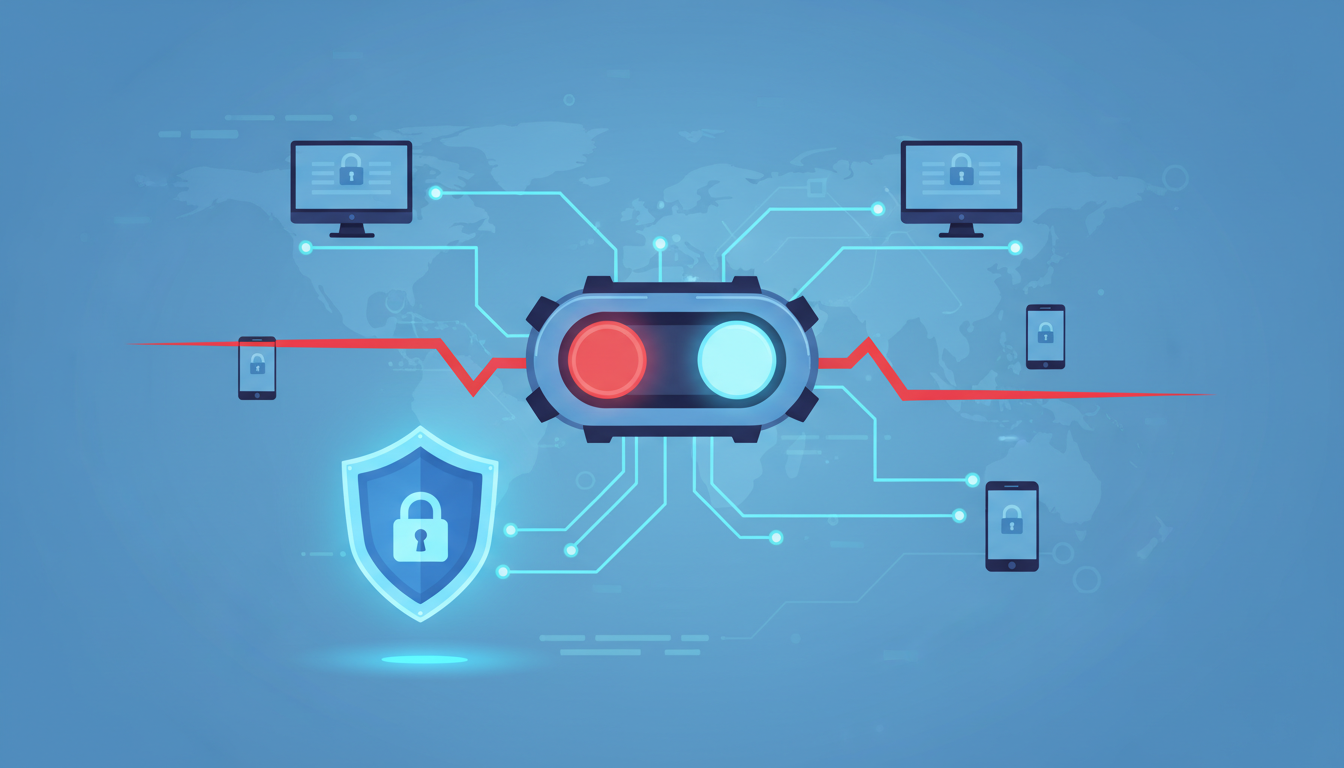
A kill switch is a key safety feature in online privacy tools. It stops all internet traffic if your secure connection fails. This keeps your real IP address and personal data safe from being exposed.
For those using advanced proxies like V2Ray, a kill switch is non-negotiable. It creates a secure tunnel for your browsing. But if that tunnel fails, even for a moment, you become vulnerable. A kill switch instantly closes that gap.
We think true network security means being ready for failures. Your internet privacy isn’t just about encryption; it’s about constant protection. Adding this safety net makes a good setup even stronger.
This guide will show you how a kill switch works in your client. We’ll explain why it’s crucial, not optional. Your journey to complete digital safety begins with understanding this.
Key Takeaways
- A kill switch is an automatic safety net for your internet connection.
- It prevents data leaks if your secure proxy disconnects unexpectedly.
- This feature is essential for maintaining true online anonymity.
- Robust network security requires proactive measures, not just encryption.
- Every privacy-conscious user should enable this fail-safe for complete protection.
- Understanding this tool is the first step toward stronger digital privacy.
1. Let’s Define It: A Kill Switch is Your Digital Safety Net
A kill switch is your digital safety net in the world of online privacy. It’s not just an extra feature. It’s a key part of keeping your personal info safe. It kicks in when your main protection fails.
Imagine it as a guard that never sleeps. It watches over your V2Ray tunnel while you’re online. Its job is to step in if the tunnel goes down.
More Than a Firewall: An Active Protection Mechanism
A traditional firewall is like a passive guard. It checks data packets against a list of rules. But it doesn’t watch your vpn protocols closely.
A kill switch is different. It’s an active protector. It checks if your V2Ray proxy is working. It turns on if it finds a problem.
This makes it great for data protection. It stops leaks before they happen. It keeps your data safe by closing the digital door.
In V2Ray, it works by talking to your system’s network. If the V2Ray server goes down, it blocks all internet or closes apps. This keeps your real IP and activities hidden.
The Simple Analogy Everyone Understands: A Circuit Breaker
Think of it like a circuit breaker in your home. It’s simple but very effective.
When the circuit gets too hot, the breaker actively cuts the power. This stops wires from overheating and fires. It’s a safety net for your home.
A v2ray kill switch works the same way. It’s like a breaker for your internet. If your connection fails, it cuts you off from the internet.
This stops leaks and keeps your data safe. It’s automatic and immediate, just like a circuit breaker.
This makes V2Ray more than just a proxy. It becomes a strong security system. With a kill switch, you’re always protected, even when vpn protocols fail.
So, a kill switch is your safety net online. It answers the question, “What if my connection drops?” With it, nothing leaks.
2. The Harsh Truth: V2Ray Connections Are Not Infallible
Many people think their V2Ray client makes them safe online forever. But this is not true. It leaves a big hole in their digital defense. Every link in the chain can break, often without warning.
Knowing where these failures can happen is key to staying safe. We count on cybersecurity tools for online anonymity. But we must know their limits. Let’s look at where things can go wrong.
Servers Go Down, Networks Glitch, Configs Break
Your V2Ray connection relies on a remote server. These servers can fail for many reasons. Your internet service provider might have issues. Or, the Wi-Fi at the coffee shop could drop.
Even your own device and settings can be a risk. A wrong config file or a software update can mess things up. These problems happen every day.
The table below shows common failure points and their effects. Seeing them listed makes the risk clear.
| Failure Point | Immediate Effect | Risk to Online Anonymity |
|---|---|---|
| Server Outage | V2Ray client loses its endpoint. All traffic has nowhere to go. | Extreme. Your real IP is fully exposed if traffic reroutes. |
| Local Network Glitch | Brief Wi-Fi dropout or mobile data handoff. | High. The proxy session breaks, potentially reconnecting without it. |
| Configuration Error | Client fails to start or connect due to bad settings. | Critical. You might think you’re protected when you are not. |
| System Resource Conflict | Another security app or VPN interferes with V2Ray. | Moderate to High. Can cause partial leaks or complete failure. |
Each scenario leads to the same result: your secure tunnel collapses. What happens next depends on the software’s design. This is where a second problem lies.
The “Fail-Open” Design of Most Apps is a Risk
Most software, including network apps, has a “fail-open” design. This means if something goes wrong, it lets traffic flow normally. The goal is to keep the internet working at all costs.
This makes sense for web browsers. You’d rather see an error page than have no internet. But for cybersecurity tools aimed at online anonymity, this design is a big problem. When your V2Ray client fails, it silently switches back to your normal, unprotected network.
Your traffic will then go directly from your device to the website. This reveals your true IP address and location. This happens instantly and automatically. You get no alert, no warning. You keep browsing, unaware your online anonymity has been lost.
This silent failure makes a powerful privacy tool a liability. It gives a false sense of security that’s more dangerous than having no protection. A good security system must plan for failure. That plan is a fail-safe mechanism, or a kill switch.
3. How the v2ray kill switch Actively Guards Your Privacy
A kill switch works on a simple two-phase principle: monitor and act. It’s the core mechanism that shifts your setup from being passively protected to actively defended. This kill switch feature doesn’t wait for you to notice a problem. Instead, it works silently in the background to ensure a state of continuous secure browsing, making certain no data ever travels outside the encrypted tunnel during a failure.
Constant Monitoring for the Exact Moment of Failure
Think of the kill switch as a dedicated sentry. Its first and ongoing job is surveillance. It maintains a live, constant check on the health of your V2Ray connection. This isn’t a casual glance every few minutes. It’s a persistent watch for specific failure signals.
These signals include the loss of “heartbeat” pings to the proxy server or the unexpected closure of the network socket. The moment either event occurs, the monitoring system triggers. This detection happens in milliseconds. The speed is crucial because even a brief lapse can be enough for your device to attempt sending data over your real, unprotected internet connection.
Executing the Protocol: Block All Traffic or Close Programs
Once a failure is confirmed, the kill switch immediately moves from its monitoring phase to its execution protocol. This is where it earns its name. It doesn’t try to reconnect or wait. It takes decisive, pre-defined action to kill any chance of a data leak.
Generally, clients execute one of two primary protocols. The first and most common method is to instruct your device’s firewall to instantly block all outward internet traffic. This creates a “fail-closed” system where everything stops until the secure V2Ray tunnel is restored.
The second method is to force-close any applications you’ve specified as sensitive, like your browser or email client. This is a more surgical approach. Both protocols achieve the same vital goal: preventing unencrypted data packets from leaving your computer. Your session remains frozen in a safe state, preserving your privacy until you manually reconnect or the client re-establishes the proxy.
The Two-Phase Protocol of a V2Ray Kill Switch
| Phase | Core Function | Immediate Result |
|---|---|---|
| 1. Monitoring | Continuously validates the live connection to the V2Ray proxy server. | Instant detection of server downtime, network glitches, or configuration errors. |
| 2. Execution | Activates pre-configured safety measures the millisecond a failure is detected. | All non-proxy internet traffic is blocked, or specified programs are terminated, preventing IP and data leaks. |
| This automated cycle is what transforms a basic proxy connection into a robust privacy system with a true kill switch feature. |
By seamlessly cycling between these two phases—unceasing watchfulness and immediate action—the kill switch acts as an automated guardian. It provides the active layer of security that makes secure browsing with V2Ray not just an aspiration but a reliable reality.
4. Reason 1: It Prevents Catastrophic IP Address Leaks
Imagine your online identity suddenly exposed to the world. This is the main risk a v2ray kill switch aims to stop. Stopping IP address leaks is key to keeping your online activities private.
Your V2Ray client hides your IP by routing your traffic through a secure server. This keeps your real IP hidden from websites and services. But, this protection only works as long as the connection is stable.
Your Real IP is Exposed the Instant V2Ray Drops
When V2Ray fails or has an error, your proxy tunnel breaks. There’s no warning. Your device immediately goes back to using your normal, unprotected connection.
This switch happens fast. You might not even see a warning before your real IP is sent out. Every action online, like visiting a new site or updating apps, can reveal your location.
Firewall settings often can’t catch this. They follow static rules, not reacting to proxy failures. They lack the needed response for this emergency.
Why This is a Major Blow to Anonymity and Security
An exposed IP can reveal your location and internet provider. It can even show your city or neighborhood. For those seeking privacy, this leak can undo all their efforts.
Security-wise, the risks are high. A leaked IP makes you a target for tracking and attacks. If you were accessing private info, that’s now linked to you.
Here are some immediate effects:
- Activity Correlation: Your anonymous browsing can now be linked to your identity.
- Geographic Tracking: Your location is exposed, risking your privacy.
- Targeted Blocking: Your IP can be blocked, limiting your access.
Basic firewall settings are like locking a door but leaving a window open. The v2ray kill switch closes that window when your main defense fails. It turns your setup into a strong privacy system with a safety net.
5. Reason 2: It Secures Your Data During Unstable Sessions
Spotty Wi-Fi and mobile signals can be a big problem. We often use V2Ray in places with bad connections, like crowded cafes or trains. Even if you don’t notice a total drop, small issues can still be risky.
A kill switch is key for keeping your network security strong. It doesn’t just watch for big failures. It also protects against small drops in connection, making sure your data protection is always on.
Protection on Spotty Wi-Fi or Mobile Networks
Public Wi-Fi can be very unpredictable. Sometimes you have a strong signal, and then it drops. Mobile data can also be unreliable, especially when you’re moving.
Without a kill switch, your device might send data without encryption. This means your real IP address could be exposed. It’s a big risk for your online safety.
A good kill switch watches your V2Ray connection closely. It blocks all traffic if the tunnel breaks, even for a second. This is how you keep your data safe in unstable networks.
Ensuring Sensitive Downloads and Uploads Don’t Leak
Transferring files is risky, especially if your connection drops. If you’re downloading or uploading something important, a small glitch can be a big problem. Some data might be sent safely, but the rest could be exposed.
This is a major data protection issue. Even a small leak can be dangerous. It’s the same for sending emails or filling out forms online.
The kill switch fixes this by treating every session as a single, safe event. If the V2Ray connection fails, it stops all network activity. This means your data is either safe or it doesn’t get sent at all.
The table below shows how different networks can be risky and how a kill switch helps:
| Network Type | Stability Risk | Data Exposure Risk Without Kill Switch | Primary Kill Switch Benefit |
|---|---|---|---|
| Public Wi-Fi (Cafe, Airport) | Very High | Extreme. Frequent deauth packets and congestion cause micro-drops. | Blocks all traffic during frequent, brief disconnections. |
| Home Wi-Fi (ISP Issues) | Moderate | High. Router resets or bandwidth throttling can break the proxy tunnel. | Prevents leaks during unexpected home network resets. |
| Mobile Data (Rural or Moving) | High | Very High. Tower handoffs can create 1-2 second connection gaps. | Secures data during cell tower transitions and signal fade. |
| Tethered Hotspot | Variable | Moderate to High. Depends on the host device’s connection stability. | Adds a vital security layer to an already indirect connection. |
In short, a kill switch makes your V2Ray client a reliable protector. It keeps your data safe, even in unstable conditions. Your security shouldn’t rely on the quality of a coffee shop’s router.
6. Reason 3: It Complements V2Ray’s Core Mission
The true value of any privacy tool isn’t just its peak performance. It’s how it handles failure. A sophisticated proxy with advanced vpn protocols is impressive. But its real value is in what happens when those protocols fail.
We choose tools like V2Ray for a key promise: to protect our digital lives. But this promise is broken if the connection fails. A tool without a plan for failure is not complete.
Privacy Tools Must Have Fail-Safes to Be Trustworthy
Trust in a privacy app comes from consistency. It’s the confidence that protection is always on, even when you’re not watching. A kill switch is this essential fail-safe.
Think of it as a non-negotiable safety standard. We wouldn’t trust a car without airbags or a building without fire exits. A privacy tool without a kill switch is untrustworthy. The kill switch is like the airbag for your data.
It makes V2Ray a reliable guardian, not just a tool for the best-case scenario. This fail-safe ensures the software’s core mission—protecting you—is never broken by a glitch.
Turning a Powerful Proxy into a Robust Security System
V2Ray’s engineering is great at routing traffic through complex paths. But power alone doesn’t make a system robust. A system is defined by its parts working together towards a goal.
The kill switch is the key component that completes this system. It watches the health of those advanced vpn protocols and acts fast if they fail. This active response makes the software better.
With a kill switch, V2Ray becomes more than a proxy. It’s a complete framework for online anonymity. It covers the whole connection lifecycle: starting, maintaining, and ending securely. This approach keeps the promise of reliable, set-and-forget privacy.
In the end, adding a kill switch completes V2Ray’s mission. It ensures your online anonymity is protected, not just when it’s easy, but especially when it’s hard.
7. Reason 4: It Offers Peace of Mind You Can’t Buy
A kill switch feature does more than just protect your data. It also gives you peace of mind. We often forget that digital security should also ease our mental stress. This feature turns good cybersecurity tools into silent protectors.
The Psychological Benefit of a Set-and-Forget Safety Feature
Think about how often you check if your proxy is working. That constant worry can be stressful. A kill switch removes this stress completely.
Once it’s on, it acts as a set-and-forget guardian. You don’t have to keep an eye on your connection anymore. It instantly acts if there’s a problem. This change makes you feel more confident online.
This reliability builds trust in your security setup. You see your V2Ray client as a strong system, not a weak point. This trust lets you use the internet without worry.
Focusing on Your Work, Not Monitoring Your Connection
The main benefit is being able to work without interruptions. Whether you’re researching, streaming, or chatting, you can focus. The kill switch takes care of security, freeing your mind for important tasks.
Think about times when you need to concentrate:
- Deep work sessions: Writing, coding, or designing needs your full attention. Connection worries can be a distraction.
- Time-sensitive tasks: Tasks like uploading documents or live chats can’t wait for manual checks.
- Multitasking environments: Switching between apps and tabs means you can’t always check your proxy.
Automation is key for today’s digital work. The best cybersecurity tools should make your workflow smoother, not harder. A reliable kill switch feature offers just that: security you don’t have to think about.
This peace of mind can’t be bought. It comes from knowing your digital safety is always there, watching over you. This confidence is what makes using the internet truly enjoyable.
8. How to Check If Your Current V2Ray Client Has One
Securing your connection starts with checking your client’s safety features. Many users don’t know what protection their V2Ray clients offer. A quick settings check can show if you need to enable a feature or find another solution.
Most V2Ray clients have some protection. But, the terms and where to find them vary. We need to know exactly where to look.
Looking for “Routing,” “Firewall,” or “Kill Switch” Settings
Start by opening your V2Ray client’s settings or preferences menu. Look for tabs like “Advanced,” “Security,” or “Connection.” The kill switch is usually not on the main screen.
Search for specific terms. “Routing rules” control proxy traffic. “Firewall” settings block non-proxy traffic. A “Kill Switch” or “Network Lock” toggle is clear.
If you find these options, check them closely. A true kill switch blocks the internet when V2Ray disconnects. Simple proxy rules are not enough for secure browsing protection.
Client Spotlight: Native Features in V2RayN, Qv2ray, and V2RayNG
Popular clients handle this feature differently. Some have it built-in, while others need manual setup. Here’s what you’ll find in three widely-used applications.
| Client & Platform | Feature Name & Location | Native Kill Switch? | Configuration Complexity |
|---|---|---|---|
| V2RayN (Windows) | “Routing” → “Advanced Settings” | Yes, via rules | Medium |
| Qv2ray (macOS/Linux) | “Preferences” → “Connection” tab | Partial (system proxy) | Low to Medium |
| V2RayNG (Android) | “Settings” → “Routing” or “Security” | Yes, “VPN Lock” | Low |
V2RayN for Windows offers strong routing. Its “Advanced Settings” under the Routing tab lets you block all traffic unless it goes through the proxy. This creates a kill switch. You must enable and configure these rules manually.
Qv2ray on macOS and Linux works with the system proxy. It doesn’t have a dedicated kill switch button. But, its “Set System Proxy” option with proper routing rules can offer similar protection. The security depends on your system’s firewall settings.
V2RayNG on Android has the simplest option. Look for a “VPN Lock” or “Always-on VPN” setting. When enabled, it stops any data transmission if the V2Ray connection fails. This is a true active kill switch for mobile secure browsing.
If your client isn’t listed here, the search principles remain the same. Check documentation or community forums for specific guidance. Knowing what you have is key to true connection security.
9. Our Step-by-Step Setup Guide for Top Clients
Our guide makes setting up V2RayN, Qv2ray, and V2RayNG easy. It ensures your internet privacy is top-notch. We give clear instructions for each client. Follow these steps to turn on your v2ray kill switch.
Each platform has its own menu. But the goal is the same. You need to create a rule that blocks all internet traffic if the V2Ray proxy fails.
For V2RayN on Windows: Configuring Routing Rules
V2RayN uses routing rules to control traffic. This is where you build your kill switch logic. First, make sure your main proxy connection is working.
Step-by-Step Walkthrough of the Settings Menu
- Open V2RayN and click the Settings gear icon.
- Select Routing Settings from the menu.
- In the Routing Rules tab, click Add to create a new rule.
- Set the Target IP to 0.0.0.0/0 and the Port to 0-65535. This means “all traffic.”
- Set the Outbound dropdown to block.
- Click Save. Now, add a second rule above it for your V2Ray server. Set the Target IP to your server’s IP and Outbound to proxy.
- The order is critical. The proxy rule must be first. The block rule catches everything else if the proxy fails.
This setup ensures non-proxy traffic is blocked, creating an effective vray kill switch.
For Qv2ray on macOS/Linux: Using the System Proxy & Rules
Qv2ray offers deep configuration options. Its rule-based system is powerful for granular control. We will use it to enforce a system-wide block.
Navigating the Complex Configuration for Granular Control
- Launch Qv2ray and go to Preferences.
- Navigate to the Connection tab and ensure Set System Proxy is enabled.
- Go to the Rules tab. This is the heart of the kill switch setup.
- Click Add under Rule Sets. Name it “Kill Switch.”
- In the new rule set, add a rule with Domain or IP CIDR set to 0.0.0.0/0.
- Set the Outbound action to Block.
- Now, create a rule above it for your V2Ray outbound. Use your server’s domain or IP.
- Set its Outbound action to your proxy connection.
- Apply the settings. Qv2ray will now use these rules to manage all traffic.
This method gives you fine-tuned control over what gets blocked, maximizing your internet privacy.
For V2RayNG on Android: Enforcing the VPN Lock
V2RayNG on Android integrates with the system’s VPN service. This allows for a simple but powerful toggle to act as a kill switch.
Activating the Crucial “Block connections without VPN” Toggle
- Open the V2RayNG app and connect to your server once to initialize it.
- Tap the three-dot menu in the top right and select Settings.
- Scroll down to the VPN section.
- Find the option labeled Block connections without VPN or similar.
- Toggle this switch to ON. This is the essential kill switch feature.
- For extra security, also enable Lockdown or Always-on VPN in your Android system VPN settings.
- Return to the app and connect. Your device will now block all data if the V2RayNG VPN drops.
This Android-specific feature is the simplest way to achieve a reliable v2ray kill switch on mobile.
| Client | Platform | Core Method | Key Setting / Rule | Difficulty |
|---|---|---|---|---|
| V2RayN | Windows | Routing Rules | Block rule for 0.0.0.0/0 | Intermediate |
| Qv2ray | macOS / Linux | Rule Sets | Custom rule set with block action | Advanced |
| V2RayNG | Android | System VPN Toggle | “Block connections without VPN” | Beginner |
The table above summarizes the approach for each client. Your choice depends on your operating system and comfort with configuration.
After completing these steps, your internet privacy has a strong last line of defense. The kill switch is now active. In the next section, we explore advanced custom rules for even greater control.
10. Going Advanced: Crafting Custom Rule-Based Kill Switches
Custom rules are like a fine-tuned tool for network security. They go beyond the simple “block all” method. This lets you create a safety net that fits your unique digital needs. It’s perfect for those who want to keep certain local services running while protecting sensitive tasks.
Think of it as setting up a smart digital perimeter. Instead of a single wall, you have smart gates and checkpoints. This level of control makes a good privacy tool great.
Whitelisting Trusted Local Network Addresses
A global kill switch can be too broad. It might block your access to local network devices like printers or NAS devices when your V2Ray connection drops. Whitelisting fixes this.
You can set rules to allow traffic to specific IP address ranges on your local network. For example, you can allow all traffic within your home subnet, like 192.168.1.0/24.
- Keep your smart home devices running. Your lights or thermostat can still communicate.
- Maintain access to local file servers. You won’t lose connection to your internal backups.
- Enable AirPrint or network printing. Your documents print without exposing your real IP online.
This approach balances strong security with usability. Your local network stays functional while all internet traffic is securely blocked.
Blacklisting Specific High-Risk Applications
Blacklisting lets you target specific programs that must never leak data. If your VPN fails, these apps are instantly blocked from accessing the internet.
Think about which apps handle your most sensitive information. Your primary web browser and email client are good examples. Torrent clients are also high-risk apps that can expose your identity.
Application-specific blocking adds an extra layer of defense. It ensures your most vulnerable software is always protected.
To set this up, create a firewall rule that identifies the application by its executable file path. Once done, you can browse safely, knowing that even a complex connection failure won’t leak that app’s traffic.
| Strategy | Primary Use Case | Example Rule | Key Benefit for Network Security |
|---|---|---|---|
| Whitelisting | Allowing trusted local services | Permit traffic to 192.168.1.0/24 | Maintains local functionality without compromising internet data protection. |
| Blacklisting | Blocking dangerous programs | Block “chrome.exe” from all networks | Provides targeted, application-level security for your most sensitive tasks. |
| Combined Strategy | Maximum control and safety | Whitelist local subnet + Blacklist email client | Creates a layered, sophisticated security posture tailored to your exact needs. |
Learning these custom rules takes your network security to the next level. You go from preventing leaks to designing a smart data protection system. It puts you in full control of your digital footprint.
11. Essential Testing and Troubleshooting Steps
Testing is key to making sure everything works right. Your kill switch is a vital part of keeping your data safe. It needs to be tested to make sure it works well.
It’s better to find out if something doesn’t work in a test than in a real emergency. Testing shows your safety net is ready to protect you.
How to Safely Simulate a Failure to Test Your Switch
We aim to test your V2Ray without revealing your real IP. The best way is to stop the V2Ray core while it’s still connected.
Here’s how to do it:
- Make sure your kill switch is turned on in your client settings.
- Go to “whatismyip.com” to see your hidden IP.
- Stop the V2Ray core. In apps like V2RayN, use the “Stop Core” button.
- Try to refresh the IP check website or visit a new site right away.
If your kill switch works, you won’t have internet. Your browser will show an error. This is good—it means your data is safe.
Start the V2Ray core again to get your internet back. This test is quick, safe, and gives you peace of mind.
Fixing Common Issues: Internet Locked or Switch Not Firing
Occasionally, the kill switch doesn’t work right. There are two main problems.
Problem 1: The Internet is Completely Locked, Even with V2Ray Running.
This issue happens when your kill switch rules are too wide. It blocks all internet, not just non-V2Ray traffic. The solution often involves tweaking your routing rules.
You might need to add trusted local network addresses (like your router at 192.168.1.1) to the whitelist. Check your client’s “Routing” or “Firewall” settings. Make sure the rules correctly distinguish between proxy and direct traffic.
Problem 2: The Kill Switch Doesn’t Activate When V2Ray Fails.
This is a big problem. It usually comes from client or system settings. First, check if your client version supports a true kill switch. Some older versions or lightweight apps might not.
Next, see how the client works with your system’s network stack. On some systems, the client uses built-in vpn protocols to block traffic. If these vpn protocols aren’t working right, the kill switch won’t work.
It’s also important to make sure your V2Ray client has the right system permissions. Without them, it can’t tell the firewall to block traffic. A good setup makes your proxy a strong security tool, showing you have effective cybersecurity tools.
Fixing these issues completes the cycle. It makes sure your privacy is not just hoped for, but actively protected by a tested system.
12. Conclusion
A V2Ray client without a kill switch is not enough for privacy. We’ve seen how connections can fail without warning. This makes active protection crucial.
The kill switch is key to keeping your system safe. It stops IP leaks and protects your data on shaky networks. This turns a strong proxy into a reliable security tool.
Setting up this protection is simple. We showed you how to do it with V2RayN, Qv2ray, and V2RayNG. You can also test your setup to make sure it works.
Turn on the kill switch in your V2Ray client today. It’s the best way to keep your connection safe and your online identity private.
Leave a Reply